Stop resetting passwords you already own.
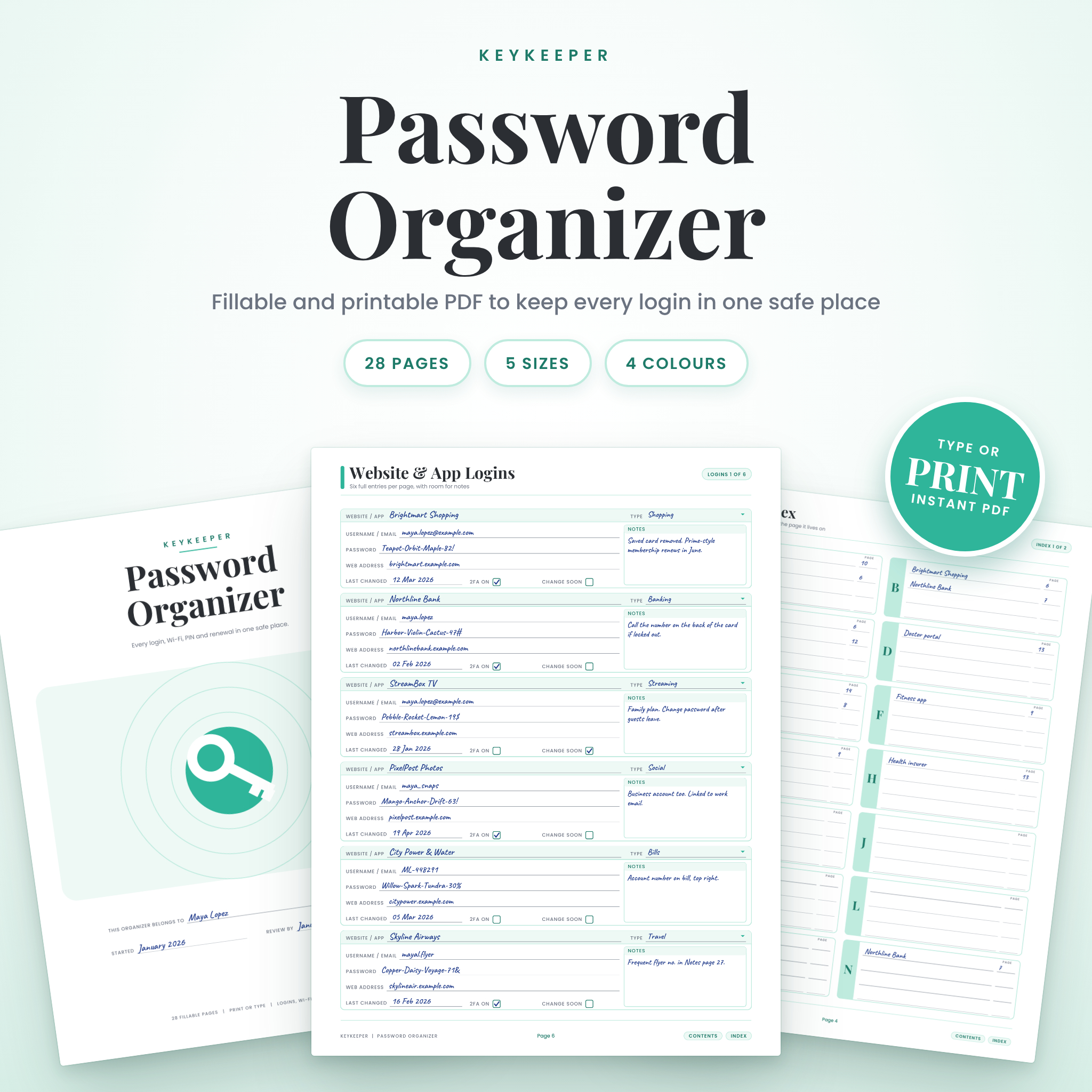
Keykeeper is a 28-page password organizer you can type into or print and write on. It holds your website logins, email accounts, Wi-Fi details, device PINs (as clues), subscriptions, software keys and recovery notes. All of it sits in one tidy set of pages, with an A to Z index so you find the right login in seconds.
Pick your paper size and colour, open the PDF, and start filling it in. That is the whole setup.
Who it is for
- Anyone tired of the “Forgot password” loop
- Families who share streaming accounts and a Wi-Fi password nobody remembers
- Small business owners and freelancers with a pile of logins
- Students, parents and busy people who like a paper backup
- People helping an older relative get organised
- Planner fans who want a password page that matches their binder
Why you will like it
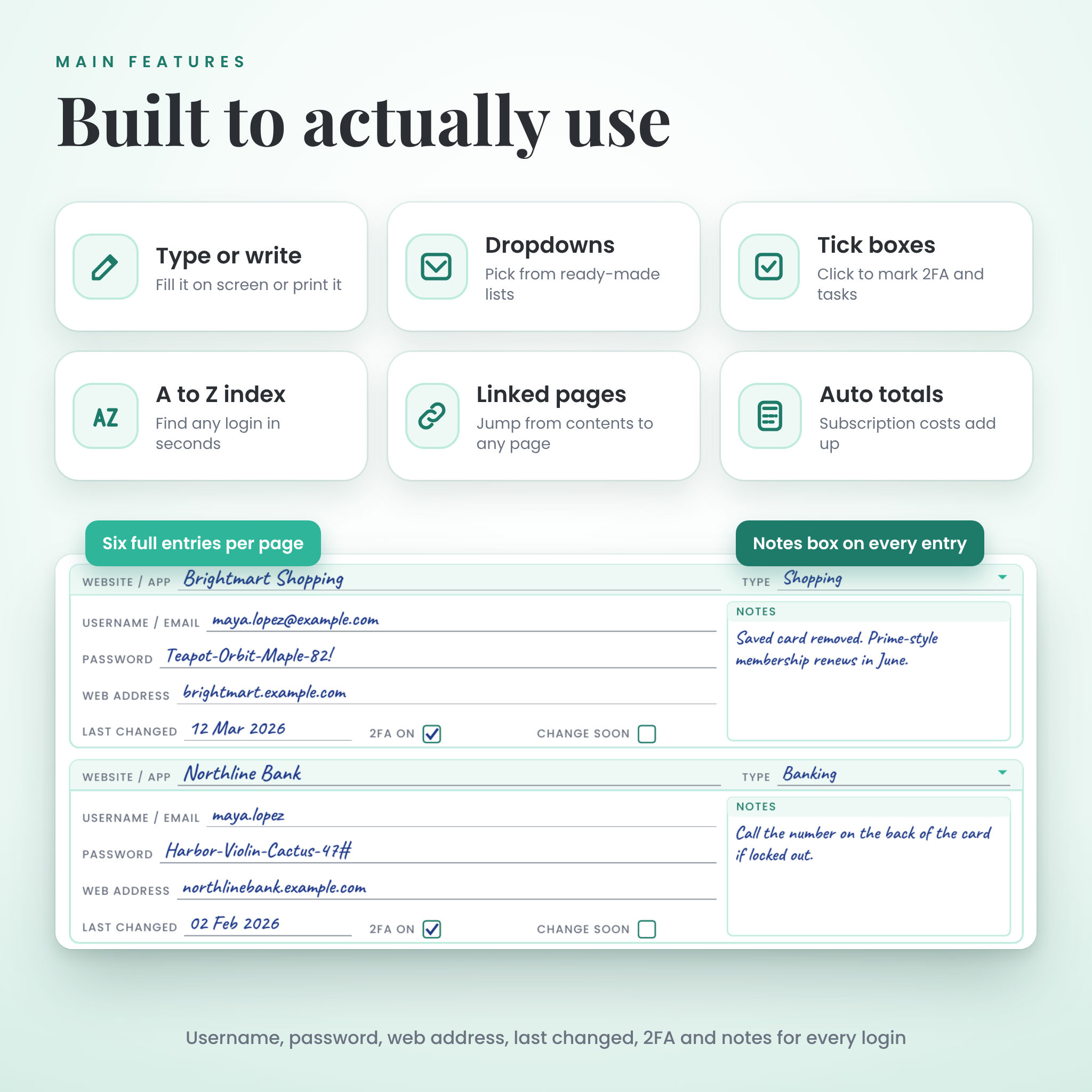
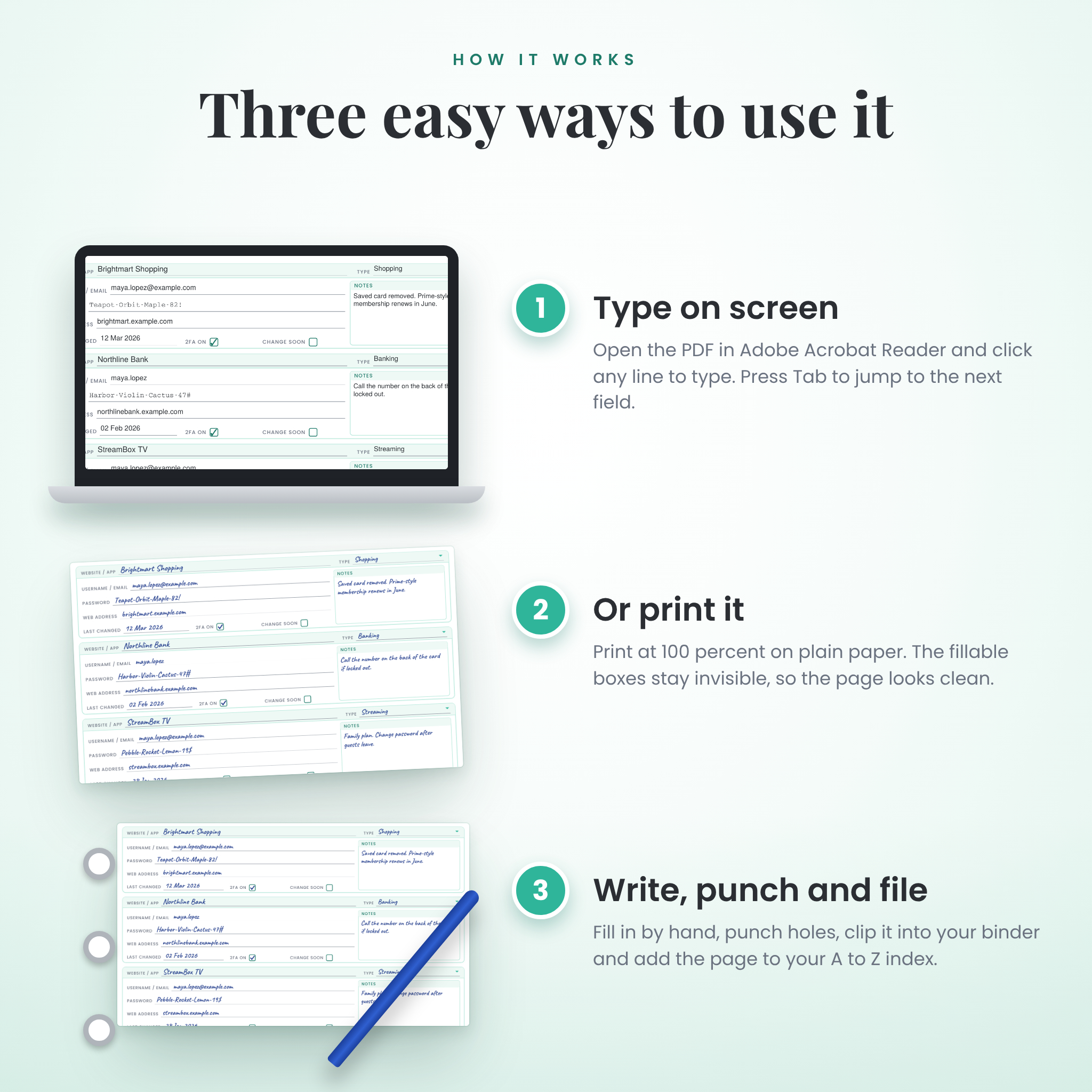
- Fillable or printable. Click a line and type, or print it and use a pen. The fillable boxes are invisible on paper, so printed pages look clean.
- Six full entries per page. Each login has room for username, password, web address, last changed date, a 2FA tick box and a notes area.
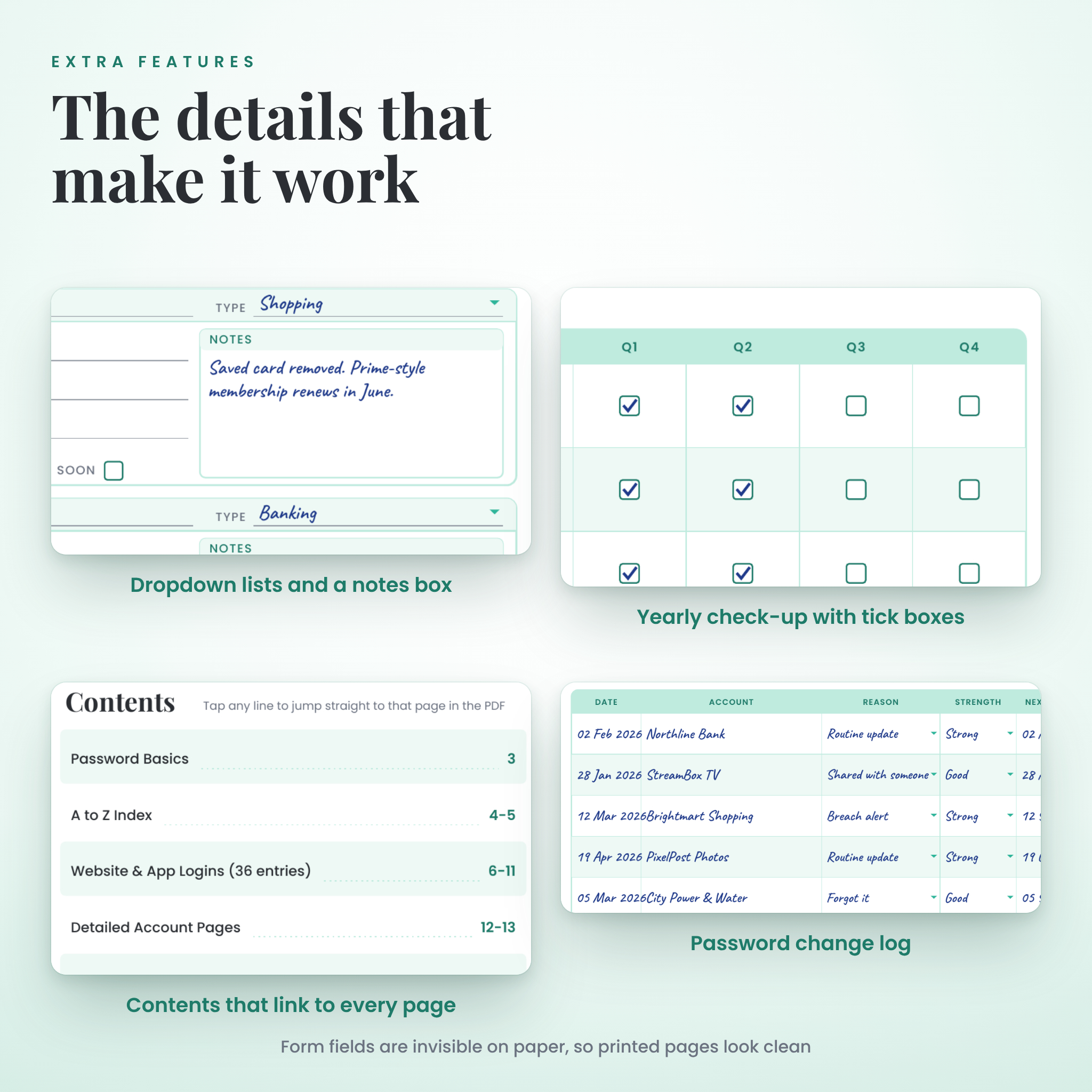
- Find anything fast. The A to Z index, clickable contents and footer buttons take you straight to the right page.
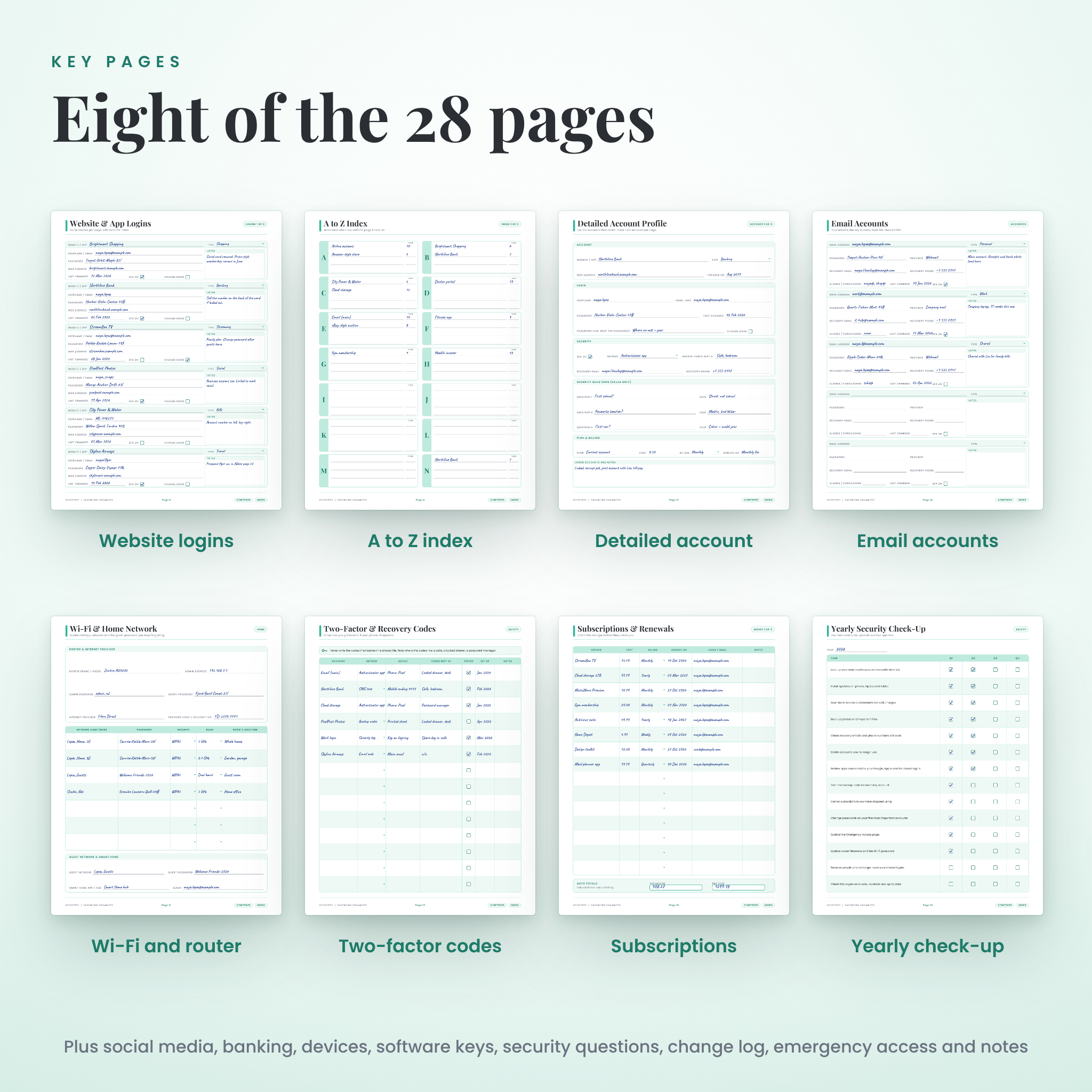
- More than a password list. Wi-Fi and router details, devices, subscriptions, software keys, two-factor recovery notes, security question clues, a change log and a yearly check-up are all built in.
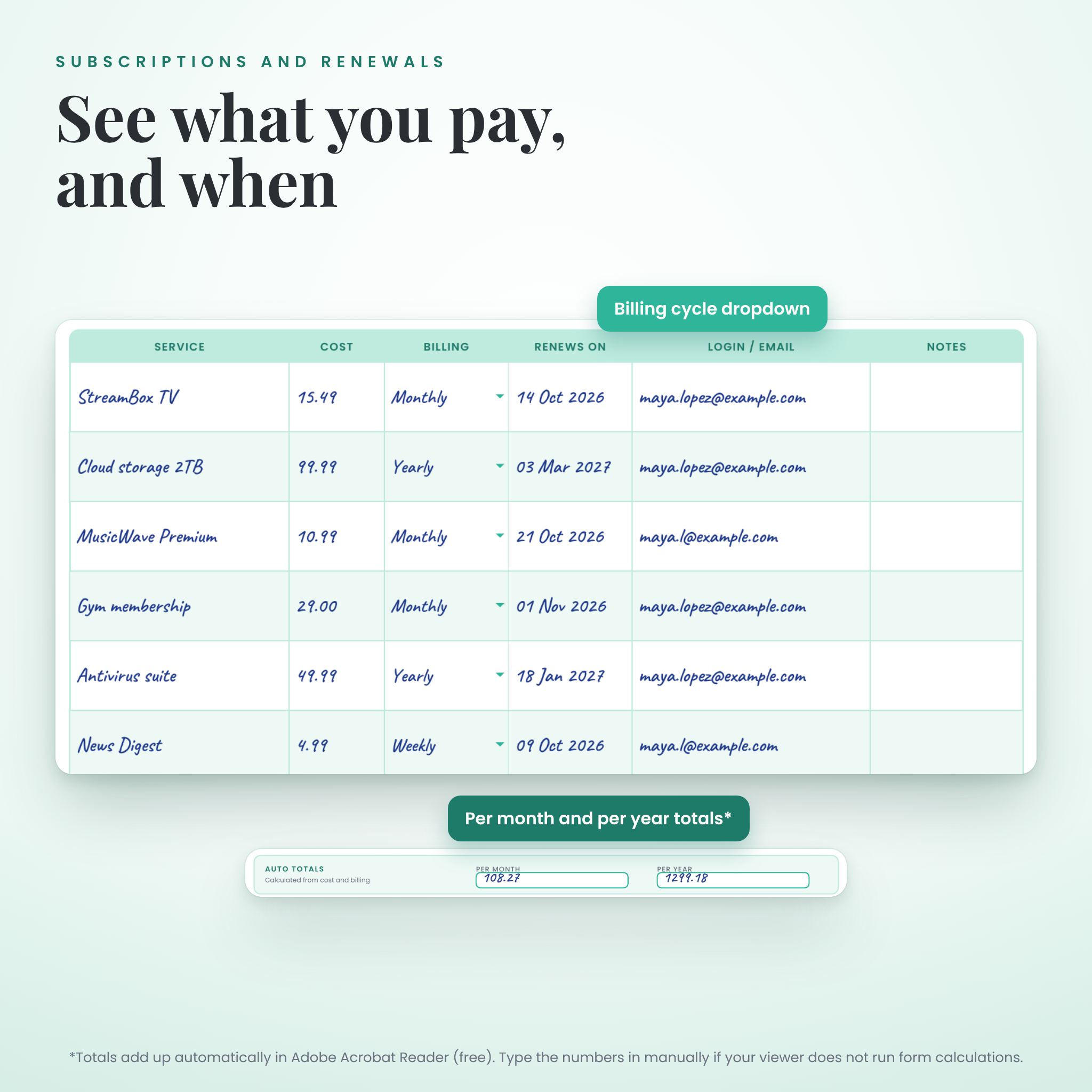
- Subscription totals that add up. Enter the cost and pick weekly, monthly, quarterly or yearly. The monthly and yearly totals calculate for you in Adobe Acrobat Reader.
- Dropdowns and tick boxes. Pick account types, billing cycles and sign-in methods from short lists, and tick off tasks as you go.
- Safe-by-design pages. The banking and security pages ask for clues and recovery notes, never for card numbers or CVV codes.
What is inside the 28 pages
- 1. Cover with your name and review date
- 2. Start Here with setup steps, clickable contents and three golden rules
- 3. Password Basics with a passphrase builder and strength check
- 4 to 5. A to Z Index
- 6 to 11. Website and App Logins (36 entries)
- 12 to 13. Detailed Account pages (one important account per page)
- 14. Email Accounts
- 15. Social Media and Apps
- 16. Banking and Payment Logins (online logins only)
- 17. Wi-Fi and Home Network
- 18. Devices and PINs
- 19 to 20. Subscriptions and Renewals (with auto totals)
- 21. Software Licences and Keys
- 22. Two-Factor and Recovery Codes
- 23. Security Questions (clues only)
- 24. Password Change Log
- 25. Yearly Security Check-Up
- 26. Emergency Access page for a trusted person
- 27 to 28. Notes
What you get
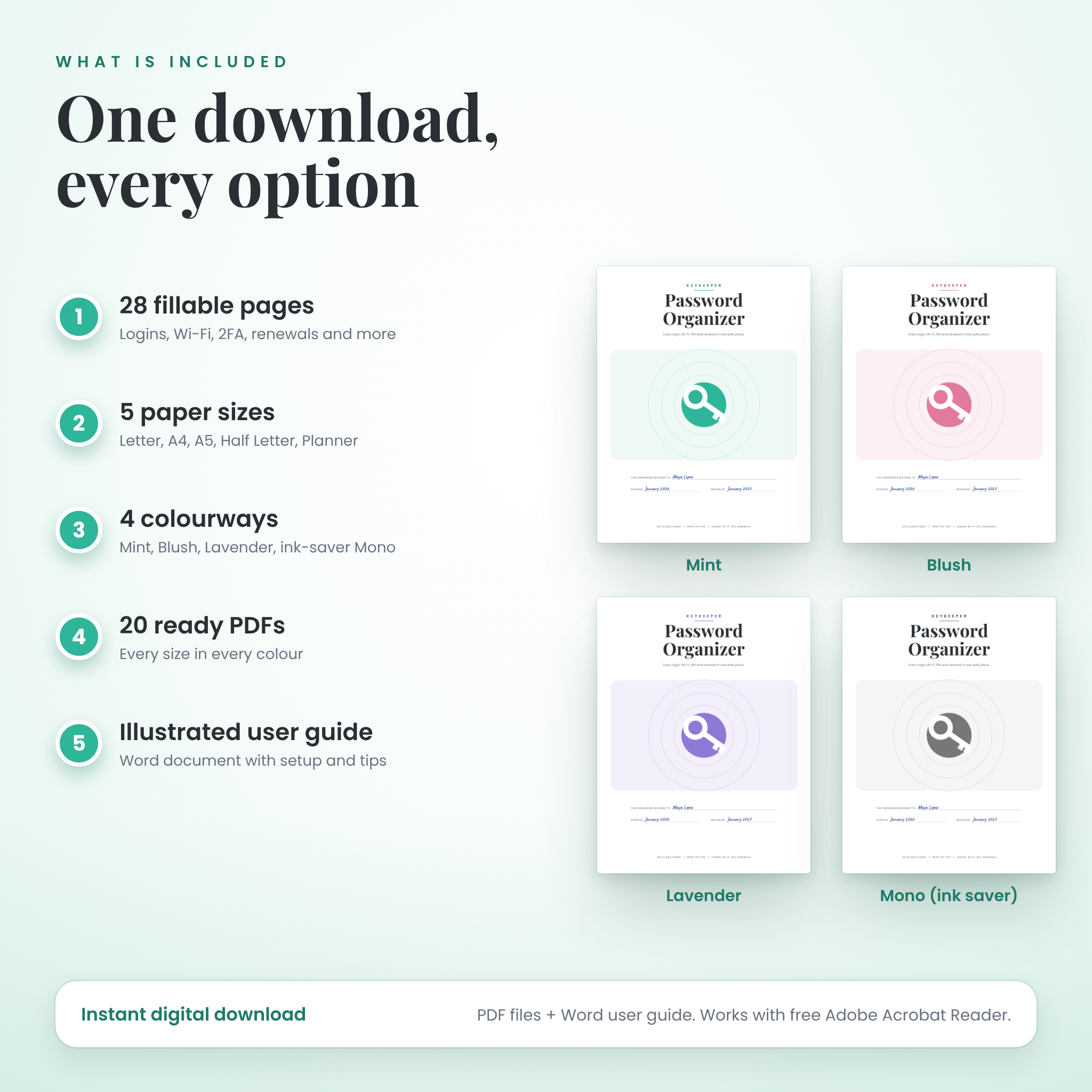
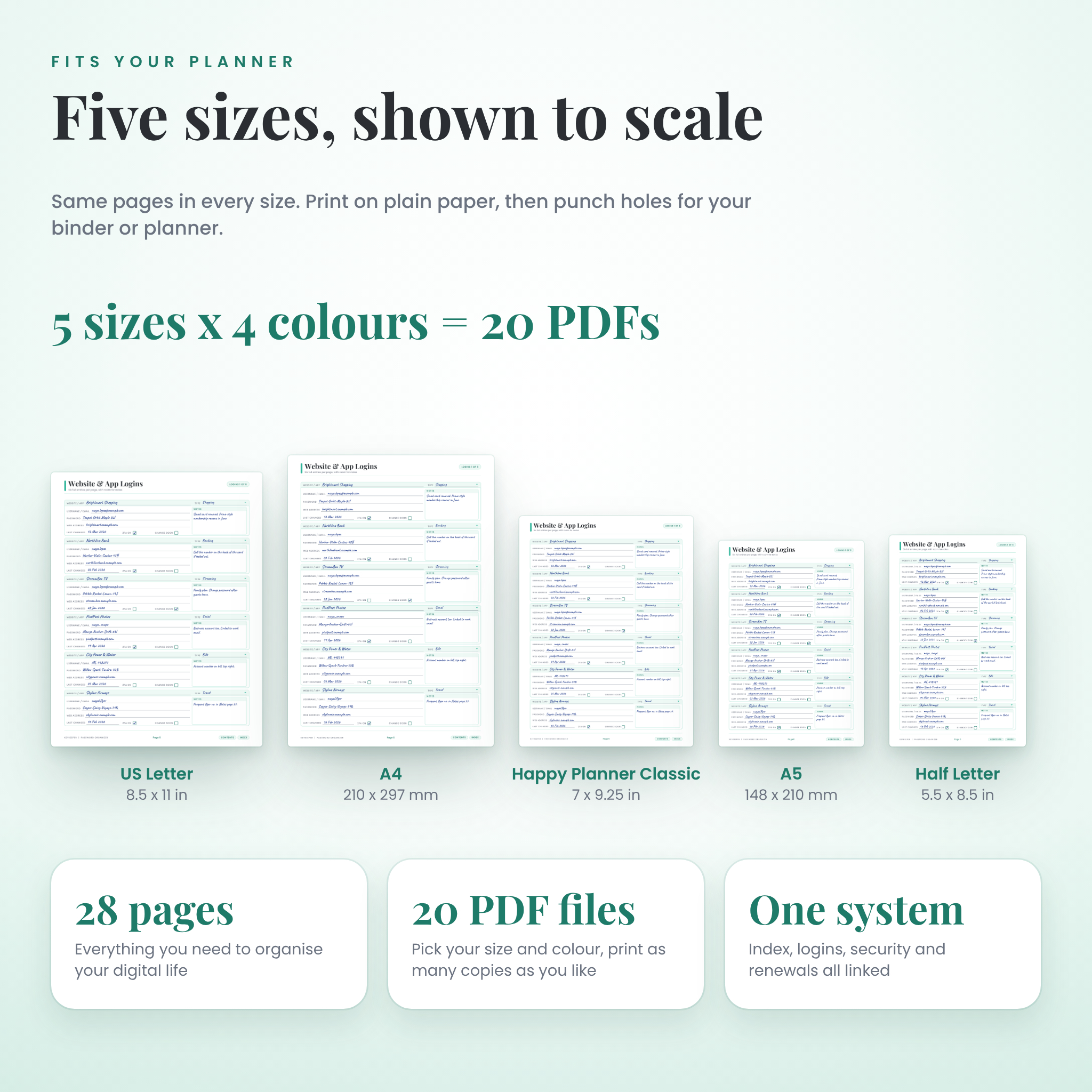
- 20 ready-to-use PDF files: 5 paper sizes in 4 colours, 28 pages each
- A user guide in Word format with setup, printing, safety tips, troubleshooting and FAQs
Paper sizes: US Letter (8.5 x 11 in), A4, A5, Half Letter (5.5 x 8.5 in) and Happy Planner Classic (7 x 9.25 in)
Colours: Mint, Blush, Lavender and Mono (a light grey version that saves ink)
How it works
- Download your files after checkout.
- Open the PDF size and colour you like in the free Adobe Acrobat Reader.
- Type into the boxes, or print at 100 percent and write by hand.
- Add each site to the A to Z index with its page number.
- Save your file, or punch holes and clip the pages into your binder.
File formats and software
- PDF (fillable and printable) for the organizer
- DOCX (Microsoft Word, also opens in Google Docs and LibreOffice) for the guide
- Works best with the free Adobe Acrobat Reader on a computer. Most web browsers can type into the boxes too. The subscription totals need Acrobat Reader. If your viewer does not calculate them, you can type the totals yourself.
Customisation
Every line, box and notes area is yours to fill. Print extra copies of any page when it fills up. Mix colours across sections if you like, because every file uses the same page numbers. The printed labels are fixed and cannot be edited.
Good to know
- This is a digital download. No physical item will be shipped.
- Keykeeper is an organizer, not a password manager app or an encrypted vault. Keep your printed book somewhere locked, and protect any saved file with a password. The guide shows you how.
- Please never write down full card numbers, CVV codes, bank PINs or crypto seed phrases.
- Colours can look slightly different on screen and on paper, depending on your printer.
- Files are for personal use. You may print as many copies as you like for yourself and your household. Please do not share, resell or redistribute the files.
Digital download information
Your files are available to download as soon as your payment is confirmed. Because this is a digital product, we cannot offer returns or exchanges. If something does not work, message us and we will help you sort it out.

Reviews
There are no reviews yet.