

Acerise: the exam revision planner app that tells you what to study today
Acerise is an exam revision planner app that runs in your web browser from one downloaded file. Add your subjects, paste in your topic lists and rate how confident you feel about each one. Then add your exam dates. Acerise builds a day-by-day revision timetable that puts your weakest topics and your closest exams first, so every study session counts.
It works offline after download, needs no account and keeps every rating, score and minute on your own device. Open it on a laptop at your desk or on your phone on the bus.
Who this exam study planner is for
- High school students preparing for finals, AP exams or state tests across four or five subjects.
- College students with midterms and finals bunched into the same two weeks.
- Adults studying for a certification, licensing or entrance exam who need a steady plan.
- Parents and tutors who want one clear revision schedule to sit down with.
Features of the Acerise exam revision planner
A dashboard that shows how ready you are
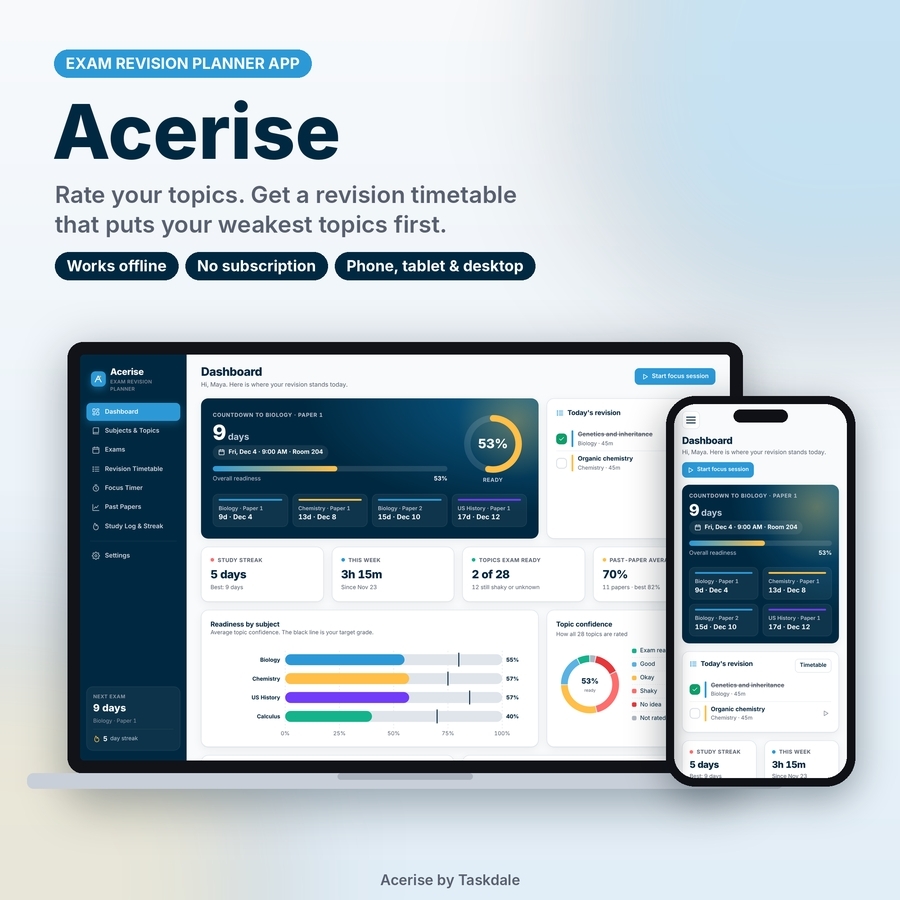
The top panel counts down the days to your next exam and shows your overall readiness as a percent, worked out from your topic ratings. Below it you get the next four exams, today’s revision sessions with tick boxes, your study streak, hours this week, how many topics are exam ready and your past-paper average.
Topic confidence ratings
Rate every topic from 1 star (no idea) to 5 stars (exam ready). Paste a whole syllabus at once, one topic per line, and bullets or numbers are stripped for you. Mark topics as notes made or practice questions done. Filters show only shaky or unrated topics, which is the list you actually need the week before a test.
Auto-generated revision timetable
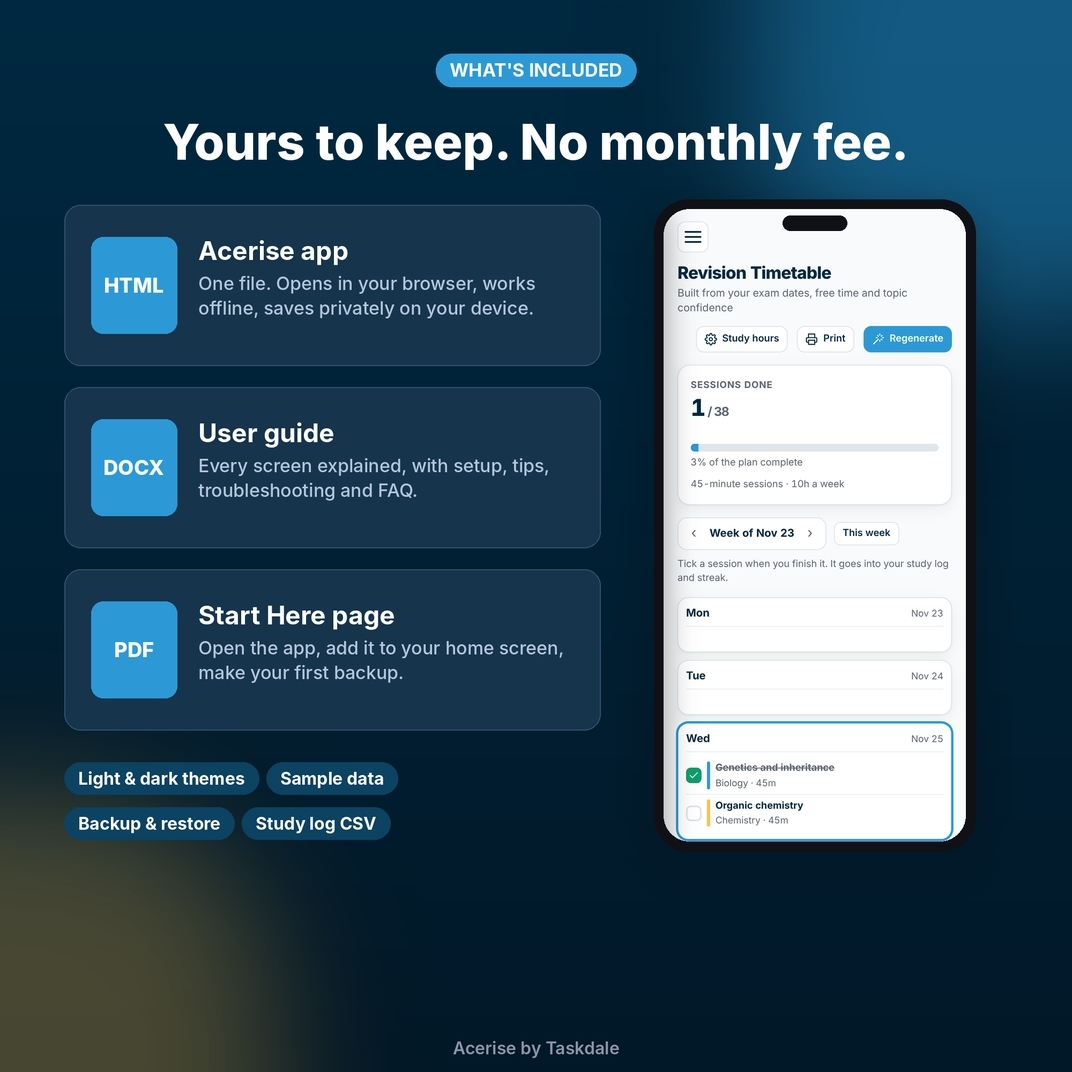
Tell Acerise how many minutes you can study on each day of the week and pick a session length from 25 to 90 minutes. Click Generate. It plans every day from today until your last exam. Each slot goes to the topic with the highest score, where low confidence and a close exam both push a topic up, and topics that already have sessions step back so nothing gets ignored. A topic is never scheduled on or after its own exam day, and never twice in one day. Tick sessions as you finish them, then regenerate after you re-rate. Ticked sessions stay put.
Exam countdowns
Each exam gets a card with the days left, date, start time, room and how much of the final grade it is worth. The card also shows that subject’s readiness bar.
Focus timer that logs itself
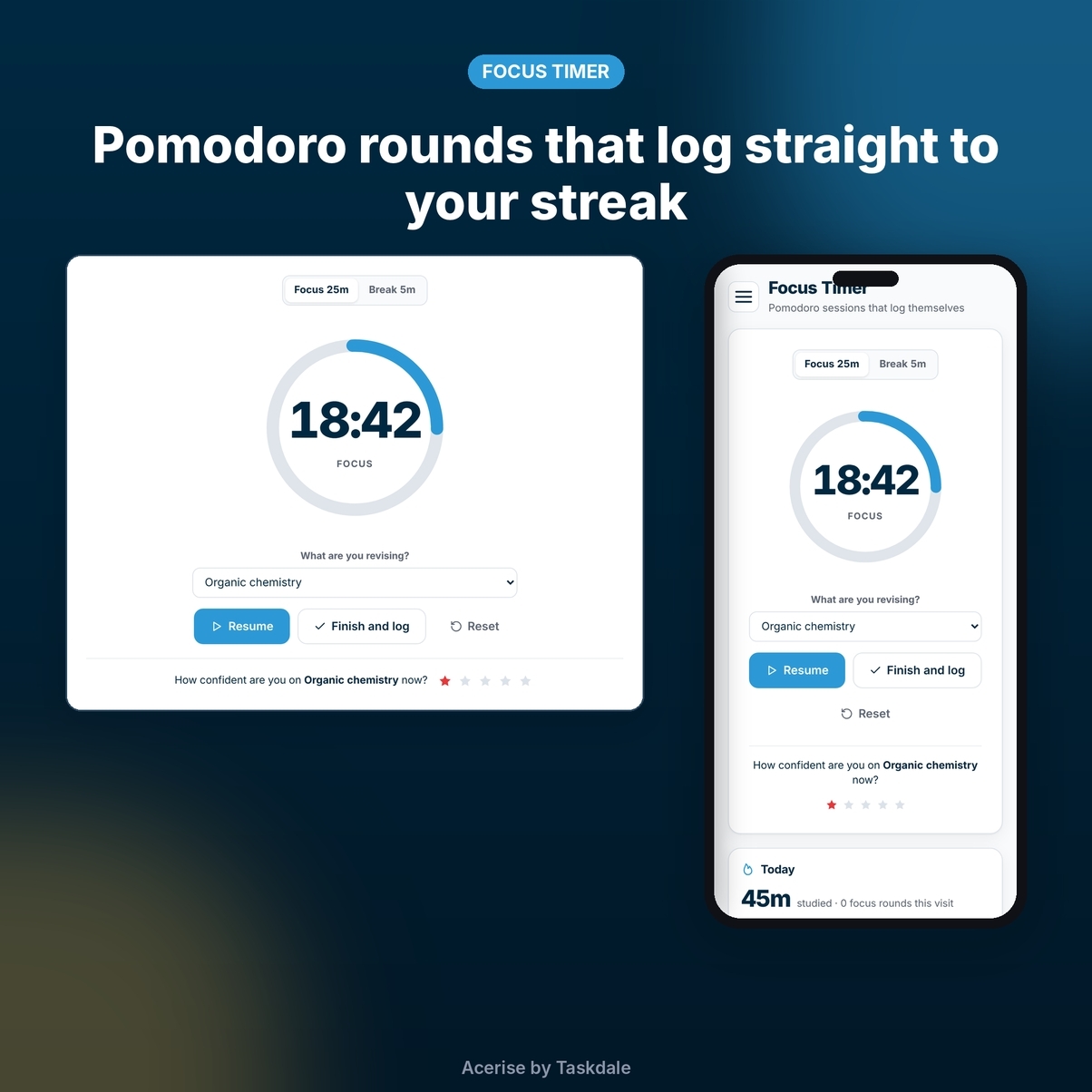
A Pomodoro-style timer with 25-minute focus rounds and 5-minute breaks by default, both adjustable. Pick the topic first. When the round ends, a chime plays and the minutes go straight into your study log for that topic. Stop early and Finish and log saves the time you really studied. Start a round from a timetable session and it ticks that session off when you are done.
Past-paper score tracker
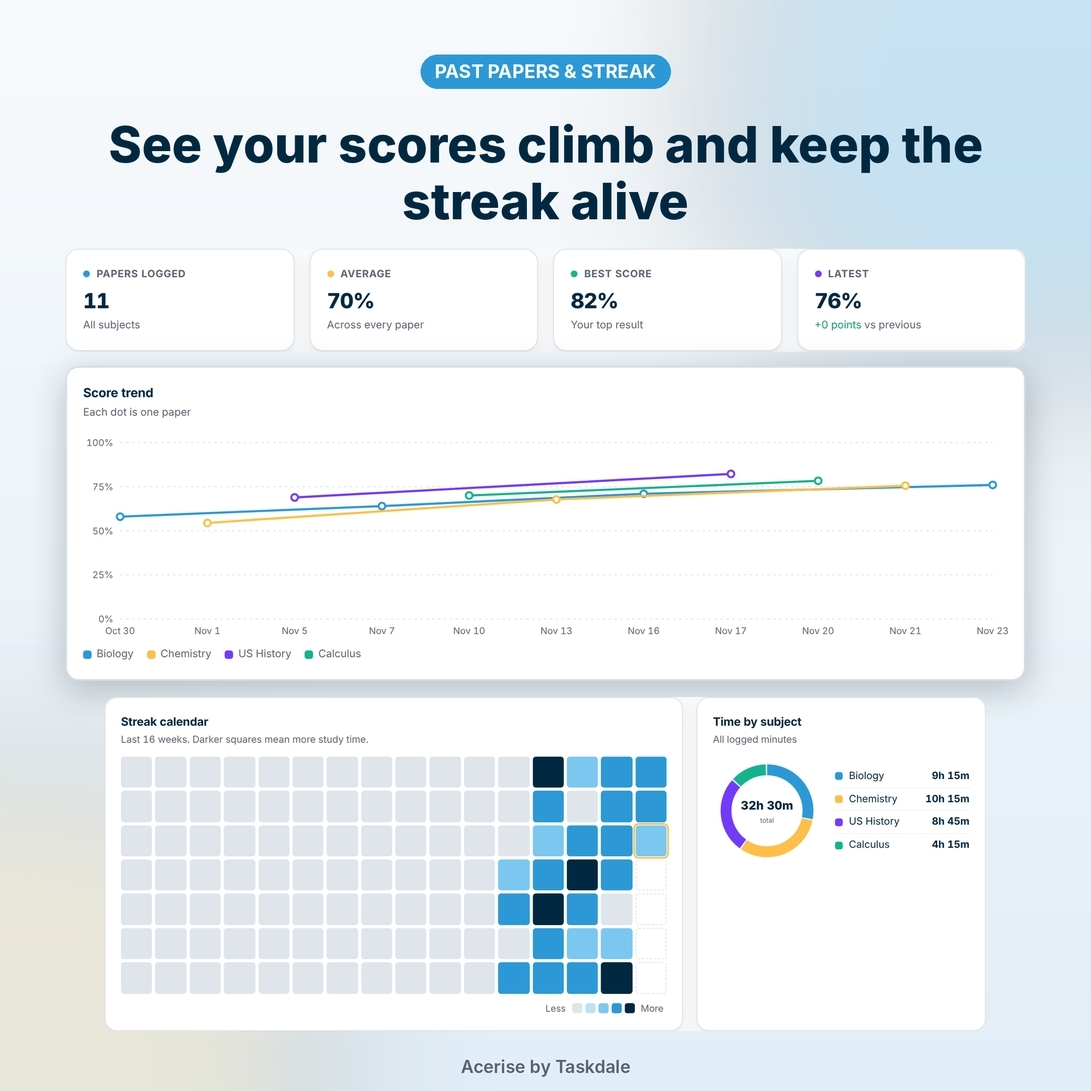
Log each practice paper with your mark and the total, for example 63 out of 90. Acerise works out the percent and charts every subject on one trend line chart, with a dashed line at your target when you filter to a single subject. Cards show your average, best, latest score and the change since the previous paper.
Study log and revision streak
Every minute from the timer, ticked sessions and time you add by hand lands in the study log. A 16-week streak calendar shades each day by how long you studied. You also get your current and longest streak, a donut of time by subject and a 14-day bar chart. Export the log to CSV for Excel or Google Sheets.
What is included
- Acerise-Exam-Revision-Planner.html: the app itself, one file with eight screens.
- Acerise User Guide (DOCX): 15 pages covering setup, every screen, how the timetable is built, tips, troubleshooting and FAQ.
- Start Here (PDF): a one-page quick start.
Everything comes in one ZIP, and the app and guide are also available as separate downloads.
How the revision timetable generator works
- Add your subjects and paste their topics.
- Rate each topic with 1 to 5 stars. Be honest, because shaky topics get more time.
- Add every exam with its date and start time.
- Set your study minutes for each weekday, then click Generate.
- Study, tick sessions off, re-rate topics and regenerate once a week.
With 90 free minutes on a Tuesday and 45-minute sessions, you get two sessions that day. A topic you rated 1 star with an exam in four days will come up far more often than a 5-star topic with an exam a month away.
File format and requirements
Acerise is a single HTML file with everything built in. No internet connection, installation, account or subscription. It was tested in Google Chrome and Microsoft Edge on desktop, and at tablet and phone sizes, and it uses only standard browser features. On Android, open it in Chrome and add it to your home screen. On iPhone and iPad, the Files preview cannot run web apps, so open the file in a browser or an HTML viewer app that opens local files.
Your data is saved in the browser you use. Export backup saves a JSON file you can import on another device or browser.
Customize it to your courses
Give each subject its own color and target score. Rename, move or delete topics at any time. Change the session length, your study minutes per weekday, the planning start date and the focus timer lengths. Load the sample data to explore first, then clear it with one click.
Real ways students use this study planner app
- A junior sitting four AP exams in May rates 32 topics on Sunday night and gets a plan that front-loads the two weakest.
- A nursing student logs one practice paper a week and watches the trend line climb toward an 80% target.
Instant digital download
This is a digital product. Nothing is shipped. Download the ZIP right after purchase, unzip it and double-click the HTML file to start. Personal use license: for your own studies on your own devices. No resale or sharing.
FAQ
Does this exam planner work offline?
Yes. Everything runs inside the file, with no internet needed after download.
Will it work on my phone?
Yes. The layout adapts to phones and tablets. On iPhone, open it in a browser or HTML viewer app rather than the Files preview.
How does the revision timetable decide what I study?
It weighs your star rating against the days left until each subject’s exam and spreads sessions so every topic gets time.
Can I change the timetable after it is made?
Yes. Update ratings, exams or study hours and click Regenerate. Sessions you ticked off are kept.
Is my data private?
Yes. It never leaves your device and there is no account.
Can I print my revision schedule?
Yes. The Print button prints the week on screen.
Reviews
There are no reviews yet.