
An estimate follow-up tracker that tells you who to call today
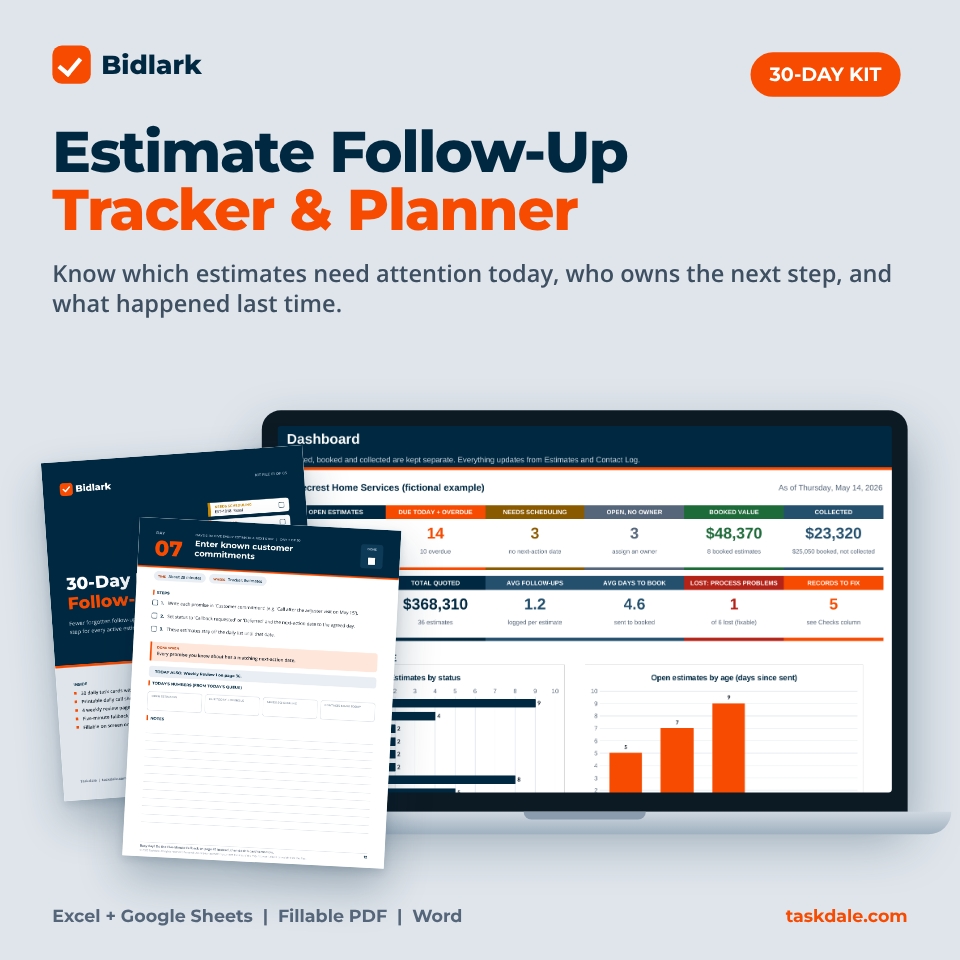
Most small contractors don’t lose estimates because the price was wrong. They lose track of them. The quote goes out, the phone gets busy, and nobody remembers who promised to call back. Bidlark is an estimate follow-up tracker and 30-day planner that fixes that. Every morning it answers three questions: Which estimates need attention today? Who owns the next step? What happened after the last conversation?
It covers the stretch between “estimate sent” and “booked or closed”. It is not a job tracker or invoicing tool, so it works next to whatever estimating software, spreadsheet or paper pad you already use.
Who it is for
- Owners and office managers of small HVAC, roofing, plumbing, landscaping and remodeling businesses
- Teams of 1 to 10 people who share follow-up work
- Anyone who has found an old estimate and realized nobody called back
What is included
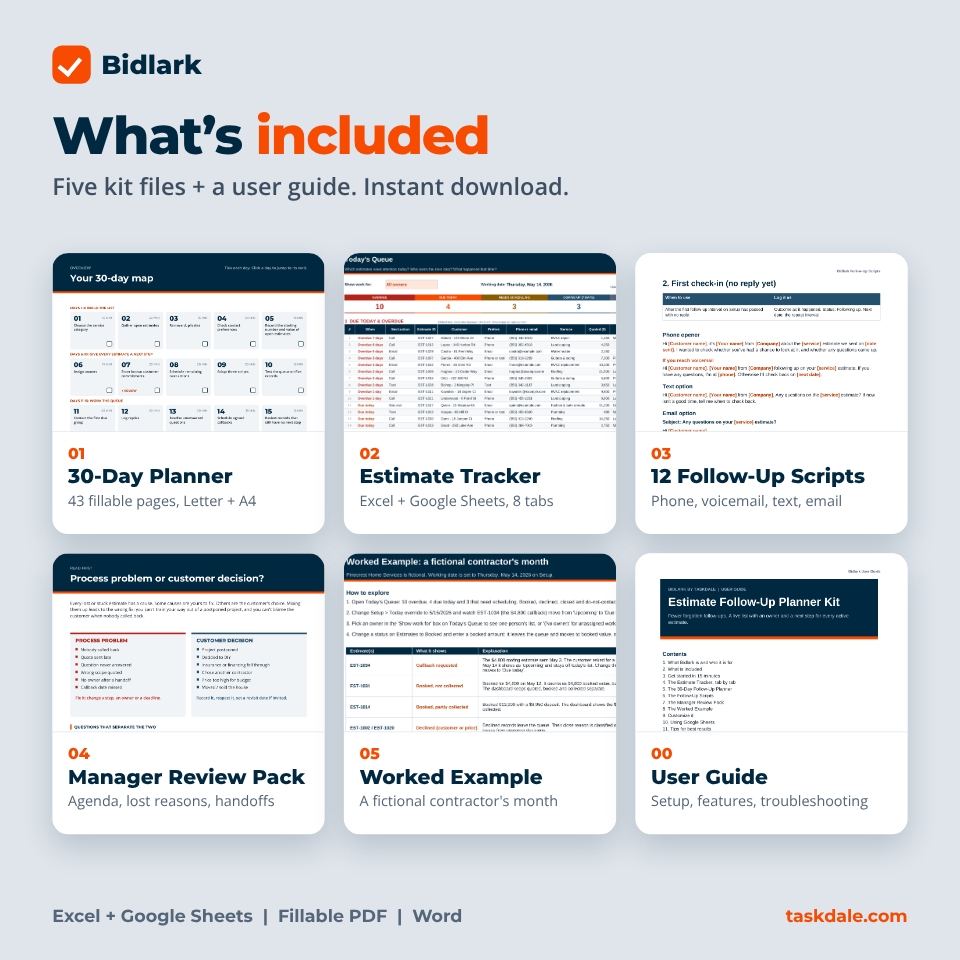
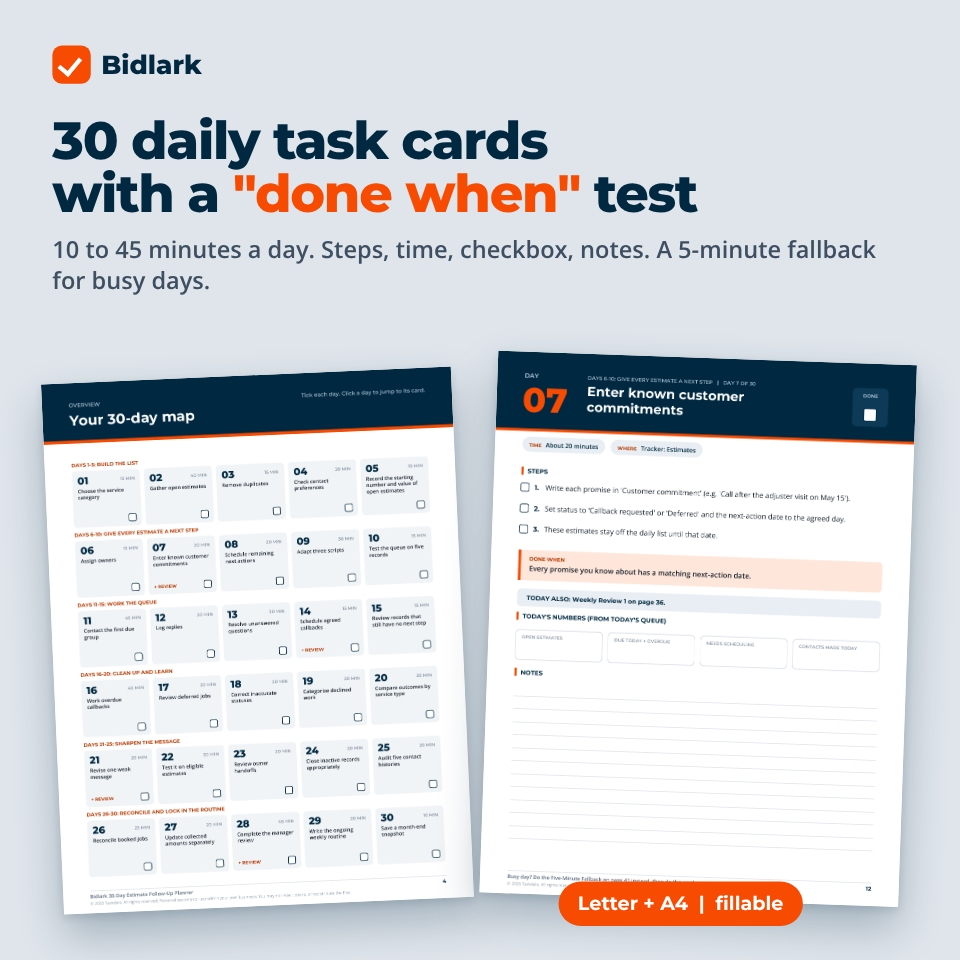
- 01 30-Day Follow-Up Planner (PDF, Letter + A4, fillable): 30 daily task cards with estimated time, steps, a checkbox and a “done when” test. Plus a 30-day map, a starting point page, 4 weekly reviews, a printable daily call sheet, a five-minute fallback for busy days and an ongoing routine page. 43 pages.
- 02 Estimate Tracker (Excel + Google Sheets): Start Here, Setup, Estimates, Contact Log, Today’s Queue, Dashboard, 30-Day Challenge and Snapshots tabs.
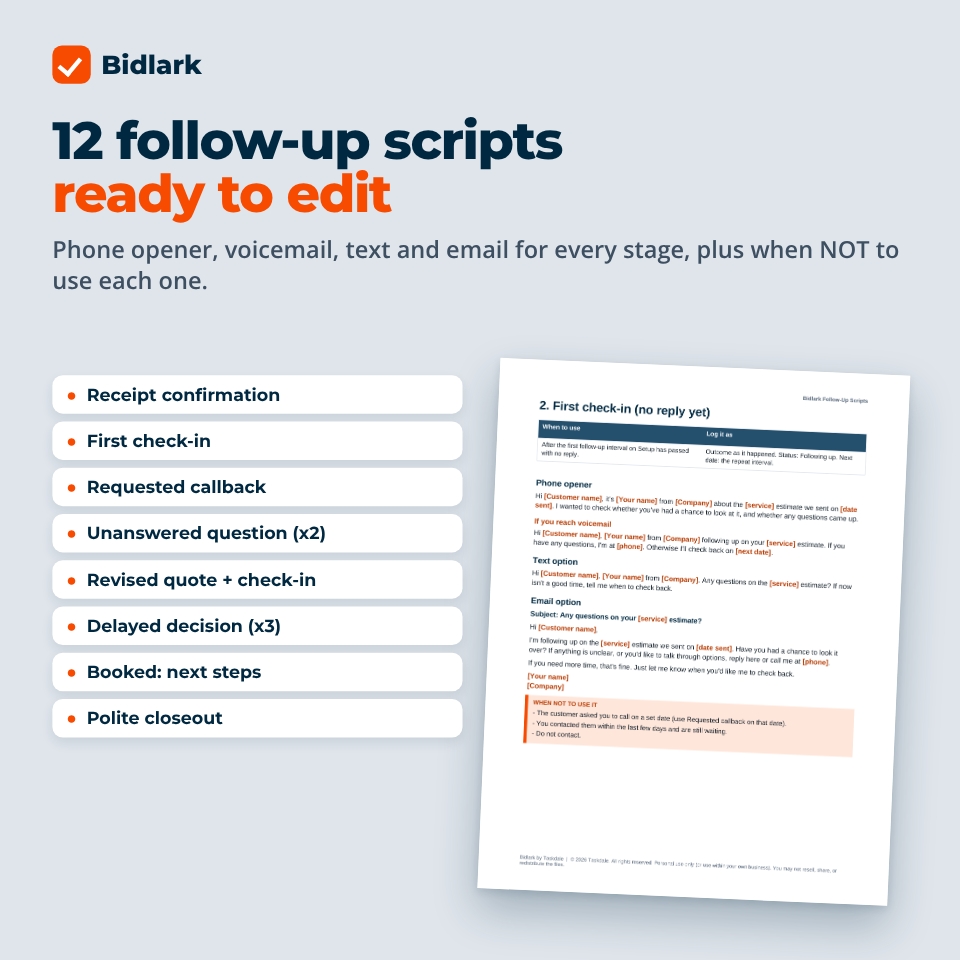
- 03 Follow-Up Scripts (Word): 12 editable scenarios, each with a phone opener, voicemail, text, email and a note on when not to use it.
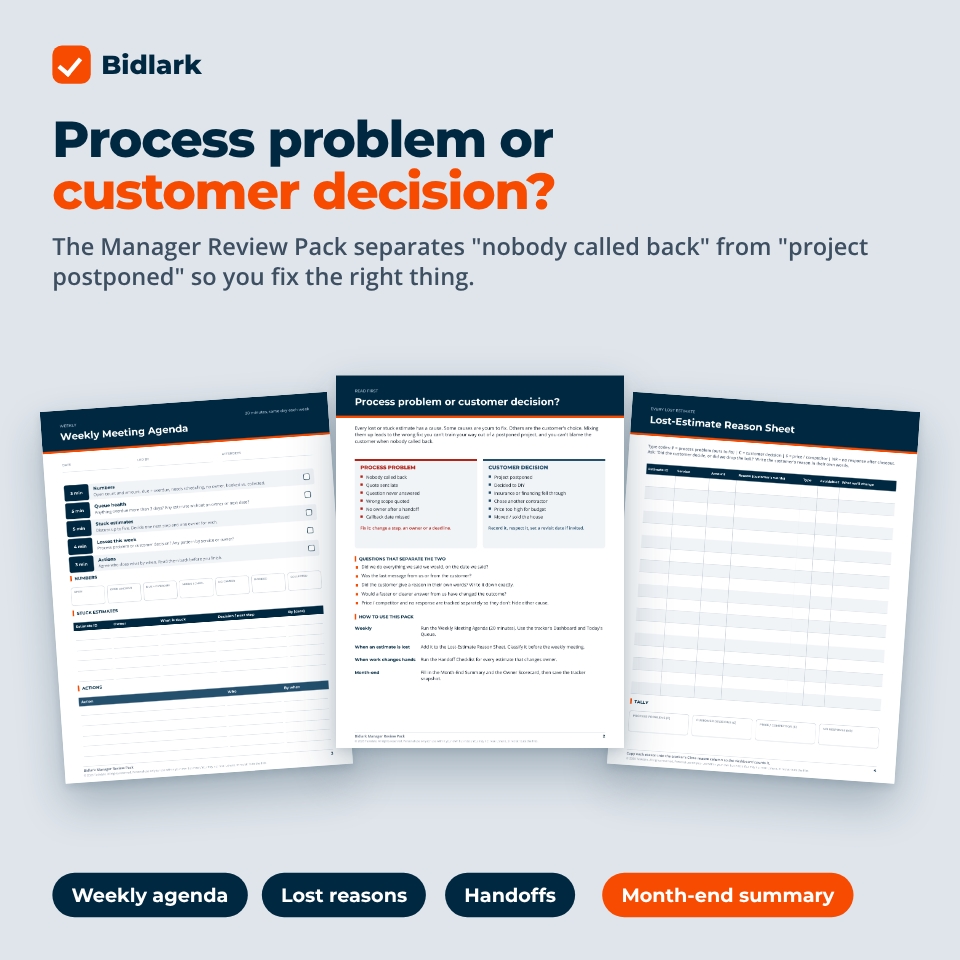
- 04 Manager Review Pack (PDF, Letter + A4, fillable): weekly meeting agenda, lost-estimate reason sheet, handoff checklist, month-end summary and owner scorecard.
- 05 Worked Example (Excel): a fictional contractor’s month with booked, declined, deferred, overdue and missing-owner estimates.
- 00 User Guide (Word): setup, every feature, Google Sheets notes, troubleshooting and FAQ.
Key features of the estimate tracker spreadsheet
Today’s Queue
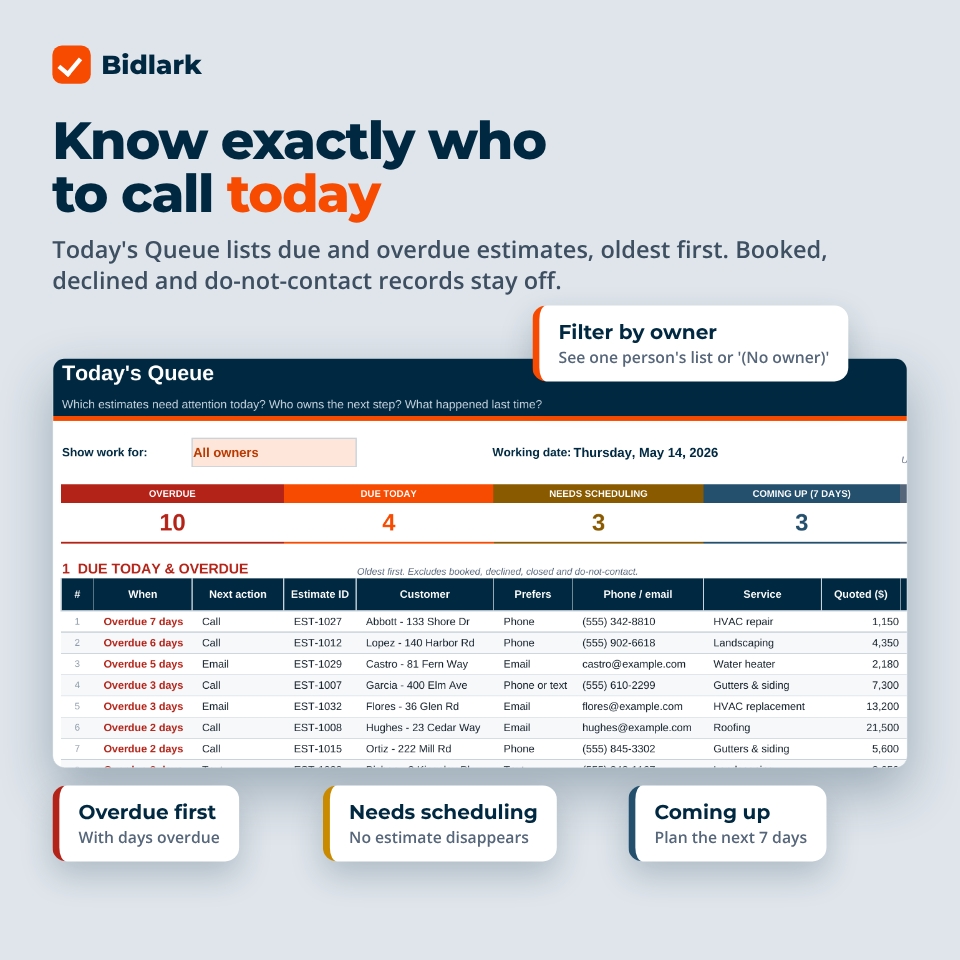
- Lists open estimates whose next-action date is today or overdue, oldest first, with days overdue
- Excludes booked, declined, closed and do-not-contact records automatically
- Open estimates with no next-action date appear under Needs scheduling with a suggested date, so none silently disappear
- A “Coming up (next 7 days)” list for planning the week
- Owner filter: see one person’s list, or every estimate with no owner
- Shows the customer’s preferred contact method, last outcome and any customer commitment
- Prints on landscape pages as a call list
Requested callbacks stay off the list until their date
Example: a $4,800 estimate is sent on May 3. The customer asks for a callback on May 15. Set the next-action date to May 15 and the estimate stays off the ordinary follow-up list until then. If the customer books, record $4,800 as booked, not as cash received.
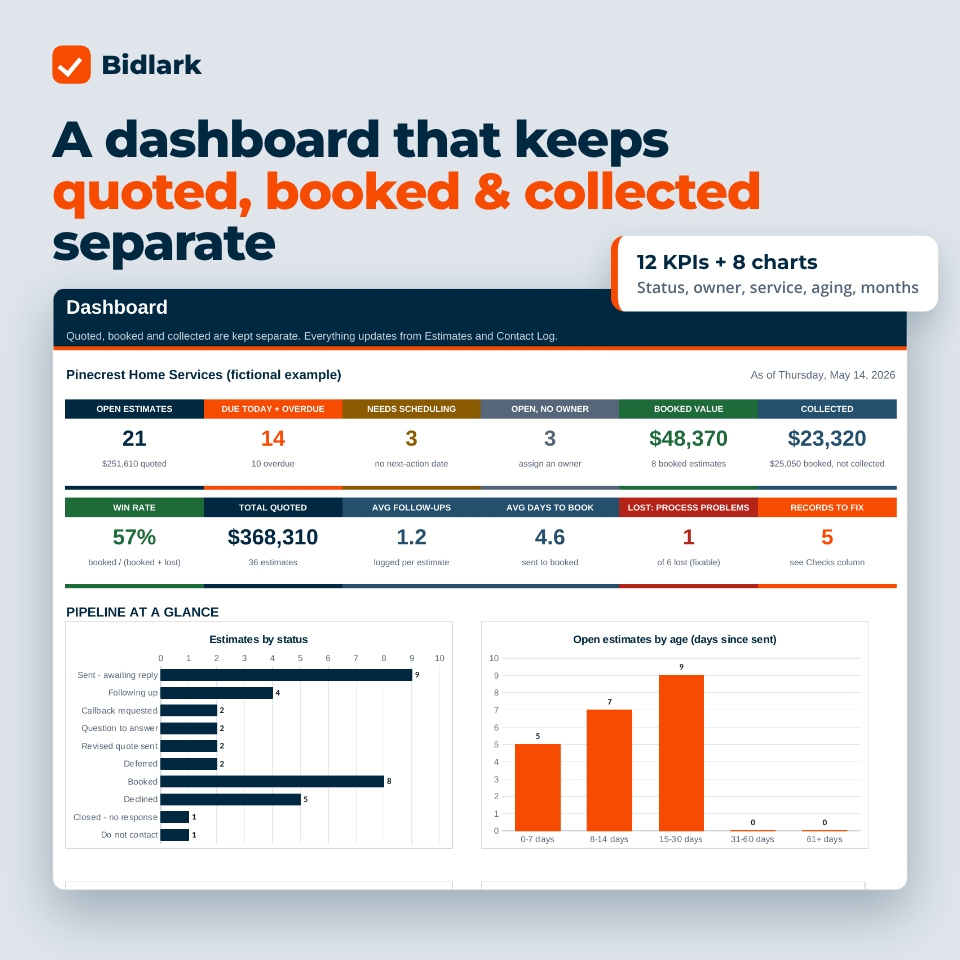
Dashboard with 12 KPIs and 8 charts
- Quoted value, booked value and collected revenue are always separate, plus “booked, not yet collected”
- Open estimates, due + overdue, needs scheduling and open with no owner
- Win rate, average follow-ups per estimate and average days from sent to booked
- Charts by status, owner, service and age bucket, win rate by service, quoted vs booked vs collected by month, follow-up count per estimate, and lost estimates by reason type
Contact Log, data checks and setup
- One row per call, text, email or visit; the latest entry feeds “last contact” and “last outcome”
- 14 automatic checks flag duplicate IDs, no owner, no next step, booked without an amount, collected more than booked and more
- Setup holds your team, service categories and preferred follow-up intervals, contact outcomes and close reasons
- Close reasons are typed as process problem, customer decision, price/competitor or no response
- One currency setting for every money header ($ by default; switch to €, £ or any symbol)
- Capacity: 500 estimates and 2,000 contact log rows
How it works
- Enter your team, services and follow-up intervals on Setup.
- Add your open estimates with an owner, status and next-action date.
- Each morning, work Today’s Queue from top to bottom. Log each contact and set the next date.
- Once a week, review the dashboard with the Manager Review Pack.
- Follow the 30-day plan. By Day 30 every active estimate has an owner and a next step.
The 30-day challenge
Days 1 to 5 build the list. Days 6 to 10 give every estimate an owner and a next step. Days 11 to 15 work the queue. Days 16 to 20 clean up statuses and compare outcomes by service. Days 21 to 25 sharpen one weak message and close inactive records properly. Days 26 to 30 reconcile booked jobs, update collected amounts separately, complete the manager review, write your weekly routine and save a month-end snapshot. Each day takes 10 to 45 minutes.
Use cases
- A roofing office manager who needs one list of insurance-claim estimates waiting on adjusters
- An HVAC owner who wants to see which replacement quotes have no follow-up scheduled
- A landscaping company splitting follow-up calls between two estimators
- A remodeler tracking long-cycle kitchen and bath estimates that get deferred for months
- Covering estimates while an estimator is on vacation, using the handoff checklist
File formats and software requirements
- Spreadsheets: .xlsx for Microsoft Excel 2016 or newer (Windows, Mac, web) and Google Sheets. No macros.
- Printables: PDF in US Letter and A4, fillable in Adobe Acrobat Reader (free) or printable.
- Scripts and guide: .docx for Word or Google Docs.
Customization
Change the currency, team, services, follow-up intervals, next actions, contact outcomes and close reasons on the Setup tab. Formula cells are protected without a password, so you can unprotect a sheet to restyle it. The scripts are fully editable.
Digital download
This is an instant digital download. No physical item ships. You get 8 files: the tracker, the worked example, the scripts, the planner and the manager pack in Letter and A4, and the user guide. The goal is fewer forgotten follow-ups. No tool can promise that a particular estimate will book.
FAQ
Does this estimate tracker work in Google Sheets?
Yes. Upload the .xlsx to Google Drive and open it in Google Sheets. Formulas, dropdowns, colors and charts carry over.
Do I need Excel macros?
No. It uses standard formulas only and works offline in Excel 2016 or newer.
Can my team share it?
Yes. Share one file in Google Sheets or Excel online. Each person filters Today’s Queue by owner.
Does it send texts or emails?
No. It tells you who to contact and gives you scripts. You send messages from your own phone or email.
How is this different from a job tracker?
Job trackers start when work is booked. Bidlark covers the estimates before that: follow-ups, callbacks, owners and why estimates were lost.
Can I use my own currency?
Yes. One Setup cell controls the currency symbol shown in every money header and dashboard figure.
Is there a free version?
Yes. The free Bidlark Lite tracks 25 estimates with a today’s queue and the first 5 days of the plan.
License
Personal use only (or use within your own business for business templates). You may not resell, share, or redistribute the files. © 2026 Taskdale. All rights reserved.
Reviews
There are no reviews yet.