A moving box tracker spreadsheet that answers “which box is it in?”
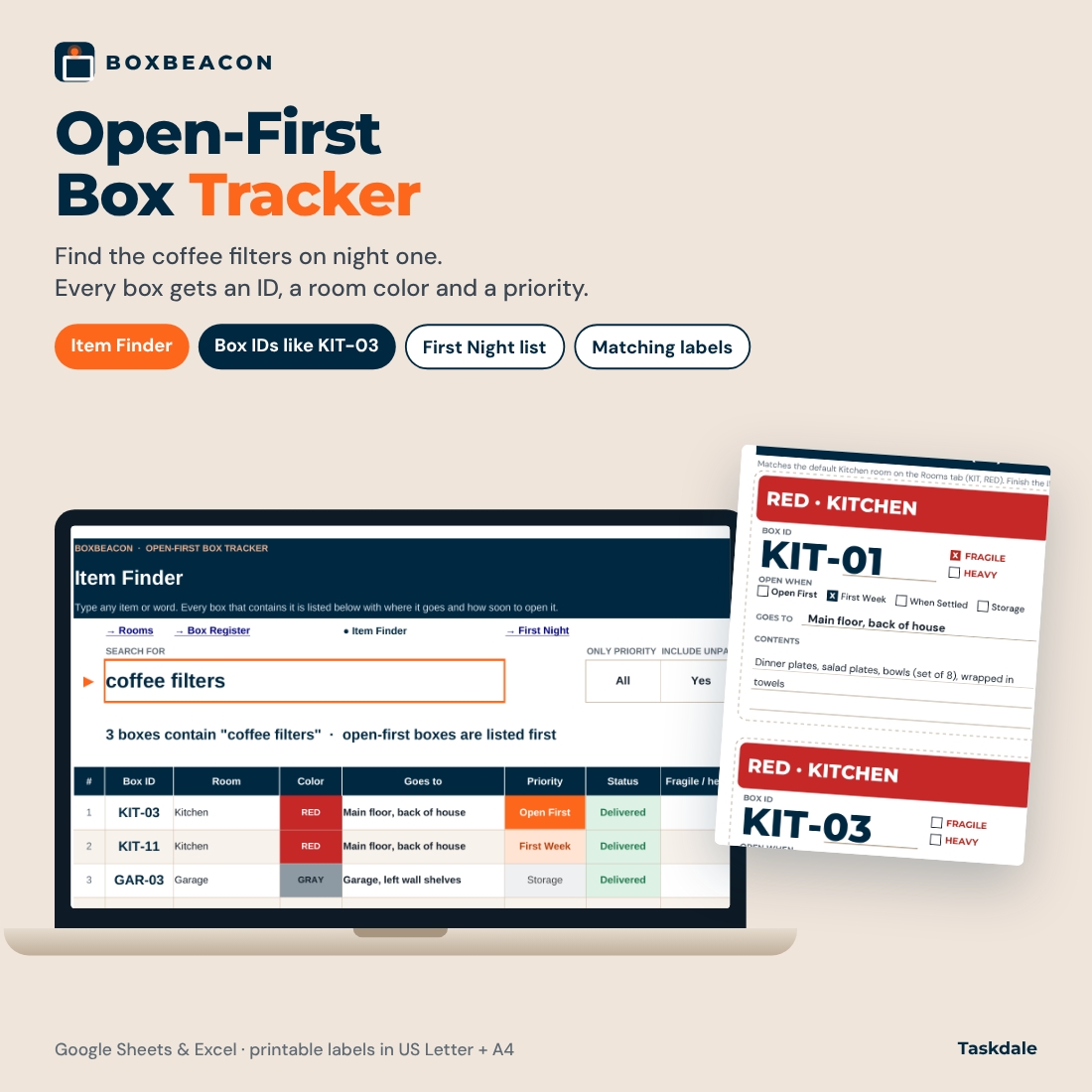
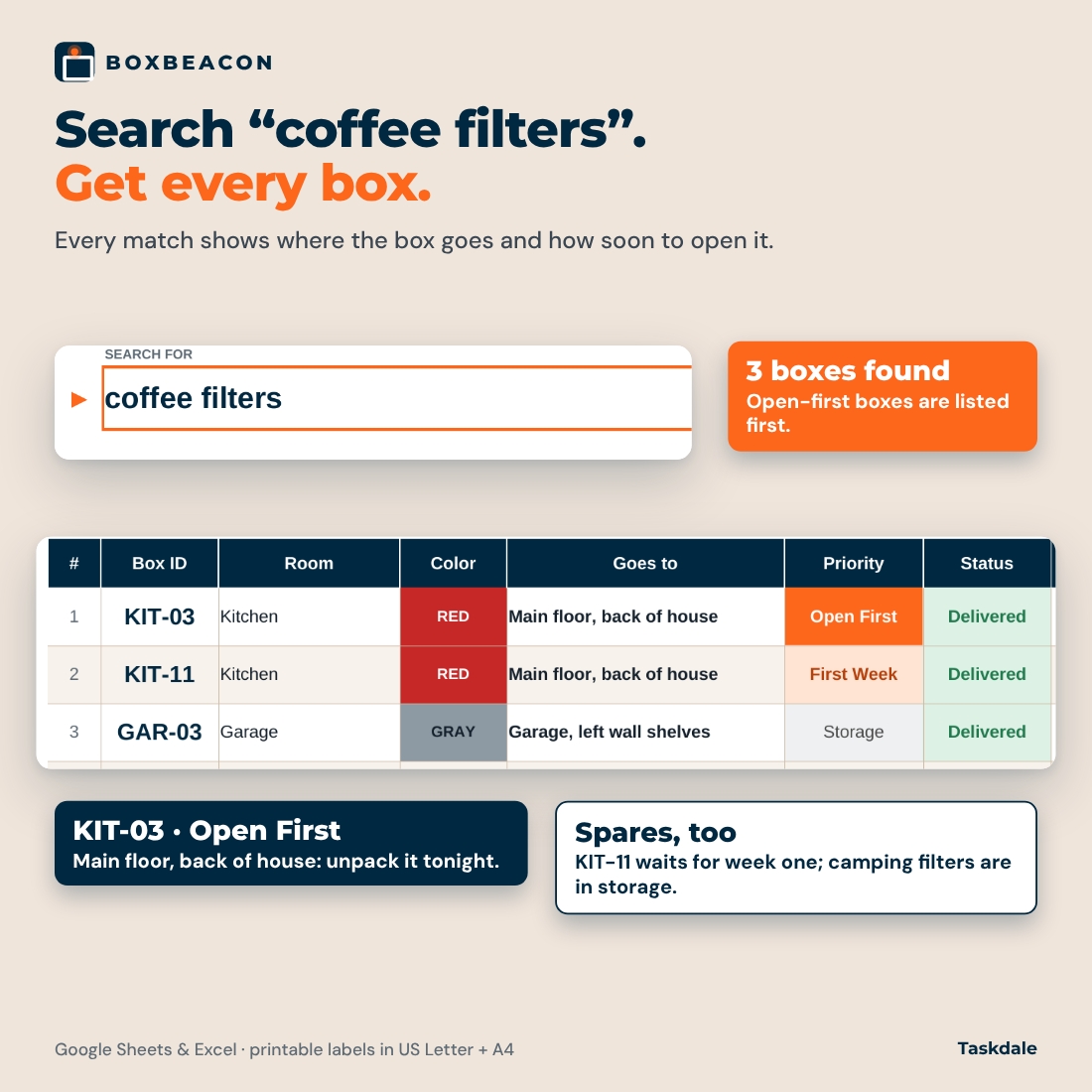
Boxbeacon is a moving box tracker spreadsheet for families who need to find the essentials before everything is unpacked. Every box gets a readable ID built from its room code and a number (KIT-01, KIT-02, BTH-01), a room color that is always printed with its name, and an unpacking priority. When someone asks where the coffee filters went, you type “coffee filters” into the Item Finder and see every box that holds them, where each box goes in the new home and which one to open first.
It works in Google Sheets and Microsoft Excel, and comes with matching printable box labels in US Letter and A4.
What’s inside the workbook
Four tabs, each doing one job well:
Rooms
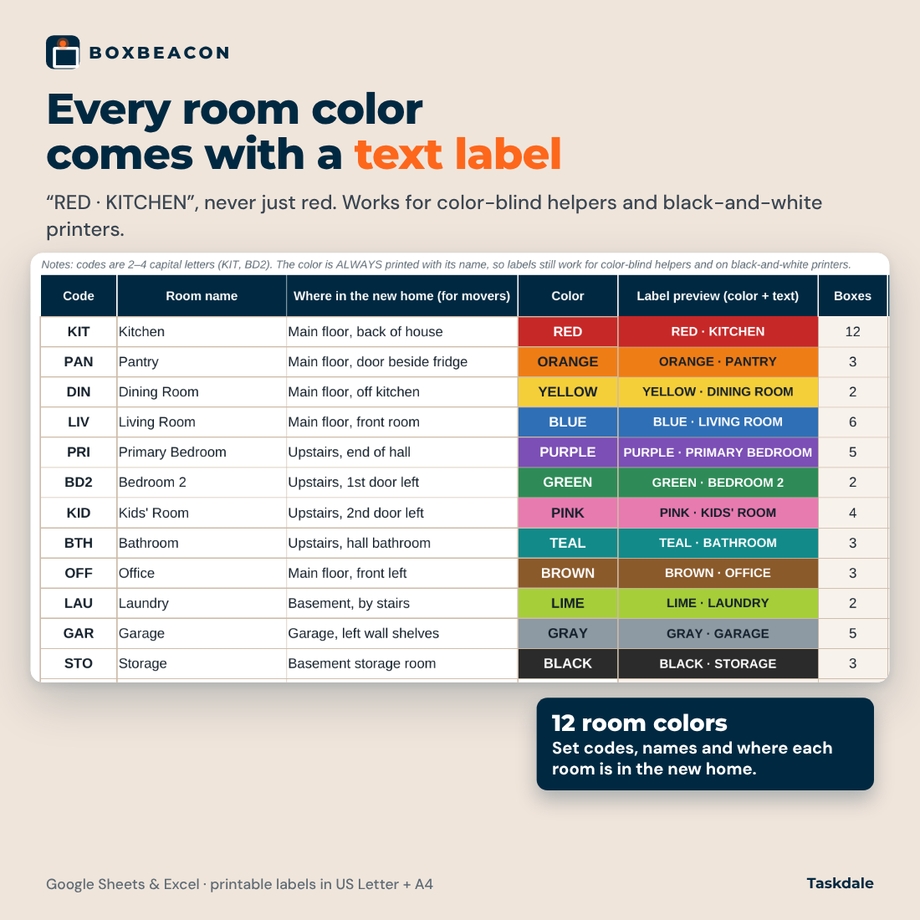
- Set a 2–4 letter code for each room (KIT, BTH, BD2), the room name, where it is in the new home (“Upstairs, 2nd door left”) and one of 12 room colors.
- Each color is paired with a text label such as RED · KITCHEN, so it still works for color-blind helpers and on a black-and-white printer.
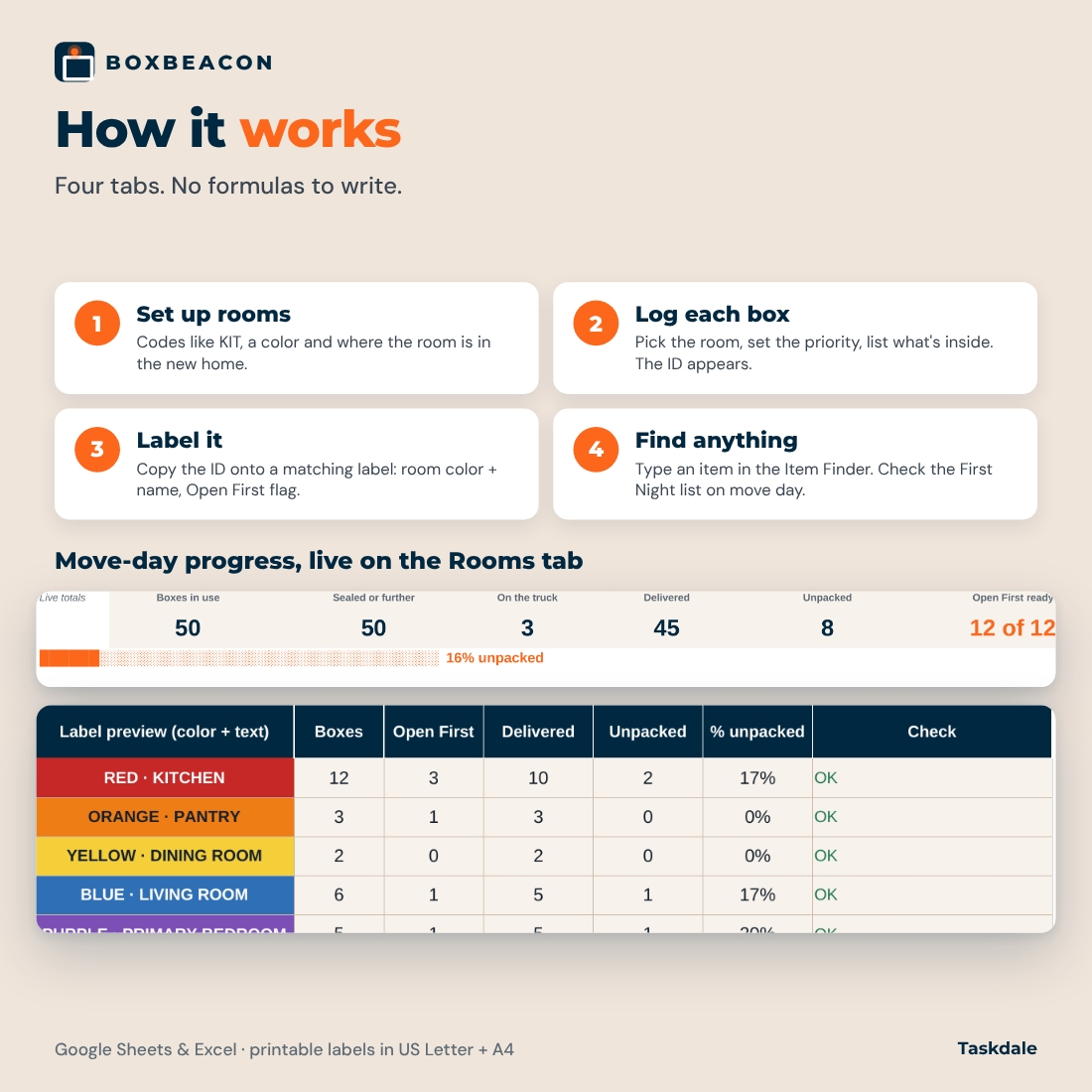
- Per-room counts: boxes, Open First boxes, delivered, unpacked and % unpacked, plus a move-day progress strip (sealed, on the truck, delivered, unpacked, Open First ready).
- Checks for duplicate codes, missing names and missing colors. Twelve common rooms are filled in so you can start right away; up to 20 rooms.
Box Register
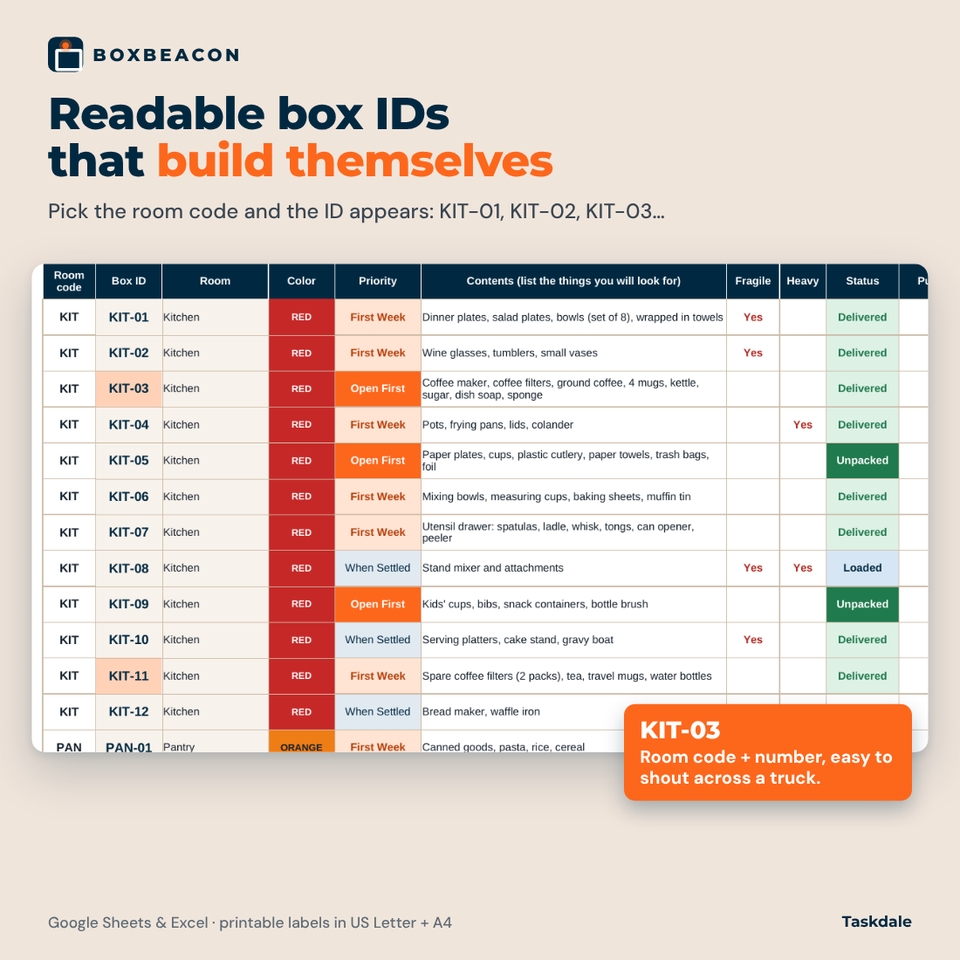
- Pick a room code and the Box ID appears automatically: KIT-01, KIT-02, KIT-03 and so on.
- Priority dropdown: Open First, First Week, When Settled, Storage.
- Contents, fragile, heavy, status (Packing, Sealed, Loaded, Delivered, Unpacked, Not used), packed by and notes.
- “Goes to” fills in from the Rooms tab, with an optional override for a single box (“Car trunk, not the truck”).
- A Check column flags unknown room codes, duplicate IDs, a missing priority or missing contents. Room for 400 boxes.
Item Finder
- Type any item or part of a word. The finder returns every matching box, not just the first one, with its room, color, destination, priority, status and fragile/heavy flags.
- Open First boxes are listed first, then First Week, When Settled and Storage.
- Optional filters: one priority only, or hide boxes you have already unpacked.
- Searches contents, notes, box IDs, room names and destinations. Capital letters don’t matter.
First Night
- About 30 night-one essentials (coffee, toilet paper, chargers, sheets, box cutter, pet food, medications and more) that you can edit.
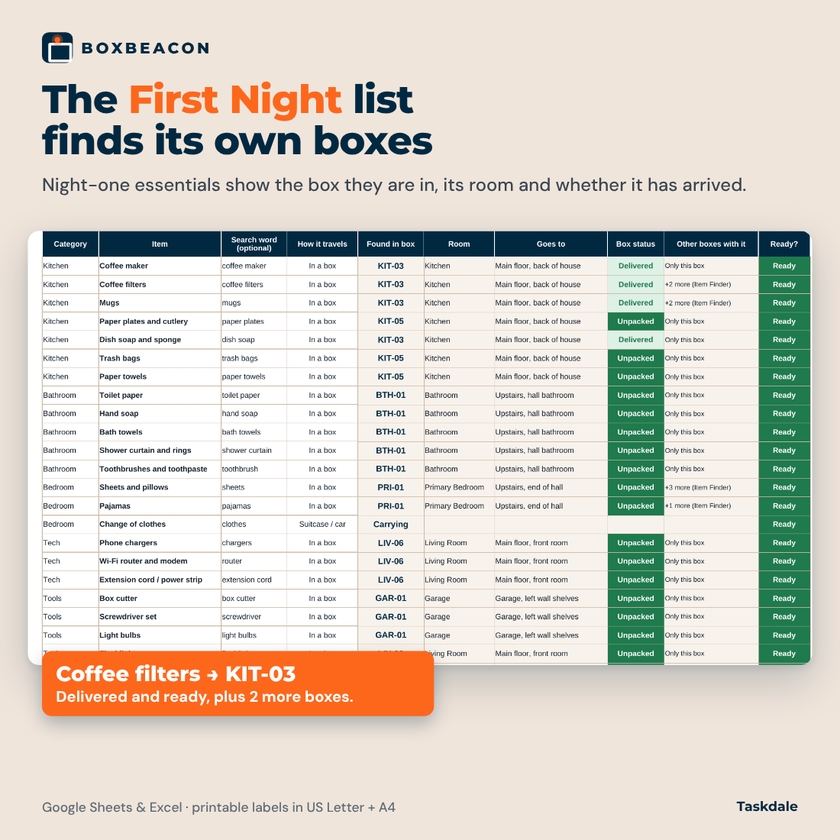
- Each item finds its own box and shows the room, destination, box status and a Ready / On the truck / Pack it flag.
- Mark items that travel in your suitcase or car, or that you will buy at the new home.
- An automatic list of all your Open First boxes with contents and whether each one has been opened.
Matching printable box labels
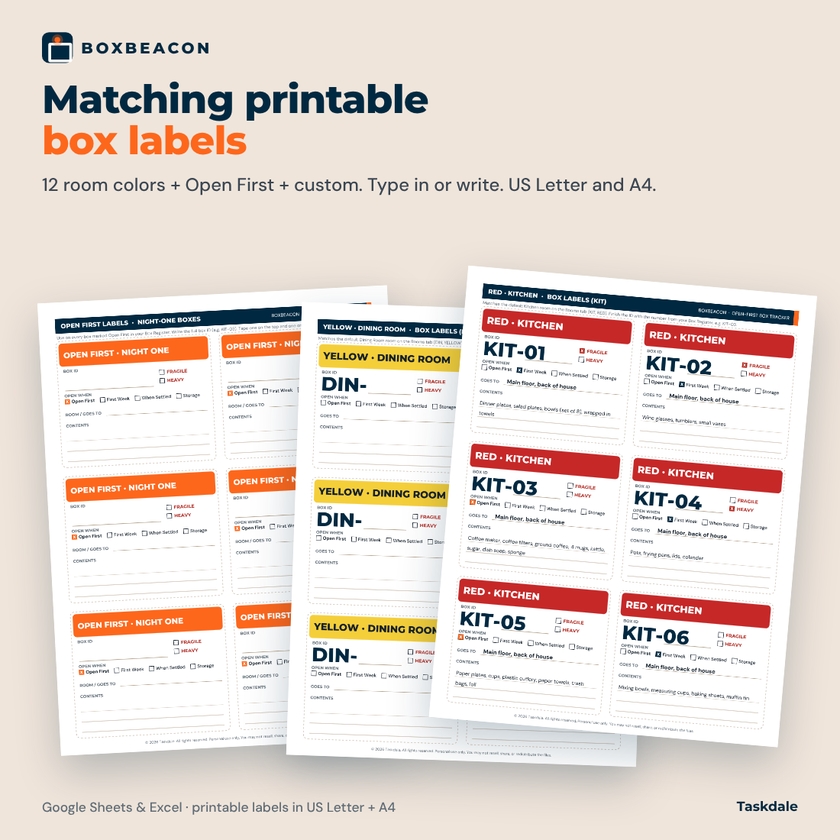
The fillable label PDF matches the workbook: an Open First page, one page for each of the 12 default rooms in the same color and with the same name (RED · KITCHEN, TEAL · BATHROOM …), and a custom page for rooms you add. Each label has a large Box ID area with the room code pre-printed, Open First / First Week / When Settled / Storage boxes, fragile and heavy boxes, a “Goes to” line and space for contents. Type into the fields in Adobe Acrobat Reader or print blank and write by hand. Six labels per page, in US Letter and A4.
How it works
- Set up rooms: codes, names, where each room is, colors.
- Log each box: pick the room code, set the priority, list what’s inside. The ID appears.
- Label it: write the ID on a matching label and tape it on the top and one side.
- Find anything: on moving day, check the First Night tab; after that, search the Item Finder whenever you need something.
Who it’s for
- Families moving with kids or pets who need bedtime and breakfast things on night one.
- Anyone using movers or friends: the room color, room name and “Goes to” line tell helpers where each box belongs.
- People moving into storage first, or in two trips, who need to know what is still on the truck.
- Organized movers who want a box inventory spreadsheet they can search from their phone.
What you get
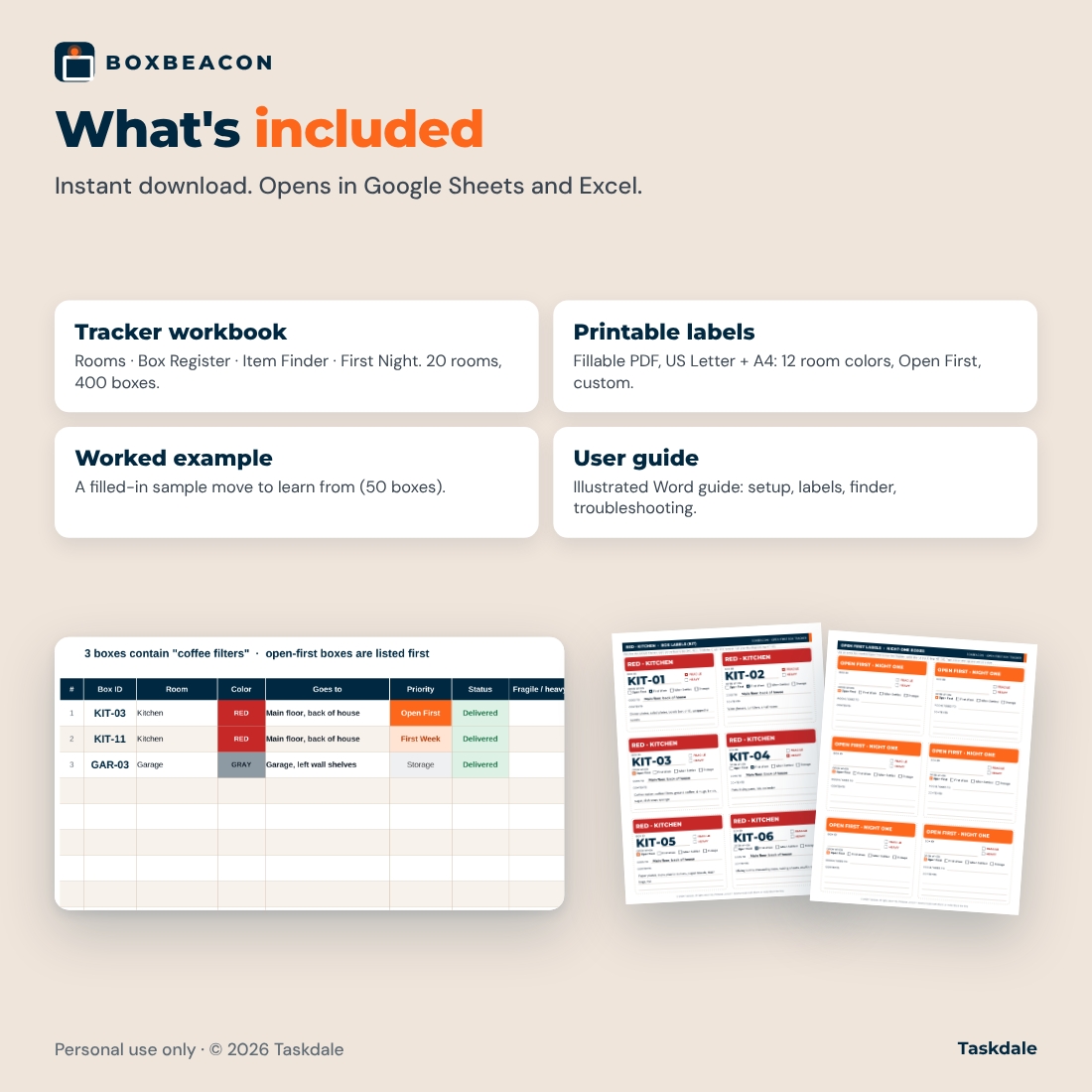
- Boxbeacon Open-First Box Tracker (.xlsx): Rooms, Box Register, Item Finder, First Night
- Printable box labels, fillable PDF, US Letter
- Printable box labels, fillable PDF, A4
- Worked example workbook: a filled-in fictional move with 50 boxes
- Illustrated user guide (.docx)
File formats and requirements
- Spreadsheet: .xlsx for Google Sheets (free Google account; upload to Drive and open with Google Sheets) or Microsoft Excel 2016 or later / Microsoft 365. No macros, no add-ons.
- Labels: PDF. Fill on screen with Adobe Acrobat Reader (free) or print and write by hand.
- Guide: Word .docx, also opens in Google Docs.
Customization
Rename rooms, change colors, add rooms and edit the First Night list. White cells are for typing; calculated cells are locked to protect the formulas, with no password, so you can unprotect a sheet if you want to change the layout.
Digital download
This is a digital product. No physical item will be shipped. Files are available to download right after purchase.
FAQ
Does this moving box inventory spreadsheet work in Google Sheets?
Yes. Upload the .xlsx to Google Drive and open it with Google Sheets. All formulas use functions that work in both Google Sheets and Excel.
How does the Item Finder decide which box to show first?
It lists every matching box, sorted by priority: Open First, then First Week, When Settled and Storage.
How many boxes can I track?
Up to 400 boxes across 20 rooms.
What happens to box numbers if I delete a row?
Numbers follow row order, so set unused boxes to “Not used” instead of deleting them. If a number ever needs to match a label you already wrote, type it in the optional Box no. column.
Do the labels print in color?
Yes, but every label also prints the color name and room, so black-and-white printing works too.
Can my family update it from their phones?
Yes, if you share the Google Sheets version. The Google Sheets and Excel mobile apps can both search and change statuses.
Is there a money or budget section?
No. Boxbeacon tracks boxes, rooms and unpacking, not moving costs.
Personal use only. You may not resell, share, or redistribute the files. © 2026 Taskdale. All rights reserved.
Reviews
There are no reviews yet.