
Keep your home tidy without the Saturday marathon
The Calm Home Cleaning Planner breaks cleaning into small, do-able pieces. A quick reset in the morning. One zone a day. The bigger jobs spread across the year so they never pile up. You can type straight into it on your computer, tablet or phone, or print it and stick it on the fridge.
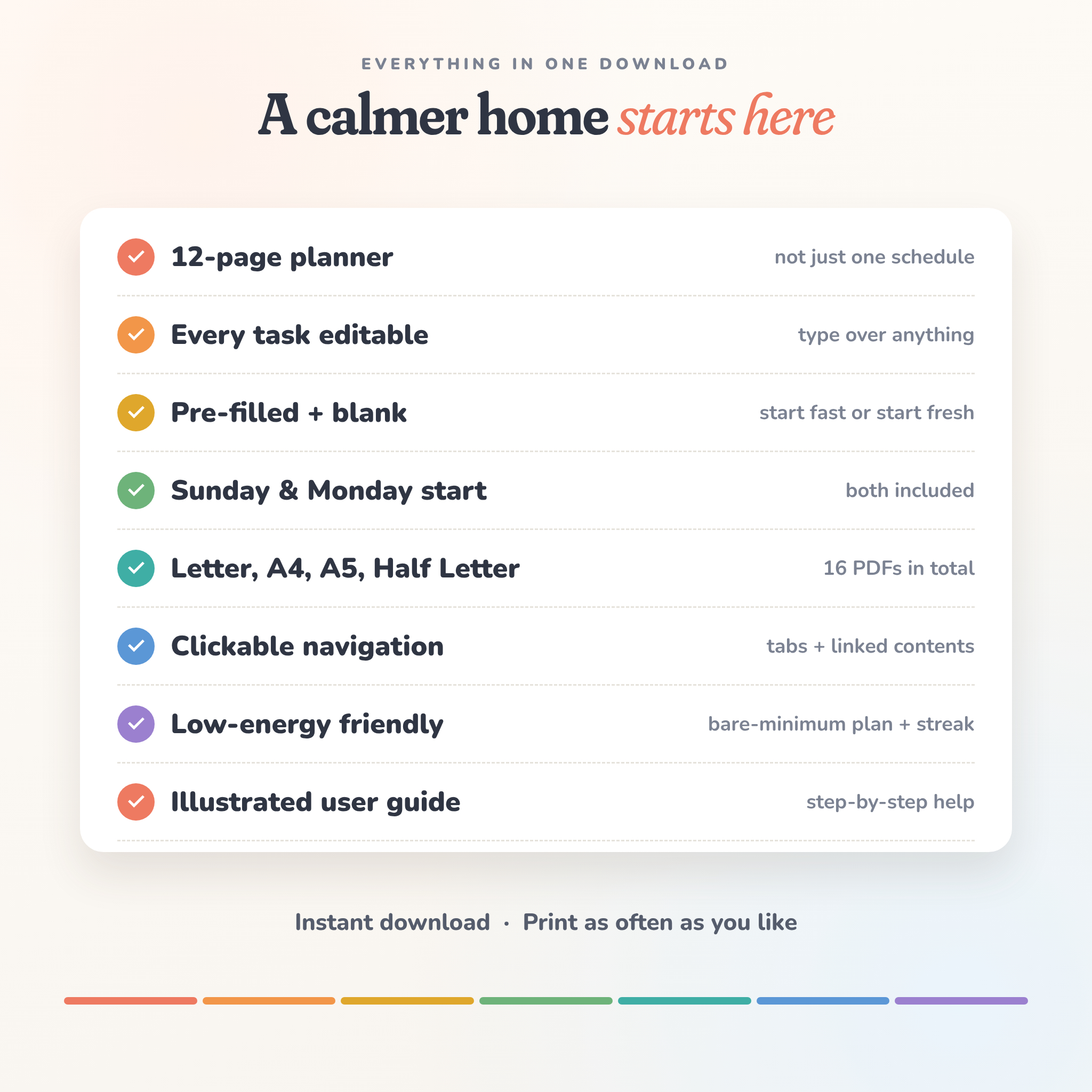
Most cleaning schedules give you one page. This one gives you twelve, and every task on them can be changed to suit your home.
Who it’s for
- Busy people who want a simple routine they can actually keep
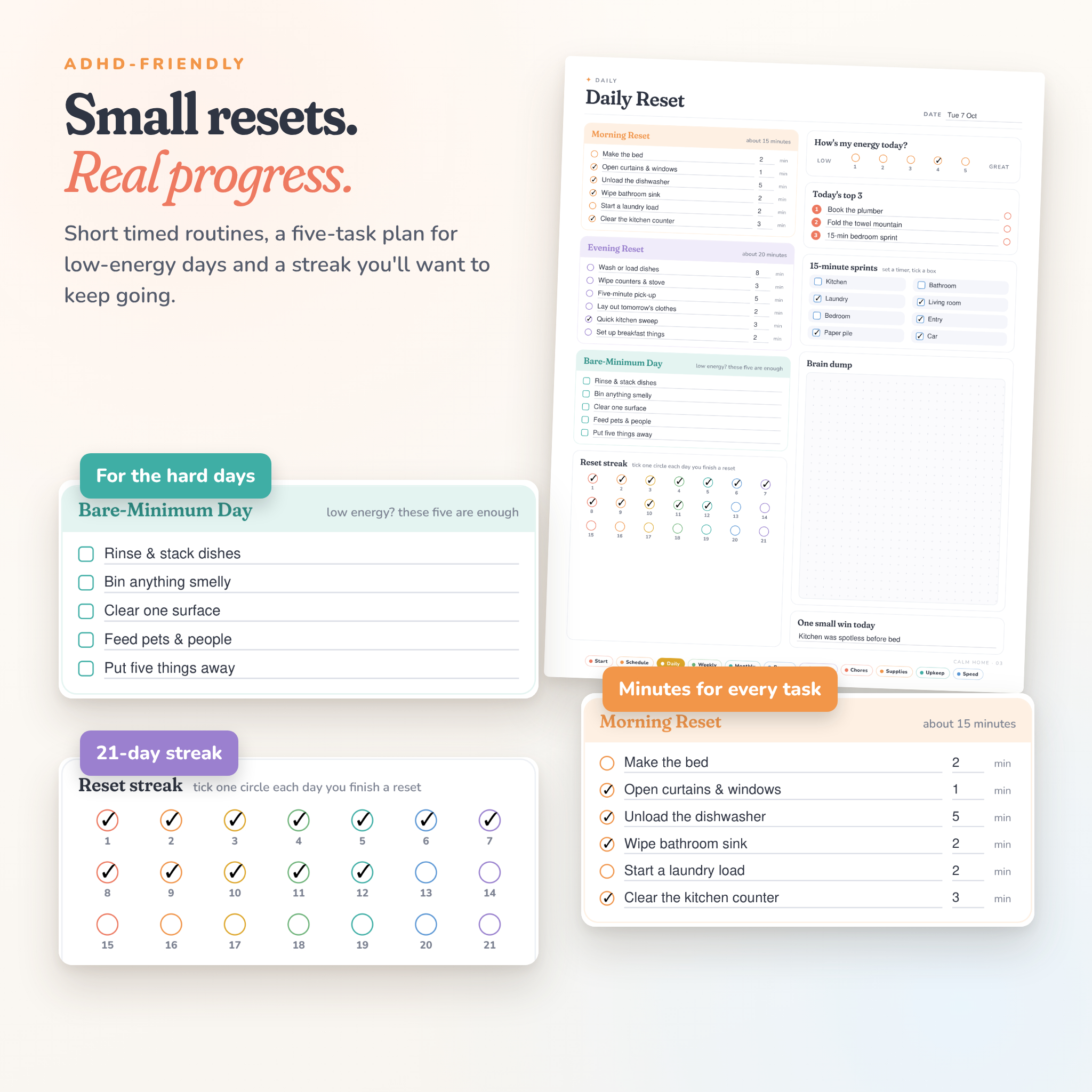
- Anyone with ADHD or low-energy days (there’s a five-task Bare-Minimum list for exactly those days)
- Families who want to share the chores fairly
- Renters and homeowners who want a record of repairs and costs
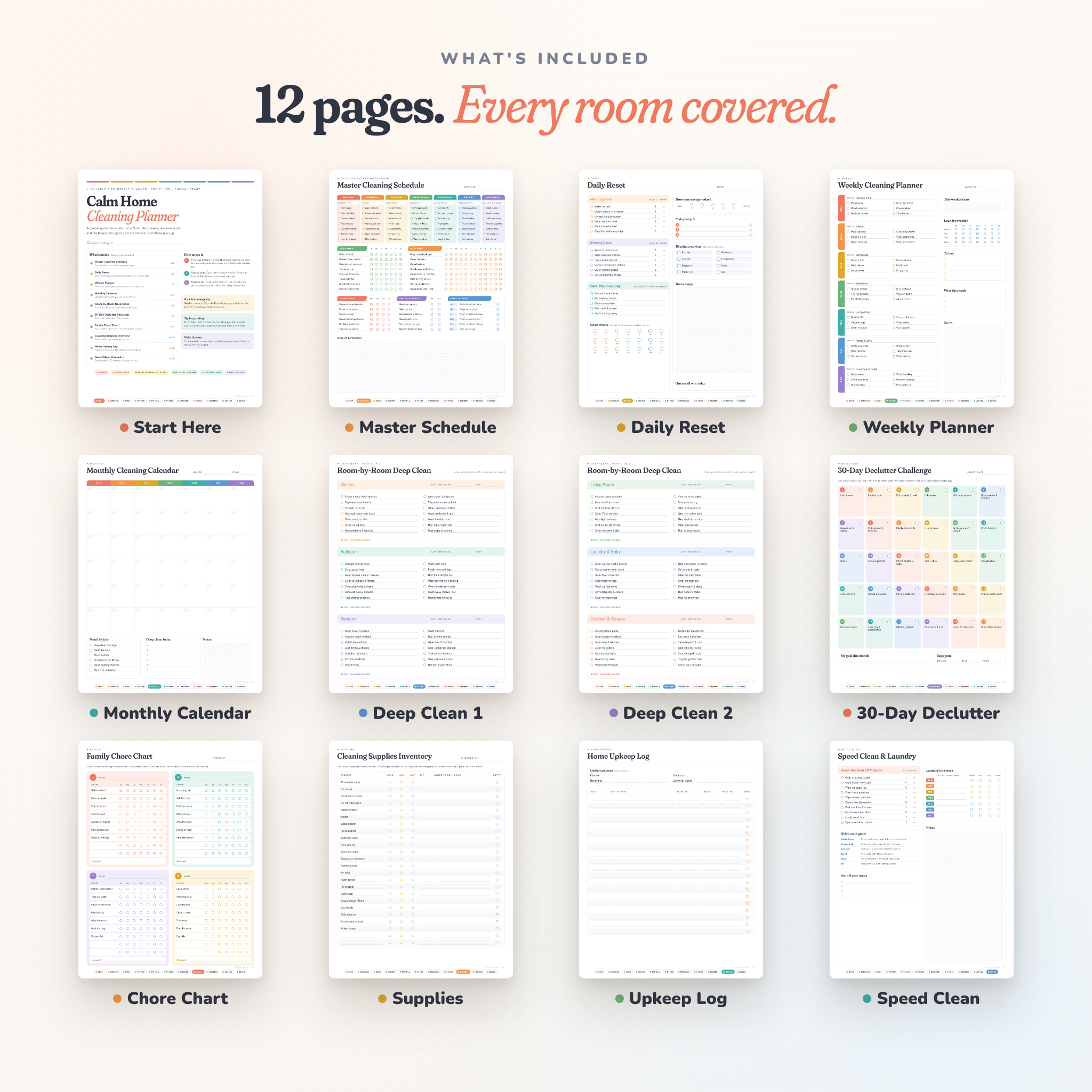
What’s inside (12 pages)
- Start Here: contents page with tap-to-jump links and a quick how-to
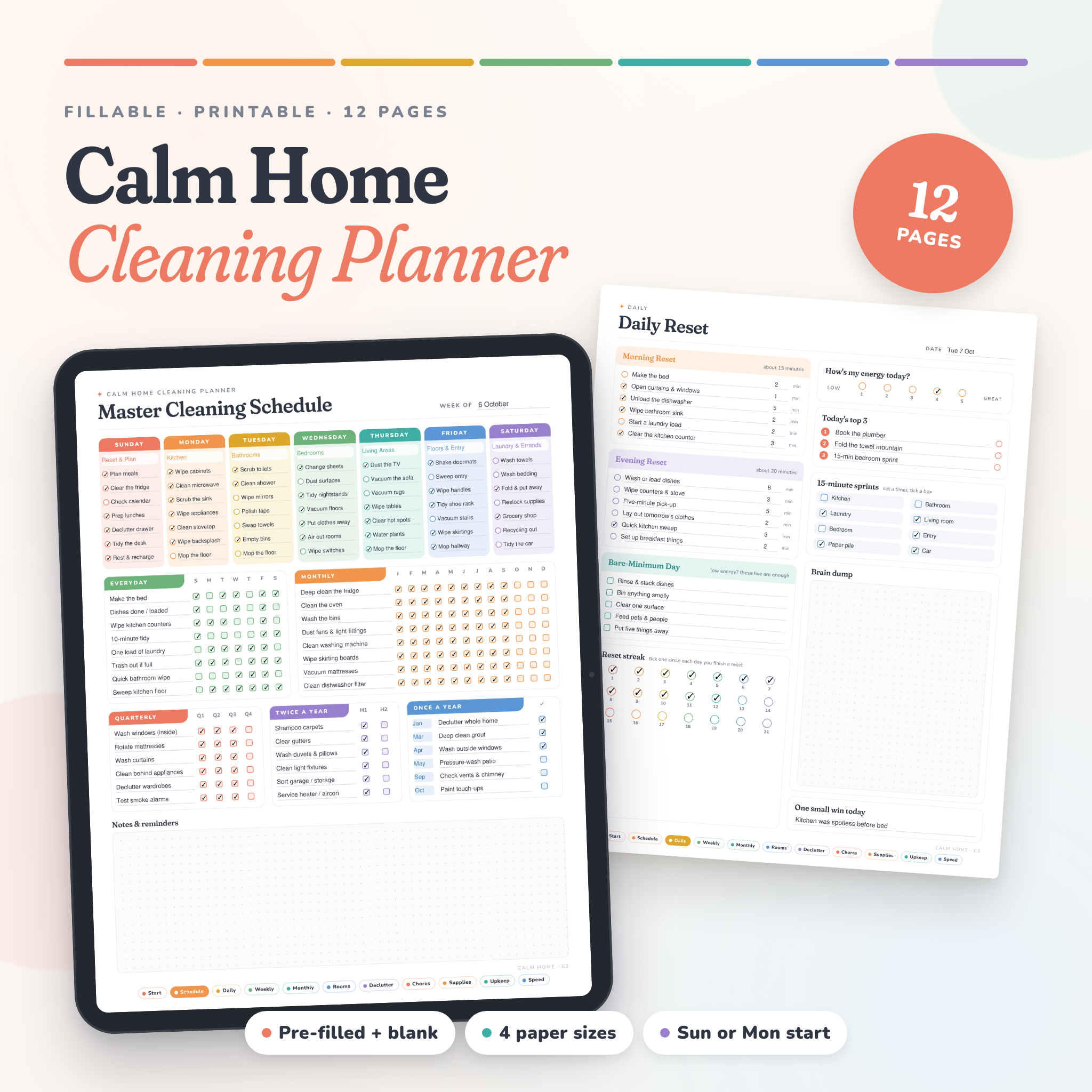
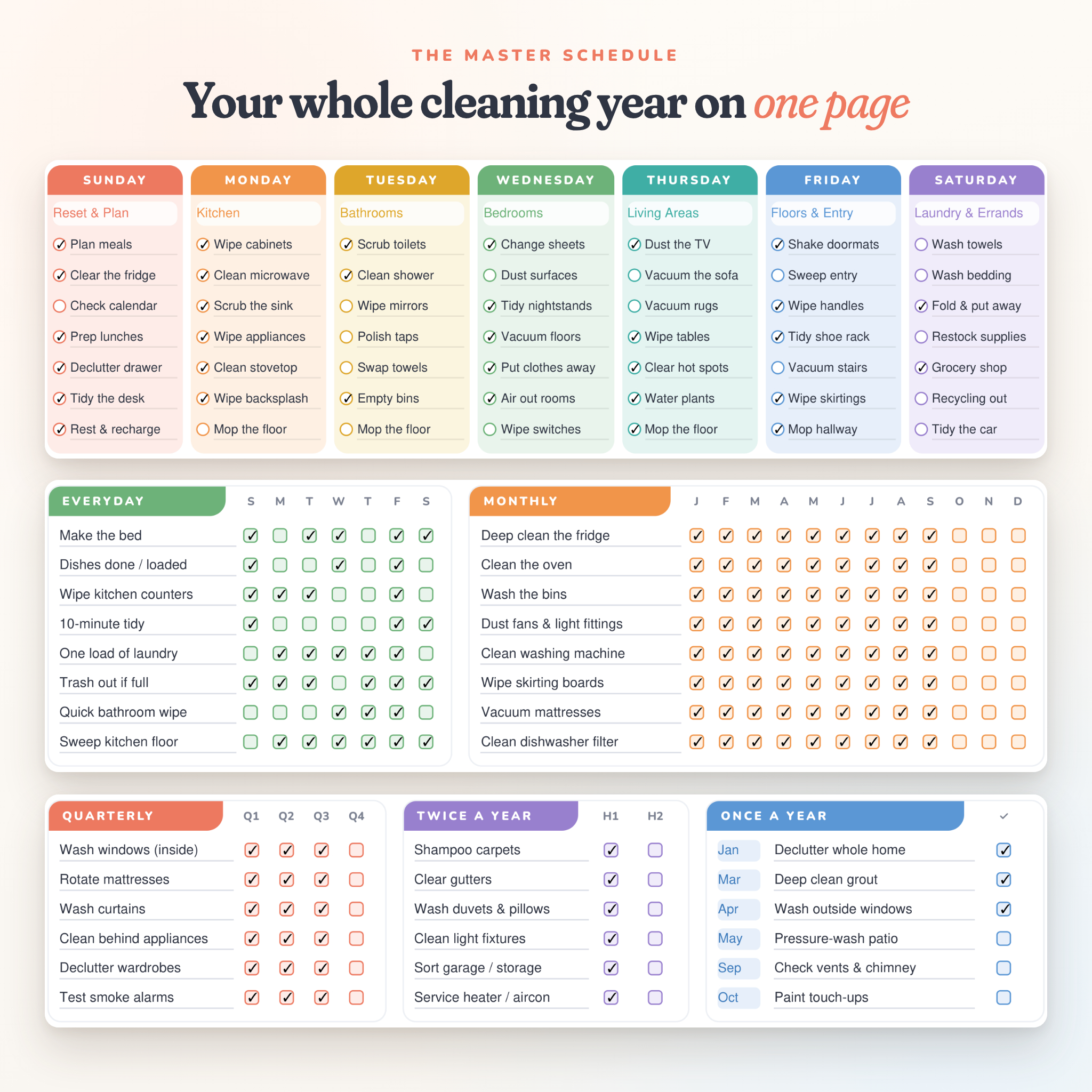
- Master Cleaning Schedule: a zone for each day, everyday habits tracker, monthly jobs January to December, plus quarterly, twice-a-year and once-a-year jobs
- Daily Reset: timed morning and evening routines, Bare-Minimum Day list, energy check, top 3, 15-minute sprints, brain dump and a 21-day streak
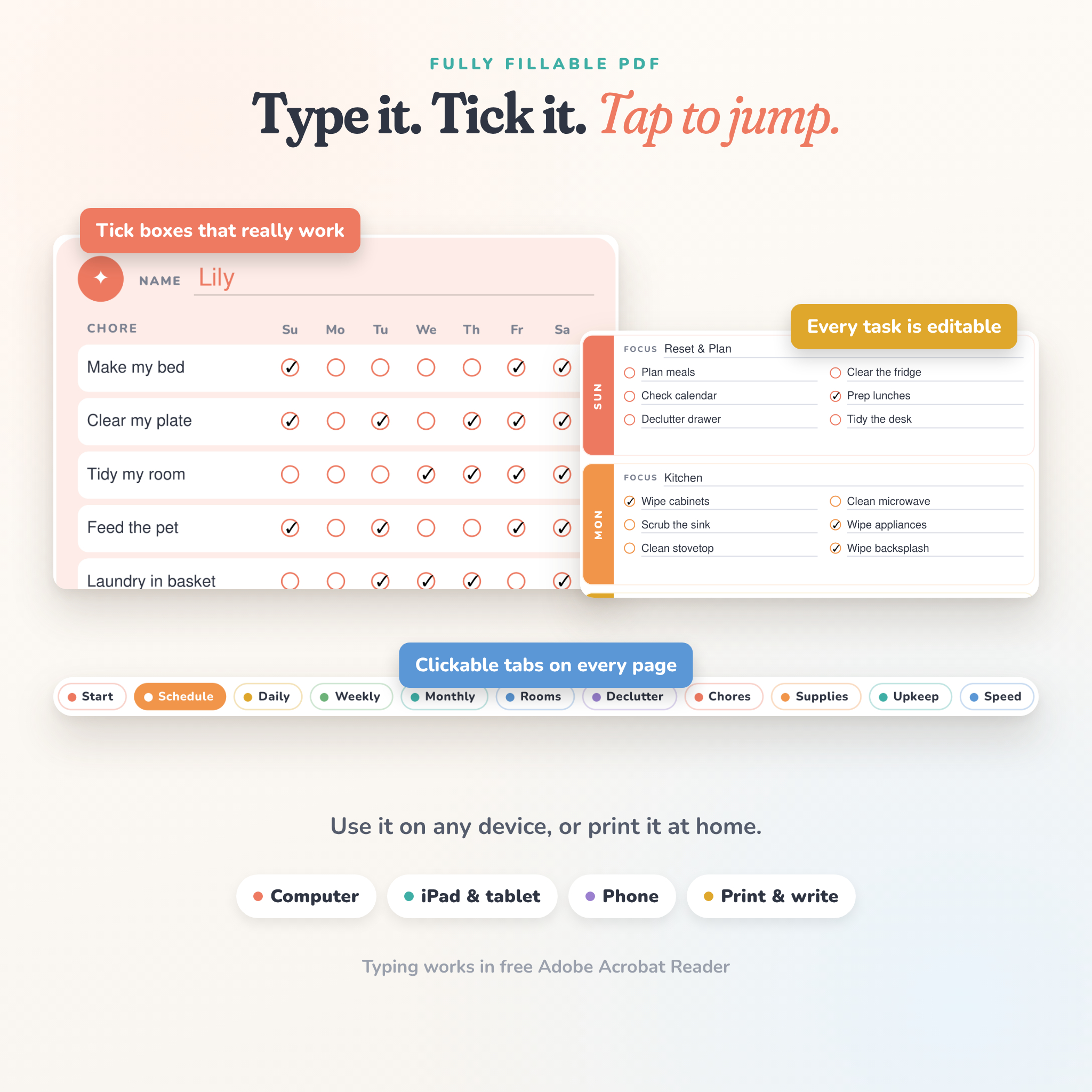
- Weekly Planner: a focus zone and six tasks per day, laundry tracker, to-buy list, weekly wins and notes
- Monthly Calendar: undated six-week grid you can reuse every month
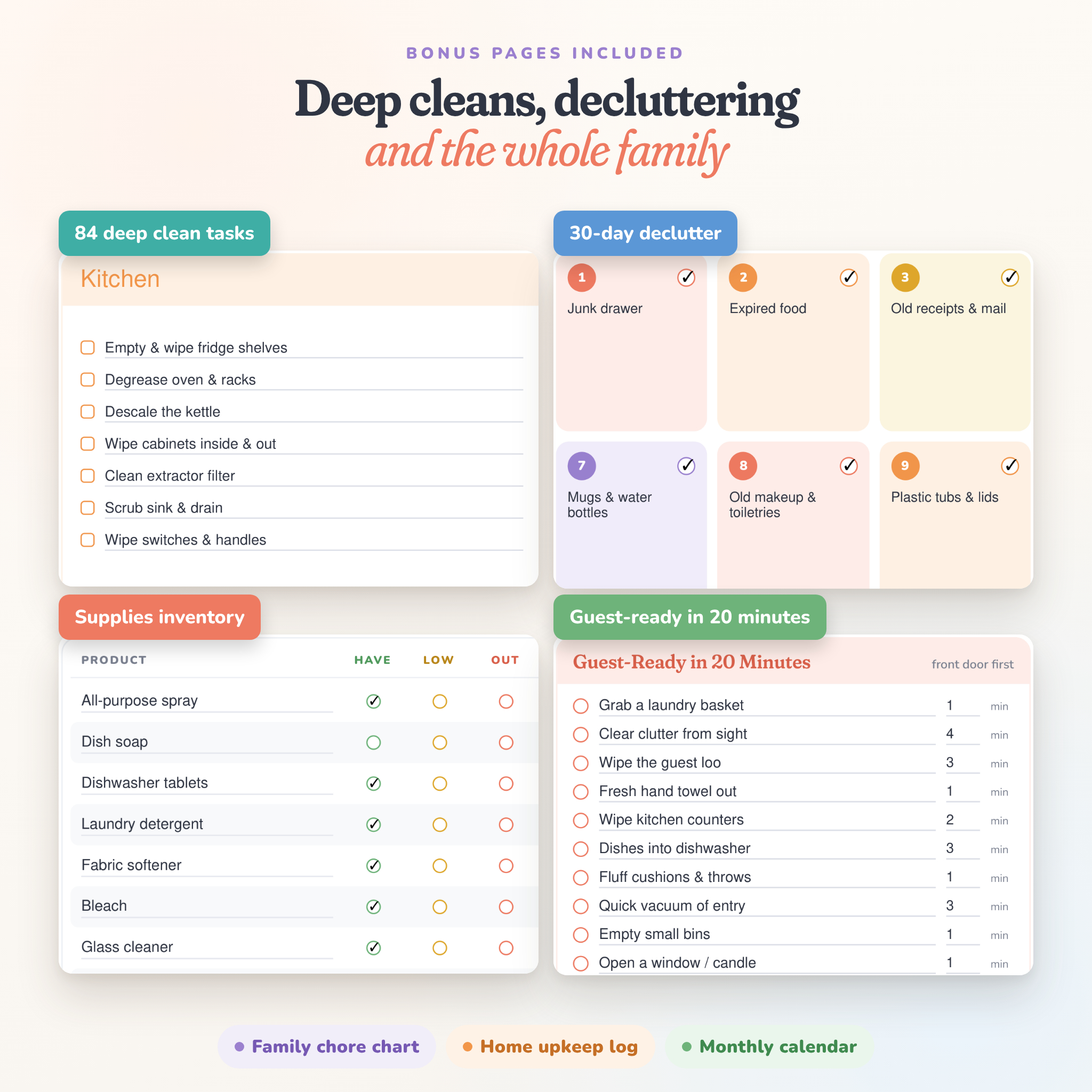
- Room-by-Room Deep Clean (2 pages): kitchen, bathroom, bedroom, living room, laundry and entry, outdoor and garage. 84 tasks in total, with last-cleaned and next-due dates
- 30-Day Declutter Challenge: one small spot a day, a monthly goal and a donate / sell / toss counter
- Family Chore Chart: four people, up to nine chores each, a tick for every day and a reward line
- Cleaning Supplies Inventory: have, low or out for 24 products, quantity, where to buy and a “got it” box
- Home Upkeep Log: useful contacts plus a 20-row log for repairs, costs and next-due dates
- Speed Clean & Laundry: a 20-minute guest-ready list, a quick stain guide and a weekly laundry tracker
Why it’s easier to use
- Every task is editable. The pre-filled tasks are typed into the form fields, so you can change any of them. No need to start from scratch.
- Tick boxes that work. Click to tick, click again to untick.
- Clickable tabs on every page take you straight to the page you need.
- Clear, readable text that holds up on a phone screen and on paper.
- Minutes next to each routine task, so you know a reset really is only 15 minutes.
Files you get
- 4 ZIP folders, one per paper size: US Letter (8.5 x 11 in), A4, A5 and Half Letter (5.5 x 8.5 in)
- Each folder holds 4 PDFs: Pre-filled Sunday start, Pre-filled Monday start, Blank Sunday start and Blank Monday start (16 PDFs in total, 12 pages each)
- An illustrated user guide (Word .docx) with setup steps, page-by-page help, printing tips, troubleshooting and FAQs
How it works
- Buy and download your files straight away.
- Unzip the folder for your paper size and pick an edition.
- Open it in free Adobe Acrobat Reader to type and tick, or print it and use a pen.
What you need
Typing and ticking works best in Adobe Acrobat Reader, which is free on Windows, Mac, iPad, iPhone and Android. You can also write on it in GoodNotes, Notability or similar apps, or simply print it. To open the user guide you’ll need Microsoft Word, Google Docs, Pages or LibreOffice.
Customising
Every line, task, zone name, room name, date and tick box can be filled in or changed. The colours and page design are fixed so the planner always looks neat.
Please note
- This is a digital download. Nothing will be posted to you.
- For personal use in your own home. Please don’t share or resell the files.
- Colours can look slightly different on screen and on paper.
Reviews
There are no reviews yet.