A beekeeping log that keeps up with your hives
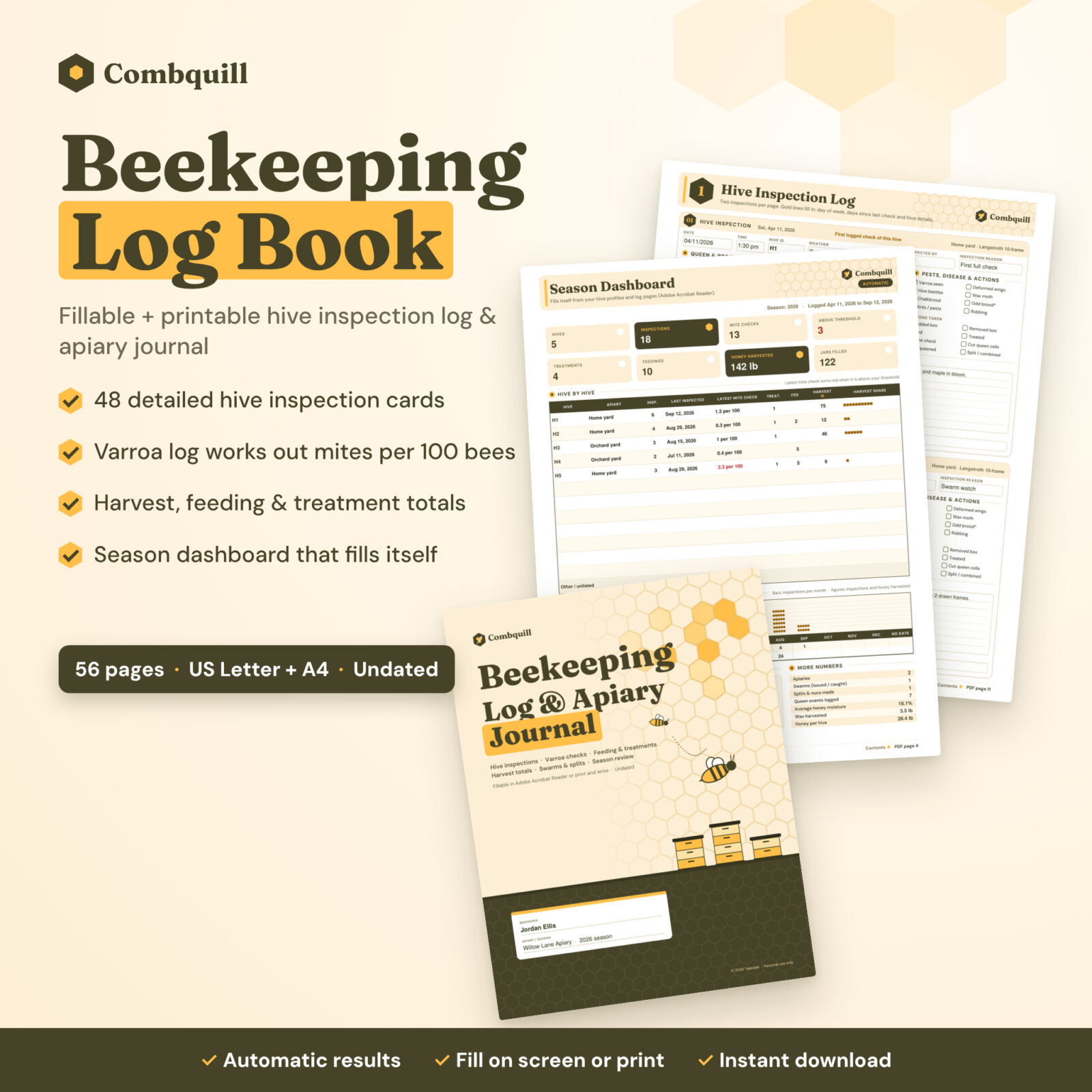
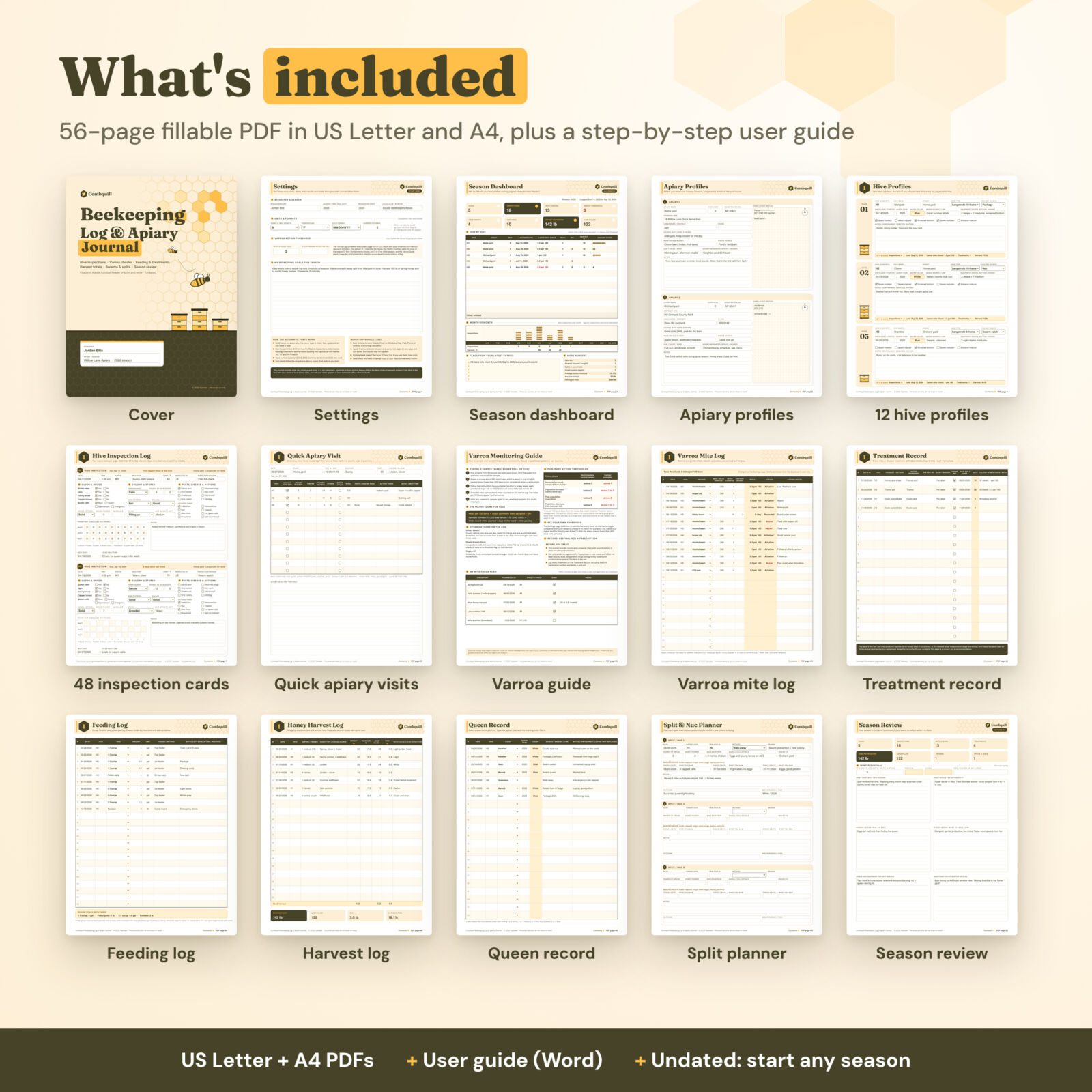
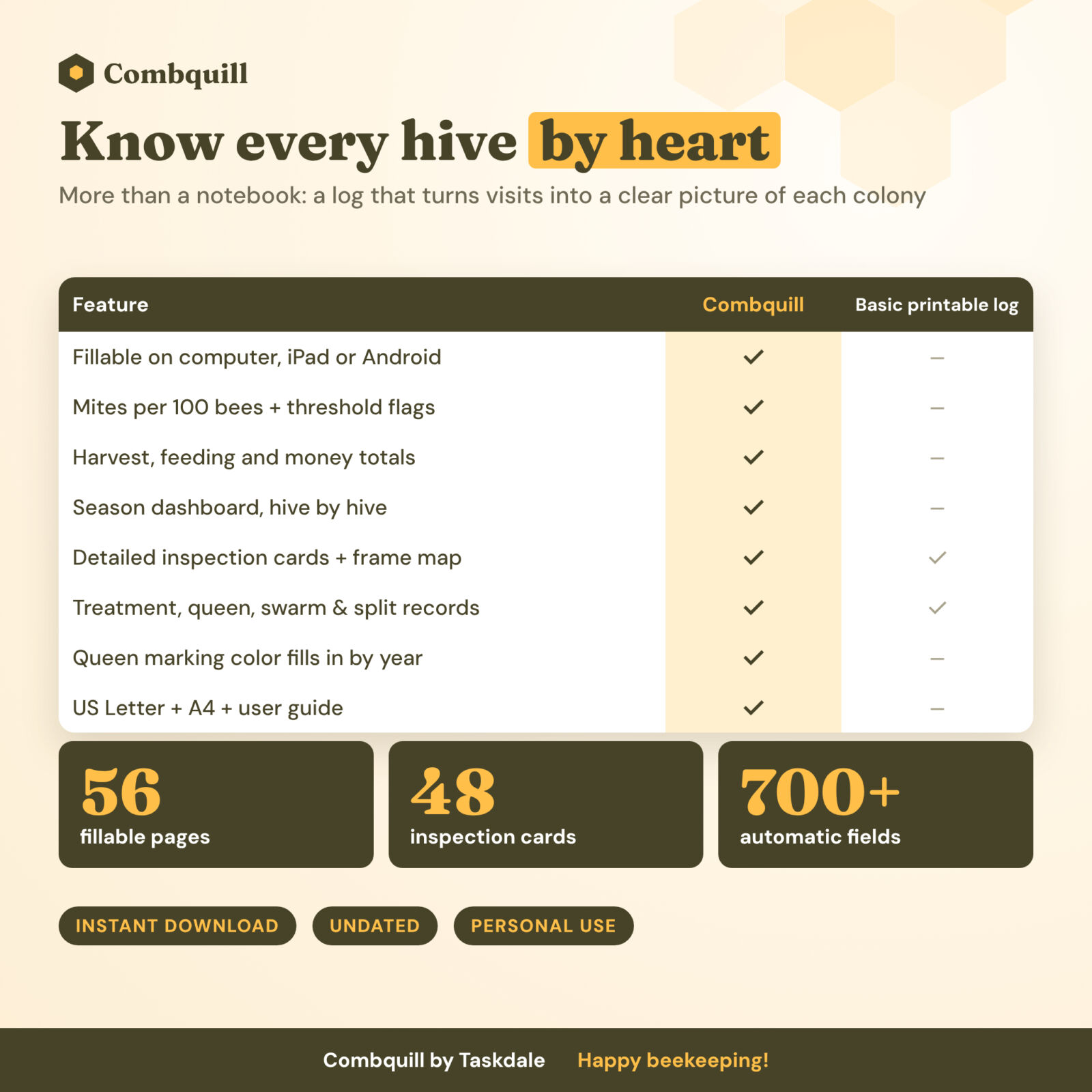
The Combquill beekeeping log and apiary journal is a fillable, printable record for every hive you keep. Each visit gets a full inspection card. Mite checks, feedings, treatments and harvests are logged against the same hive IDs, and the journal does the adding up. You get mites per 100 bees for every sample, honey totals for each hive and a Season Dashboard that shows the whole year on one page.
It is undated, so you can start in spring, in the middle of the season or right after you install your first package.
What is inside
Hive inspection log: 48 cards
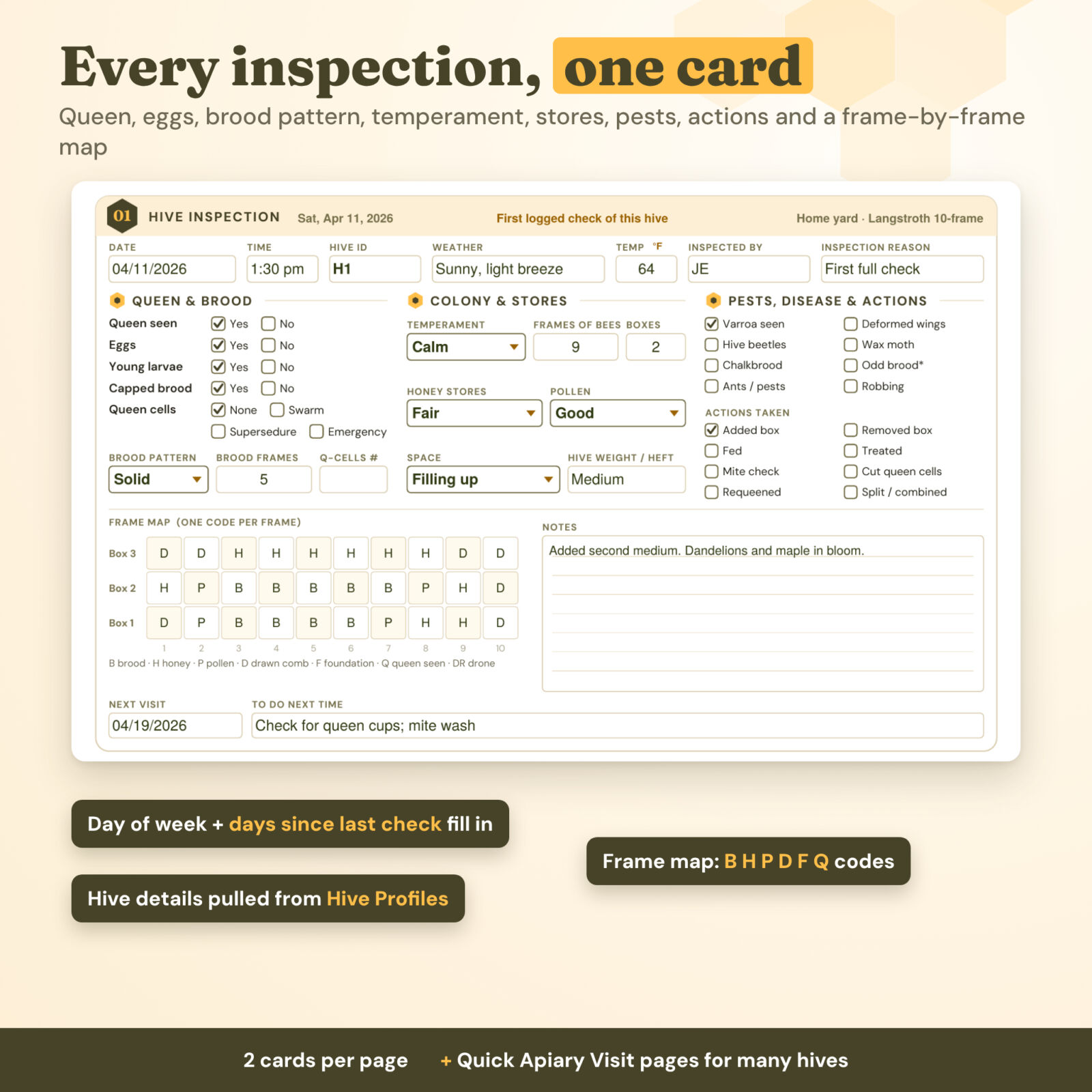
- Queen and brood: queen seen, eggs, young larvae and capped brood, each with Yes/No boxes. There are also queen cell boxes (none, swarm, supersedure, emergency) with a count, a brood pattern dropdown and frames of brood.
- Colony and stores: temperament, frames of bees, boxes, honey and pollen stores, space and hive heft.
- Pests, disease and actions: tick boxes for varroa, deformed wings, hive beetles, wax moth, chalkbrood, odd brood, ants and robbing. Actions include adding or removing a box, feeding, treating, mite checks, cutting queen cells, requeening and splitting.
- Frame map: one code per frame for three boxes (brood, honey, pollen, drawn, foundation, queen seen).
- Automatic line: as you type, the card fills in the weekday, the days since your last check of that hive, and the hive’s apiary and type.
Quick Apiary Visit pages
Checking many hives in one trip? Use one row per hive, with room for 12 hives per visit. Every row counts toward that hive’s inspection total.
Varroa mite log and monitoring guide
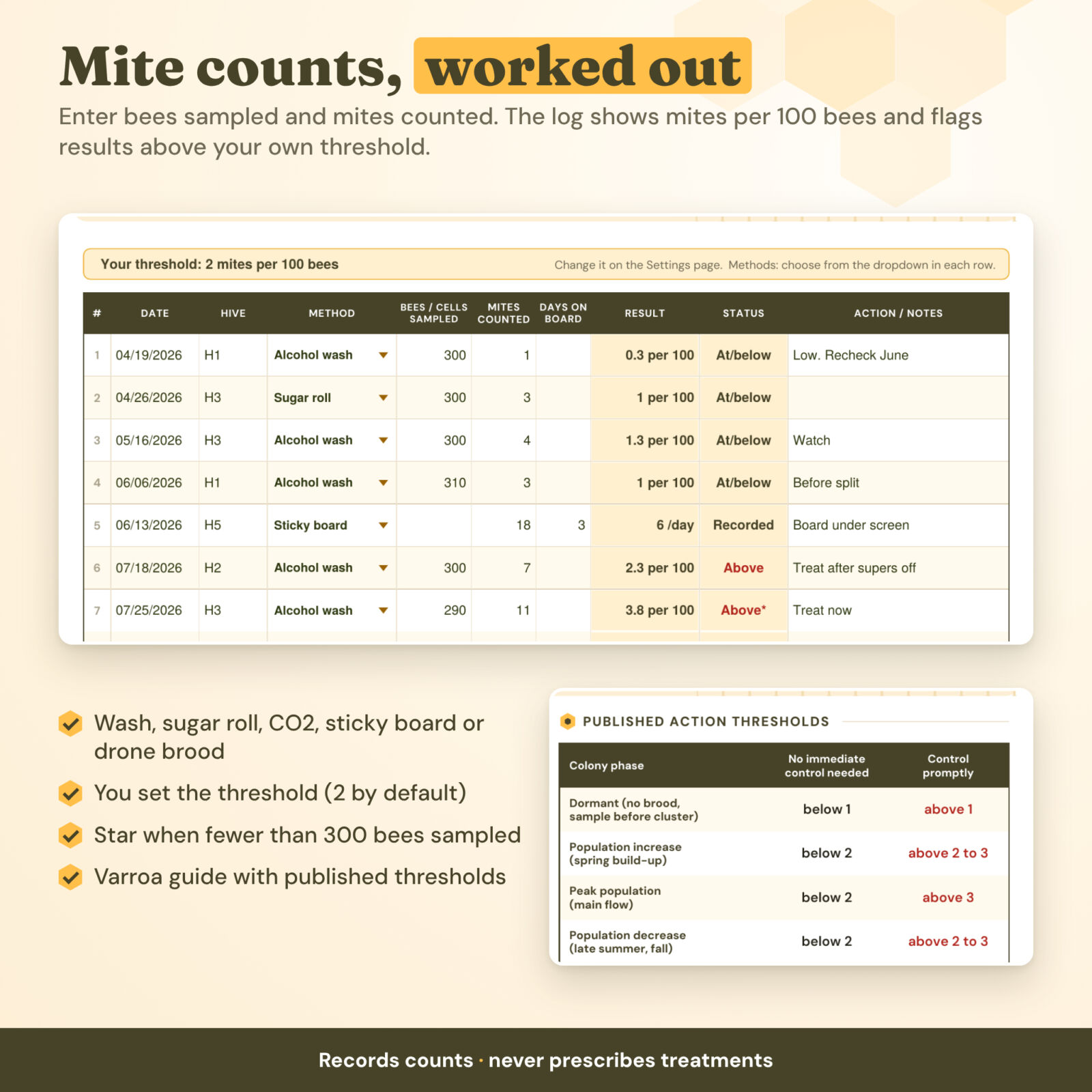
- 48 rows with a method dropdown: alcohol wash, soapy water wash, sugar roll, CO2 test, sticky board or drone brood check.
- Enter bees sampled and mites counted, and the log shows mites per 100 bees. Each result is marked Above or At/below the threshold you set (2 by default). Results from samples under 300 bees get a star.
- A one-page guide covers how to take a sample and the maths, plus the published action thresholds from the Honey Bee Health Coalition with the source named. It ends with a mite check plan you fill in.
Records that add up
- Treatment record: product, active ingredient, EPA Reg. No., dose, supers off, dates in and out. Days in the hive count themselves.
- Feeding log: a feed type dropdown and season totals grouped by feed and unit.
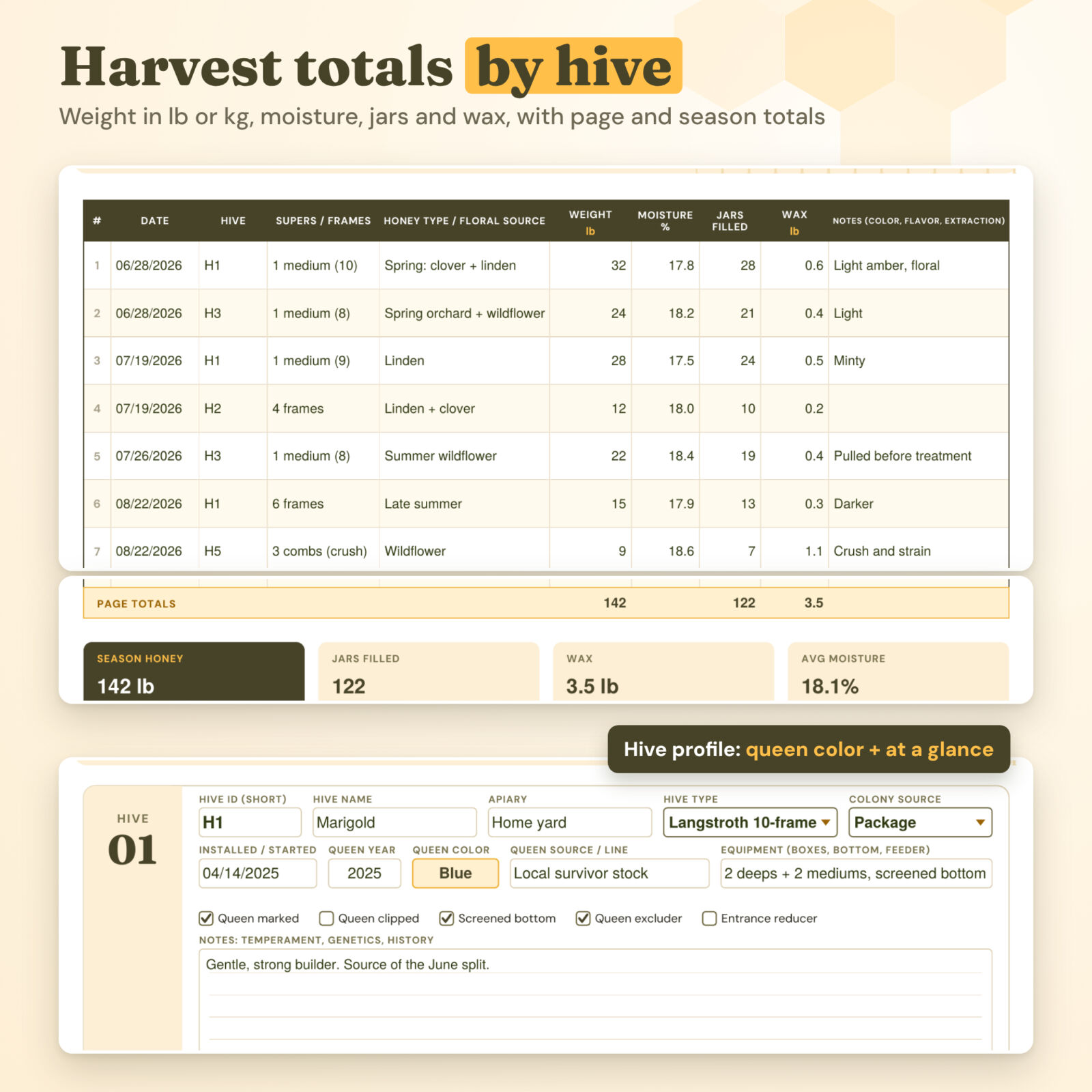
- Honey harvest log: weight in lb or kg, moisture, jars and wax, with page totals and season totals.
- Queen record: type the queen year and the international marking color fills in.
- Swarm and split log: includes a swarm watch checklist, and the split and nuc planner has queen check dates.
- Equipment, costs and sales: an inventory with need-to-buy flags, plus expenses, income and a net total in your currency.
Season Dashboard and season review
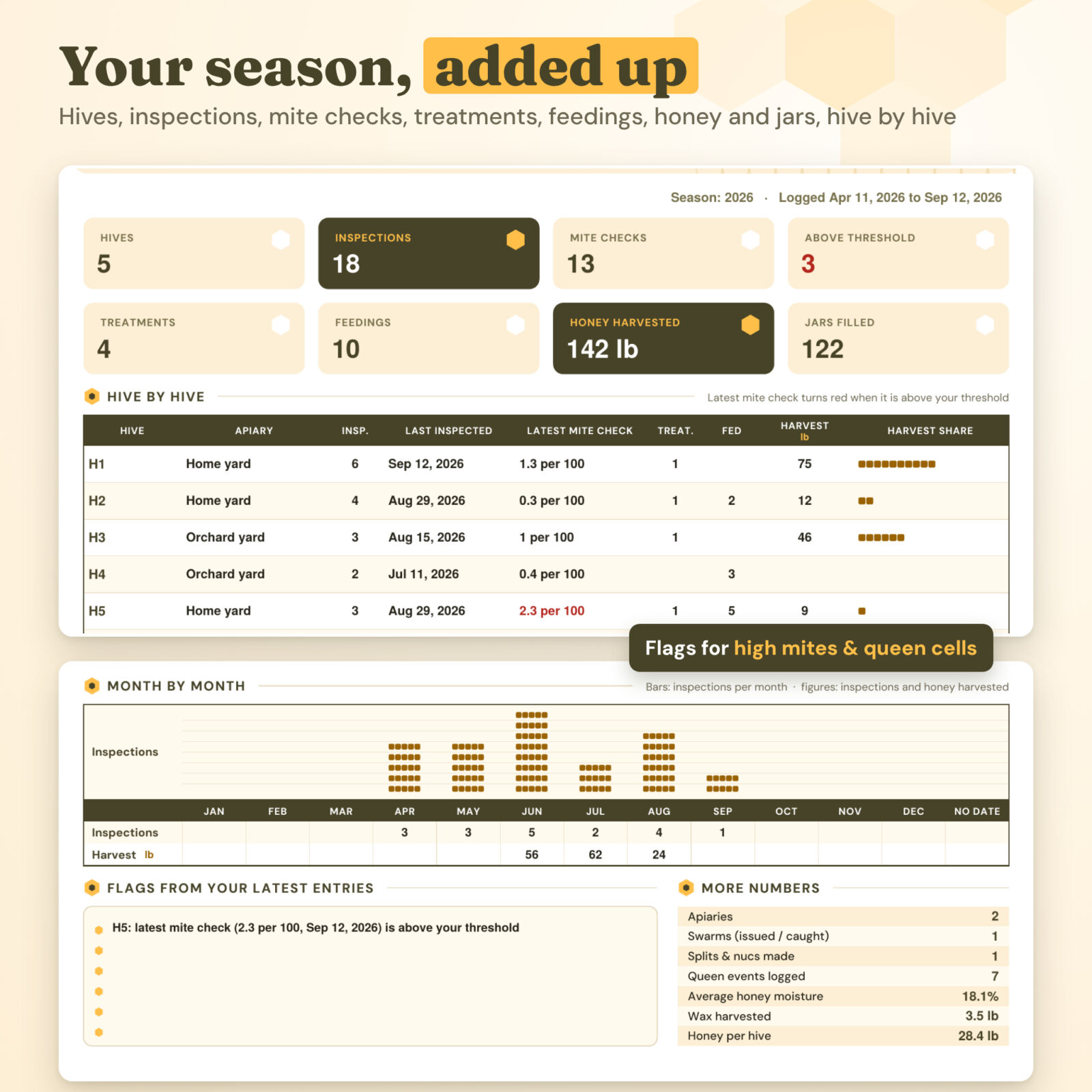
The dashboard reads the whole journal. It shows totals for hives, inspections, mite checks, results above threshold, treatments, feedings, honey and jars. A hive-by-hive table lists last inspection, latest mite check (red when it is above your threshold) and harvest. You also get month-by-month bars and a short list of flags. The Season Review fills in your numbers, works out winter survival as a percentage next spring and gives you room to reflect. The End-of-Season Hive Check lists each hive with its latest mite result so you can plan the winter.
Who this beekeeping journal is for
- New beekeepers who want a clear routine for every inspection
- Backyard and hobby beekeepers with 1 to 12 hives in one or two yards
- Sideliners who want harvest, cost and sales numbers in one place
- Club mentors and students who compare notes after each visit
How it works
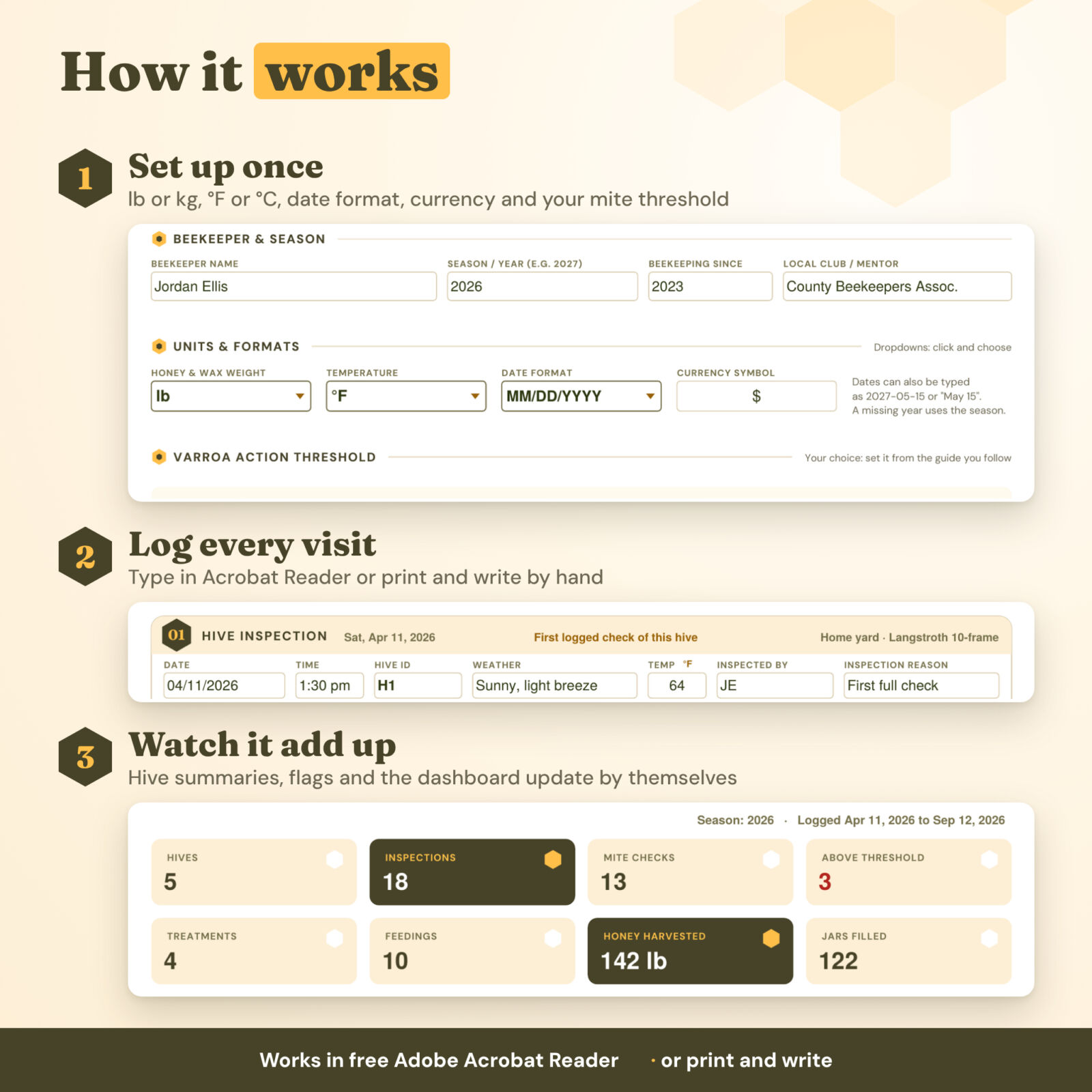
- Set up once. On the Settings page, choose lb or kg, °F or °C, your date format, your currency symbol and your mite threshold.
- Profile your hives. Give each hive a short ID (H1, Bluebell…). Capitals, spaces and dashes don’t affect matching.
- Log every visit. Type into the fields in Adobe Acrobat Reader, or print the pages and keep them on a clipboard in the bee yard.
- Watch it add up. Results, totals, hive summaries and the dashboard update as you go.
File formats and software
- Combquill-Beekeeping-Log-US-Letter.pdf: 56 pages, 8.5 x 11 in, lb and °F by default
- Combquill-Beekeeping-Log-A4.pdf: 56 pages, A4, kg and °C and DD/MM/YYYY by default
- Combquill-User-Guide.docx: a step-by-step guide for every page
Automatic calculations need the free Adobe Acrobat Reader on Windows, Mac, iPad, iPhone or Android. Other PDF viewers and note apps let you type and tick boxes, but results may not update. Every page also prints cleanly in color or black and white.
Customization
You can switch units, date format, currency and the mite threshold at any time. Hive IDs can be numbers or names. The hive type, feed, method and queen event fields have dropdowns, and every page has a notes area for anything they don’t cover. Need more pages? Print extra copies for your own use, or save a second blank copy as Volume 2.
Digital download
This is an instant digital download. Nothing is shipped. You will receive the PDF files and the user guide right after purchase.
Good to know
This journal records what you see and enter. It does not prescribe treatments, doses or timing. Always follow the product label (the label is the law) and your state or local apiary rules. When in doubt, ask your state apiarist or local extension office.
License: Personal use only (or use within your own business for business templates). You may not resell, share, or redistribute the files. © 2026 Taskdale. All rights reserved.
FAQ
Is this a fillable beekeeping log or a printable one?
It’s both. Type into it in Adobe Acrobat Reader, or print any page as often as you need for your own hives.
Do I need Adobe Acrobat Pro?
No. The free Adobe Acrobat Reader runs every automatic feature.
Does it work on an iPad?
Yes, in the free Adobe Acrobat Reader app. You can also import it into note apps to write by hand, but automatic results need Acrobat Reader.
Does it tell me when to treat for varroa mites?
No. It records your counts, compares them with the threshold you choose and shows published guidance with its source. Treatment decisions are yours, following the label and local advice.
How many hives does it hold?
There are 12 hive profiles, 48 inspection cards and 4 Quick Apiary Visit pages with 12 rows each. Print extra pages or start a second copy if you have more.
Does it work for top bar hives?
Yes. Choose Top bar, Warré, Layens or another type on the hive profile, and use the frame map rows however suits your hive.
Is it dated?
No. It is undated, so you can start any season.
Reviews
There are no reviews yet.