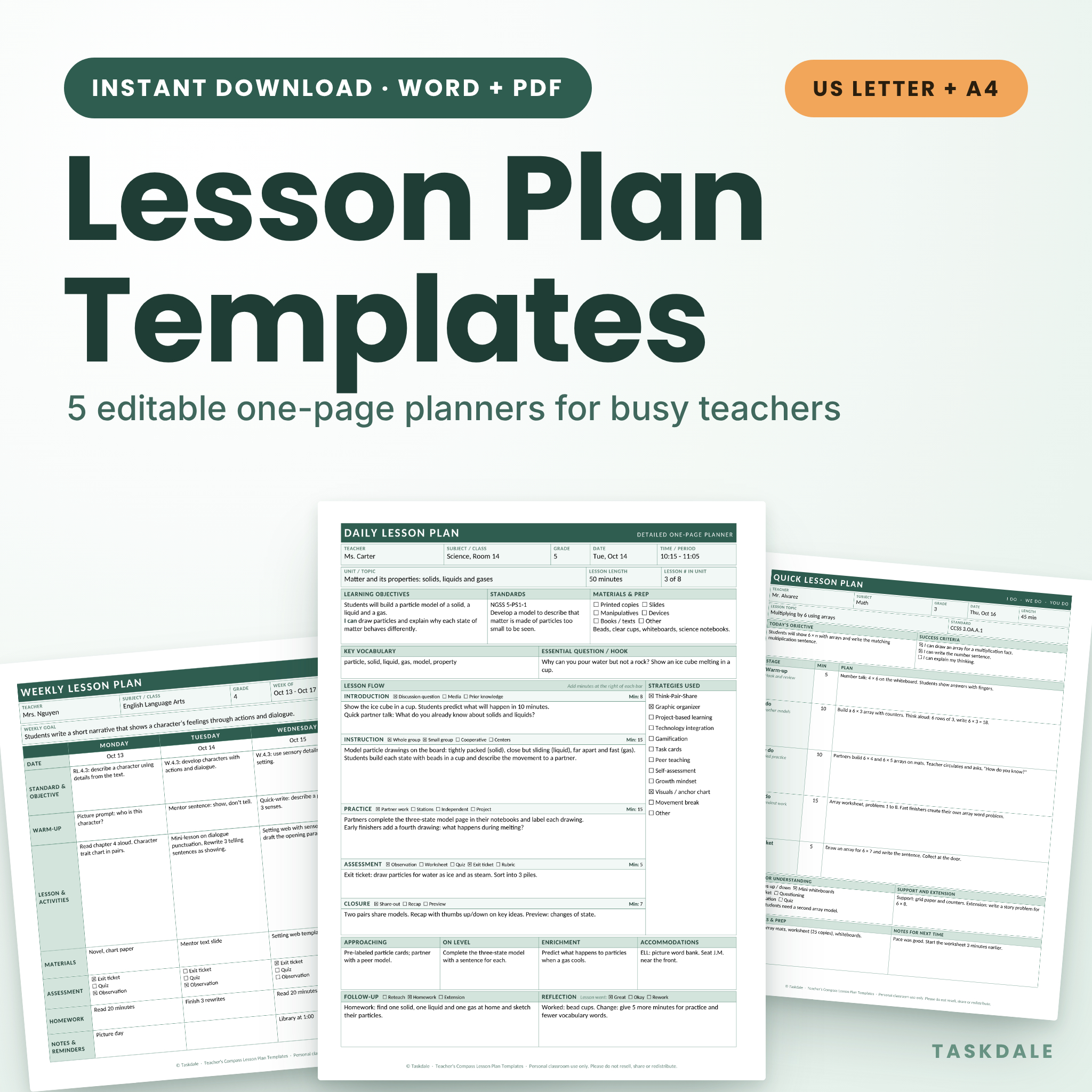
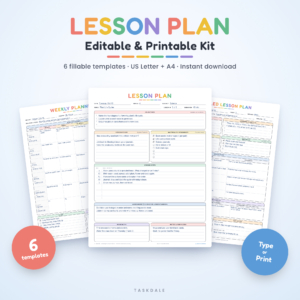
Planning lessons should not take longer than teaching them. This editable lesson plan template pack gives you five one-page planners in a single download: a detailed daily plan, a quick daily plan, a weekly plan, a unit plan and a substitute teacher plan. Type into the Word files, or print the PDFs and write by hand. Every template fits on one page, and you can change any label, box or checklist item to match how you teach.
What is in the Teacher’s Compass lesson plan template pack?
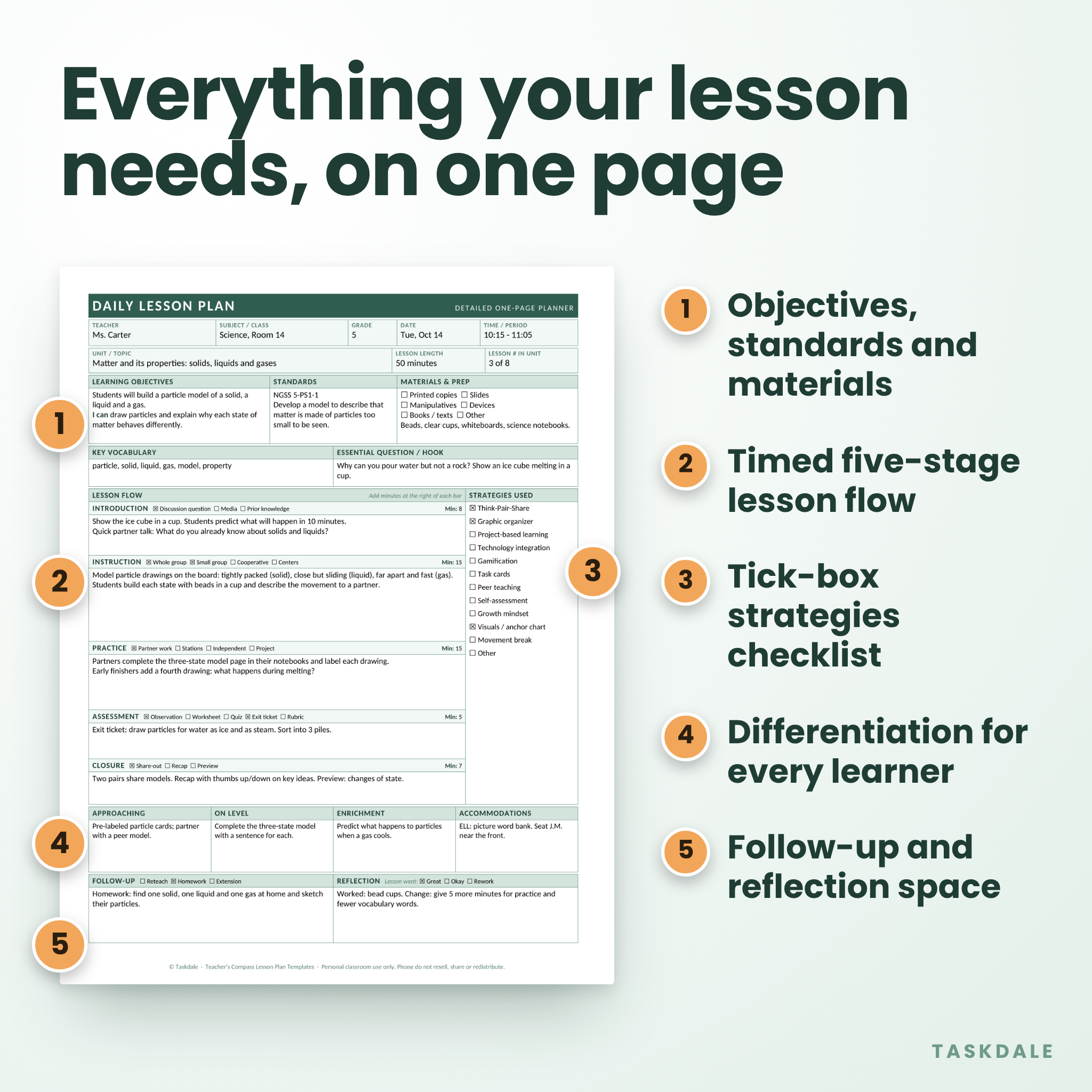
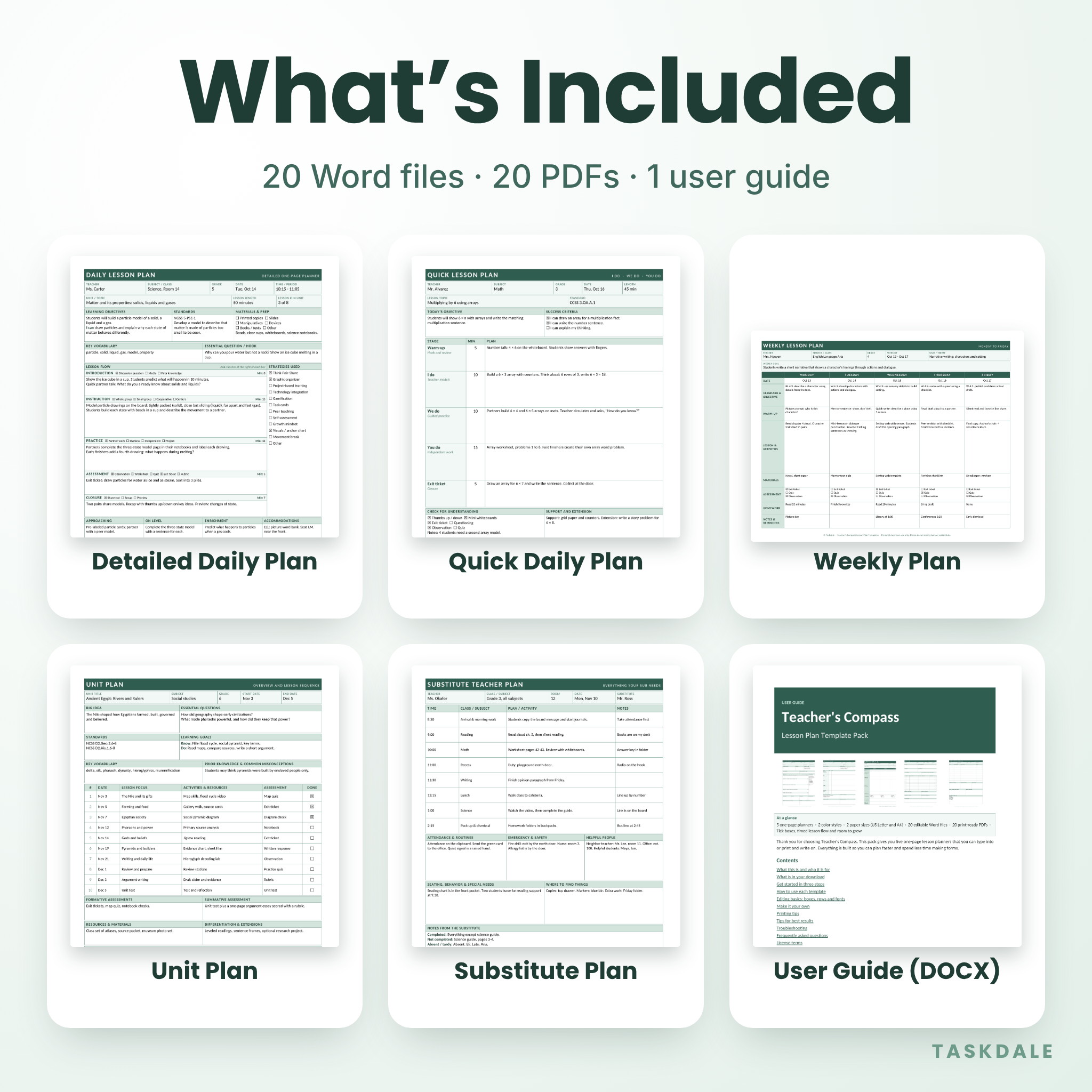
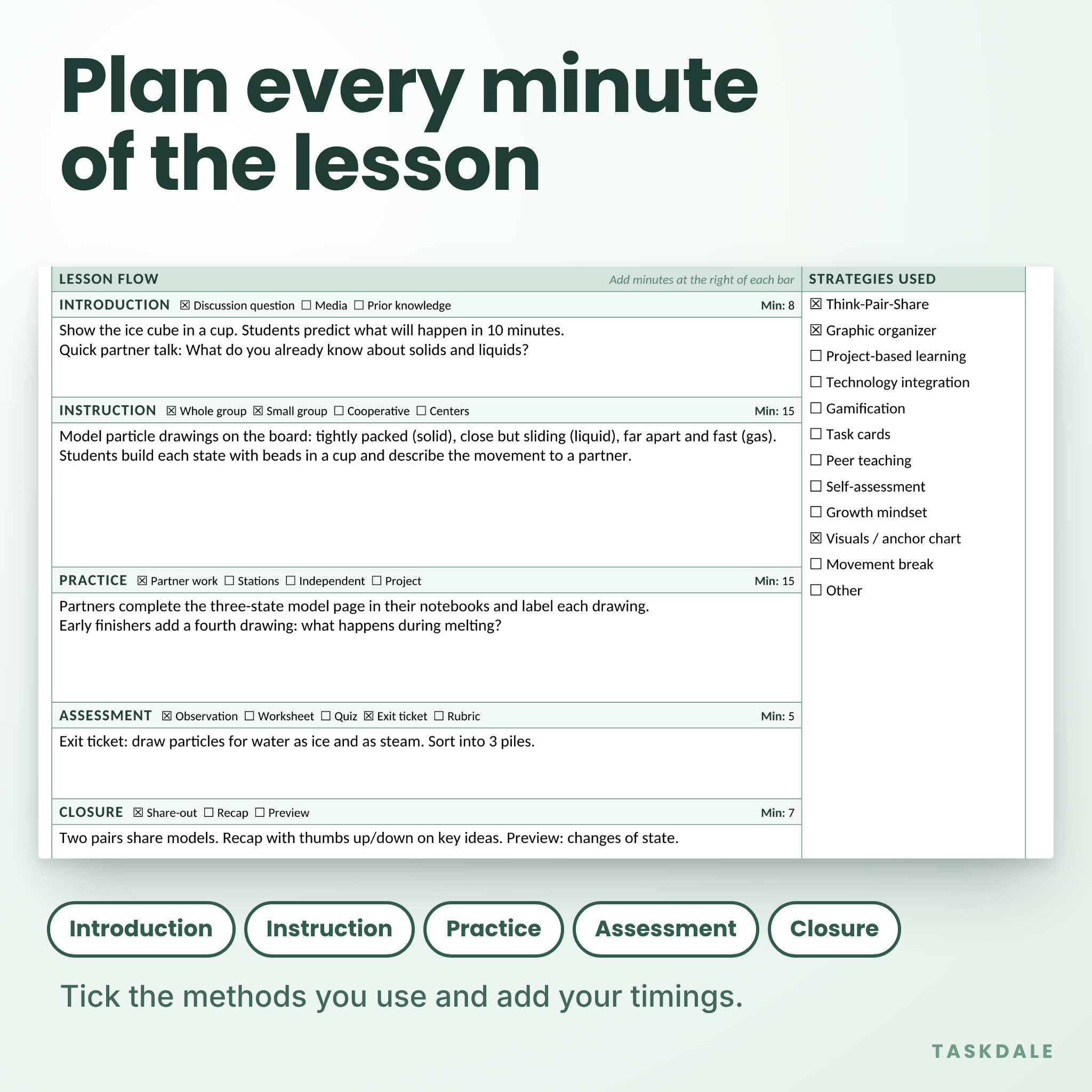
- Detailed Daily Lesson Plan. Objectives, standards, materials, vocabulary, a timed five-stage lesson flow, a strategies checklist, differentiation, follow-up and reflection.
- Quick Daily Lesson Plan. Built on the I do, we do, you do pattern, with success criteria and an exit ticket. Good for short lessons and busy days.
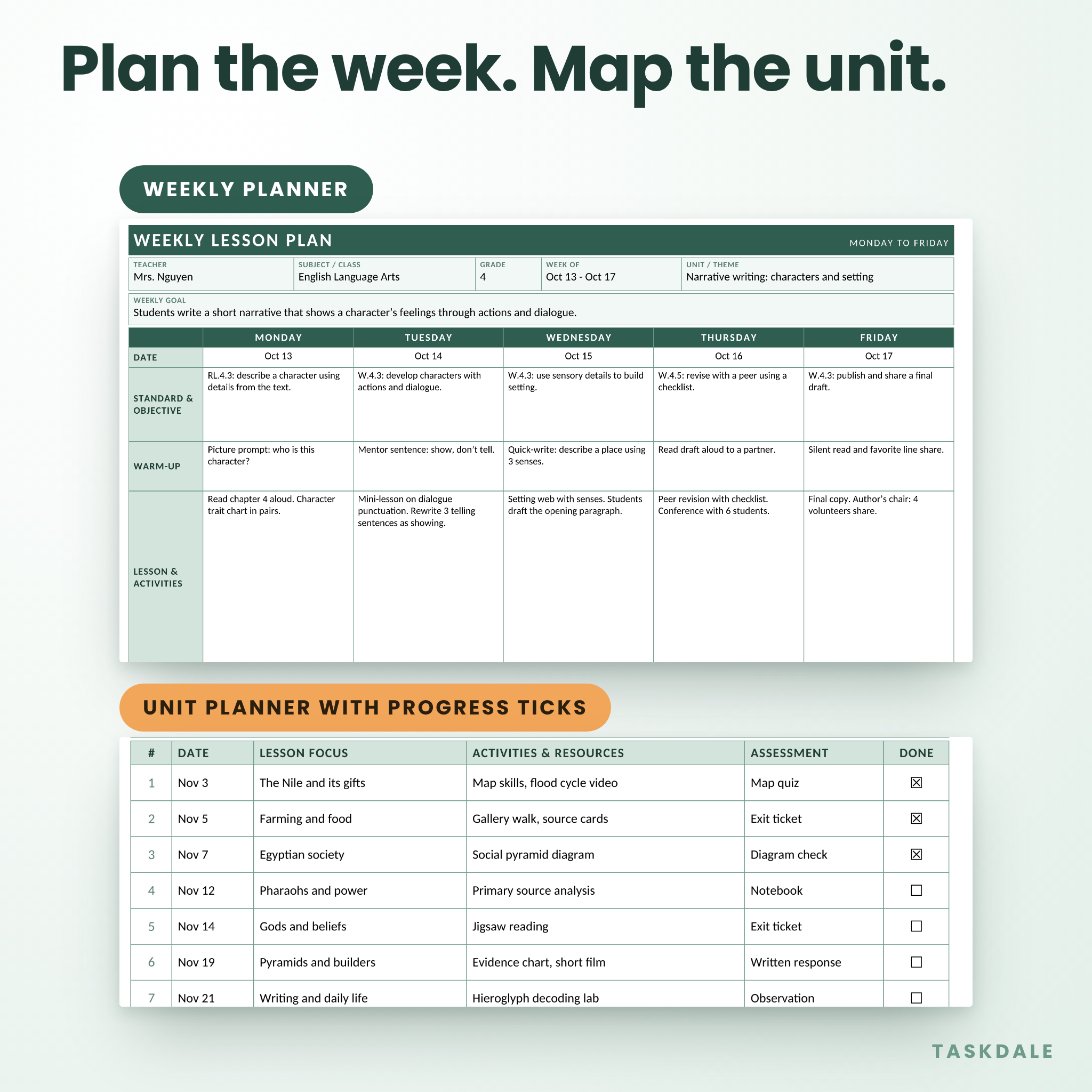
- Weekly Lesson Plan. Monday to Friday on one landscape page, with rows for standards, warm-up, activities, materials, assessment and homework.
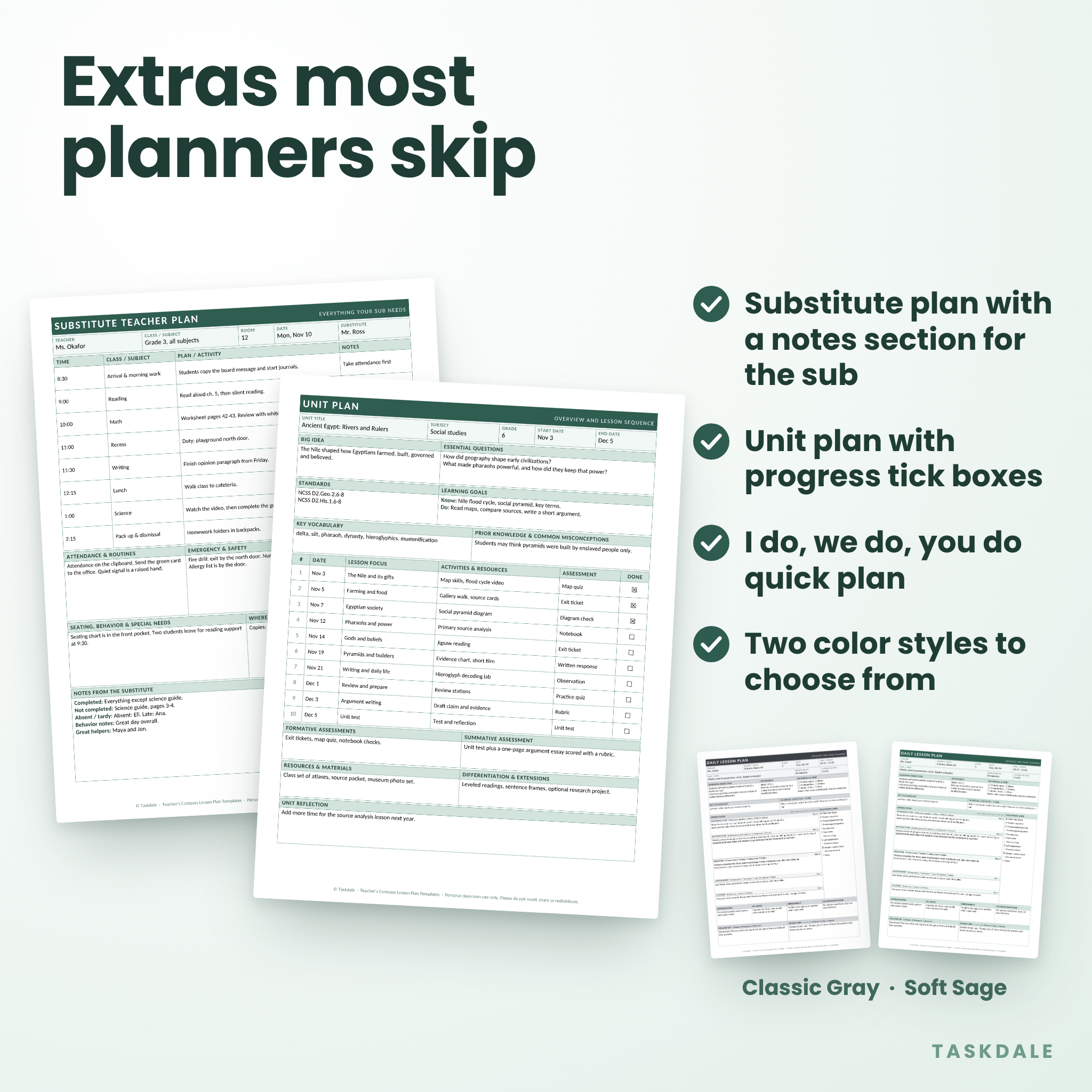
- Unit Plan Overview. Big idea, essential questions, standards, learning goals, key vocabulary and a ten-lesson sequence with a Done box for each lesson.
- Substitute Teacher Plan. A daily schedule, routines, safety notes, helpful people, and a notes section for the sub to fill in at the end of the day.
Features that make lesson planning faster
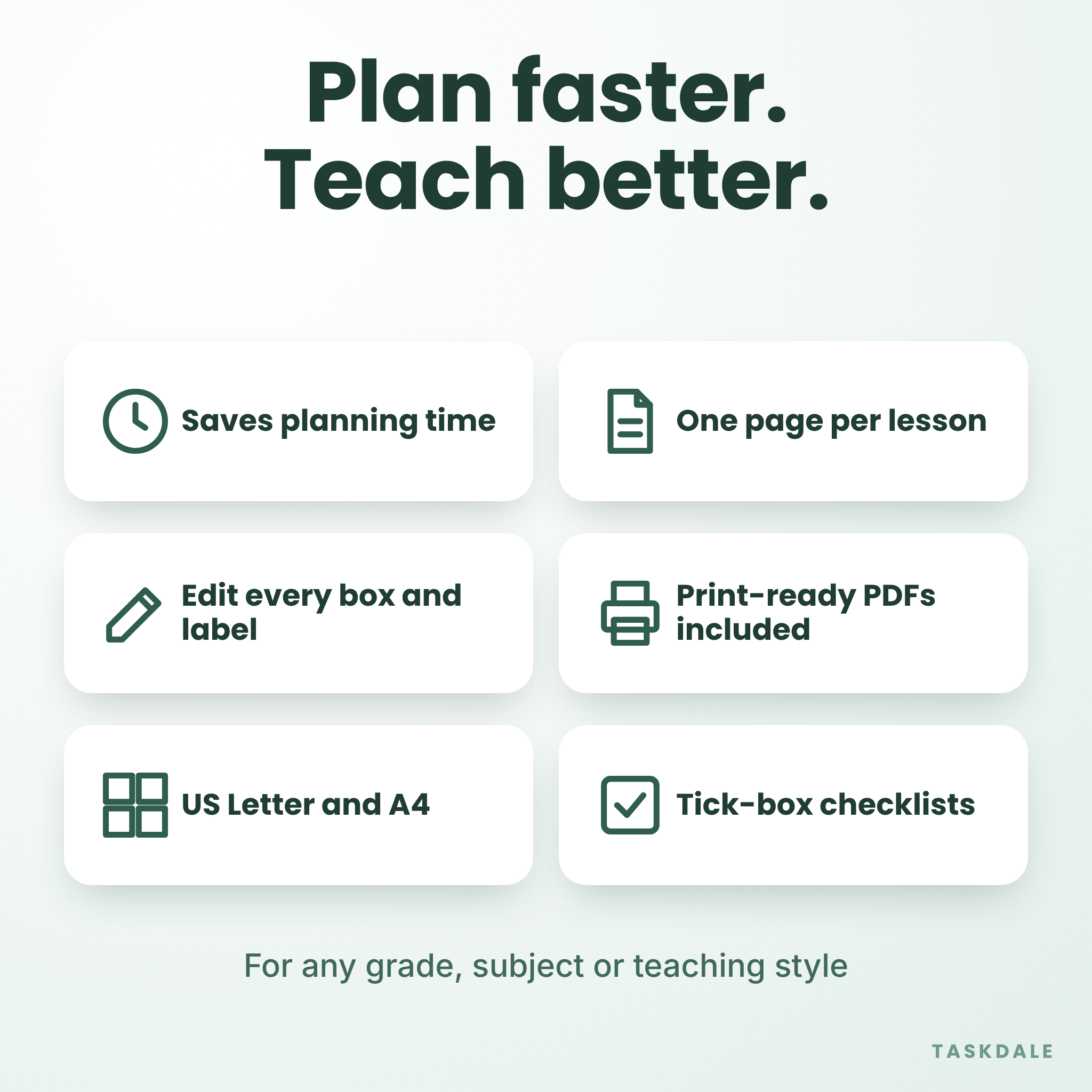
- Tick-box checklists for teaching strategies, assessment types and materials. In Word, click a box to tick it. On a printout, mark it with a pen.
- A timed lesson flow with a minutes field for every stage, so your plan adds up to the period.
- Four differentiation boxes: approaching, on level, enrichment and accommodations.
- Room for the standard, the objective and a student-friendly “I can” statement.
- Follow-up and reflection spaces, so tomorrow’s plan starts from what actually happened today.
- Boxes that grow as you type. Nothing is locked, and nothing is cut off.
- Two color styles: Classic Gray for easy, low-ink printing and Soft Sage for a gentler look.
- Two paper sizes: US Letter (8.5 x 11 in) and A4 (210 x 297 mm).
Who this lesson planner is for
Classroom teachers in elementary, middle and high school will get the most from it. It also suits homeschool parents, student teachers who must hand in lesson plans, substitute teachers, tutors and instructional coaches. The templates are subject-neutral, so they work for math, reading, science, history, art and anything else you teach.
What is included in your download
- 20 editable Word (.docx) files: five templates, two color styles, two paper sizes.
- 20 print-ready PDF files, with fonts built in.
- A 6-page user guide (.docx) with setup steps, tips, troubleshooting and FAQs.
Everything arrives in one zip file, sorted into folders by format and paper size.
How it works
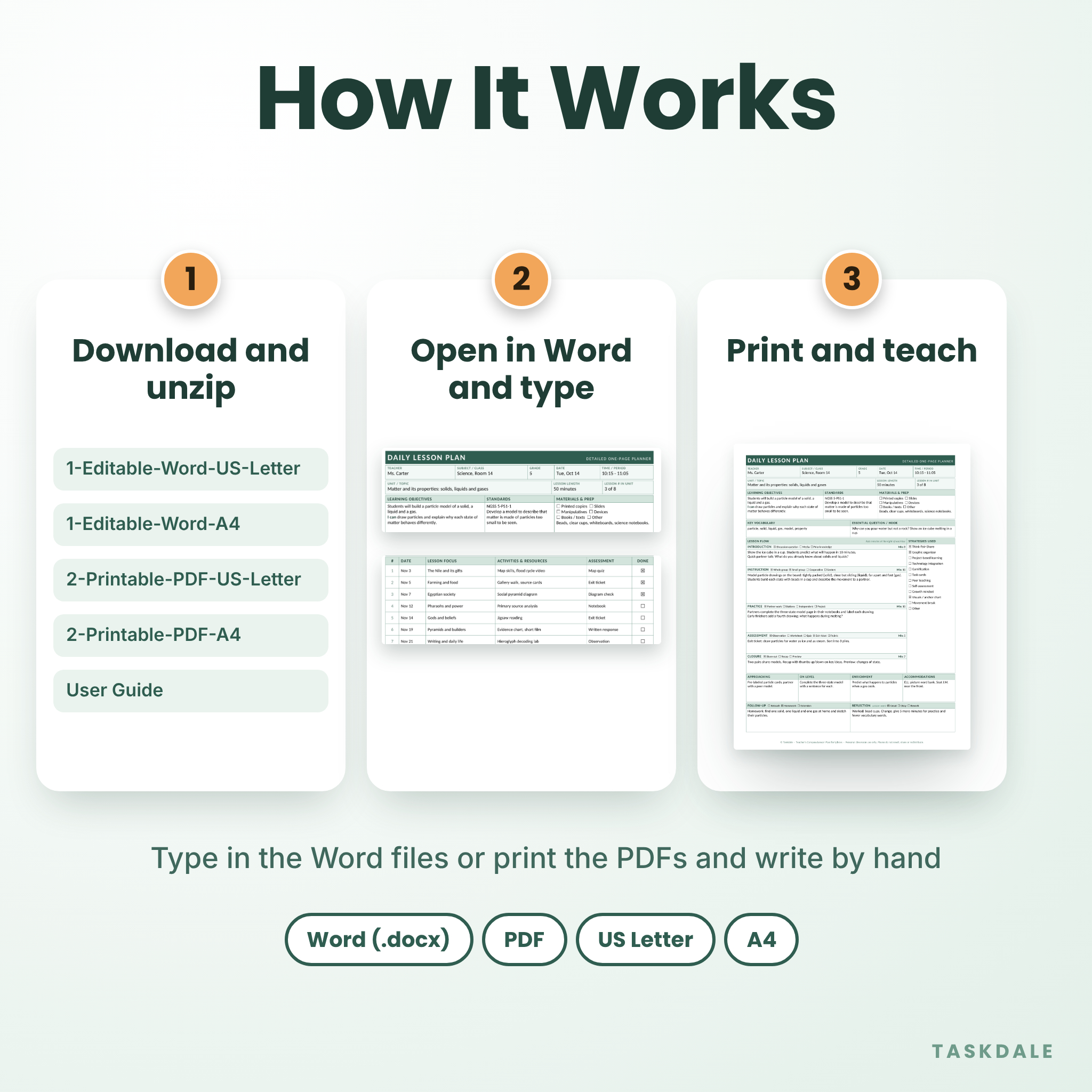
- Download the zip file and unzip it.
- Open the folder for your paper size and pick Classic Gray or Soft Sage.
- Open a Word file, save a copy with a new name, and start typing. Or print the matching PDF and write on it.
- Reuse the same file next week. Your master copy stays clean.
File formats and software
The editable files are standard Word (.docx) documents, made for Microsoft Word. They use Calibri, which comes with Word. Other programs that open .docx files may work too, but spacing can shift, so check the page count before you print. The PDFs open in any PDF reader and look the same on every device. The PDFs are for printing and handwriting. They are not fillable.
Customize your lesson plan template
Click into any gray heading and type over it. Change “Standards” to “Learning targets” or “Key vocabulary” to “Word wall.” Replace the words next to a tick box with your own routines. Add a row to the unit plan if your unit runs longer than ten lessons. Change the shading from the Table Design tab if you want your school colors. If a plan runs onto a second page, shorten the text in the biggest boxes or reduce the font by one point.
Real ways teachers use these templates
- Plan the whole week on Sunday evening with the weekly plan, then expand Tuesday’s science lesson on the detailed daily plan.
- Hand in a clear lesson plan for a student teaching placement or a classroom observation.
- Leave a substitute plan before a doctor’s appointment or a conference, without writing it from scratch.
- Map a six-week unit before school starts, then tick off each lesson as you teach it.
- Keep a homeschool week organized across more than one grade level.
- Use the quick plan on days when you have ten minutes, not an hour.
Digital download information
This is a digital product. Nothing is shipped. You can download your files right after payment from your account or order confirmation. The license is for one teacher, for use in their own classroom or home. You can print as many copies as you need for your own use. You may not resell, share or redistribute the files. License terms are repeated in the user guide.
Frequently asked questions
Can I edit the lesson plan templates?
Yes. Every label, box and checklist item can be edited in the Word files. Nothing is locked.
Will each plan fit on one page?
Yes, when the boxes are empty or lightly filled. The boxes grow as you type, so very long text will move the plan onto a second page.
Does it include both US Letter and A4?
Yes. Both paper sizes are in the same download, in Word and PDF.
Are the PDFs fillable?
No. The PDFs are blank, print-ready pages for handwriting. Use the Word files when you want to type.
Can I share the files with my teaching team?
Not under the standard license, which covers one teacher. Contact Taskdale if your school wants a multi-teacher license.
Can I print copies for my students?
Yes, if the printed page is for your own classroom use. You may not give away or sell the files themselves.
Which program do I need?
Microsoft Word for the editable files, and any PDF reader for the PDFs.
Reviews
There are no reviews yet.