Conference Speaker Tracker and 14-Day Readiness Kit
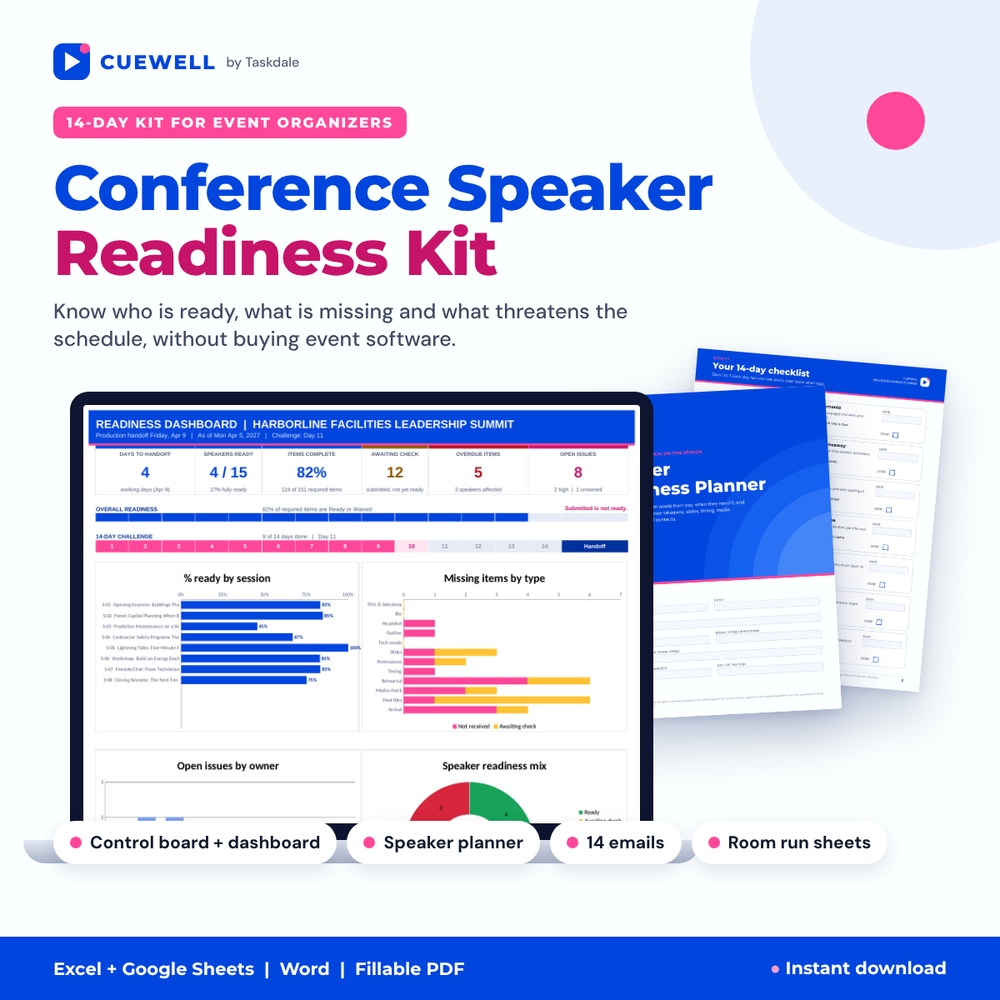
Coordinating ten, thirty or a hundred speakers usually means a messy spreadsheet, a full inbox and a last-minute scramble for the slide deck nobody checked. The Cuewell conference speaker tracker replaces that with one organizer control board, one speaker-facing planner and a clear 14-day plan that ends with a production-ready summary. You always know who is ready, what is missing and what threatens the schedule, and every unresolved issue has a named owner.
It is built for conference organizers, professional associations, event producers, meeting planners and volunteer program committees who coordinate multiple speakers but don’t want to pay for event software.
What makes it different
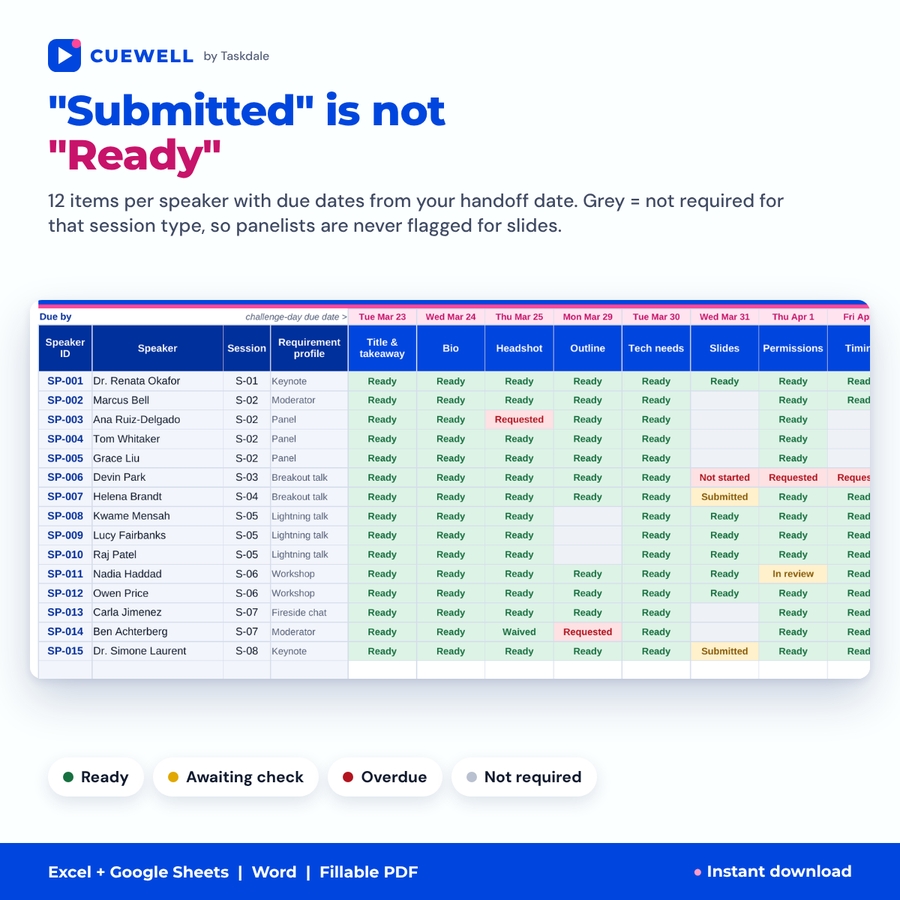
- “Submitted” is not “Ready”. Each item has its own status. A deck can be received but still be awaiting a readability or media check, and the board shows it in amber instead of quietly counting it as done.
- Mandatory items by session type and role. You decide what keynotes, breakouts, panels, workshops, lightning talks, fireside chats and moderators must provide. A panelist is never flagged as overdue for slides you never asked for.
- Dates from your production handoff. Enter the date your venue or production crew needs final files, and every due date, overdue flag and challenge day is calculated from it.
- Panels built in. Several speakers can share a session; the board checks that every panel has a moderator and lists all panelists on one line.
- Issues with owners. Anything that threatens the schedule gets a severity, an owner and a due date. Unowned and overdue issues are flagged and land on the event-day summary.
What’s included
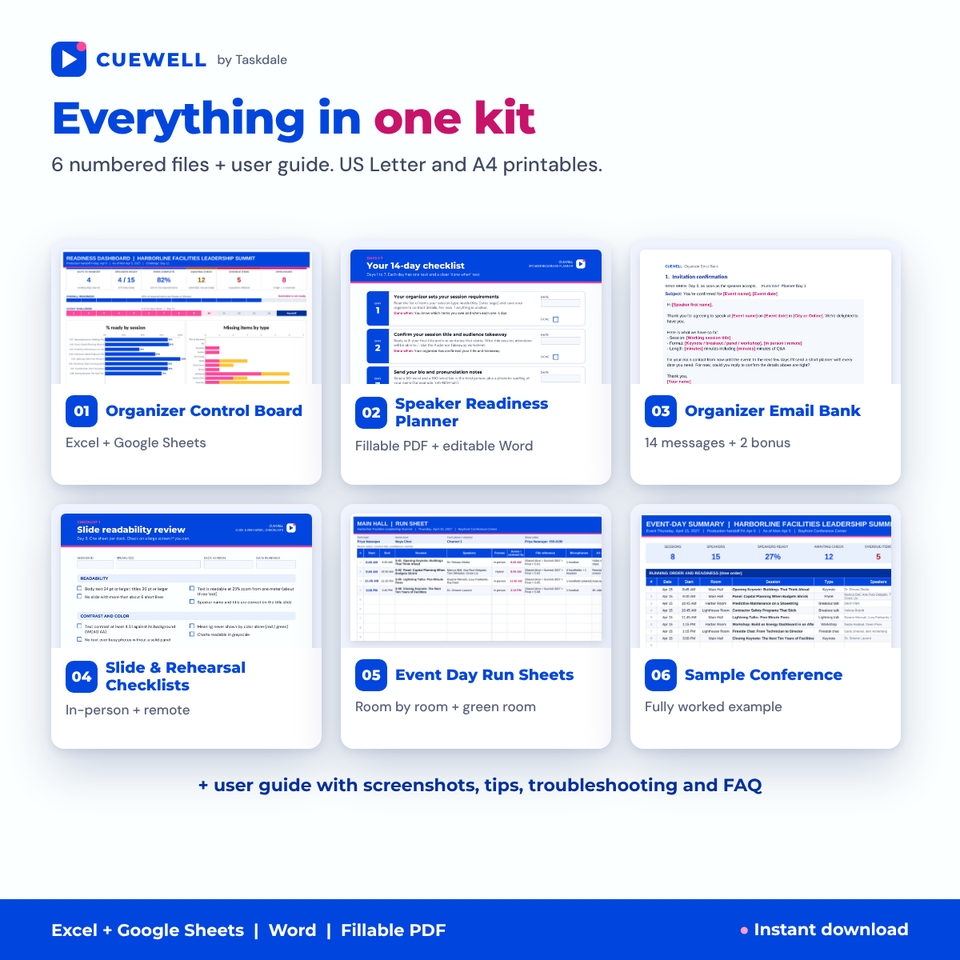
01 Organizer Control Board (Excel and Google Sheets)
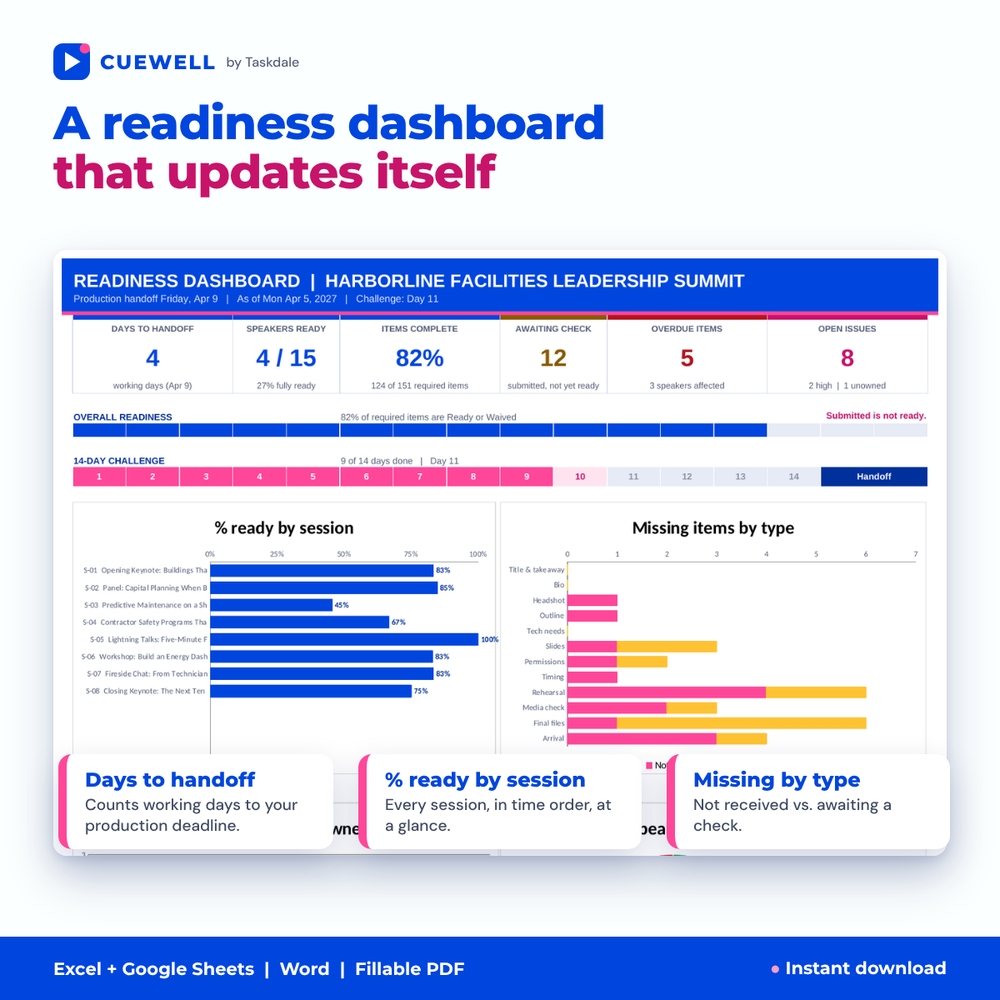
- Readiness dashboard: working days to handoff, speakers ready, % of items complete, awaiting check, overdue items, open issues, an overall readiness bar, the 14-day challenge track, and four charts: % ready by session, missing items by type (not received vs. awaiting check), open issues by owner, and speaker readiness mix.
- Event Setup: event details, currency symbol for fees and travel allowances, arrival lead times, team owners, rooms, item due days and the mandatory-items matrix.
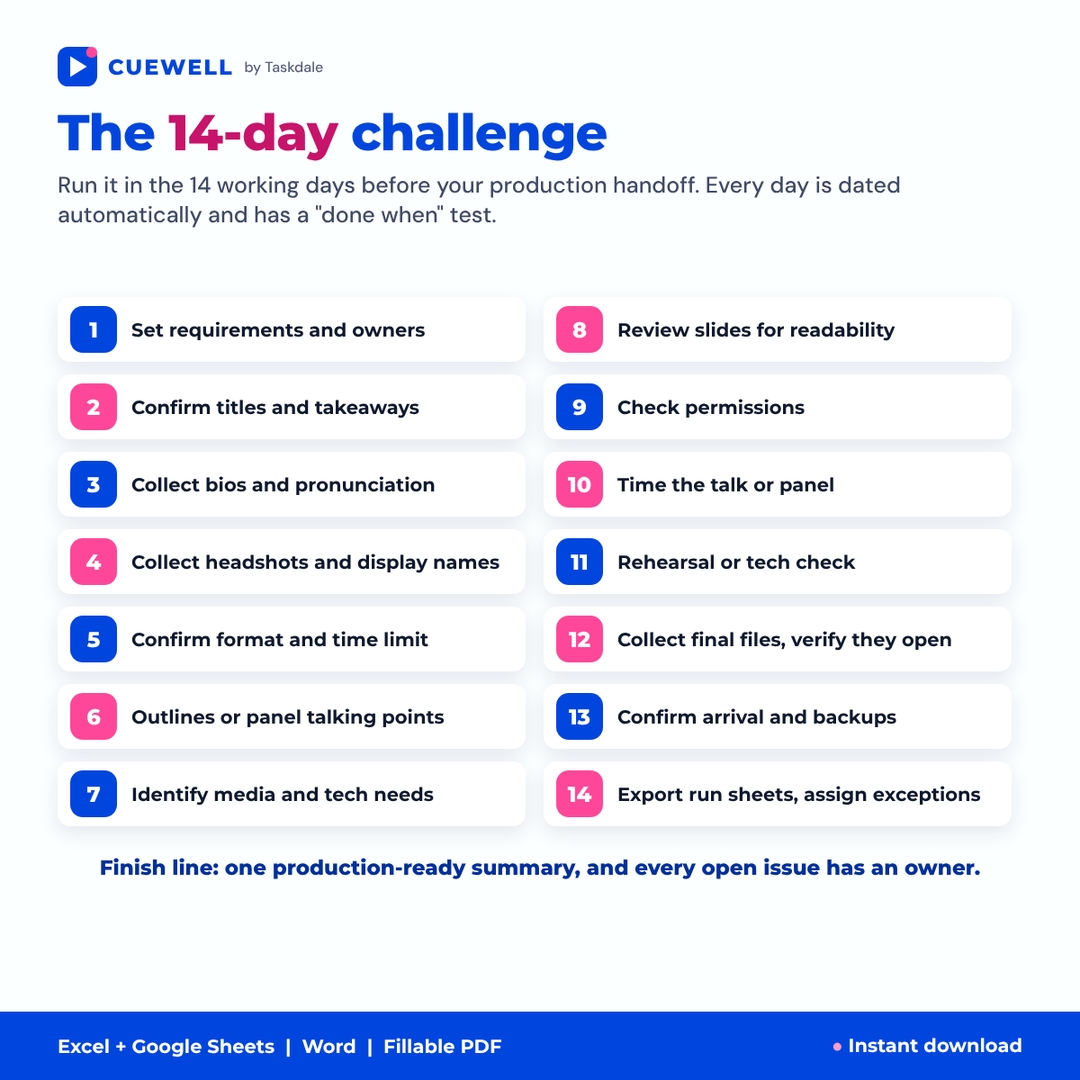
- 14-Day Plan: every challenge day dated automatically with a “done when” test.
- Sessions (60), Speakers (150) and Deliverables: 12 items per speaker (title and takeaway, bio and pronunciation, headshot and display name, outline, tech needs, slides, permissions, timing, rehearsal, media playback check, final files, arrival), with status dropdowns, due dates, final file location, % ready, readiness status and a plain-language “still needed” list.
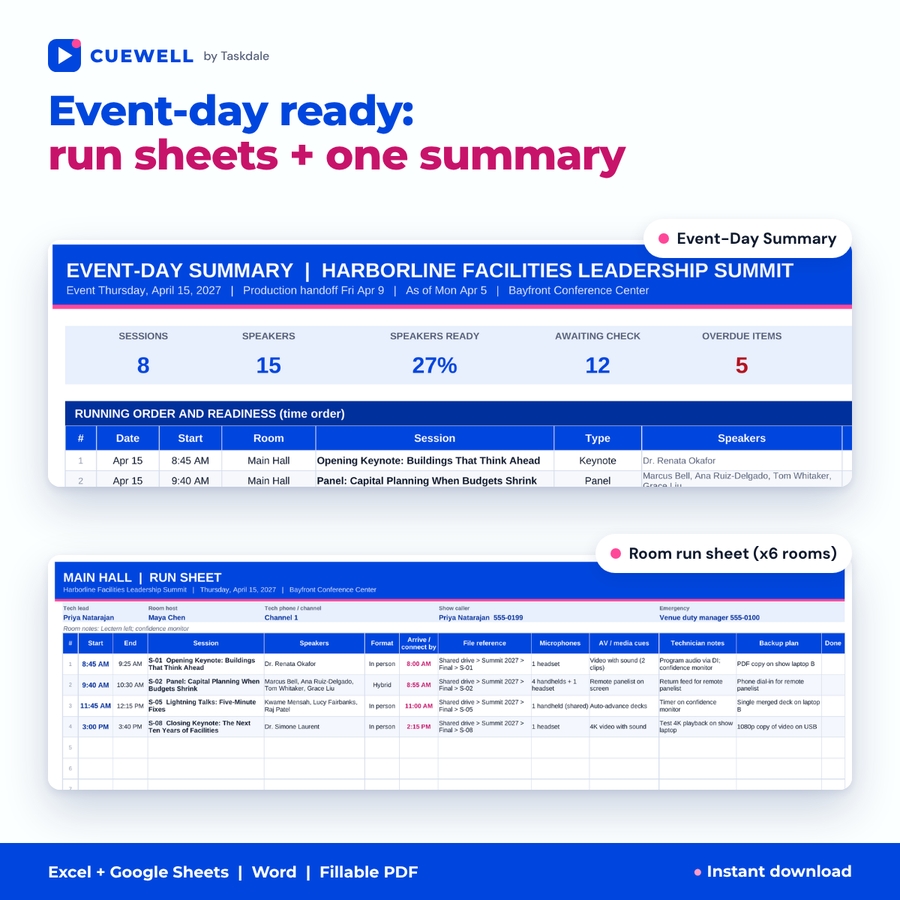
- Issues (150), a printable Event-Day Summary and a Run Sheet Export that pastes straight into the run sheets.
02 Speaker Readiness Planner (fillable PDF + editable Word)
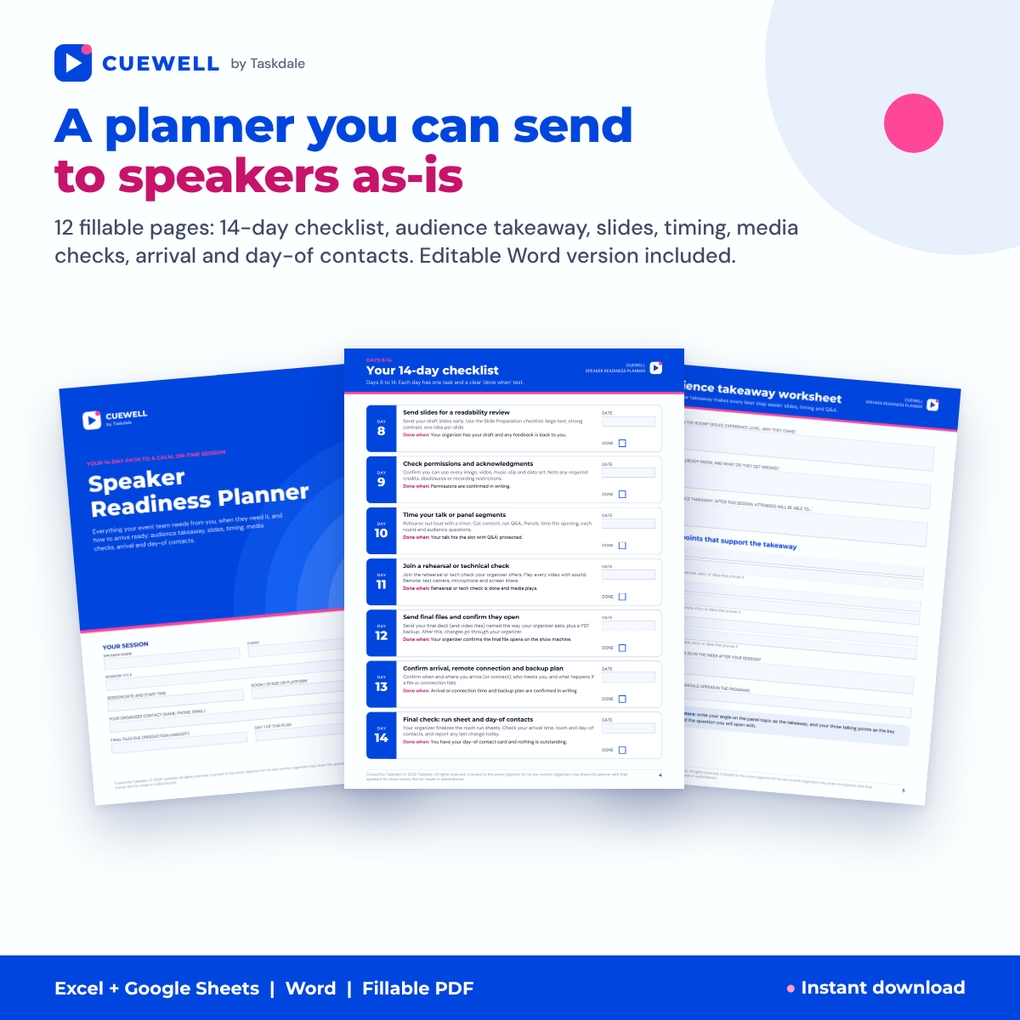
A polished 12-page, speaker-facing planner you can send as-is: key dates, the 14-day checklist, audience takeaway worksheet, bio and headshot, slide preparation, timing planner, media and remote tech checks, permissions, arrival plan and a day-of contact card. The Word version lets you replace dates and instructions with your own.
03 Organizer Email Bank (Word)
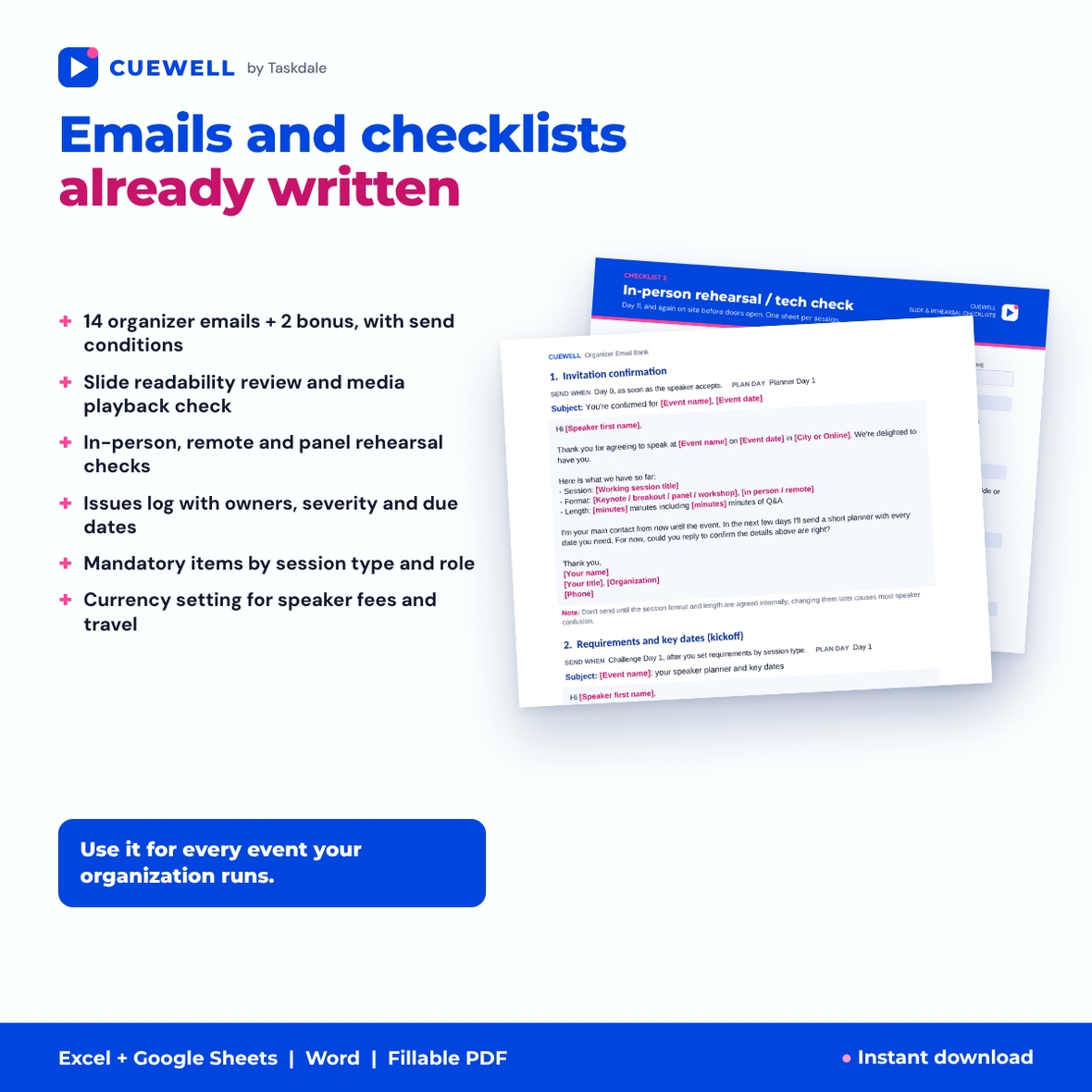
Fourteen editable messages, from invitation confirmation, missing asset reminder and panel coordination to rehearsal invitation, final slide request and event-eve briefing, plus two bonus messages. Each has a subject line, placeholders and a send condition.
04 Slide and Rehearsal Checklists (fillable PDF)
Nine pages: slide readability review (readability, contrast, density, image permissions, media, length, transitions and Q&A timing), media playback check, in-person rehearsal, remote speaker tech check, panel rehearsal, timing worksheet with cue cards, and a final file verification log.
05 Event Day Run Sheets (Excel and Google Sheets)
Printable room-by-room running orders for up to six rooms, with session start, speakers, arrival or connection time, file reference, microphone needs, AV cues, technician notes and backup plan, plus a green room arrivals list sorted by time.
06 Sample Conference
A fictional one-day summit with keynotes, a panel, a late deck and a remote presenter, so you can see exactly how exceptions show up on the dashboard and summary before you enter your own event.
Also included: an illustrated user guide (Word) and A4 editions of every PDF.
How it works
- Enter your event, production handoff date, team and rooms.
- Mark the mandatory items for each session type.
- Add sessions and speakers, then send each speaker the planner with your dates.
- Work the 14-day challenge: update statuses daily and log risks on Issues.
- On Day 14, print the Event-Day Summary and the room run sheets and hand open exceptions to named owners.
Use cases
- An association’s annual conference with keynotes, breakouts and member panels.
- A corporate summit or sales kickoff where the production company needs every file by a fixed date.
- A hybrid event with remote presenters in other time zones.
- A volunteer-run meetup or regional chapter event that needs structure without a software budget.
File formats and requirements
- Spreadsheets: .xlsx for Microsoft Excel 2016 or later (Windows, Mac, Excel for the web) and Google Sheets. No macros, no add-ins.
- Documents: .docx for Microsoft Word and Google Docs.
- Printables: PDF in US Letter and A4, with fillable fields for Adobe Acrobat Reader.
- Instant digital download. Nothing is shipped.
Customize session types, item names, due days, currency, colors and every word of the planner and emails. The workbook tracks file locations; it does not upload files, send email or monitor inboxes.
FAQ
Can I share the speaker planner with my speakers?
Yes. You may share the Speaker Readiness Planner with your own speakers for the events your organization runs. The rest of the kit is for use within your organization; no resale.
Does it work in Google Sheets?
Yes. Upload the .xlsx to Google Drive and open it with Google Sheets. Formulas, dropdowns, colors and charts carry over.
How many speakers can it track?
150 speakers, 60 sessions and 150 issues in the control board, and 120 sessions in the run sheets.
Does it handle panels and remote speakers?
Yes. Several speakers can share a session with a moderator check, and remote speakers get their own lead time, tech check and connection email.
Will it send reminders for me?
No. It shows exactly who needs which reminder, and the email bank gives you tested wording to copy into your own email.
Can I reuse it for future events?
Yes. Keep a clean copy and start each event from it.
Is the permissions checklist legal advice?
No. It helps you ask the right questions; your own speaker agreement and policies apply.
License: use within your own organization for the events it runs; you may share the speaker-facing planner with your own speakers for those events. You may not resell, share, or redistribute the files. © 2026 Taskdale.
Reviews
There are no reviews yet.