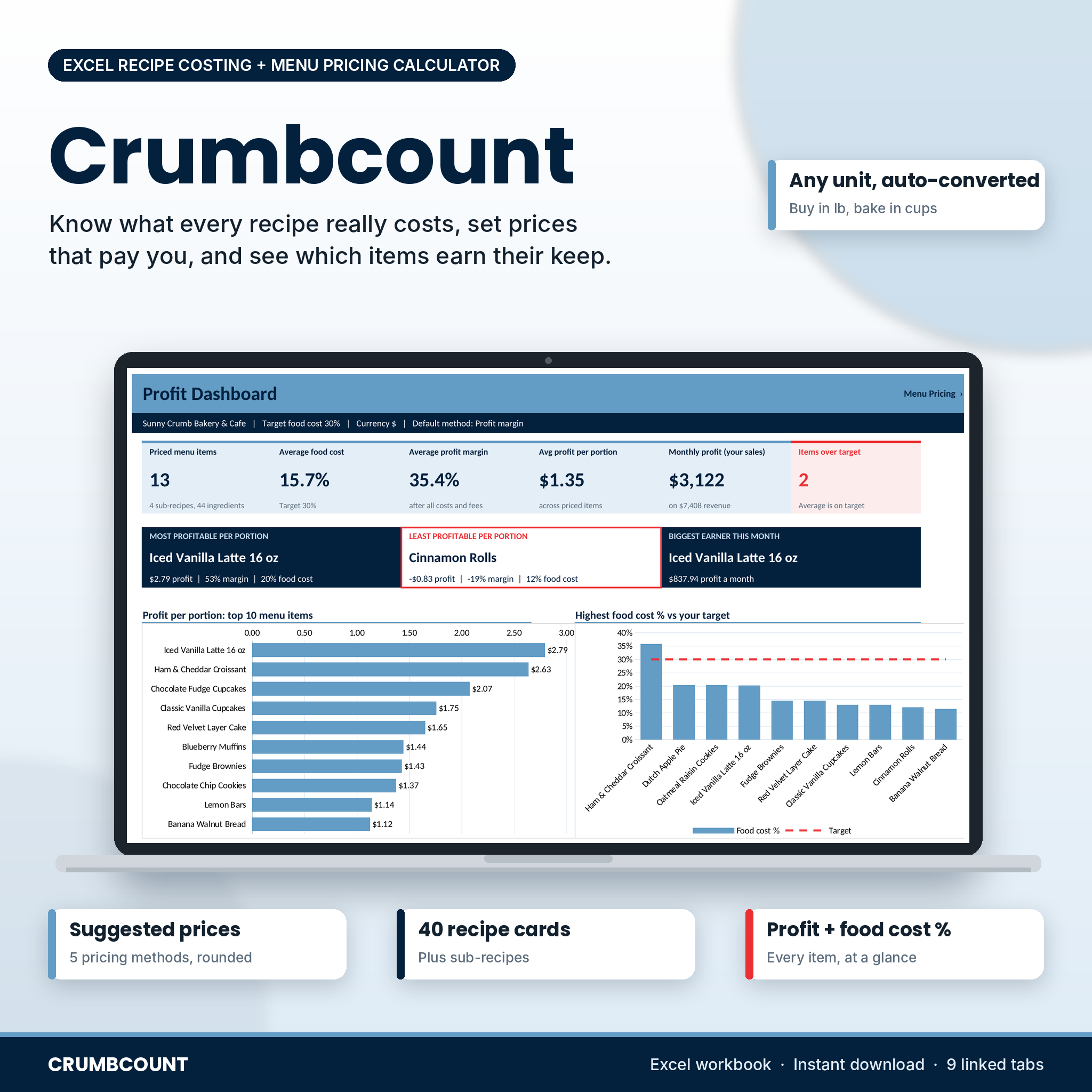
Crumbcount is a recipe cost calculator spreadsheet for Microsoft Excel that tells you what each recipe really costs and what you should charge for it. Type in what you pay for flour, butter, eggs and boxes. Build your recipes in the units you actually bake with. The workbook converts everything, adds packaging, labor and overhead, suggests a price and shows your profit and food cost % on every item.
Most bakers price by gut feel and find out months later that a best seller barely made a cent. This file fixes that in an afternoon.
What this recipe costing spreadsheet does
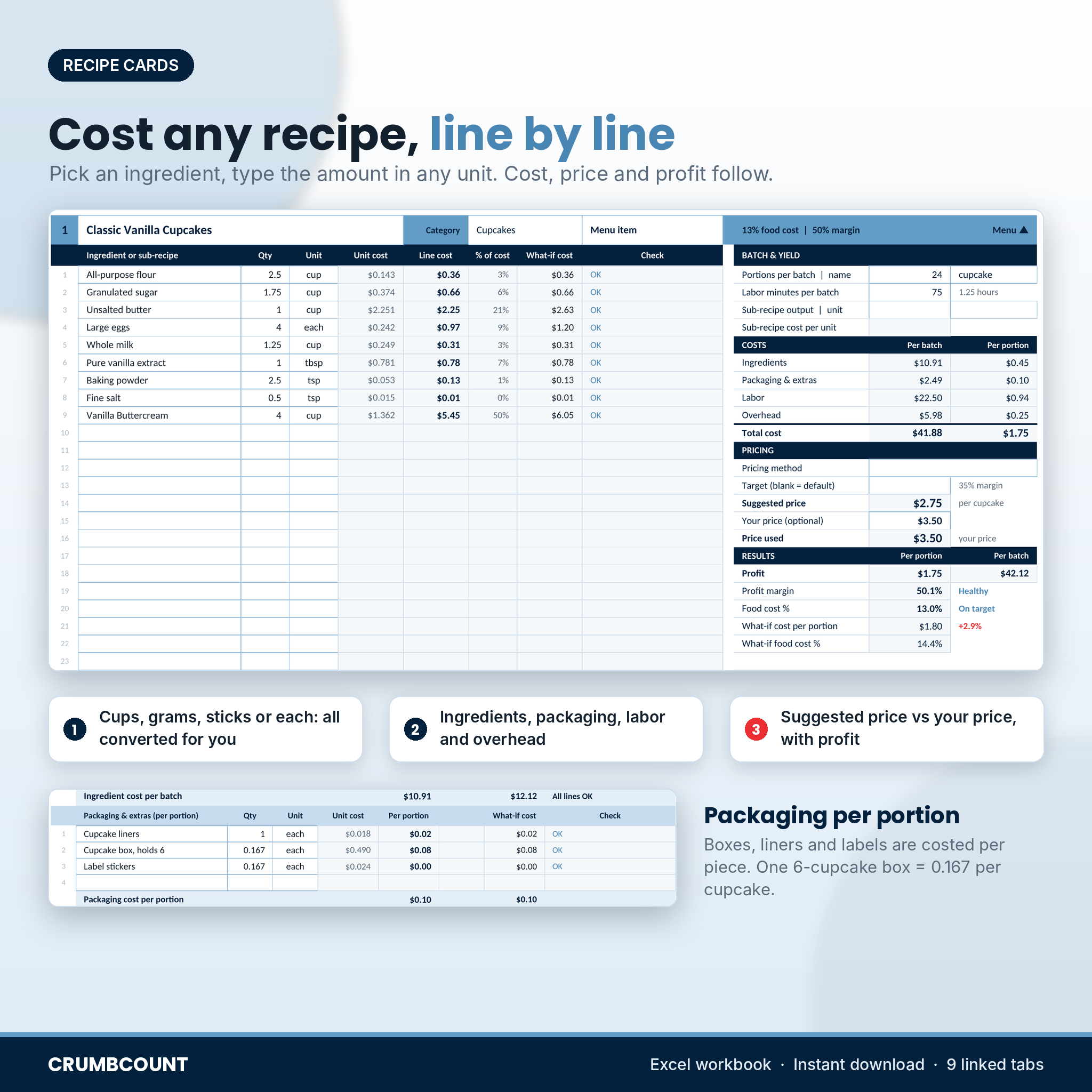
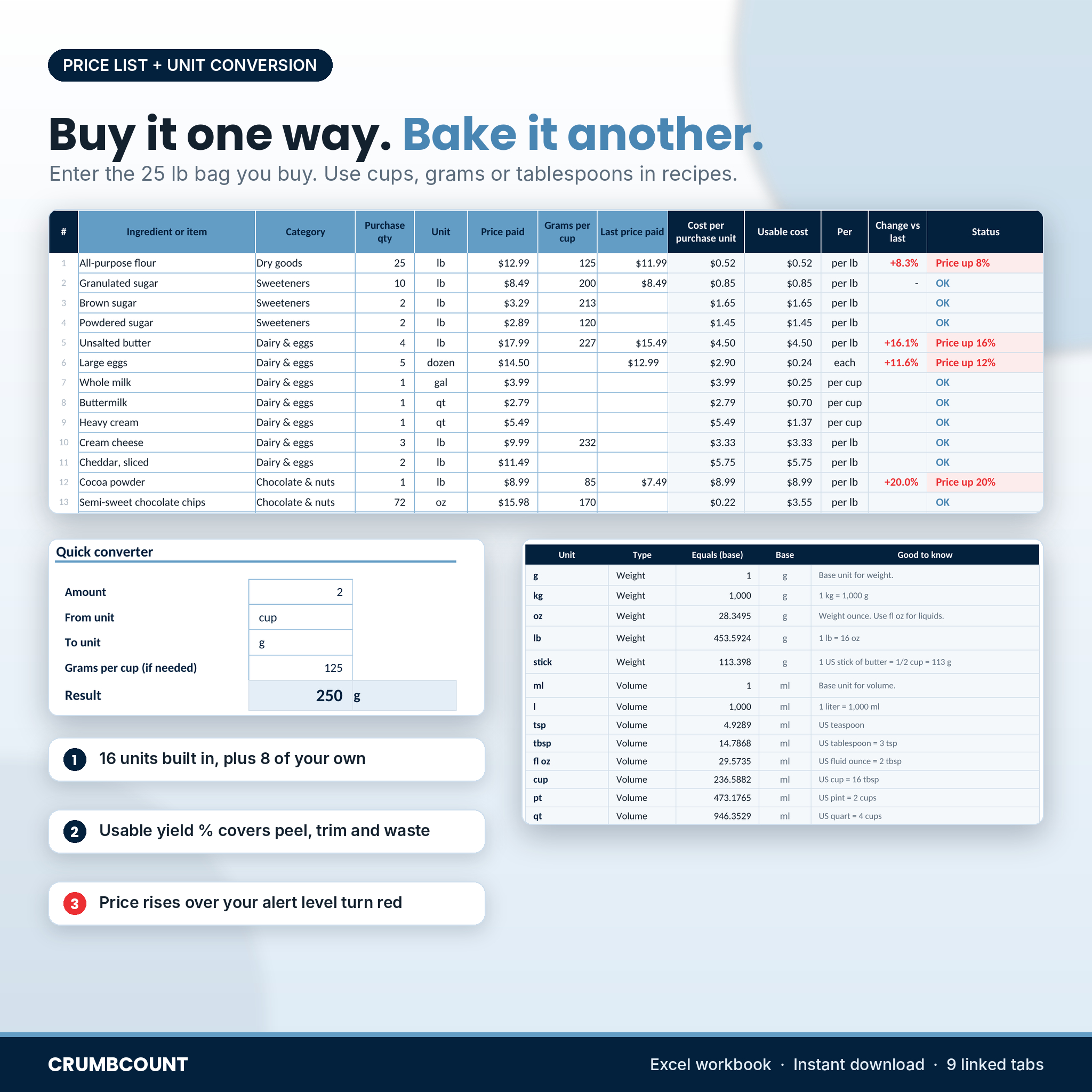
You enter each ingredient once, the way you buy it: a 25 lb bag of flour, a 5 dozen tray of eggs, a gallon of milk, a box of 500 cupcake liners. Then you build recipe cards with amounts in cups, grams, ounces, sticks, teaspoons or pieces. Crumbcount turns every line into a cost, totals the batch and divides it by your portions.
From there it prices the item for you using the method you pick, flags anything that is losing money or running over your target food cost, and ranks your whole menu on a dashboard.
Who it is for
- Home bakers and cottage food sellers pricing cakes, cupcakes, cookies, bread and treat boxes
- Bakeries, cafes and coffee shops that want a food cost % for every menu item
- Caterers who need to quote 50 or 500 portions quickly
- Small restaurants, food trucks and meal prep businesses watching ingredient prices climb
Features
Ingredient price list with automatic unit conversion
- 200 rows for ingredients and packaging
- 16 built-in units (g, kg, oz, lb, stick, ml, l, tsp, tbsp, fl oz, cup, pt, qt, gal, each, dozen) plus 8 of your own
- Grams per cup lets you buy by weight and measure by volume
- Usable yield % for peeling, coring and trimming (bananas are about 65%)
- Last price paid with red flags when a price jumps past your alert level
40 recipe cards
- 25 ingredient lines and 4 packaging lines per card
- Unit cost, line cost and share of cost on every line, with a Check column that tells you exactly what is missing
- Portions per batch, labor minutes, overhead and total cost per batch and per portion
- Sub-recipes: cost a frosting, ganache or pie dough once and use it by the cup, gram or piece in any menu item
Five pricing methods
- Target food cost %, markup on total cost, profit margin, ingredient cost multiplier (such as 3x) or a fixed price
- Suggested prices rounded up to 0.05, 0.10, 0.25, 0.50, a whole number, or prices ending in .99 or .95
- Platform or card fees taken off before profit is shown, plus an optional price-with-tax figure
- A warning when a suggested price would not cover your total cost
Menu pricing summary and menu engineering
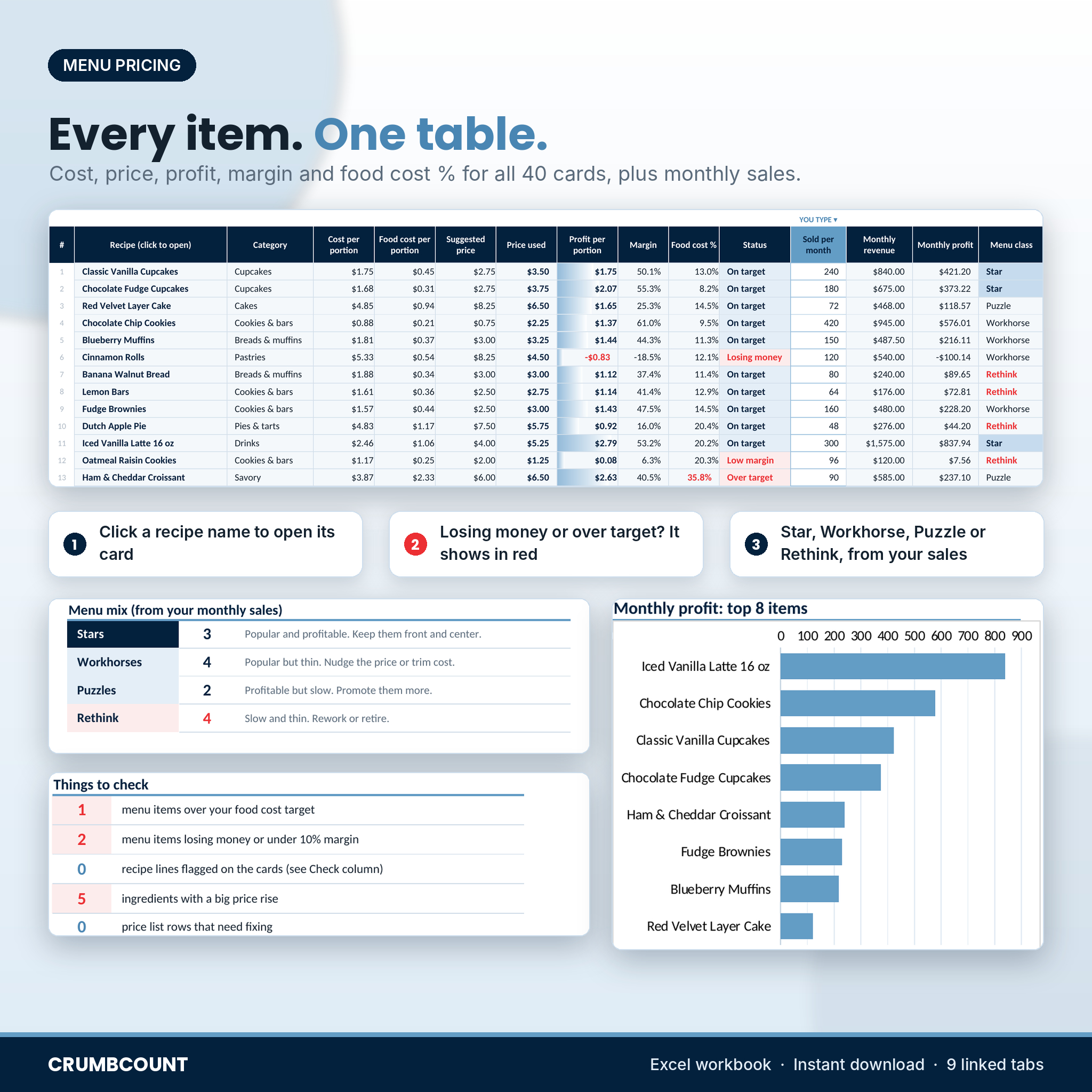
One table lists every card with cost, price, profit, margin, food cost % and a status. Add how many you sell a month and each item is sorted into Star, Workhorse, Puzzle or Rethink, so you know which prices to raise first.
Cost card and order quote
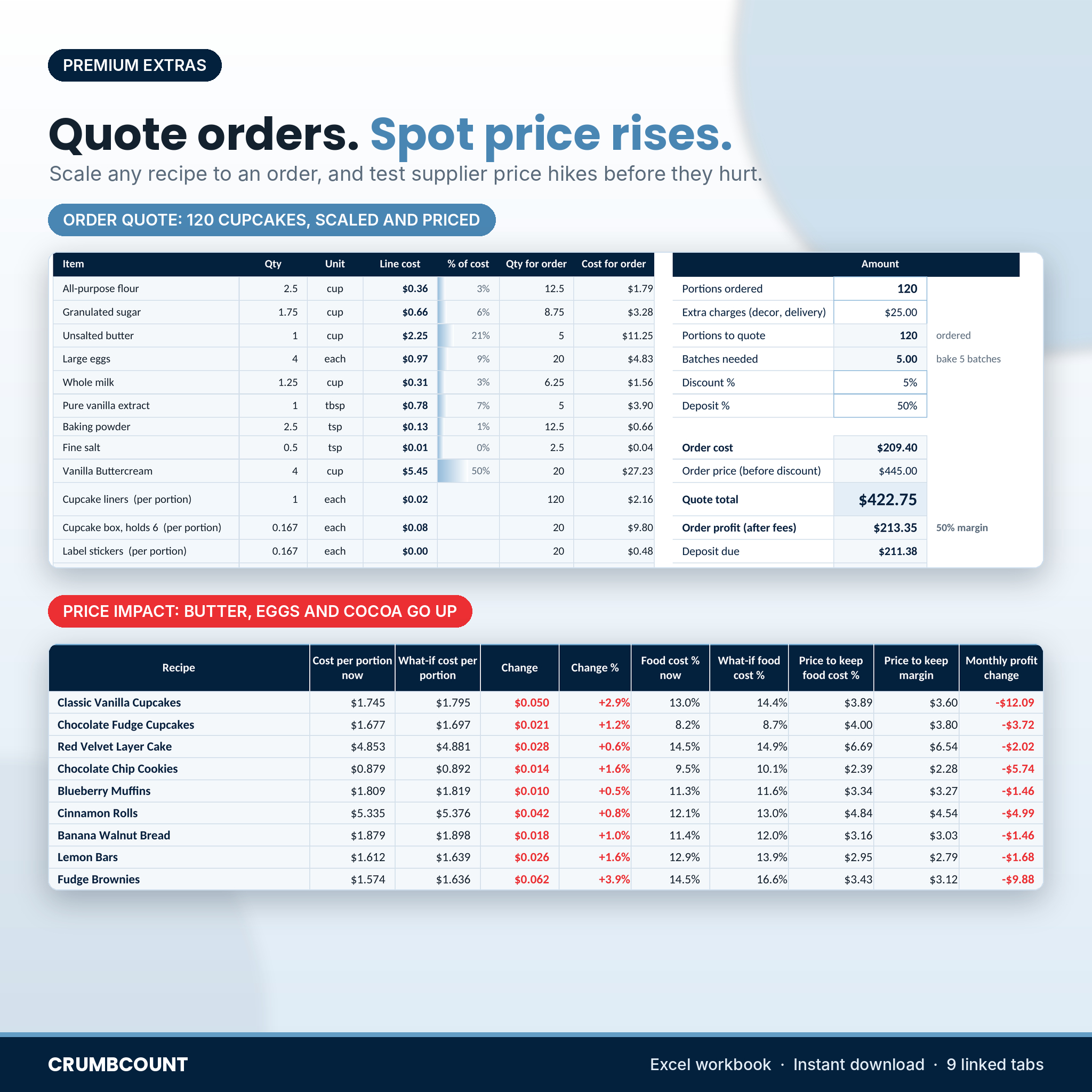
Pick a recipe for a clean, printable cost card. Type the portions a customer wants and Crumbcount scales every ingredient, works out batches, adds extra charges, applies a discount and shows the quote total, deposit and order profit.
Price impact check
Type a what-if price next to any ingredient, say butter going from $17.99 to $20.99. The Price Impact tab shows the new cost of every recipe, the new food cost %, the price you would need to hold your food cost % or margin, and the monthly profit you would lose at your current sales.
Profit dashboard
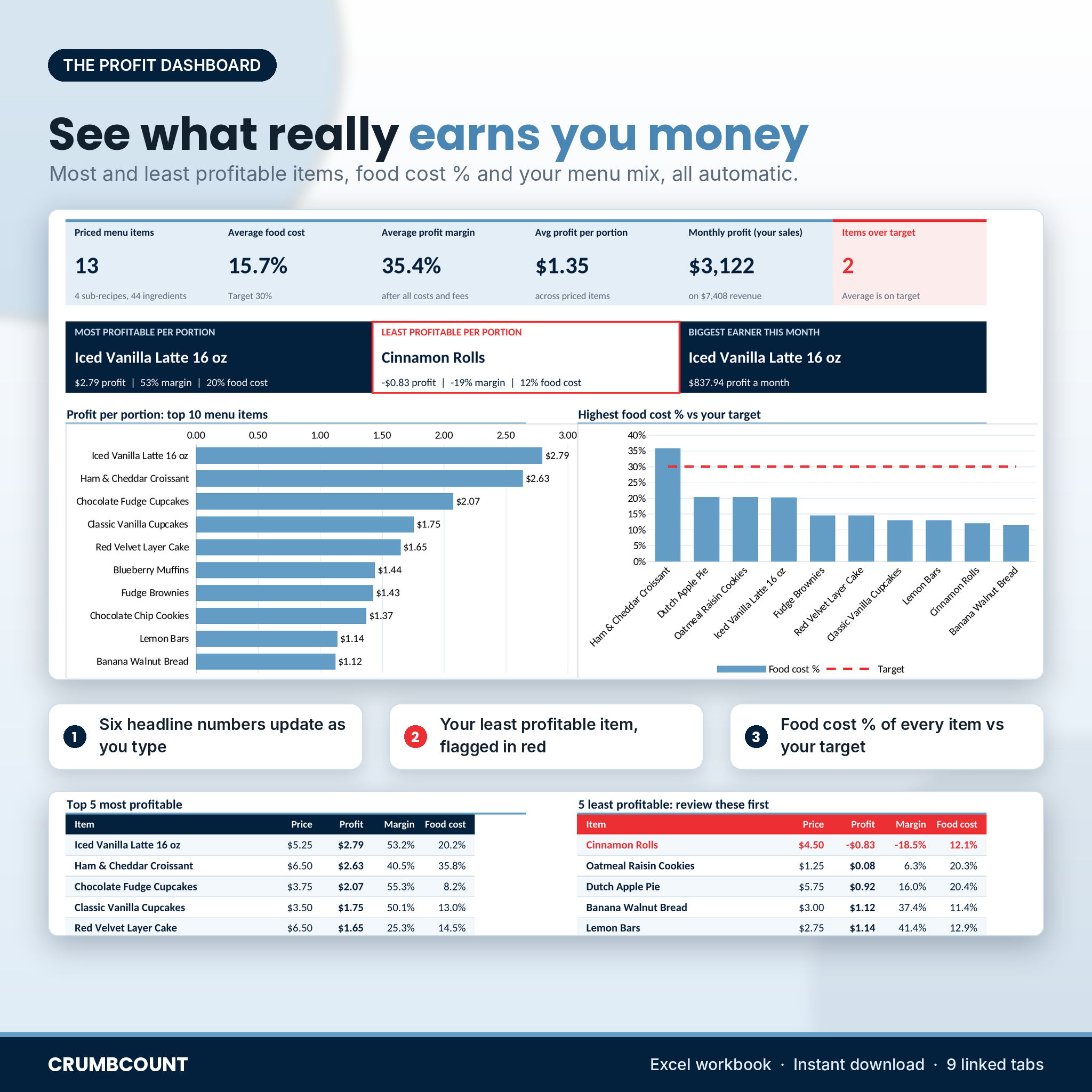
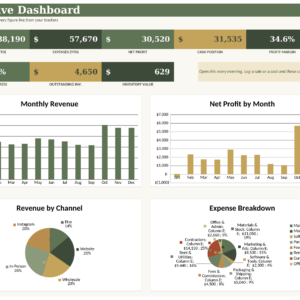
Six headline numbers, your most and least profitable items by name, your biggest monthly earner, profit per portion for your top 10, your highest food cost items against your target line, where the average price goes, margin by category, monthly profit by item, top 5 and bottom 5 tables and a short list of things to fix.
What is included
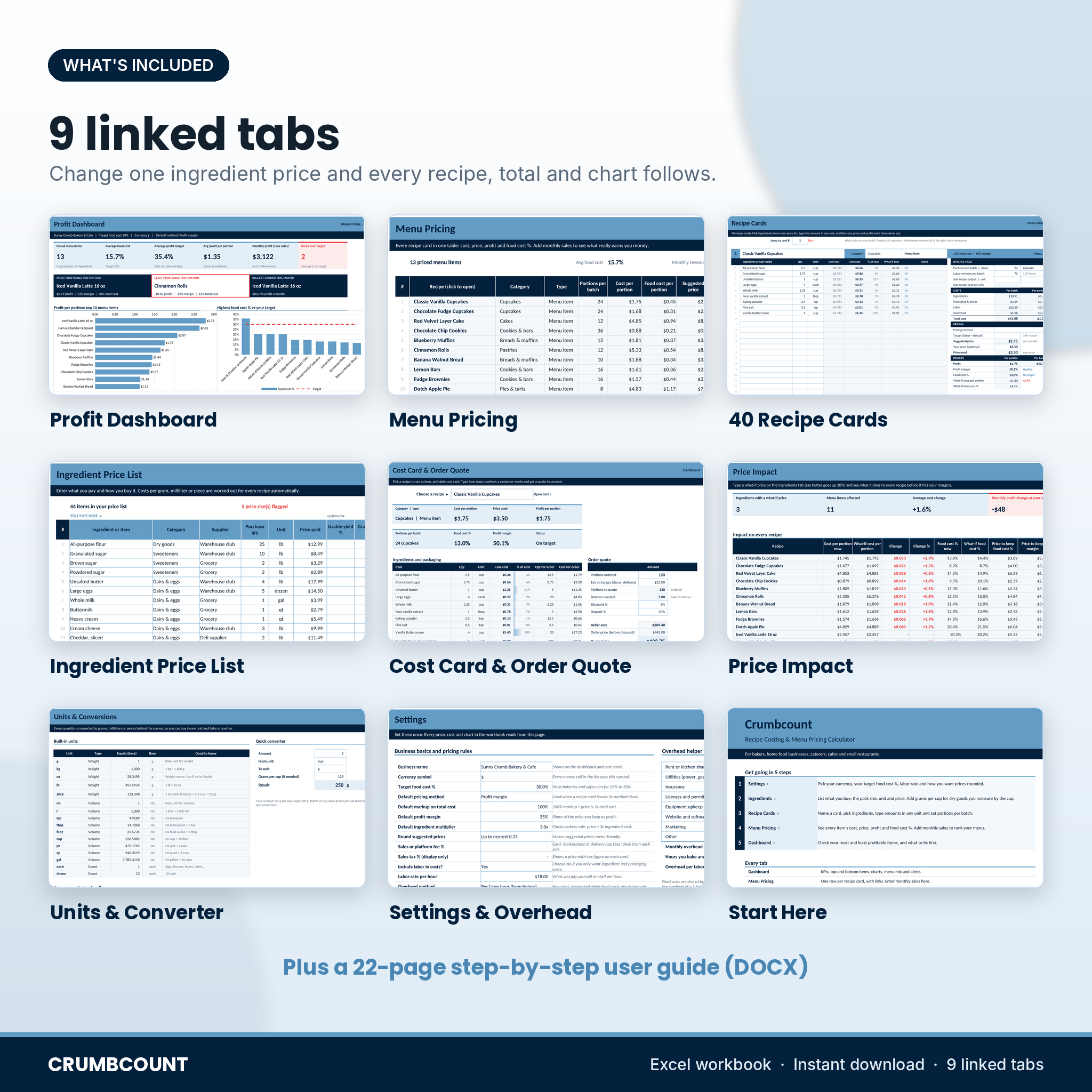
- Crumbcount-Recipe-Costing-Calculator.xlsx: the workbook with 9 linked tabs (Start Here, Dashboard, Menu Pricing, Recipe Cards, Ingredients, Cost Card & Quote, Price Impact, Units, Settings)
- Crumbcount-User-Guide.docx: a 22-page guide with setup steps, worked examples, troubleshooting and FAQs
How it works
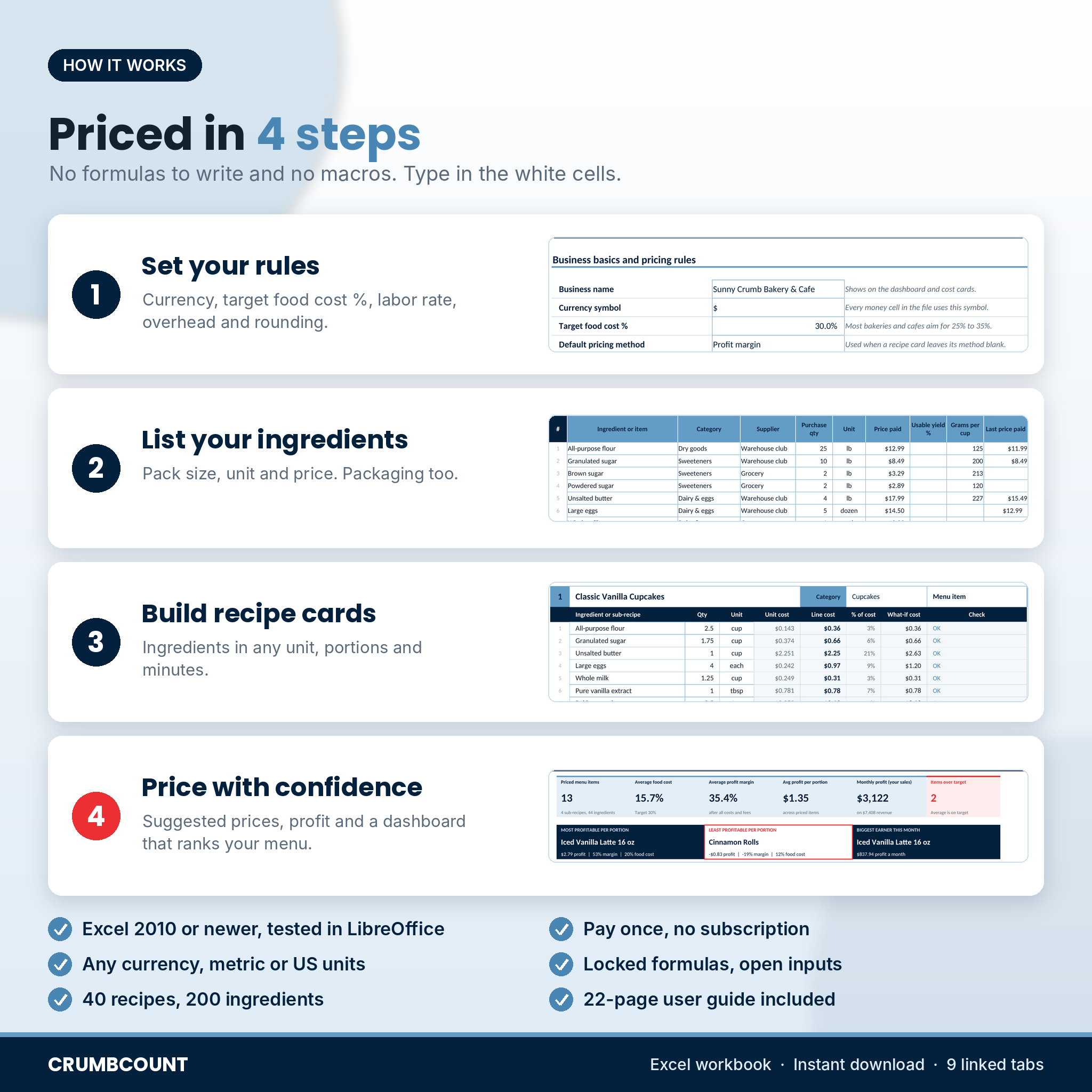
- Open Settings and pick your currency, target food cost %, labor rate, overhead and rounding.
- List what you buy on the Ingredients tab.
- Fill a recipe card: ingredients, amounts, portions and minutes.
- Check Menu Pricing and the Dashboard, then adjust prices where the numbers say so.
File format and software
- Excel workbook (.xlsx), built for Microsoft Excel 2010 or newer on Windows or Mac and tested in LibreOffice Calc
- No macros, add-ins or internet links
- Formula cells are locked with no password, so you can type freely in the white cells without breaking anything
- Not designed for Google Sheets or Apple Numbers
Make it your own
Pick from 22 currency symbols and every money cell follows. Rename the recipe and ingredient categories, add your own units such as a #16 scoop, and switch the cost view between per lb and per cup or per kg and per liter. The file starts blank, ready for your recipes.
Real situations where it helps
- A customer asks for 120 cupcakes with delivery. You have a quote with a deposit figure in under a minute.
- Your egg supplier raises prices 24%. You see which items it hurts and what to charge before you reprint the menu.
- Your cinnamon rolls sell out every week, yet the card shows they lose money once your time is counted.
- You are setting up a new cafe menu and want every drink and pastry at a 30% food cost.
Digital download
This is an instant digital download. Nothing is shipped. You get the Excel workbook and the DOCX user guide straight after purchase.
Frequently asked questions
Does this recipe cost calculator work in Google Sheets?
It is built for Microsoft Excel 2010 or newer and was tested in LibreOffice Calc. It is not designed for Google Sheets or Apple Numbers.
Can I enter ingredients in grams and recipes in cups?
Yes. Add the grams per cup for that ingredient once and Crumbcount converts between weight and volume for you.
How do I calculate food cost percentage?
Food cost % is ingredient cost per portion divided by the selling price. Crumbcount works it out on every card and compares it with your target.
Does it include labor and overhead?
Yes. Set an hourly labor rate and fill in the overhead helper with rent, power and other fixed costs. Both are added to each recipe by the time it takes.
How many recipes can it hold?
40 recipe cards and 200 ingredient and packaging items.
Can I use my own currency?
Yes. Choose from 22 currency symbols on the Settings tab. Dollars are the default.
Can I share it with my business partner?
The license covers one business. You may not resell, share or upload the file or the guide.
Reviews
There are no reviews yet.