


A Podcast Planner Printable That Covers Every Step of Every Episode
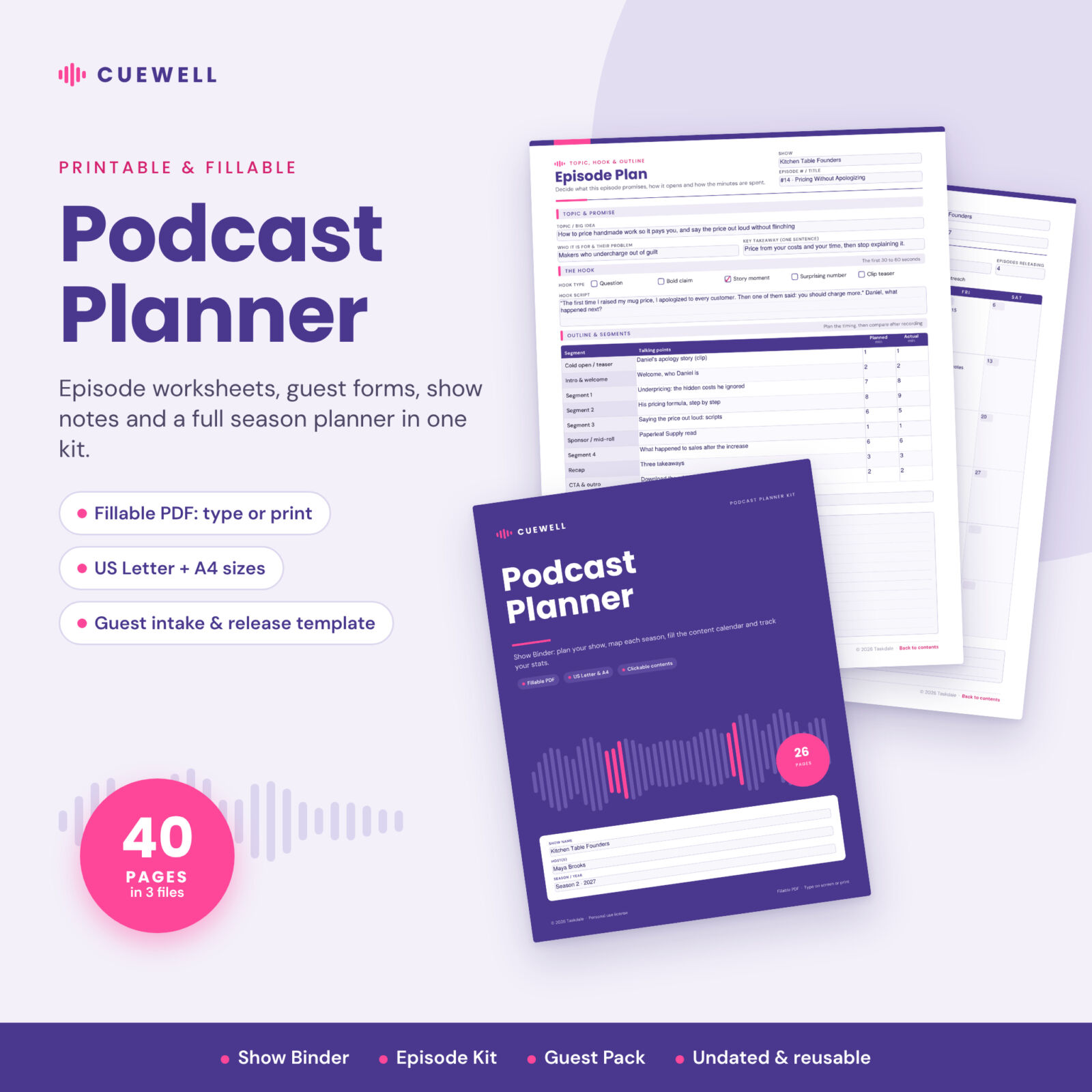
The Cuewell podcast planner printable is a fillable PDF kit that takes your show from first idea to season review. Instead of one long planner you have to dig through, it comes as three focused files: a Show Binder for the big picture, an Episode Kit you save once per episode, and a Guest Pack you can email straight to guests. Type into the fields on your computer or tablet, or print the pages and write by hand.
Every page is undated, white and ink-friendly, with a clean purple and pink design that is easy to read. Your show name fills in on every page after you type it once, and clickable contents pages jump you to any worksheet.
Who This Podcast Planner Is For
- New podcasters who want a clear plan before recording episode one
- Solo hosts and co-hosts releasing weekly, every two weeks or in seasons
- Interview shows that need a tidy guest process from pitch to thank-you
- Business, coaching and creator podcasts running sponsor reads and tracking growth
- Producers and virtual assistants managing a show for a client
What Is Included
Show Binder (26 pages)
- Cover and clickable contents with a one-page episode workflow
- Show Foundation worksheet: tagline, format, release rhythm, one-sentence pitch, shows to study and directory description
- Listener & Brand Voice: ideal listener, 3 to 5 content pillars, voice words, greeting and sign-off
- Goals & Milestones with 25 / 50 / 75 / 100% progress checkboxes
- Season Planner with Plan, Rec, Edit and Live checkboxes for every episode
- Episode Idea Bank and Guest Wishlist & Outreach tracker
- Sponsor & Partner Tracker with your own rate card and currency
- Studio Setup & Settings: gear, export settings, loudness target, file naming and backups
- 12 undated Monthly Content Calendars with quick codes for record, edit, launch and promote days
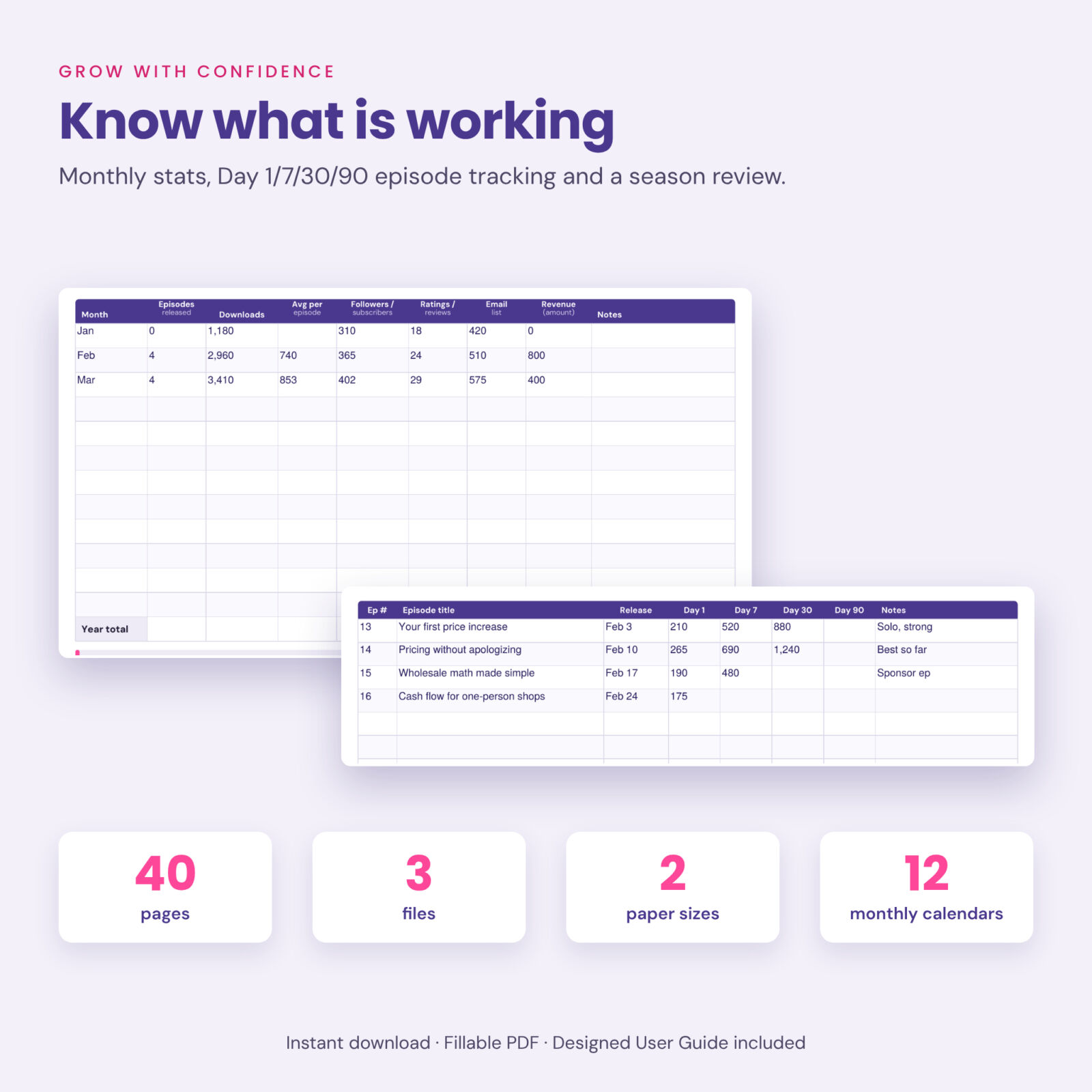
- Monthly Stats Tracker, Episode Performance Tracker (Day 1, 7, 30 and 90) and Season Review
- Dot-grid notes page
Episode Kit (10 pages)
- Episode Dashboard with an 8-stage production workflow and key file locations
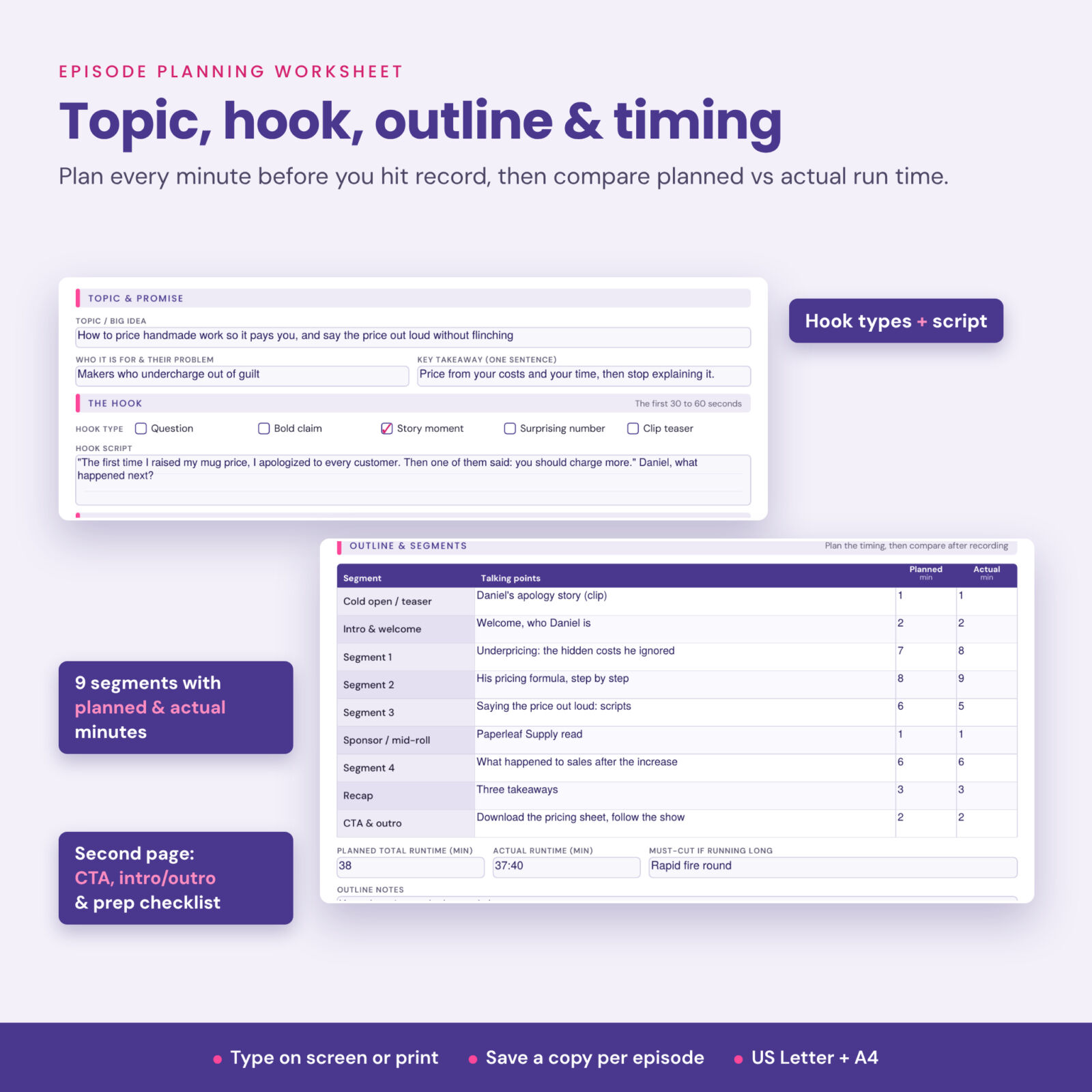
- Two-page episode planning worksheet: topic, listener problem, key takeaway, hook type and script, 9-segment outline with planned and actual minutes, call to action, intro and outro scripts, resources and prep checklist
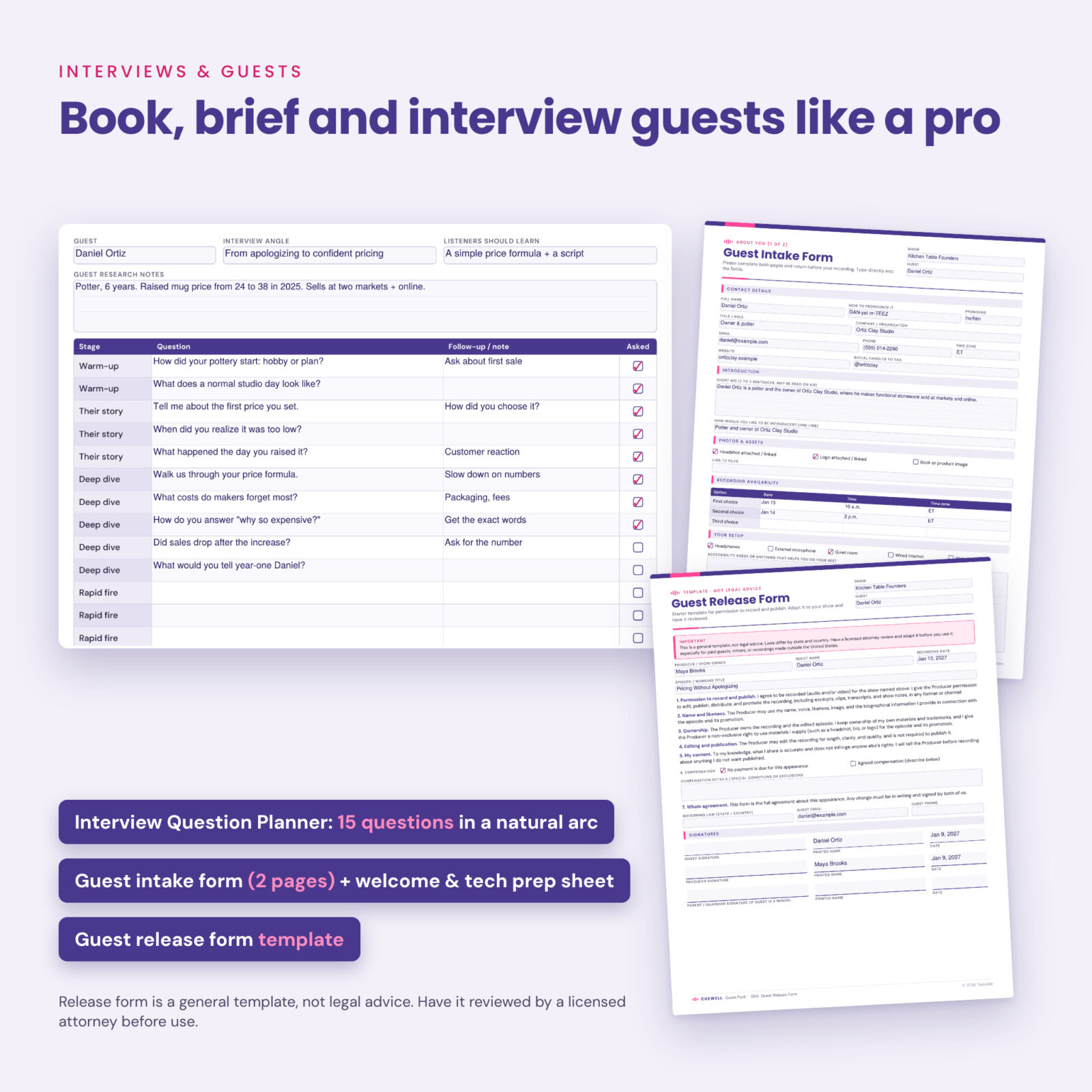
- Interview Question Planner with 15 questions in a natural arc
- Sponsor Read Planner: placement, read style, promo code, must-say points, script and approval
- Recording Day Checklist covering gear, room, levels and backup
- Editing Checklist & Edit Log
- Show Notes Template with summary, takeaways, chapters, links and guest bio
- Episode Promotion Checklist with a guest share kit and promo asset planner
- Episode Debrief for stats and lessons
Guest Pack (4 pages)
- Welcome to the Show page with recording details, what to expect and a tech checklist for guests
- Two-page guest intake / pre-interview form
- Guest release form template (a general starting template, not legal advice)
You also get a designed User Guide in Word format with step-by-step instructions, tips, troubleshooting and FAQs.
Main Benefits
- Consistent episodes: the same hook, outline and CTA process every time, so quality stops depending on mood.
- Smoother interviews: guests arrive prepared, with their bio, pronunciation and topics already on file.
- Fewer recording disasters: a short checklist catches the muted mic, missing backup and noisy room before they cost you an episode.
- Faster publishing: show notes, chapters and links are drafted while the episode is fresh.
- Clear growth picture: compare episodes at the same age and see which topics deserve a follow-up.
How the Podcast Episode Planner Works
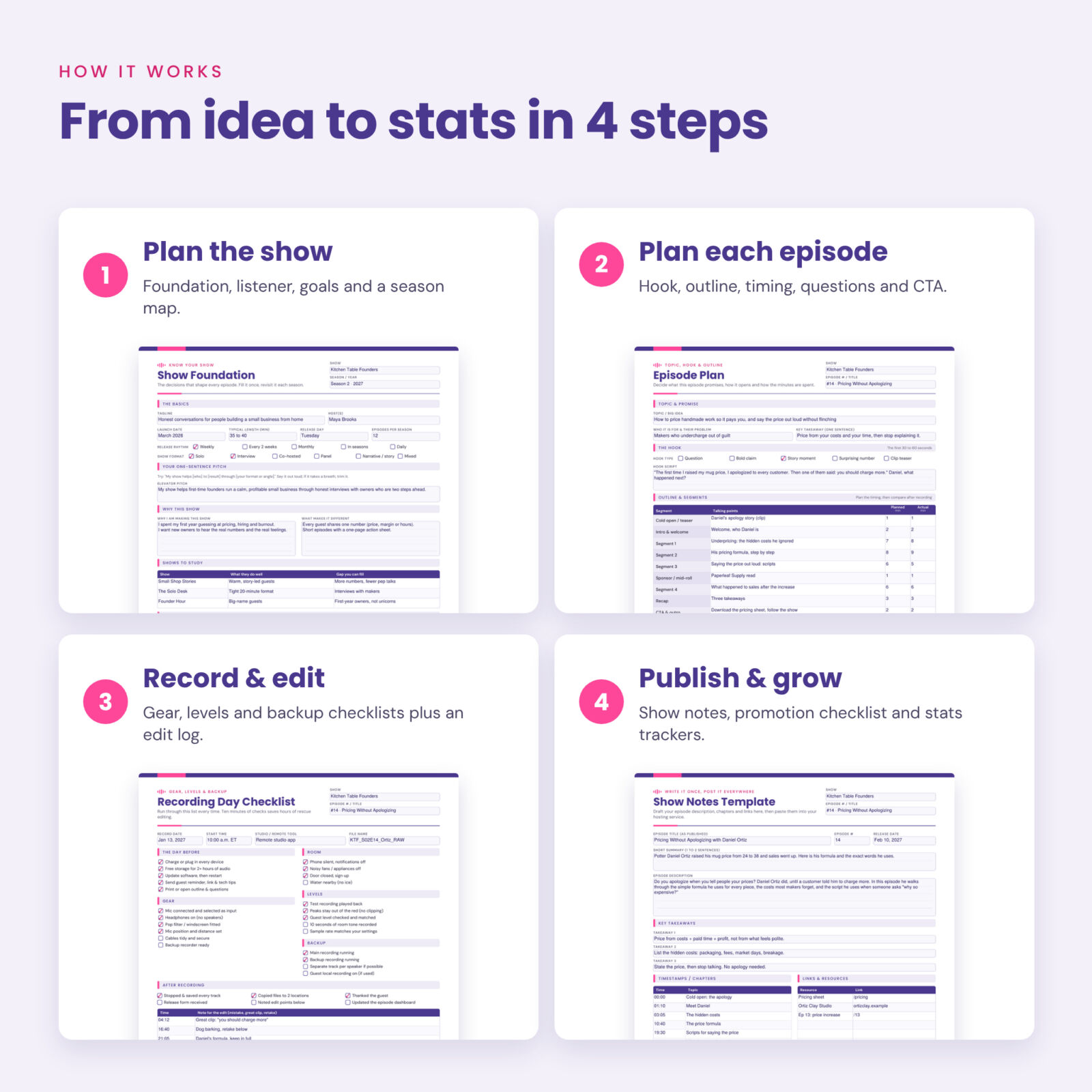
- Fill the Show Foundation and Listener pages once.
- Map your season and add record and release days to the monthly content calendar.
- For each episode, save a fresh copy of the Episode Kit and work through it from plan to debrief.
- Send the Guest Pack to each guest so they can complete the intake form and sign the release template.
- Log stats monthly and run the Season Review before you plan the next season.
File Formats and Software Requirements
- 6 fillable PDF files: Show Binder, Episode Kit and Guest Pack, each in US Letter (8.5 x 11 in) and A4
- 1 User Guide (.docx, opens in Word, Google Docs, Pages or LibreOffice)
- Fill on screen with a form-friendly PDF reader such as the free Adobe Acrobat Reader, or print on any home printer
- Fonts are embedded, so the pages look the same on every device
Customization
Type your show name, season and episode number once in the header and they appear on every page of that file. Money fields are labeled “Amount” with a currency box, so you can use any currency. Calendars are undated, status and format fields are free text, and you can print as many copies of any page as you need for your own show.
Digital Download
This is an instant digital download. No physical product is shipped. After purchase you can download all files from your order confirmation and your account.
Real Ways Podcasters Use It
- Planning a 10-episode launch season before recording a trailer
- Prepping an interview the night before with research notes and 15 ready questions
- Handing a recording checklist to a co-host who runs the remote session
- Drafting show notes and timestamps while editing
- Showing a sponsor an approved script, air date and proof of airing
- Reviewing a season to decide which topics to repeat
Podcast Planner FAQ
Is this podcast planner fillable or printable?
Both. Every page has fillable fields you can type into, and every page prints cleanly on US Letter or A4 paper.
Can I use it on an iPad?
Yes, in a PDF app that supports form fields. You can also import the pages into a note-taking app and write with a stylus.
Is it dated?
No. All pages, including the 12 monthly calendars, are undated so you can start any month and reuse the planner every season.
How do I plan more than one episode?
Keep the Episode Kit as a blank master and use Save As for each episode, or print as many copies as you need.
Is the guest release form legally binding?
It is a general template, not legal advice. Laws differ by state and country, so have a licensed attorney review and adapt it before use.
Does it calculate totals or stats?
No. It is a set of planning worksheets and trackers that you fill in. If you want automatic calculations, a spreadsheet is the better format.
Does it work for video podcasts?
Yes. The planning pages work for audio and video, the guest tech checklist includes video tips, and the gear list includes a camera row.
License: personal use only (or use within your own business). You may not resell, share, or redistribute the files. © 2026 Taskdale. All rights reserved.
Reviews
There are no reviews yet.