


Dental Assistant Resume Template for Word, Ready for Your Next Chairside Role
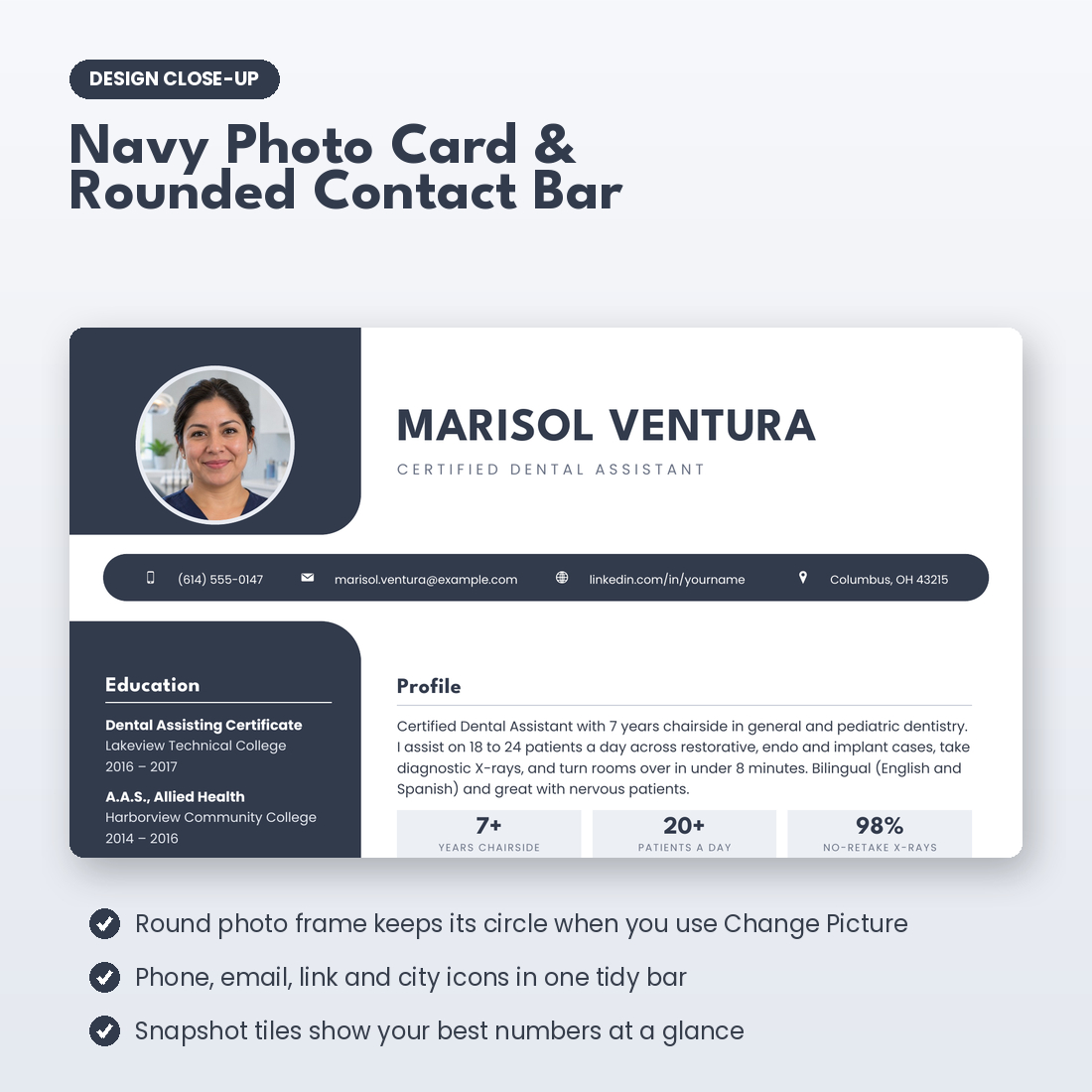
The Inkblue dental assistant resume template is an editable Microsoft Word kit for dental assistants who want a resume that looks polished and still reads clearly in seconds. A navy photo card holds your headshot, a rounded contact bar keeps your phone, email and city in one line, and a navy sidebar lists your education, certifications and skills. The white column on the right gives your profile and chairside experience plenty of room.
Every file opens in Word and comes in US Letter and A4. You type over realistic sample text written for a dental assistant, so you always know what belongs where.
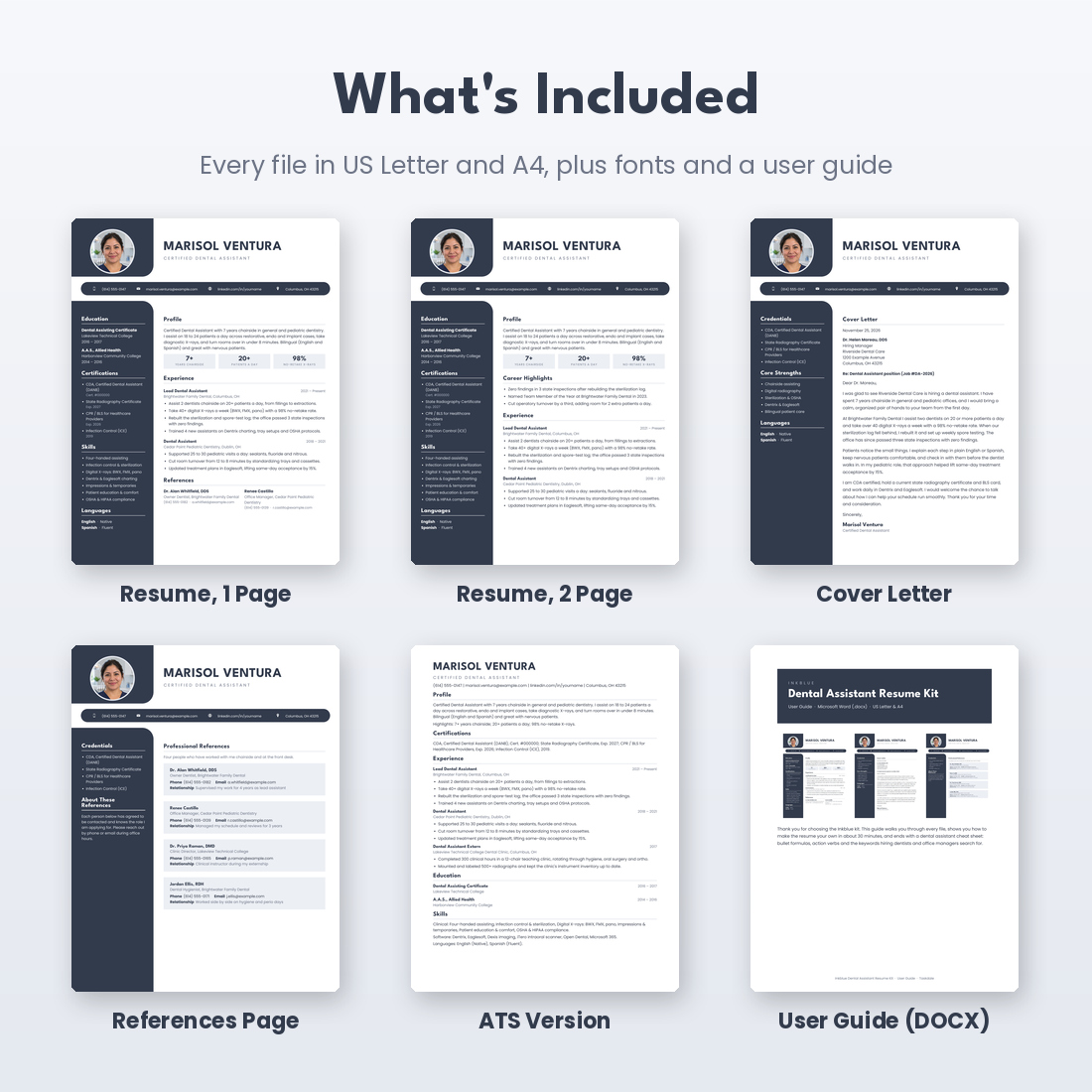
What Is Included in This Dental Assistant Resume Template Word Kit
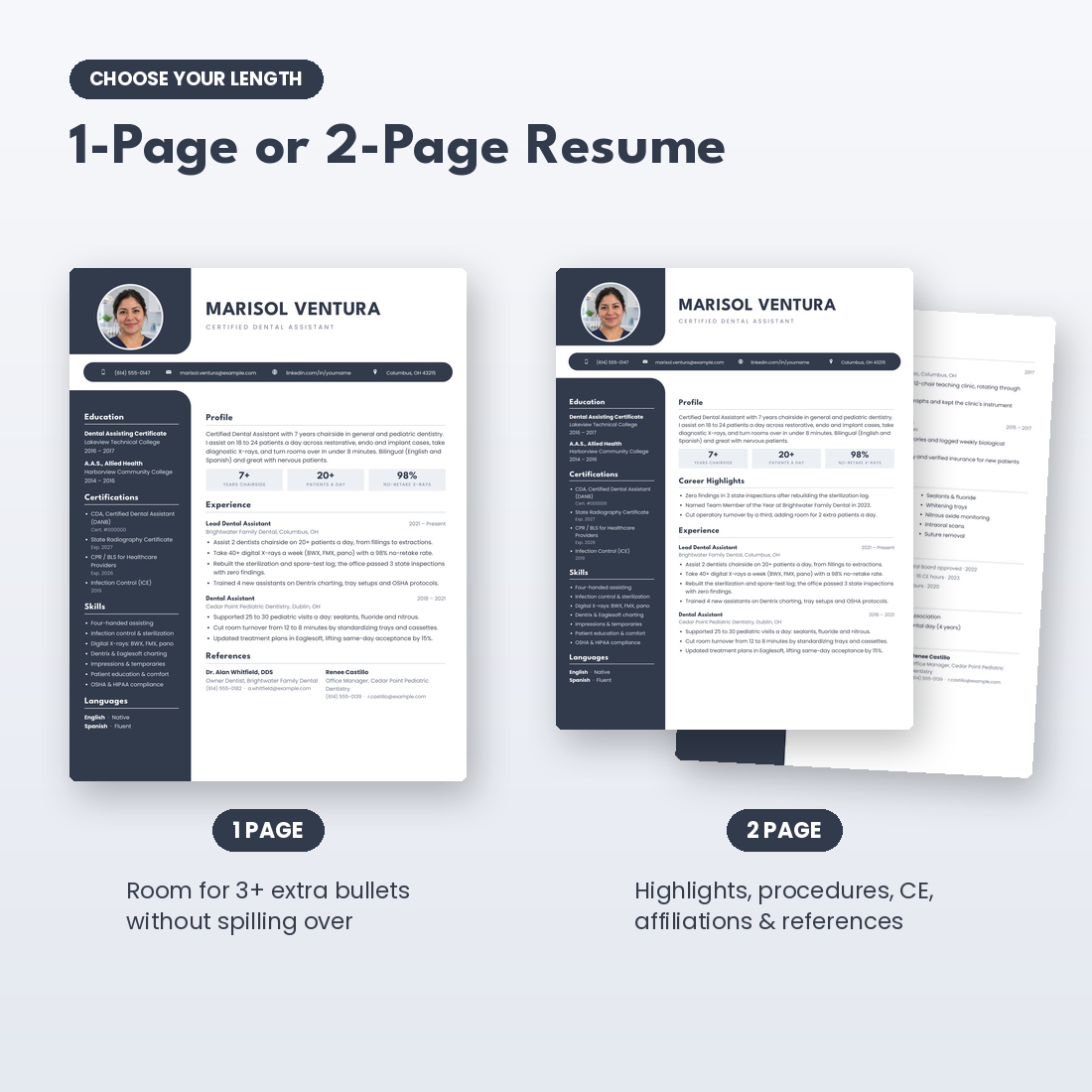
- Resume, 1 page: photo card, contact bar, sidebar, profile, three highlight tiles, experience and references.
- Resume, 2 page: adds Career Highlights, earlier jobs and externship, a procedures assisted list, continuing education, affiliations and references.
- Matching cover letter: a credentials sidebar plus a sample letter written for a dental office.
- References page: four reference cards with phone, email and how each person knows you.
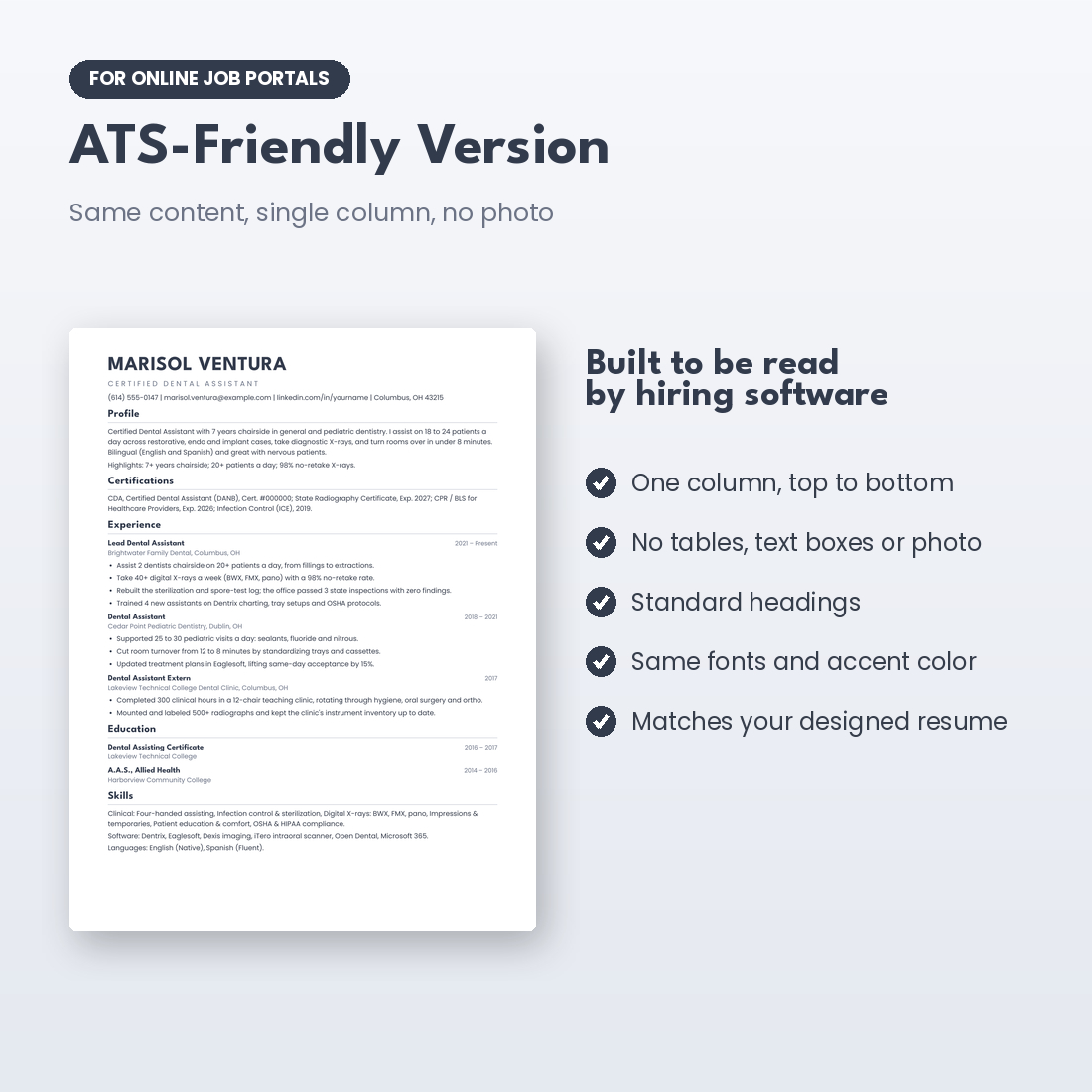
- ATS version: single column, no photo and no tables, for online job portals.
- US Letter and A4 copies of all five files (10 .docx files).
- Fonts folder with League Spartan and Poppins and their open font licenses.
- User guide (DOCX) with step-by-step editing help and a dental assistant cheat sheet.
Built Around What Dental Offices Look For
Hiring dentists and office managers scan for three things first: your credentials, your chairside experience and the software you know. This layout puts all three where the eye lands.
Certifications in plain sight
The sidebar has placeholder lines for your CDA, state radiography certificate, CPR / BLS card and infection control course, each with a small grey line for a certificate number or expiry date. Replace the placeholders with your own details, or delete what does not apply.
Sample text written for dental assistants
No lorem ipsum. The sample resume shows real dental assistant work: four-handed chairside assisting, digital X-rays (bitewing, FMX, panoramic), sterilization logs, Dentrix and Eaglesoft charting, impressions and temporaries, and patient education. Bullets follow an action plus result pattern with numbers, such as cutting room turnover from 12 to 8 minutes.
Highlight tiles under your profile
Three small tiles show quick numbers, such as years chairside, patients per day and your X-ray no-retake rate. They give a busy office manager a reason to keep reading.
Features That Make Word Editing Easy
- Embedded fonts. League Spartan and Poppins are built into each file, so the design shows correctly without installing anything.
- No floating text boxes. Text sits in table cells in the normal flow, so it stays put while you type and applicant tracking software can read it.
- Round photo that stays round. Right-click the headshot, choose Change Picture, and the circle crop and soft ring stay in place.
- One-step color change. The navy panels and headings follow the theme’s Accent 1 color. Change it under Design > Colors and the whole set updates, from navy to teal, plum or charcoal.
- Real Word styles. Title, Heading 1, Heading 2, sidebar and bullet styles let you restyle every section from the Styles pane.
- Room to grow. We tested the 1-page resume with three extra bullets and a long two-line name, and it stayed on one page.
How It Works
- Download the zip and the user guide right after checkout.
- Open the US-Letter or A4 folder and open the resume in Microsoft Word.
- Type over the sample text, swap the photo and update your certification details.
- Save as PDF to email an office, or upload the ATS version to a job portal.
Who This Dental Assistant Resume Is For
Certified dental assistants, expanded function dental assistants (EFDA), orthodontic and pediatric assistants, dental assisting students looking for an externship, and front desk or sterilization staff moving into chairside work. It also suits a hygiene assistant or a treatment coordinator with a clinical background.
Use cases
- Applying to a general or pediatric practice through Indeed, then emailing the PDF straight to the office manager.
- A new graduate listing 300 externship hours and a fresh radiography certificate.
- An experienced assistant moving to a specialty office who needs the 2-page layout for procedures and continuing education.
- A bilingual assistant who wants languages to stand out in the sidebar.
The User Guide and Dental Assistant Cheat Sheet
The 7-page guide shows how to edit each part, change the photo, colors and fonts, add or remove sections, and save as PDF. The cheat sheet adds a bullet formula with examples, 30 action verbs, 28 keywords dental offices search for (Dentrix, Eaglesoft, FMX, sterilization, OSHA and more), and what to write in each section.
File Formats and Software
- Microsoft Word .docx (Word for Windows, Word for Mac and Microsoft 365).
- Opens in Google Docs and Apple Pages with minor layout differences. For the cleanest result, export your final PDF from Word.
- US Letter (8.5 x 11 in) and A4 (210 x 297 mm).
- Instant digital download: one zip (about 1.5 MB) plus the DOCX user guide. Nothing is shipped.
FAQ
Can I edit this dental assistant resume template in Word?
Yes. Every word, color, section and the photo can be changed in Microsoft Word.
Do I need to install fonts?
No. The fonts are embedded in each file. Copies are in the Fonts folder if you want them on your computer.
Does it work in Google Docs?
It opens in Google Docs with small spacing and shape differences. Word gives the exact design.
Is there a version without a photo?
Yes. The ATS version has no photo, and you can delete the photo from the designed resume too.
Is this resume ATS friendly?
The designed resume uses no text boxes, and the separate ATS version is a single column of plain text that hiring software reads cleanly.
I am a new dental assisting graduate. Will this work for me?
Yes. List your externship under Experience and move Education higher. The guide has tips for entry-level resumes.
Is the sample photo a real person?
No. It is an AI-generated image of a fictional person. All names, practices and schools in the samples are made up.
License
For personal use in your own job search. Please do not resell, share or upload the files as templates. Created by Taskdale.
Reviews
There are no reviews yet.