


Christmas Door Decorating Contest Kit for Offices and Schools
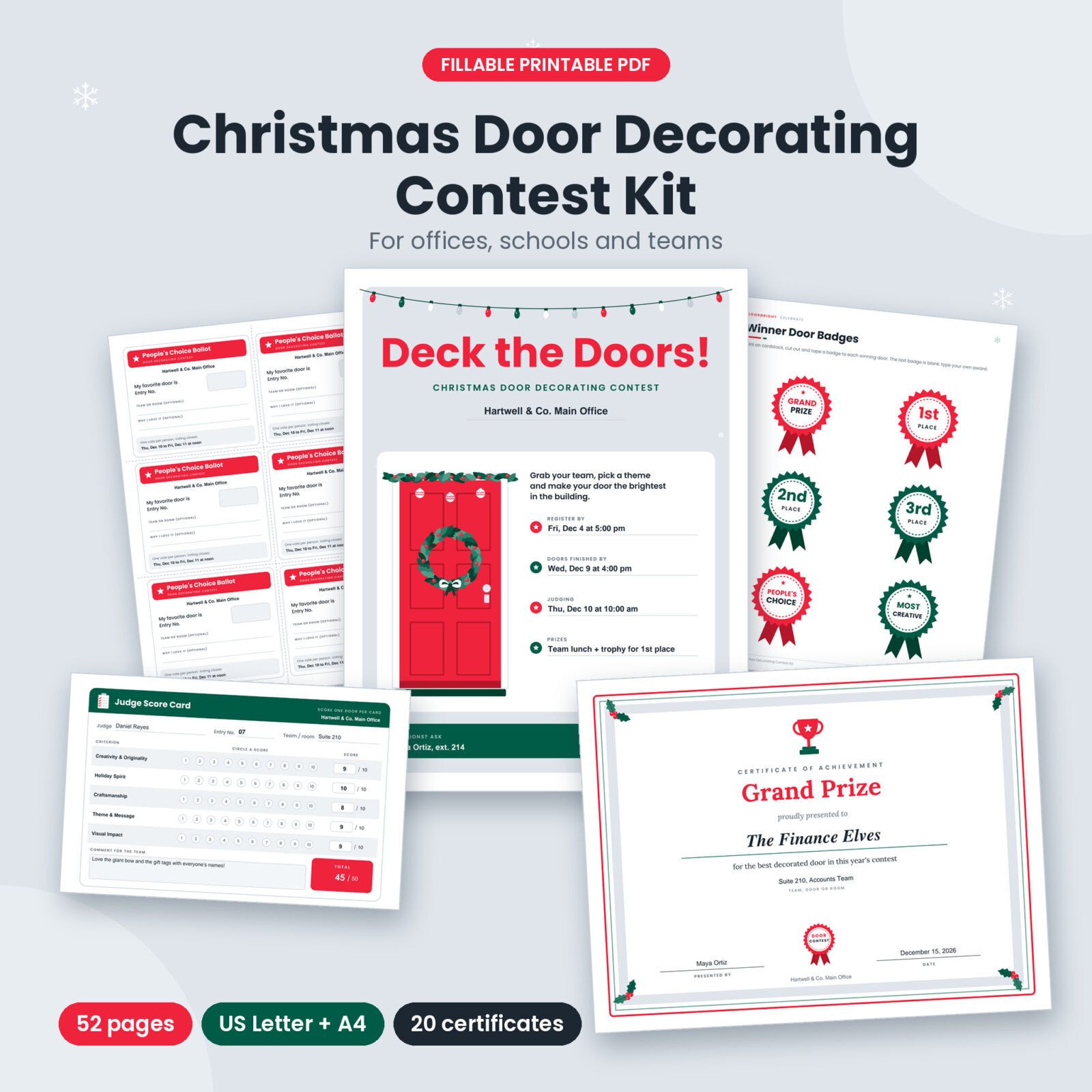
Doorbright is a complete Christmas door decorating contest kit that takes you from the first announcement to the final award. It is one fillable PDF with 52 pages, made for HR teams, office managers, social committees, teachers and PTA volunteers who want a holiday contest that looks polished and runs smoothly. Type your organization name, dates and prizes once, and they appear on every flyer, sign, ballot and certificate that needs them.
A door decorating contest is one of the easiest ways to bring a building together in December. It costs little, every team can join, and the hallways look wonderful for weeks. The hard part is the organizing: flyers, rules, sign-ups, judging, voting and awards. This kit handles all of it.
What You Can Do With Doorbright
- Announce the contest with three flyer designs (office, classroom and classic), two reminder cards and a People’s Choice voting poster.
- Set clear rules with 10 editable rules and a building-friendly safety checklist you can share with every team.
- Collect entries with a full entry form, quick entry slips, a master entry log and door entry number signs.
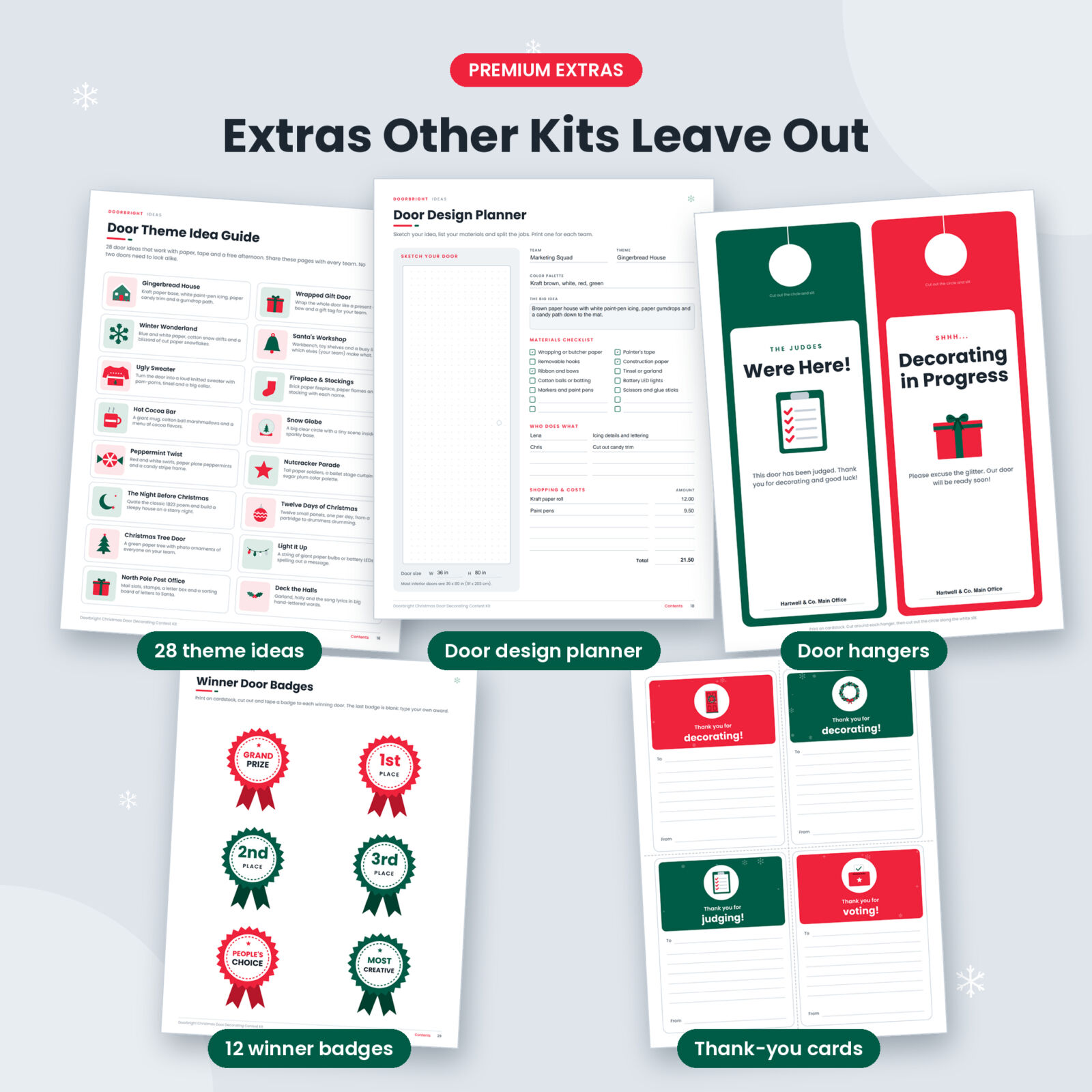
- Help teams plan with 28 door theme ideas, 12 headline puns and a door design planner with a sketch area and materials checklist.
- Judge fairly with editable criteria, a judge briefing, score cards, an all-doors score sheet and a final score tally.
- Run People’s Choice voting with office ballots, kid-friendly ballots, a ballot box sign, box labels and a vote tally sheet.
- Celebrate the winners with a winners poster, 12 winner door badges, 20 award certificates and thank-you cards.
Features That Make the Contest Easy to Run
Type once, fill everywhere
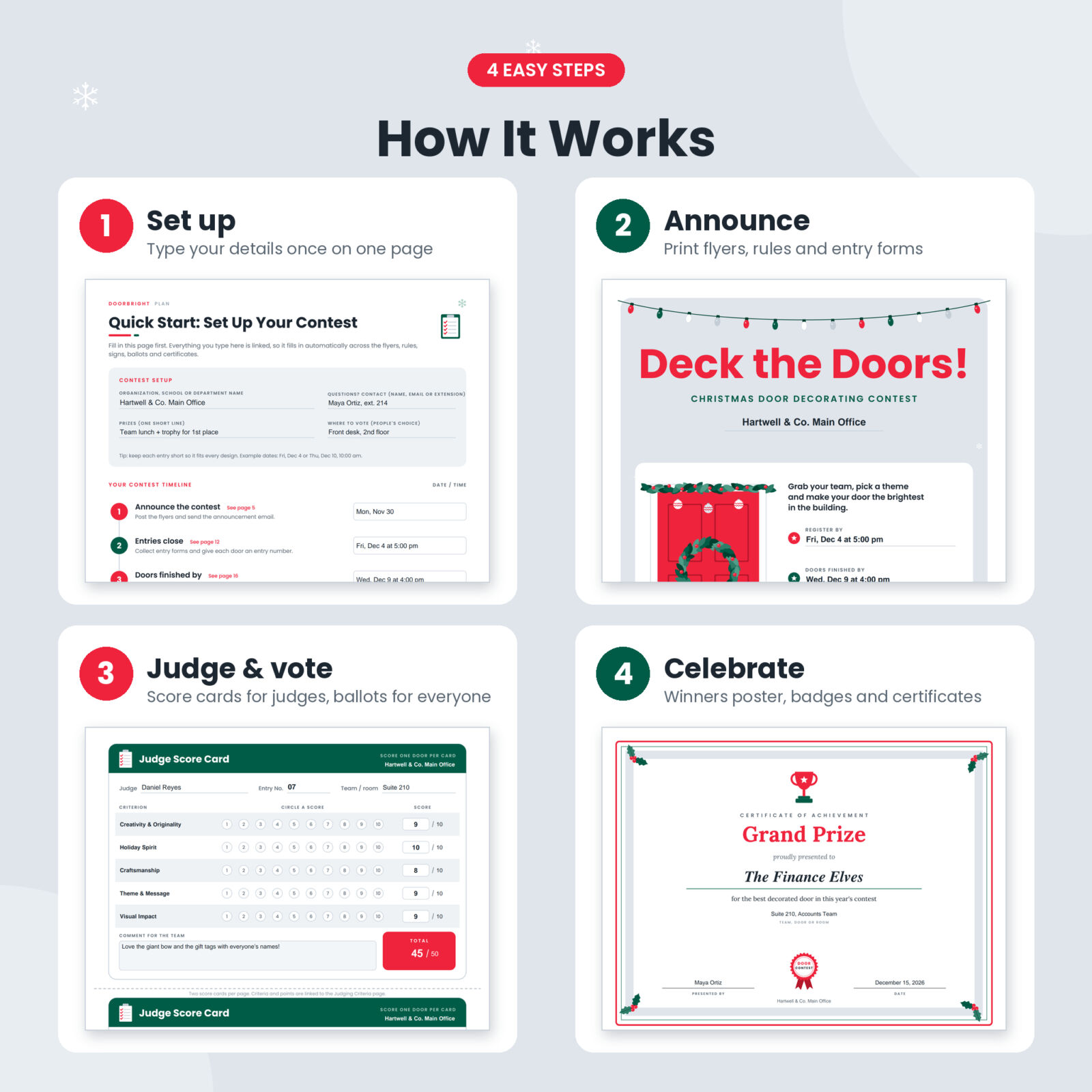
The Quick Start page holds your organization name, contact, prizes, where to vote and seven key dates. These fields are linked, so the same details show up on the flyers, reminder cards, rules sheet, entry forms, voting poster and ballots without retyping. The certificate presenter and date are linked across all 20 certificates too.
Judging criteria that update every sheet
Keep the five ready-made criteria (Creativity & Originality, Holiday Spirit, Craftsmanship, Theme & Message and Visual Impact) or rename them and change the points. The new names and points appear on the judge briefing, every score card and the all-doors score sheet.
Editable rules, not fixed text
Each of the 10 rules is an editable text box with sensible wording already filled in, covering eligibility, deadlines, safety, judging and take-down day. Change what you need and keep the rest.
What’s Included
- Quick Start & Contest Setup page and an Organizer Planner with a 24-task checklist, judges list and prize budget
- 3 announcement flyers, 2 reminder cards and a People’s Choice voting poster
- Official contest rules (editable) and a judging criteria & safety checklist page
- Contest entry form, quick entry slips (2 per page) and a master entry log for 20 entries per page
- Door entry number signs (2 per page) and 2 door hangers
- Door theme idea guide (28 ideas), headline puns and a door design planner
- Judge briefing, judge score cards (2 per page), all-doors score sheet for 15 doors and a final score tally
- People’s Choice ballots (6 per page), kid-friendly ballots (6 per page), vote tally sheet for 40 entries, ballot box sign and labels
- Winners announcement poster and 12 winner door badges, including one you can customize
- 20 award certificates, from Grand Prize and People’s Choice to Funniest Door, Best Holiday Pun and a custom award
- Thank-you cards for teams, judges and voters (4 per page)
- Printing tips and license page
- A 20-page user guide (Word .docx) with screenshots
The 20 Award Certificates
Grand Prize, First Place, Second Place, Third Place, People’s Choice Award, Judges’ Choice Award, Most Creative Door, Most Festive Door, Funniest Door, Best Use of Theme, Best Teamwork, Most Eco-Friendly Door, Best 3D Door, Most Sparkling Door, Cutest Door, Best Holiday Pun, Best Classroom Door, Honorable Mention, Certificate of Participation and a Custom Award with an editable title and wording. Each one has fields for the winner’s name and their team, door or room.
How It Works
- Download the PDF in US Letter or A4 and open it in a PDF reader that supports forms, such as the free Adobe Acrobat Reader.
- Fill in the Quick Start page with your details and dates.
- Print the flyers and rules, and collect entries with the forms.
- Give judges the briefing and score sheets, and open People’s Choice voting.
- Tally the results, then print certificates, badges and the winners poster.
Prefer pen and paper? Print the pages blank and fill them in by hand.
Real Ways People Use It
- An HR team runs a department door contest the week before the holiday party.
- A principal sets up a classroom door challenge, with student ballots and a Best Classroom Door award.
- A resident advisor turns dorm hallways into a friendly floor-versus-floor competition.
- A hospital unit, library or senior living community brightens its halls for residents and visitors.
File Formats and Requirements
- Fillable PDF, US Letter (8.5 x 11 in) and A4, 52 pages each
- User guide in Word .docx format
- Works with free PDF readers that support forms, such as Adobe Acrobat Reader. Some browser viewers do not save typed text, so download the file first.
- Print on any home or office printer. Cardstock is best for signs, badges, door hangers and certificates.
Customization
You can type your organization name, contact, prizes, dates, rules, judging criteria, points, entry details, scores, winner names and certificate details. The last certificate and the last door badge let you create your own award. The colors and artwork stay fixed so every page prints cleanly. Money fields are plain amounts with no currency symbol, so they work in any currency.
Instant Digital Download
This is a digital product. No physical item will be shipped. Your files are ready to download right after purchase. The license covers personal use and use within your own organization, school or business. Please do not resell or share the files.
Frequently Asked Questions
Can I edit the text?
Yes. All form fields are editable, including the 10 rules and the judging criteria. The designs and artwork are fixed.
Does this work for a school or classroom contest?
Yes. It includes a classroom flyer, kid-friendly ballots, a Best Classroom Door certificate and theme ideas for classrooms and libraries.
Is there an A4 version?
Yes. You get both US Letter and A4 PDFs.
Do I need Canva or special software?
No. You only need a PDF reader that supports forms, like the free Adobe Acrobat Reader. You can also print the pages blank and write by hand.
How many teams can enter?
As many as you like. Print extra copies of any page. The entry log holds 20 entries per page and the vote tally covers 40 doors.
Can I add my own award?
Yes. The Custom Award certificate has an editable title and wording, and one winner badge is blank for your own text.
Can I use it again next year?
Yes. Save a filled copy each year and keep the original as a clean master.
Reviews
There are no reviews yet.