

Dotjot: a digital bullet journal app that runs offline in your browser
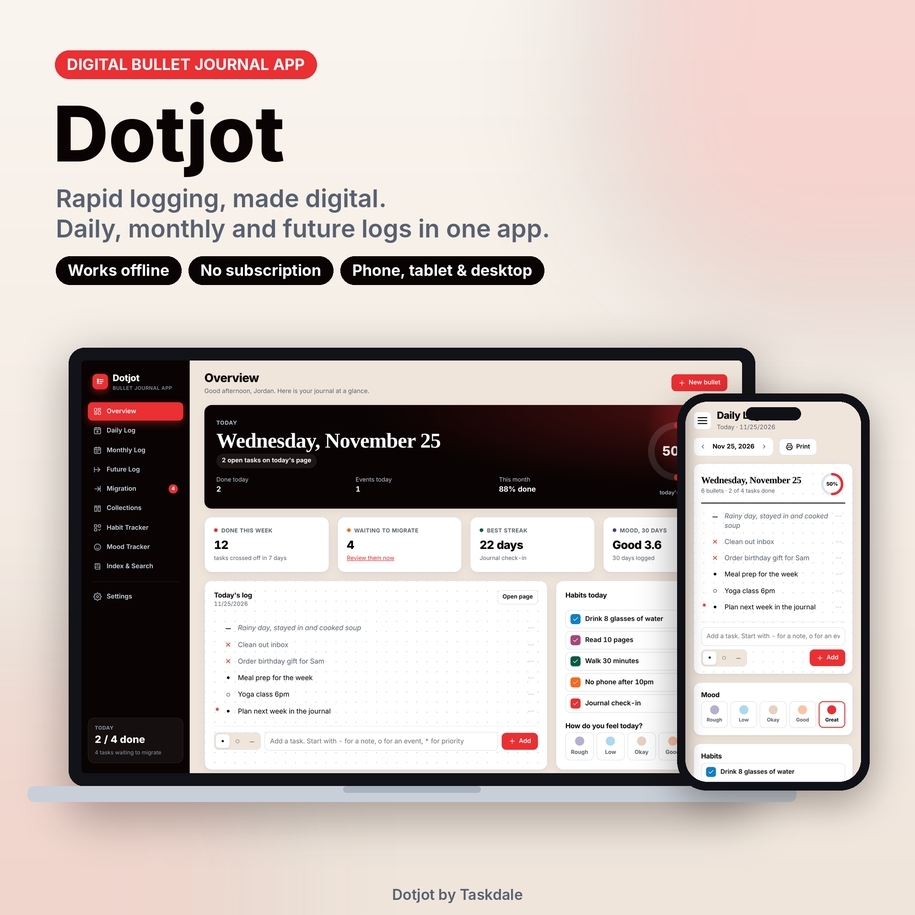
Dotjot is a digital bullet journal app built around rapid logging. Type short bullets for tasks, events and notes, cross tasks off with one tap, and let the app handle the parts that take the longest on paper: redrawing monthly spreads, copying old tasks forward and finding that note from three weeks ago. It opens from one downloaded file, works offline and keeps every page on your own device.
Who this bullet journal app is for
- Paper bullet journalers who love the method but are tired of drawing a new monthly log every month.
- Busy parents, students and professionals who think in quick lists, not hourly planner grids.
- Anyone who wants tasks, habits and moods in one place instead of three apps.
Features of the Dotjot digital bullet journal
Rapid logging with a real bullet key
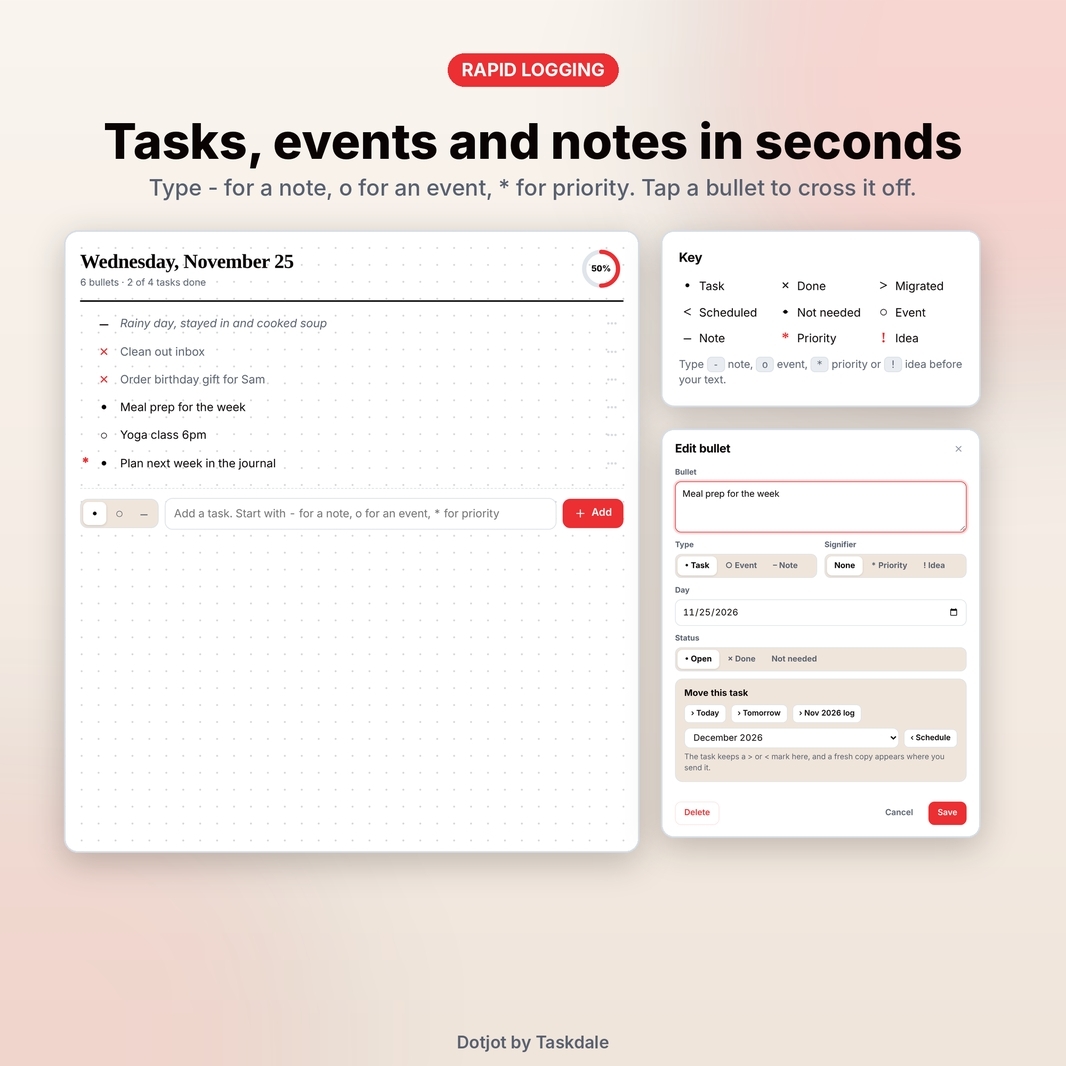
Every bullet has a symbol: a dot for a task, an open circle for an event, a dash for a note. Tap the dot and it becomes an x. Start a line with – for a note, o for an event, * for a priority or ! for an idea, and Dotjot sets the type for you. Press N from any screen to jump straight to the quick-add line. Migrated tasks keep a > mark and scheduled ones a <, exactly like the paper method.
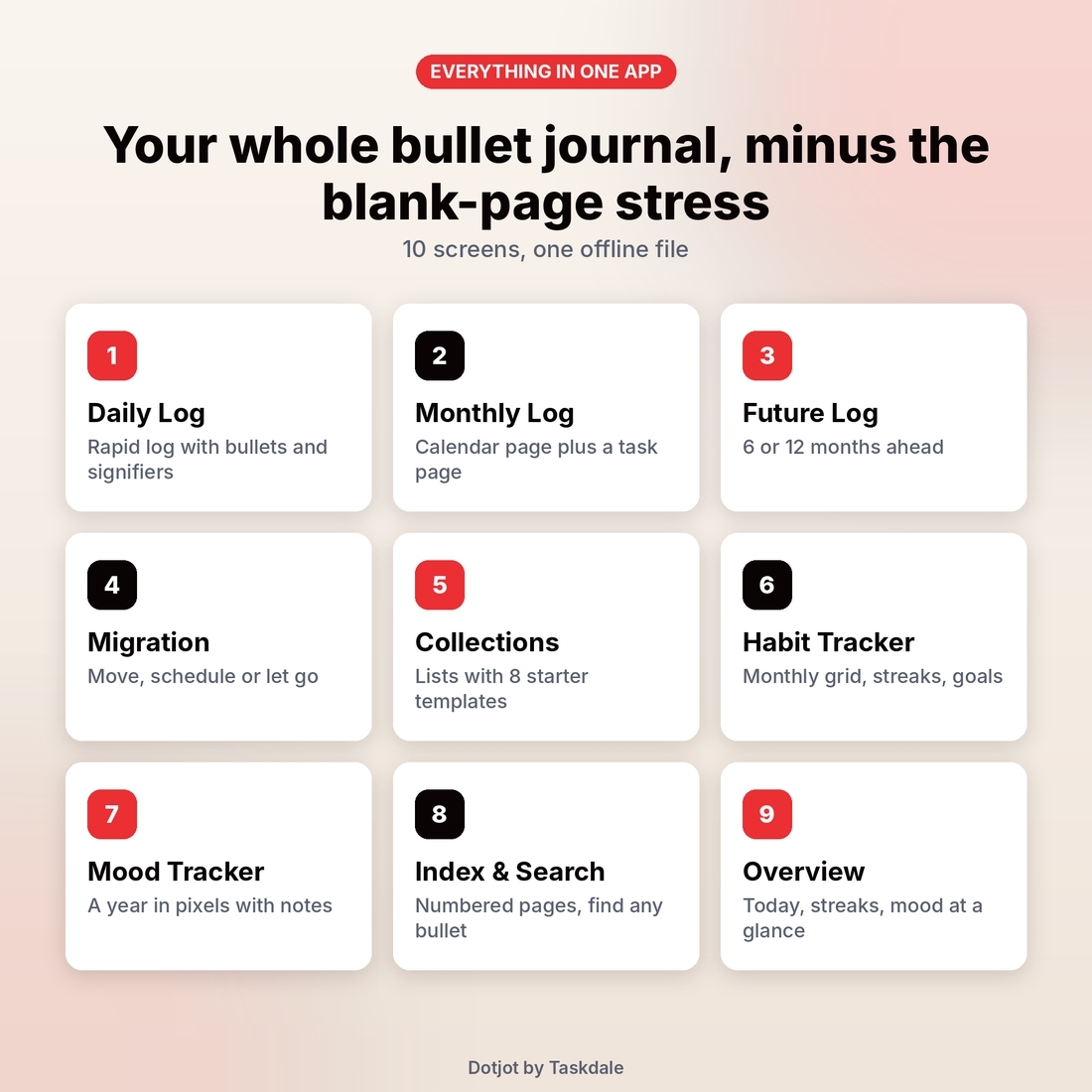
Daily Log
Each day gets its own dot grid page with a progress ring, so you see “2 of 4 tasks done” at a glance. The side panel holds a five-step mood picker, your habit check boxes and that day’s line from the monthly calendar. Click any bullet to edit it, change its type, add a signifier, move it to tomorrow or strike it out as not needed.
Monthly Log: calendar page and task page
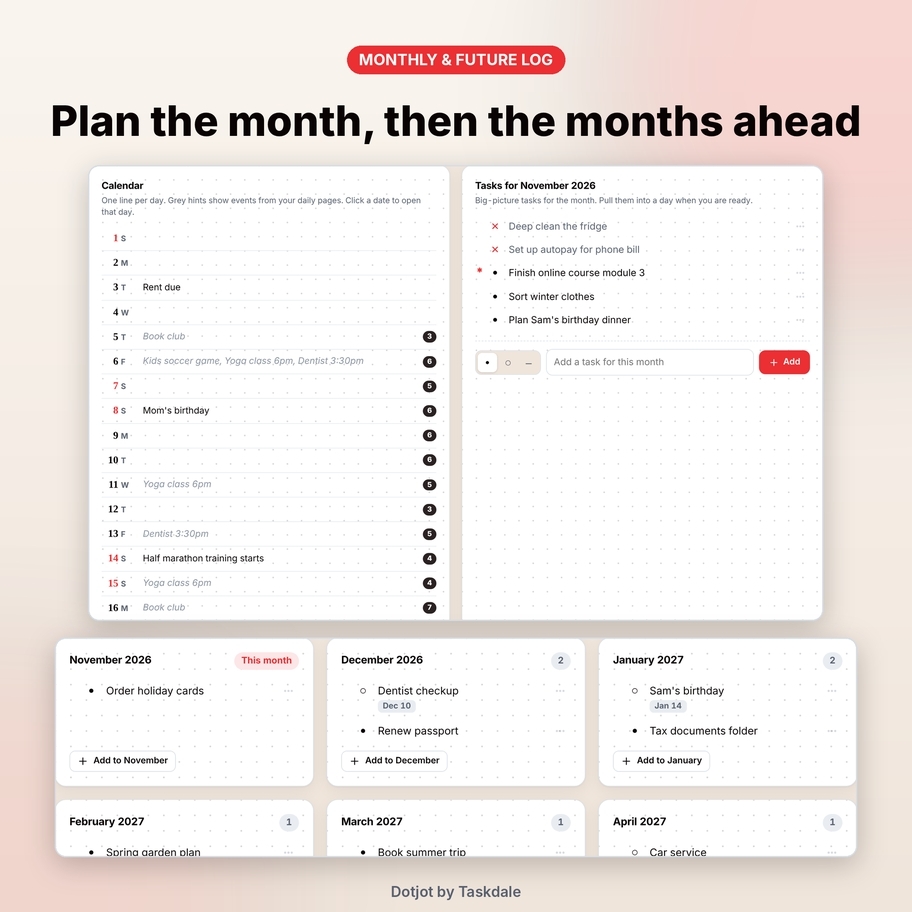
The calendar page lists every day of the month with one line for a short note like “Rent due” or “Mom’s birthday”. Events you logged on daily pages show as grey hints, and a badge shows how many bullets each day holds. The task page beside it holds bigger tasks for the month. Four counters track monthly tasks done, daily tasks done, tasks moved on and days logged.
Future Log for 6 or 12 months
Write anything that belongs to a later month, with an optional exact day. When that month arrives, Dotjot hands it to you on the Migration page.
Migration that does the copying for you
Migration is the heart of bullet journaling, and it is where paper takes the most time. Dotjot gathers every open task from past days, past months and the Future Log onto one page. For each one, choose Today, this month, Later, Done or Not needed. One button migrates everything to today. Dotjot also counts how many times a task has been moved, so the ones you keep pushing stand out.
Collections with 8 starter templates
Books to read, goals, gift ideas, a packing list, a brain dump and more. Start from a template or a blank page, pick a color and add bullets. Each collection card shows a progress bar for its tasks.
Habit tracker spread
A full monthly grid: one row per habit, one square per day. Tap to fill. Dotjot works out your current streak, best streak, month score and progress toward an optional monthly goal, with a daily total row along the bottom. You can tick habits from the Overview and the Daily Log too.
Mood tracker: a year in pixels
Pick Great, Good, Okay, Low or Rough each day and watch a 12-month pixel grid fill with color. Add a short note to any day. You also get monthly and yearly averages, a mood mix donut and a 30-day chart.
Index and search
Like the index page in a paper journal, but it writes itself. Every page gets a number in journal order, from the Future Log through each month and its daily pages to your collections. Search finds any bullet by a word or name and tells you which page it lives on.
What is included
- Dotjot-Bullet-Journal-App.html: the app, one offline file.
- Dotjot User Guide (DOCX): 12 pages covering setup, the bullet key, every screen, tips, troubleshooting and FAQ.
- Start Here PDF: a one-page quick start with home screen steps.
You get a ZIP with all three files, and the app and guide are also available as separate downloads.
How the bullet journal app works
- Unzip the download and double-click the HTML file. It opens in your browser.
- Type your first bullet on today’s page and press Enter.
- Tap tasks as you finish them, and add events and notes as the day goes.
- Once a week, open Migration and decide what moves forward.
File format and software requirements
Dotjot is a single HTML file with everything built in. It needs no internet connection, no install and no account. We tested it in Google Chrome and Microsoft Edge at desktop, tablet and phone sizes. It uses standard web features, so other current browsers should work too.
On iPhone and iPad, the Files app preview cannot run web apps. Open the file in a browser or an HTML viewer app that opens local files. On Android, open it in Chrome and add it to your home screen.
Customization
Choose from six accent inks (scarlet, ocean, forest, plum, mandarin and grape), four paper styles (dot grid, grid, lined or plain) and a light or dark theme. Give each habit and collection its own color. Print your daily page, monthly log, habit tracker or mood tracker from the browser, or export the whole journal as plain text.
Digital download information
This is a digital product. Nothing is shipped. Your files are available to download right after purchase, with unlimited downloads. Personal use license: use it for your own journal on your own devices. Please do not resell or share the files. Dotjot is an independent app by Taskdale and is not affiliated with any paper journal brand.
Real ways people use this digital bullet journal
- A Sunday reset: migrate last week’s open tasks, then plan the week on the monthly task page.
- Logging a busy workday in short bullets between meetings, then searching for a client’s name later.
- Tracking water, reading and a no-phone-after-10pm habit, and seeing streaks grow.
FAQ
What is a bullet journal?
A bullet journal is a simple system for tasks, events and notes using short bullets and symbols, plus monthly and future logs. Dotjot brings that method to your browser.
What is rapid logging?
Writing short bullets instead of full sentences, each with a symbol that shows what it is. It keeps your pages quick to write and quick to scan.
Does it work offline?
Yes. After download, everything runs in your browser with no internet.
Is my journal private?
Your pages never leave your device. There is no account, server or sync.
Can I use it on my phone and tablet?
Yes. The layout fits phones, tablets and desktops. See the iPhone note above. Use Export and Import backup to move between devices.

Reviews
There are no reviews yet.