

Kinfolk Family Budget: Family Budget Planner
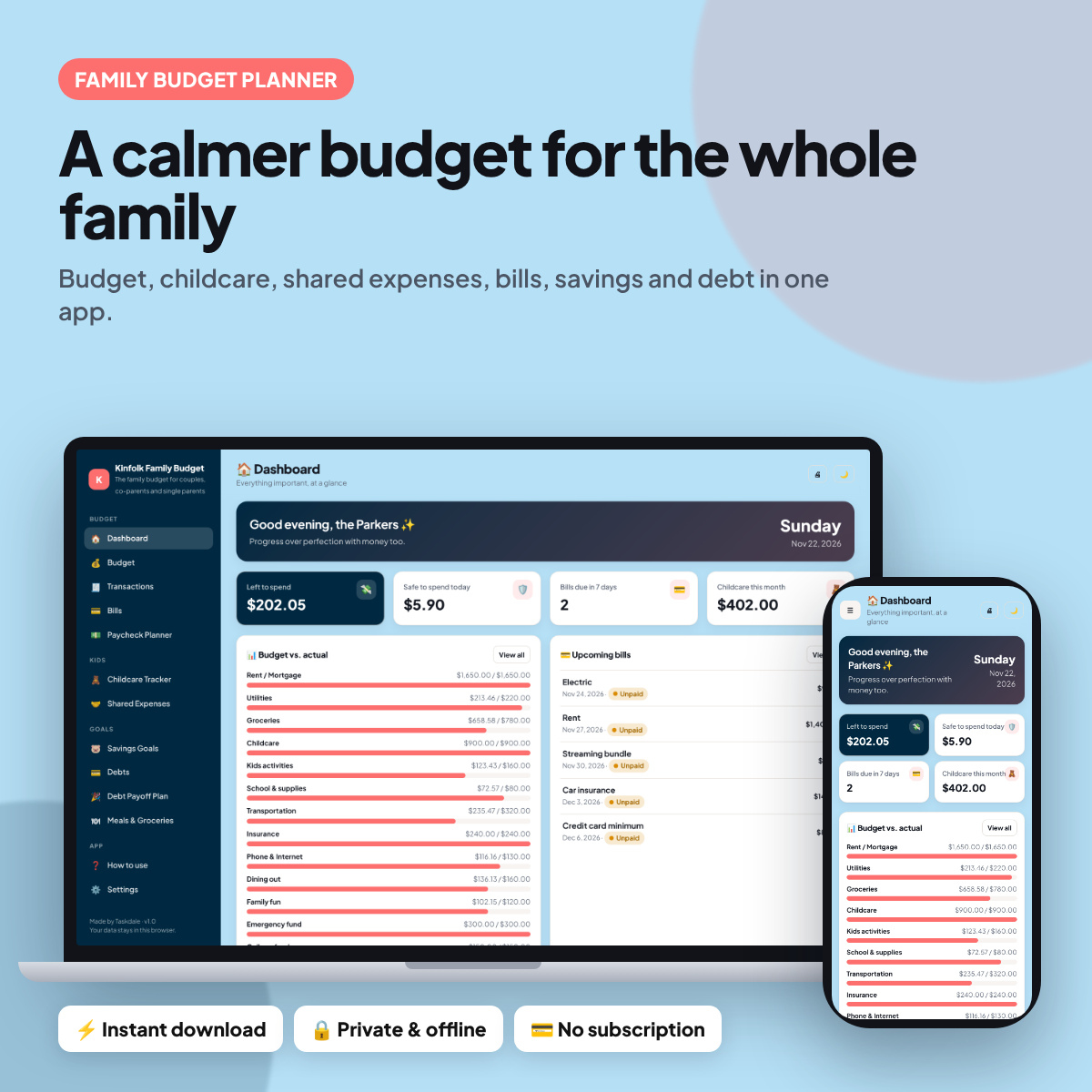
Kinfolk Family Budget is a family budget planner for households where money moves between more than one person. Plan the month together, log spending as it happens and see exactly what’s safe to spend, while the paycheck planner makes sure every bill is covered before payday.
It also handles the things generic budget apps ignore: a childcare tracker with hours, providers and FSA-eligible costs, and a shared-expenses page that splits kid costs by percentage and shows who owes whom, perfect for co-parents and couples who keep separate accounts.
Who this family budget planner is for
- Couples budgeting together for the first time
- Co-parents sharing kid expenses across two homes
- Single parents juggling childcare, bills and savings
- Families paying for daycare who want FSA-ready totals
- Anyone who wants one private, offline budget app with no subscription
Main benefits
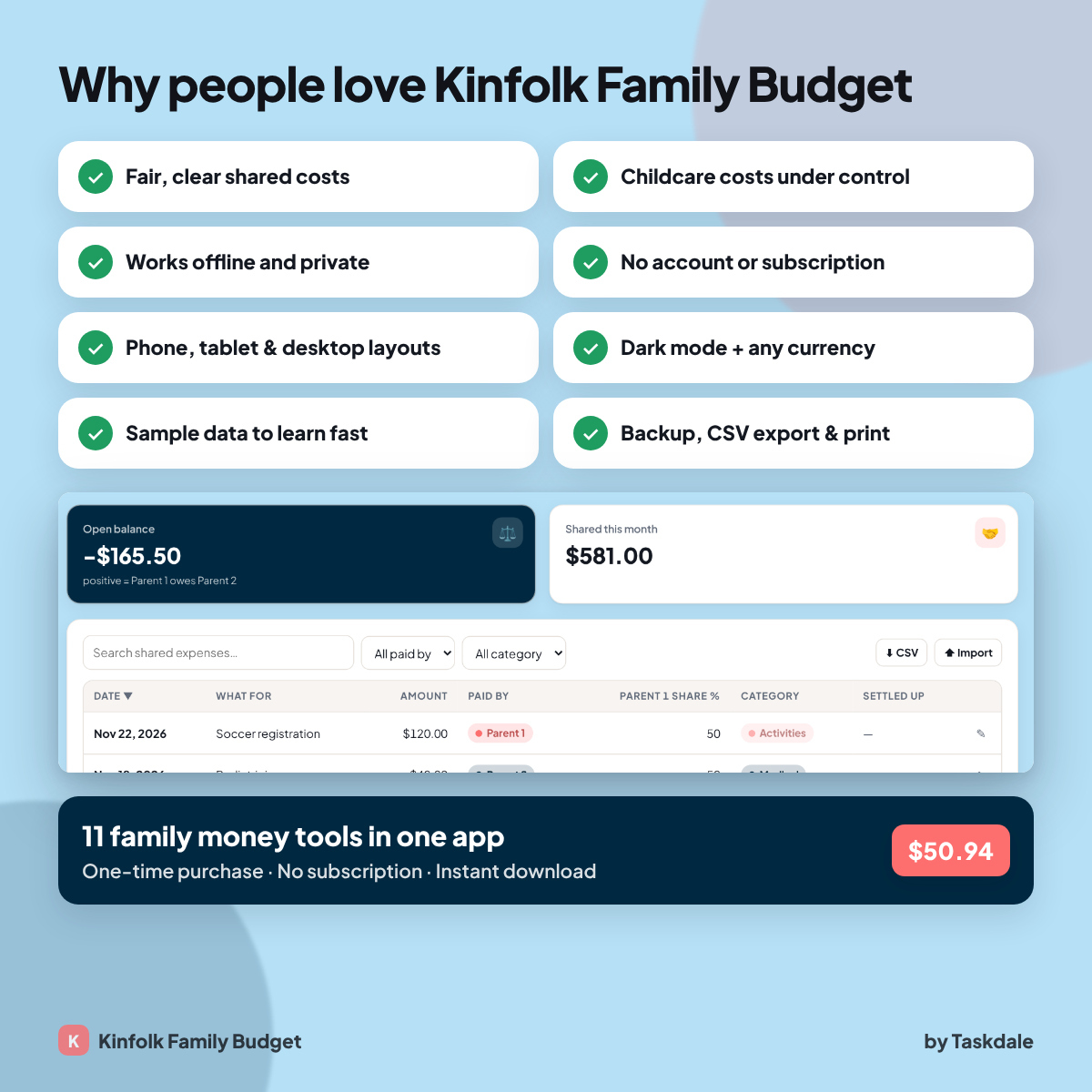
- Fair, clear shared costs
- Childcare costs under control
- Works offline and private
- No account or subscription
- Phone, tablet & desktop layouts
- Dark mode + any currency
- Sample data to learn fast
- Backup, CSV export & print
Features of the family budget planner
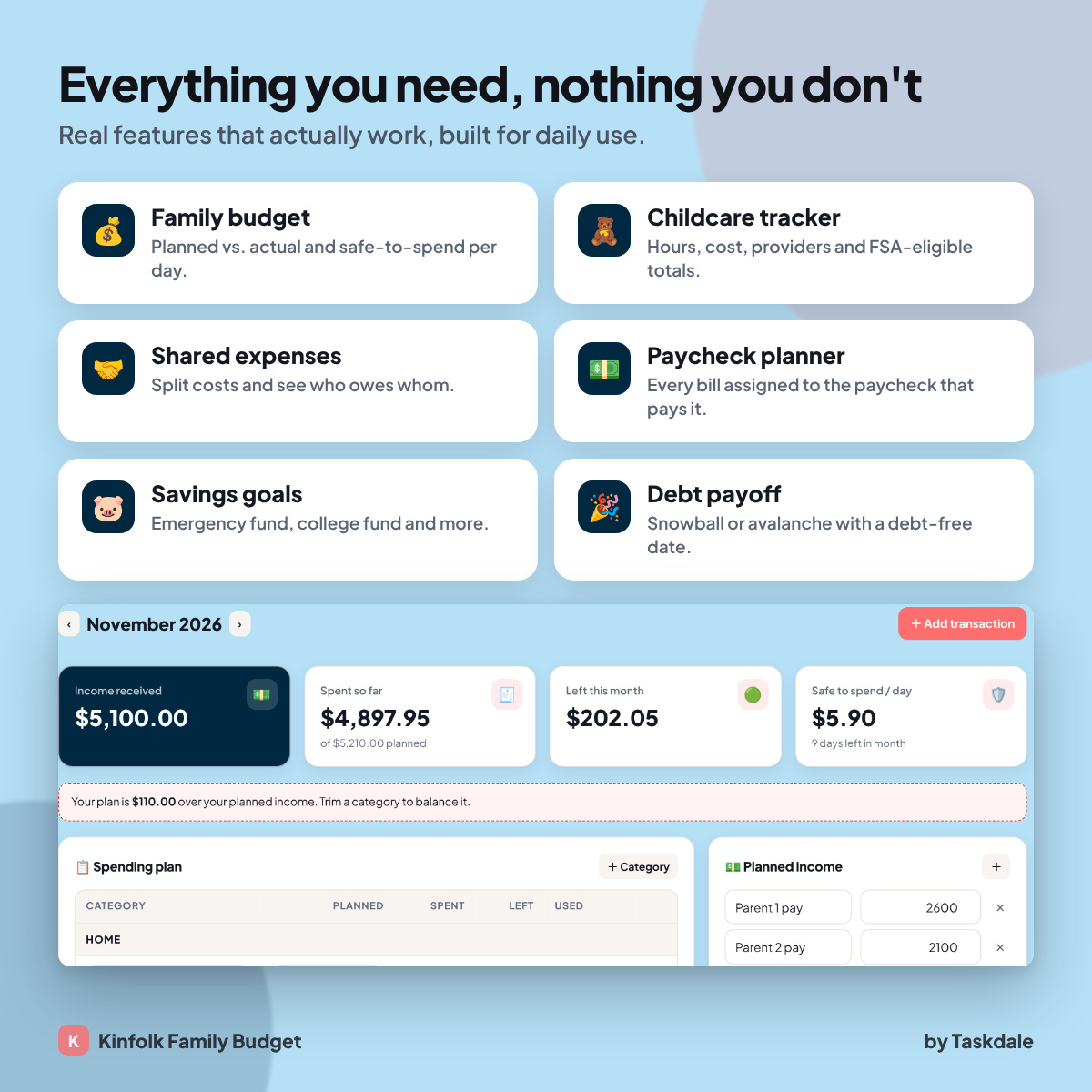
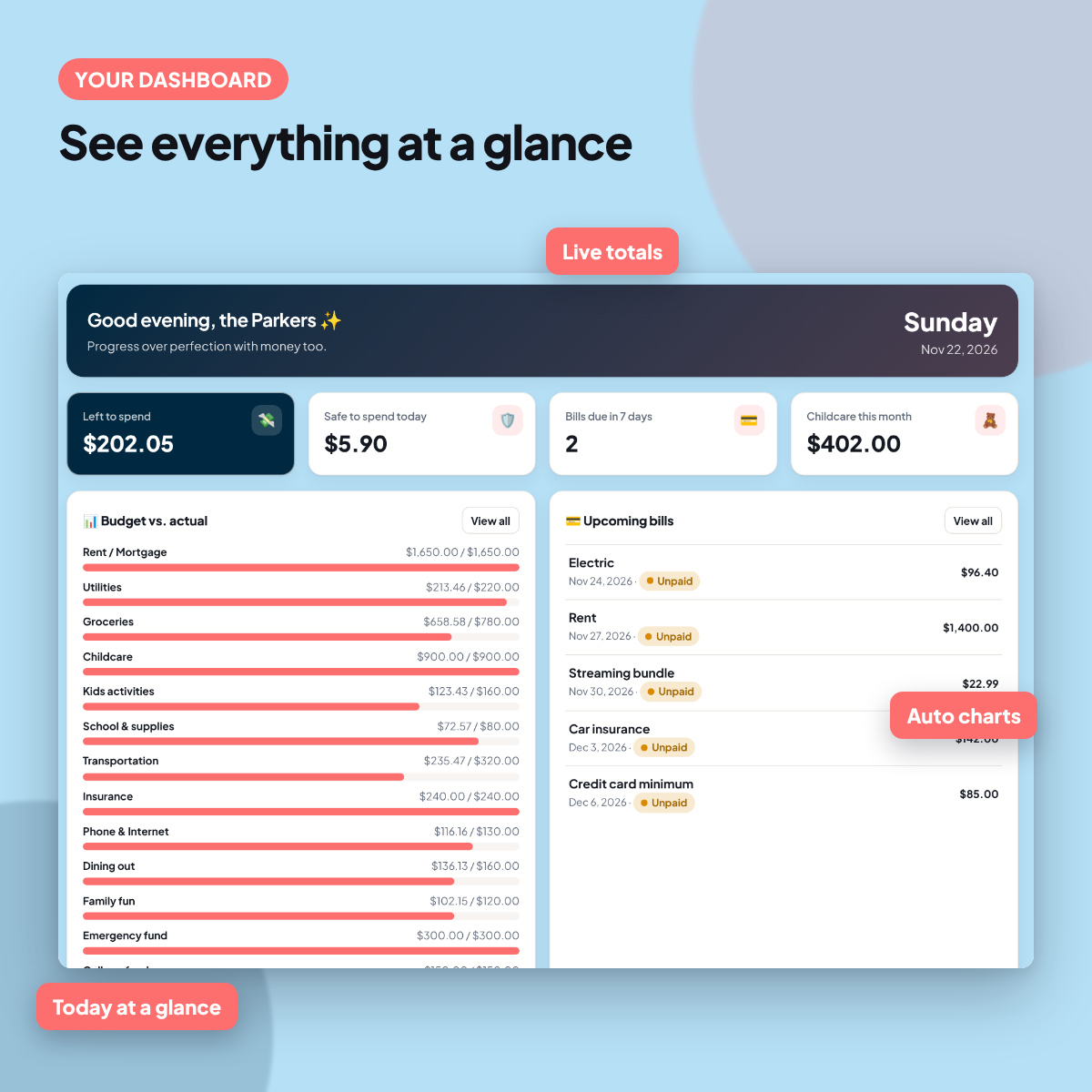
- Dashboard: Your overview with live totals, charts and what needs attention next.
- Budget: Monthly spending plan with planned vs. actual, left to spend and safe-to-spend per day.
- Transactions: Log spending and income. Categories link to your budget automatically.
- Bills: Recurring bills with due dates and autopay. Marking a bill paid schedules the next one.
- Paycheck Planner: Assign each bill to the paycheck that pays it and see what's left to spend per check.
- Childcare Tracker: Track childcare by child, provider and type with hours, cost, paid status and FSA/reimbursable flags.
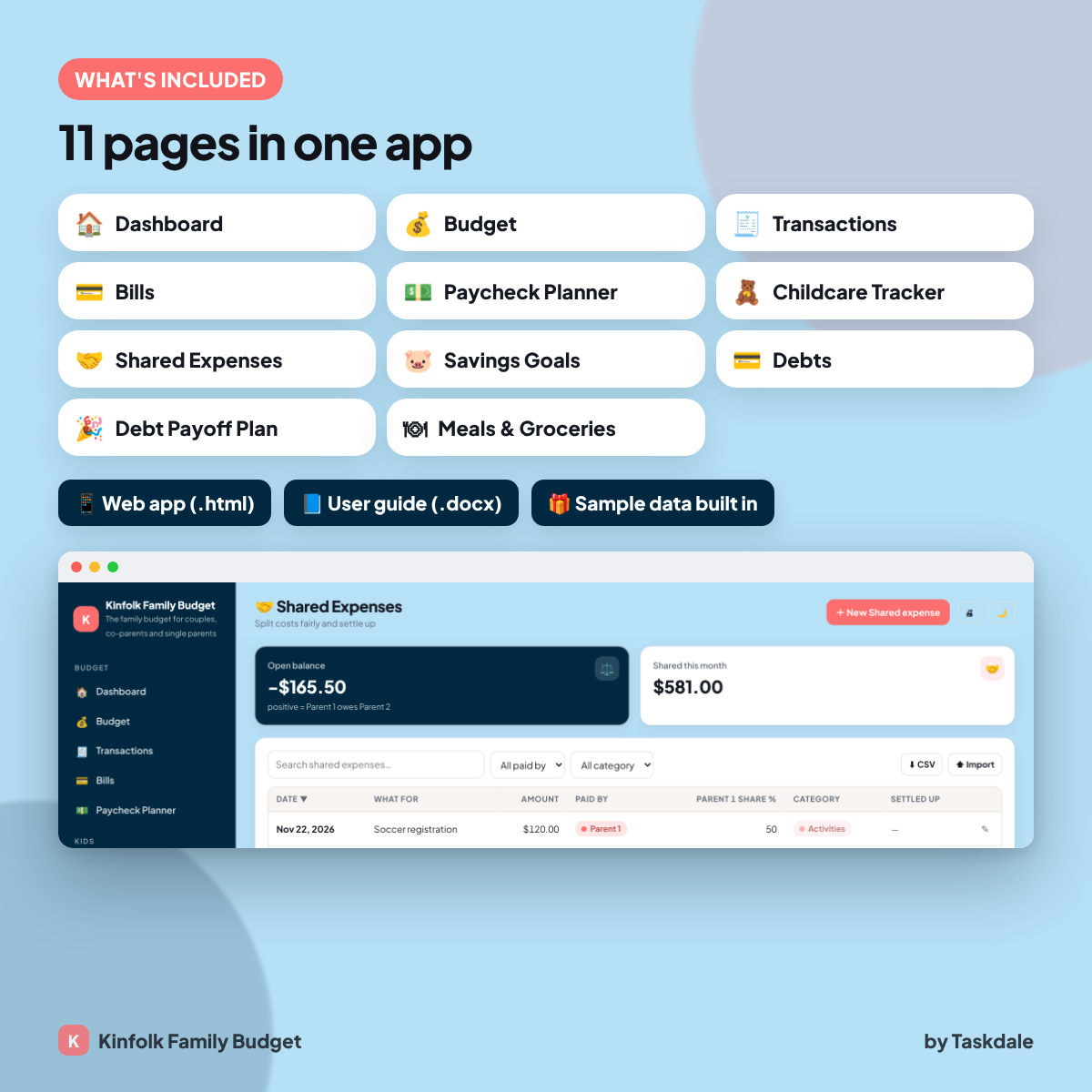
- Shared Expenses: Log kid and household costs, who paid and the split %. The app shows who owes whom.
- Savings Goals: Savings goals with target, saved so far, progress and how much to save per month.
- Debts: List every debt with balance, interest rate, minimum payment and % paid off.
- Debt Payoff Plan: Compare snowball and avalanche payoff, add extra payments and see your debt-free date.
- Meals & Groceries: A weekly meal grid and a grocery list sorted by aisle.
Built-in extras
- Dark mode: Switch between light and dark themes.
- Any currency: One currency setting that every money value reads from ($ by default).
- Backup and restore: Export all your data to a file and restore it on any device.
- CSV export and import: Open your tables in Excel or Google Sheets, or bring data in.
- Print-ready pages: Print any page or save it as a PDF.
- Sample data: explore a fully filled-in example, then clear it with one click.
What’s included
- Kinfolk Family Budget web app (one .html file, 11 pages)
- Kinfolk Family Budget User Guide (.docx) with setup steps, feature walkthroughs, tips, troubleshooting and FAQ
- Built-in sample data and quick start page
How it works
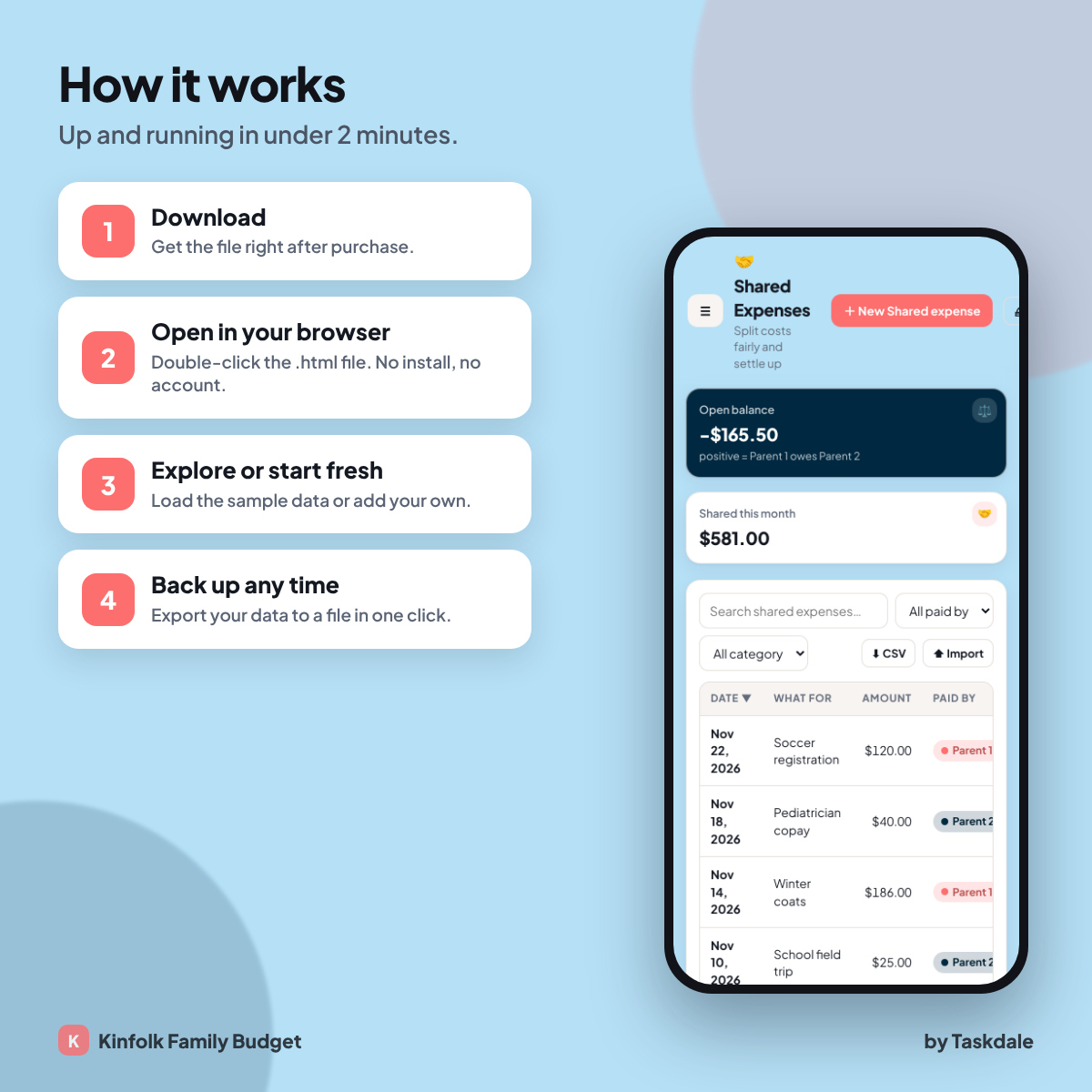
- Download the ZIP file after purchase and unzip it.
- Double-click the .html file. It opens in your web browser like an app, with no install.
- Click Explore sample data to see it filled in, or start adding your own entries.
- Set your name and currency in Settings, and export a backup now and then.
File format and software requirements
- Format: one HTML web app file (.html) plus a Word user guide (.docx), delivered in a ZIP.
- Tested in Google Chrome on desktop and on phone-sized screens. It uses standard HTML, CSS and JavaScript with no plugins.
- No internet connection, account or subscription needed after download.
- Your data is stored locally in your browser. It does not sync between devices automatically; use the backup file to move it.
Customization
- Add, rename and delete your own entries, categories and lists
- Choose your currency symbol and add your name for a personal greeting
- Switch between light and dark mode
Digital download
This is a digital product. No physical item will be shipped. Your files are available to download right after checkout.
Use cases
- Monthly money date: review the budget together and set the plan for next month.
- After daycare pickup: log hours and cost on the Childcare Tracker.
- Co-parenting: add the soccer fee you paid and see the updated settle-up amount.
- Payday: check the Paycheck Planner for what’s left after bills and savings.
FAQ
Can two people use it?
Yes, on one device, or by sharing the backup file between devices. It does not sync automatically, so pick one "main" device or swap the backup file after updates.
Can I rename "Parent 1" and "Parent 2"?
The shared-expenses names are fixed labels so the settle-up math stays reliable; use the Notes or description to add names. Budget categories, income sources and most dropdowns can be renamed in Settings.
Do I need internet or an account?
No. The app is a single file that runs in your web browser. After download it works offline, with no sign-up and no subscription.
Where is my data saved?
Privately in your browser on your device. Nothing is uploaded anywhere. Use Settings → Export backup to keep a copy or move your data to another device.
Can I use it on my phone or tablet?
The layout adapts to phone and tablet screens. We test it in Google Chrome on desktop and on phone-sized screens. Data is stored per device and browser, so use the backup file to move it between devices.
Can I change the currency?
Yes. Choose any currency symbol in Settings and every money value in the app updates. The default is $.
Is there a free version?
Yes, a free version with a few pages is available on our blog so you can try it first. This listing is the complete app.
Can I print or export my data?
Yes. Every page has a print button (print or save as PDF), and every table can be exported to CSV for Excel or Google Sheets.
Licence: personal use only. You may not resell, share or redistribute the files. © Taskdale.
Reviews
There are no reviews yet.