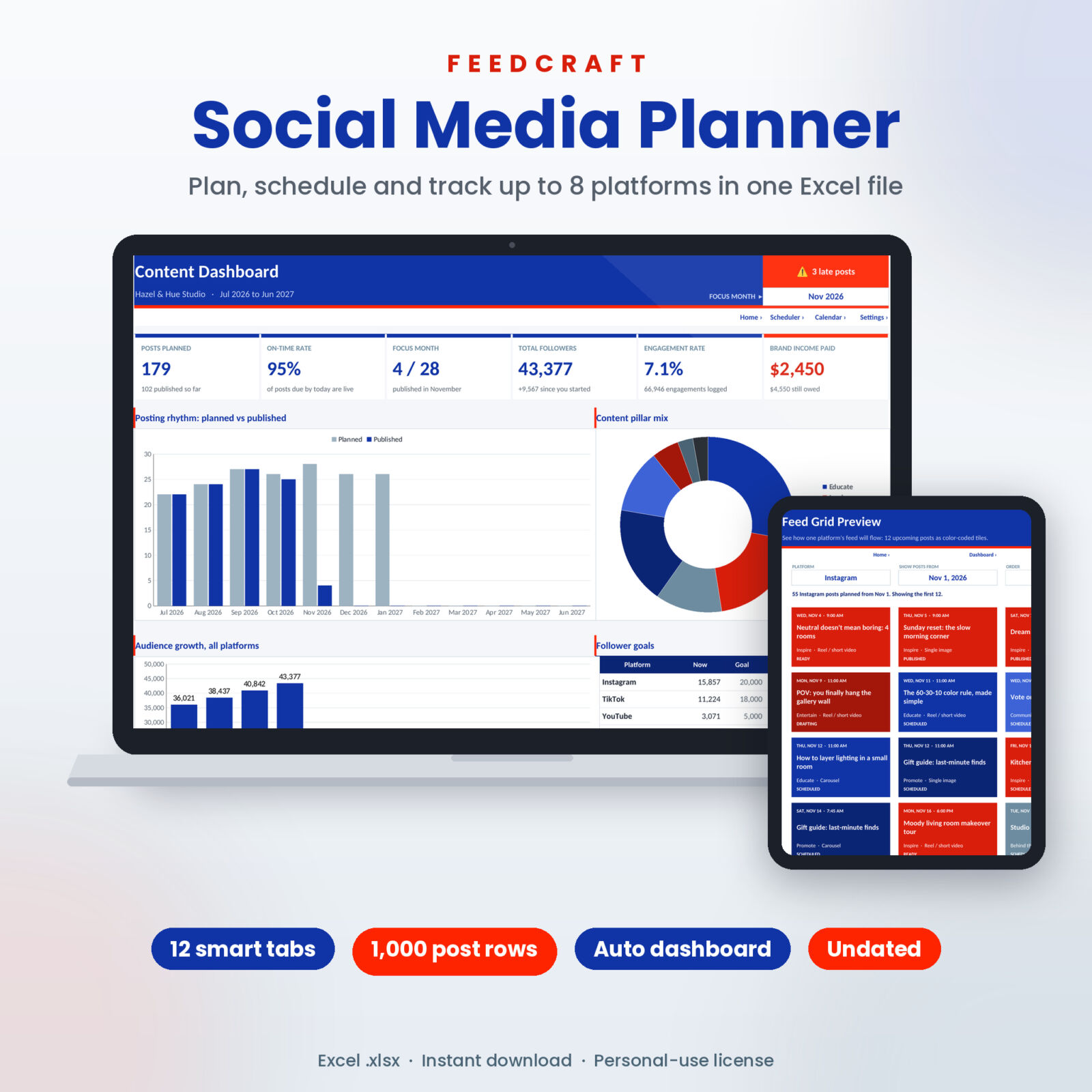
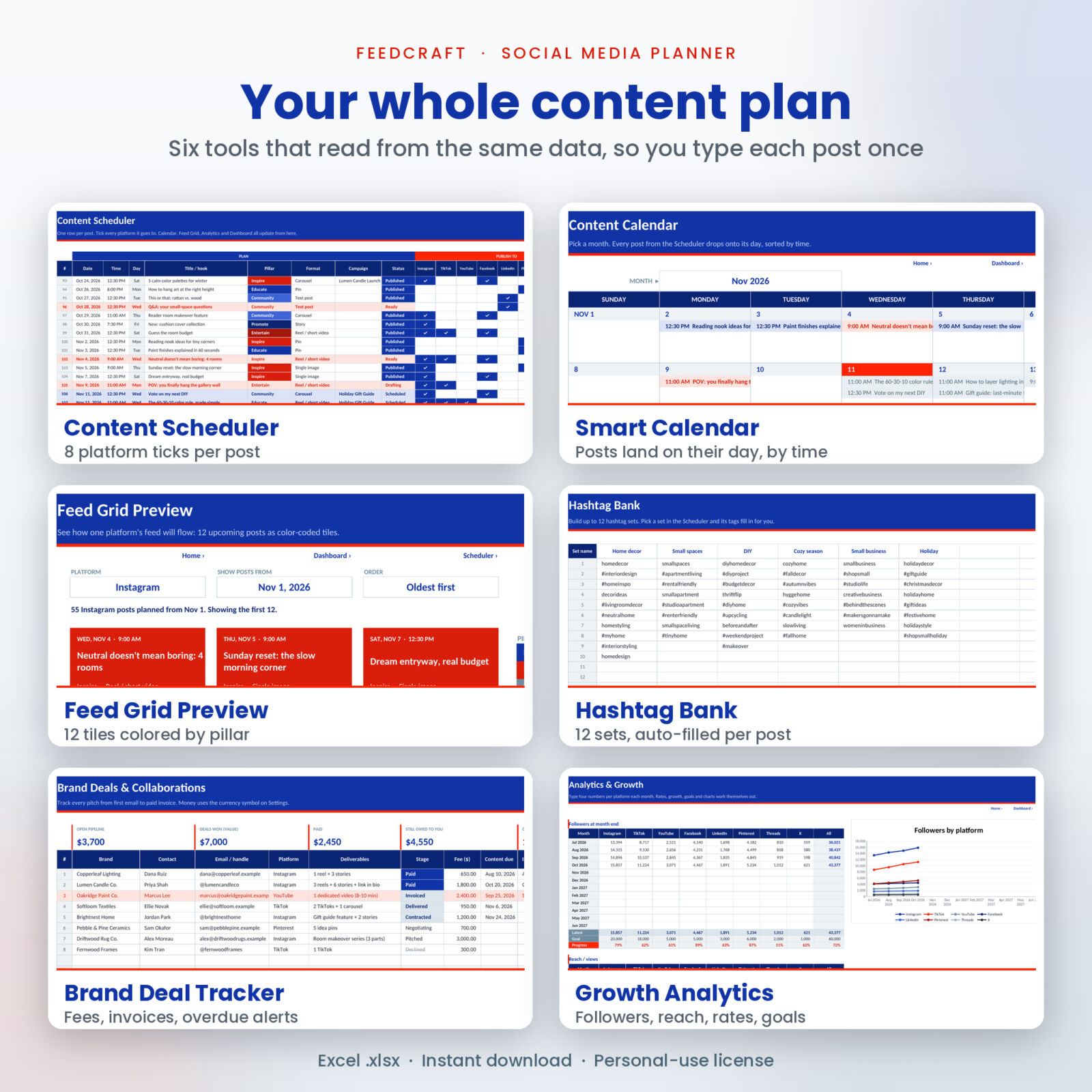
Feedcraft is a social media content planner spreadsheet for creators, small business owners and social media managers who post on more than one platform. You plan each post once on a single row, tick every platform it goes to, and the rest of the workbook follows: the monthly calendar, the feed grid, the analytics tables and a dashboard with 6 live charts.
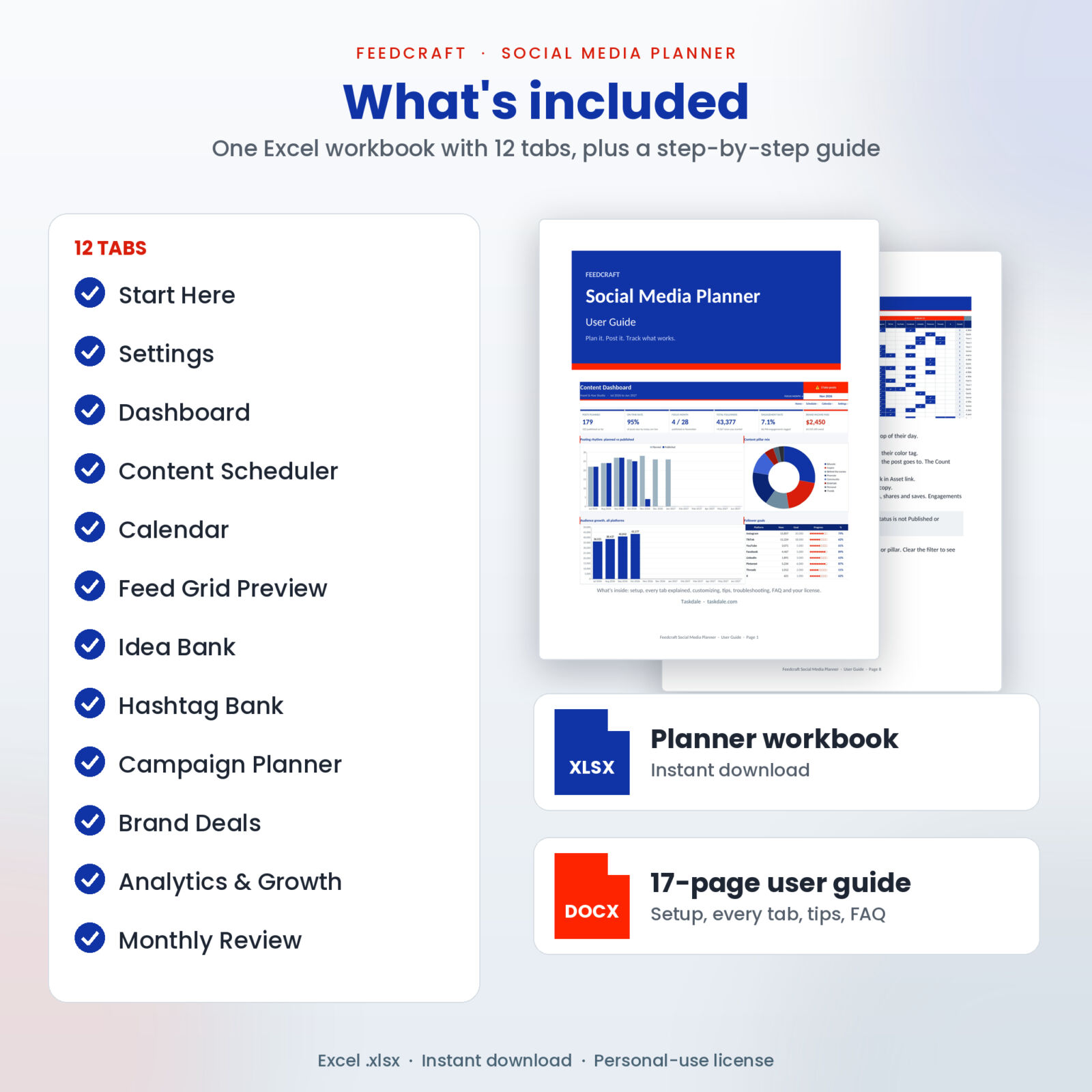
It’s one Excel workbook (.xlsx) with 12 tabs and a 17-page user guide. No macros, no add-ons, no subscription.
What this social media planner does
Most content calendars stop at a list of dates. Feedcraft connects the planning, the posting and the results, so you can see what’s coming up, what’s late and what’s working without copying numbers between tabs.
- Plan up to 1,000 posts with date, time, title, pillar, format, campaign, status, caption, call to action, hashtags and an asset link.
- See each month on a calendar that sorts posts by time, and preview one platform’s feed as 12 color-coded tiles.
- Track views, likes, comments, shares and saves per post, plus monthly followers, reach, engagement and clicks per platform.
- Earn: log brand deals from first pitch to paid invoice, with overdue alerts.
Who it’s for
- Content creators and influencers posting 3 to 20 times a week.
- Small business owners who run their own Instagram, TikTok, Facebook or Pinterest.
- Coaches, freelancers and service providers who want a steady posting rhythm.
- Social media managers who keep one planner per account they run.
Features
Content Scheduler (1,000 posts)
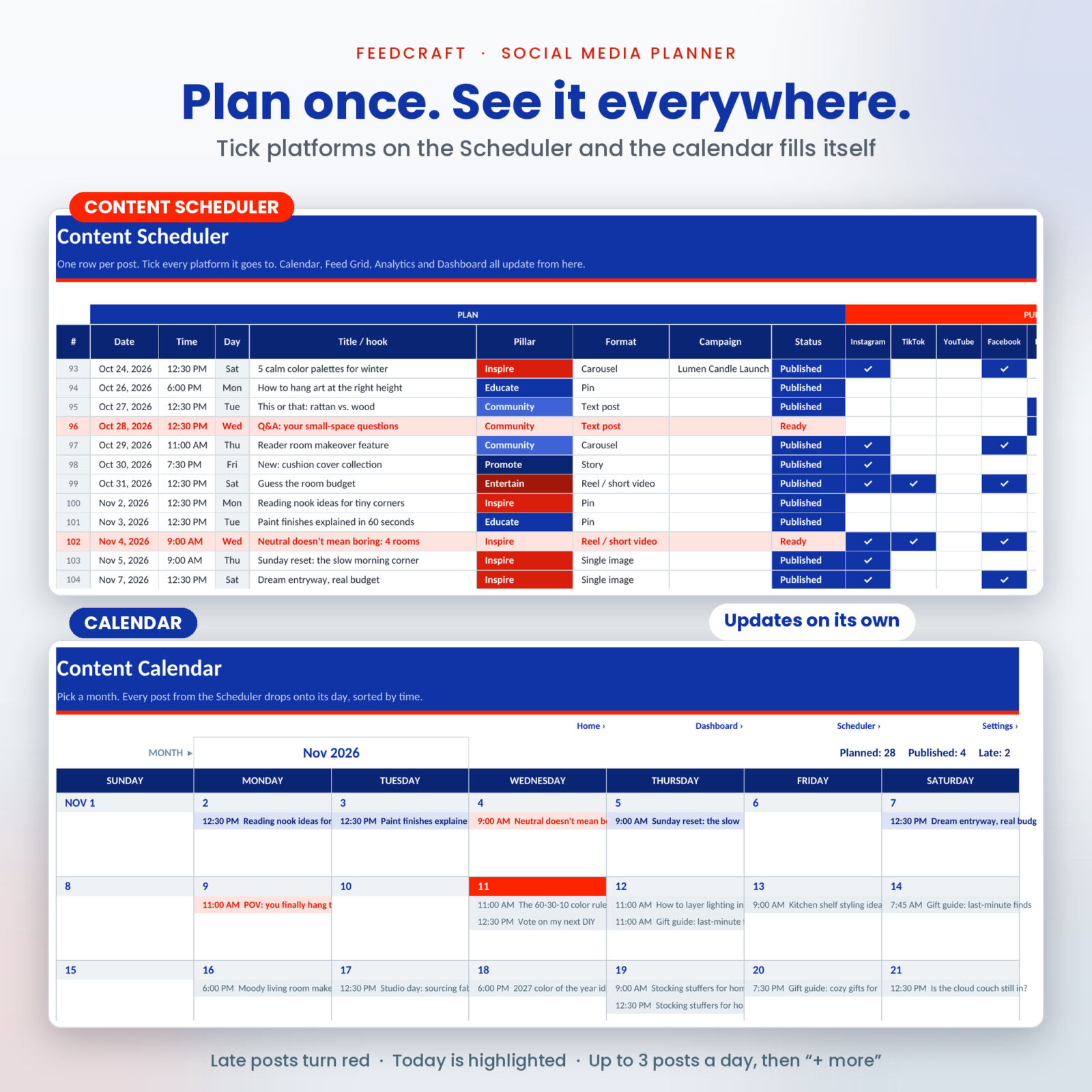
One row per post. Pick the pillar, format, campaign and status from dropdowns, then tick each of your 8 platforms. Posts past their date that aren’t Published turn red; today’s posts turn blue. Pick a hashtag set and the tags fill in. Add results after posting and the engagement rate works itself out.
Content calendar
Choose a month and every post lands on its day in time order, color-coded by status. Busy days show the first 3 posts and a “+ 2 more” note. Sunday or Monday week start.
Feed Grid Preview
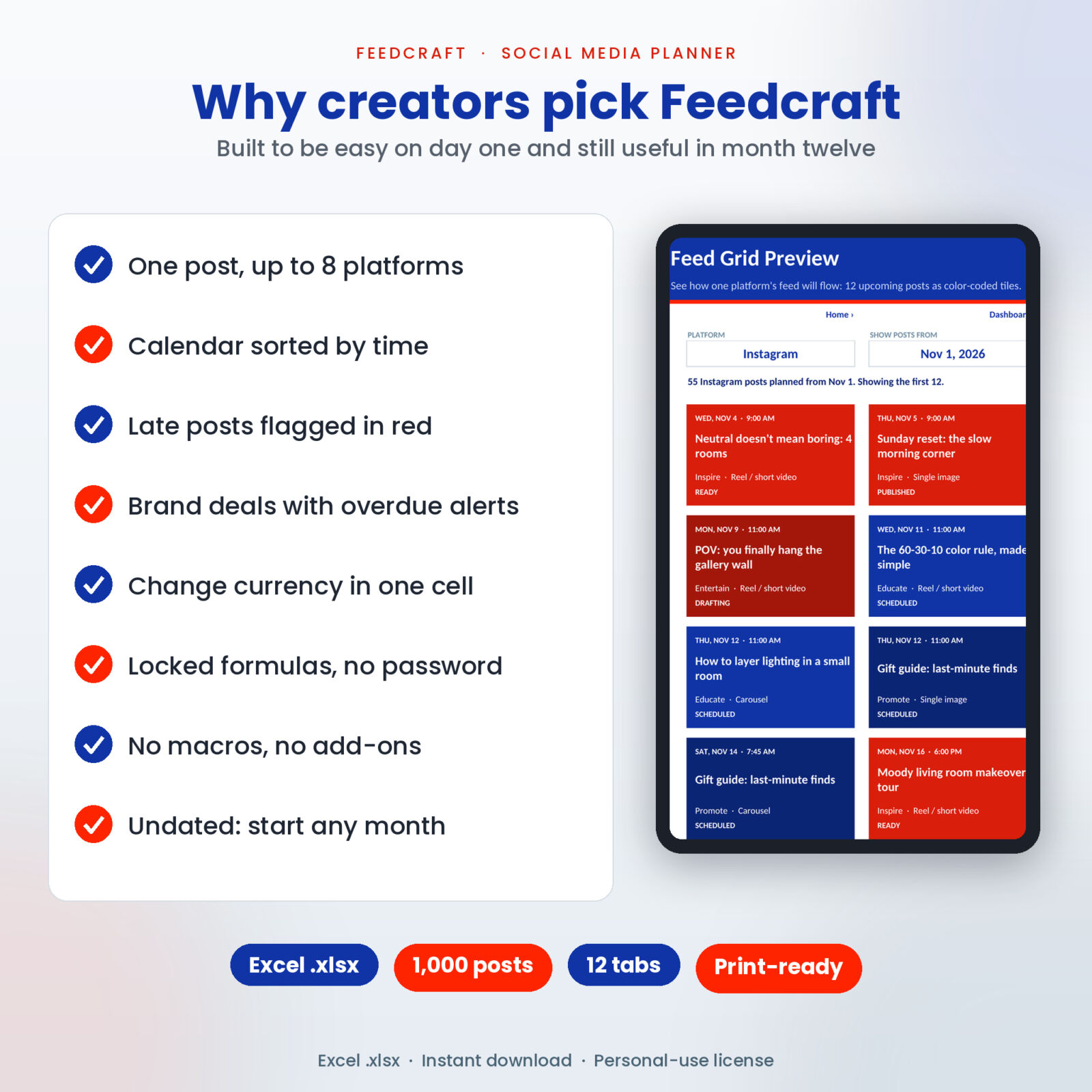
Pick a platform and a start date to see the next 12 posts as tiles colored by content pillar. Three tiles of the same color in a row? Time to swap something. The tiles show text, not images.
Dashboard
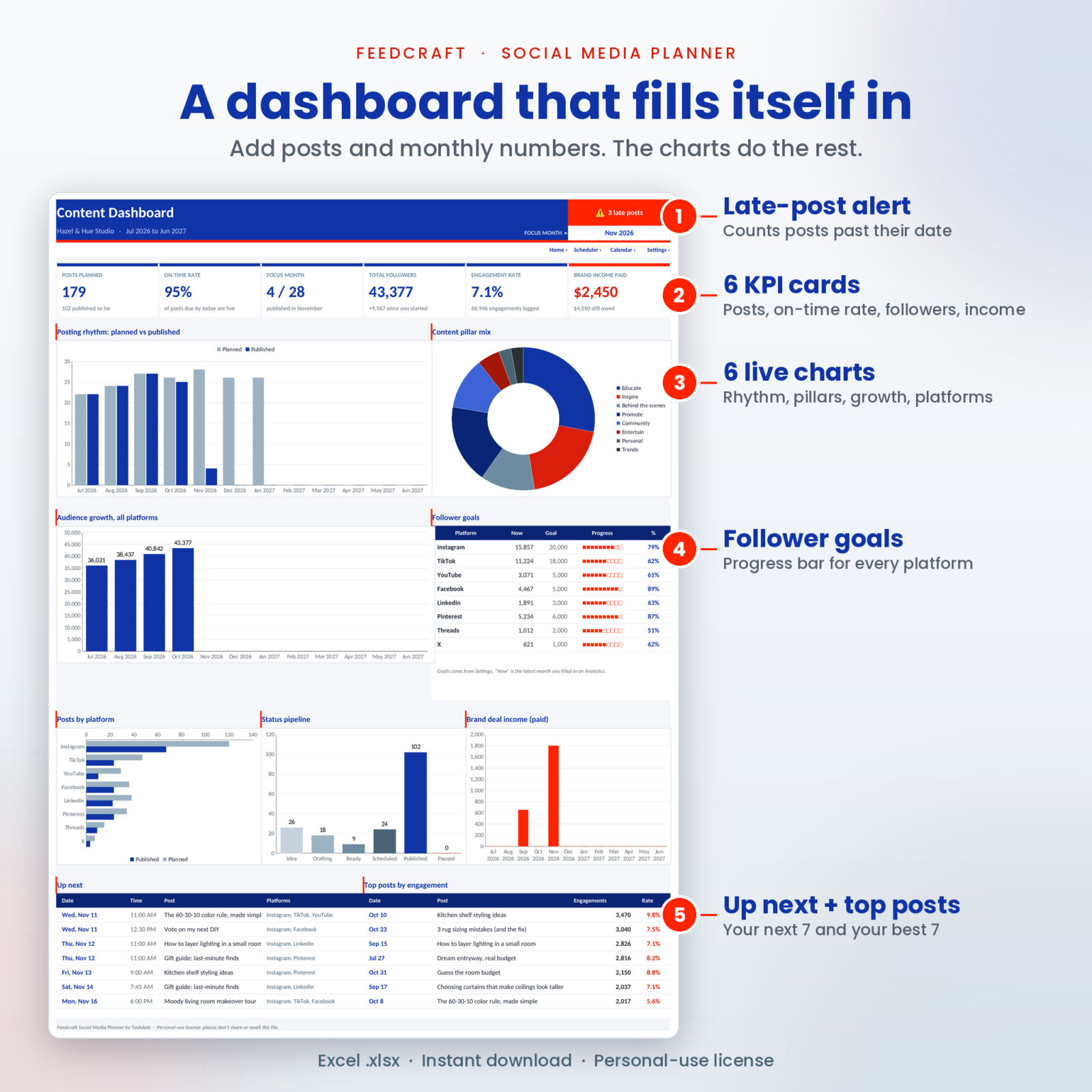
- 6 KPI cards: posts planned, on-time rate, focus month progress, total followers, engagement rate and brand income paid.
- 6 charts: planned vs published, pillar mix, audience growth, posts by platform, status pipeline and brand income.
- Follower goal bars for every platform, your next 7 posts and your top 7 posts by engagement.
- A late-post alert in the corner.
Idea Bank, Hashtag Bank and Campaign Planner
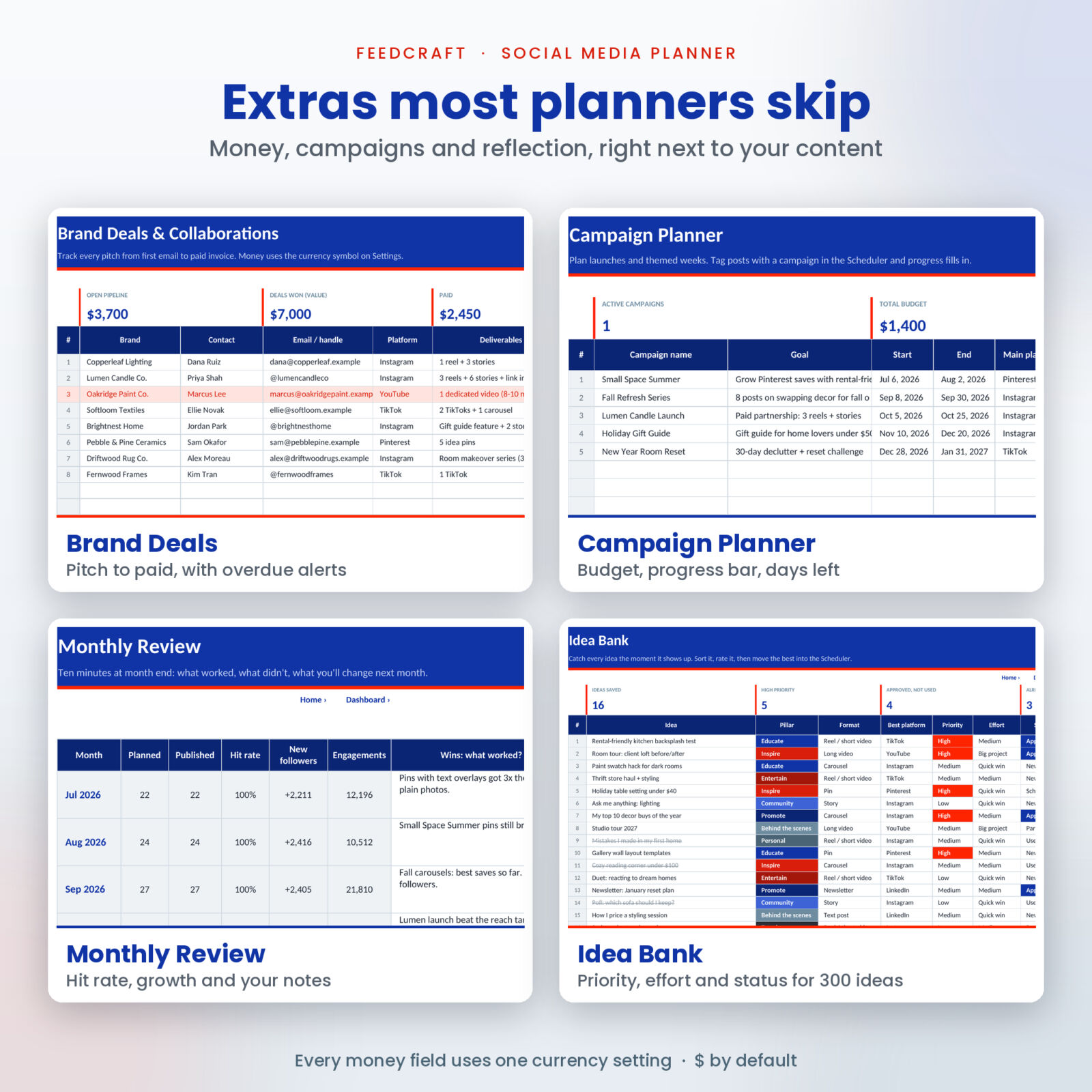
Save 300 ideas with priority, effort and status. Build 12 hashtag sets of up to 20 tags with a ready-to-paste line. Plan 50 campaigns with dates, budget, spend, a progress bar and days left.
Brand Deal Tracker
Track 100 collaborations: contact, deliverables, stage, fee, content due date, invoice date, payment due and paid date. The tab shows your open pipeline, deals won, amount still owed, overdue invoices and win rate.
Analytics and Monthly Review
Type four numbers per platform each month. Engagement rate, new followers, posts published and goal progress fill in, with 3 charts. The Monthly Review adds hit rate and space for wins, lessons and next month’s focus.
What’s included
- Feedcraft Social Media Planner (.xlsx) with 12 tabs: Start Here, Settings, Dashboard, Scheduler, Calendar, Feed Grid, Idea Bank, Hashtags, Campaigns, Brand Deals, Analytics and Monthly Review.
- Feedcraft User Guide (.docx, 17 pages): setup, every tab, customizing, tips, troubleshooting and FAQ.
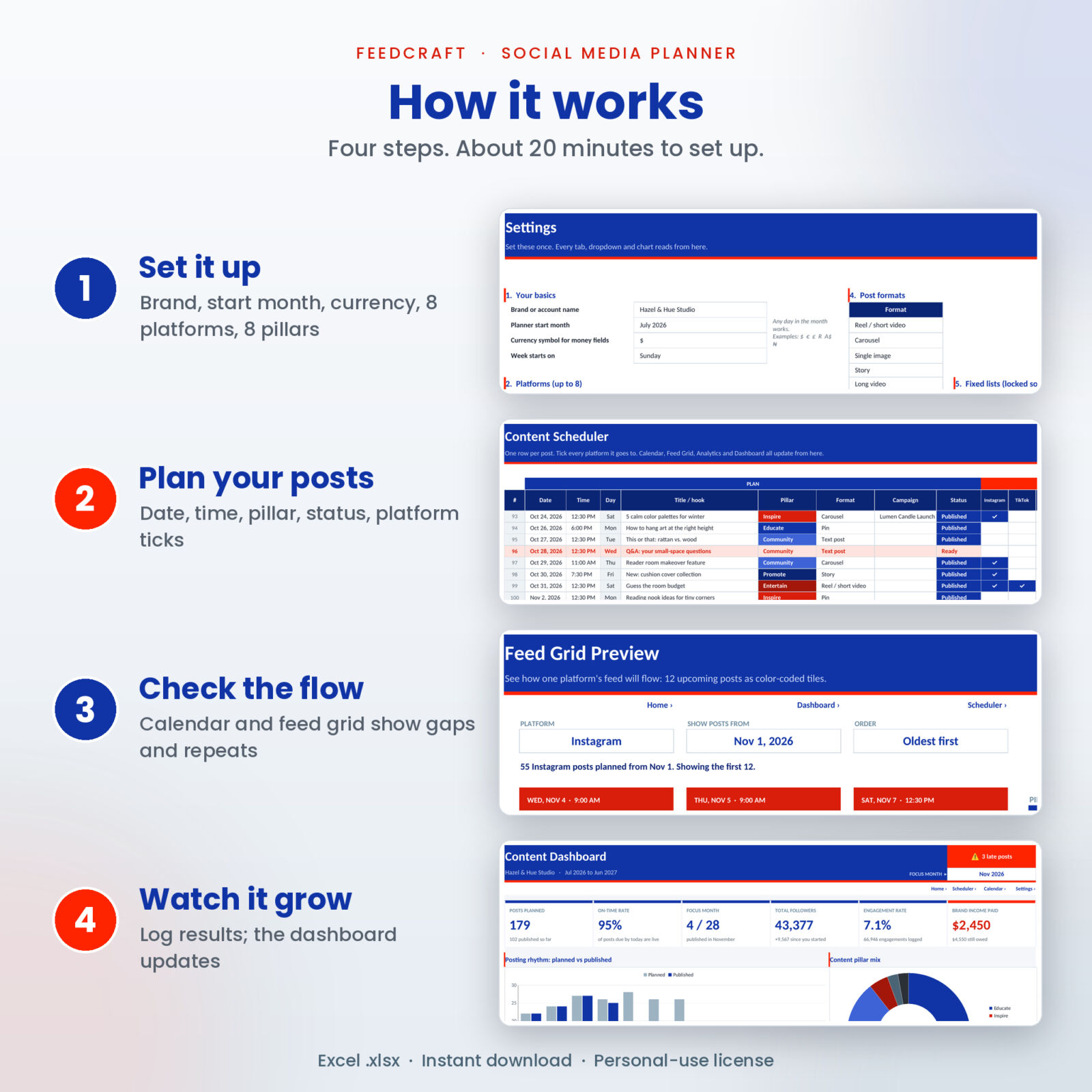
How it works
- Download the files right after checkout.
- Open Settings and add your brand name, start month, currency symbol, platforms and content pillars. About 20 minutes.
- Add ideas and posts. Tick the platforms for each post.
- Check the calendar and feed grid, then log your results. The dashboard updates on its own.
File format and software
- Excel workbook (.xlsx) for a laptop or desktop spreadsheet app.
- Built with standard formulas only: no macros, no add-ons, no Microsoft 365-only functions.
- Every formula, dropdown, chart and color rule was tested in LibreOffice Calc.
- Not built for Google Sheets or Apple Numbers.
- Each tab is set up to print on US Letter, landscape.
Make it yours
Rename your 8 platforms, 8 content pillars and 12 post formats on the Settings tab, and every header, dropdown and chart follows. Money fields read from one currency cell, so you can switch from $ to €, £ or any symbol in a second. Formula cells are locked without a password, so you can unlock a sheet if you want to restyle it.
Real ways people use it
- A home decor creator batches 2 weeks of reels and carousels every Sunday and checks the feed grid before posting.
- A bakery owner plans holiday promos as a campaign and watches the progress bar fill as posts go live.
- A fitness coach logs brand deals and sees which invoice is 12 days overdue.
- A social media manager keeps one copy per client account and reviews hit rate at month end.
Digital download
This is an instant digital download. No physical item ships. Your files appear on the order confirmation page and in your Taskdale account.
FAQ
Is this social media planner dated?
No. Pick any start month and it covers the next 12 months. Reuse it each year.
How many posts can I plan?
1,000 posts per file, and each post can go to up to 8 platforms.
Which platforms does it support?
Any 8 you choose. It comes set up with Instagram, TikTok, YouTube, Facebook, LinkedIn, Pinterest, Threads and X, and you can rename them.
Does it post for me?
No. It’s a planner and tracker. You still publish in each app or your scheduling tool.
Does it work in Google Sheets?
It isn’t built for Google Sheets. Use a spreadsheet app that opens .xlsx files on a computer.
Can I change the currency?
Yes. Change one cell on Settings and every money heading and total uses your symbol. $ is the default.
Can I use it for my clients?
You can plan client work in your own copy. The license is personal: you can’t share, resell or hand the file to anyone.
License
Personal-use license for one buyer. Please don’t share, resell, upload or give away the files, edited or not. © Taskdale.

Reviews
There are no reviews yet.