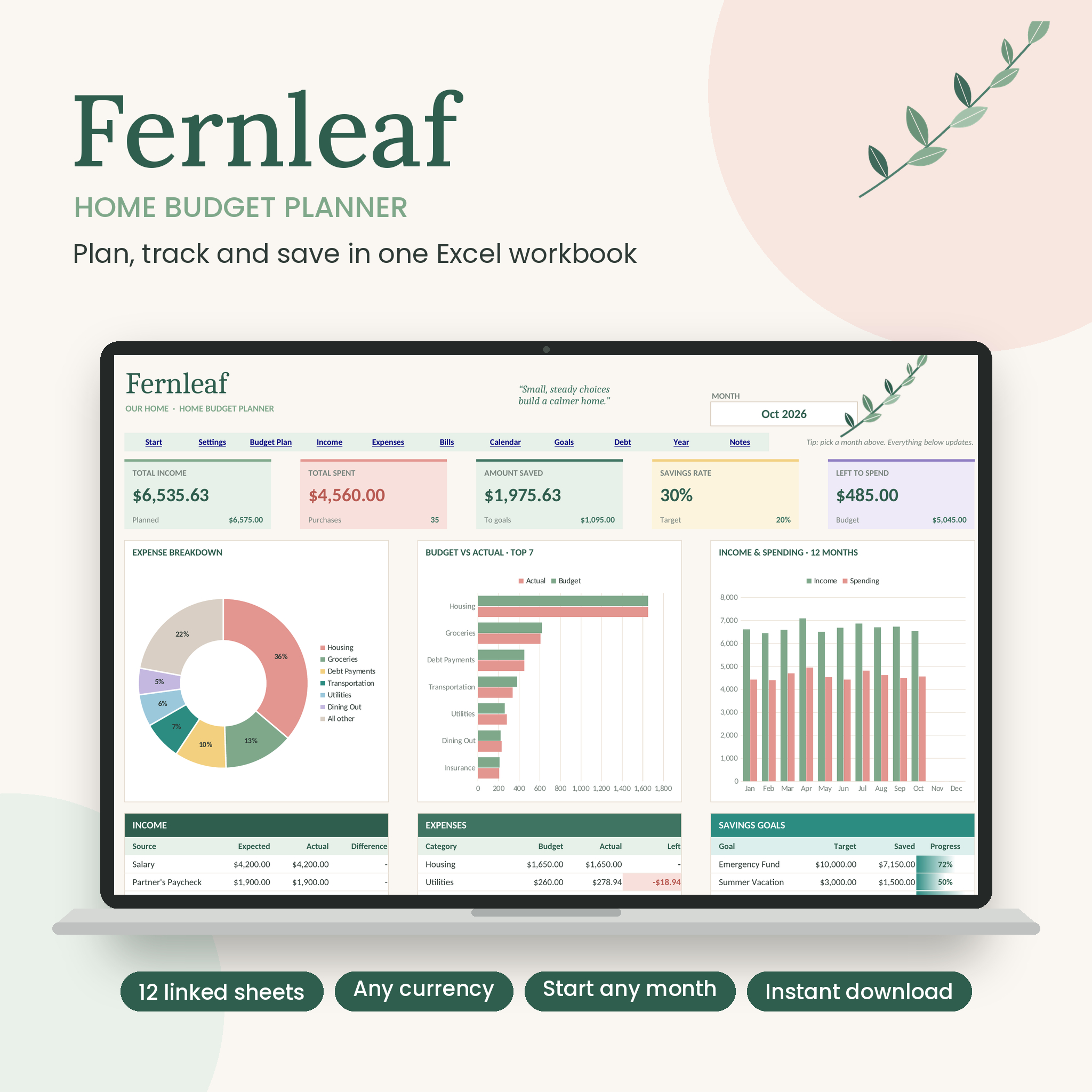
The Fernleaf Home Budget Planner is a budget planner spreadsheet for Microsoft Excel that puts your whole household money picture in one file. Plan the month, log what you spend, tick off bills, fill your savings pots and chip away at debt. Then pick any month on the dashboard and see exactly where you stand.
It was built for real homes, not accountants. You type in the white boxes. Everything else works itself out.
What this budget planner spreadsheet does for you
Most budget templates make you copy a monthly tab twelve times, then fix the formulas when something breaks. Fernleaf skips all that. You log every purchase in one Expenses list and every paycheck in one Income list. The Dashboard pulls out whichever month you choose from a dropdown.
Your budget year can start in any month too. Buying in November? Start in November. The labels, charts and totals all follow.
Who it’s for
- Couples and families who want one shared view of household spending
- First-time budgeters who don’t want to learn spreadsheet formulas
- Anyone paying off a credit card or loan who wants a real debt-free date
- Savers with a few goals on the go, like an emergency fund, a trip and holiday gifts
Features
Monthly dashboard
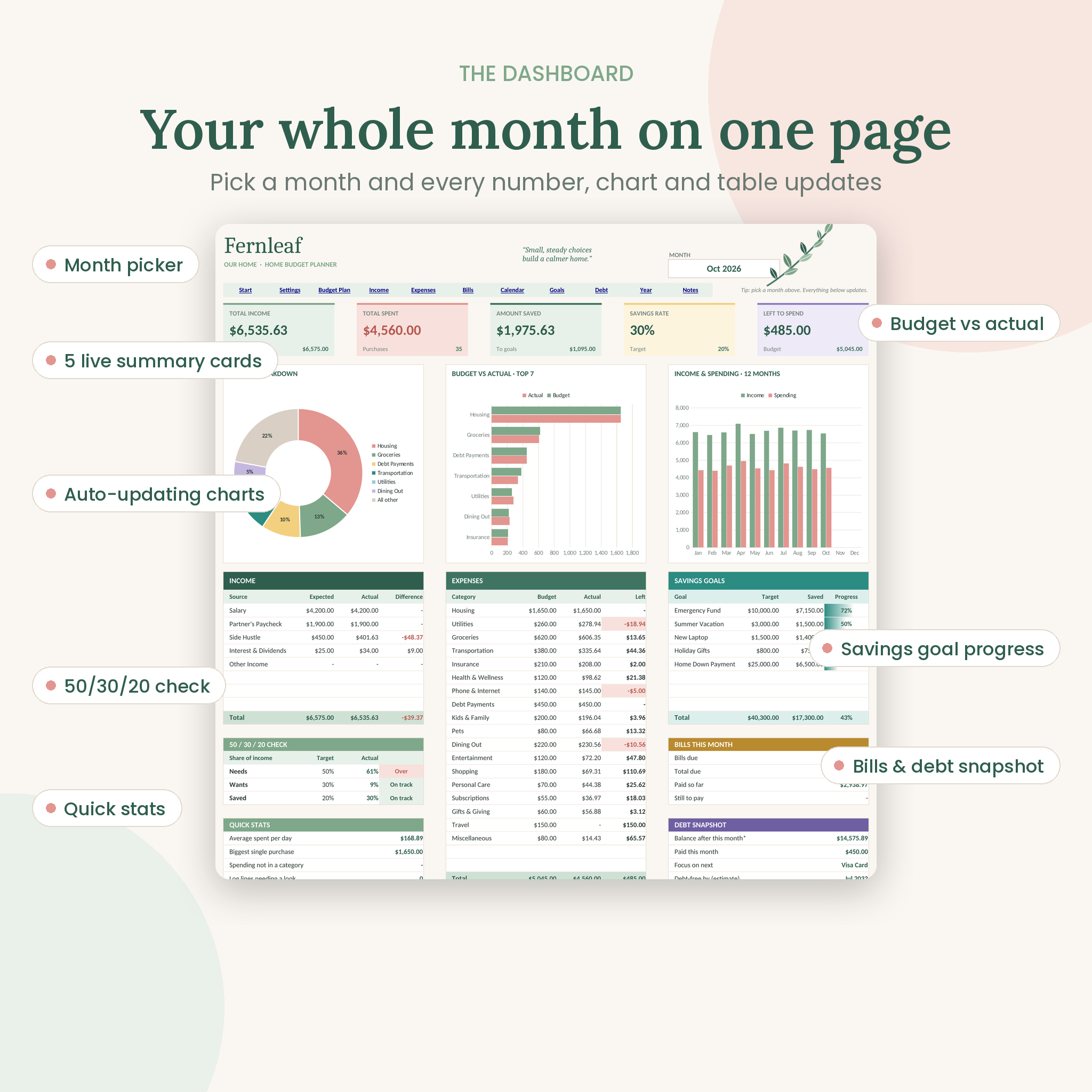
- Month picker at the top. Change it and the whole page updates.
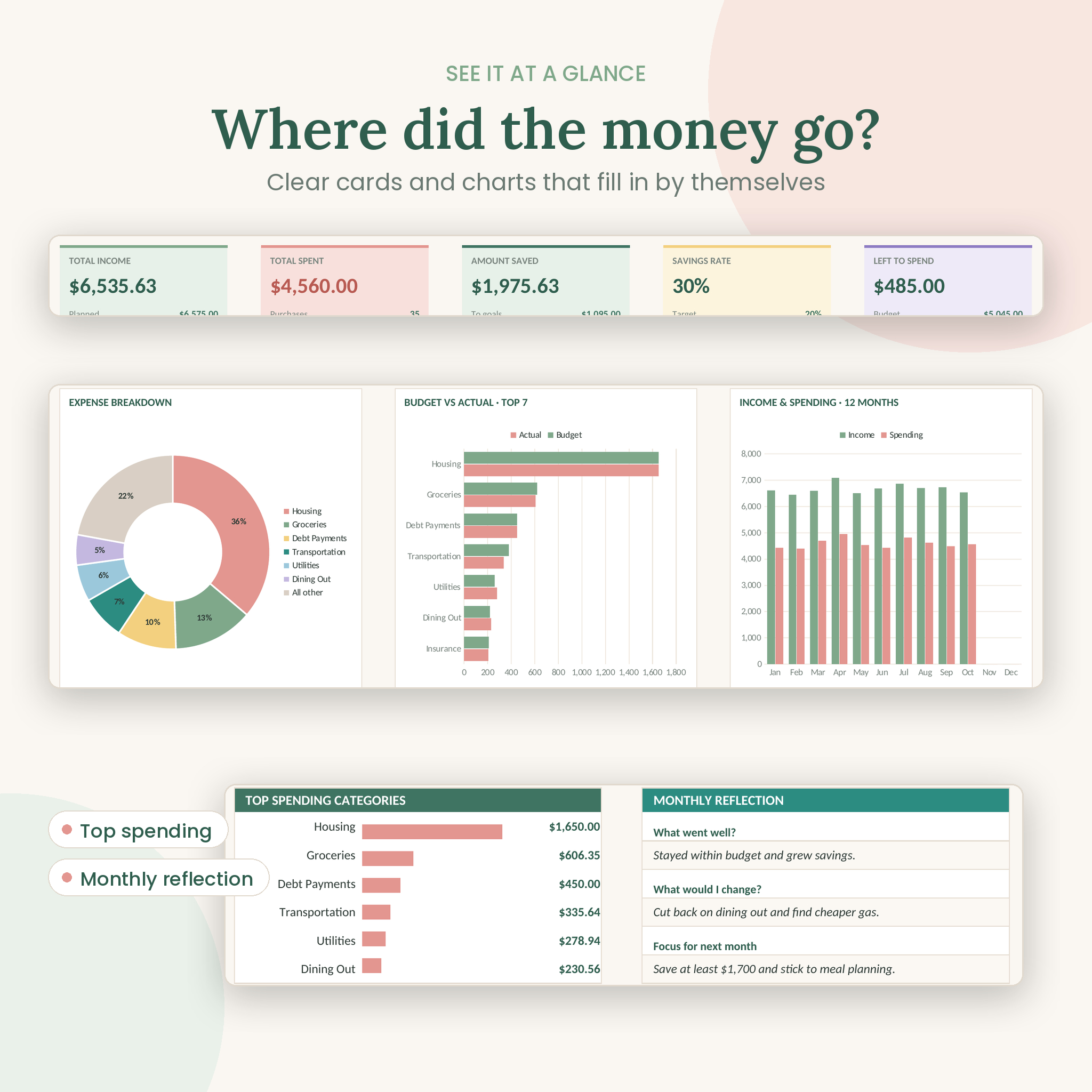
- Five summary cards: total income, total spent, amount saved, savings rate and left to spend.
- Three charts: expense breakdown, budget vs actual for your top 7 categories, and income vs spending across 12 months.
- Income and expense tables with expected, actual and difference. Overspent categories turn pink.
- A 50/30/20 check that shows your share of needs, wants and savings against your own targets.
- Quick stats: average spent per day, biggest purchase and any spending missing a category.
- Panels for savings goals, bills due this month, a debt snapshot, your to-do list and a monthly reflection.
Budget plan for 12 months
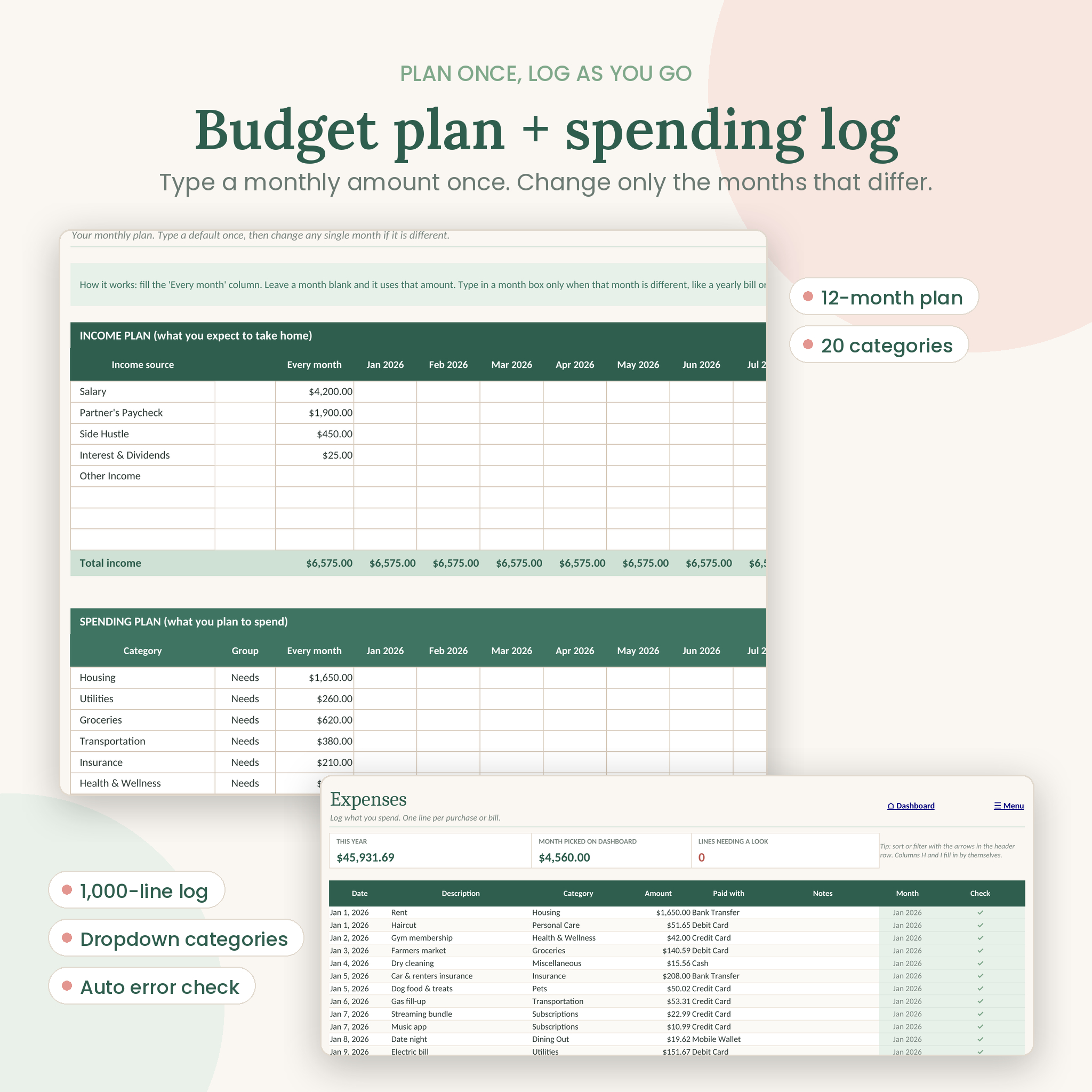
Plan up to 8 income sources and 20 spending categories. Type the usual amount once in the Every month column. For months that are different, like December gifts or a summer trip, type in that month only. Mark each category as a Need or a Want.
Income and expense tracker
Room for 1,000 expense lines and 300 income lines. Pick categories and payment methods from dropdowns. A Check column flags missing dates, missing amounts, old category names and dates outside your budget year, so mistakes don’t hide in your totals.
Bills and subscriptions tracker
List up to 30 bills: monthly, quarterly, every 6 months or yearly. Due months are shaded, and you tick each one off when it’s paid. Per month and per year columns show what each bill really costs.
Bill calendar
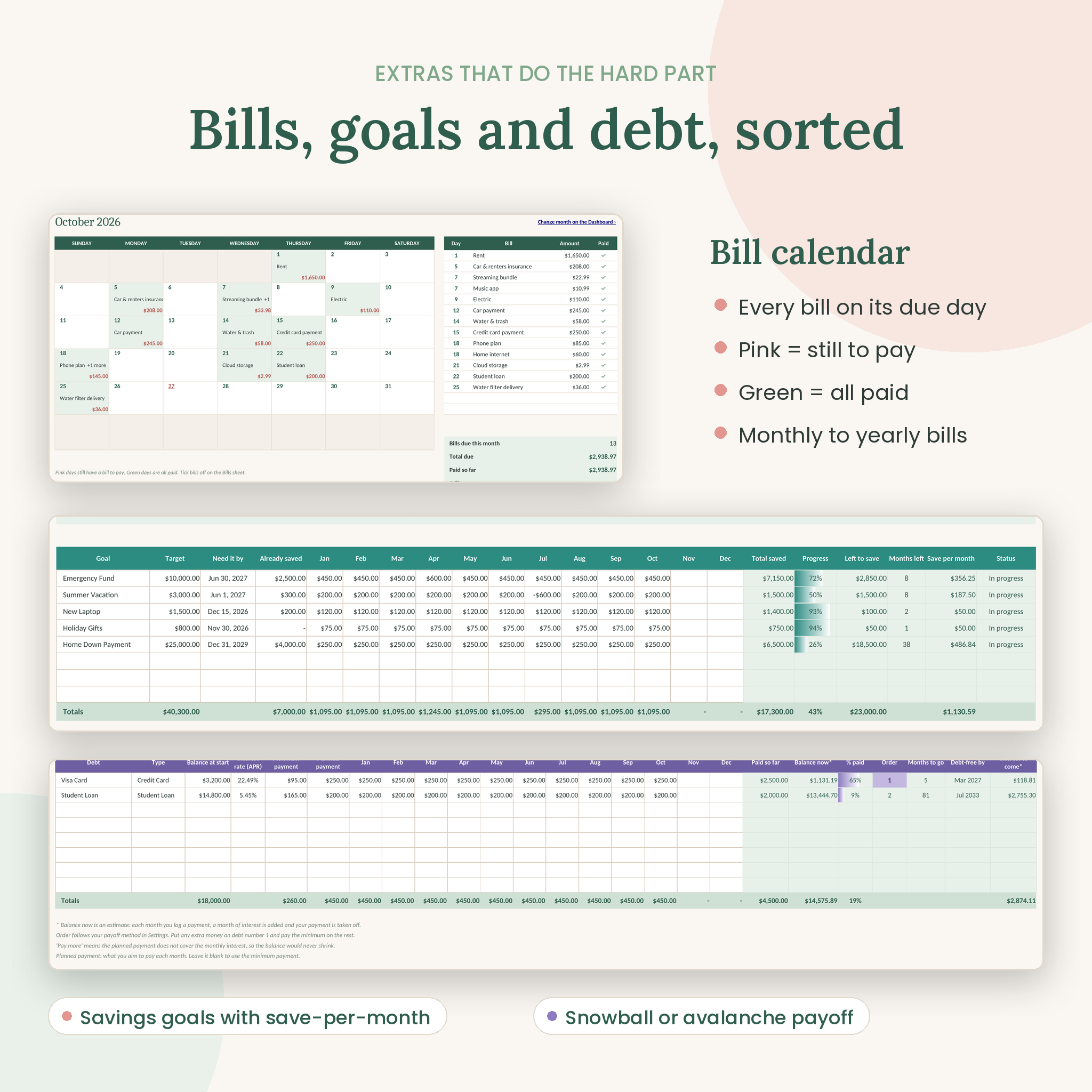
A month view with every bill on its due day. Pink days still have something to pay and green days are all clear. A list beside it shows the month’s bills in date order with totals.
Savings goals and sinking funds
Track up to 8 goals with a target and a due date. The planner shows your progress, what’s left and how much to save each month to make it in time.
Debt payoff tracker
Track up to 8 debts. Choose snowball (smallest balance first) or avalanche (highest interest first) in Settings and the sheet tells you which debt to focus on. You also get an estimated balance with interest, months to go, a debt-free date and the interest still to come.
Year overview
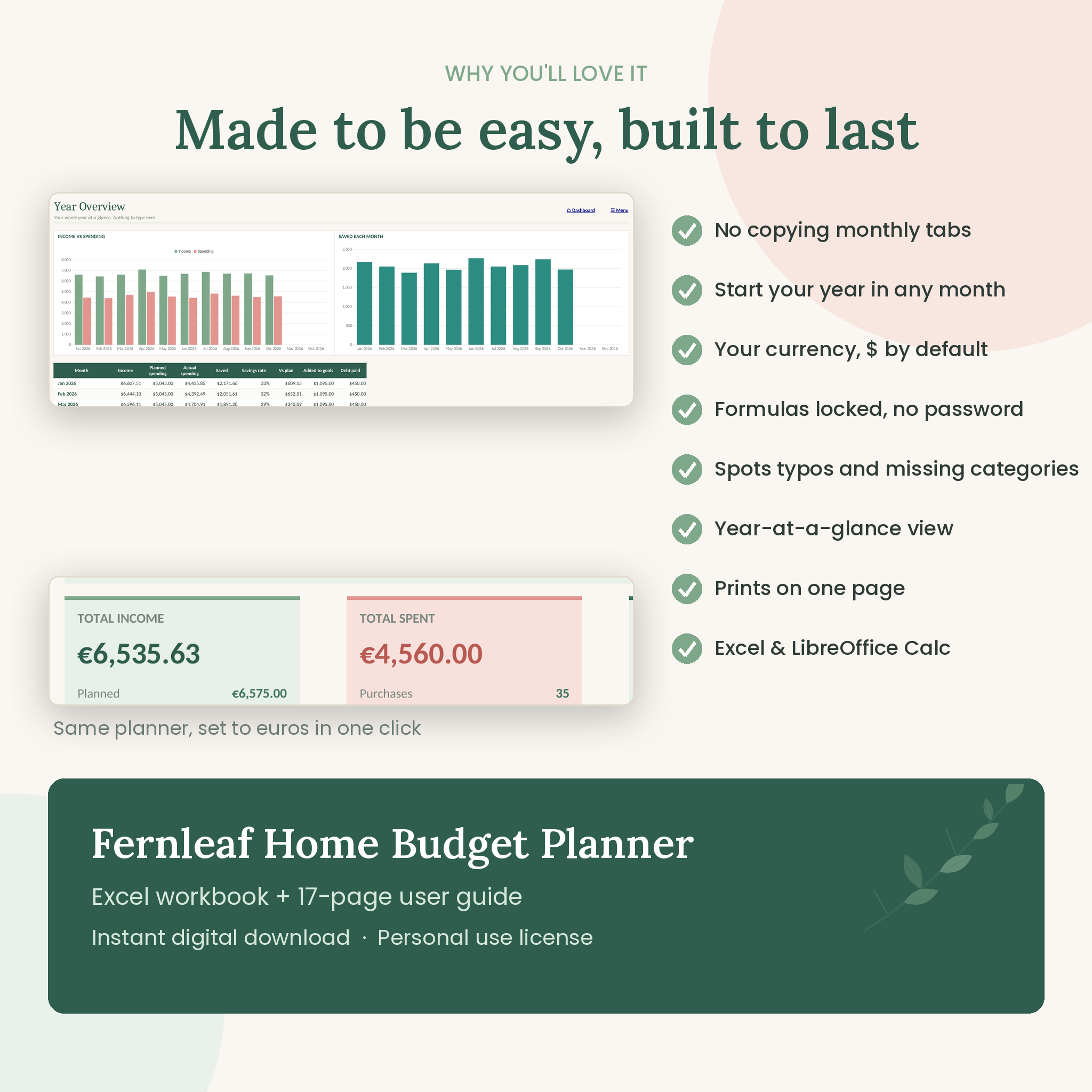
All 12 months side by side, with two charts and a category-by-month table that shades your bigger spending months.
Notes and reflection
Three short prompts for each month and a 60-line to-do list. The Dashboard shows the current month’s notes and first six tasks.
What’s included
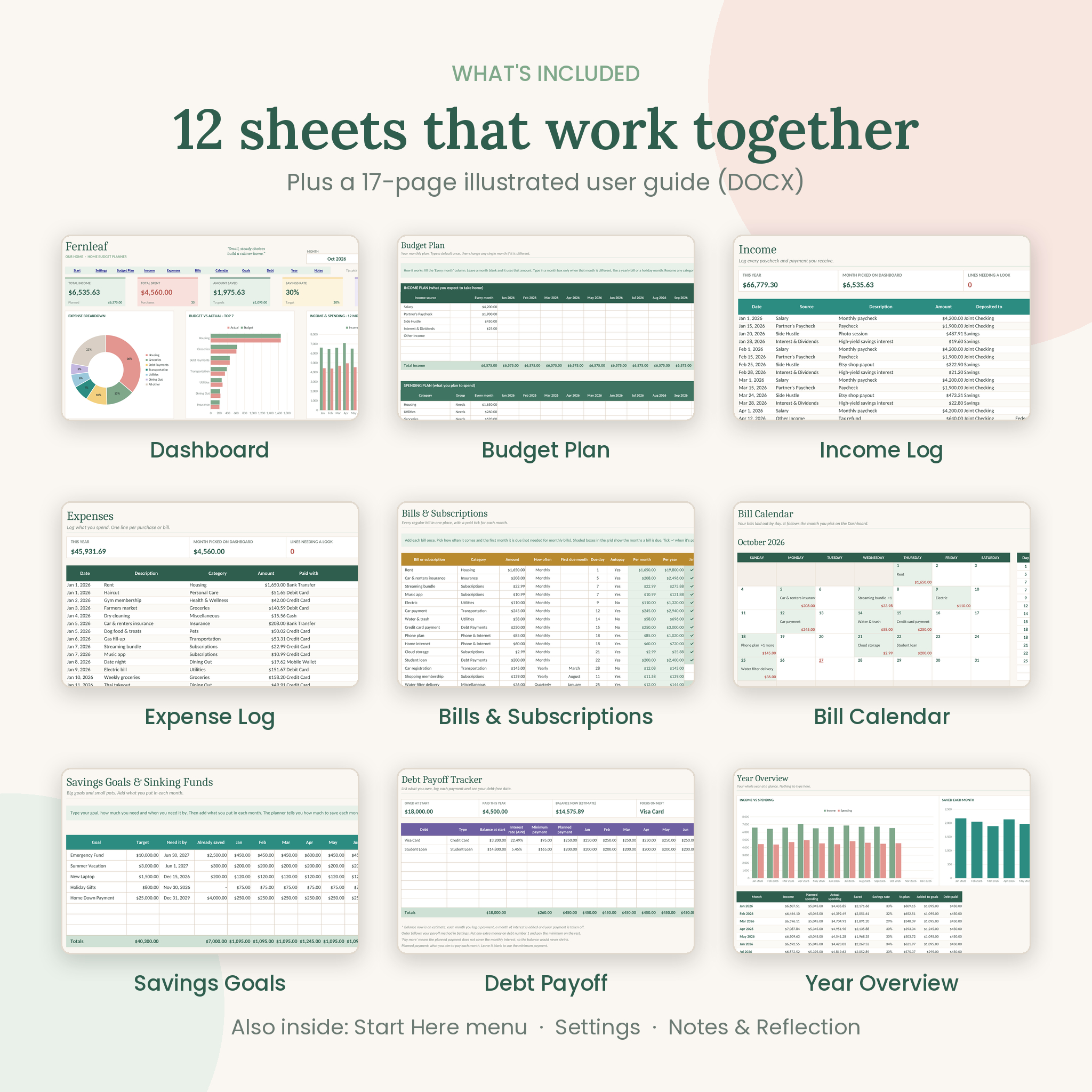
- Fernleaf Home Budget Planner (.xlsx) with 12 sheets: Start Here, Settings, Dashboard, Budget Plan, Income, Expenses, Bills, Bill Calendar, Savings Goals, Debt Payoff, Year Overview and Notes
- Fernleaf User Guide (.docx), 17 pages with screenshots, tips, troubleshooting and FAQs
How it works
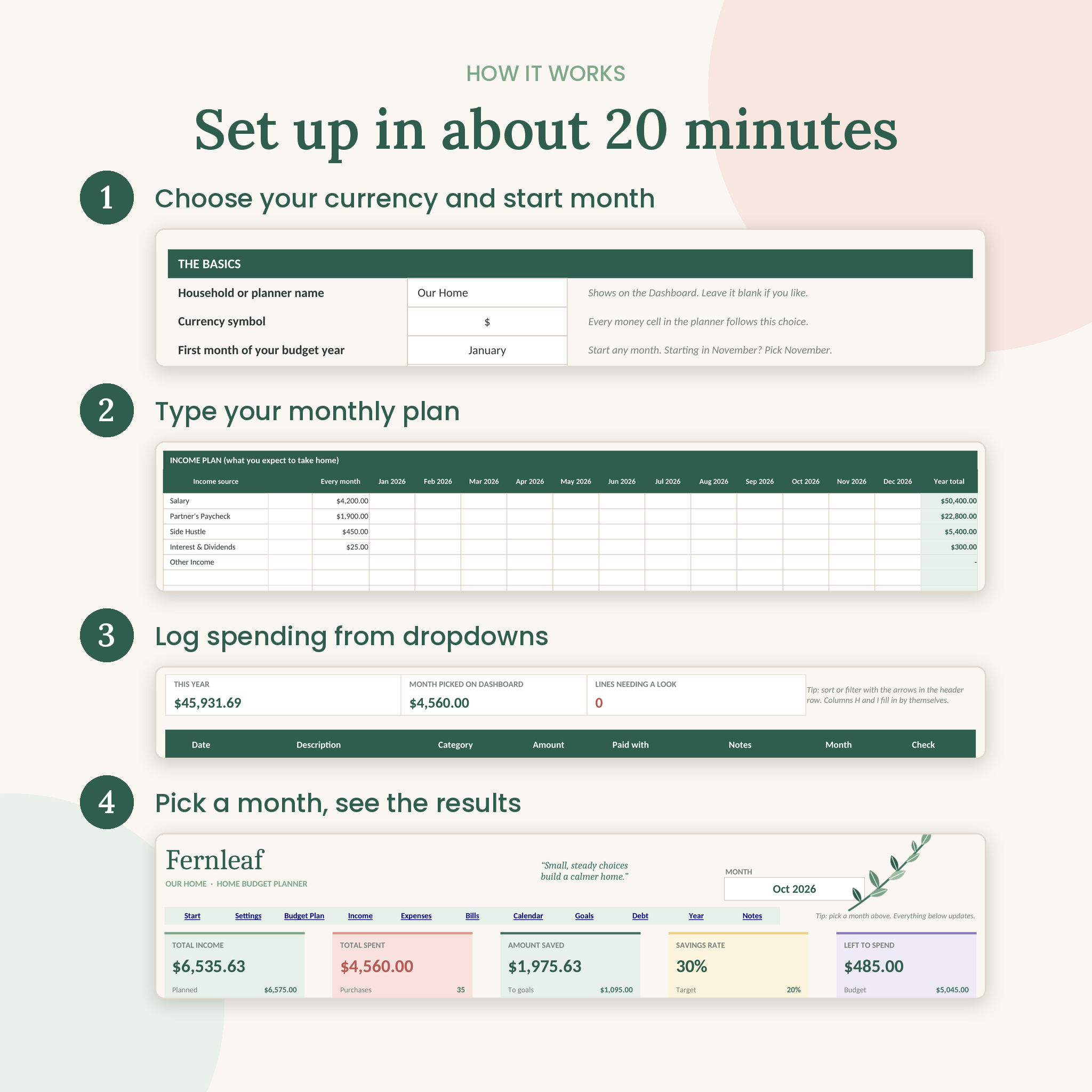
- Settings: pick your currency, the first month of your budget year and the year.
- Budget Plan: type your expected income and planned spending.
- Bills: add regular bills once.
- Income and Expenses: log money in and out as it happens.
- Dashboard: pick a month and see the results.
The first setup takes about 20 minutes. After that, a few minutes a week keeps it current.
File format and software
- File type: Excel workbook (.xlsx)
- Works in Microsoft Excel for Windows and Mac (Excel 2016 or later, or Microsoft 365)
- Also works in LibreOffice Calc, which is free
- Not made for Google Sheets, Apple Numbers or Excel mobile apps
- User guide: Word document (.docx)
Make it yours
Rename any category or income source and the change shows up everywhere. Choose from 14 currency symbols, including $, €, £, ¥, ₹, R, A$ and C$, and every money cell follows. Dollars are the default. Formula cells are locked to keep them safe, but there’s no password, so you can unprotect a sheet to change colors or fonts.
Real ways people use it
- A couple sitting down on Sunday to log the week and check the dashboard together
- A family planning for back-to-school costs months ahead using the month columns
- Someone clearing a credit card with the snowball method and watching the date move closer
- A saver building an emergency fund and a vacation pot side by side
- Printing the dashboard each month as a one-page money report
Instant digital download
This is a digital product. No physical item will be shipped. You can download both files right after checkout. Prices and screenshots show sample numbers in US dollars. The file you receive is blank and ready for your own numbers.
License: for personal use in your own household. Please don’t share, resell or redistribute the files.
FAQ
Do I need Excel skills to use this budget spreadsheet?
No. If you can type a number and pick from a dropdown, you’re set. A Start Here sheet and the user guide walk you through it.
Does it work with Google Sheets?
No. It’s made for Microsoft Excel and LibreOffice Calc. Some charts, dropdowns and the currency setting don’t carry over to Google Sheets.
Can I use my own currency?
Yes. Pick one of 14 symbols in Settings, or choose None for plain numbers.
Do I have to start in January?
No. Your 12-month budget can start in any month of any year.
How many transactions can I track?
Up to 1,000 expenses and 300 income entries per file, which is about 80 purchases a month.
Will it work on a Mac?
Yes, in Excel for Mac 2016 or later, or Microsoft 365.
Can I reuse it next year?
Yes. Save a copy, clear the logs and change the year in Settings. Your categories, bills and goals stay in place.

Reviews
There are no reviews yet.