
FitPulse Training Log: Fitness Planner And Workout Tracker
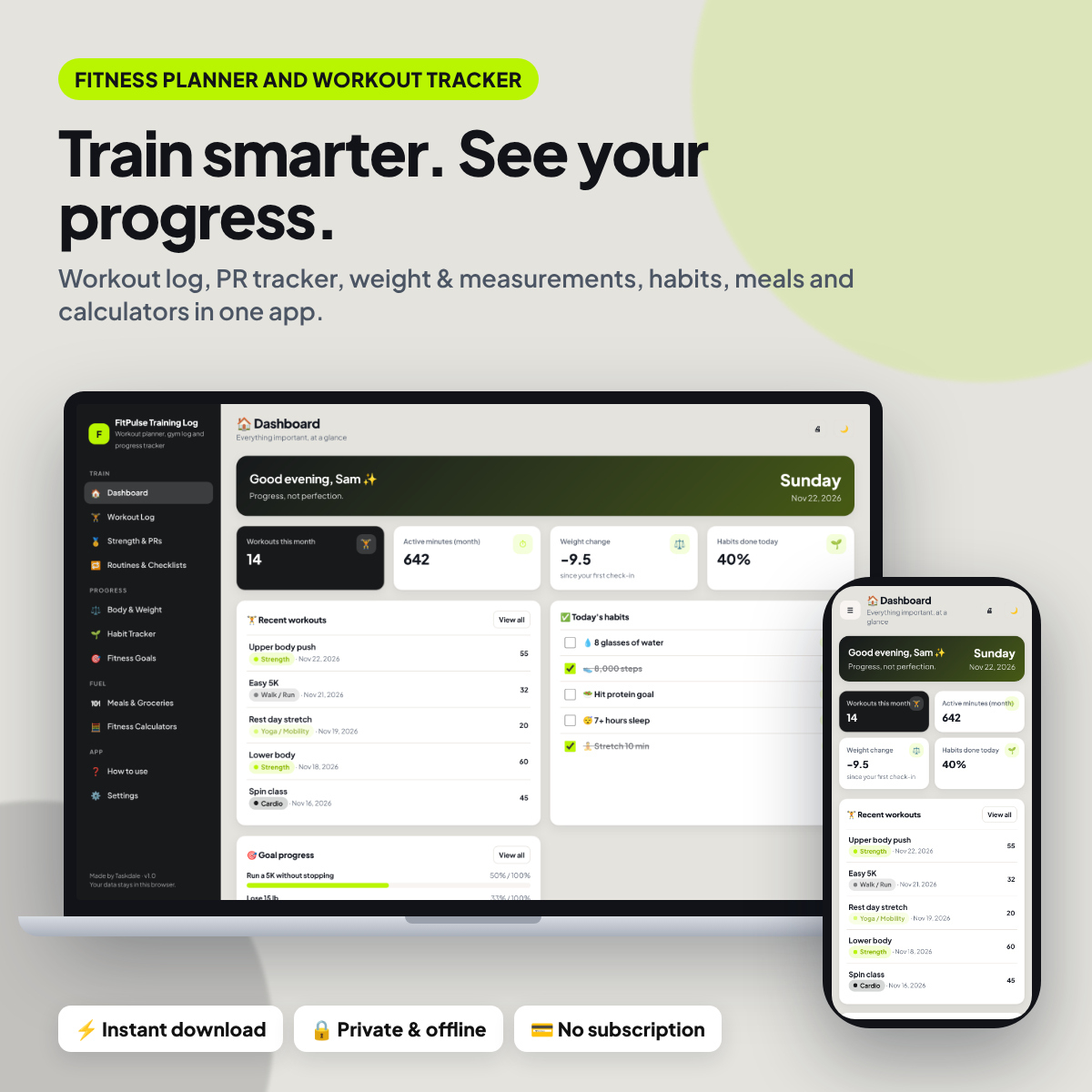
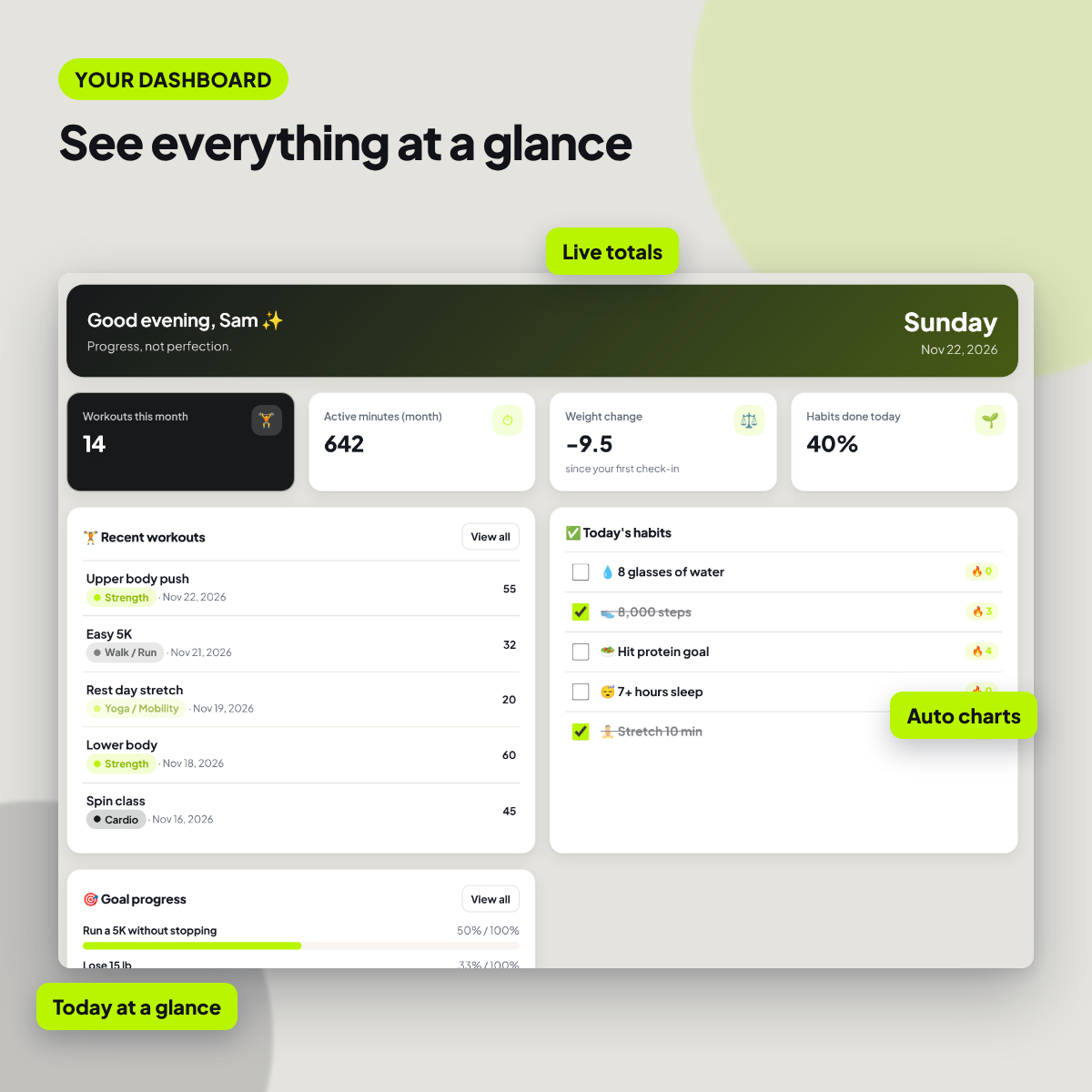
FitPulse Training Log is a fitness planner and workout tracker that replaces your gym notes app, your weight-loss spreadsheet and your habit tracker with one clean dashboard. Log a workout in seconds, tick off sets on your phone at the gym, and watch your minutes, calories, strength and weight trends update on their own.
It is built for real progress, not vanity numbers: weekly body check-ins smooth out daily scale noise, the strength page tracks volume and personal records for every lift, and the calculators give you a calorie and protein target to plan meals around.
Who this fitness planner and workout tracker is for
- Gym-goers who want a simple workout log and PR tracker
- Anyone on a weight-loss or body-recomposition journey
- Runners, walkers and home-workout fans tracking active minutes
- Beginners who want structure without a complicated app
- Coaches who want a printable progress snapshot for clients
Main benefits
- See progress, not guesswork
- Log a workout in seconds
- Works offline and private
- No account or subscription
- Phone, tablet & desktop layouts
- Dark mode + any currency
- Sample data to learn fast
- Backup, CSV export & print
Features of the fitness planner and workout tracker
- Dashboard: Your overview with live totals, charts and what needs attention next.
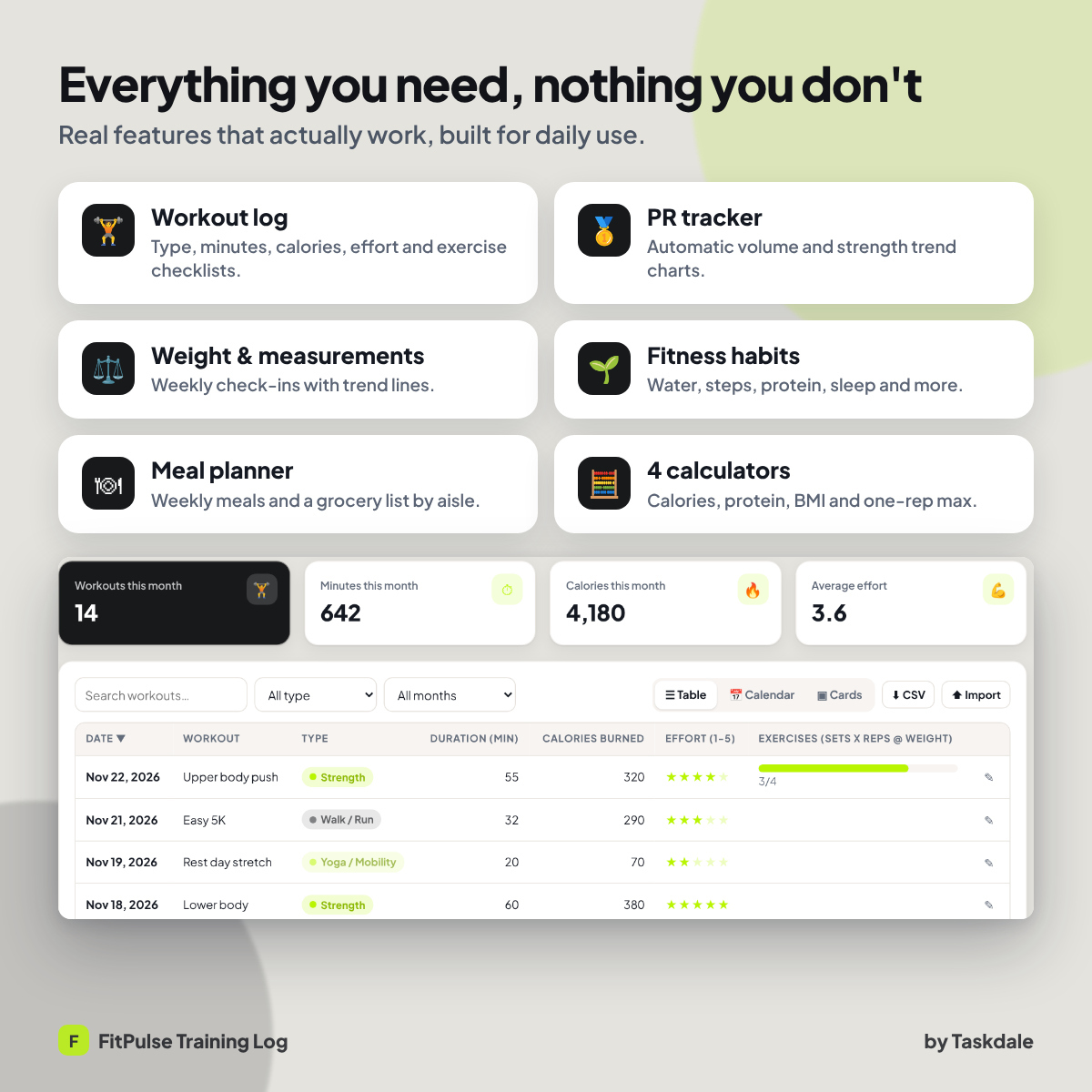
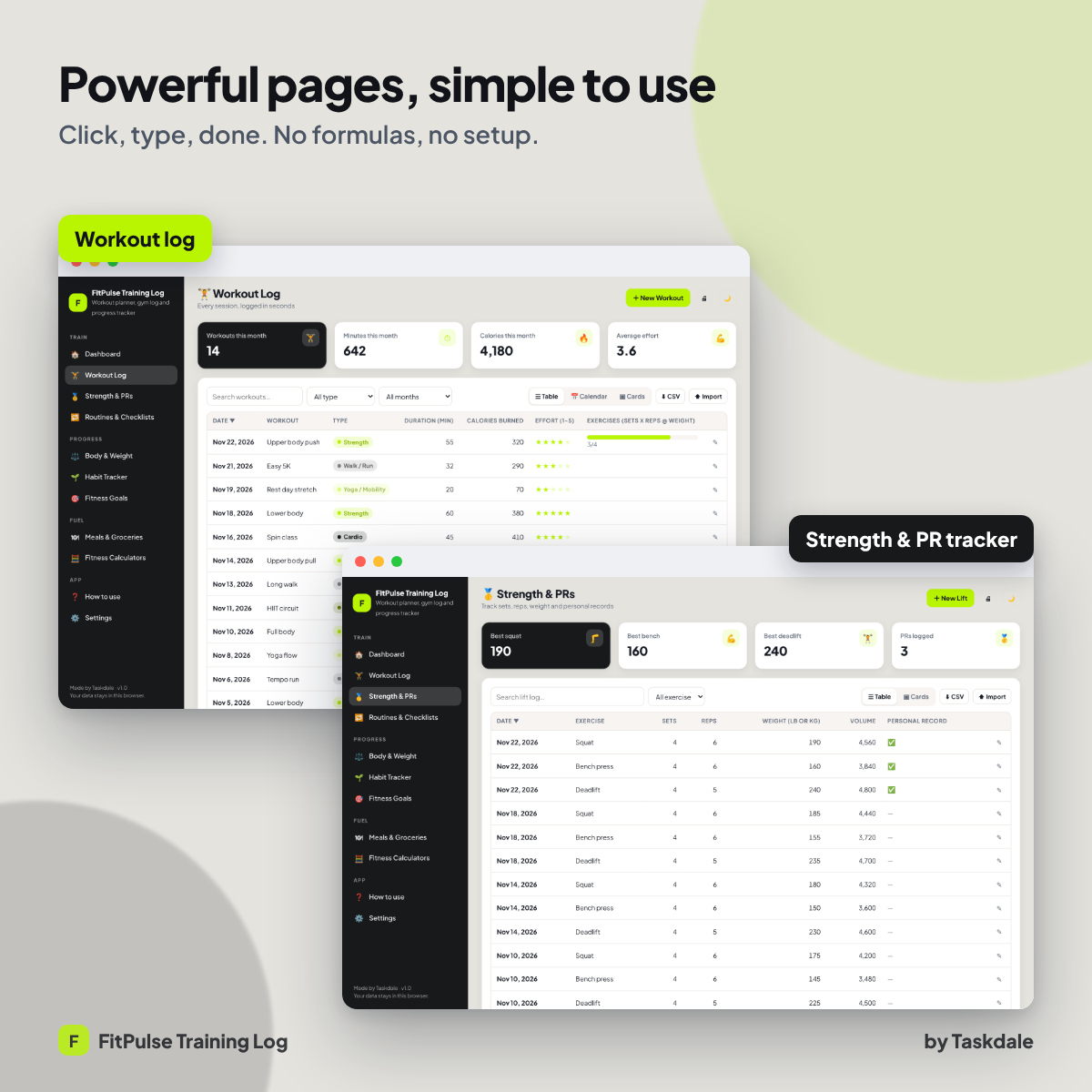
- Workout Log: Log workouts with type, duration, calories, effort and a checklist of exercises.
- Strength & PRs: A lift log with automatic volume and personal-record flags, plus strength trend charts.
- Routines & Checklists: Reusable routine checklists with progress you can reset anytime.
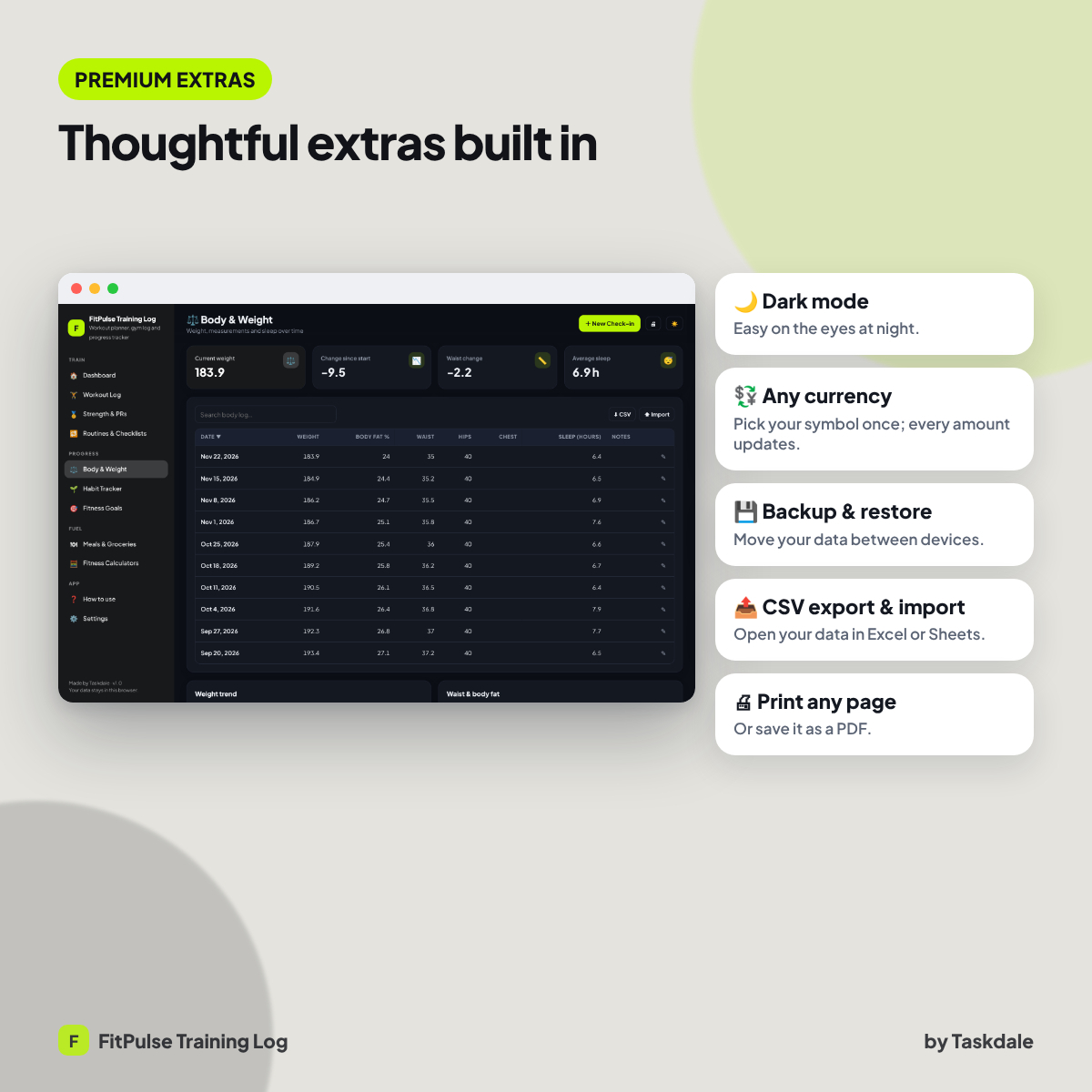
- Body & Weight: Weekly check-ins for weight, body fat, measurements and sleep with trend charts.
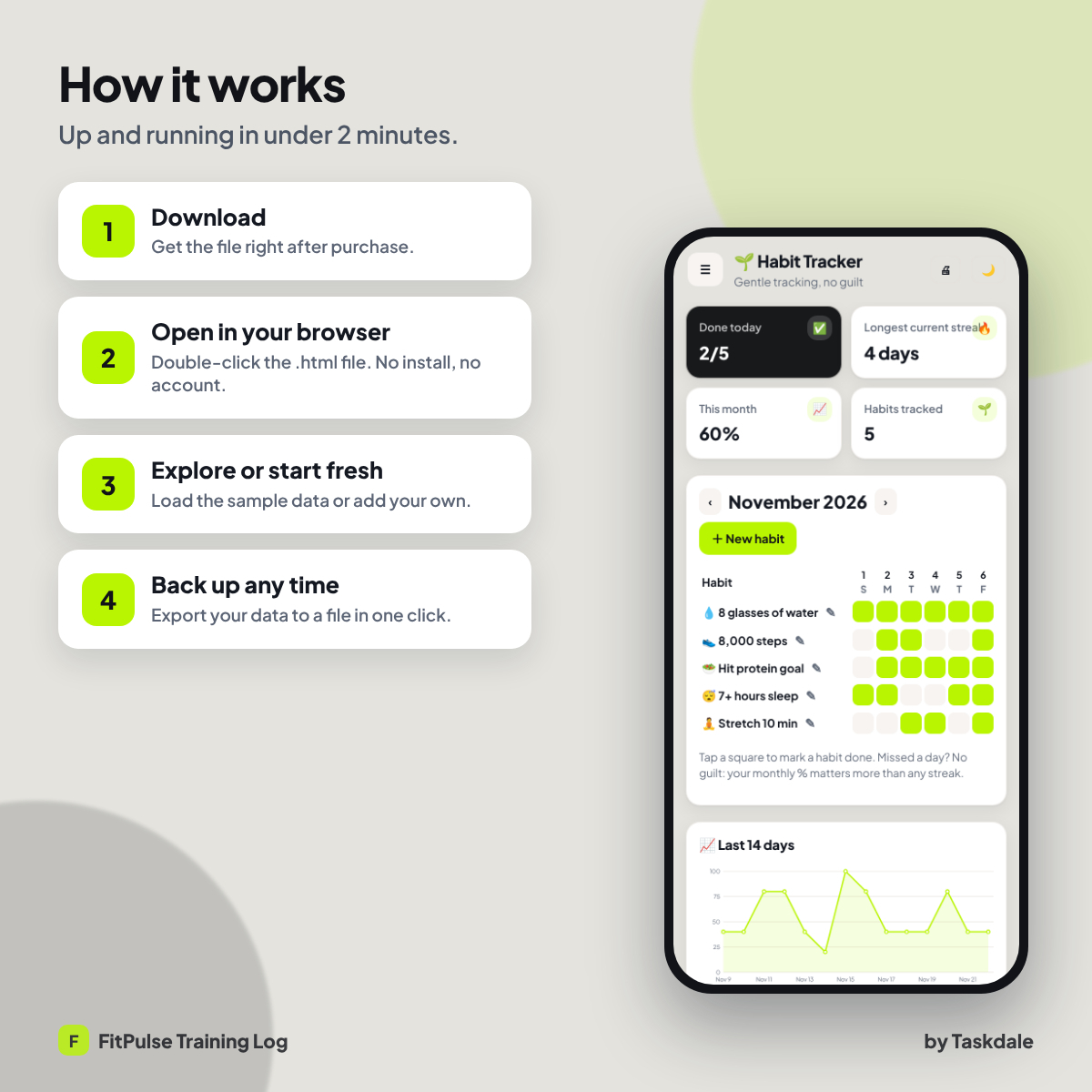
- Habit Tracker: Track daily habits on a monthly grid with streaks and monthly scores.
- Fitness Goals: Set goals by life area, add milestones and watch progress fill up.
- Meals & Groceries: A weekly meal grid and a grocery list sorted by aisle.
- Fitness Calculators: Built-in calculators: BMI (imperial), Daily calories (Mifflin-St Jeor), Protein target, One-rep max (Epley).
Built-in extras
- Dark mode: Switch between light and dark themes.
- Any currency: One currency setting that every money value reads from ($ by default).
- Backup and restore: Export all your data to a file and restore it on any device.
- CSV export and import: Open your tables in Excel or Google Sheets, or bring data in.
- Print-ready pages: Print any page or save it as a PDF.
- Sample data: explore a fully filled-in example, then clear it with one click.
What’s included
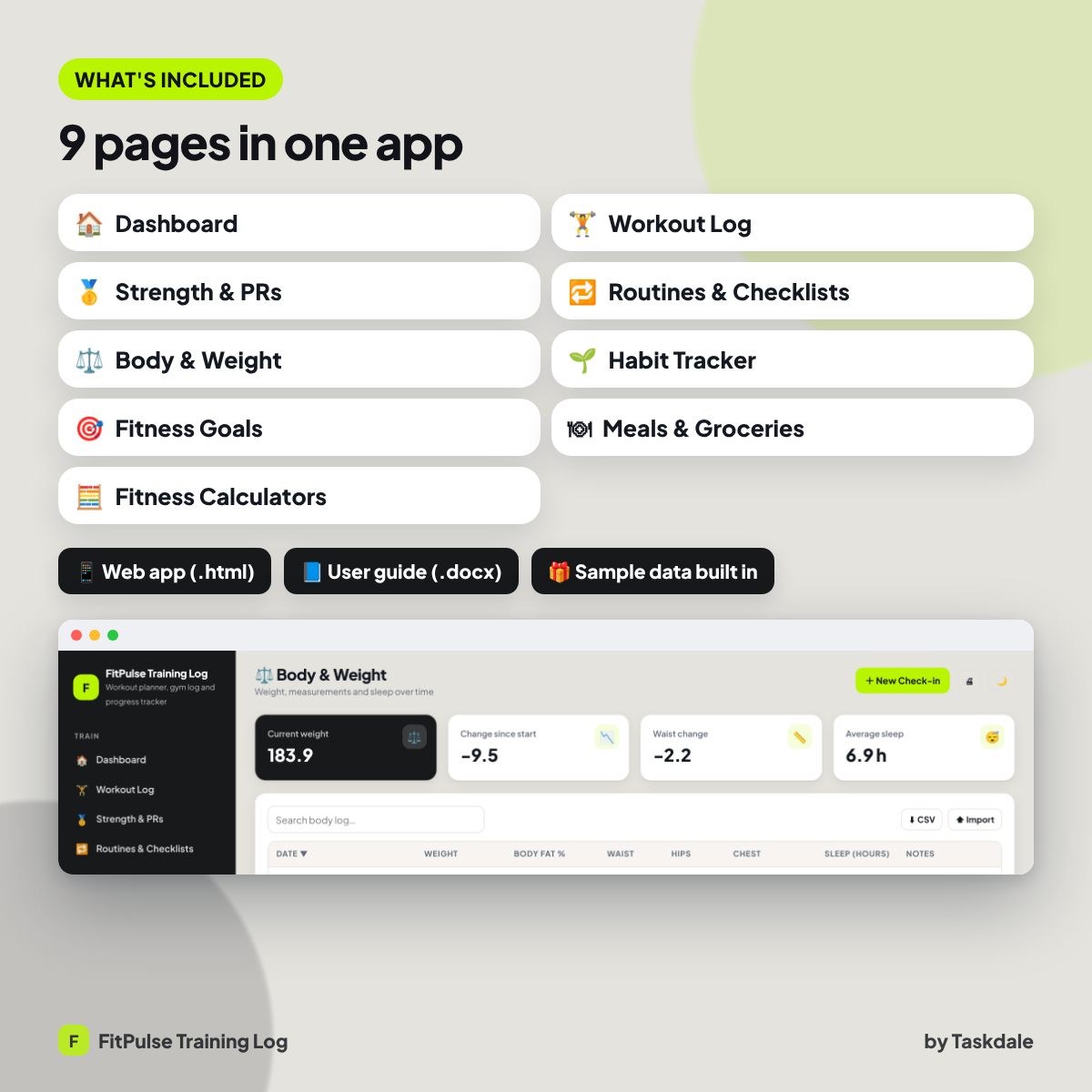
- FitPulse Training Log web app (one .html file, 9 pages)
- FitPulse Training Log User Guide (.docx) with setup steps, feature walkthroughs, tips, troubleshooting and FAQ
- Built-in sample data and quick start page
How it works
- Download the ZIP file after purchase and unzip it.
- Double-click the .html file. It opens in your web browser like an app, with no install.
- Click Explore sample data to see it filled in, or start adding your own entries.
- Set your name and currency in Settings, and export a backup now and then.
File format and software requirements
- Format: one HTML web app file (.html) plus a Word user guide (.docx), delivered in a ZIP.
- Tested in Google Chrome on desktop and on phone-sized screens. It uses standard HTML, CSS and JavaScript with no plugins.
- No internet connection, account or subscription needed after download.
- Your data is stored locally in your browser. It does not sync between devices automatically; use the backup file to move it.
Customization
- Add, rename and delete your own entries, categories and lists
- Choose your currency symbol and add your name for a personal greeting
- Switch between light and dark mode
Digital download
This is a digital product. No physical item will be shipped. Your files are available to download right after checkout.
Use cases
- At the gym: open your Push Day checklist, tick each exercise and log the session.
- Sunday morning: weigh in, measure your waist and add a weekly check-in.
- Planning a cut: use the calorie calculator, set a protein target and plan meals for the week.
- Every month: review workouts by type and your strength trend charts.
FAQ
Does it count calories from food?
It includes a daily calorie and protein calculator and a meal planner. It does not have a food database; you plan meals and log calories burned per workout.
Can I use kg instead of lb?
Yes. Weight fields accept any unit; just stay consistent. The calorie calculator uses kg and cm, and the BMI calculator uses lb and inches.
Do I need internet or an account?
No. The app is a single file that runs in your web browser. After download it works offline, with no sign-up and no subscription.
Where is my data saved?
Privately in your browser on your device. Nothing is uploaded anywhere. Use Settings → Export backup to keep a copy or move your data to another device.
Can I use it on my phone or tablet?
The layout adapts to phone and tablet screens. We test it in Google Chrome on desktop and on phone-sized screens. Data is stored per device and browser, so use the backup file to move it between devices.
Can I change the currency?
Yes. Choose any currency symbol in Settings and every money value in the app updates. The default is $.
Is there a free version?
Yes, a free version with a few pages is available on our blog so you can try it first. This listing is the complete app.
Can I print or export my data?
Yes. Every page has a print button (print or save as PDF), and every table can be exported to CSV for Excel or Google Sheets.
Licence: personal use only. You may not resell, share or redistribute the files. © Taskdale.
Reviews
There are no reviews yet.