Food Truck Menu Pricing Calculator for Excel and Google Sheets
Griddlewise is a food truck menu pricing calculator built for the way trucks, carts and pop-ups actually sell. You type in what you pay for ingredients and packaging. You build a card for each menu item. The spreadsheet then tells you the plate cost, the food cost %, a suggested menu price rounded the way you like, and the profit you keep on each sale after packaging and card fees.
Most recipe cost calculators stop there. This one plans your next market or festival, tells you how many portions and batches to prep, writes the shopping list, and shows the number of customers you need to break even.
Who it is for
- Food truck and trailer owners who sell at markets, breweries, festivals and lunch stops
- Carts, concession stands, pop-ups and farmers market food vendors
- Cafes, takeout spots and small restaurants that want clean plate costs
- Caterers building combo or per-tray prices from the same recipes
- New food business owners who need prices that cover costs from day one
Why food truck owners like it
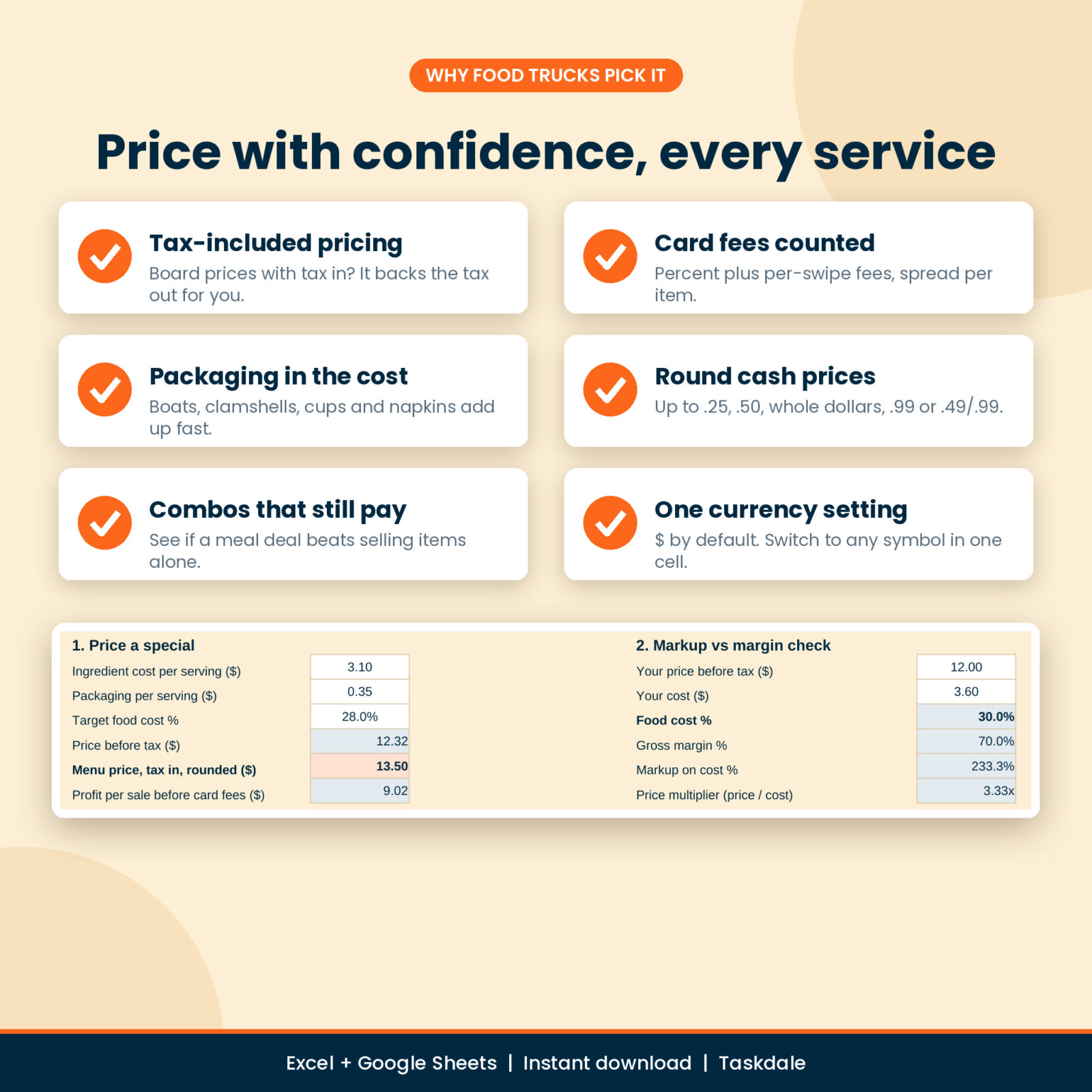
- Tax-included pricing. Many trucks put tax inside a round board price so the cash line moves fast. Pick that option and Griddlewise backs the tax out before it works out your food cost % and profit.
- Card fees counted. Add your processor rate, the per-swipe cents and the share of sales paid by card. Every item shows its card cost.
- Packaging in the cost. Taco boats, clamshells, foil, cups, lids, forks and napkins get their own lines on every card.
- Round prices your way. Up to the next 0.25 or 0.50, whole numbers, prices ending in .99, or .49 and .99.
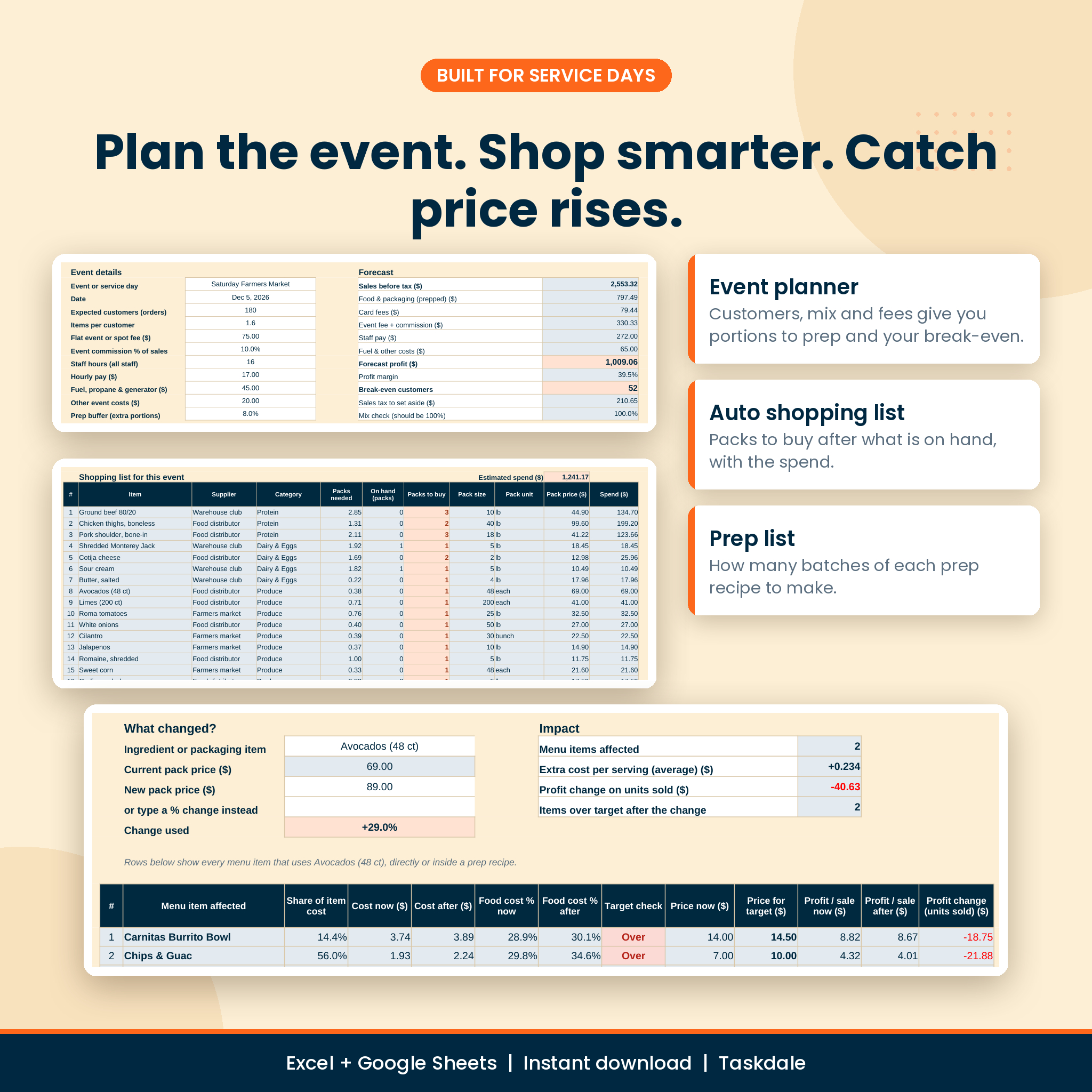
- Price rises caught early. When avocados jump 29%, Price Watch lists every item that uses them, even inside your guacamole, with a new price that holds your target.
Features of this food cost calculator
Menu costing cards
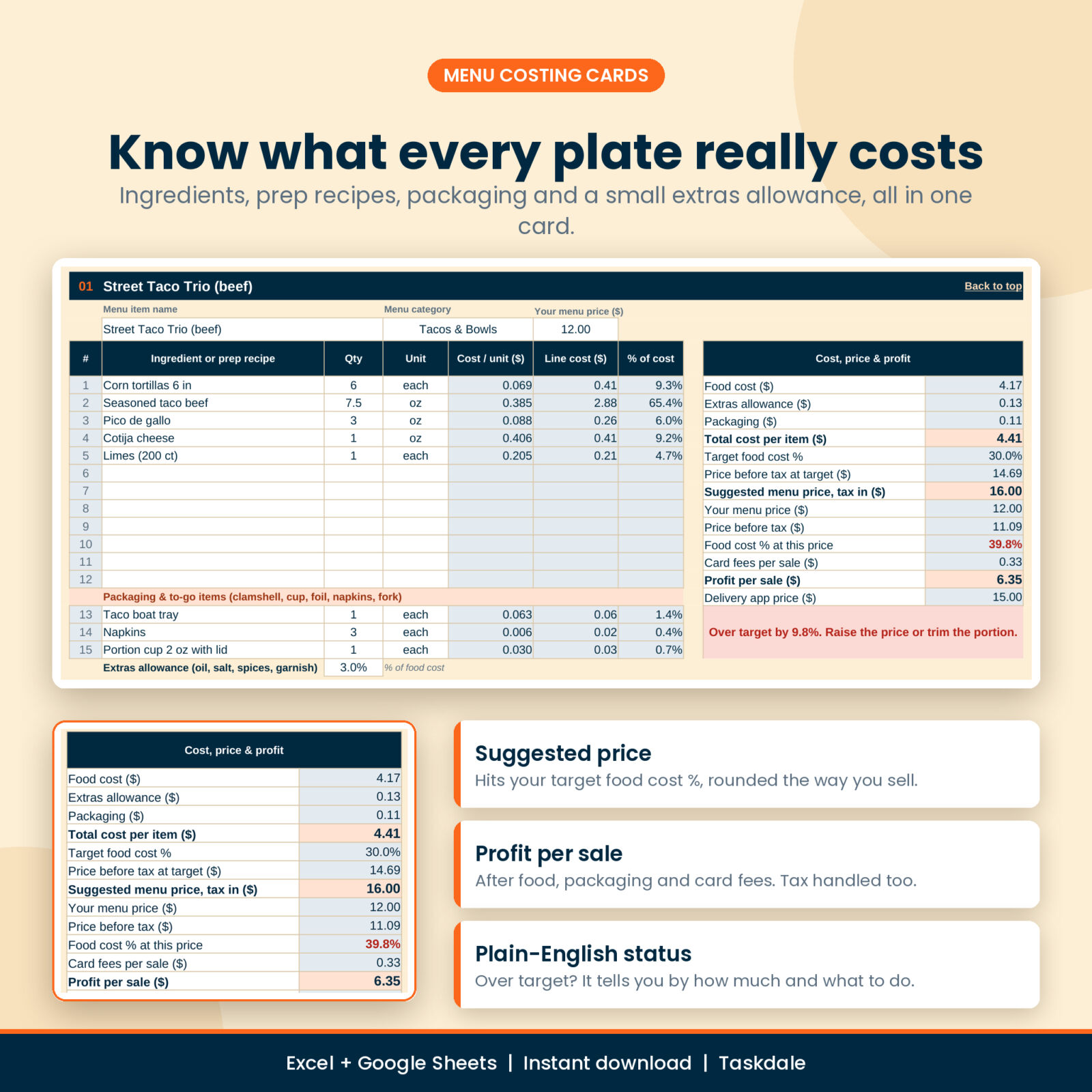
40 cards, each with 12 food lines, 3 packaging lines and an extras allowance for oil, salt and garnish. Pick an ingredient or a prep recipe from one dropdown, type the portion and choose the unit. The panel shows food cost, packaging, total cost, target food cost %, suggested menu price, your current food cost %, card fees, profit per sale and a delivery app price. A plain-English status tells you if the item is over target and by how much.
Ingredients with unit conversion and yield
250 rows for food and packaging. Enter the pack size, pack unit and pack price from your invoice. Buy by the pound and use by the ounce, or buy a gallon and use a tablespoon: weight, volume and count units convert for you. A usable yield % covers trim and peel. An optional “weight of 1 each” lets you buy avocados by the case and use them by the ounce. A last-price column tracks changes and flags rises.
Prep recipes (batch costing)
20 batch cards for salsa, guac, rice, beans, sauces and batch-cooked proteins. Enter raw quantities and what the batch yields. Each batch shows its cost per pound, ounce, fluid ounce or portion and appears in every menu item dropdown.
Menu pricing board
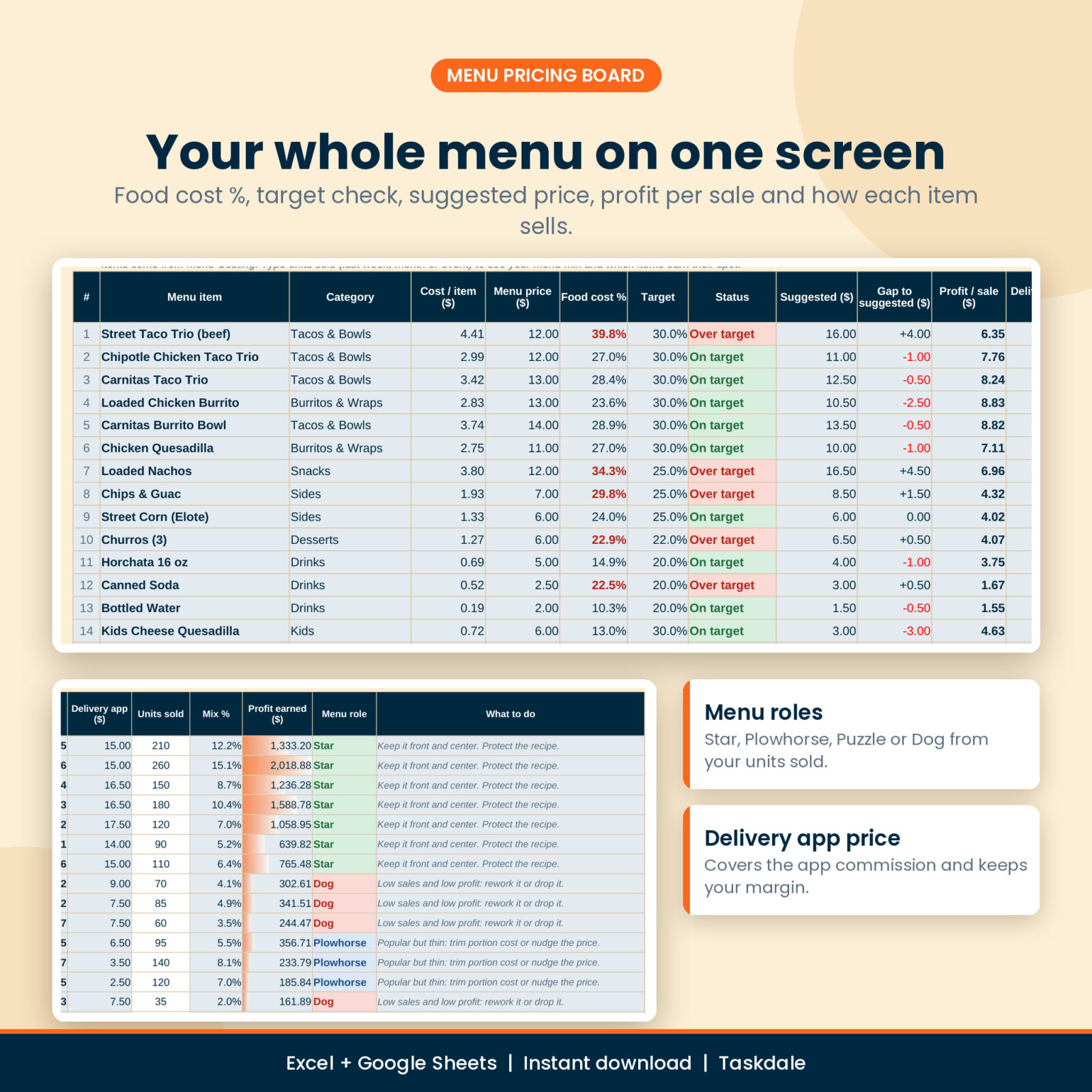
All 40 items on one screen: cost, menu price, food cost %, target, status, suggested price, gap, profit per sale and delivery app price. Type units sold from your POS and you also get menu mix %, profit earned and a menu role for each item (Star, Plowhorse, Puzzle or Dog) with a simple next step.
Combo and meal deal builder
12 combos of up to 4 items. See the customer saving, combo food cost %, profit per combo, profit if the same items sold alone, and a combo price that hits your target.
Event prep and shopping planner
Type expected customers, items per customer, the spot fee, commission, staff hours, pay, fuel and a prep buffer. Get forecast sales, costs, profit, margin, sales tax to set aside and break-even customers. Below that sit portions to prep for each item, a prep list of batches to make and a shopping list with packs to buy after what you have on hand, plus the estimated spend.
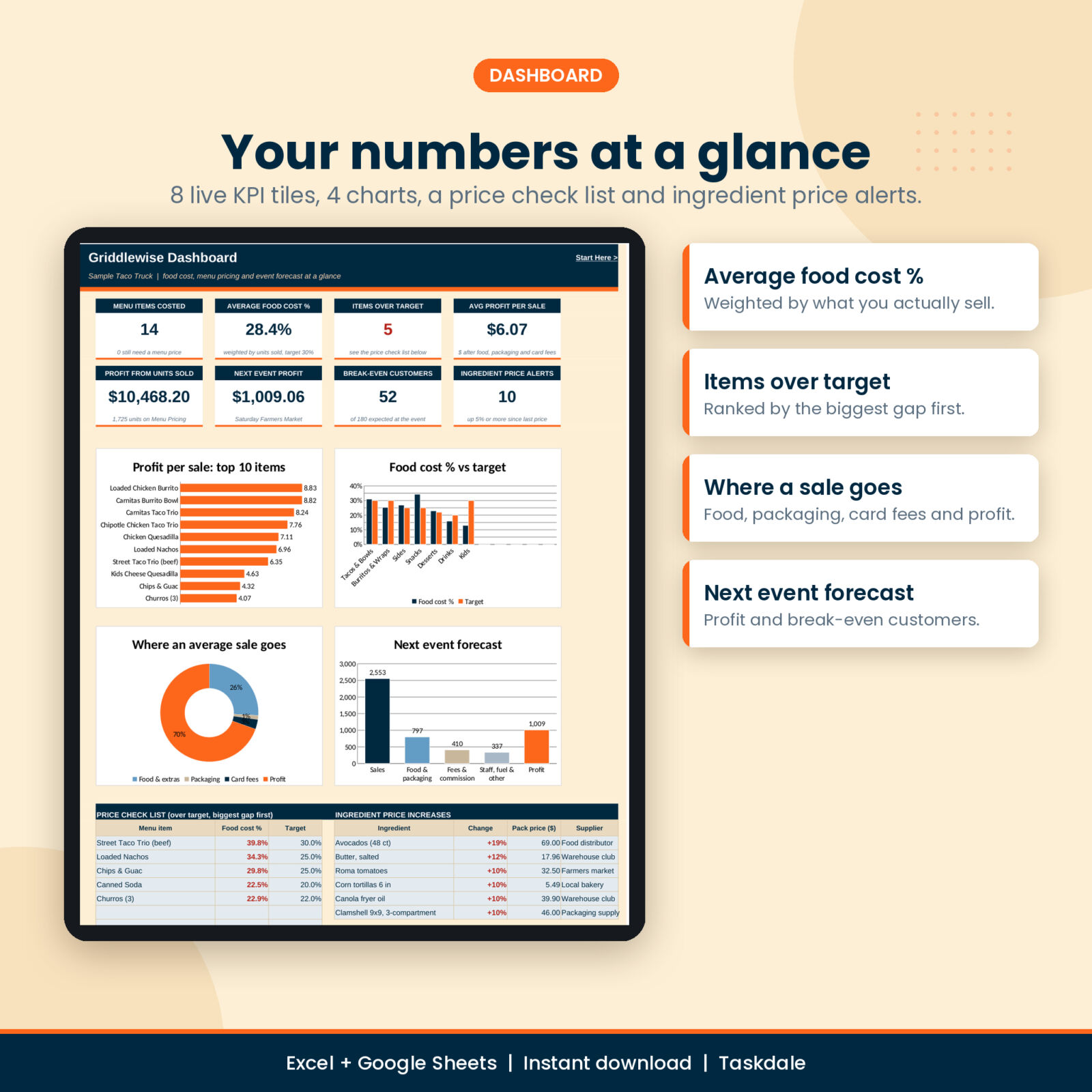
Dashboard and quick checks
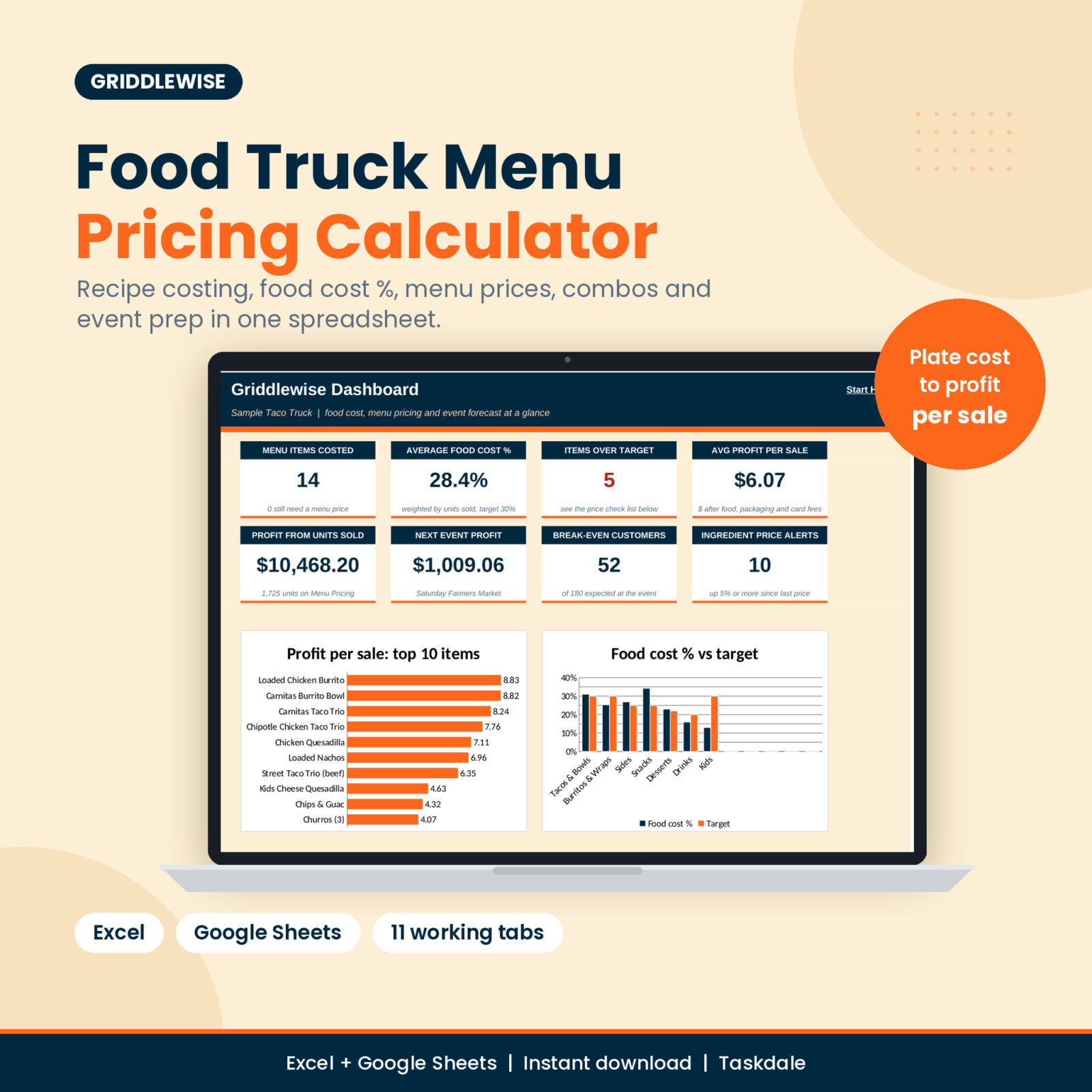
8 KPI tiles, 4 charts (top 10 items by profit, food cost % vs target by category, where an average sale goes, next event forecast), a price check list and ingredient price alerts. The Quick Calc tab prices a one-off special, compares markup and margin, builds a price ladder and checks how many sales a price rise can afford to lose.
What is included
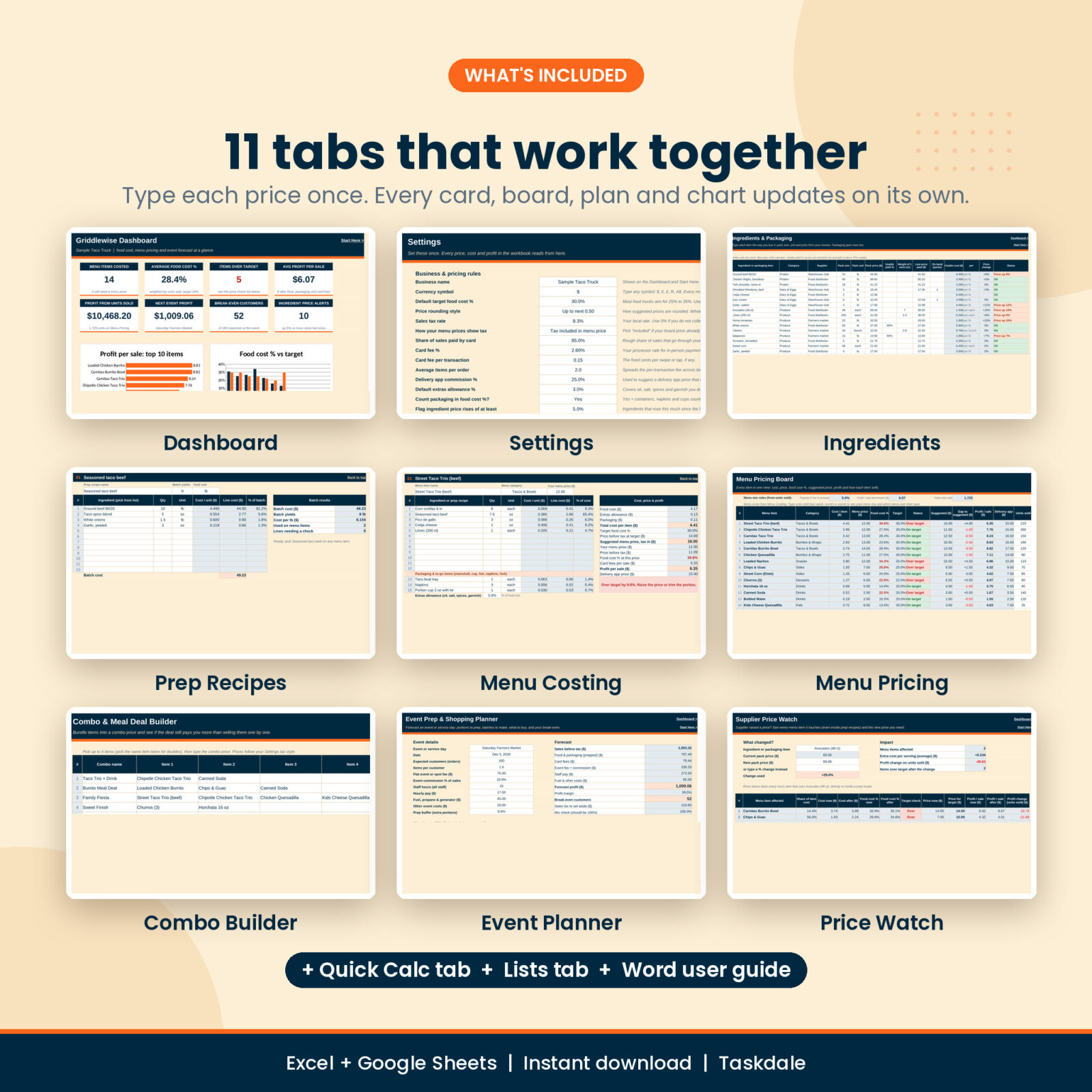
- Griddlewise Menu Pricing Calculator (.xlsx) with 11 tabs: Start Here, Dashboard, Settings, Ingredients, Prep Recipes, Menu Costing, Menu Pricing, Combo Builder, Event Planner, Price Watch and Quick Calc, plus a Lists tab
- Griddlewise User Guide (.docx, 12 pages with screenshots, troubleshooting and FAQ)
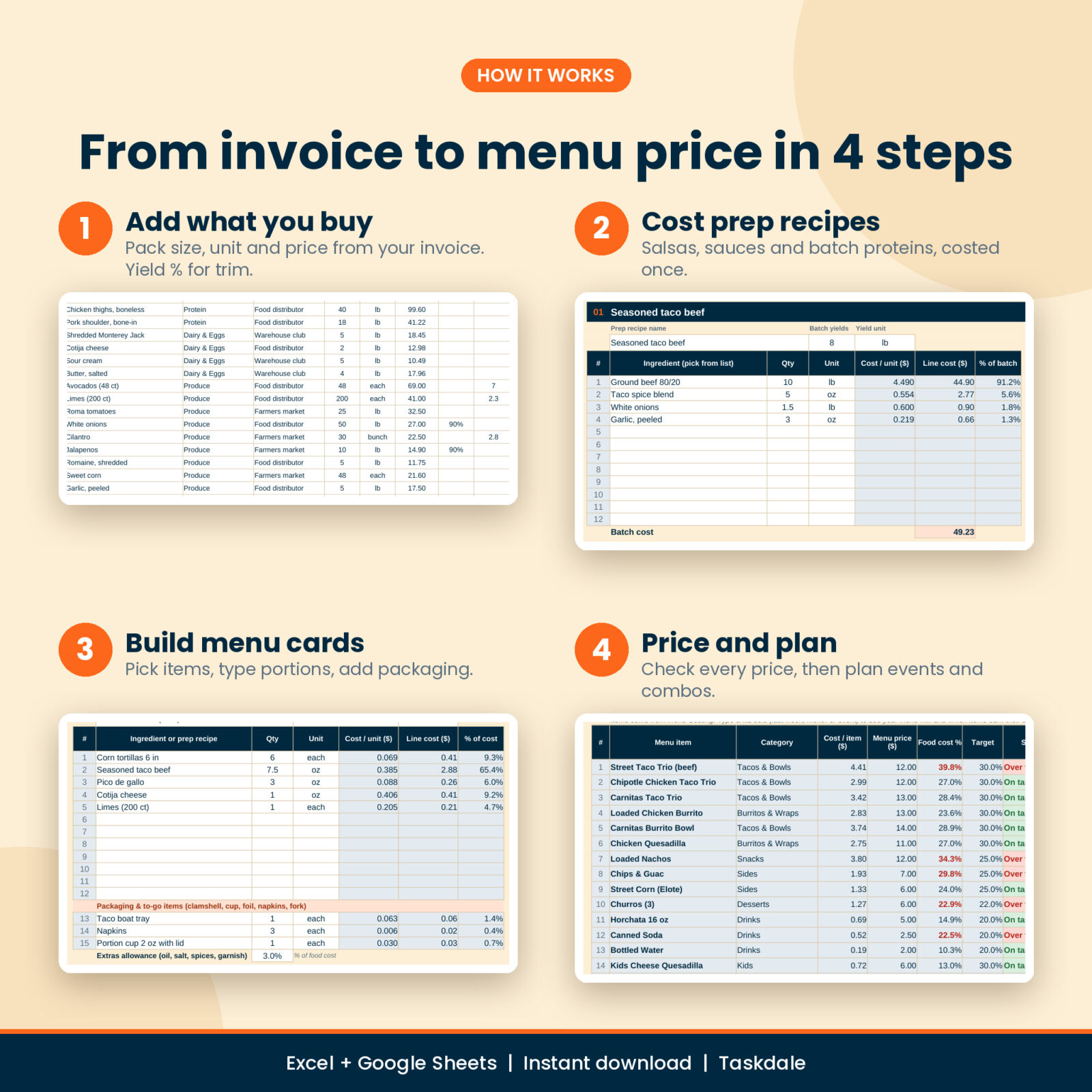
How it works
- Set your currency, target food cost %, rounding, sales tax and card fees in Settings.
- Add ingredients and packaging from your invoices.
- Cost your prep recipes once.
- Build a card for each menu item.
- Check the pricing board, then plan combos and your next event.
File format and software
One .xlsx workbook for Microsoft Excel 2016 or later, Microsoft 365, Excel for Mac and Excel for the web. For Google Sheets, upload the file to Google Drive and open it with Google Sheets. It uses standard formulas only, with no macros, scripts or add-ons. Apple Numbers is not supported.
Customizing
One currency cell drives every money heading, with $ as the default. Rename menu categories and give each its own target. Rename ingredient categories. Formula cells are locked without a password so they are hard to break by accident, and white input cells stay open.
Digital download
This is a digital product. Nothing ships. Download the files from your account or the order email right after checkout. The workbook arrives clean and ready for your menu; the listing images show a sample taco truck.
Real ways to use it
- Your beef supplier raises prices 8%. Update one cell and see which tacos fall below target.
- A festival charges a flat fee plus 15% of sales. Plan it, check the break-even, and decide if the spot is worth it.
FAQ
How do I calculate food cost percentage?
Food cost % is the cost of one serving divided by its price before tax. Griddlewise does it for every item and can include packaging if you want.
What food cost % should a food truck aim for?
Many trucks aim for 25% to 35%, with drinks and sides lower. You set your own target per category.
Does it work in Google Sheets?
Yes. Upload it to Google Drive and open it with Google Sheets.
Can I use it for a restaurant or cafe?
Yes. Use the event planner for catering jobs or busy service days.
My menu prices already include tax. Does that work?
Yes. Choose “tax included” in Settings and the math backs the tax out.
Can I share it with another business?
No. The license covers use in your own business only. No reselling, sharing or giving away the files.
Reviews
There are no reviews yet.