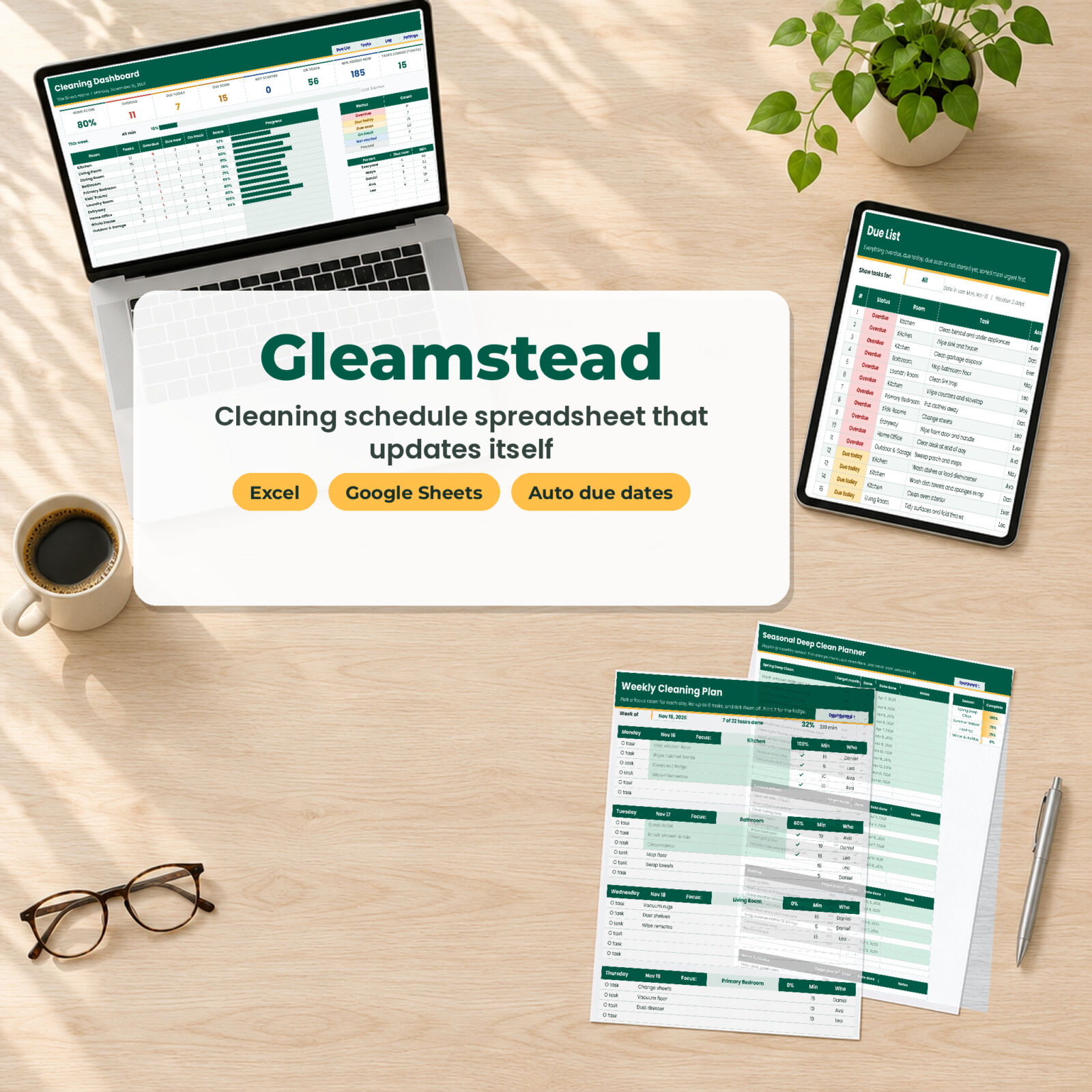

Most cleaning schedules are a list you print once and forget. Gleamstead is a cleaning schedule spreadsheet that does the remembering for you. Tell it when you last cleaned the oven, changed the sheets or replaced the HVAC filter, and it calculates when each job is due next. Every morning the Due List shows only what needs doing, most urgent first. Nothing else.
It opens in Excel or Google Sheets, comes loaded with 90 household tasks, and takes about 10 minutes to set up.
What Gleamstead does for you
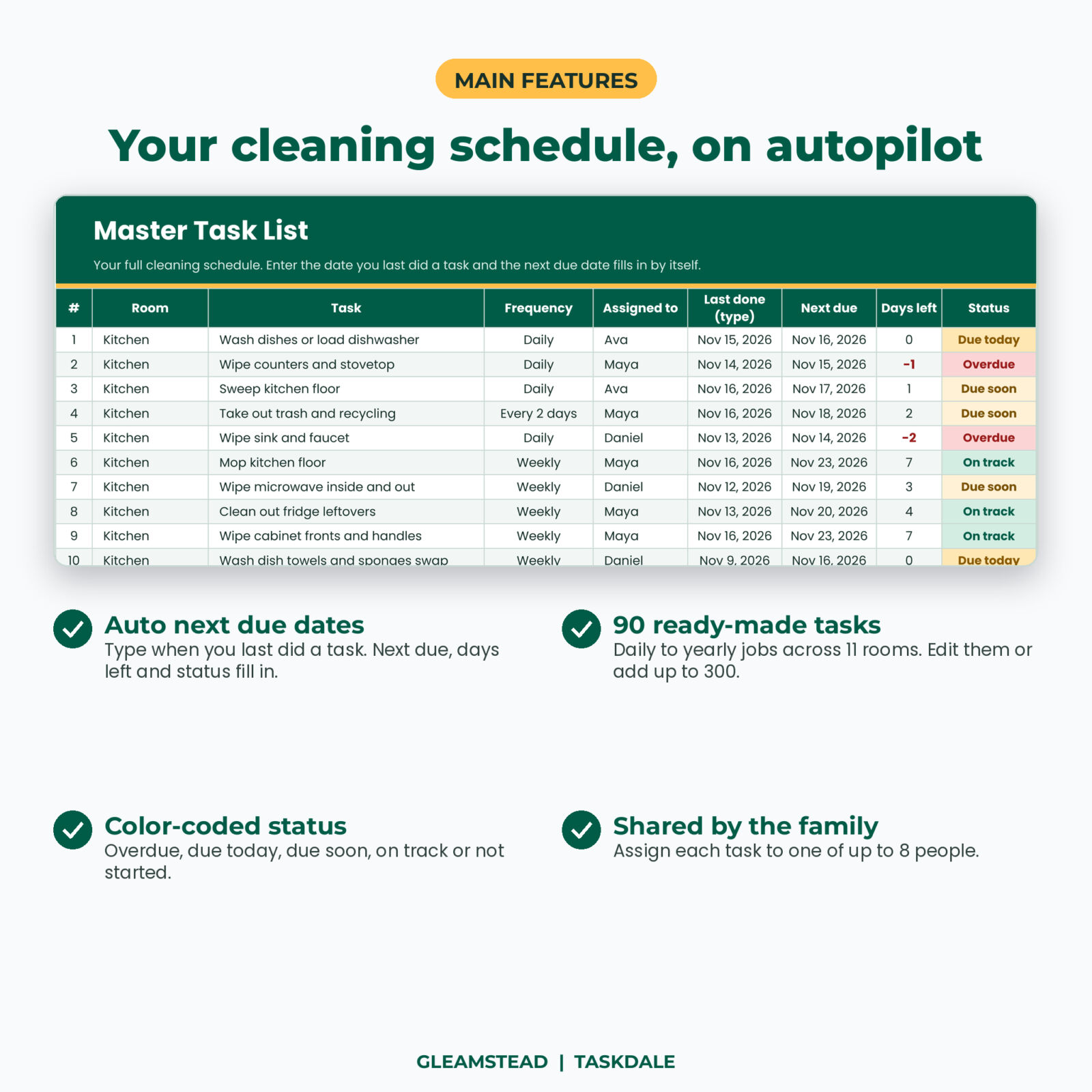
- Works out every due date. Each task has a frequency (daily, every 2 days, twice a week, weekly, every 2 weeks, monthly, every 2 months, quarterly, twice a year, yearly) and a last done date. The next due date, days left and status fill in by themselves.
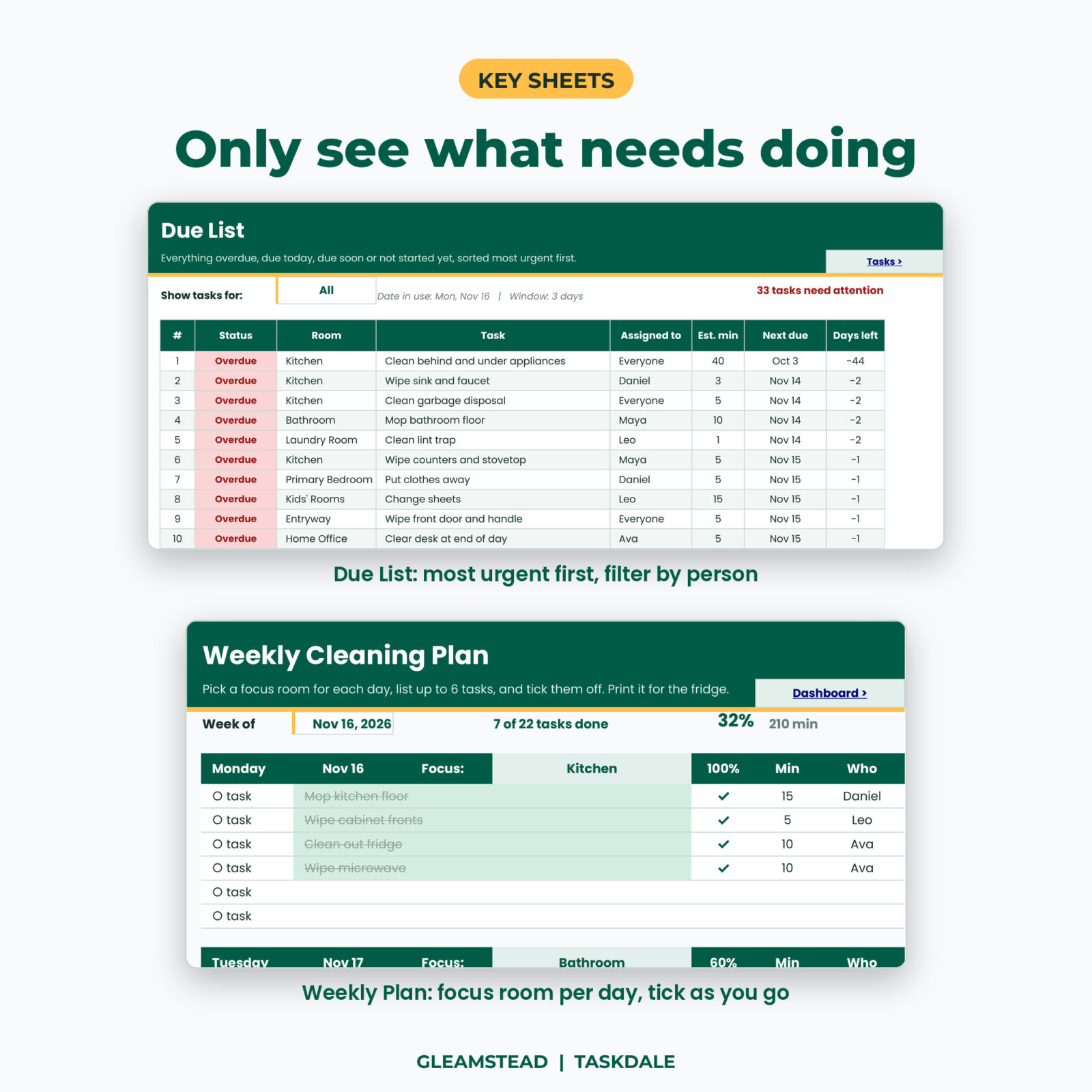
- Shows only what matters today. The Due List pulls every overdue, due today, due soon and not started task into one sorted list of up to 60 rows. Filter it by person.
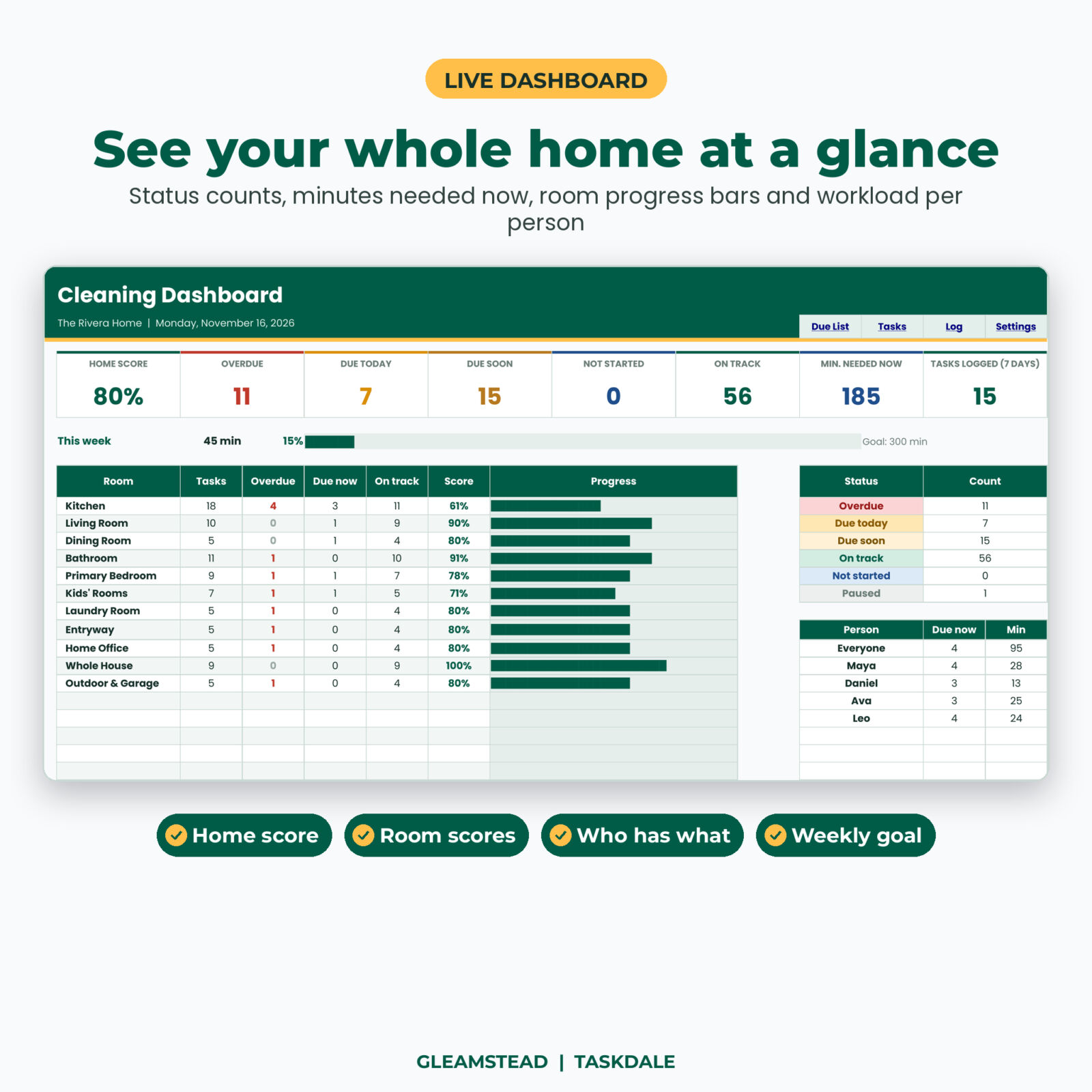
- Keeps score. The dashboard gives your home a score, counts what is overdue, and shows how each room is doing with a progress bar.
- Shares the load. Assign tasks to up to 8 people and see how many tasks and minutes each person has due.
Features of this cleaning schedule template
Master task list (up to 300 tasks)
90 tasks are already in place for the kitchen, living room, dining room, bathroom, primary bedroom, kids’ rooms, laundry room, entryway, home office, whole house and outdoor and garage. Change any task, its minutes or frequency, pause it with one dropdown, or add your own. Status is color-coded: overdue, due today, due soon, on track, not started and paused.
Cleaning log that resets the schedule
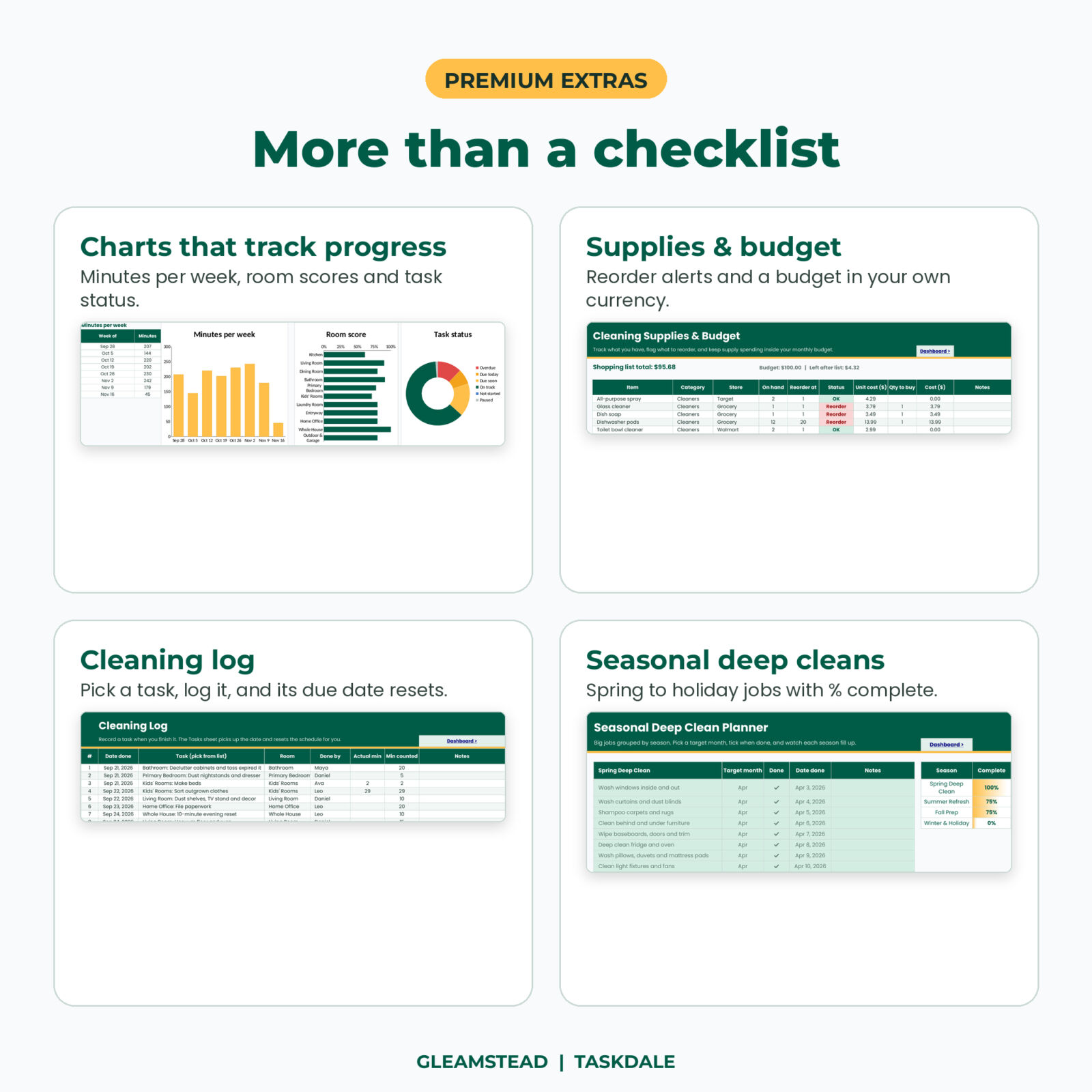
Finished a job? Pick it from the dropdown on the Log sheet, add the date and who did it. The Tasks sheet reads the latest date and moves the next due date forward. The log holds 1,000 entries and feeds a minutes-per-week chart.
Live dashboard
Eight KPI cards (home score, overdue, due today, due soon, not started, on track, minutes needed now and tasks logged this week), a weekly goal bar, a room table with scores, a status table, a workload table by person, and three charts: minutes per week, room score and task status.
Weekly cleaning plan
A printable 7-day plan. Choose a focus room for each day, list up to 6 tasks, add minutes and who, and tick them off. Completion percentages update per day and for the week.
Seasonal deep clean planner
Spring deep clean, summer refresh, fall prep and winter and holiday lists with a target month, done tick and date. Each season shows its percent complete.
Supplies and budget
Track what you have on hand and the level where you reorder. Status flags anything to restock. Add unit cost and quantity to see your shopping total against a monthly budget. Every money heading uses the currency symbol you set once in Settings, with $ as the default.
What is included
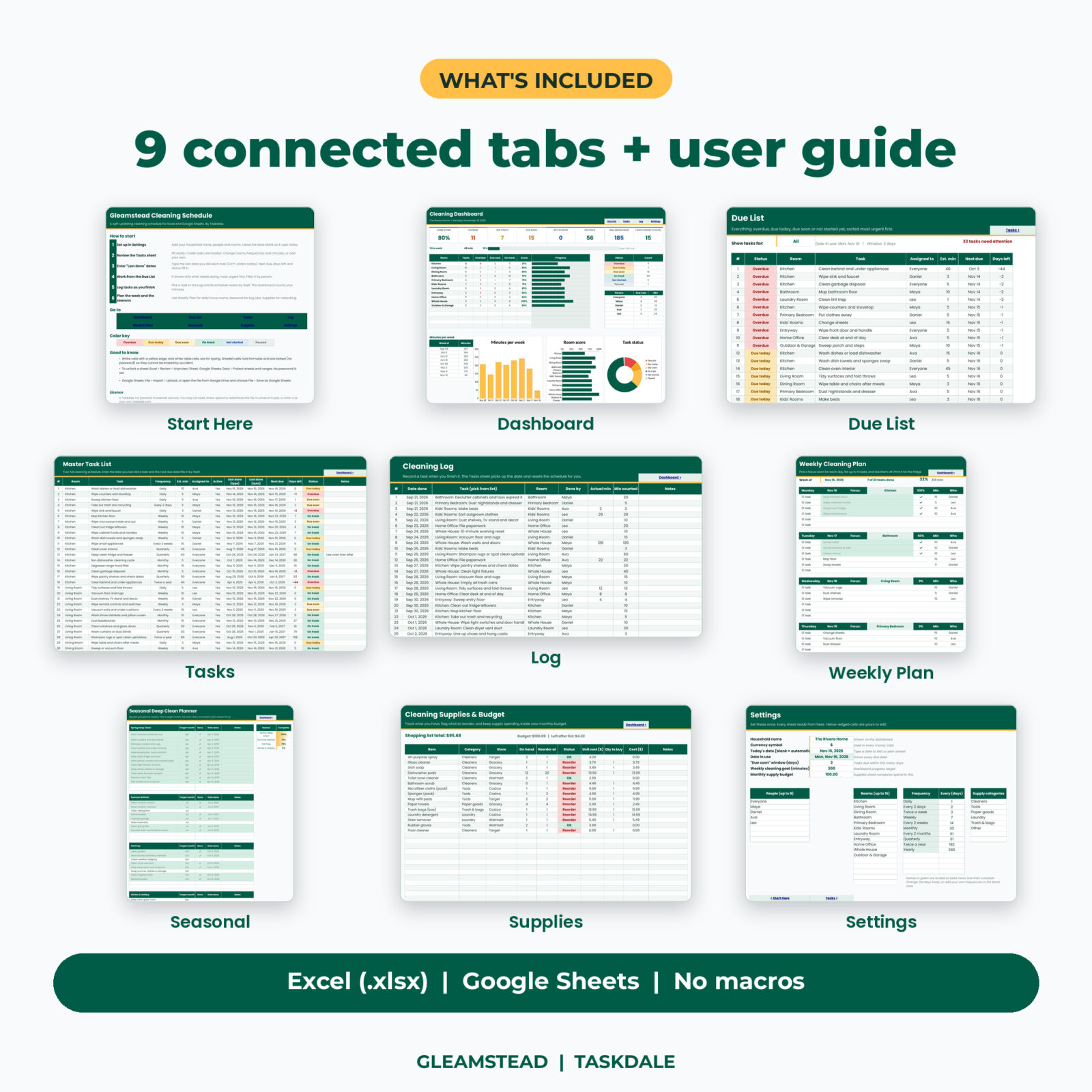
- Gleamstead workbook (.xlsx) with 9 tabs: Start Here, Dashboard, Due List, Tasks, Log, Weekly Plan, Seasonal, Supplies, Settings
- User guide (DOCX) covering setup, every sheet, customizing, troubleshooting and FAQ
How it works
- Open Settings. Add your household name, people and rooms. Leave the date blank so it uses today.
- On the Tasks sheet, type the date you last did each task. A best guess is fine.
- Open the Due List each day and clean from the top.
- Log tasks as you finish them, or type the new date on the Tasks sheet.
- Check the dashboard on Sunday and plan the week.
File format and software
One .xlsx file for Microsoft Excel (desktop and Mac) and Google Sheets. In Google Sheets, upload the file to Drive and choose File > Save as Google Sheets. The workbook uses standard formulas only: no macros, no scripts, no add-ons. Formula cells are locked without a password so they cannot be erased by accident, and every input cell is open.
Make it your own
Rename or add up to 16 rooms and 8 people. Change how many days any frequency means, or add your own such as “every 10 days”. Edit the supply categories. The sheets are protected with no password, so you can unprotect them and restyle colors and fonts whenever you like.
Who it is for
- Families who share chores and want a fair, visible plan
- Busy professionals who keep forgetting the monthly and yearly jobs
- New homeowners setting up a routine from scratch
- Anyone who prefers a spreadsheet over another app subscription
Real situations where it helps: getting the house ready before in-laws visit, splitting jobs between roommates, keeping track of filters and alarms, or getting back on track after a busy month without wondering where to start.
Digital download
This is a digital product. No physical item ships. Your files are available right after checkout from your Taskdale account and the order email.
FAQ
Does this cleaning schedule spreadsheet work in Google Sheets?
Yes. Upload it to Google Drive and save it as a Google Sheet. All formulas and dropdowns use functions that Google Sheets supports.
Do I need macros or any add-ons?
No. It runs on regular formulas only.
Can I change the tasks and rooms?
Yes. Edit, delete or add tasks (up to 300), rename rooms and add people in Settings.
How are due dates calculated?
Next due = last done date + the number of days for that frequency. You set those numbers in Settings.
Can I use it on my phone?
Yes, in the Google Sheets or Excel app. Setup is easier on a computer or tablet.
Can I print it?
Yes. Every sheet is set to print one page wide, and the Weekly Plan is designed for the fridge.
Is it dated?
No. It always works from today’s date, so you can use it year after year.
License: personal, household use only. Please do not share, resell or redistribute the files.


Reviews
There are no reviews yet.