A grad school application tracker that follows you from shortlist to signed offer
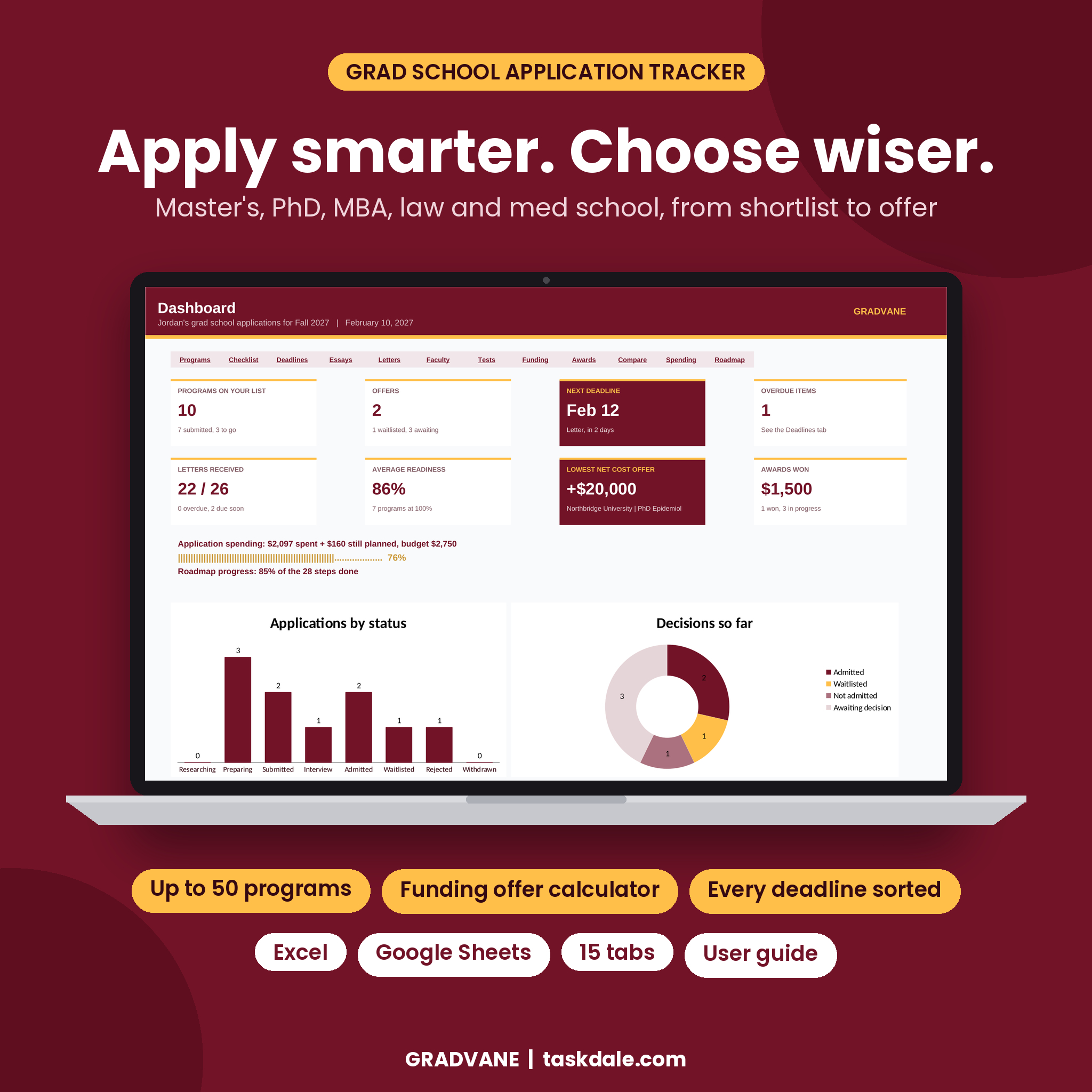
Gradvane is a grad school application tracker spreadsheet for Excel and Google Sheets. You type each program once. From that one list it builds a requirements checklist, one sorted list of every deadline, letter and essay trackers, a professor follow-up log, your best test scores, a funding offer calculator and a weighted scorecard to help you pick.
Grad applications have more moving parts than a list of schools. Three letter writers per program. A different statement for each school. Professors to email and nudge. Test scores that expire. Funding packages that look alike until you add rent, insurance and how many years are guaranteed. Gradvane tracks all of it in 15 tabs that talk to each other.
Who it is for
- Master’s, PhD, MBA, law (JD), medical (MD/DO), PsyD, EdD, MFA and certificate applicants
- PhD applicants who contact potential advisors before applying
- Anyone managing several recommenders across many programs
- Students comparing funded and unfunded offers who want the real cost of each
- Mentors and parents helping one applicant stay on track
What makes Gradvane different
Funding offer comparison that does the math
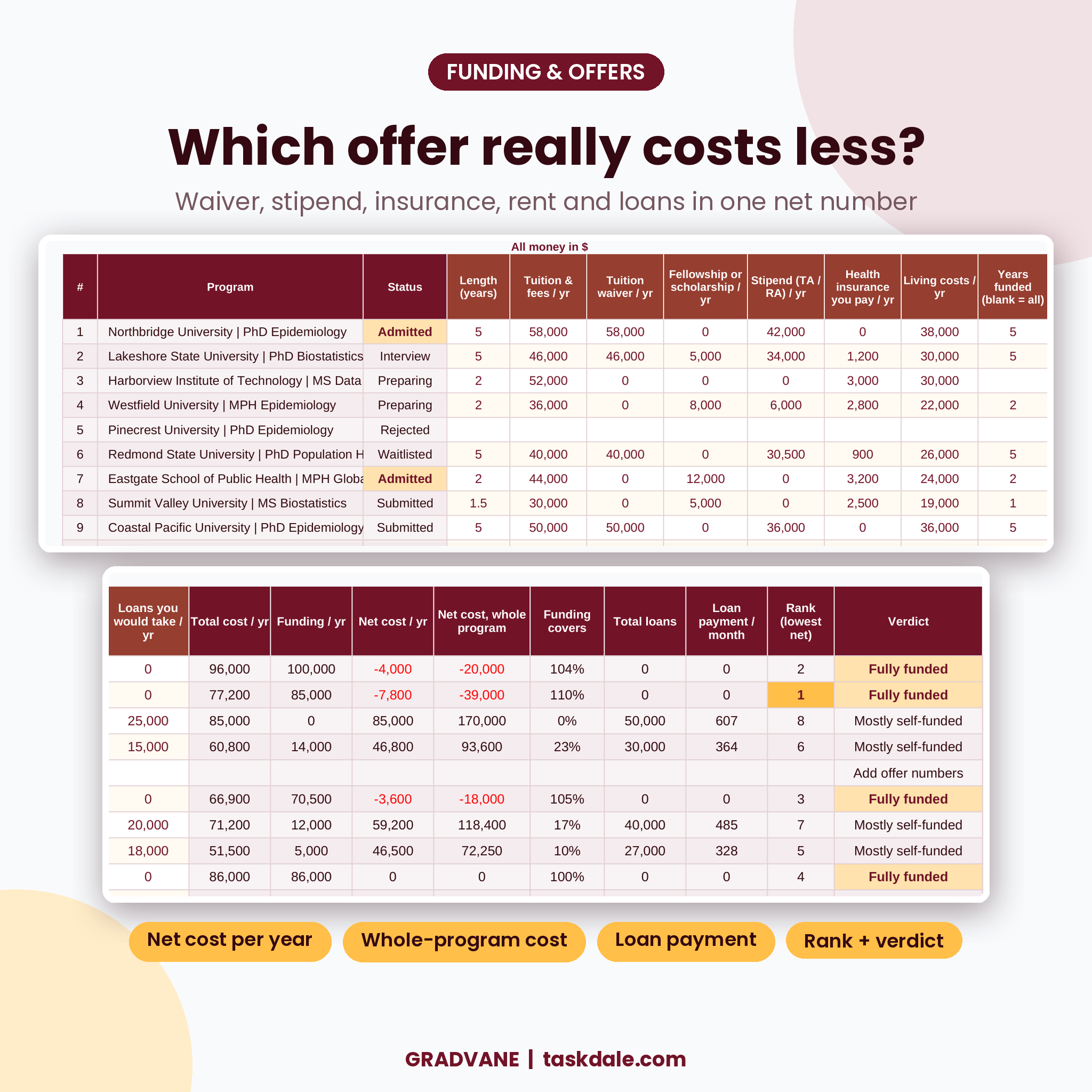
Enter each offer per year: tuition and fees, tuition waiver, fellowship or scholarship, TA or RA stipend, health insurance you pay, living costs, years funded and any loans. Gradvane shows total cost per year, funding per year, net cost per year, net cost for the whole program, how much of your cost the funding covers, total loans and an estimated monthly loan payment. Offers are ranked from lowest net cost and labeled Fully funded, Partly funded or Mostly self-funded.
Every deadline in one sorted list
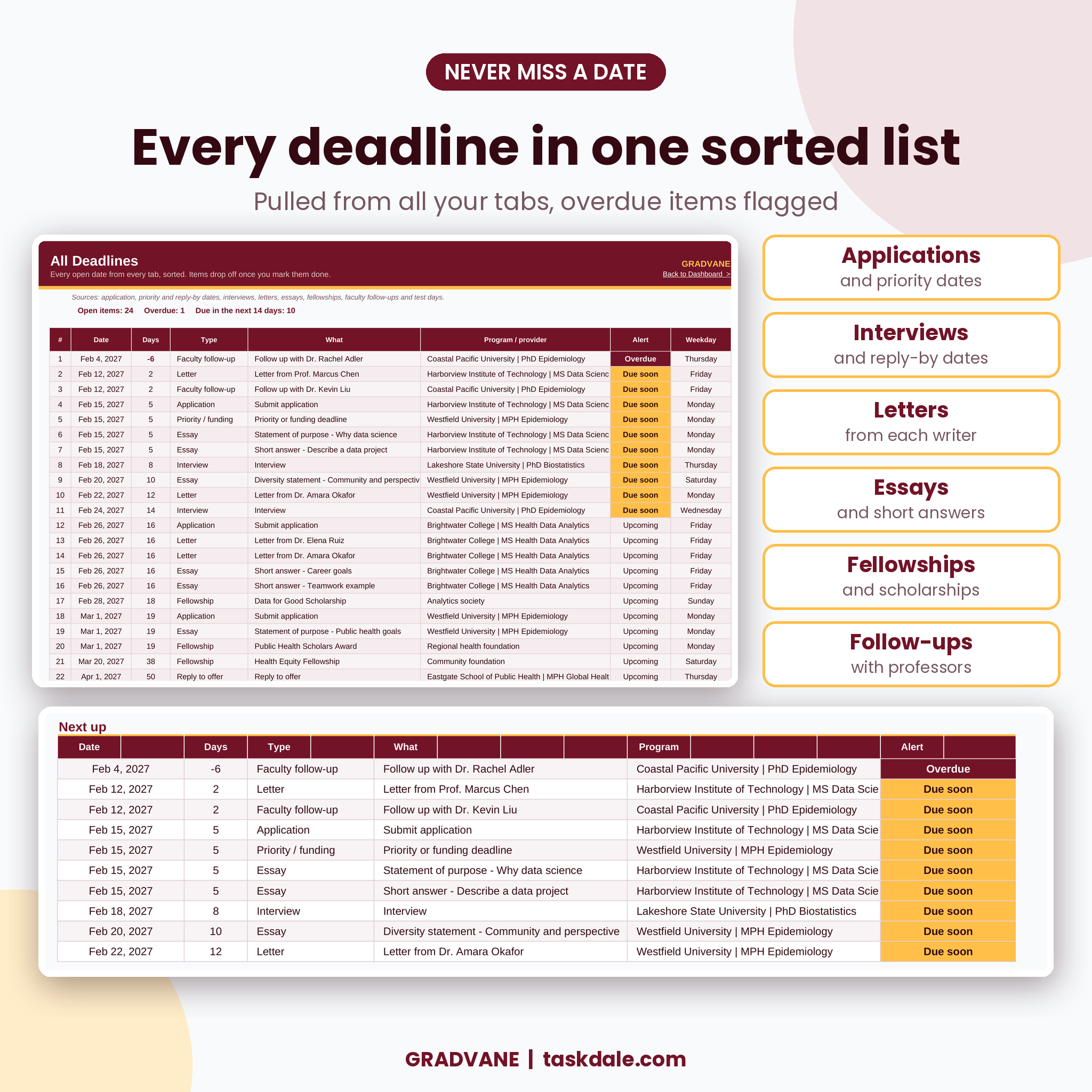
The Deadlines tab pulls open dates from every tab: application and priority deadlines, interviews, reply-by dates for offers and waitlists, letters, essays, fellowships, professor follow-ups and test days. It sorts them, counts the days and flags Overdue or Due soon. Finished items drop off by themselves.
Letters tracked per writer and per program
List up to 10 letter writers once, then log one row per program per writer (100 rows). See how many letters each person owes, which are overdue and whether you have sent a thank-you.
Advisor contacts with follow-up dates
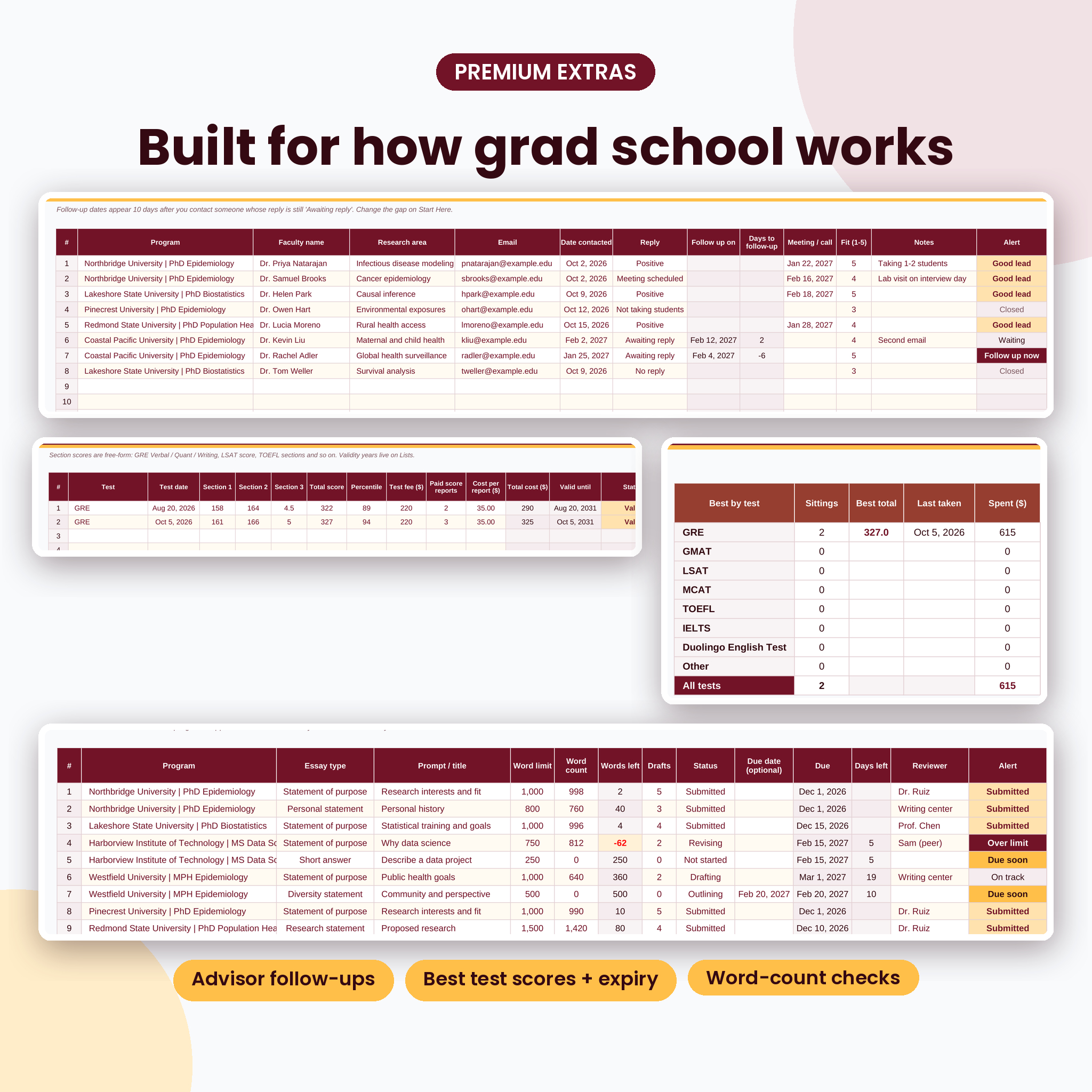
Log every professor you email. While a reply is pending, Gradvane sets a follow-up date (10 days by default, your choice) and flags “Follow up now” when it arrives. Positive replies show as good leads and are counted per program on the Compare tab.
A decision scorecard you control
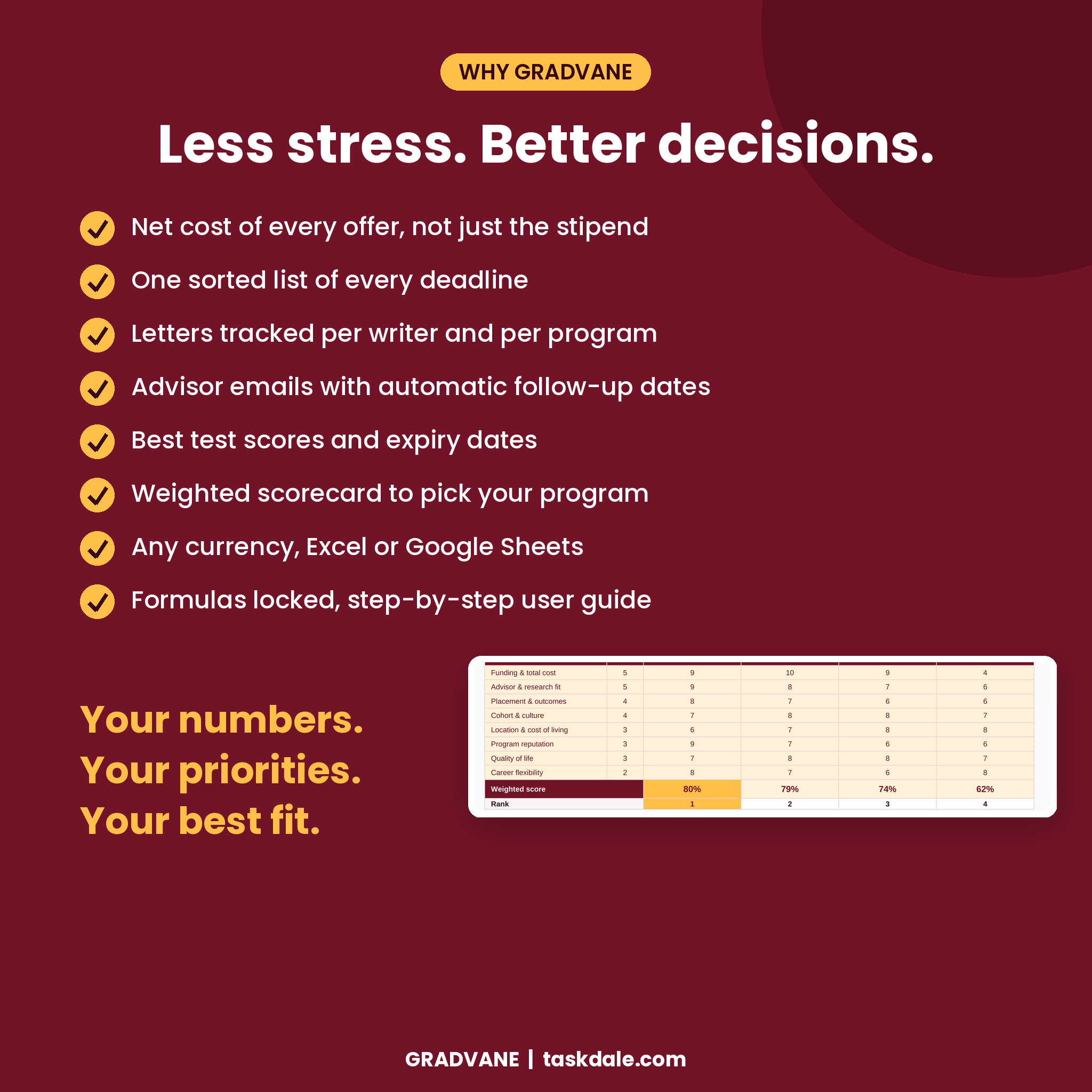
Pick four programs to see side by side: status, reply-by date, length, cost, funding, net cost, loan payment, faculty leads and readiness. Then weight eight factors (rename them to suit you), score each option and see your ranking and chart.
Features
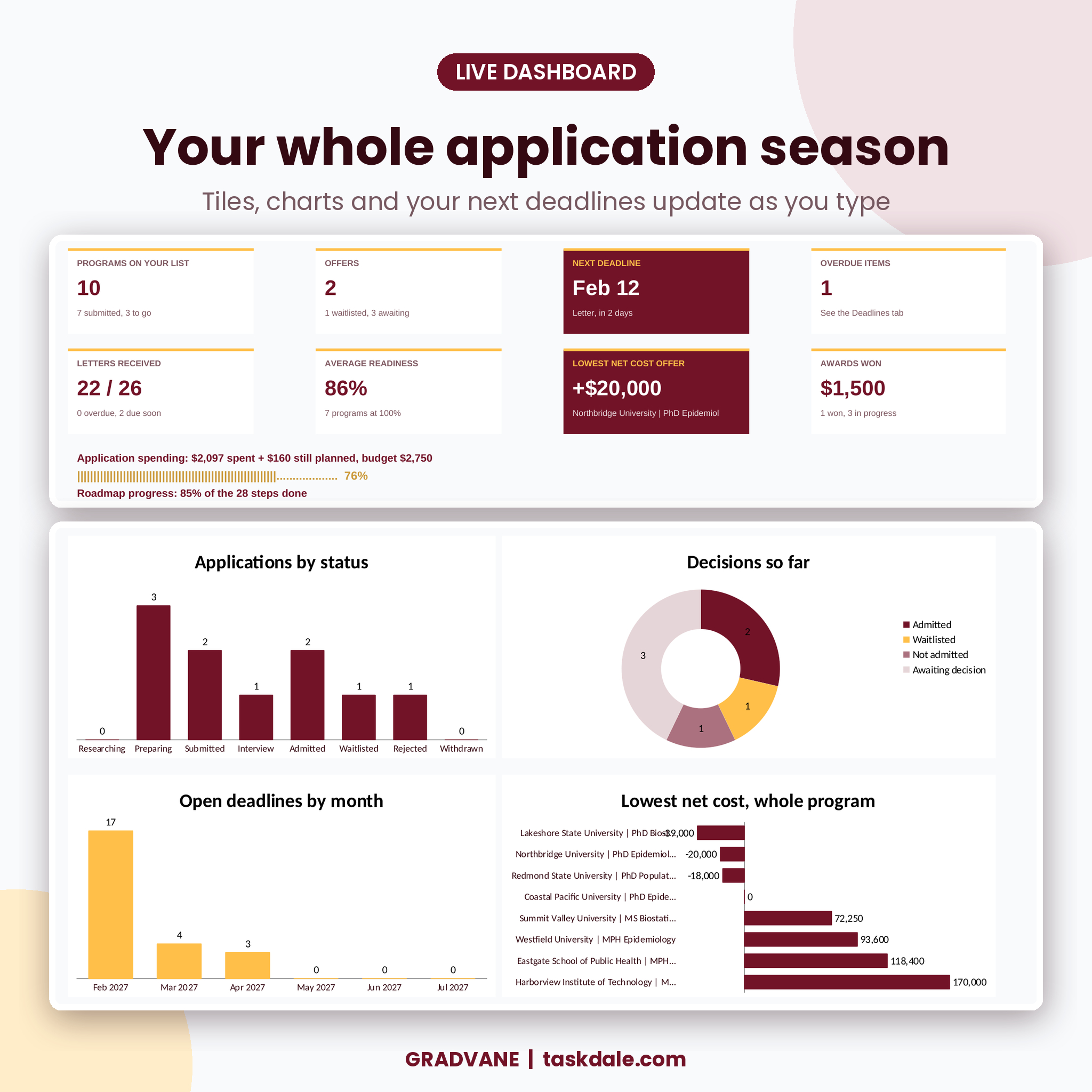
- Dashboard: 8 live tiles (programs, offers, next deadline, overdue items, letters received, readiness, lowest net cost offer, awards won), spending vs budget, roadmap progress, 5 charts, your next 10 deadlines and your offers ranked by cost
- Programs: up to 50 programs with degree, fit, location, priority and application deadlines, fee, fee waiver, status, interview, decision and reply-by dates, days left, alerts and readiness
- Checklist: 12 requirements per program, Done / To do / N/A, readiness %, rename any item
- Essays: 80 rows with word limit, word count, words left, drafts, status, reviewer and due dates
- Tests: GRE, GMAT, LSAT, MCAT, TOEFL, IELTS, Duolingo English Test and more, with best score per test, score-report costs and valid-until dates
- Fellowships: 60 external awards, per-year awards multiplied by years, deadline alerts and money won
- Spending: application fees and test costs flow in automatically, plus an expense log and category budgets
- Roadmap: 28 steps timed backward from your key deadline, with progress
- One currency setting for every money label, dropdowns everywhere, formulas locked with no password
What is included
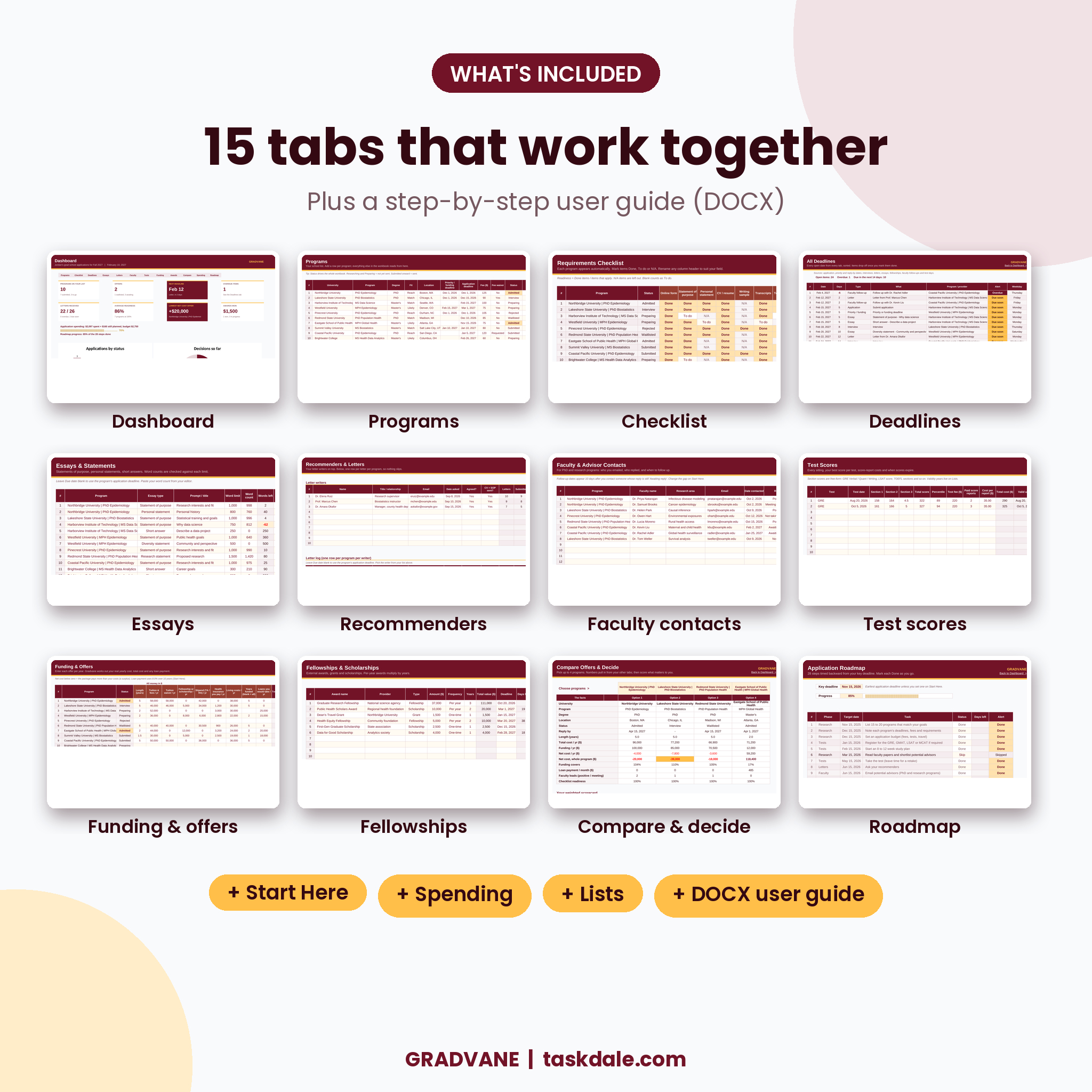
- Gradvane Grad School Application Tracker (.xlsx) with 15 tabs: Start Here, Dashboard, Programs, Checklist, Deadlines, Essays, Recommenders, Faculty, Tests, Funding, Fellowships, Compare, Spending, Roadmap and Lists
- Gradvane User Guide (.docx) with setup steps, screenshots, formulas in plain words, troubleshooting and FAQ
The workbook arrives blank and ready for your details. Listing images show made-up example schools and people.
How it works
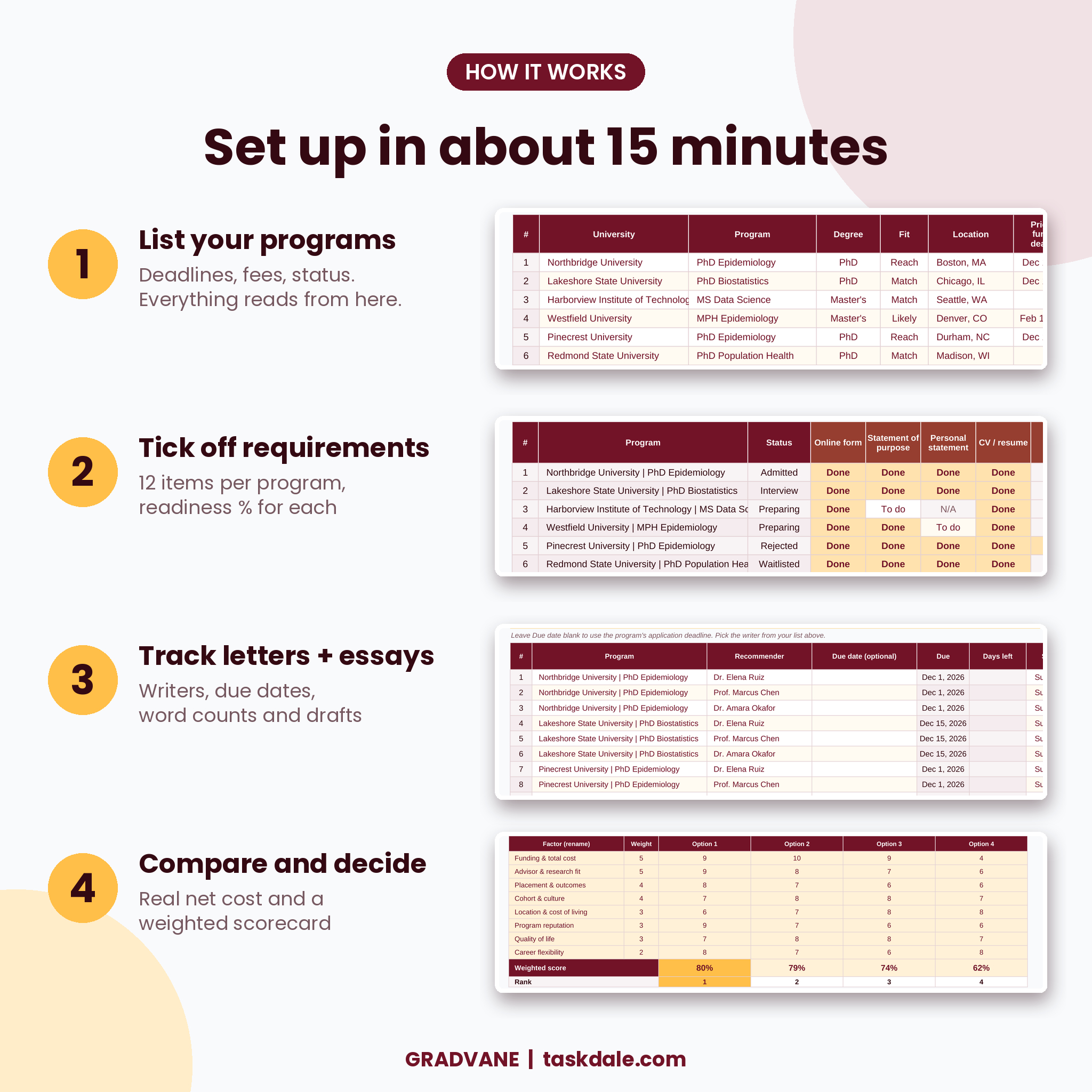
- Set your currency, due-soon window and loan rate on Start Here.
- Add your programs with deadlines, fees and status.
- Mark requirements on the Checklist and log essays, letters and professor emails by picking the program from a dropdown.
- When decisions arrive, enter each offer on Funding.
- Choose your top four on Compare, score them and decide.
File formats and software
- Excel 2019, 2021 or Microsoft 365 (Windows or Mac)
- Google Sheets: upload the file to Google Drive and open it with Google Sheets
- No macros, no add-ins, no account needed
Customizing
Type any currency symbol and every money label follows. Rename dropdown options on the Lists tab, checklist headers and scorecard factors in place. Change the due-soon window and follow-up gap on Start Here. Sheets are protected with no password, so you can unprotect and edit anything.
Real situations it helps with
- You are applying to 8 PhD programs and need to know which of your 24 letters are still missing.
- Two offers arrive with different stipends, rents and guaranteed years, and you want the true cost of each.
- A professor has not answered your email and you want a reminder to follow up at the right time.
- Your GRE score is from a while ago and you need to see if it is still valid for every deadline.
- You want one weekly view of everything due in the next two weeks.
Digital download
This is a digital product. Nothing is shipped. Download the files from your Taskdale account right after purchase. Licensed for personal use: please do not resell or share the files.
FAQ
Does this grad school application tracker work in Google Sheets?
Yes. Upload the .xlsx to Google Drive and open it with Google Sheets. Every formula uses functions Google Sheets supports. Move between tabs with the sheet tabs at the bottom.
Is it only for PhD programs?
No. It works for master’s, MBA, law, medical and other graduate programs. The Faculty tab is optional.
How many programs can I track?
Up to 50 programs, 100 letters, 80 essays, 60 professor contacts, 20 test sittings, 60 awards and 100 expenses.
Can I compare financial aid and funding offers?
Yes. The Funding tab works out net cost per year and for the whole program, coverage, total loans and a monthly payment, and ranks every offer.
Can I use my own currency?
Yes. Type your symbol once on Start Here.
Can I use it for undergraduate college applications?
It is built around grad school (advisors, stipends, letters per program), but the program, checklist, deadline, essay and cost tabs work for any application.
Which Excel version do I need?
Excel 2019 or newer, including Microsoft 365.


Reviews
There are no reviews yet.