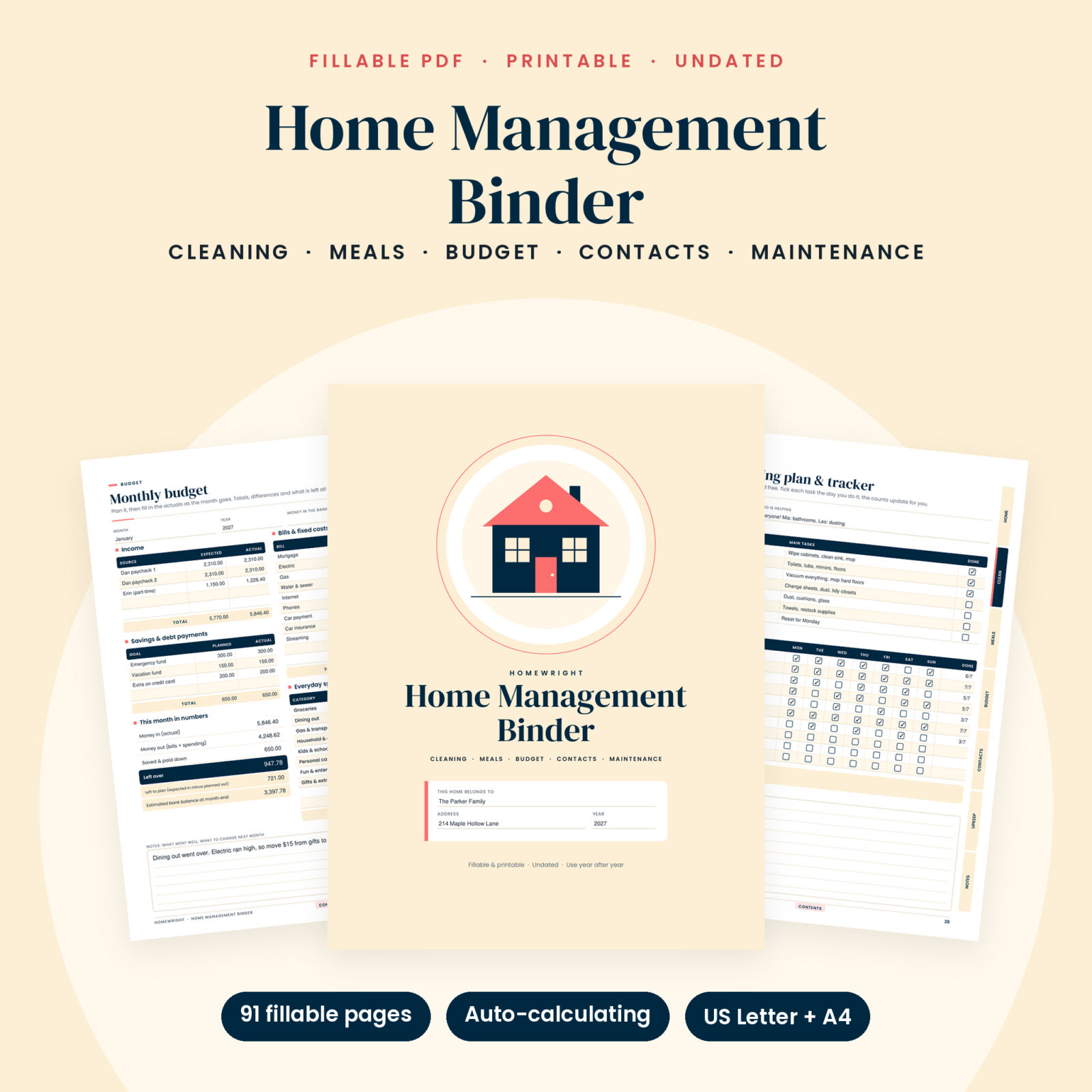
A home management binder that does some of the work for you
The Homewright home management binder is a 91-page fillable and printable PDF that keeps your whole household in one place: cleaning, meals, money, contacts and home maintenance, plus the family calendar and emergency plan. Type into it on a computer or tablet, or print the pages and keep them in a binder on the kitchen counter.
Most household binders are pretty pages and nothing more. This one adds up your budget, fills in your year summary, dates your calendars, works out when the furnace filter is due and counts who actually did their chores. You fill in the facts. The binder handles the math.
Who it is for
- Busy parents who carry the whole house in their head and want it on paper instead
- Couples and roommates sharing bills, chores and groceries
- First-time homeowners who are not sure when the gutters, smoke alarms or water heater need attention
- Anyone who wants a simple monthly budget without learning a spreadsheet
- Planner lovers who prefer a printed household planner, and tablet users who prefer typing
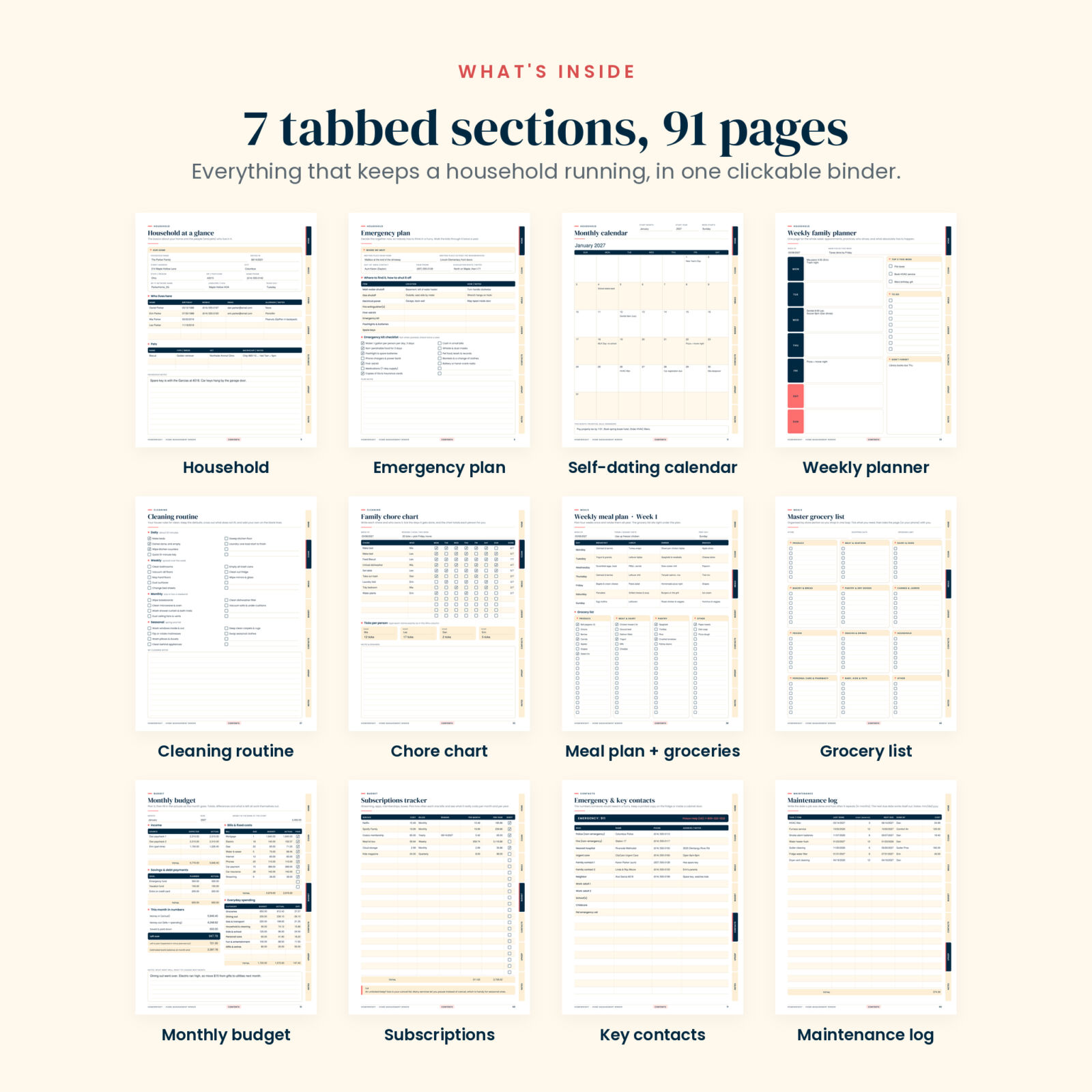
What is inside: 7 tabbed sections
1. Household
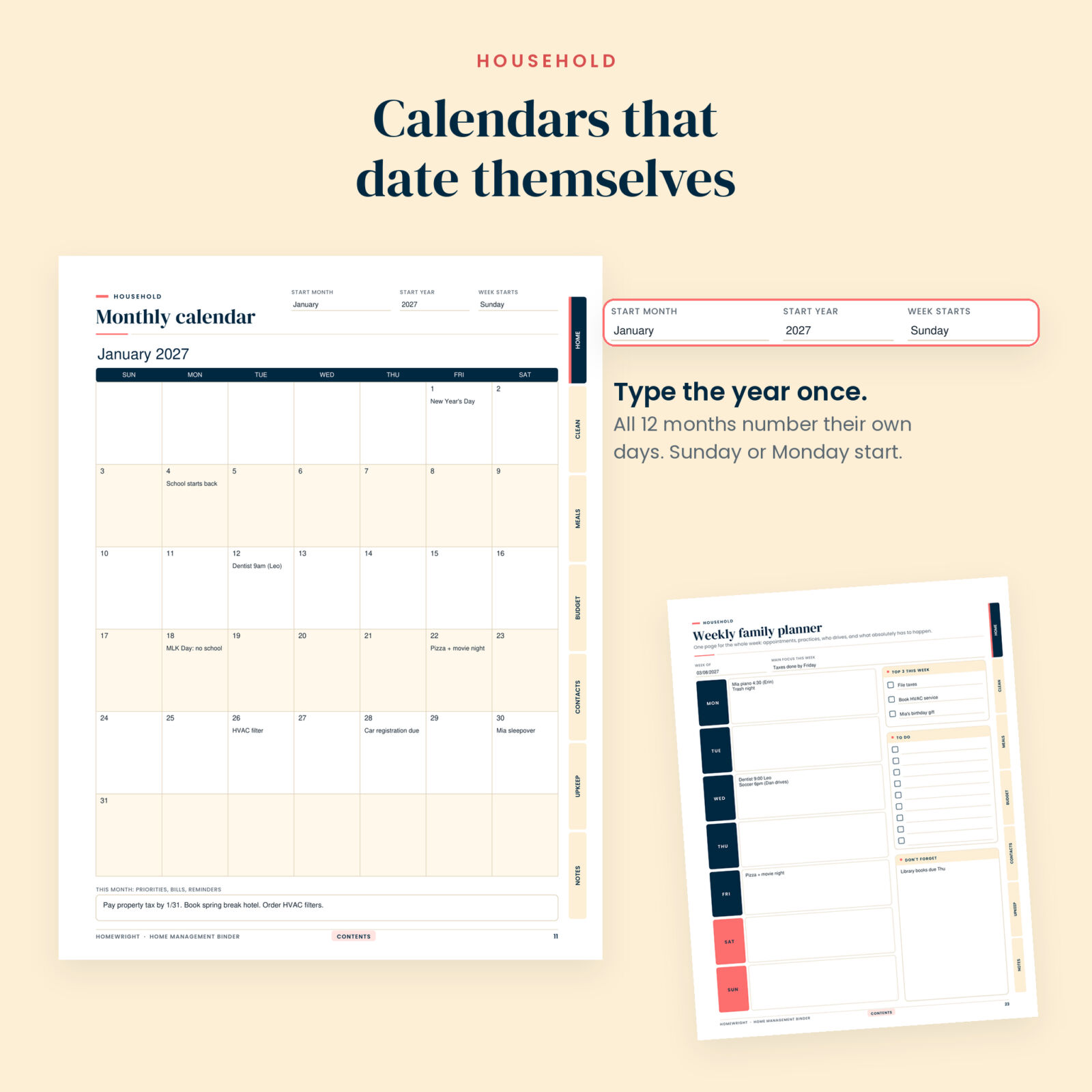
Household at a glance, an emergency plan with meeting places, shutoff locations and a kit checklist, a house manual (filter sizes, bulb types, trash days, quirks), utilities and accounts, year at a glance, birthdays and important dates, 12 monthly calendars, a weekly family planner, a family activity schedule and sitter notes.
2. Cleaning
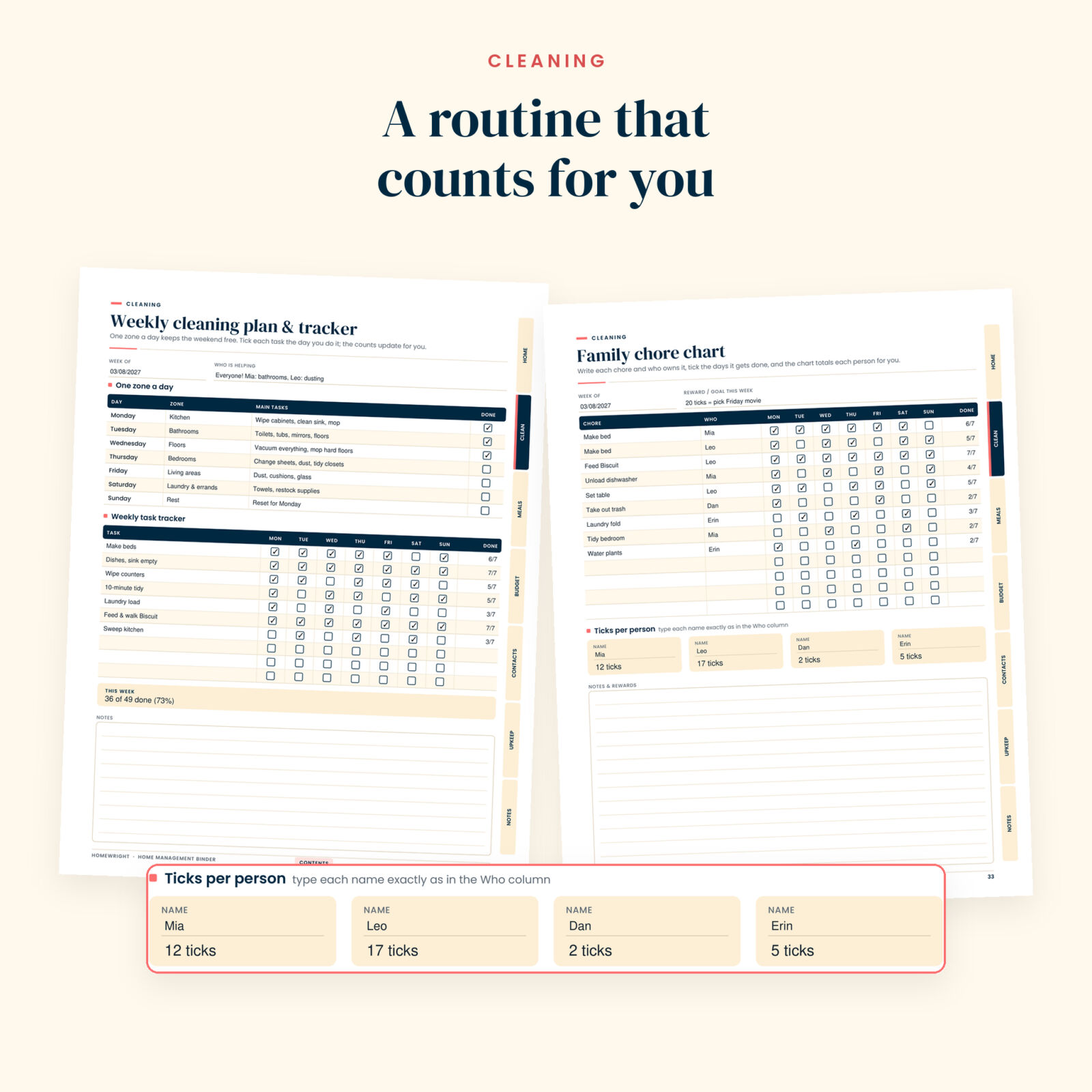
A cleaning routine with daily, weekly, monthly and seasonal lists, a one-zone-a-day weekly cleaning plan with a 7-day tracker, room-by-room checklists, a 12-month deep-clean tracker, spring and fall deep clean lists, a family chore chart, a laundry and stain guide, a 30-day declutter challenge and a cleaning supplies inventory.
3. Meals
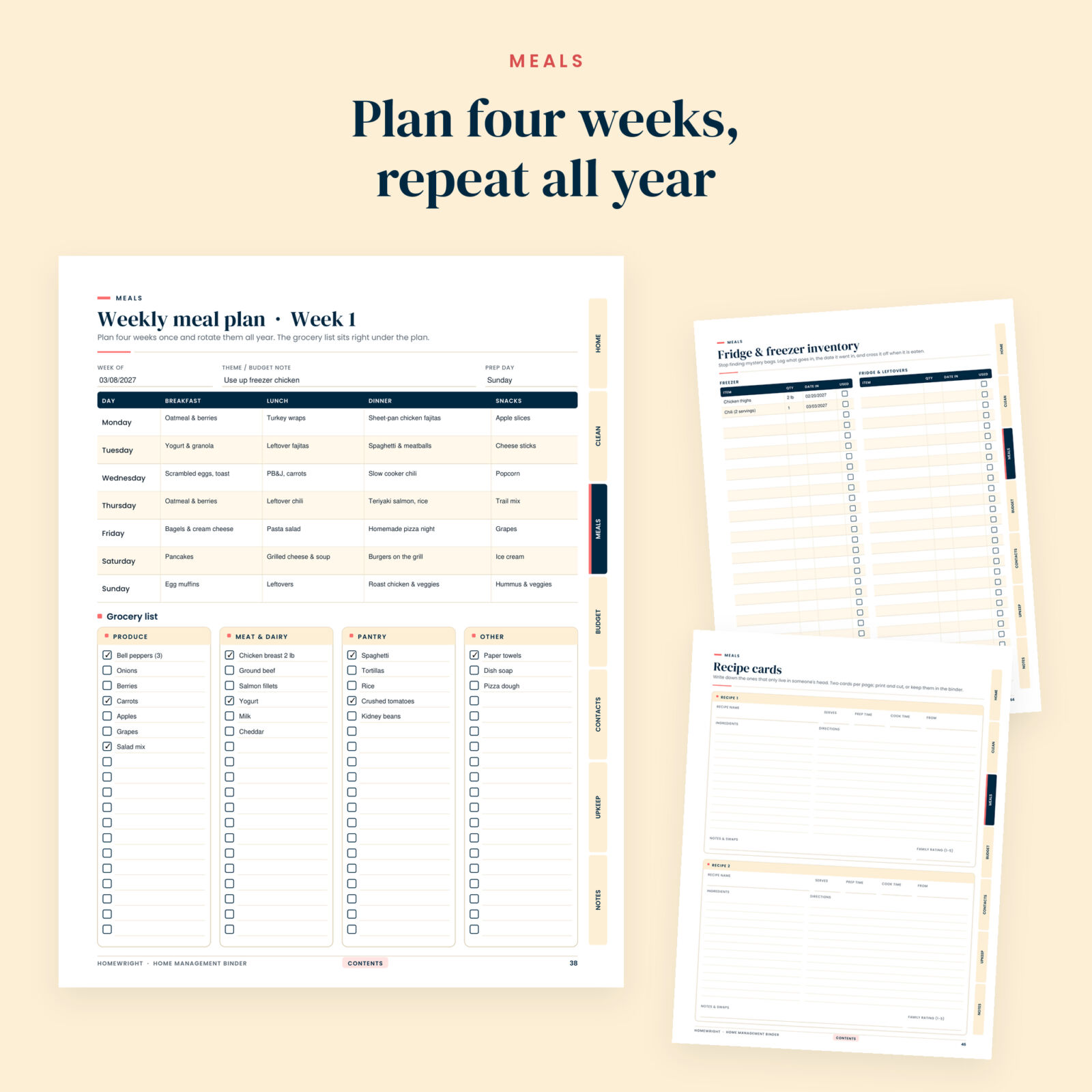
Four weekly meal plans for a repeatable 4-week rotation, each with a grocery list right underneath, a master grocery list sorted by store section, pantry inventory, fridge and freezer inventory, family favorite meals, recipe cards and a meal prep planner.
4. Budget
Budget at a glance, 12 monthly budgets, a bill tracker with a box for every month, two expense log pages, savings goals with progress percentages, sinking funds, a debt payoff tracker and a subscriptions tracker.
5. Contacts
Emergency and key contacts, doctors and care providers, home service providers (plumber, electrician, HVAC and more) and an address book for 16 people.
6. Maintenance
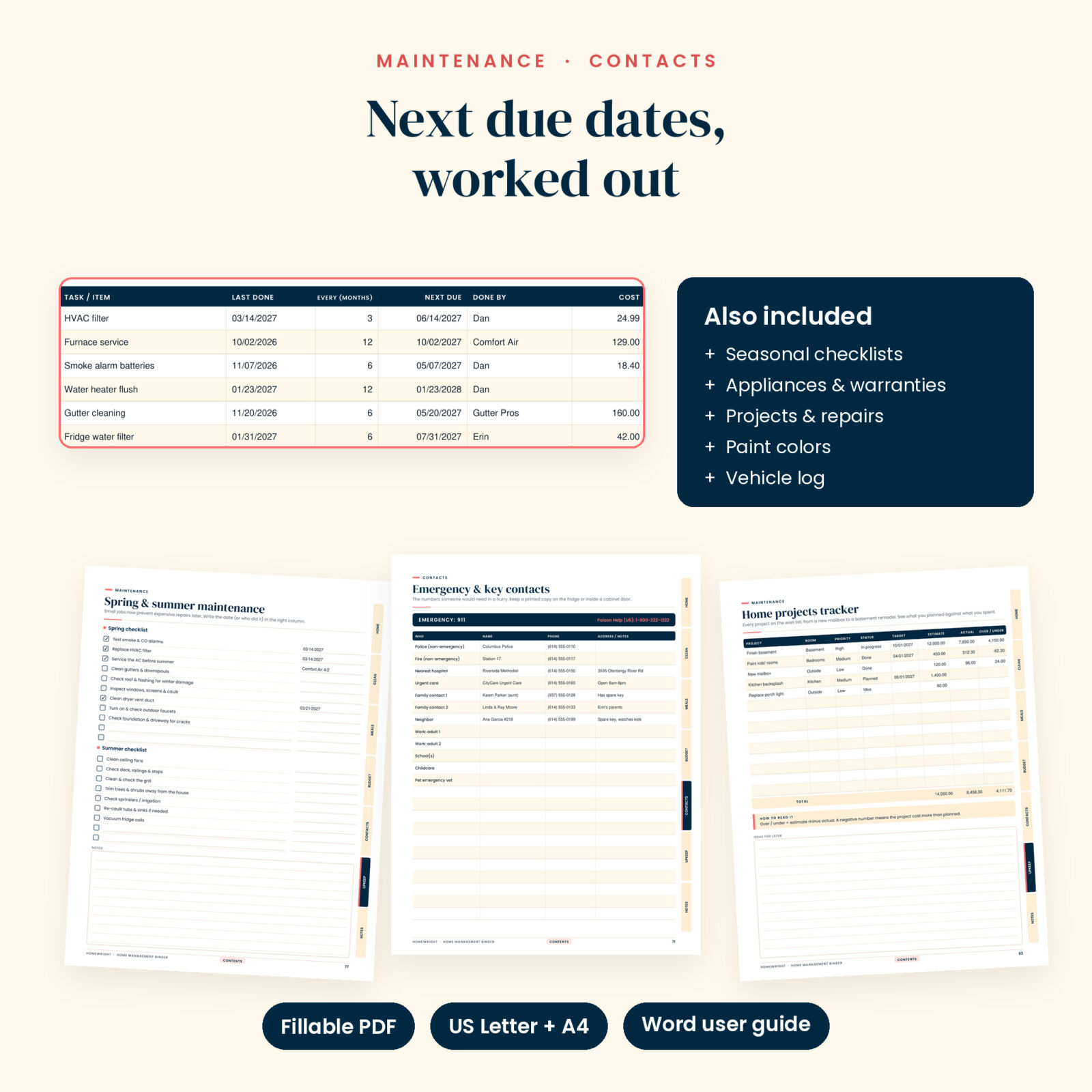
Spring, summer, fall and winter home maintenance checklists, a monthly maintenance tracker, a maintenance log, appliances and warranties, a home projects tracker, a single-project planner, a repair log, paint colors and finishes, and a vehicle maintenance log.
7. Notes
Two lined pages and a dot grid page for floor plans, garden beds or anything else.
The automatic features
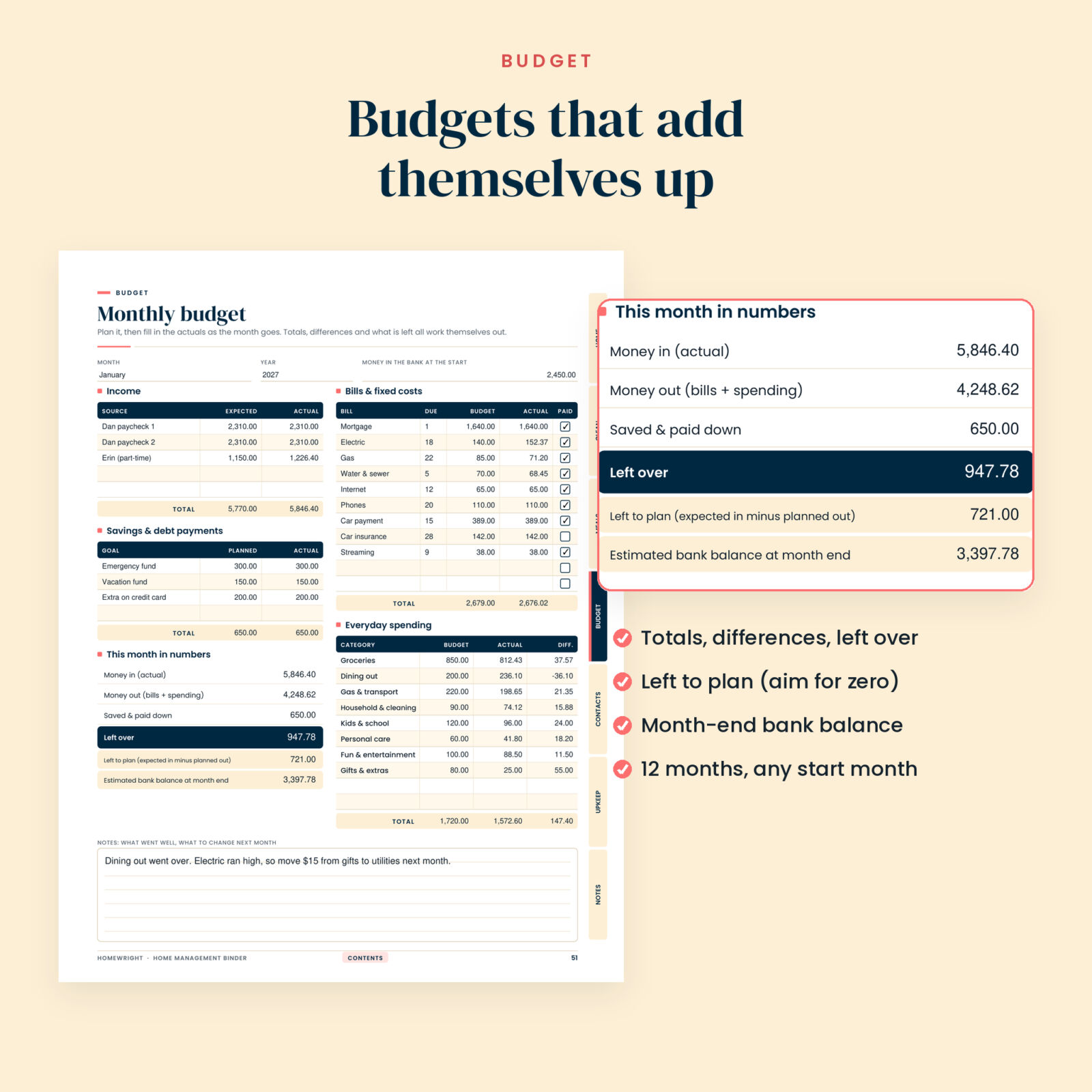
- Monthly budgets that total themselves. Income, bills, everyday spending and savings all add up. You also see the difference per spending category, what is left over, what is left to plan and an estimated month-end bank balance.
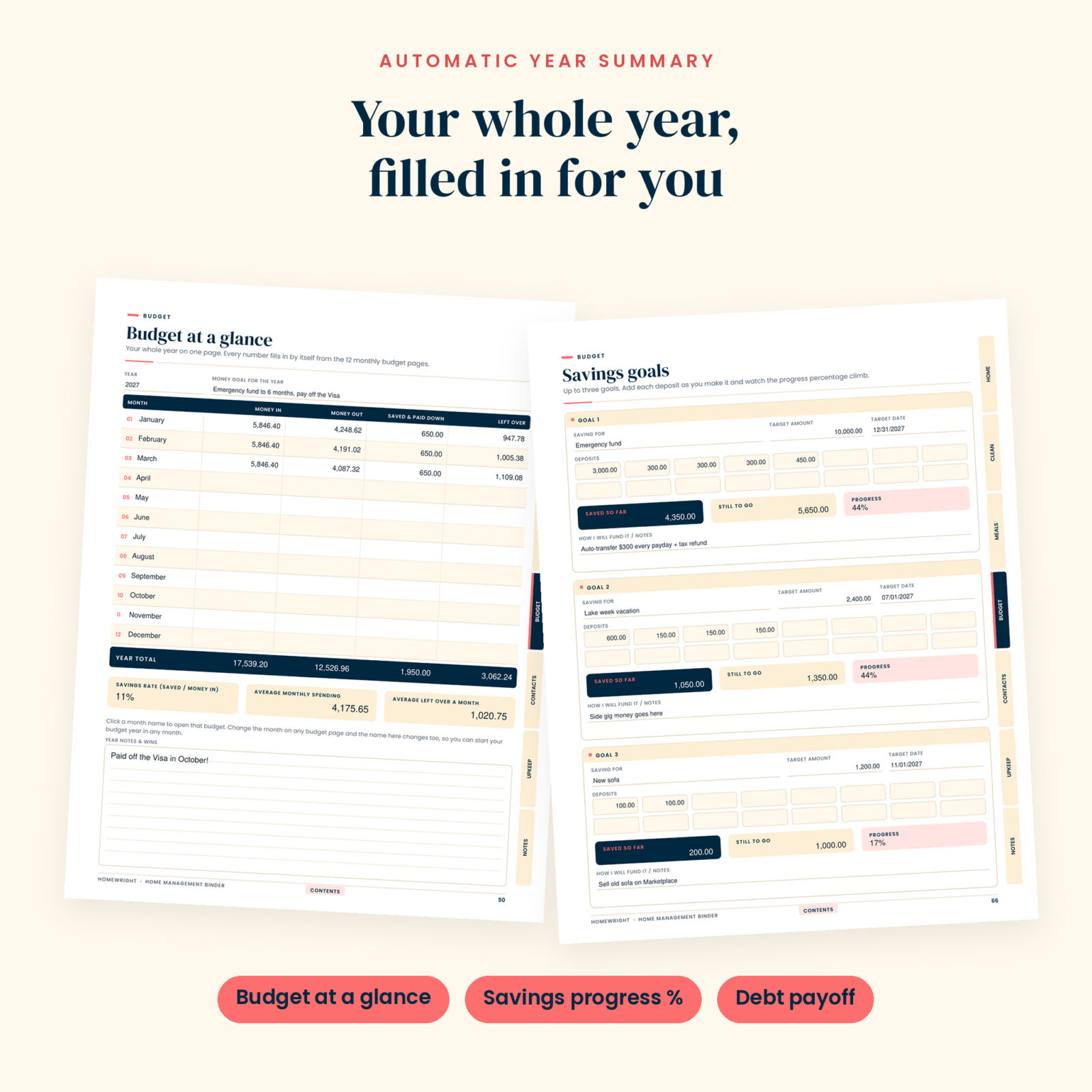
- Budget at a glance. Money in, money out, saved and left over for all 12 months fill in by themselves, with year totals, your savings rate and monthly averages. Click a month to jump to it.
- Self-dating calendars. Pick a start month, type the year and choose a Sunday or Monday start. All 12 calendars number their own days, rolling into the next year when needed.
- Next due dates. In the maintenance log, enter when a job was done and how often it repeats. The next due date appears.
- Chores and cleaning that count. Each row shows how many days a task was done, the weekly tracker shows done versus planned, and the chore chart totals ticks for up to four people.
- Real subscription costs. Choose weekly, monthly, quarterly or yearly billing and see the cost per month and per year, with totals.
- Savings and debt progress. Saved so far, still to go and progress percentage for three goals, plus paid off and percent paid for every debt.
Per-row figures are rounded to the cent before they are totaled, so totals always match the rows you can see.
How it works
- Download the PDF in your paper size (US Letter or A4).
- Open it in Adobe Acrobat Reader, which is free on Windows, Mac, iPad and Android.
- Fill in the Household pages first, set up the calendars, then plan your first month of money.
- Add cleaning, meals, contacts and maintenance as you go. Print any page whenever you want a paper copy.
Clickable tabs on every page jump between sections, a contents link sits in every footer, and every page has a bookmark.
File formats and requirements
- Fillable PDF, US Letter (8.5 x 11 in), 91 pages
- Fillable PDF, A4 (210 x 297 mm), 91 pages, with day-month-year dates and Monday-start weeks by default
- User guide in Word format (DOCX)
- Automatic calculations need a PDF app that runs form calculations, such as Adobe Acrobat Reader. In other viewers you can still type in every field, but the totals may not update.
Make it yours
Everything is undated, so you can start in January, September or any month you like. Budget and calendar months are drop-downs. Money fields have no currency symbol, so the binder works with any currency. Default cleaning and maintenance tasks come with blank lines for your own, and you can print as many copies of the planning pages as your household needs.
Real ways people use it
- A monthly money date: 20 minutes to update the budget, tick off paid bills and log debt balances
- Printing the emergency plan and key contacts page for the inside of a kitchen cabinet
- Handing the sitter notes and house manual to a babysitter or house-sitter
- Running a family chore chart where the kids can see their tick count climb
- Keeping filter sizes, paint colors and appliance model numbers ready for every store run and repair call
Digital download
This is a digital product. Nothing is shipped. Your files are ready to download right after checkout.
FAQ
Is this home management binder dated?
No. It is fully undated, so you can start any month and reuse it every year.
Can I fill it in on my iPad or Android tablet?
Yes. Use Adobe Acrobat Reader for iPad or Android to type into the fields and run the automatic totals.
Can I print it and write by hand?
Yes. Every field sits on a printed line or table cell, so it works as a printable household binder too.
Does the budget work with my currency?
Yes. There is no currency symbol, so it works with dollars, pounds, euros or any other currency.
Why are my totals not updating?
Your PDF app is skipping form calculations. Open the file in Adobe Acrobat Reader and the numbers update as soon as you change any field.
Can I share it?
It is licensed for personal use by one household. You can print and share pages with the people who live with you, but you may not resell, share or upload the files.
Reviews
There are no reviews yet.