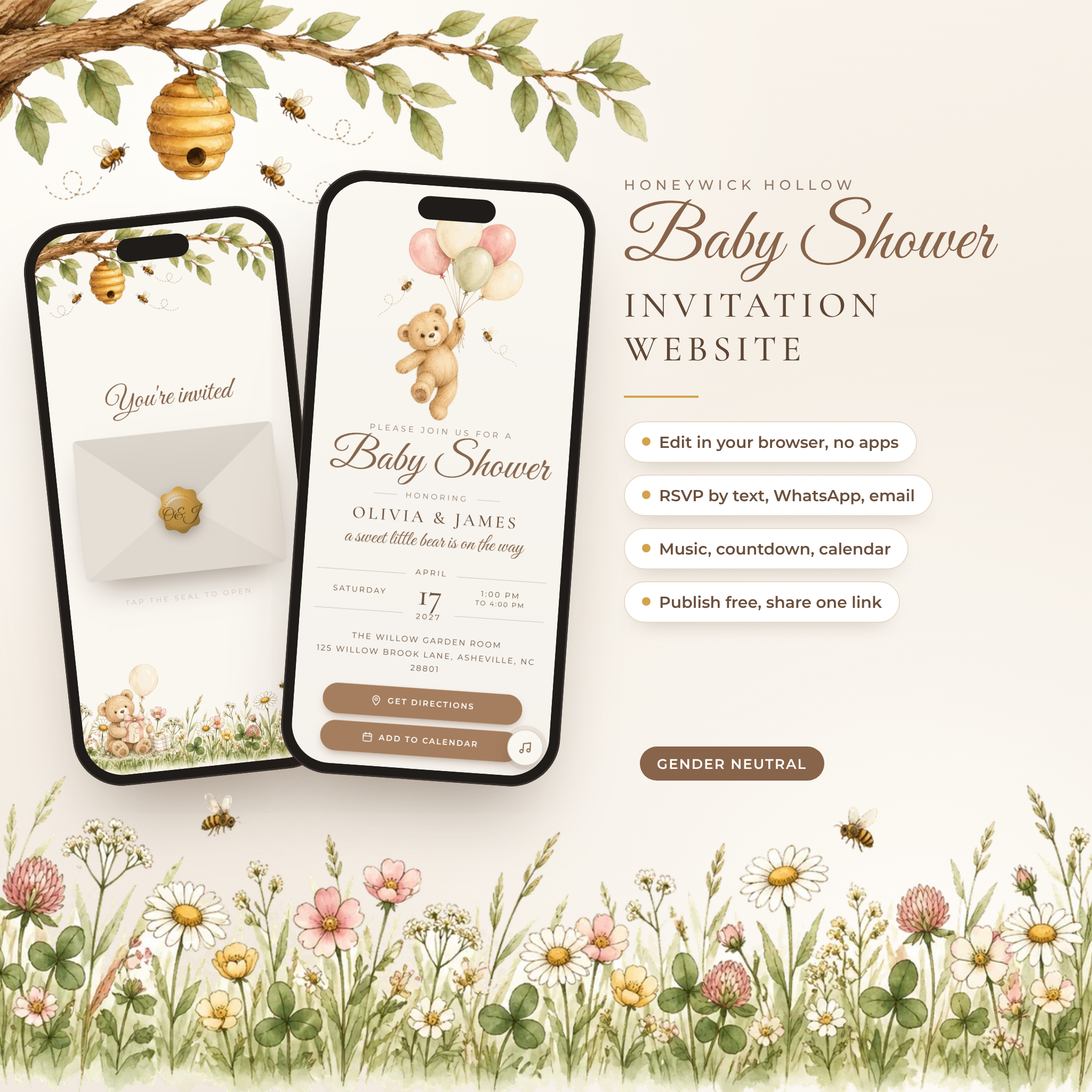

This baby shower invitation website turns a simple link into a little storybook moment. Your guests tap a wax seal, the envelope opens, a music box lullaby begins, and a watercolor teddy bear floats up with a bunch of blush and sage balloons. Everything they need sits on one soft, scrollable page: the date, directions, a live countdown, your registry and an RSVP that takes less than a minute.
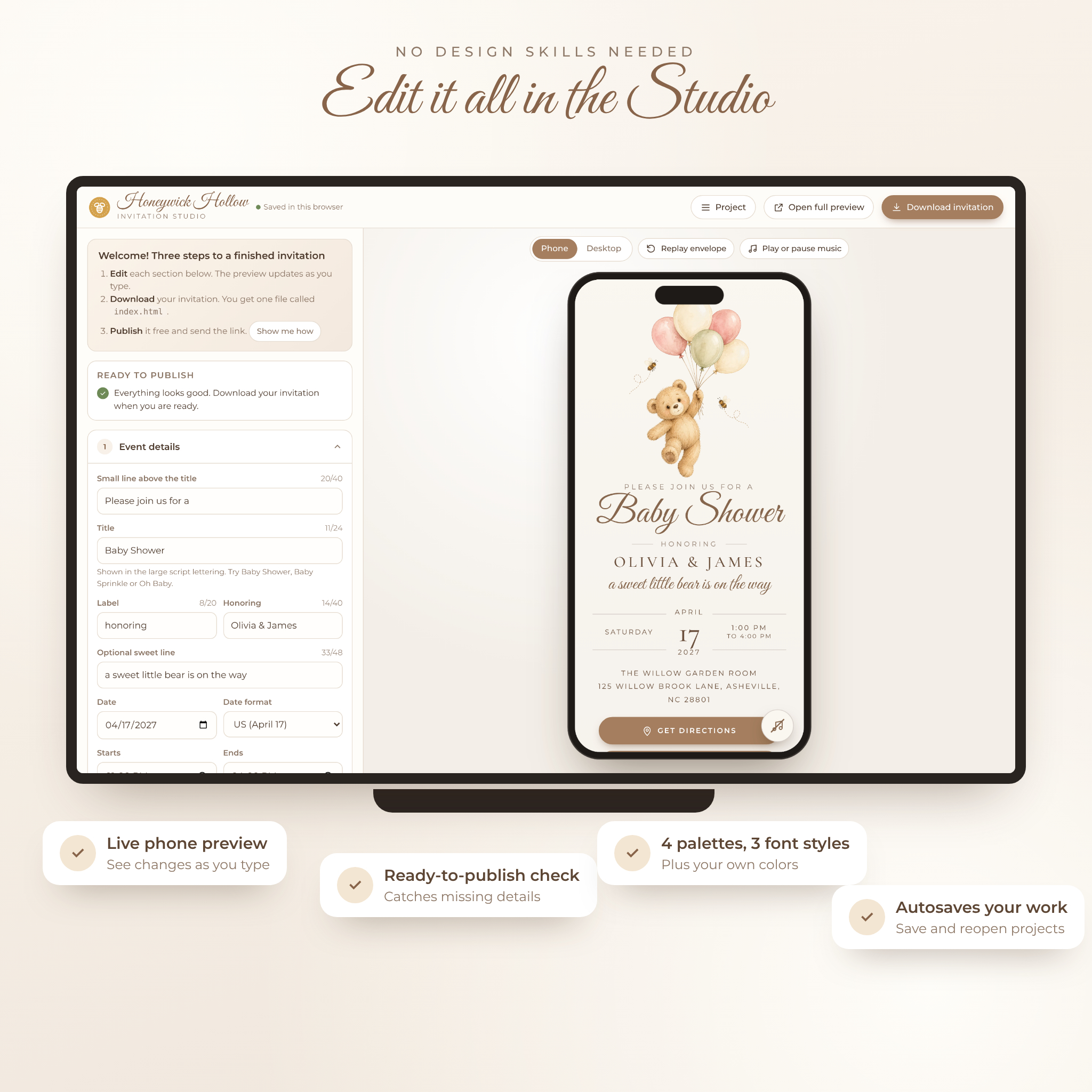
You make it yours in the Honeywick Hollow Invitation Studio, a friendly editor that opens in your web browser. Type your details and watch the phone preview change as you go. No Canva, no apps, no coding. When you’re happy, download one file and publish it free.
What makes this baby shower invitation website different
Most digital invitations stop at a pretty page and a form link. This one does more of the work for you.
- RSVP with zero setup. Guests fill in a short form inside the invitation, then tap Send by Text, Send on WhatsApp or Send by Email. Their reply opens already written. You can add a Google Form too if you like your answers in one sheet.
- Built-in music box lullaby. Brahms’ Lullaby or Twinkle, Twinkle starts as the envelope opens. No uploads, no links. Prefer your own song? Use an MP3 link or a YouTube player.
- A countdown that knows your time zone. Out-of-town guests see the right days, hours and minutes.
- Add to Calendar for Google, Apple and Outlook, with a reminder the day before.
- A ready-to-publish checklist that flags a missing date, a broken registry link or an RSVP with nowhere to go. You find the mistake before your aunt does.
Features
For your guests
- Tap-to-open envelope with a wax seal showing your initials and a gingham liner
- Main invitation with date, time, venue and a Get Directions button
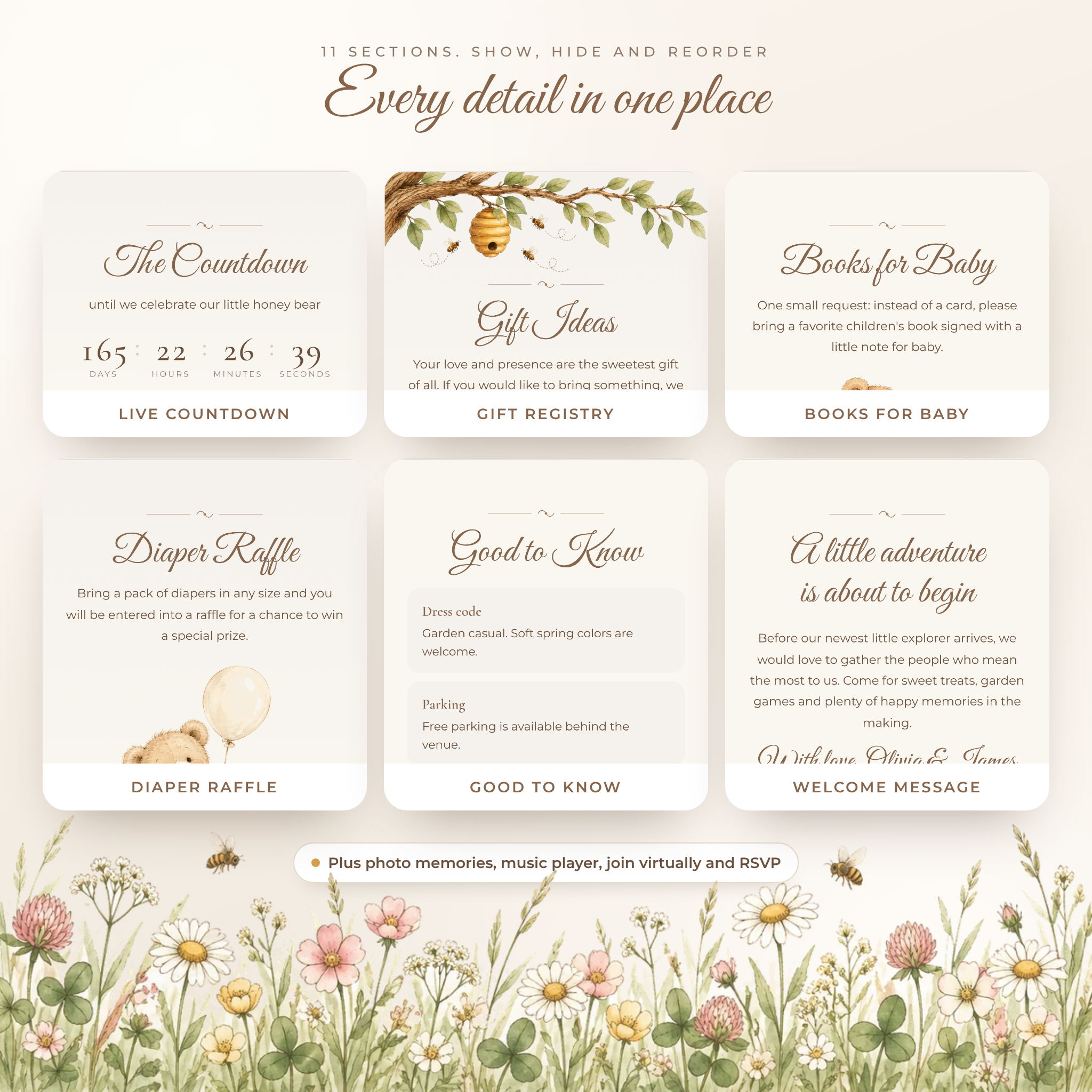
- Live countdown to the shower or to baby’s due date
- Welcome message, gift registry buttons (up to four), books for baby and diaper raffle sections
- Good to know details such as dress code, parking and little ones
- Photo memories for a bump photo or ultrasound (up to four photos)
- Join virtually button for a video call
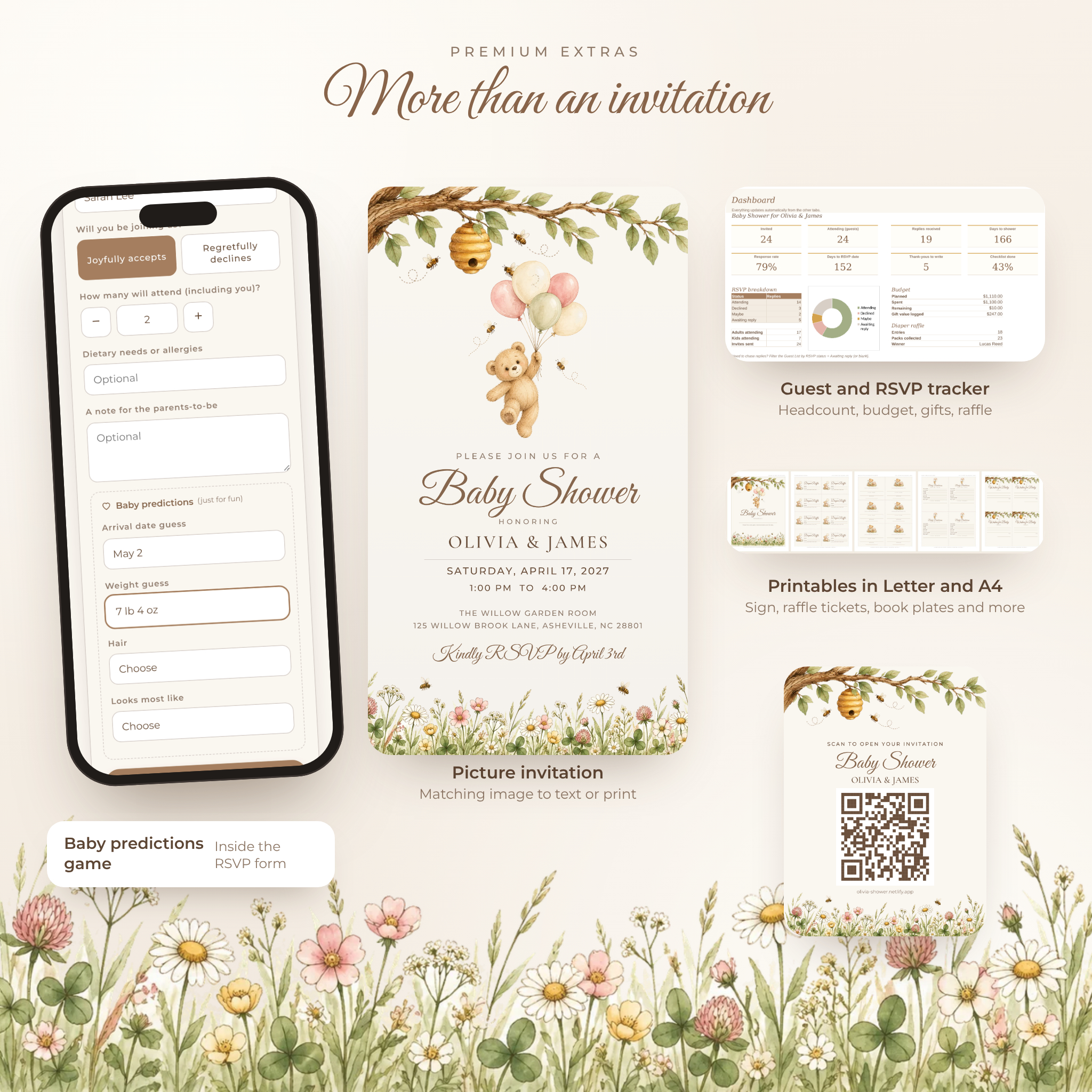
- RSVP form with guest count, dietary needs, a note for the parents-to-be and a fun baby predictions game
- Floating RSVP button, a music on and off button and a Share this invitation button
- Looks lovely on phones, tablets and computers. On a big screen it sits in a framed card with a meadow and honey tree around it.
For you, the host
- Live phone and desktop preview while you edit
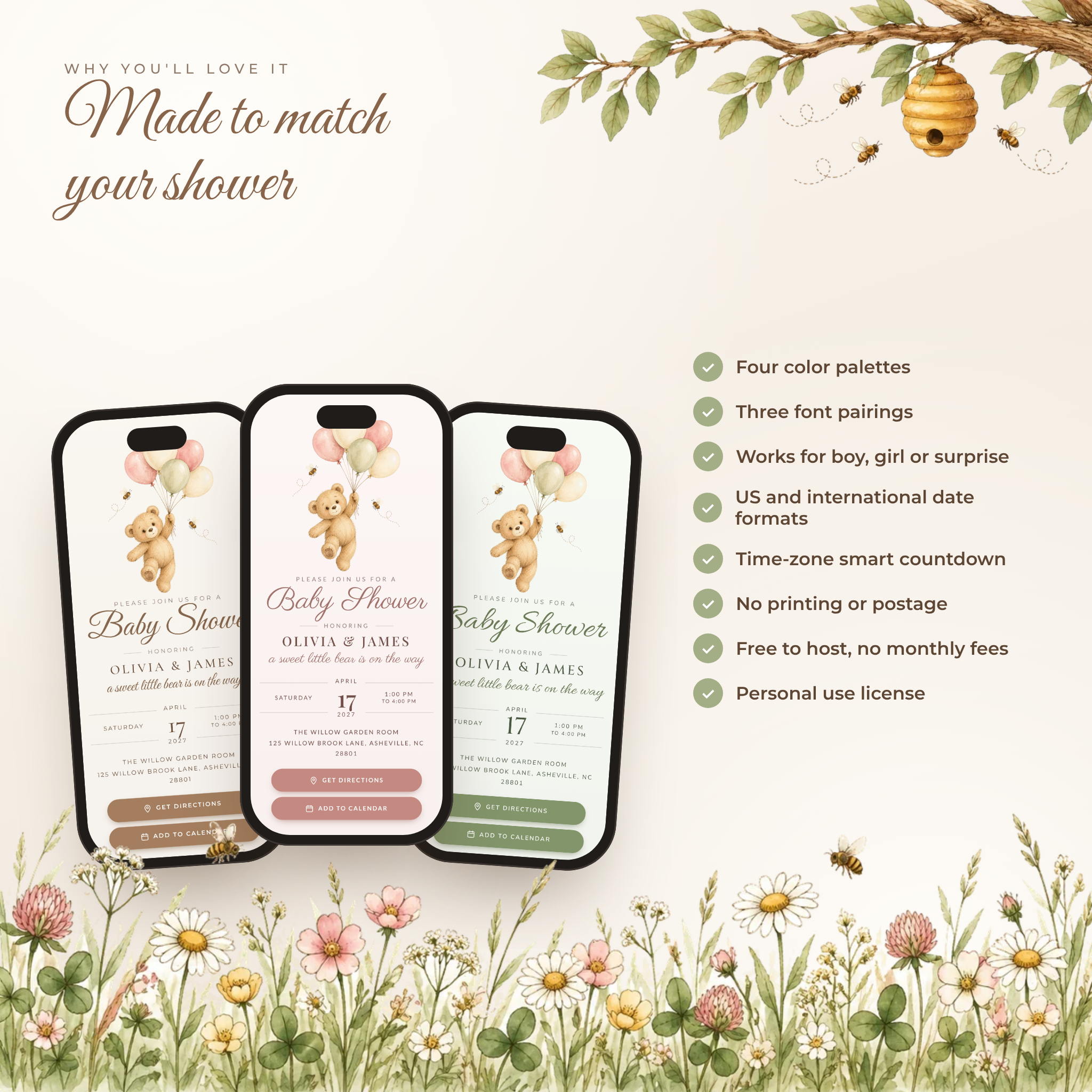
- Four color palettes (Honey Cream, Blush Meadow, Sage Grove, Powder Blue) plus color pickers
- Three font pairings, embedded so your invitation looks the same on every phone
- Turn any of the 11 sections on or off and change their order
- US or international date and time format
- Autosave in your browser, plus save and open project files
- Share kit: a QR code card, a ready-to-send message and a matching picture invitation (PNG) for guests who like an image
What’s included
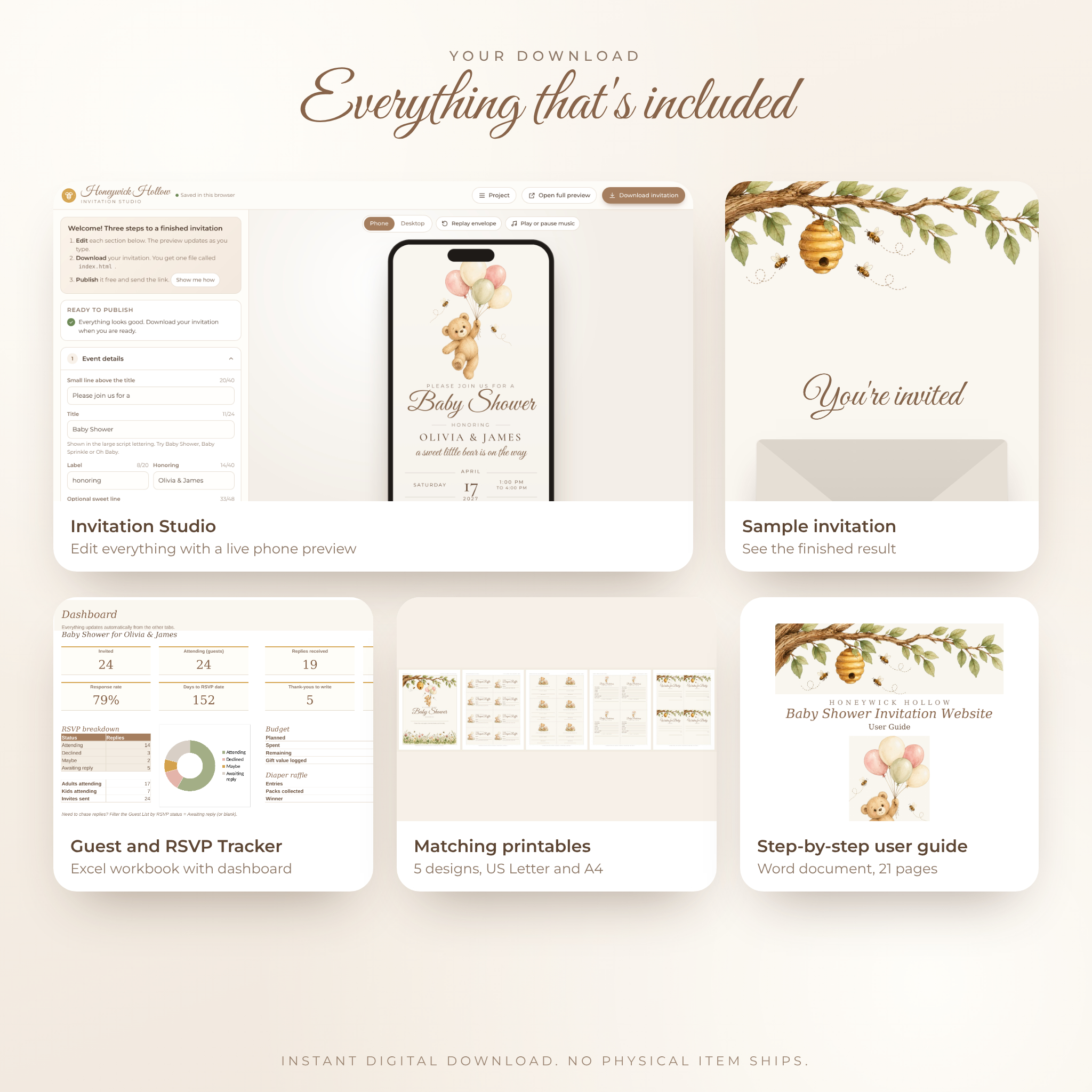
- Honeywick Hollow Invitation Studio (HTML file that opens in your browser)
- Sample invitation so you can see the finished result right away
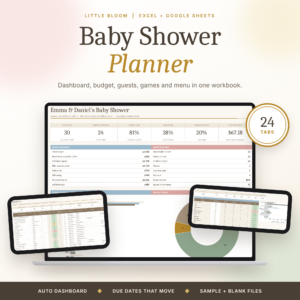
- Guest and RSVP Tracker (Excel workbook): guest list for up to 150 guests or households, dashboard with headcount and response rate, gifts and thank-you log, budget with one currency setting, diaper raffle with a random winner draw, and a 28-task planning checklist
- Matching printables in US Letter and A4 PDF: welcome sign, diaper raffle tickets, book plates, baby prediction cards and wishes for baby cards
- User guide (Word document, 21 pages) with step-by-step publishing help, a Google Form walkthrough, troubleshooting and FAQ
How it works
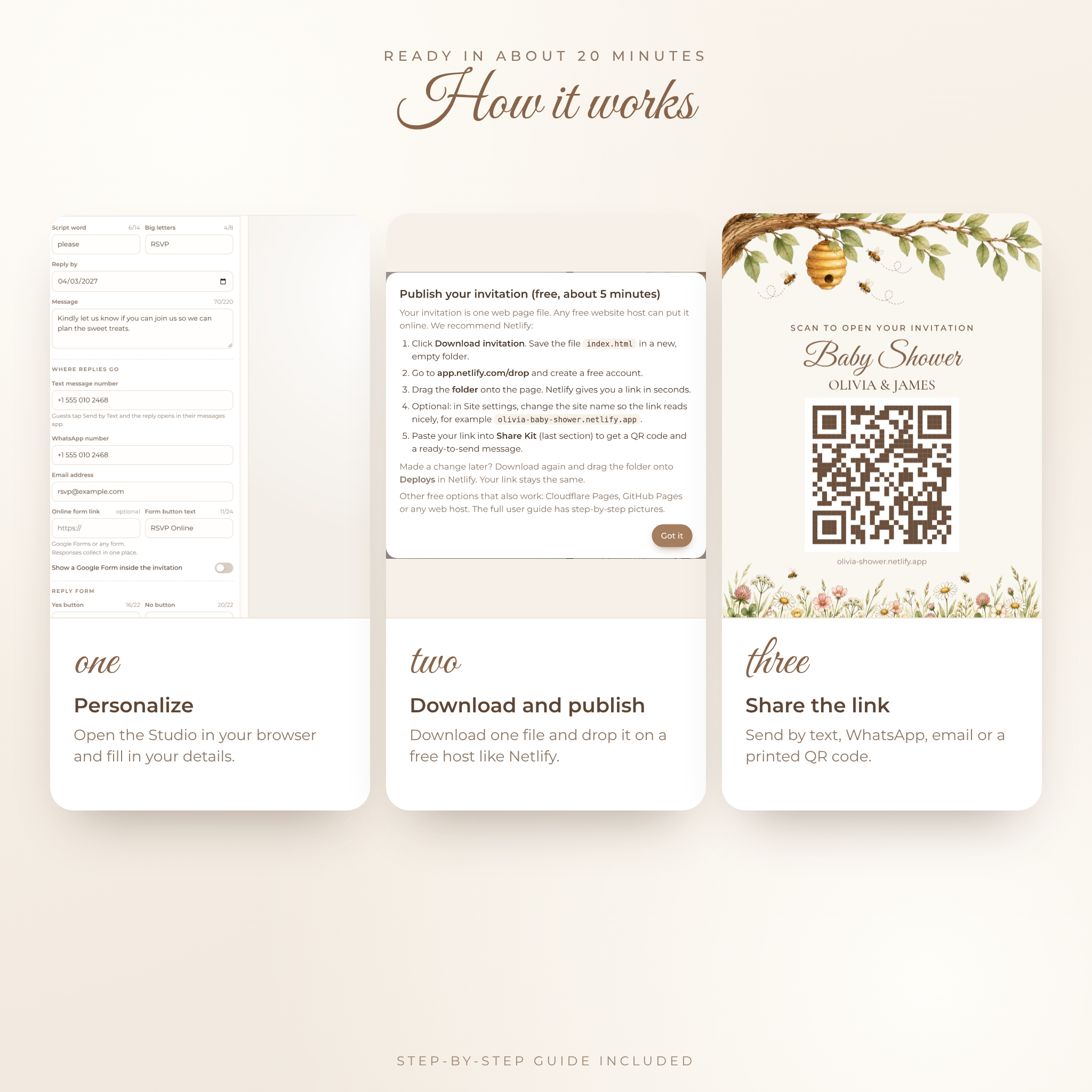
- Download your files and open the Invitation Studio in Google Chrome or Microsoft Edge on your computer.
- Add your names, date, address, registry links and RSVP contact details.
- Click Download invitation. You get one file called index.html.
- Put it in a folder and drag the folder onto a free host such as Netlify Drop. You get your own link in seconds.
- Paste the link into the Share kit and send it by text, WhatsApp, email or social media.
Most hosts are done in about 20 minutes. Need to change something later? Edit, download and drop it again. Your link stays the same.
File formats and requirements
- Invitation Studio and sample: HTML. Google Chrome or Microsoft Edge on a computer works best for editing and publishing.
- Finished invitation: one HTML file. Guests open it in their phone or computer browser. Nothing to install.
- Tracker: XLSX workbook built for Microsoft Excel, also checked in LibreOffice Calc.
- Printables: PDF, US Letter and A4.
- Guide: DOCX for Microsoft Word.
- Publishing: a free account with Netlify, Cloudflare Pages or any web host.
Customization
Every word is editable, from the small line above the title to the Yes and No buttons on the RSVP. Change colors, fonts, section order, the wax seal letters, the quote inside the envelope, the music and the countdown target. Leave out what you don’t need. The artwork stays put, so the layout always looks balanced.
Perfect for
- Gender-neutral, boy, girl or surprise baby showers
- Teddy bear, honey bee, storybook and spring meadow themes
- Baby sprinkles and second baby celebrations
- Virtual or mixed showers with faraway family
- Hosts who want to skip printing and postage but still send something special
Digital download
This is an instant digital download. No physical item ships. Your files are ready on the order confirmation page and in your account straight after checkout.
FAQ
Do I need Canva or any paid software?
No. You edit in your web browser and publish free.
How do guests RSVP?
They fill in the RSVP form inside the invitation and send it to you by text, WhatsApp or email. You can also add a Google Form link.
Can I track who is coming?
Yes. Copy replies into the included Guest and RSVP Tracker for a live headcount, response rate and reminders list.
Does the music play automatically?
It starts when a guest taps the envelope seal. Phones don’t allow sound before a tap, which is why the envelope works so well.
Can I edit it on my phone?
You can, but a computer is easier for typing and needed for the drag-and-drop publishing step.
Does it work outside the US?
Yes. Choose international date format, set your time zone and pick your own currency symbol in the tracker.
Can I change it after I send it?
Yes. Upload the new file to the same site and your guests see the update on the same link.
License
Personal use only. Use it for your own events and showers you are hosting for family and friends. Please don’t resell, share or redistribute the files or artwork. Honeywick Hollow is designed by Taskdale with original artwork.
Reviews
There are no reviews yet.