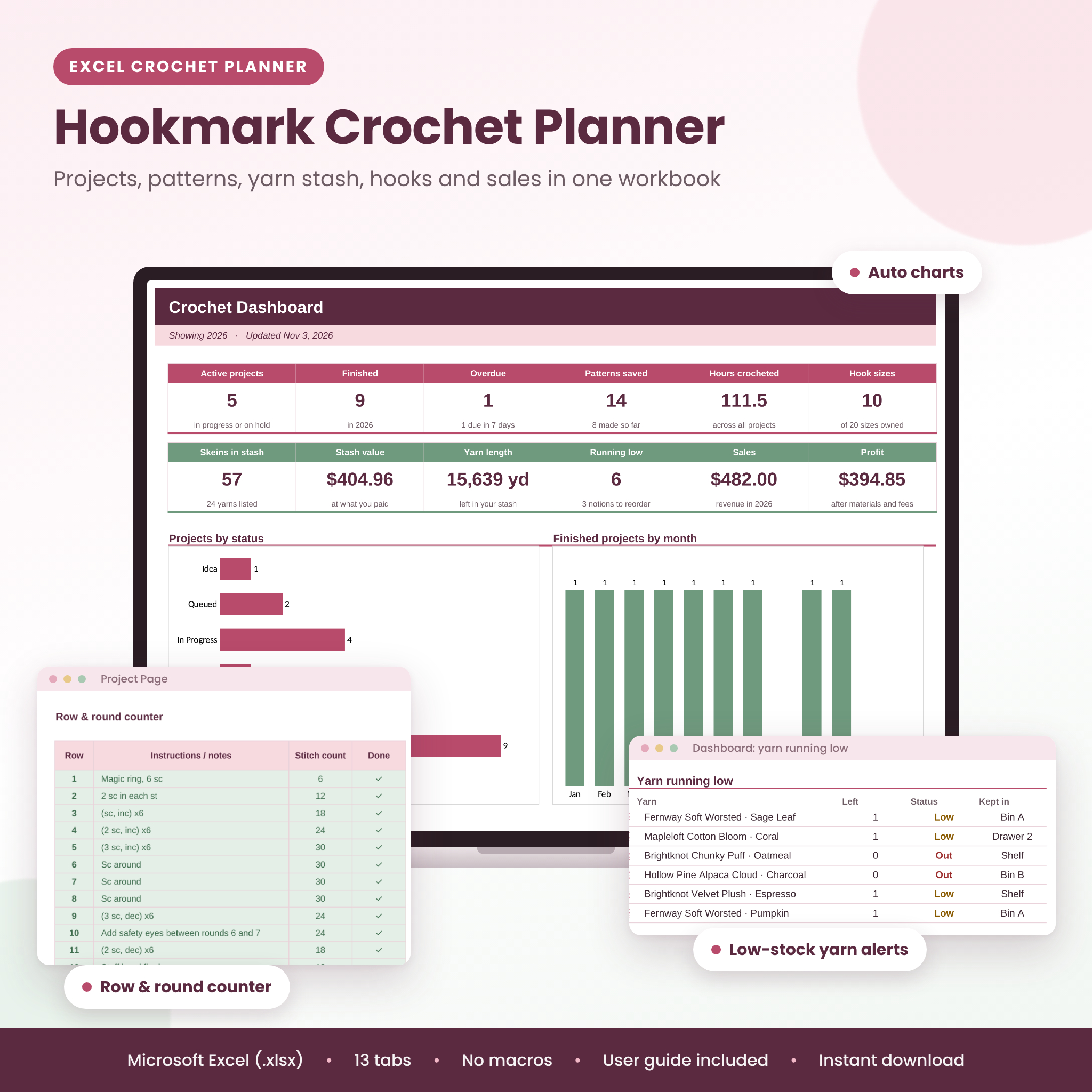
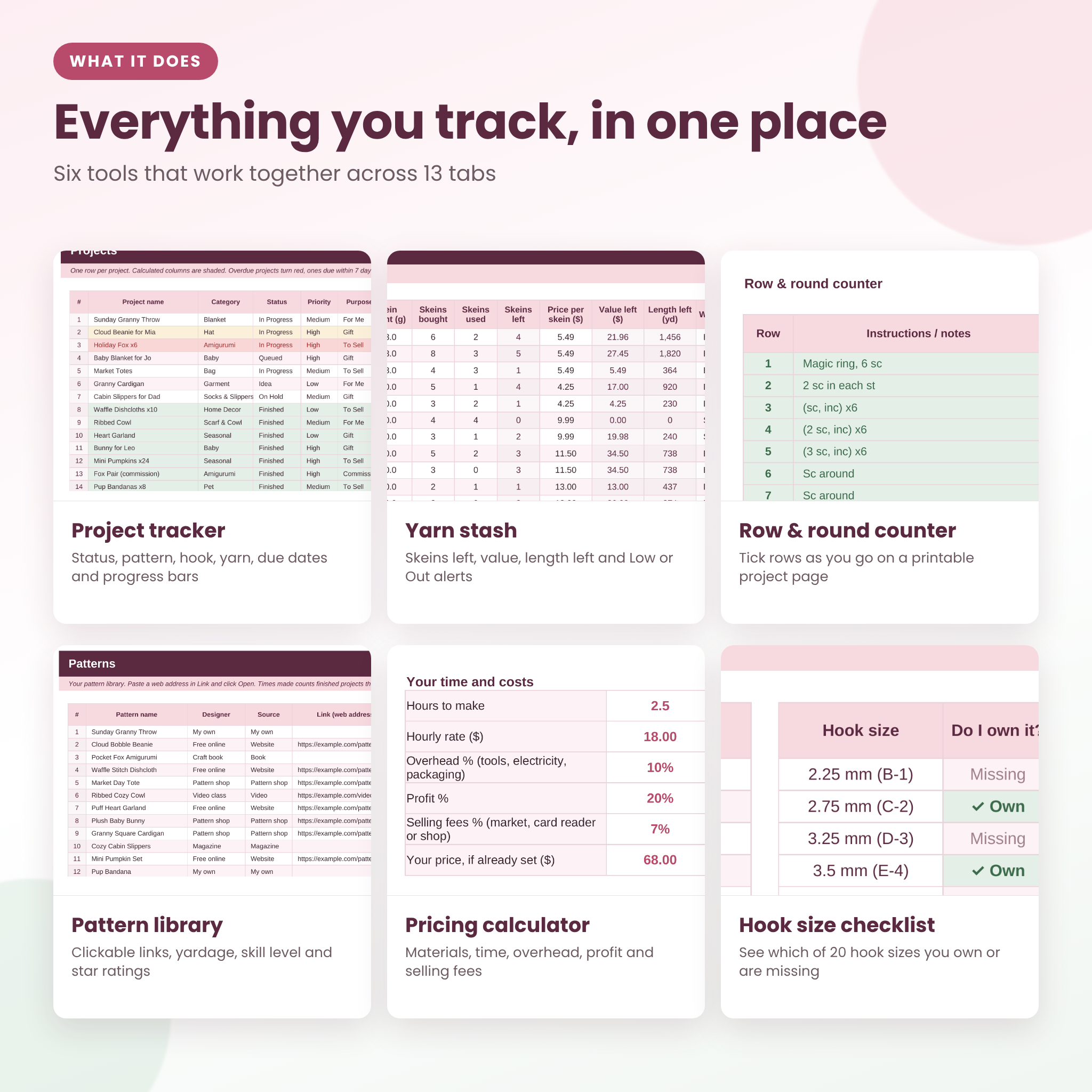
The Hookmark crochet planner spreadsheet is an Excel workbook for crocheters who have more yarn than shelf space, more ideas than free evenings, and a few gift deadlines creeping up. It brings your projects, pattern library, yarn stash, hooks, notions, sales and pricing into one file, and a dashboard adds everything up for you.
You type in the white cells and pick from dropdowns. The shaded cells do the math and stay locked, so a stray click can’t break a formula.
What this crochet project tracker does
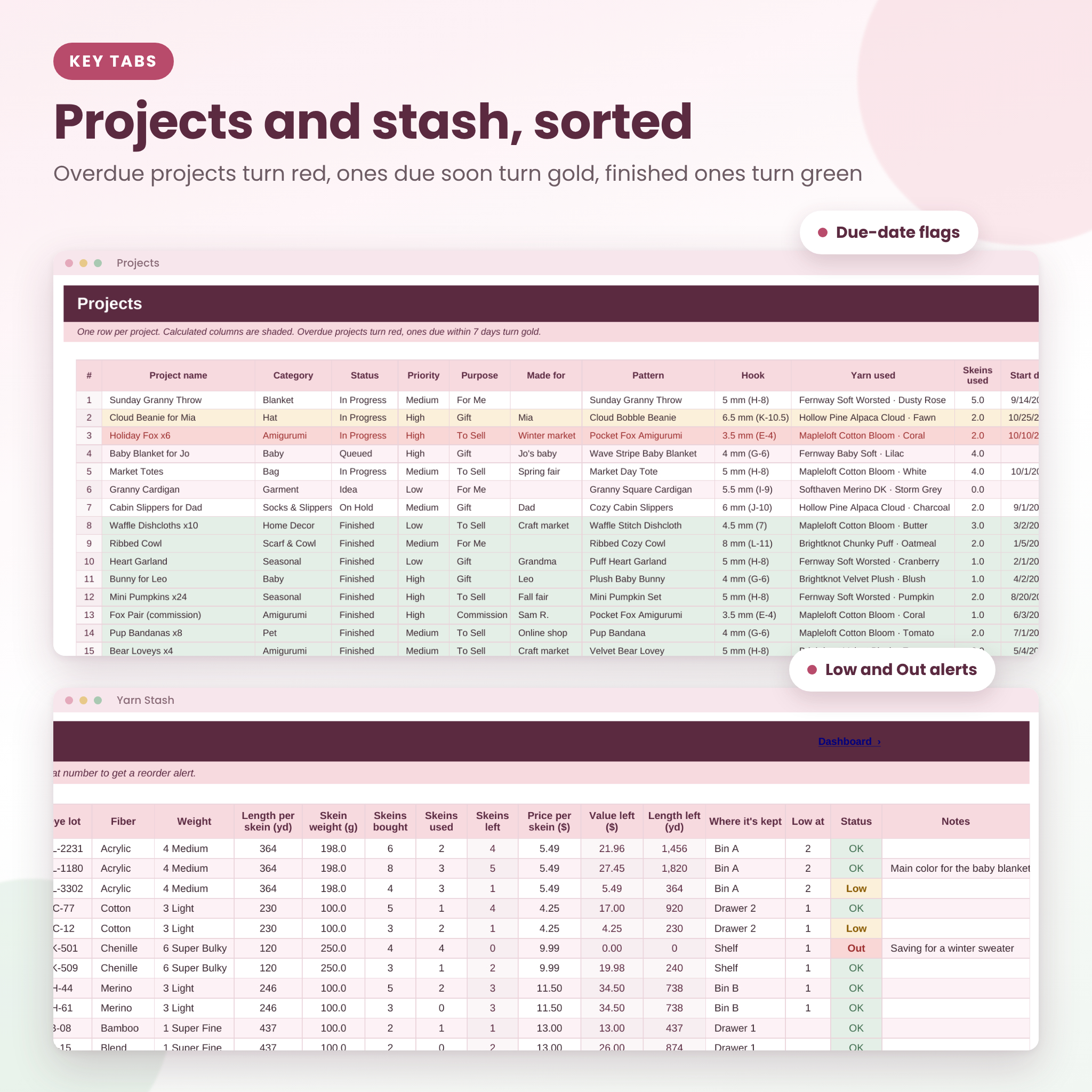
- Tracks every project with status, category, pattern, hook, yarn, start and due dates, hours, materials cost and a progress bar.
- Warns you about deadlines. Overdue projects turn red, ones due in the next 7 days turn gold and finished ones turn green.
- Knows your yarn stash. Skeins left, value left and yardage left work themselves out, and Low or Out alerts tell you what to restock.
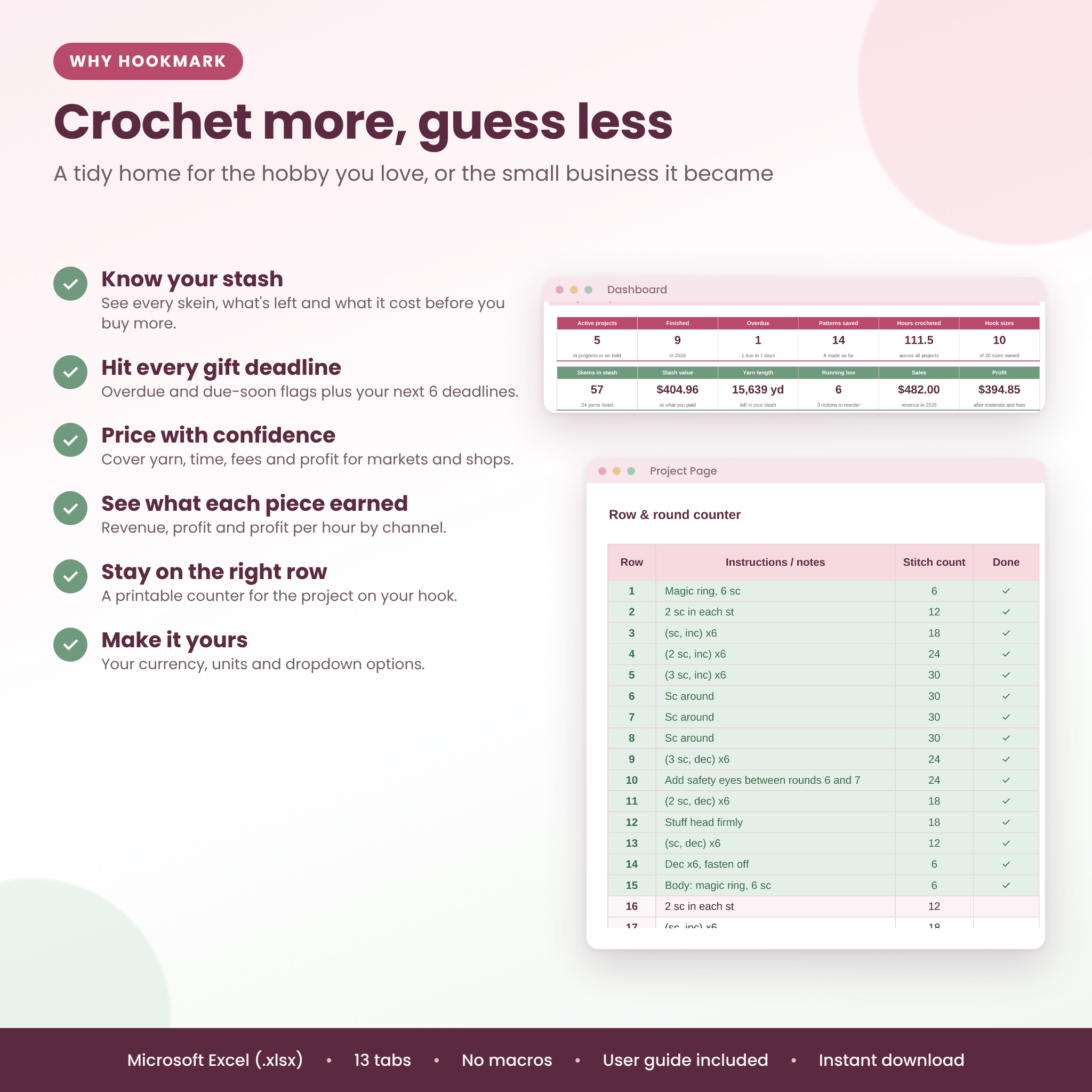
- Counts your rows. The printable Project Page pulls in the details of any project and gives you a 60-row row and round counter.
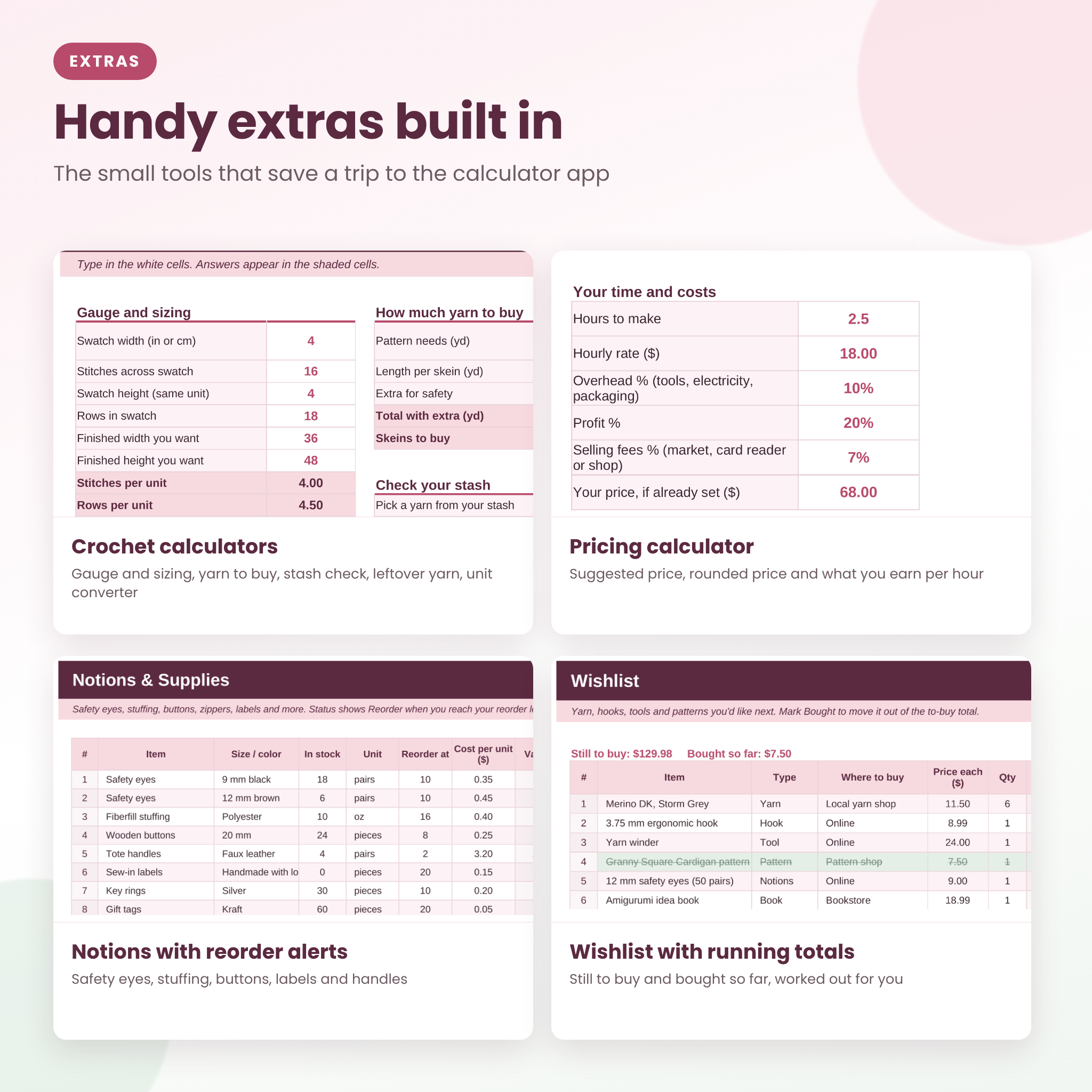
- Helps you price. The pricing calculator covers materials, labor, overhead, profit and selling fees, then gives a suggested and a rounded price.
Who it’s for
It suits hobby crocheters who want to stop buying yarn they already own, gift makers juggling birthdays and holidays, and makers who sell at craft fairs, markets or online. Beginners are fine too: there are no formulas to write and the Start Here tab walks you through setup.
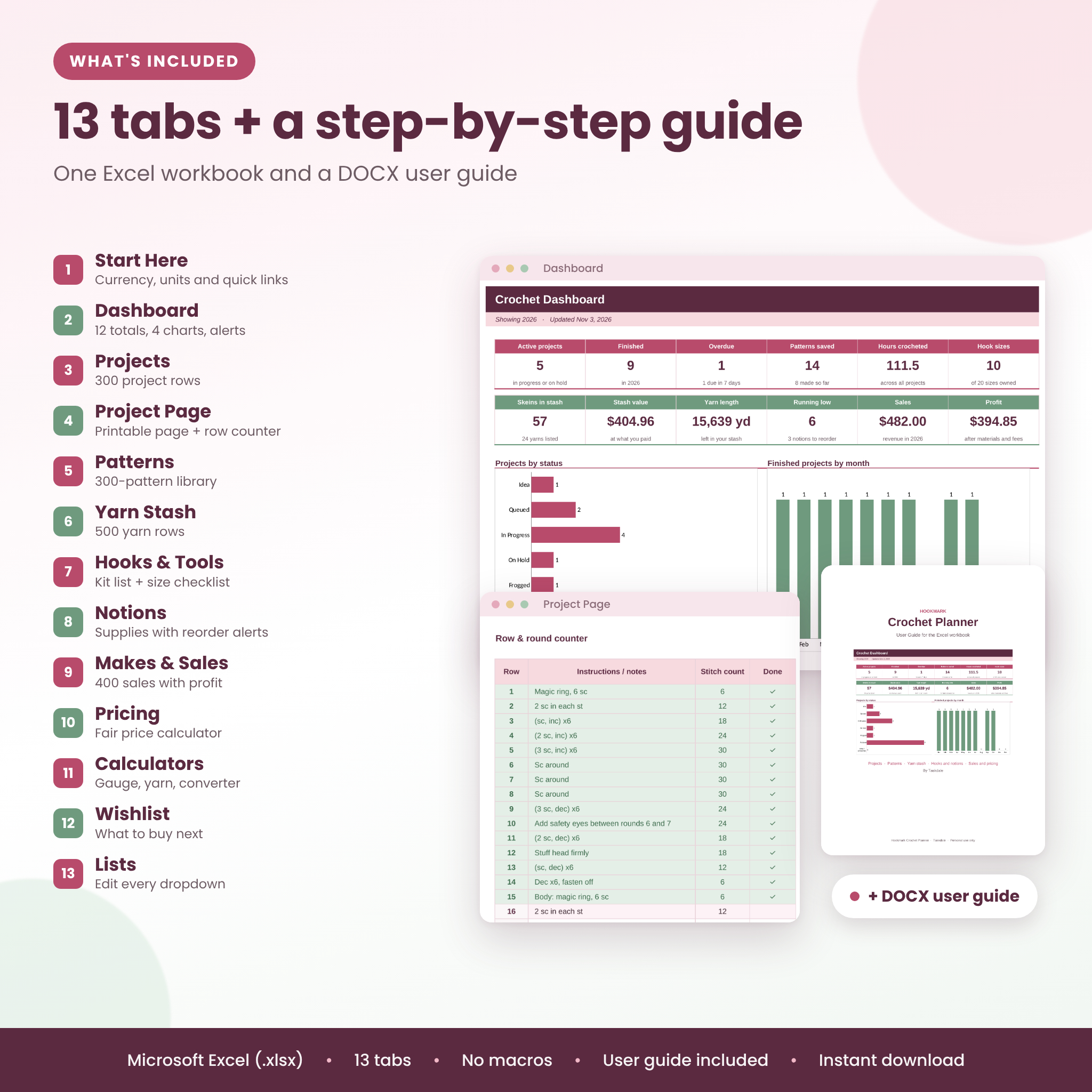
What’s inside: 13 tabs
- Start Here: currency symbol, length unit (yd or m), weight unit (g or oz), hourly rate, dashboard year and quick links.
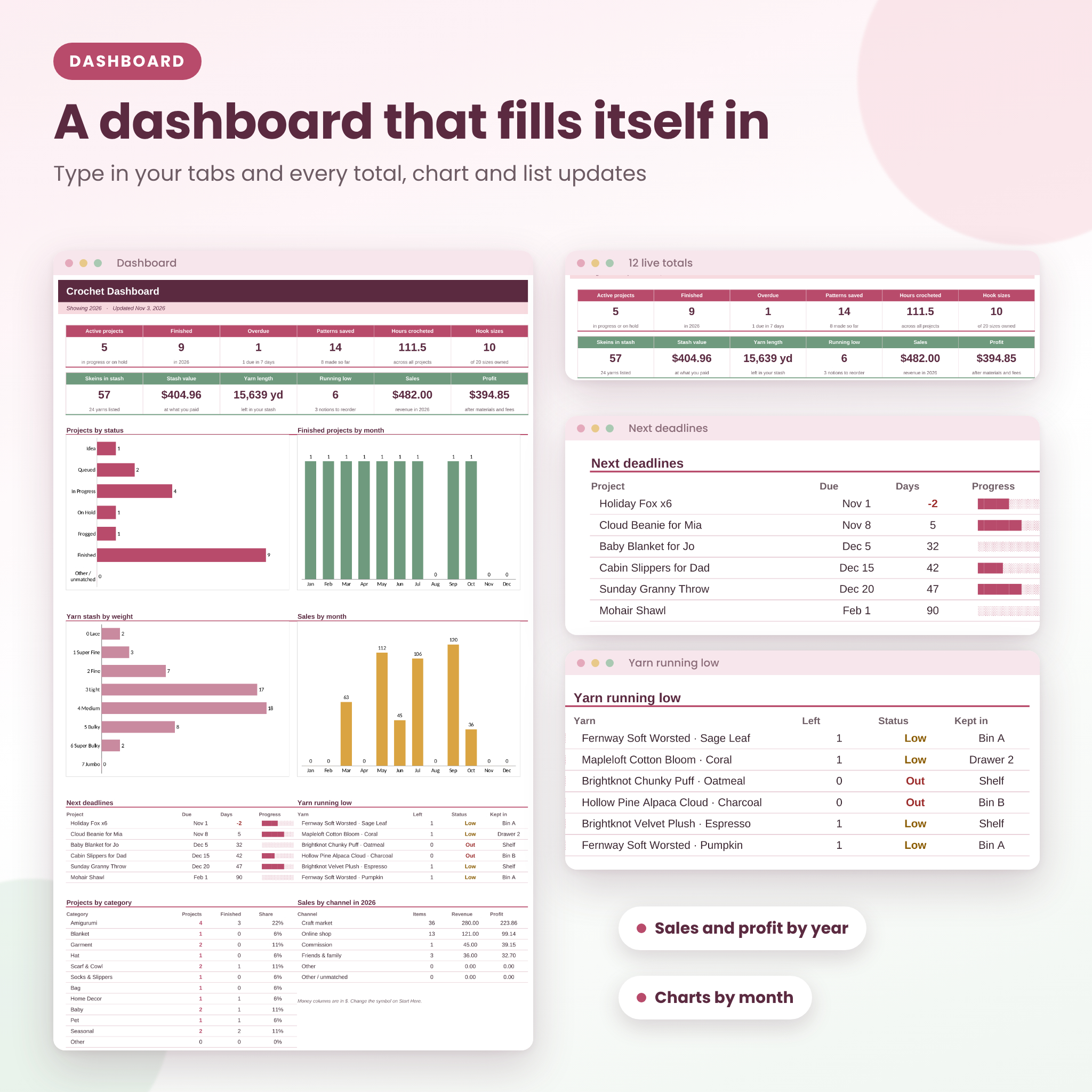
- Dashboard: 12 live totals, charts for projects by status, finished projects by month, stash by yarn weight and sales by month, plus your next 6 deadlines and the 6 yarns running lowest.
- Projects: 300 rows with dropdowns for category, status, priority, purpose, pattern, hook and yarn.
- Project Page: a printable page for one project with a row and round counter and a materials checklist.
- Patterns: 300 rows with designer, source, clickable link, skill level, yarn weight, hook, yardage, 1 to 5 star rating and times made.
- Yarn Stash: 500 rows for brand, line, color, color family, dye lot, fiber, weight, length and weight per skein, skeins bought and used, price, storage spot and a reorder level.
- Hooks & Tools: your kit plus a 20-size hook checklist that shows which sizes you own and which are missing.
- Notions: safety eyes, stuffing, buttons, handles and labels with reorder alerts and stock value.
- Makes & Sales: 400 rows with revenue, materials, fees, profit and profit per hour.
- Pricing: a fair price calculator for one piece, with a check on any price you already have in mind.
- Calculators: gauge and sizing, yarn to buy, a stash check, leftover yarn by weight, a unit converter, a yarn weight guide and blanket sizes.
- Wishlist: what you want next, with still-to-buy and bought-so-far totals.
- Lists: edit every dropdown option.
How the crochet planner works
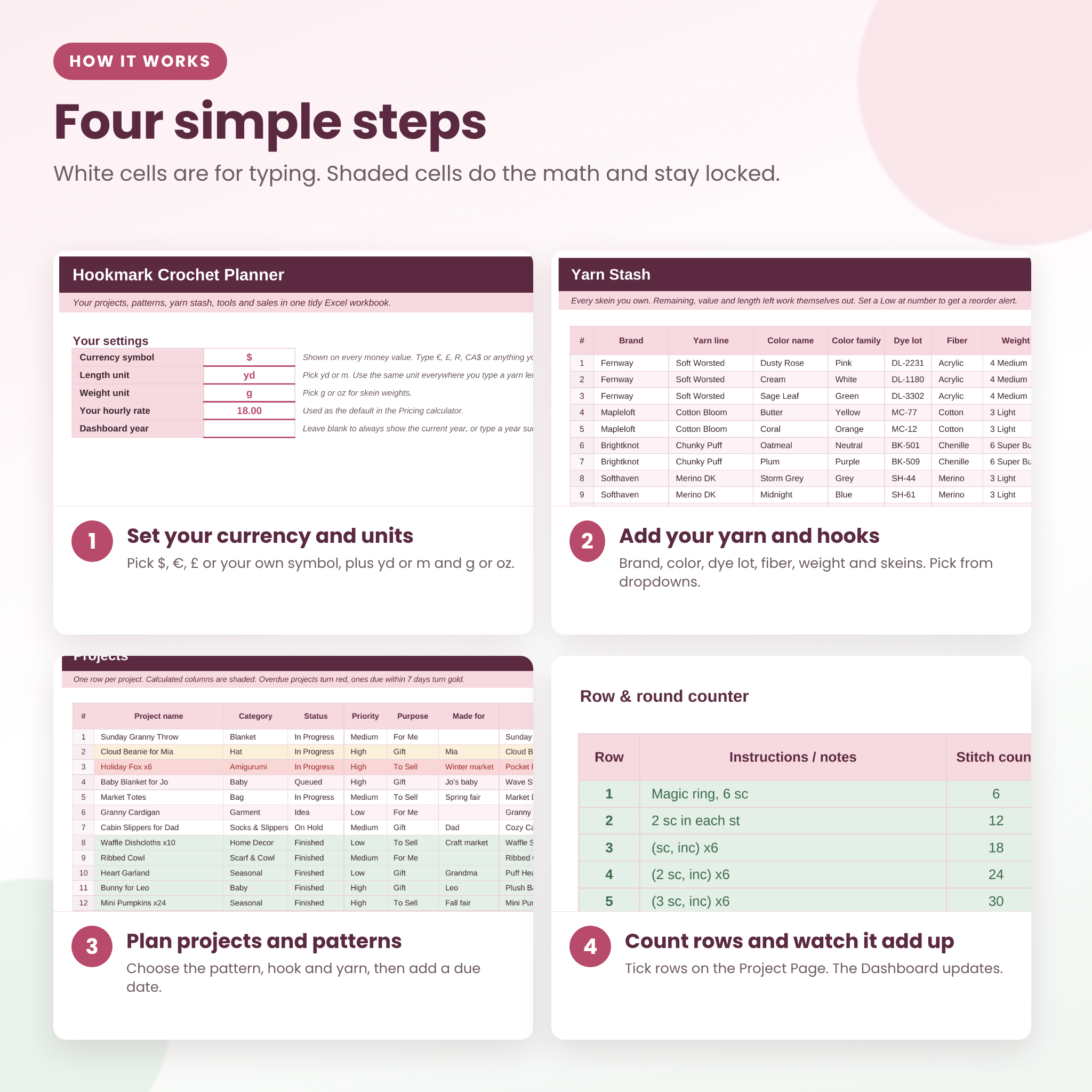
- Open the file in Excel and set your currency and units on Start Here.
- Add the yarn within reach and your hooks. You can add the rest over time.
- Save a few patterns, then add your projects and pick the pattern, hook and yarn from the dropdowns.
- Pick a project on the Project Page to print it or tick rows as you go.
- Log the pieces you sell or give away. The dashboard updates as you type.
Real ways to use it
- Before a yarn sale, check the Hooks & Tools checklist and the Wishlist total so you buy only what you need.
- Planning holiday gifts? Give each one a due date and the dashboard lists them in order.
- Getting ready for a craft fair? Run each item through the pricing calculator, then see which items earned the most per hour afterward.
- Starting a blanket? Use the yarn calculator to see how many skeins to buy and whether your stash already has enough.
Customizing
Change the currency symbol at any time, or switch between yards and meters and grams and ounces; column headings update to match. Every dropdown list lives on the Lists tab, so you can add your own categories, fibers or sales channels. If you rename an option, older entries show as “Other / unmatched” on the dashboard instead of disappearing, so your totals still add up.
File format and requirements
- One Microsoft Excel workbook (.xlsx) and a DOCX user guide, delivered in a ZIP file.
- Made for Excel on Windows or Mac (desktop app). Also opens in LibreOffice Calc.
- No macros and no add-ins. Sheets are protected without a password, so you can turn protection off to make bigger changes.
- Google Sheets, Numbers and the Excel mobile app are not supported.
Digital download
This is a digital product. Nothing will be shipped. You can download the ZIP file right after checkout from your order confirmation and your account page. For personal use only; please don’t share or resell the file.
FAQ
Is this a crochet planner for Google Sheets?
No. It is built and tested for Excel and LibreOffice Calc. Google Sheets is not supported.
Can I use meters, grams or a currency other than dollars?
Yes. Pick m and g on Start Here and type any currency symbol, such as €, £ or R.
How many yarns and projects can I track?
500 yarns, 300 projects, 300 patterns, 400 sales, 200 notions, 150 hooks and tools and 150 wishlist items.
Does it have a row counter?
Yes. The Project Page has a 60-row counter with instructions, stitch counts and a Done tick for each row. Copy the tab to keep a page per project.
Will it help me price crochet items to sell?
Yes. The pricing calculator adds materials, your time, overhead, profit and selling fees, and shows what you earn per hour at any price.
Do I need Excel skills?
No. You type in white cells and pick from dropdowns. The included guide covers every tab, with tips and troubleshooting.
Does it work on my phone or iPad?
It is made for Excel on a computer. Phones and tablets are not supported.
Reviews
There are no reviews yet.