A personal OKR template that tells you if you are on track
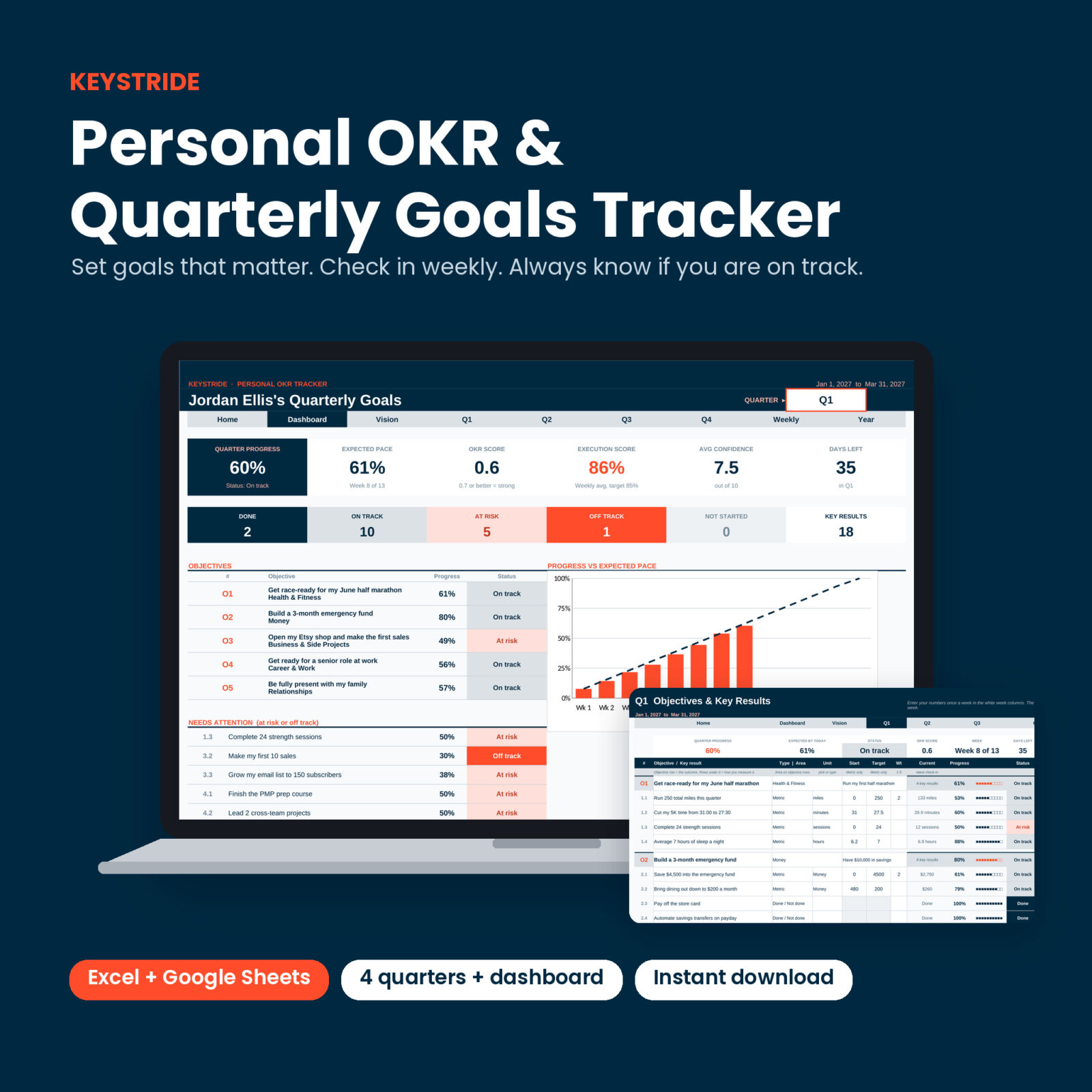
Most goals fade by February because nobody checks them. Keystride is a personal OKR template and quarterly goal tracker built for one person, not a company. You write a few objectives for the quarter, decide how to measure each one, and type in your numbers once a week. The spreadsheet works out the rest: progress, the pace you should be at today, a status for every key result, an OKR score and charts that update on their own.
It takes about ten minutes a week. In return you always know which goals are moving and which ones need you.
What it does
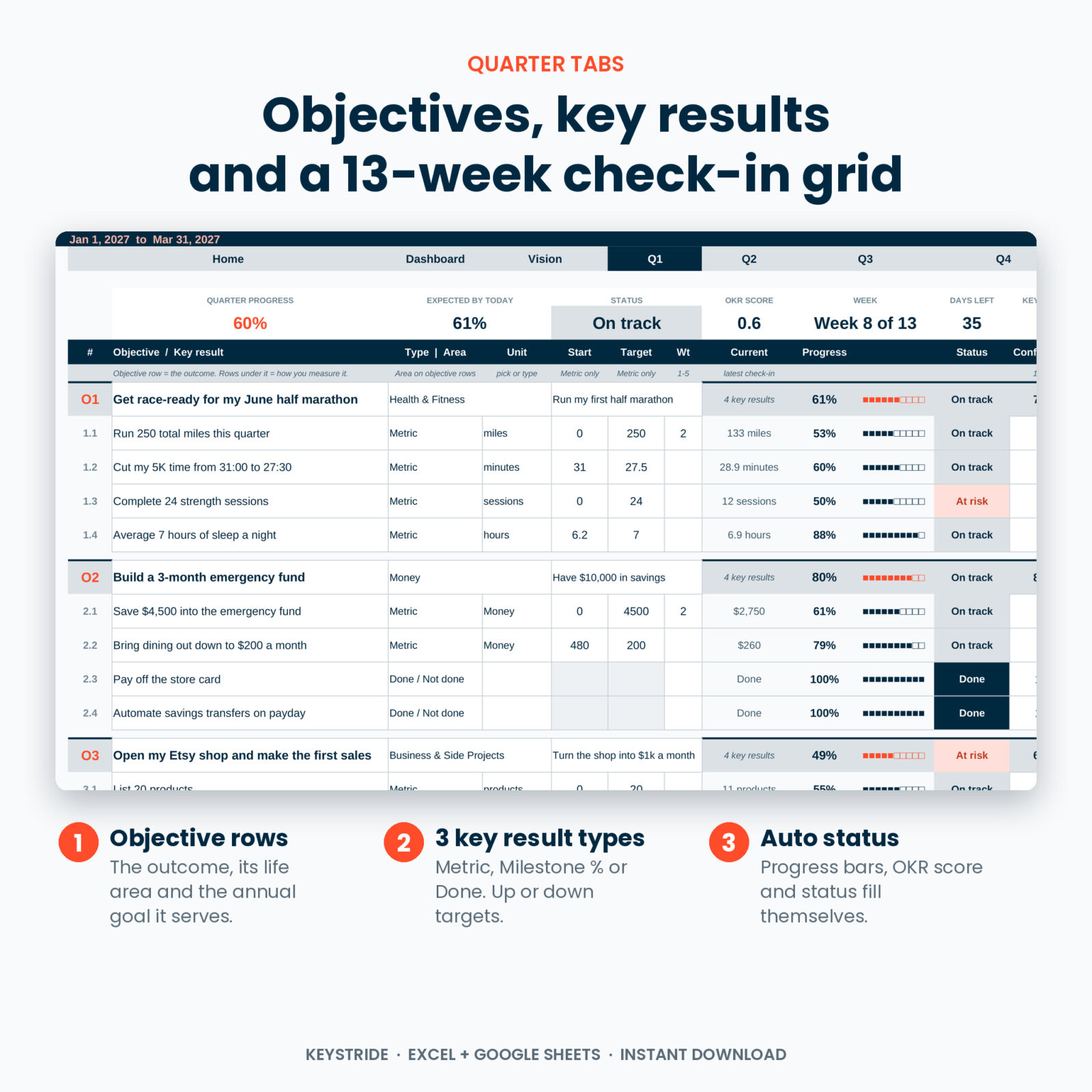
- Turns goals into numbers. Each objective gets up to 4 key results. Pick Metric (start to target, up or down), Milestone (% complete) or Done / Not done.
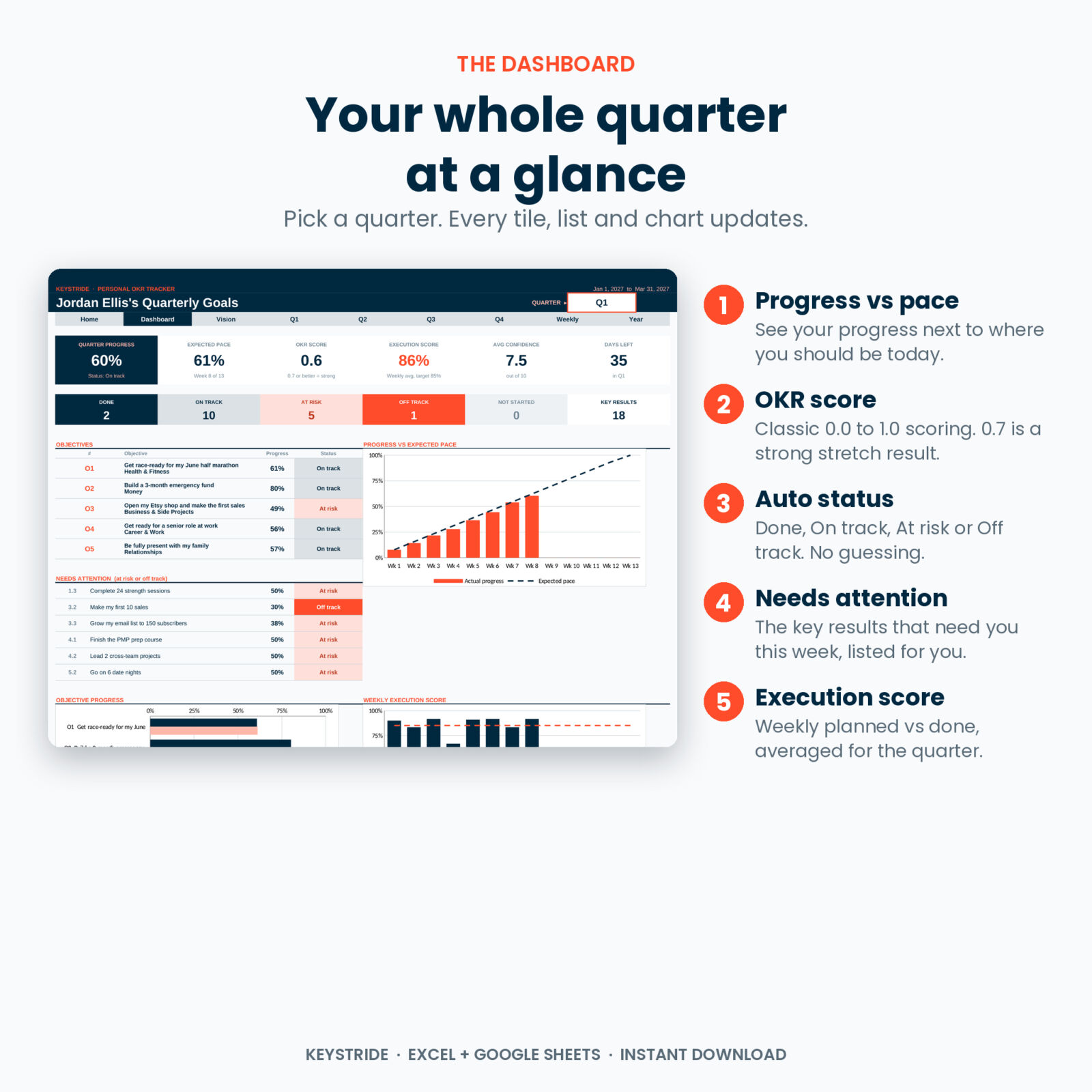
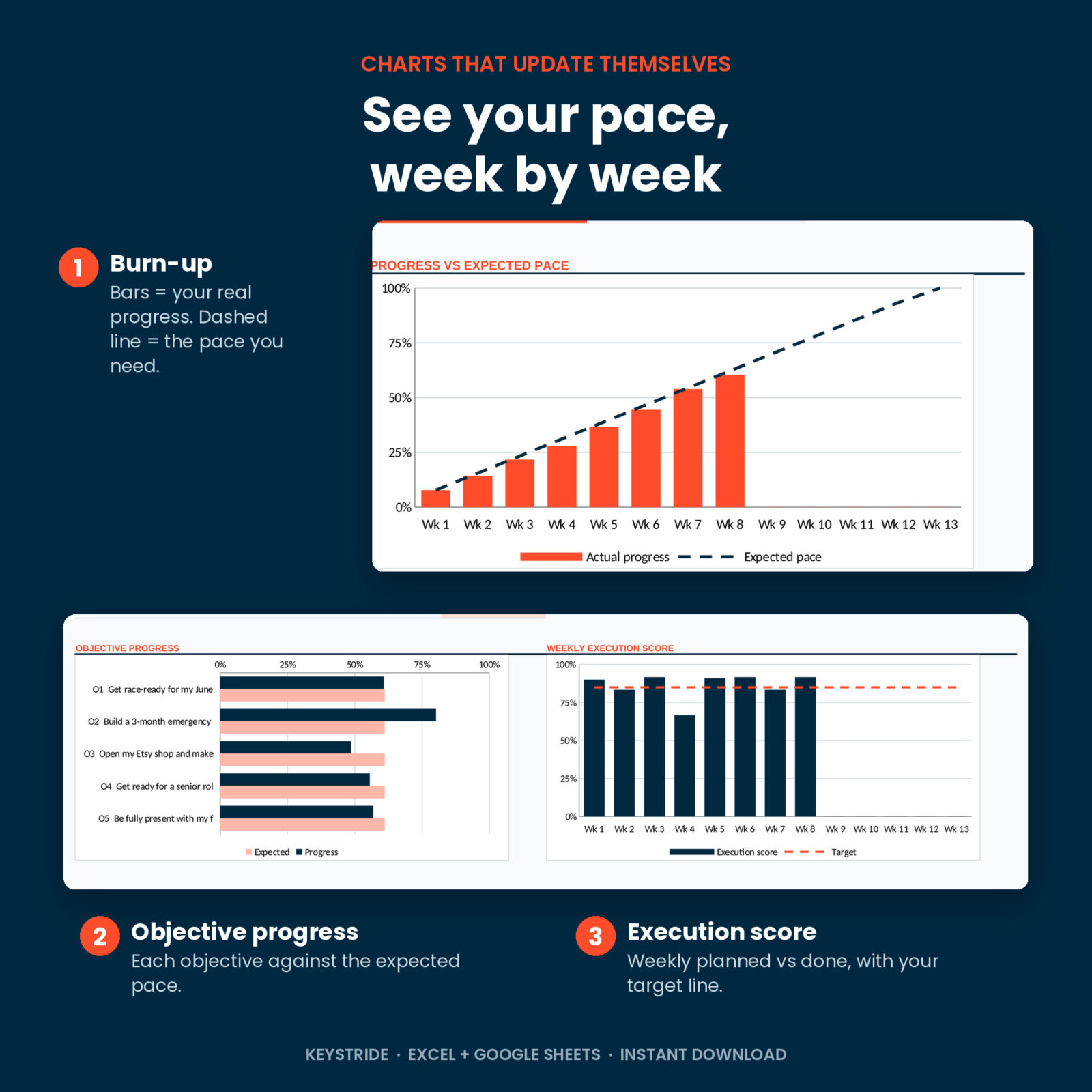
- Compares you to the calendar. Expected pace is how much of the quarter has passed. Halfway through, 50% is right on pace.
- Flags problems early. Every key result and objective is marked Done, On track, At risk, Off track or Not started. A “Needs attention” list shows the ones to work on this week.
- Scores your weeks. The Weekly Review counts planned vs done actions and gives you an execution score, 12-week-year style.
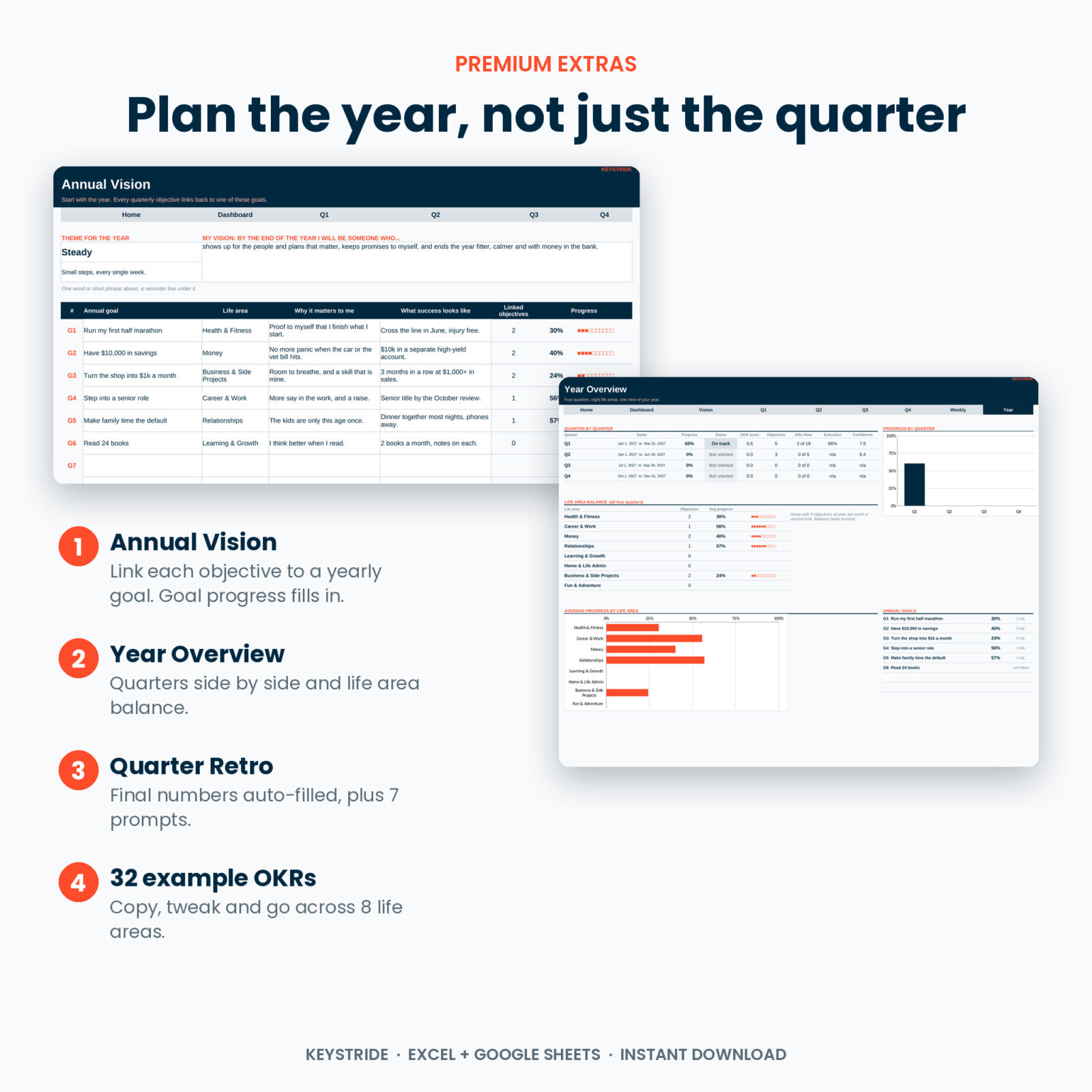
- Connects the quarter to the year. Link each objective to an annual goal and watch the yearly progress fill in.
Who this quarterly goal tracker is for
- Anyone who sets New Year goals and wants them to last.
- Fans of 90-day planning and the 12 week year who want weekly scoring built in.
- Freelancers, side hustlers and small business owners tracking revenue, clients or a launch.
- Students and career changers working toward a course, an exam or a new role.
- People who like to see health, money, relationships, learning and fun in one place.
What is included
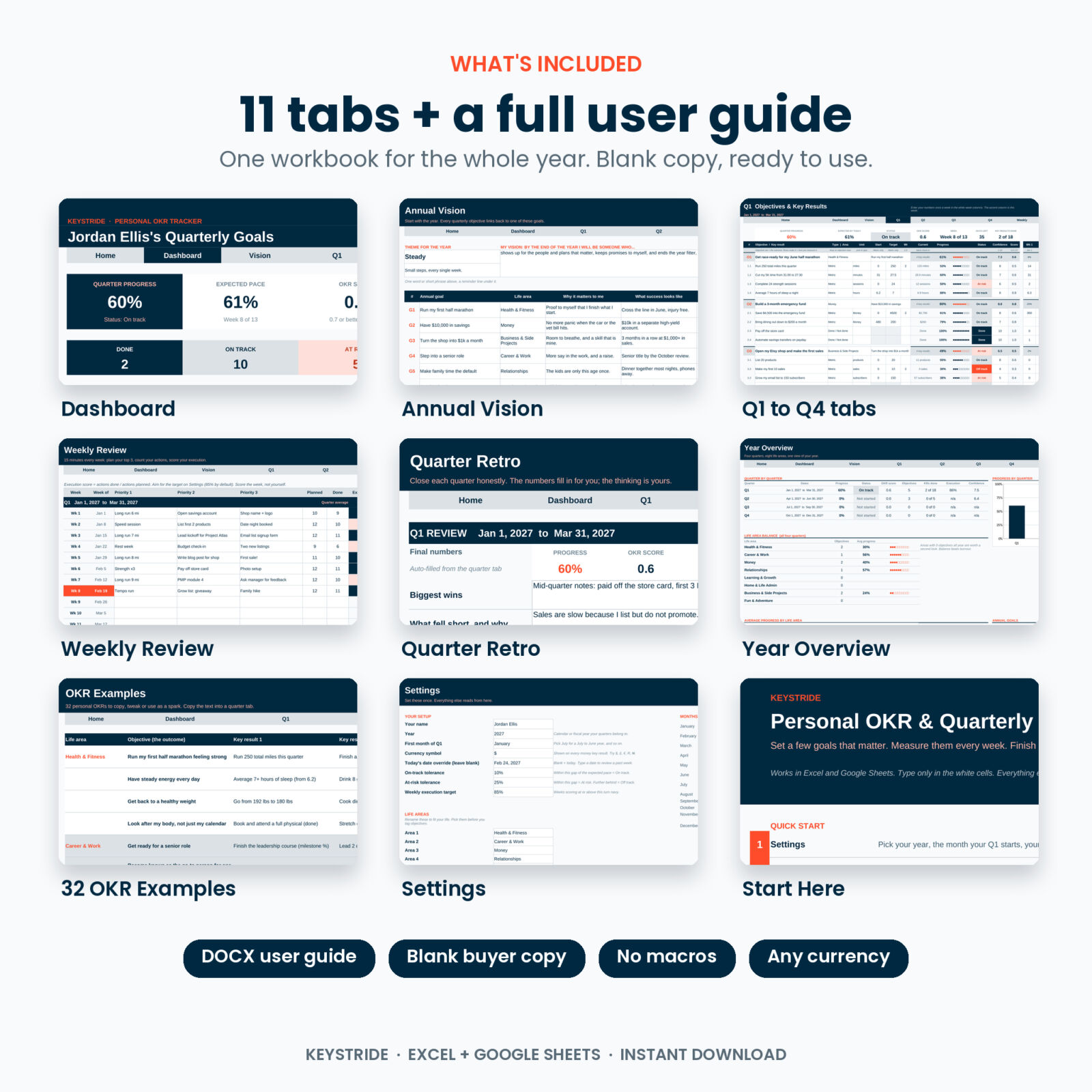
11 tabs in one workbook
- Start Here: quick start, navigation buttons, status legend.
- Dashboard: quarter switcher, 6 KPI tiles, status counts, objective list, needs-attention list, a progress vs expected pace chart, an objective progress chart, an execution score chart and a table of every key result.
- Annual Vision: theme for the year, a vision line and up to 8 annual goals with automatic progress.
- Q1, Q2, Q3 and Q4: 5 objectives x 4 key results each, with type, unit, start, target, weight, confidence and a 13-week check-in grid. The current week is highlighted.
- Weekly Review: all 52 weeks with top 3 priorities, planned vs done, execution score, energy, wins and lessons.
- Quarter Retro: final numbers fill in by themselves, plus 7 reflection prompts.
- Year Overview: quarters side by side, life area balance and annual goal progress, with charts.
- OKR Examples: 32 ready-made personal OKRs across 8 life areas.
- Settings: year, first month of Q1, currency symbol, status tolerances, execution target and 8 life areas you can rename.
Plus
- A 13-page DOCX user guide with screenshots, tips, troubleshooting and FAQ.
- A blank buyer copy, ready for your own goals.
How the OKR tracker works
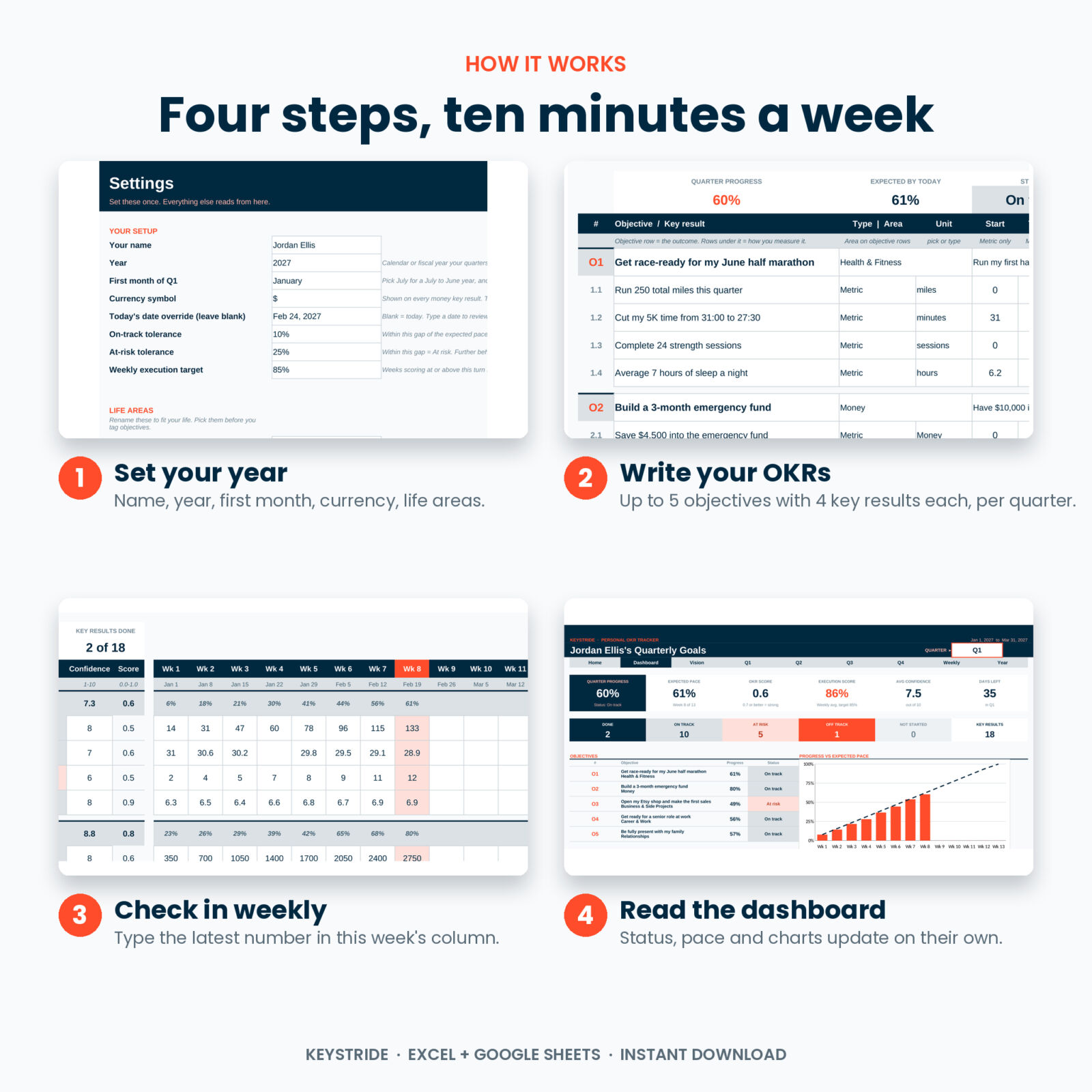
- Settings: type your name and year, pick the month your Q1 starts and your currency symbol.
- Annual Vision: write up to 8 goals for the year.
- Quarter tab: add objectives and key results with a start and a target.
- Every week: type the latest number for each key result in that week’s column. Blank weeks carry the last number forward.
- Dashboard: pick the quarter and read your progress, pace, status and charts.
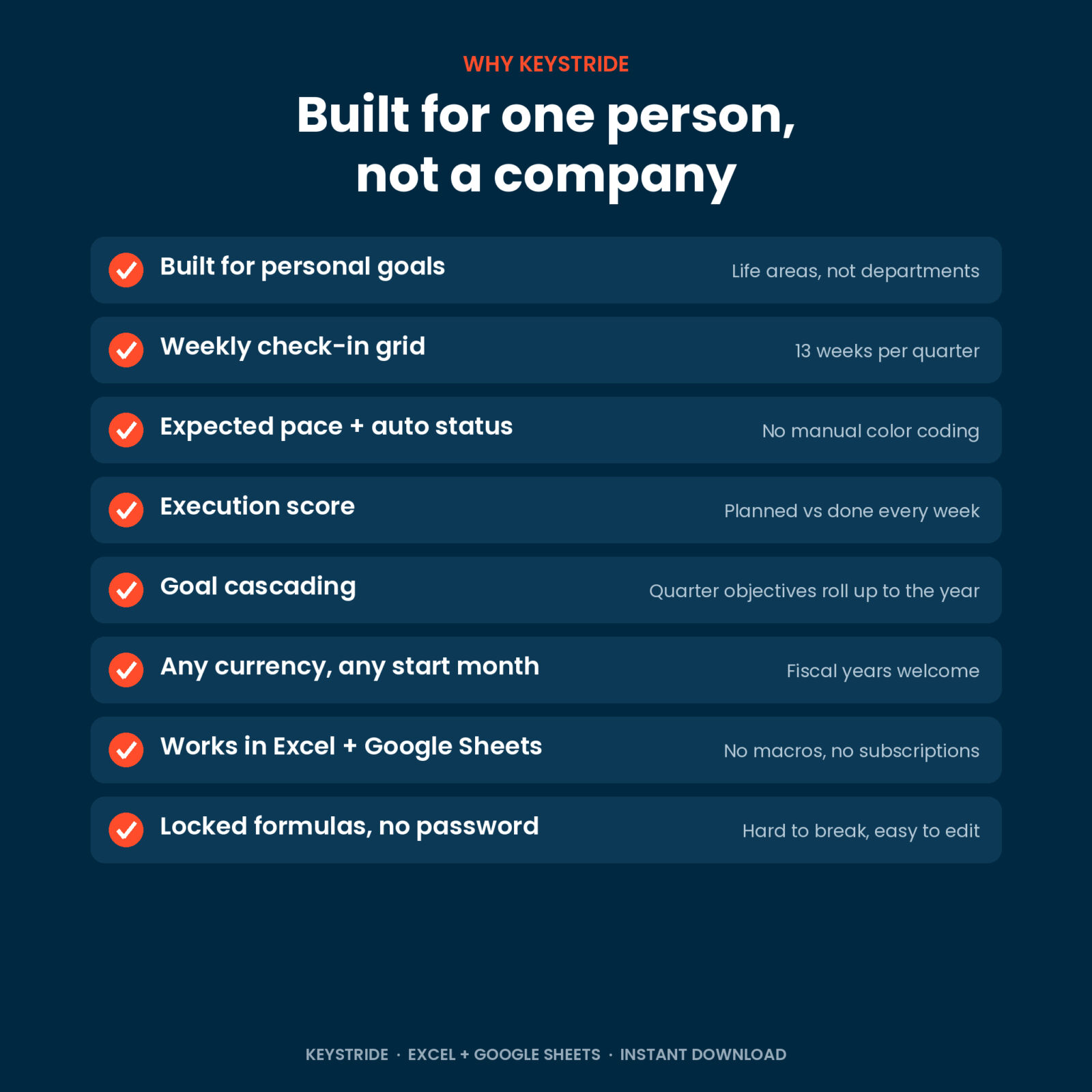
Only the white cells take input. Formula cells are locked (no password) so a stray keystroke cannot break anything.
Features at a glance
- Progress vs expected pace, calculated from today’s date (or any date you choose)
- Automatic status with tolerances you can adjust
- OKR score on the classic 0.0 to 1.0 scale
- Weighted key results (1 to 5)
- Targets that go up or down, such as cutting a 5K time or a monthly spend
- Confidence rating per key result and per objective
- Progress trail on every objective row, week by week
- Life areas and units you can rename or add to
- Calendar year or fiscal year: choose any start month
- One currency setting used by every money key result
- Dropdowns and input checks that stop typos
- Print-ready layouts
Use cases
- New Year goals: split a big year into four focused quarters.
- Fitness: track miles, sessions, sleep and race times on one page.
- Money: build an emergency fund, pay off a card or cut a spending category.
- Side business: listings, sales, email subscribers and launch milestones.
- Career: courses, projects and feedback on the way to a promotion.
- Family: dinners, date nights and calls home, measured instead of hoped for.
File formats and software
- One .xlsx workbook plus a .docx user guide.
- Works in Microsoft Excel (desktop) and in Google Sheets: upload the file to Google Drive and open it with Google Sheets.
- No macros, no add-ins and no subscription. Standard formulas only.
- Chart styling can look a little different in Google Sheets. In Google Sheets, use the sheet tabs to move between pages.
Customizing
Rename the 8 life areas, add your own units, change the currency symbol, move the start of your year and make status stricter or looser. Colors and fonts can be changed freely. Sheets are protected without a password if you want to go further.
Digital download
This is a digital product. Nothing is shipped. Your files are ready to download right after checkout, and you can use them for as many years as you like. Personal use license: please do not resell or share the files.
FAQ
What is a personal OKR?
An objective is the outcome you want, such as “Build a 3-month emergency fund”. Key results are the numbers that prove it happened, such as “Save $4,500”. Keystride tracks both for one person.
Is this the same as a 12 week year tracker?
It covers the same weekly rhythm: 13-week quarters, weekly planning and an execution score. It adds OKR scoring, expected pace and annual goals.
Does it work in Google Sheets?
Yes. Upload the .xlsx to Google Drive, open it with Google Sheets and save it as a Google Sheet.
Do I need Microsoft 365?
No. It uses standard formulas that work in Excel 2010 and later.
Can I use it for a team?
It is designed for one person. Each person needs their own copy.
Can I start in the middle of the year?
Yes. Start in the quarter you are in and leave the others empty, or set your own start month in Settings.
Can I reuse it next year?
Yes. Save a copy, clear the white cells and change the year.
Reviews
There are no reviews yet.