A glaze test tile log that remembers everything, so you can repeat it
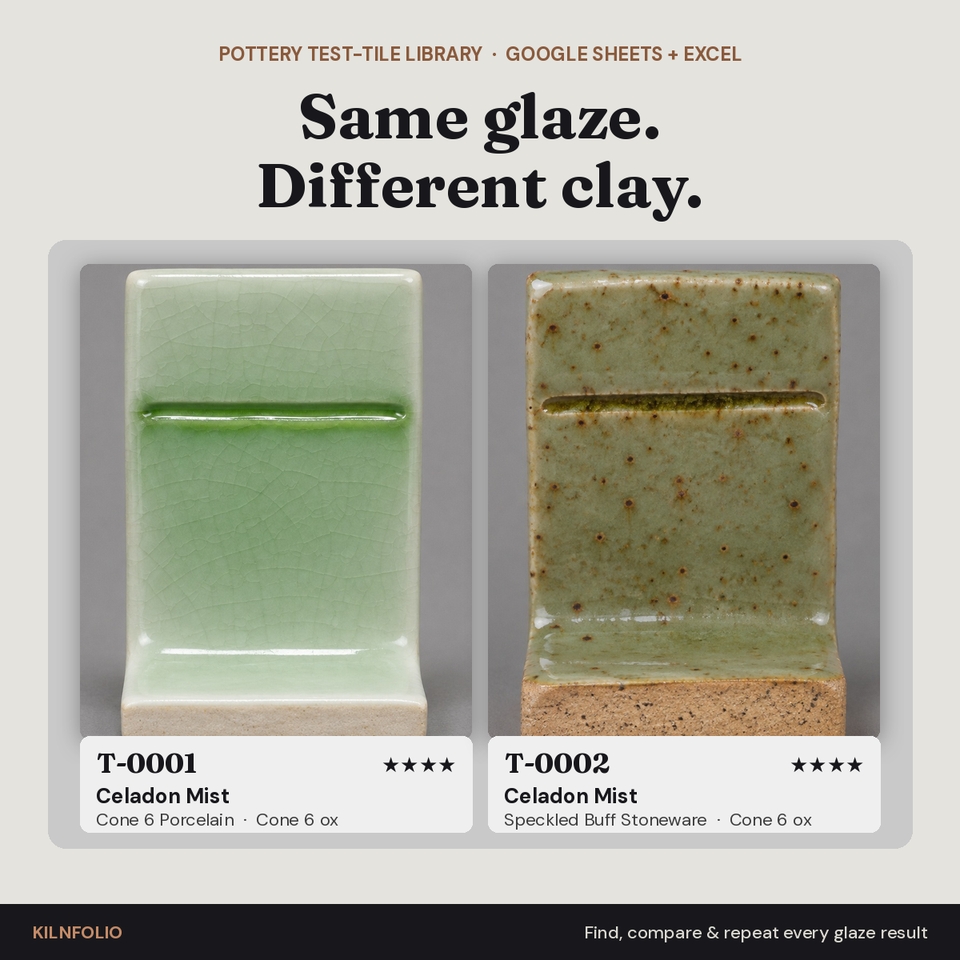
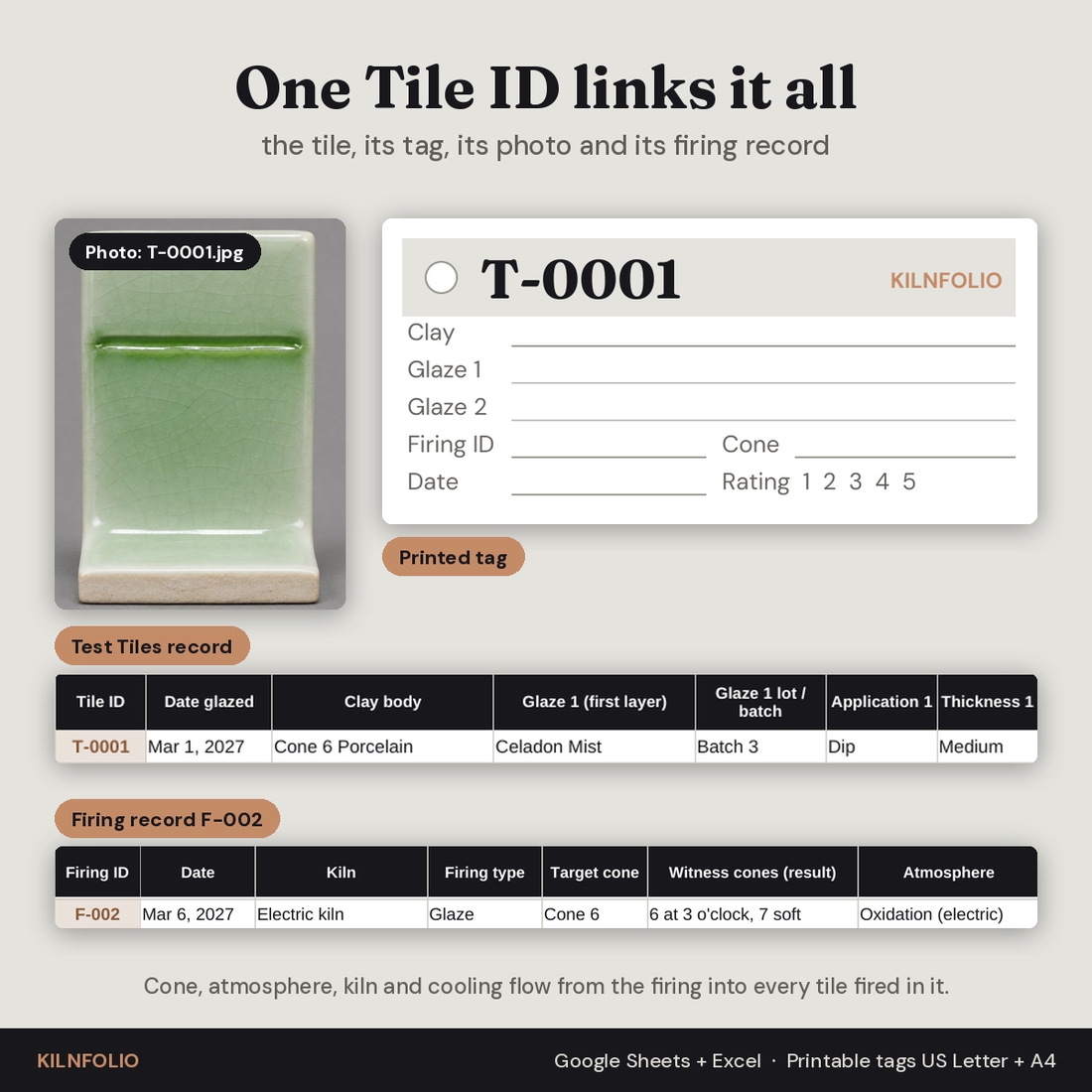
You pull a beautiful tile out of the kiln and three months later you cannot make it again. Was it the porcelain or the speckled stoneware? The new bag of feldspar? The slow cool? This glaze test tile log fixes that with one simple rule: every tile gets a permanent Tile ID, and that ID links the tile to its clay body, both glaze layers with their lot or batch numbers, the firing it went through, its photo and its printed tag.
Kilnfolio Test-Tile Library is a four-tab spreadsheet for Google Sheets and Excel built for home and small-studio potters who test glazes and want to reproduce their results across batches, kiln loads and clay bodies.
What the workbook does
Materials
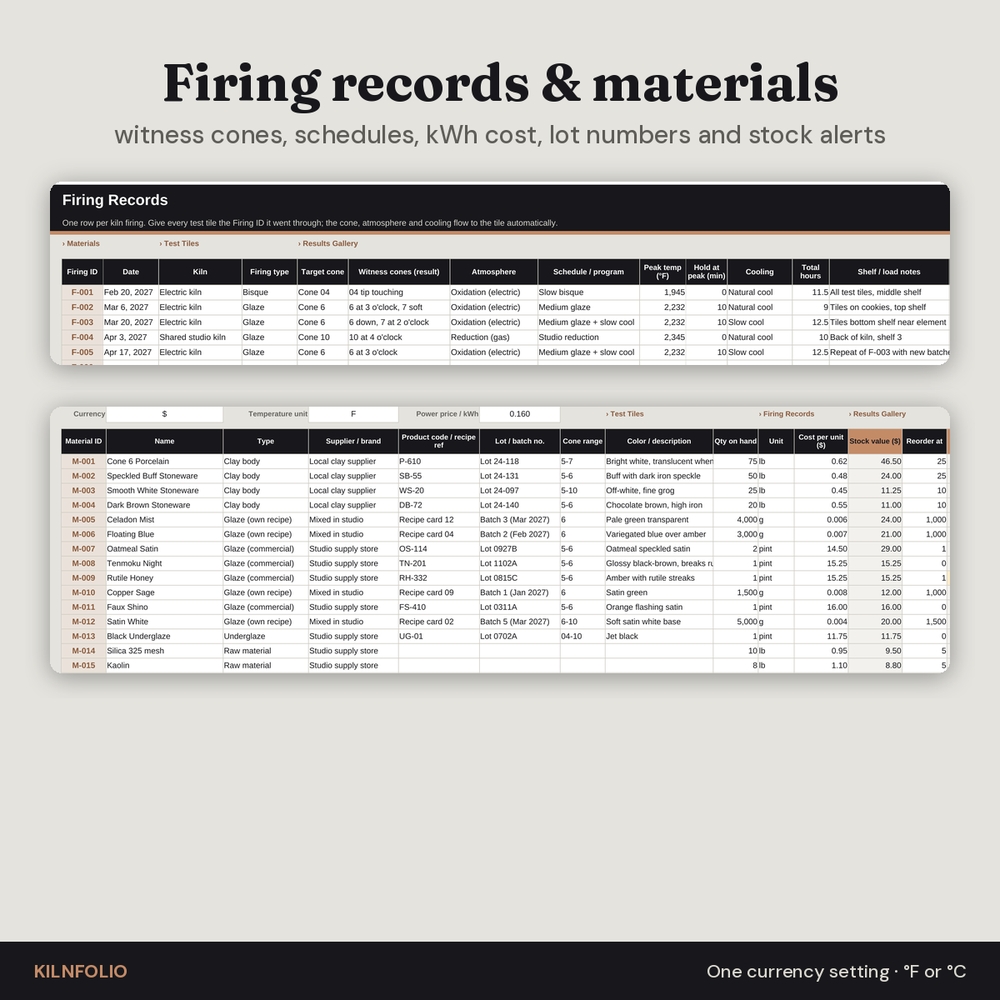
List your clay bodies, commercial glazes, your own recipe glazes, underglazes, slips and raw materials with supplier, product code or recipe reference, lot or batch number, cone range, quantity, unit and cost. The tab shows stock value, a reorder alert, how many tiles used each material and their average rating. Your clay bodies and glazes become the dropdown lists everywhere else, so names always match.
Firing Records
One row per firing with a locked Firing ID (F-001 to F-150): date, kiln, firing type, target cone, witness cone result, atmosphere, schedule, peak temperature, hold, cooling, total hours and kWh. Firing cost, tiles in the firing, average rating and keepers fill in automatically.
Test Tiles
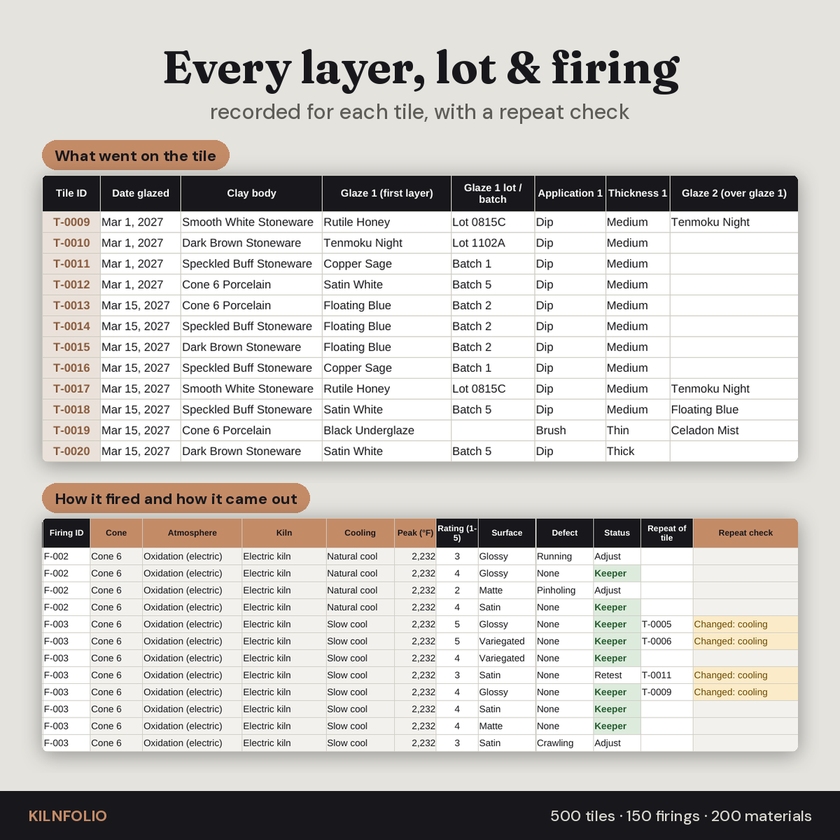
One row per tile with a locked Tile ID (T-0001 to T-0500). Record the clay body, glaze 1 and glaze 2 with their lots, the application method and thickness, other layers or decoration, and the Firing ID. Cone, atmosphere, kiln, cooling and peak temperature flow in from the firing. After the kiln opens, add a 1 to 5 rating, surface, defect, status, notes and a photo file name or link.
- Repeat check: point a tile at the earlier tile it repeats and the sheet tells you whether the setup was the same or exactly what changed (clay, glazes, cone, atmosphere or cooling).
- Record check: flags a clay or glaze missing from Materials, an unknown Firing ID, a rating without a firing and other slips that would hide a tile from your searches.
Results Gallery
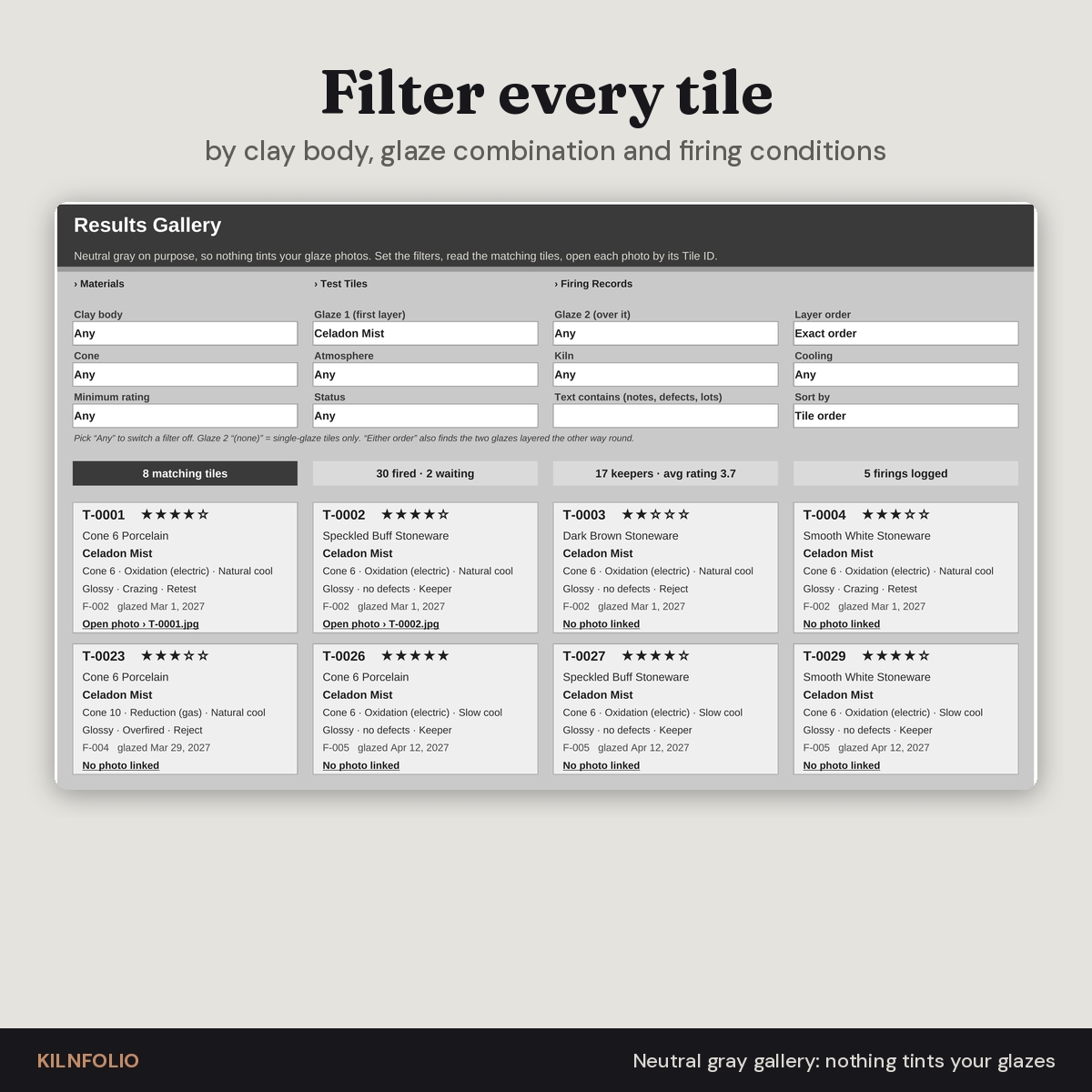
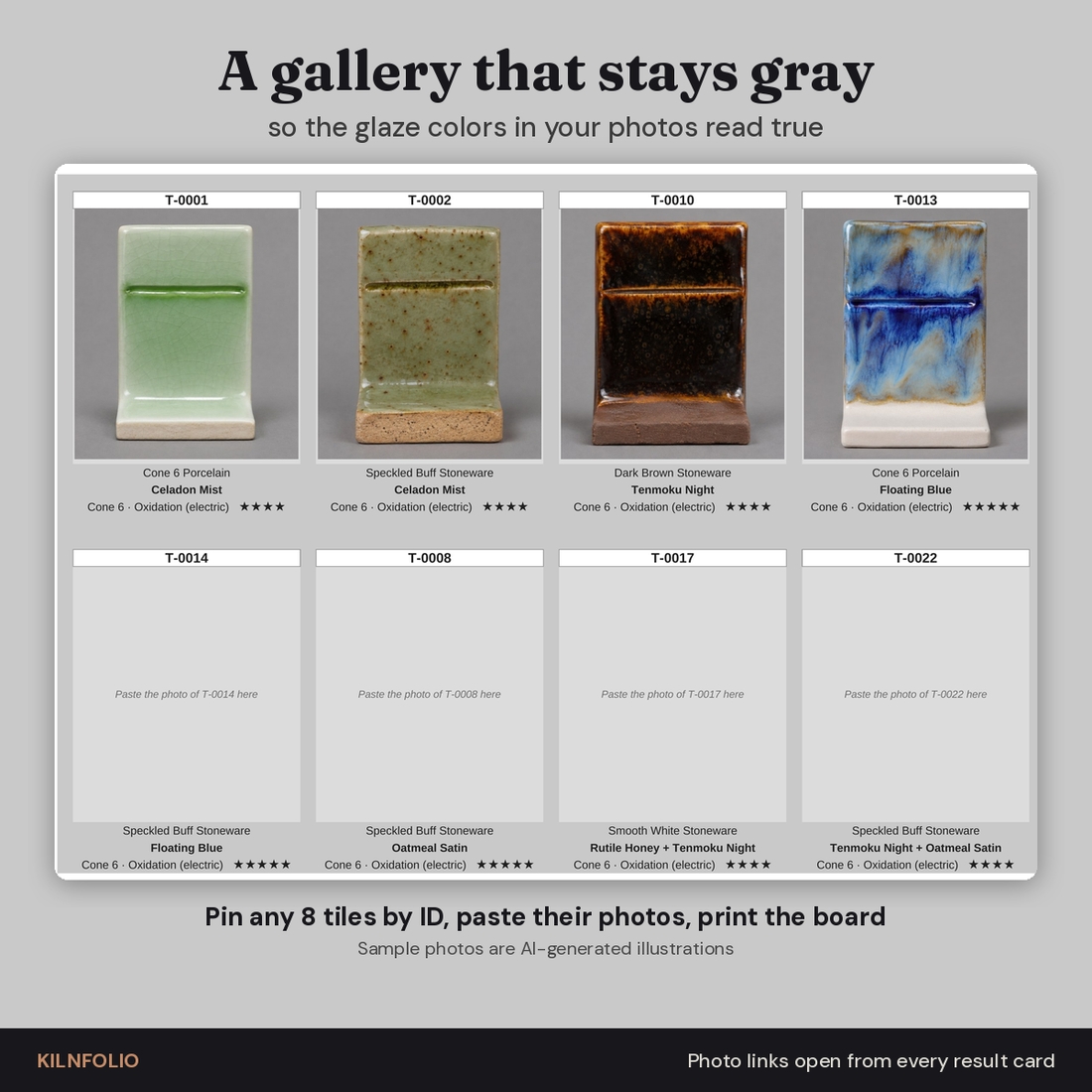
The gallery is deliberately neutral gray, so nothing on screen competes with the colors in your glaze photos. Filter by clay body, glaze combination (exact layer order or either order), cone, atmosphere, kiln, cooling, minimum rating, status and free text, then sort by tile order, best rating or newest. Each matching tile appears as a card with its stars, clay, glazes, firing conditions, result and a one-click photo link. Below the cards, a pinned photo board holds up to eight photos side by side with captions read from the records, ready to print.
Features at a glance
- Four tabs: Materials, Test Tiles, Firing Records and Results Gallery
- 500 tiles, 150 firings and 200 materials, each with a permanent ID
- Filters by clay body, glaze combination and recorded firing conditions
- Glaze lot and batch tracking on every layer of every tile
- Repeat check and record check columns
- Neutral gray gallery cards and an 8-frame pinned photo board
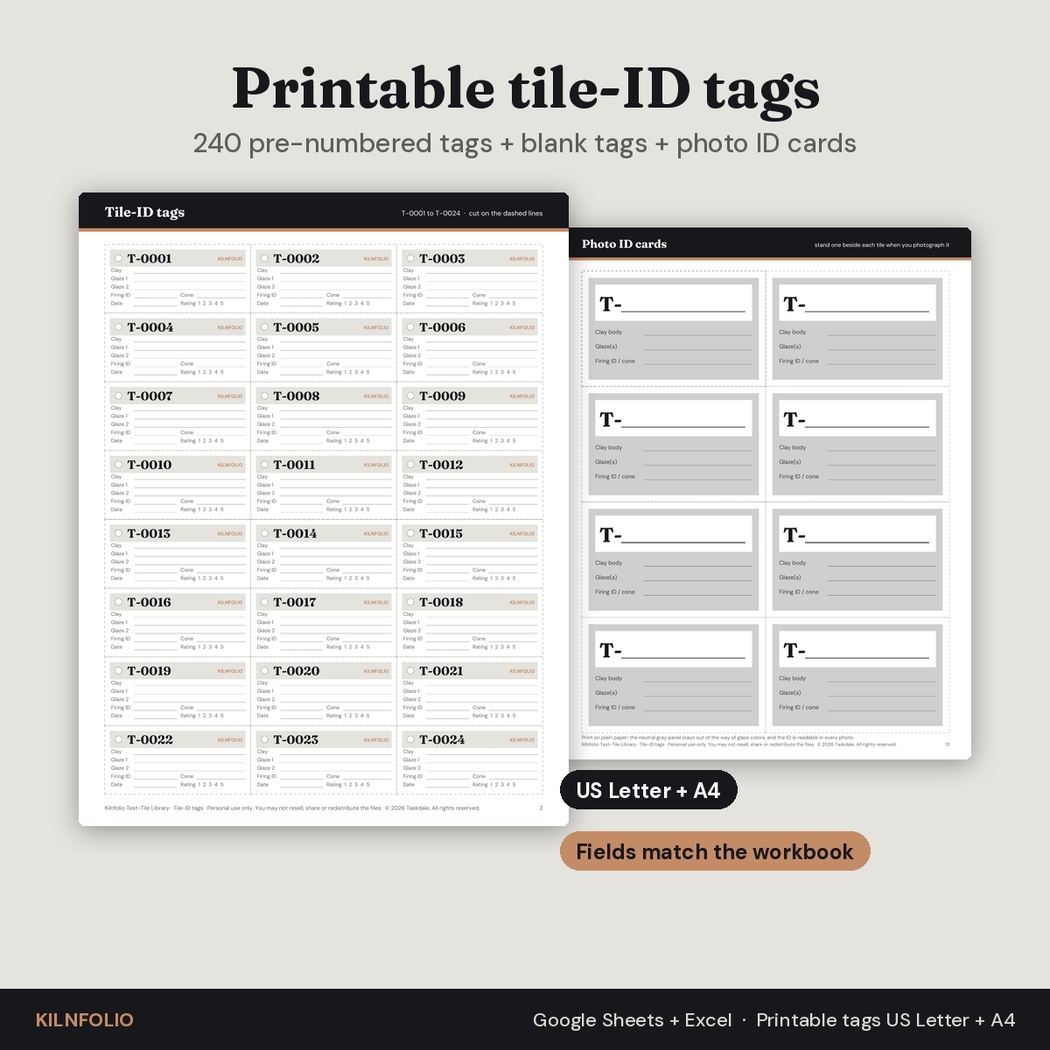
- Printable tile-ID tags: 240 pre-numbered tags, blank tags and photo ID cards, in US Letter and A4
- One currency setting, F or C temperature labels and an electricity price for firing cost
- Editable dropdown lists for cones, kilns, atmospheres, cooling, surfaces, defects and statuses
- Formula cells protected without a password; no macros
What is included
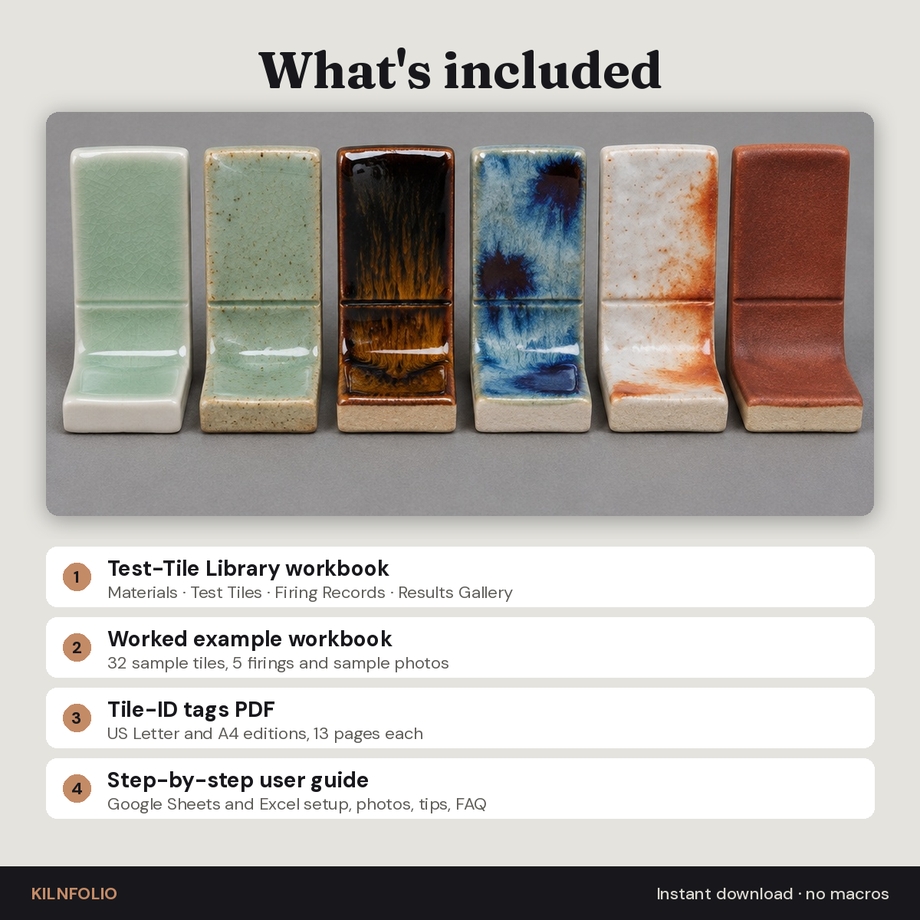
- Kilnfolio Test-Tile Library workbook (.xlsx), blank and ready for your tiles
- Worked example workbook with 32 fictional tiles, 5 firings and sample photos
- Tile-ID tags PDF, US Letter (13 pages)
- Tile-ID tags PDF, A4 (13 pages)
- User guide (.docx) with setup, every feature, photo workflow, tips, troubleshooting and FAQ
How it works
- Add your clay bodies and glazes on the Materials tab.
- Log the firing on Firing Records.
- Give each new tile the next Tile ID, mark it on the tile and fill in its row.
- After firing, rate it, add the photo link and print its tag.
- Use the Results Gallery to find, compare and pin your best combinations.
File formats and software
The workbook is a standard .xlsx file for Google Sheets (free with a Google account) and Microsoft Excel 2016 or newer, including Microsoft 365, on Windows or Mac. Every formula uses functions that work in both, and the workbook was fully recalculated and checked for errors. The tags are print-ready PDFs with embedded fonts. The guide is a Word .docx file that also opens in Google Docs.
How photos work
Spreadsheets cannot reliably show a picture from a file name in both Google Sheets and Excel, so Kilnfolio links photos instead: name each photo by its Tile ID and paste its share link (Google Drive, Google Photos, iCloud, Dropbox or OneDrive) into the tile’s row. The gallery card turns it into a clickable link. For pictures on screen and on paper, paste photos into the pinned photo board frames.
Customization
Rename your kilns, add cones, atmospheres, surfaces or defects, change the currency symbol and choose F or C. Column widths, fonts and colors can be changed freely. The worked example’s sample photos are AI-generated illustrations of fictional tiles; your own photos replace them.
Real situations it is made for
- Testing one glaze on every clay body you own before committing to a production run
- Checking whether a new glaze batch or a new jar of commercial glaze matches the old result
- Comparing a natural cool with a slow cool program on the same combinations
- Keeping track of tiles fired in a shared studio kiln you do not run yourself
- Building a printed tile board or binder for students or a studio wall
Frequently asked questions
Does it work in Google Sheets?
Yes. Upload the .xlsx to Google Drive and save it as a Google Sheet. Dropdowns, filters, links and the gallery all work.
Can I filter by glaze combination?
Yes. Choose the first and second glaze, and pick exact layer order or either order. Choose (none) for single-glaze tiles only.
How many tiles can I record?
500 tiles, 150 firings and 200 materials per workbook. Start a second copy to continue the numbering.
Will the photos show inside the spreadsheet?
Every tile links to its photo, and the pinned photo board shows up to eight pasted photos. See “How photos work” above.
Does it calculate glaze recipes or food safety?
No. It is a results library and record-keeping tool. Follow your glaze maker’s guidance and have functional-ware glazes tested if in doubt.
Is this a physical product?
No. It is an instant digital download. Nothing is shipped.
Can I share it with my studio?
The license covers your own personal use or use within your own business. Each potter needs their own copy.
Digital download. Personal use only (or use within your own business). You may not resell, share or redistribute the files.

Reviews
There are no reviews yet.