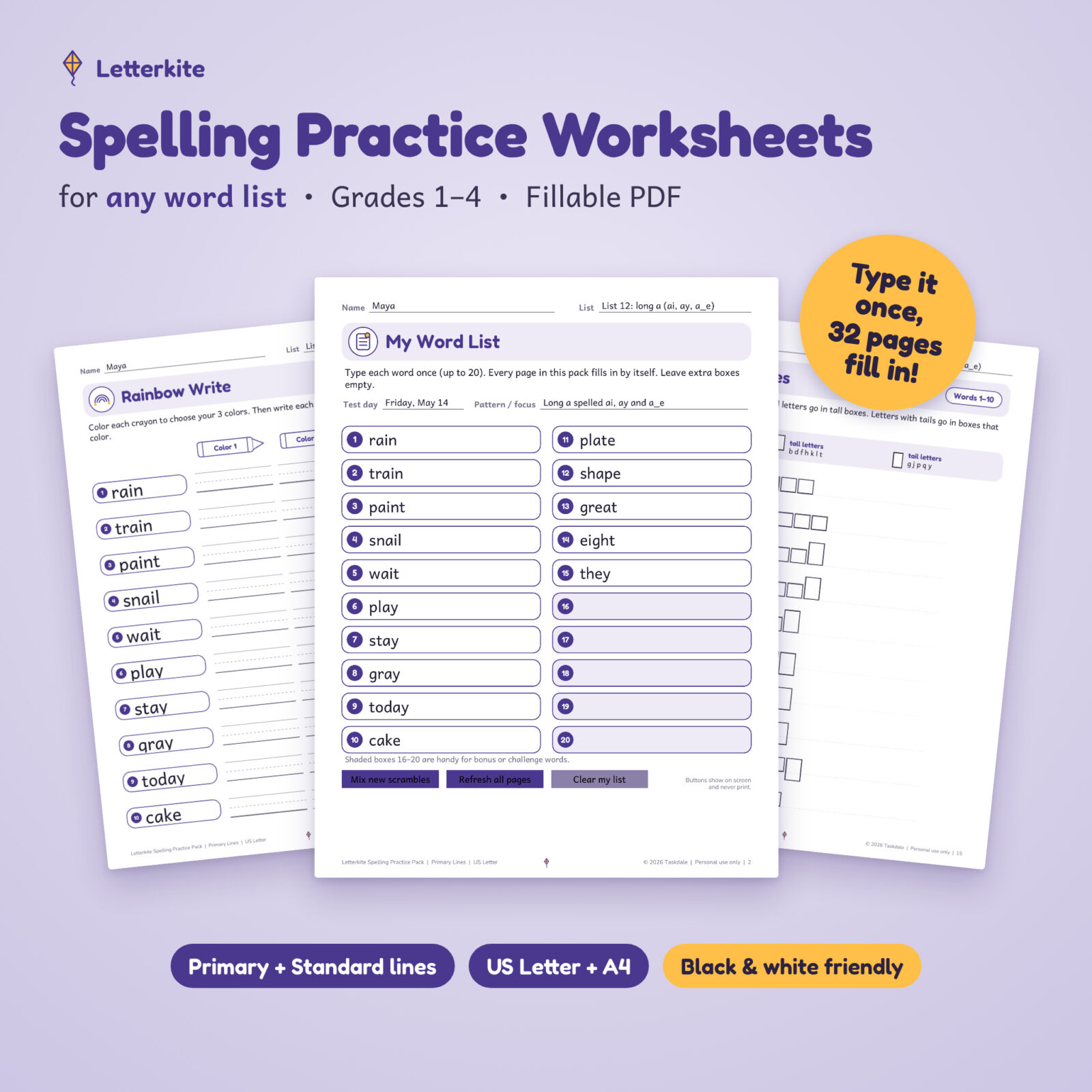


The Letterkite Spelling Practice Pack is a set of spelling practice worksheets for any word list. Type your weekly list once on the My Word List page and every page fills itself in: activity pages, word banks, flash cards, take-home lists, the parent letter and the answer key. You get a full week of spelling work for grades 1–4 without retyping a single word.
Prefer pencil and paper? Print the pages blank and write the words by hand. Every page is designed for black-and-white printers.
Editable spelling practice worksheets for any word list
Most spelling packs make you type the list on every page or only work with the words someone else picked. This pack works with any list of 1 to 20 words: a phonics pattern, a basal reader list, sight words, vocabulary or a homeschool spelling curriculum.
In the free Adobe Acrobat Reader, the pack also does the fiddly jobs for you:
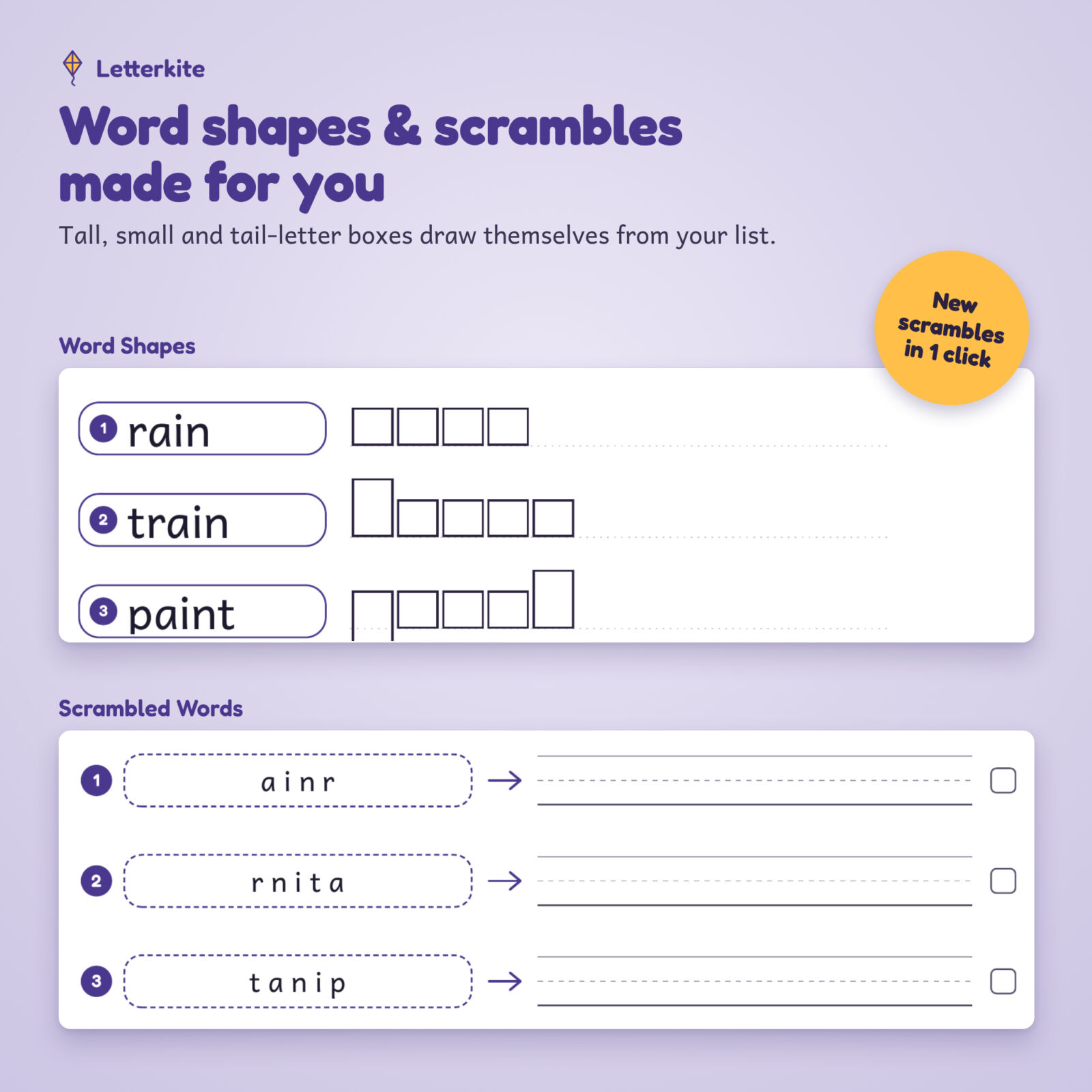
- Scrambled words are made automatically, and a scramble never matches the real word. One click mixes a new set.
- Word shapes draw themselves: small, tall and tail-letter boxes for every word, plus a shape puzzle in mixed order.
- The answer key fills in ABC order, letter, vowel and consonant counts, the scrambles as printed and the shape puzzle answers.
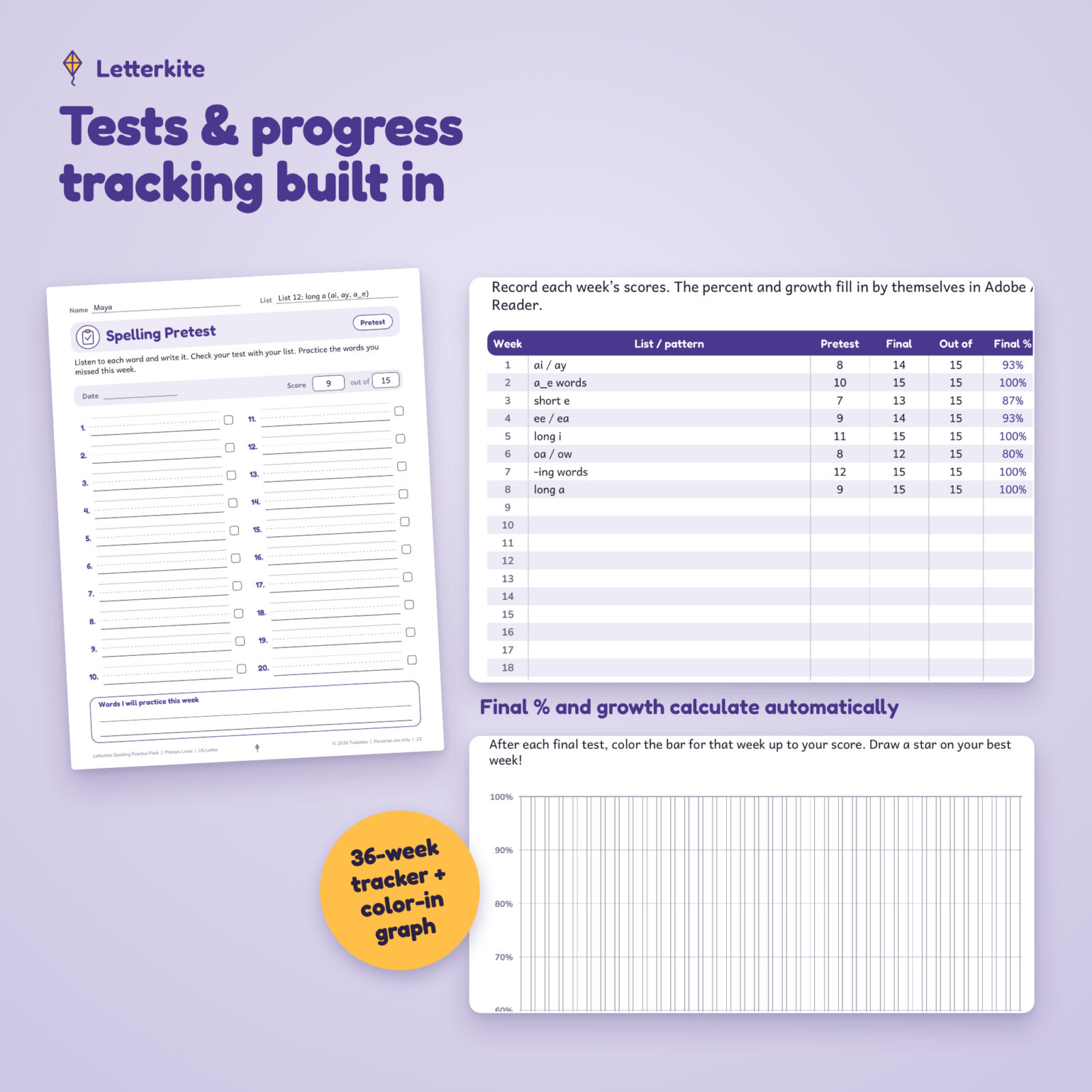
- The progress tracker works out the final test percent and growth from pretest to final test.
- The student name typed once appears on every page, or leave it blank to print for a whole class.
Who it is for
- Grade 1–4 teachers who get a new spelling list each week
- Homeschool families who want a simple weekly spelling routine
- Tutors, reading specialists and intervention teachers
- Parents who want extra spelling practice at home with the list from school
What is included
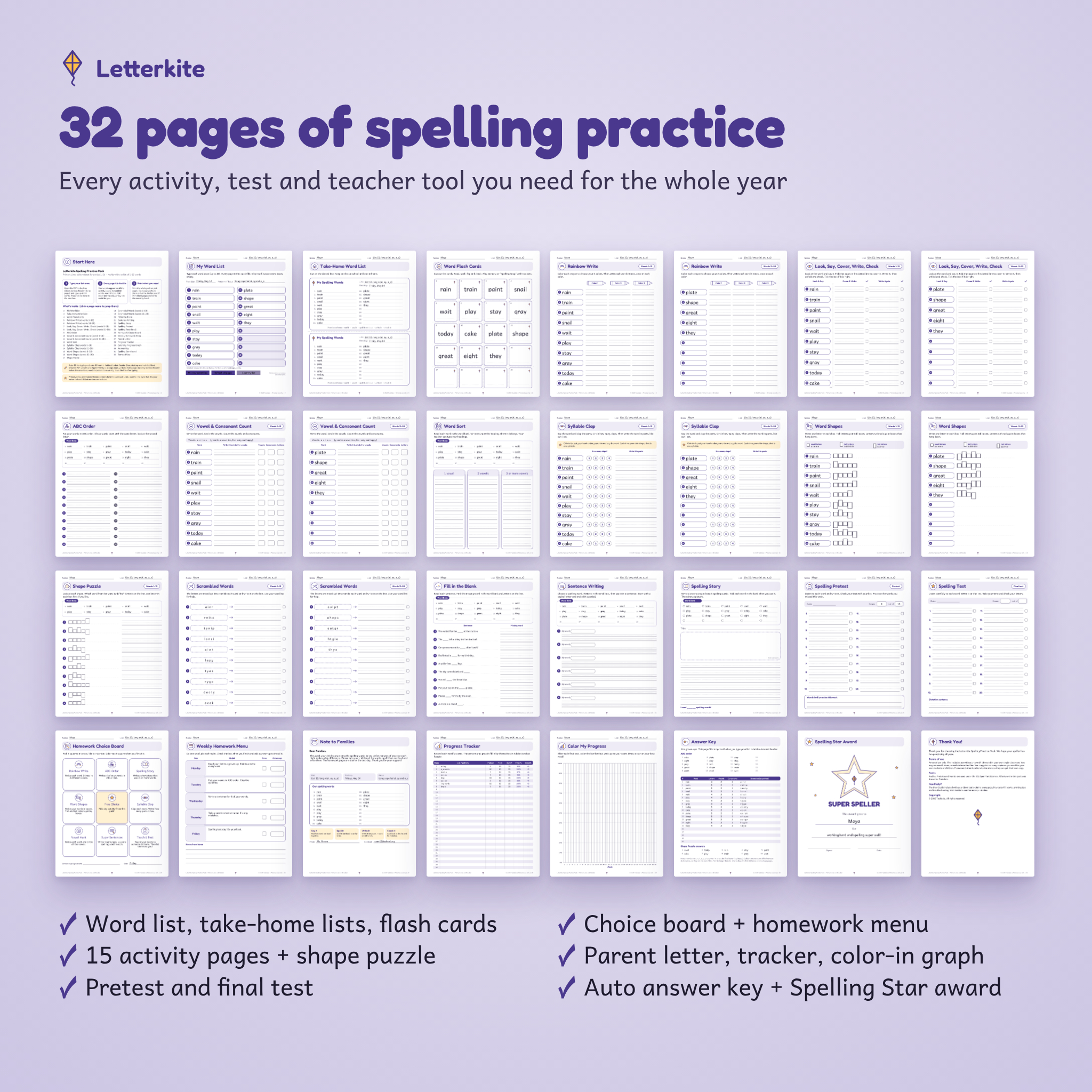
Four fillable PDFs with the same 32 pages, plus a user guide:
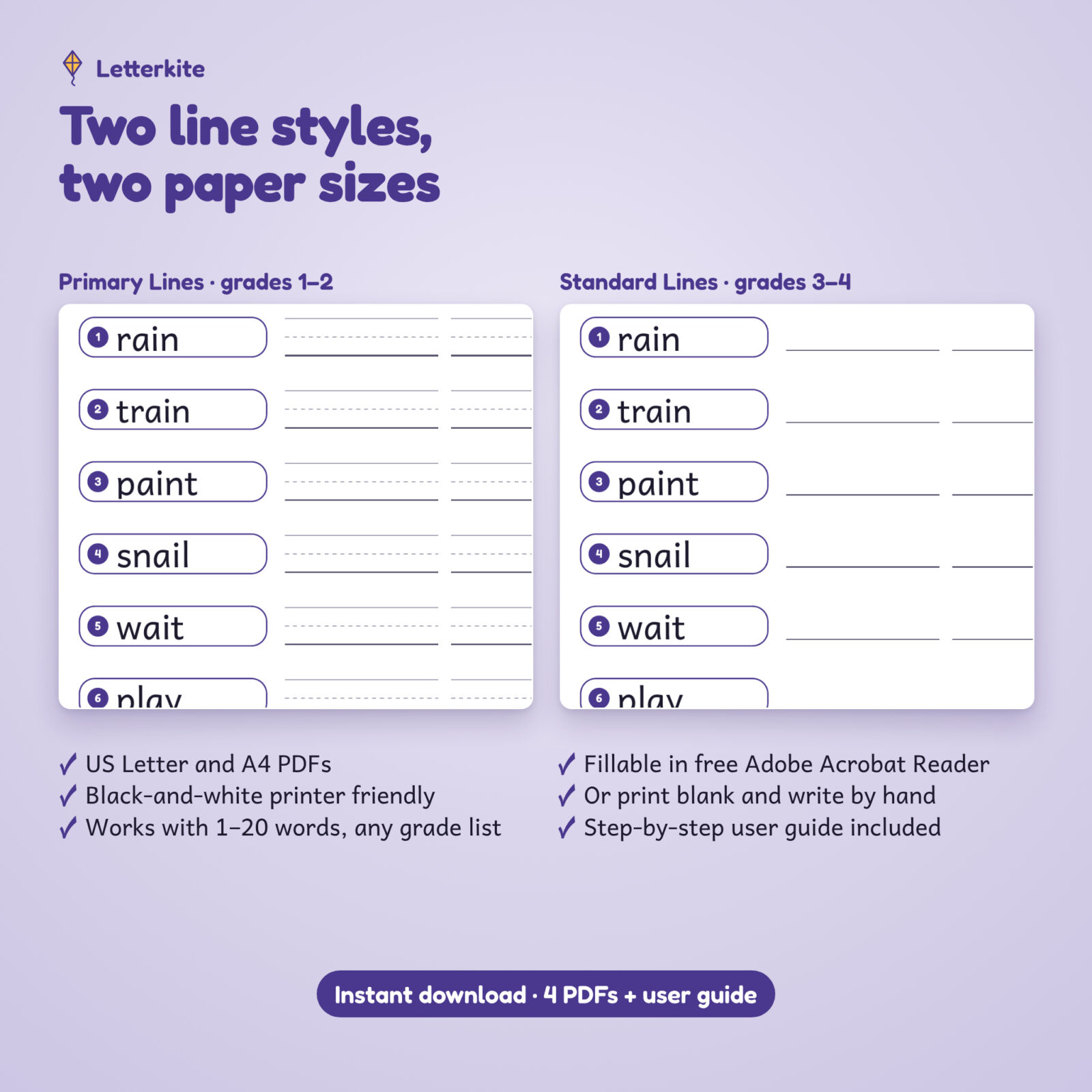
- Primary Lines edition (top, dashed middle and base lines) for grades 1–2, in US Letter and A4
- Standard Lines edition (single writing lines) for grades 3–4, in US Letter and A4
- Letterkite User Guide (Word document) with setup, printing tips, troubleshooting and FAQ
The 32 pages
- Start Here page with clickable page links, and My Word List (20 words, list name, test day, focus)
- Take-home word lists (2 per page) and 20 word flash cards
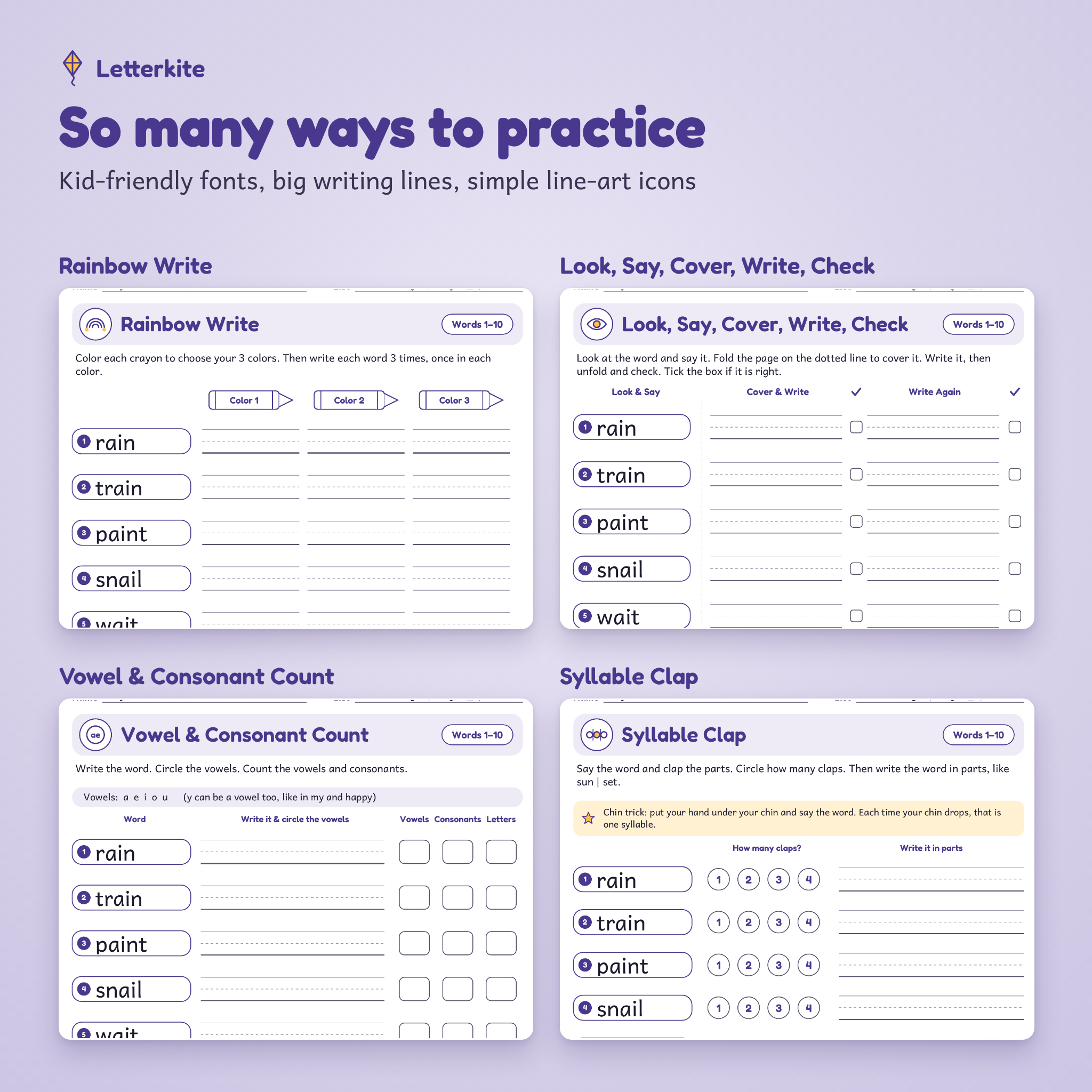
- Rainbow Write and Look, Say, Cover, Write, Check (words 1–10 and 11–20)
- ABC Order and a Word Sort with editable headings
- Vowel and Consonant Count and Syllable Clap (words 1–10 and 11–20)
- Word Shapes (words 1–10 and 11–20) and a Shape Puzzle
- Scrambled Words (words 1–10 and 11–20)
- Fill in the Blank, Sentence Writing and a Spelling Story page
- Spelling Pretest and final Spelling Test with score boxes and a dictation sentence
- Homework Choice Board (9 editable squares) and Weekly Homework Menu
- Parent letter that shows your word list, test day and focus
- 36-week Progress Tracker, a color-in progress graph and the auto Answer Key
- Spelling Star Award certificate
How it works
- Open the PDF in the free Adobe Acrobat Reader on a computer, tablet or phone.
- Type up to 20 words on page 2. Press Tab to move to the next box.
- Save the file with a new name for the week, then print the pages you need.
- Next week, open the blank original or click “Clear my list” and start again.
Main benefits
- Saves planning time: one list builds a whole week of differentiated spelling activities.
- Fits every writer: two line styles for early and older writers, and the activities stay the same so a mixed-grade class or family can work side by side.
- Low ink: clean line-art icons and light accents, no heavy clip art or dark backgrounds.
- Easy to read: typed words use Andika, a font designed for early readers with simple letter shapes.
- Home-school connection: the parent letter, take-home list and homework menu keep families in the loop.
File formats and software
- 4 fillable PDF files (US Letter 8.5 x 11 in and A4), fonts embedded
- 1 DOCX user guide (opens in Microsoft Word, Google Docs, Pages or LibreOffice)
- Typing and all automatic features: free Adobe Acrobat Reader (Windows, Mac, iPad, iPhone, Android)
- Most browser PDF viewers and Apple Preview copy your words to every page, but scrambles, word shapes, the answer key and tracker math need Acrobat Reader
Customization
You can edit the word list, student name, list name, test day and focus, the Word Sort headings, the fill-in-the-blank sentences, all nine choice board squares, each day on the homework menu, the parent letter text, your name and contact details, the award reason and every row of the tracker. Pages can be printed in any order or one at a time.
Digital download
This is an instant digital download. Nothing is shipped. After purchase you can download the PDFs and the user guide from your order page and print as many copies as you need for your own children or your own classroom.
Use cases
- A second-grade teacher types Monday’s long a list and prints the pretest, rainbow write and homework menu in five minutes.
- A homeschool parent uses the Primary Lines edition for a first grader and the Standard Lines edition for a fourth grader with different lists.
- A tutor sends the take-home list and parent letter after each session and tracks scores for the term.
- A parent copies the school list into the pack for extra practice before Friday’s test.
Spelling practice worksheets FAQ
Does it work with any spelling list?
Yes. Any list of 1 to 20 words from any curriculum, phonics program or sight word list.
Do I need Adobe Acrobat Reader?
It is free and recommended. It runs the auto scrambles, word shapes, answer key and tracker math. You can also print pages blank and write by hand.
Which grades is it for?
Grades 1–4. Use Primary Lines for grades 1–2 and Standard Lines for grades 3–4.
Will it print in black and white?
Yes. Every page is designed for black-and-white printing.
Can I use it on an iPad?
Yes. Type your list in the Acrobat Reader app, then print or share the file.
Is A4 included?
Yes. Both editions come in US Letter and A4.
Can I share it with other teachers?
The license covers personal use in your own home or single classroom. You may not resell, share or redistribute the files, so each teacher needs their own copy.
Reviews
There are no reviews yet.