A lawn care business spreadsheet that does the busywork for you
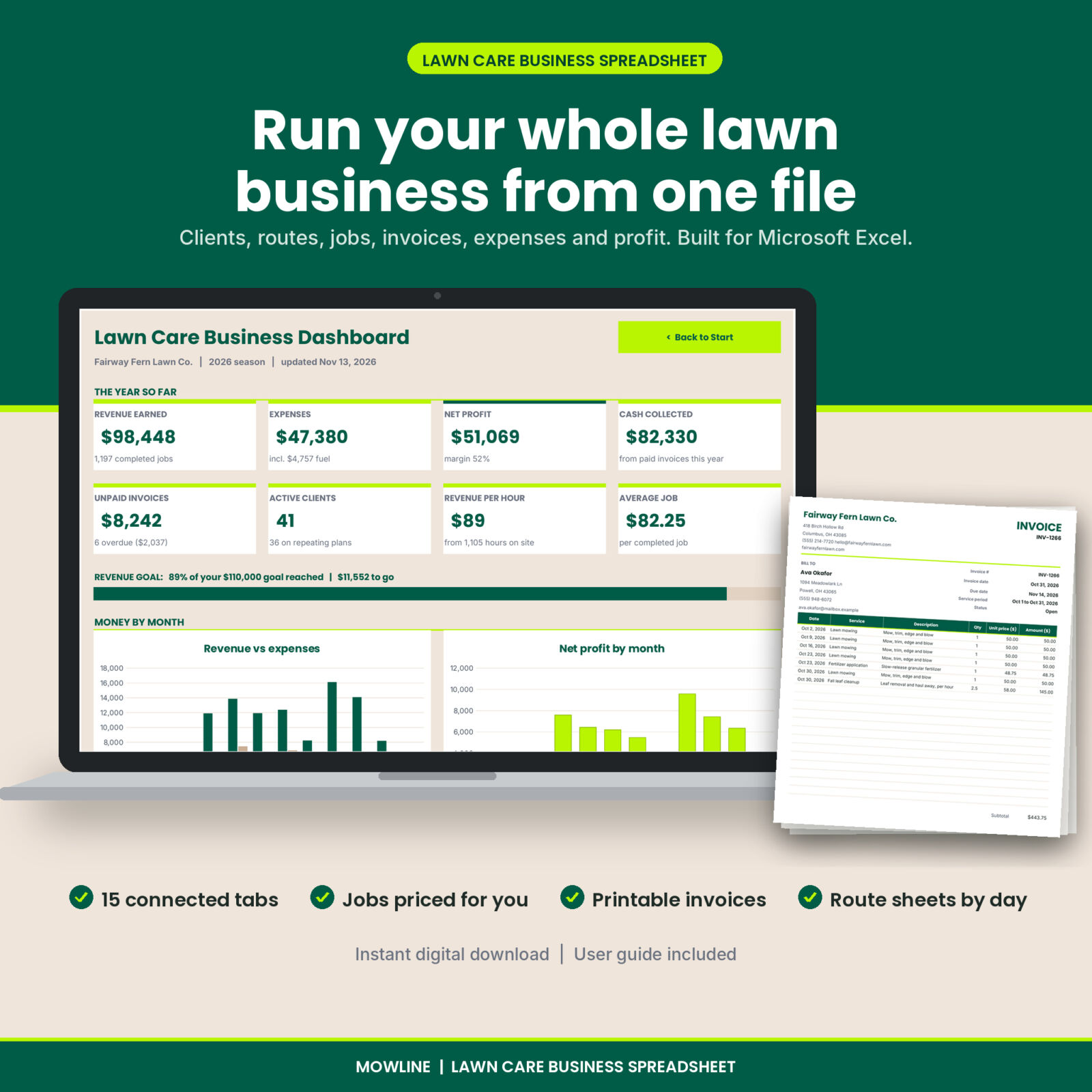
Mowline is a lawn care business spreadsheet for Microsoft Excel that keeps your clients, routes, jobs, invoices, costs and profit in one place. You log a visit once and it flows into the client’s totals, the invoice, the season report and the dashboard. No subscription, no app to learn, and no more guessing whether last month actually made money.
It was built around how mowing businesses really work: weekly and biweekly clients, add-ons priced by lawn size, monthly billing and mowers that need regular service.
What Mowline does
Clients and properties
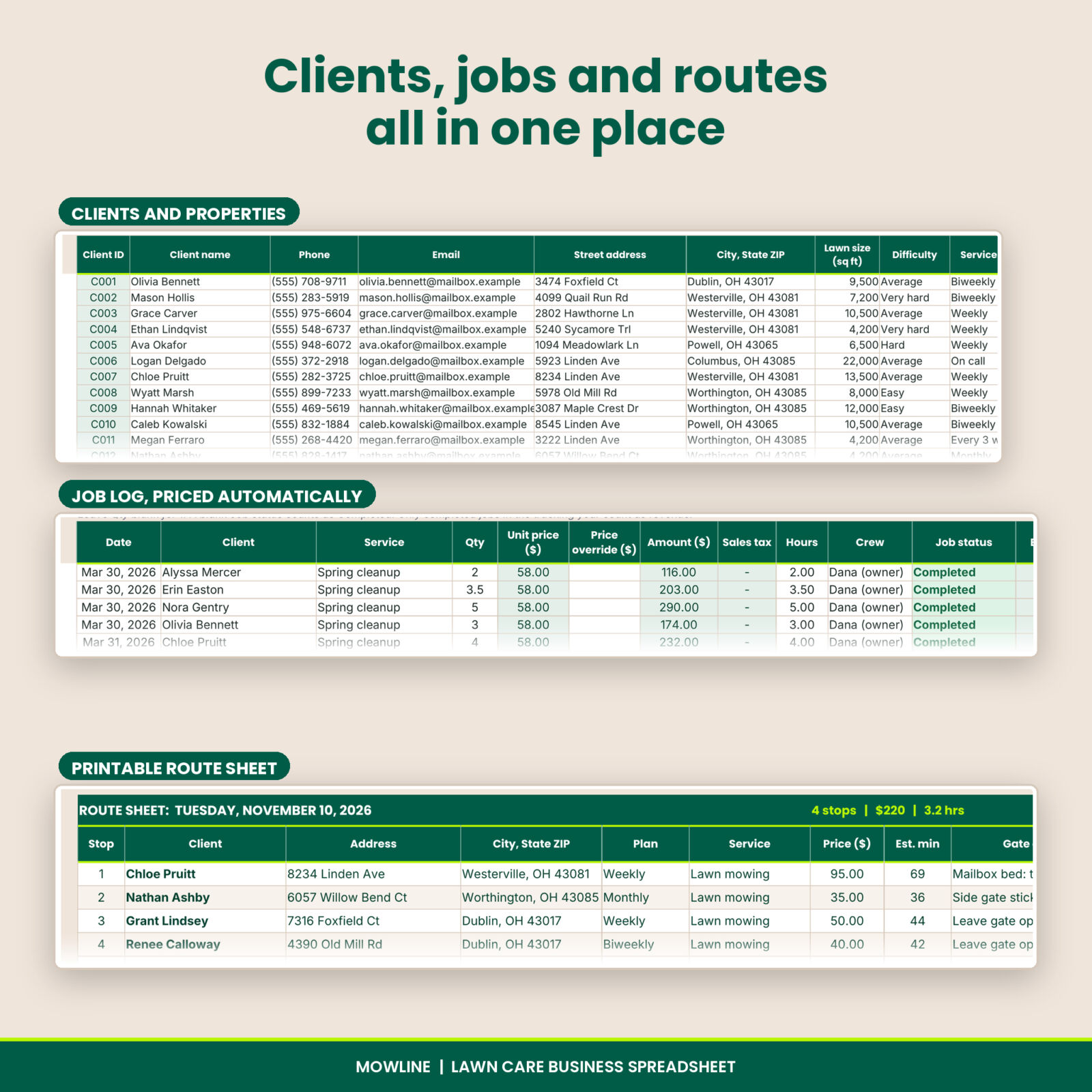
Keep up to 300 clients with phone, email, address, lawn size, difficulty, service plan, service day, route stop and gate notes. Each client gets a suggested price per visit, an estimate of minutes on site, a Google Maps link, and running totals for visits, revenue, hours, revenue per hour and balance due.
Weekly route schedule
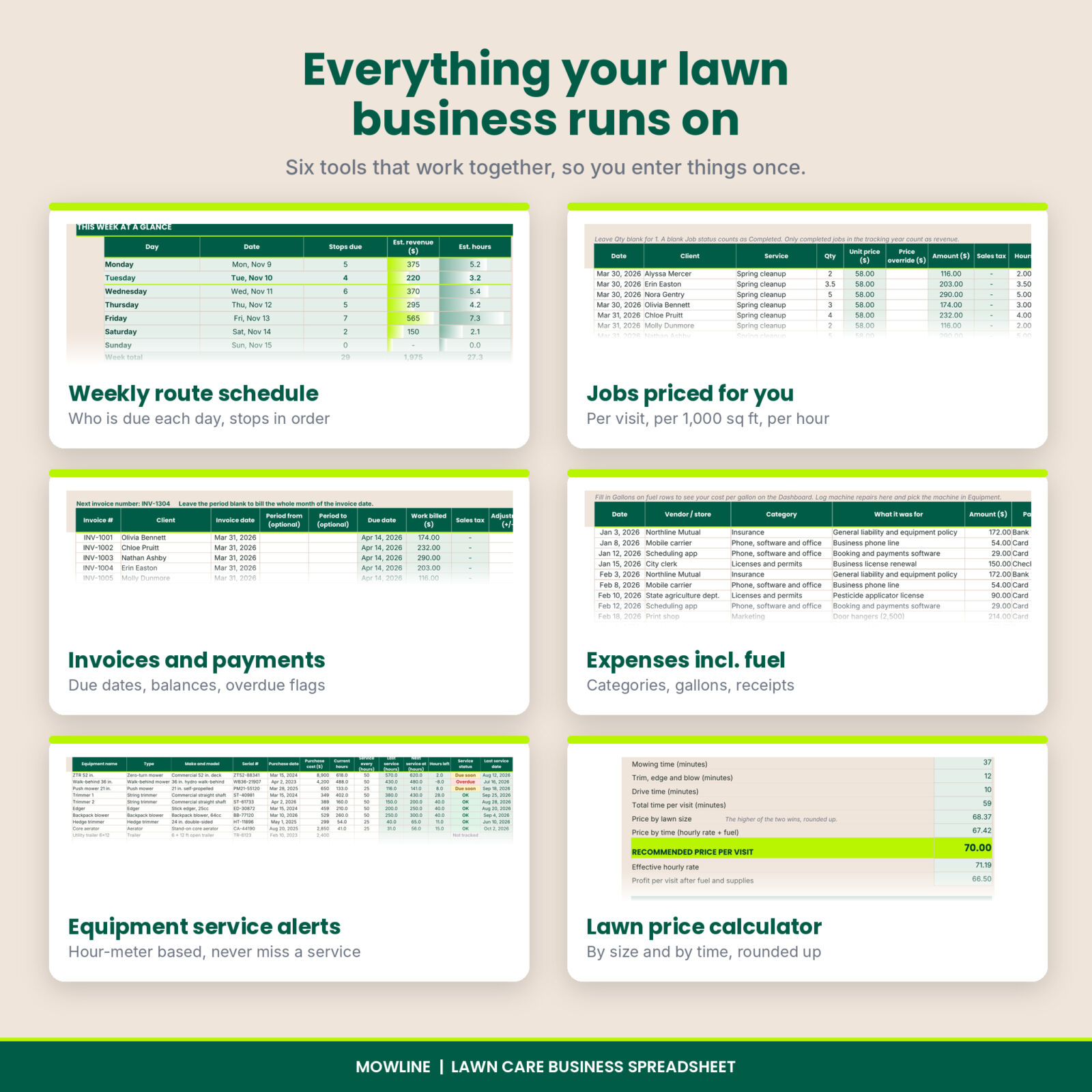
Pick any week and see how many stops are due each day, the expected revenue and the hours of work. Biweekly, every 3 weeks and monthly clients alternate correctly from their start date. Choose a day to get a printable route sheet in stop order with addresses, prices, gate codes and map links.
Job log that prices itself
Choose the client and the service and the price fills in. Mowing uses the client’s visit price. Fertilizer, weed control and aeration are priced per 1,000 sq ft from the lawn size. Cleanups are priced per hour, mulch per yard, and extras at a flat rate. Sales tax is added only where you need it. Each job shows whether it has been billed yet.
Invoices, payments and a printable invoice
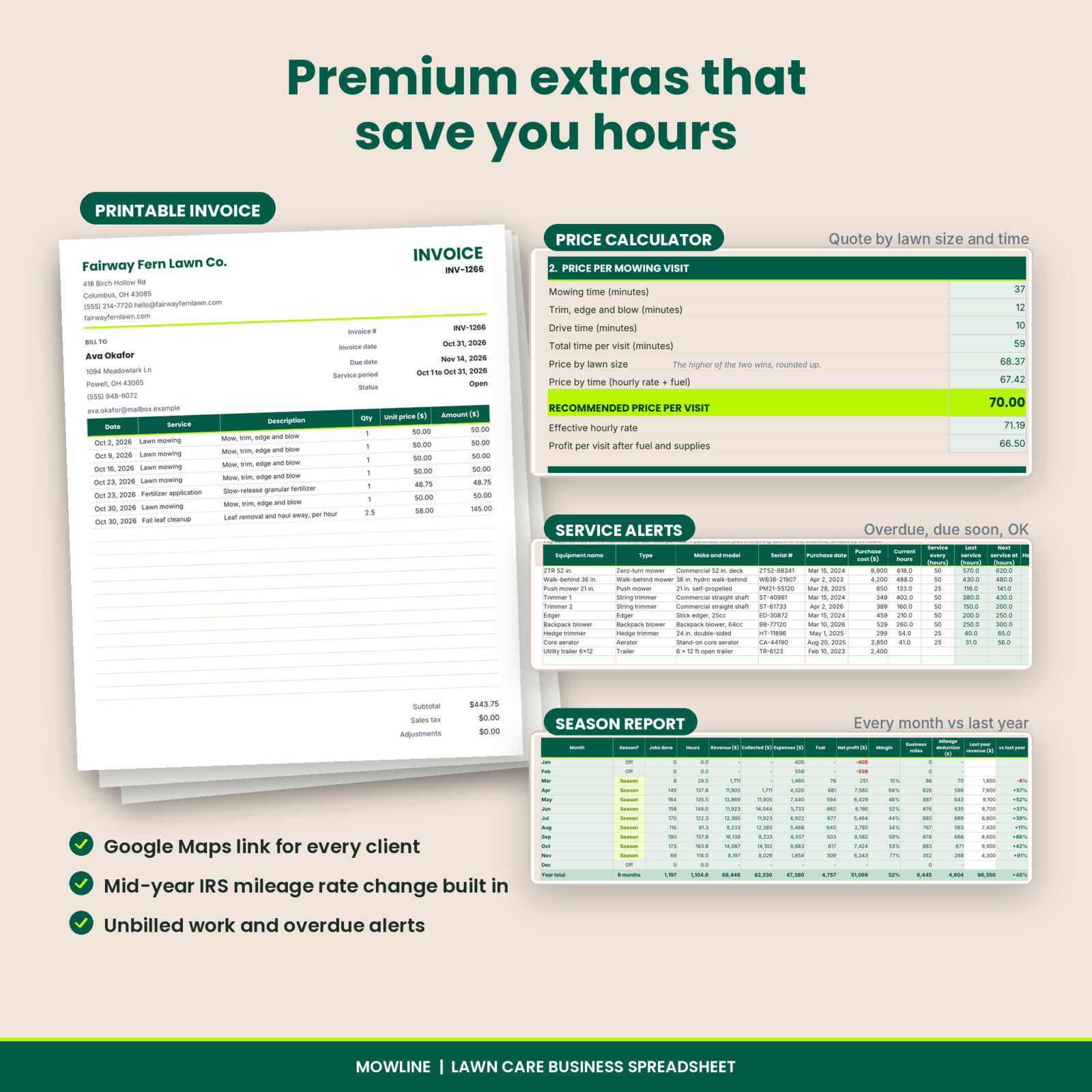
Add an invoice row and Mowline totals every completed job for that client in the month, or in any period you choose. Record payments as they come in and watch the status change to Paid, Partial, Open or Overdue, with days late. Pick an invoice number on the Print Invoice tab and a clean, branded invoice fills in, ready to print or save as a PDF.
Expenses, fuel and mileage
Log every cost in 14 editable categories, including fuel with gallons so you can see your cost per gallon. Tag repairs and purchases with a machine to see what each mower costs to run. The mileage log takes odometer readings or plain miles and works out your deduction using the rates on the Settings tab, including a second rate for mid-year changes like the one in 2026.
Equipment service alerts
List mowers, trimmers, blowers and aerators with their hour meters and service intervals. Log each oil change or blade sharpening on the Maintenance tab and Mowline tells you which machines are OK, due soon or overdue, plus the cost per operating hour.
Price calculator
Measure the lawn areas, pick the difficulty and the plan, and the calculator prices the visit two ways: by size and by time, using your hourly target, mowing speed, trim time, drive time and fuel. It recommends the higher price, rounded up, then builds a season quote with add-on services and an equal monthly payment.
Season report and dashboard
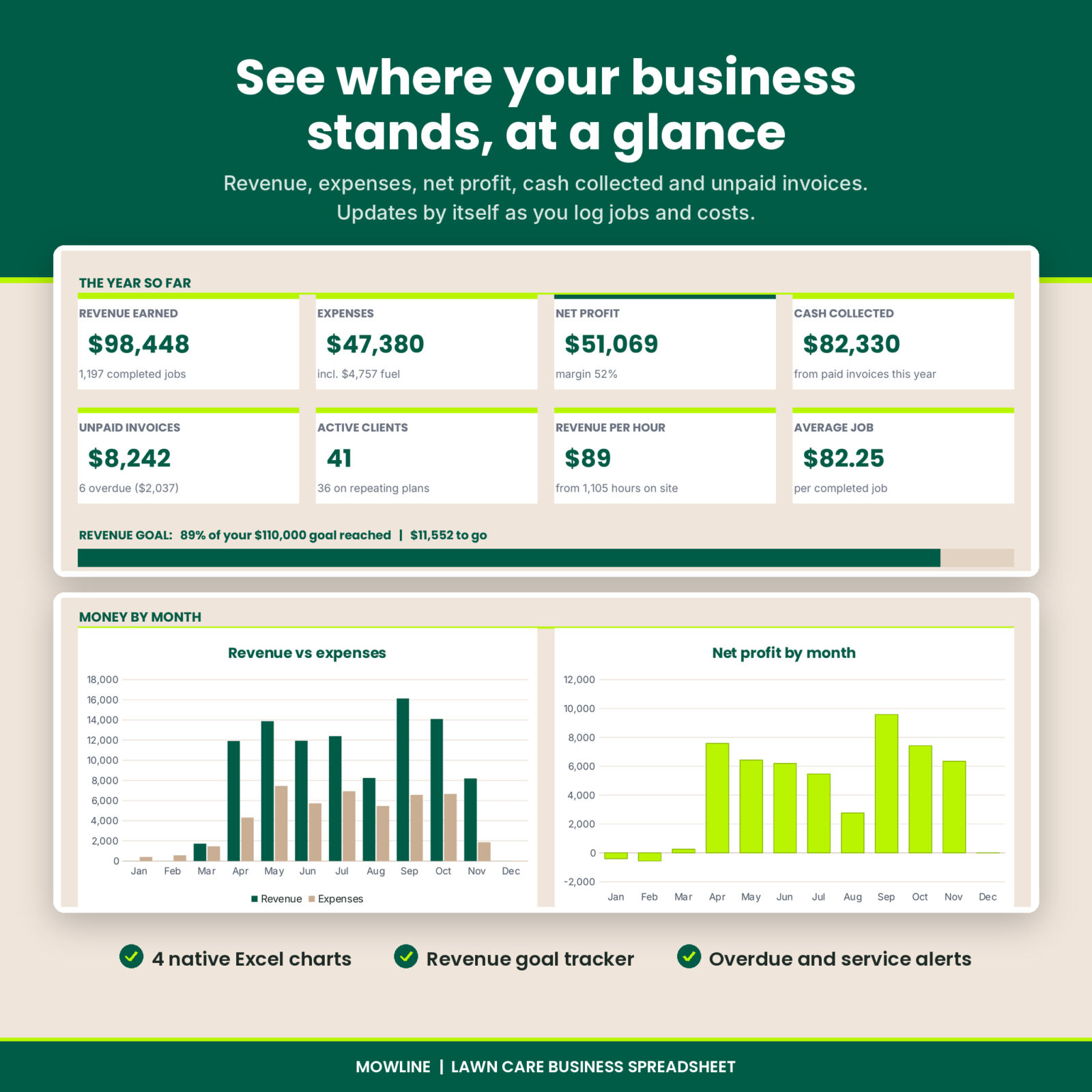
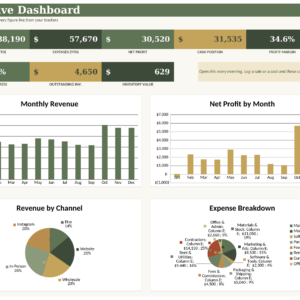
The season report shows every month’s jobs, hours, revenue, cash collected, expenses, fuel, net profit, margin and miles, with revenue by service, expenses by category and a comparison with last year. The dashboard pulls it together with KPI cards, a revenue goal bar, 4 charts, your top 5 clients, the 5 largest unpaid balances and alerts for overdue invoices, unbilled work, equipment service and this week’s stops.
Who it is for
- Solo mowing operators and owner-operators running one or two crews
- Landscapers who sell lawn maintenance plans and want to know which services pay best
- New lawn care businesses that want fair pricing and tidy records from the first season
- Anyone who has outgrown a notebook but does not want monthly software fees
Why lawn care owners choose Mowline
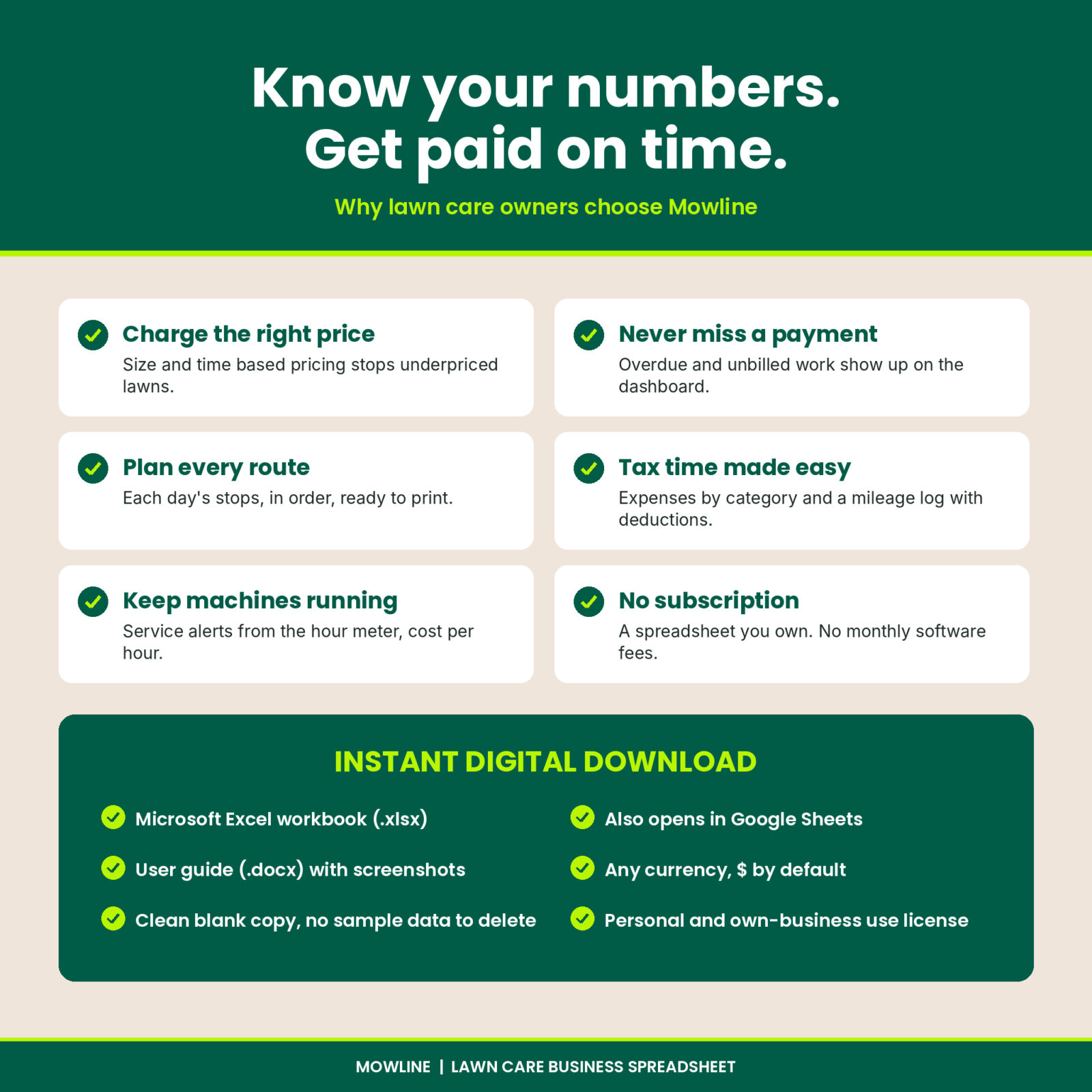
- Charge the right price. Size and time based pricing stops you underpricing slow lawns.
- Get paid on time. Unbilled work and overdue invoices show up on the dashboard.
- Be ready for tax time. Expenses by category and a mileage log with deductions.
- Keep machines running. Service alerts from the hour meter, not from memory.
What’s included
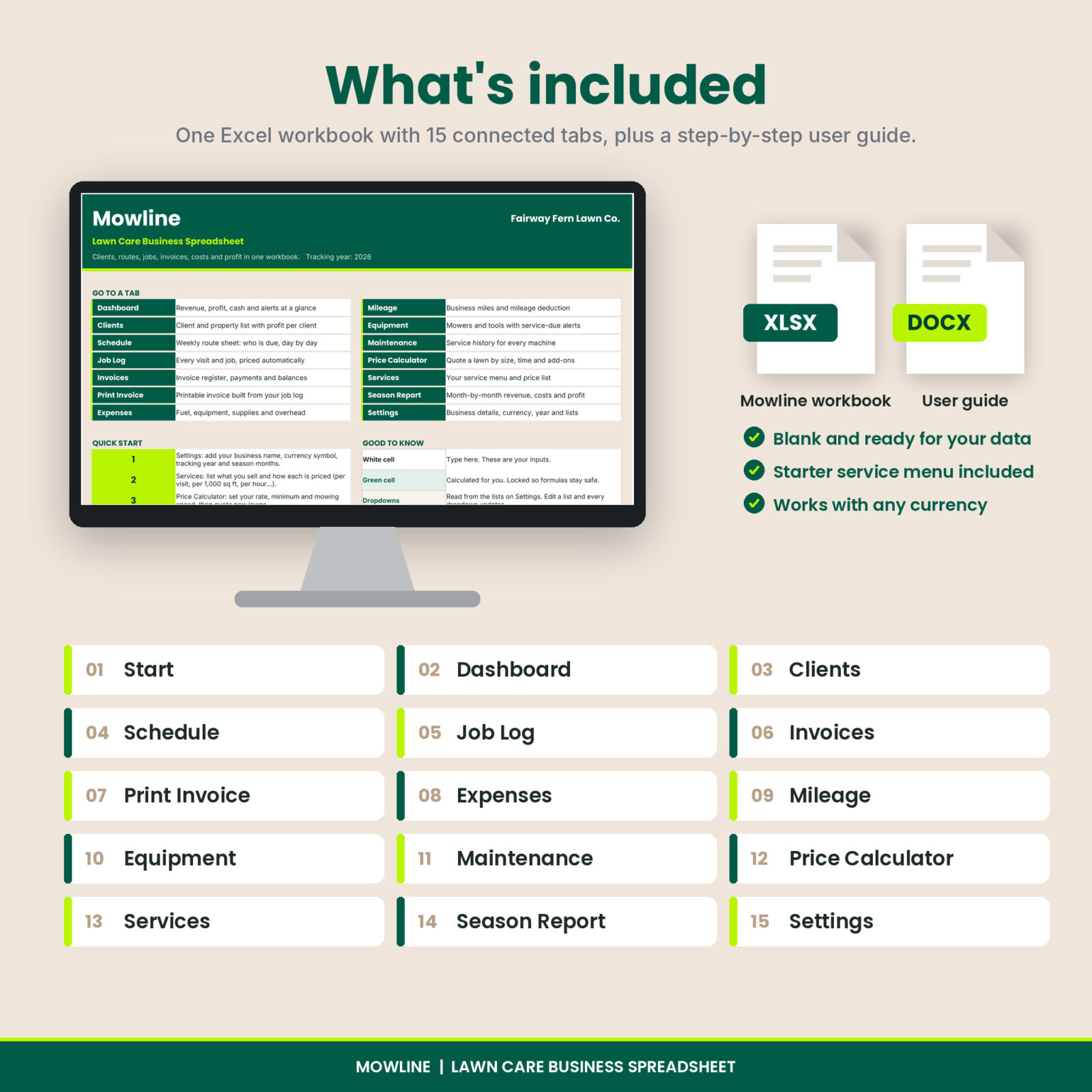
- Mowline Lawn Care Business Spreadsheet (.xlsx) with 15 connected tabs: Start, Dashboard, Clients, Schedule, Job Log, Invoices, Print Invoice, Expenses, Mileage, Equipment, Maintenance, Price Calculator, Services, Season Report and Settings
- A starter service menu with 13 common lawn services you can rename and reprice
- User guide (.docx) with screenshots of every tab, tips, troubleshooting and FAQs
How it works
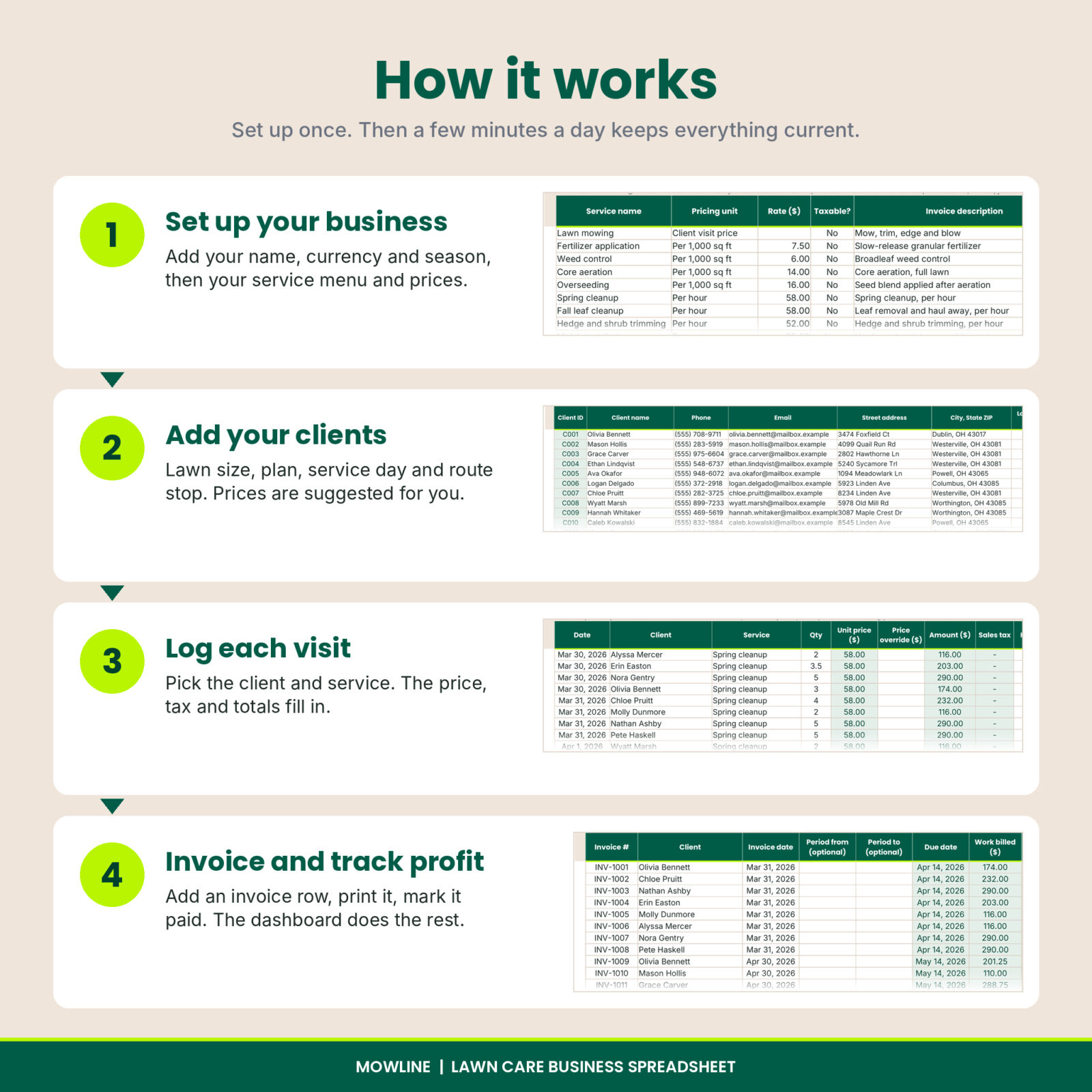
- Add your business details, currency, tracking year and season months on Settings.
- Check the service menu and set your prices and pricing numbers.
- Add your clients with lawn size, plan, service day and route stop.
- Print each day’s route sheet and log the visits in the Job Log.
- At month end, add an invoice row per client, print the invoices and record payments.
- Watch the dashboard and season report update as you go.
File format and software
Mowline is an Excel workbook (.xlsx) for Microsoft Excel 2016 or newer on Windows or Mac, including Microsoft 365. It uses standard formulas and no macros, so there are no security prompts. It also opens in Google Sheets, where the formulas work but sheet protection and data bars are not carried over. White cells are for typing. Green cells are locked formulas, protected without a password.
Make it yours
Every dropdown reads from lists on the Settings tab, so you can rename services, plans, statuses, expense categories, crew members, vehicles and maintenance tasks. Set any currency symbol (the default is $), your own invoice prefix and payment terms, your sales tax rate and your revenue goal. The tables hold 300 clients, 3,000 jobs, 1,000 invoices, 1,000 expenses, 1,000 trips and 40 machines per year.
Instant digital download
This is a digital product. You can download the workbook and user guide right after checkout. Nothing is shipped. The license covers personal use and use in your own business. Please do not resell or share the files.
Frequently asked questions
Does it work on a Mac?
Yes. It works in Excel for Mac 2016 or newer and in Microsoft 365.
Can I use it in Google Sheets?
Yes. Upload the file and open it with Google Sheets. The formulas are standard, but sheet protection and data bars are Excel features.
Does it include sample data?
The workbook comes blank and ready for your clients, with a starter service menu. The listing images show a filled example so you can see how it looks in use.
How does it price per square foot?
Services set to “Per 1,000 sq ft” multiply your rate by the client’s lawn size. A $7.50 fertilizer rate on an 8,000 sq ft lawn bills $60.00.
Can I invoice monthly instead of per visit?
Yes. Leave the invoice period blank and Mowline bills every completed job in the month of the invoice date. You can also bill a single job or any date range.
Reviews
There are no reviews yet.