
Payridge Debt Payoff Digital Planner for GoodNotes and Notability
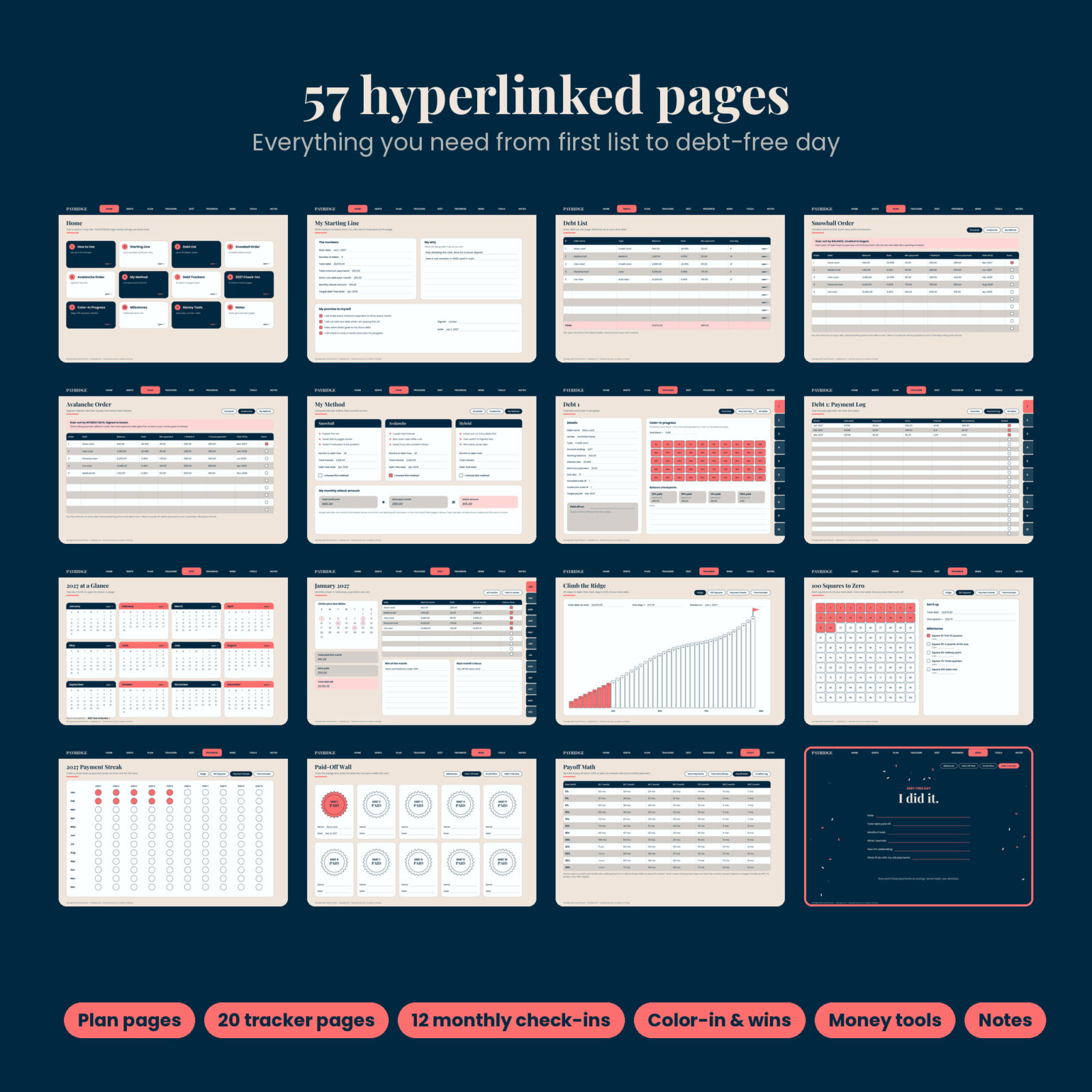
Payridge is a debt payoff digital planner built for people who want to see every balance, pick a payoff order and actually stick with it. It is one hyperlinked PDF with 57 landscape pages. You import it into GoodNotes or Notability, write with your stylus, and tap tabs to move around instead of scrolling through a long file.
It works for any personal debt: credit cards, store cards, car loans, personal loans, medical bills, student loans, buy now pay later plans and money owed to family. You get room for 10 debts, a snowball page, an avalanche page, a page to choose your method, 20 tracker pages, 12 monthly check-ins for 2027 and a set of color-in pages that make progress visible.
Who this debt tracker is for
- Anyone juggling two or more debts who wants one place to see them all
- Snowball fans, avalanche fans and people who have not picked a method yet
- Digital planner users who prefer handwriting numbers over typing them into a spreadsheet
- Couples who sit down together once a month to check the plan
What you can do with it
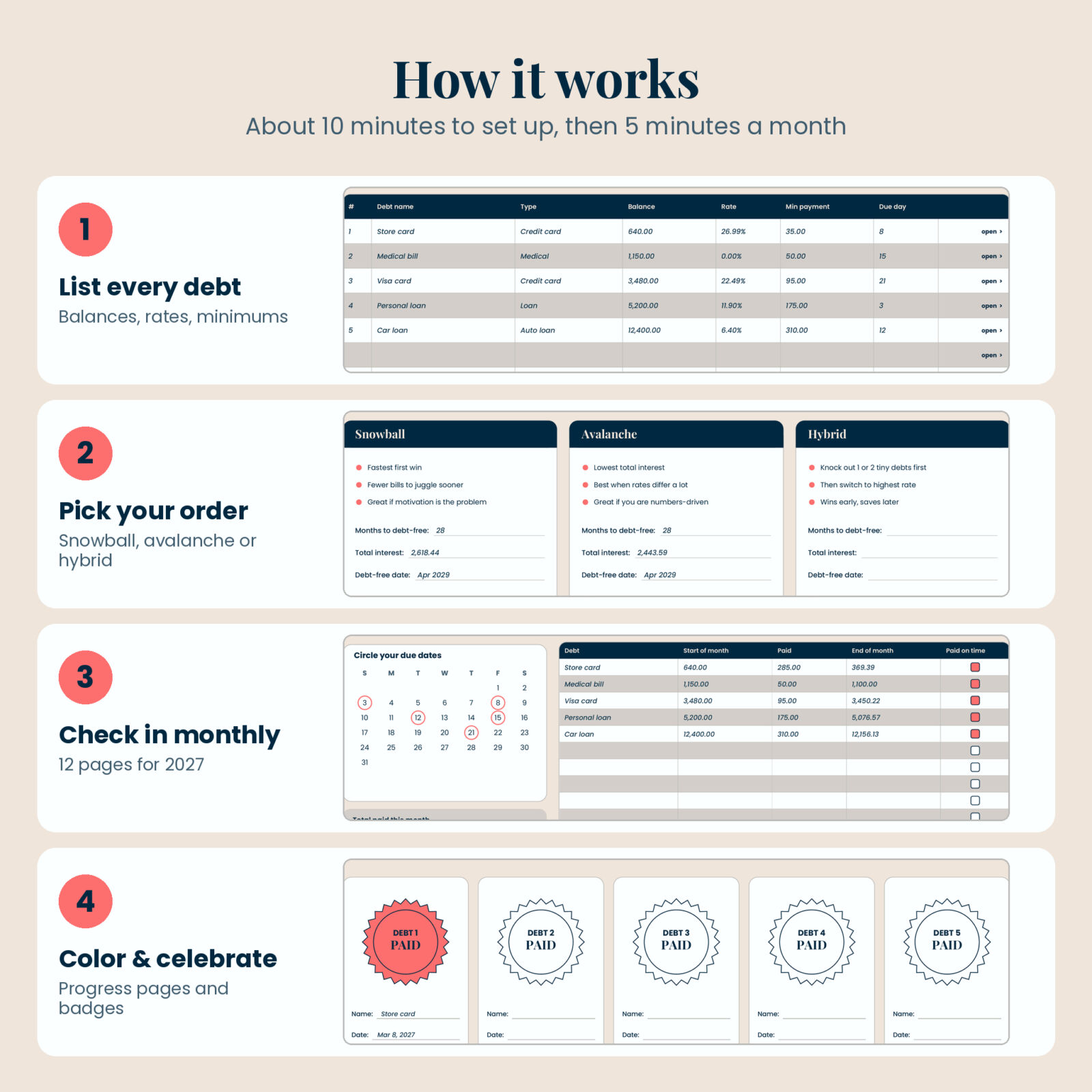
List every debt in one place
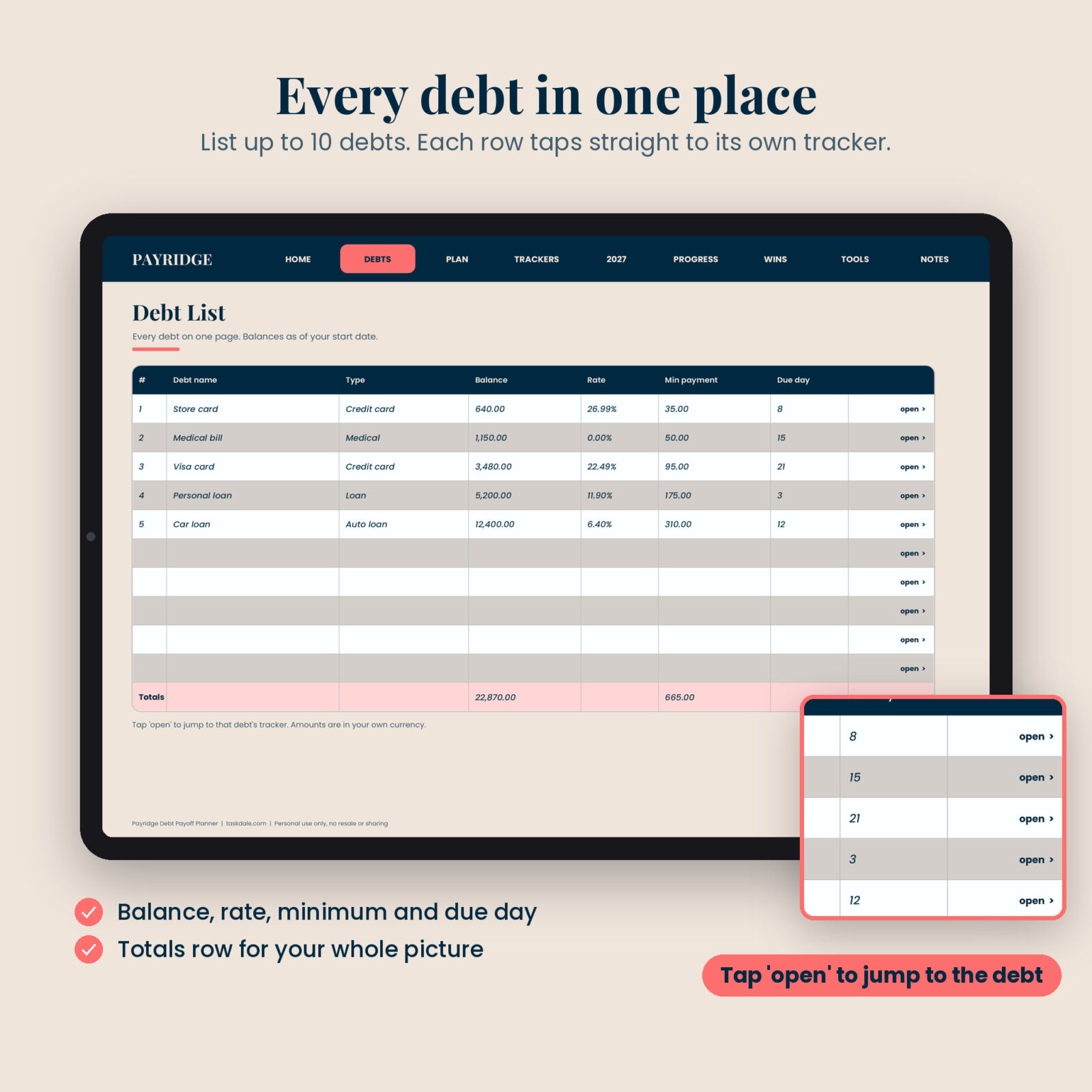
The Debt List holds up to 10 debts with name, type, balance, interest rate, minimum payment and due day, plus a totals row. Each row has an “open” link that jumps to that debt’s own tracker.
Rank debts in snowball and avalanche order
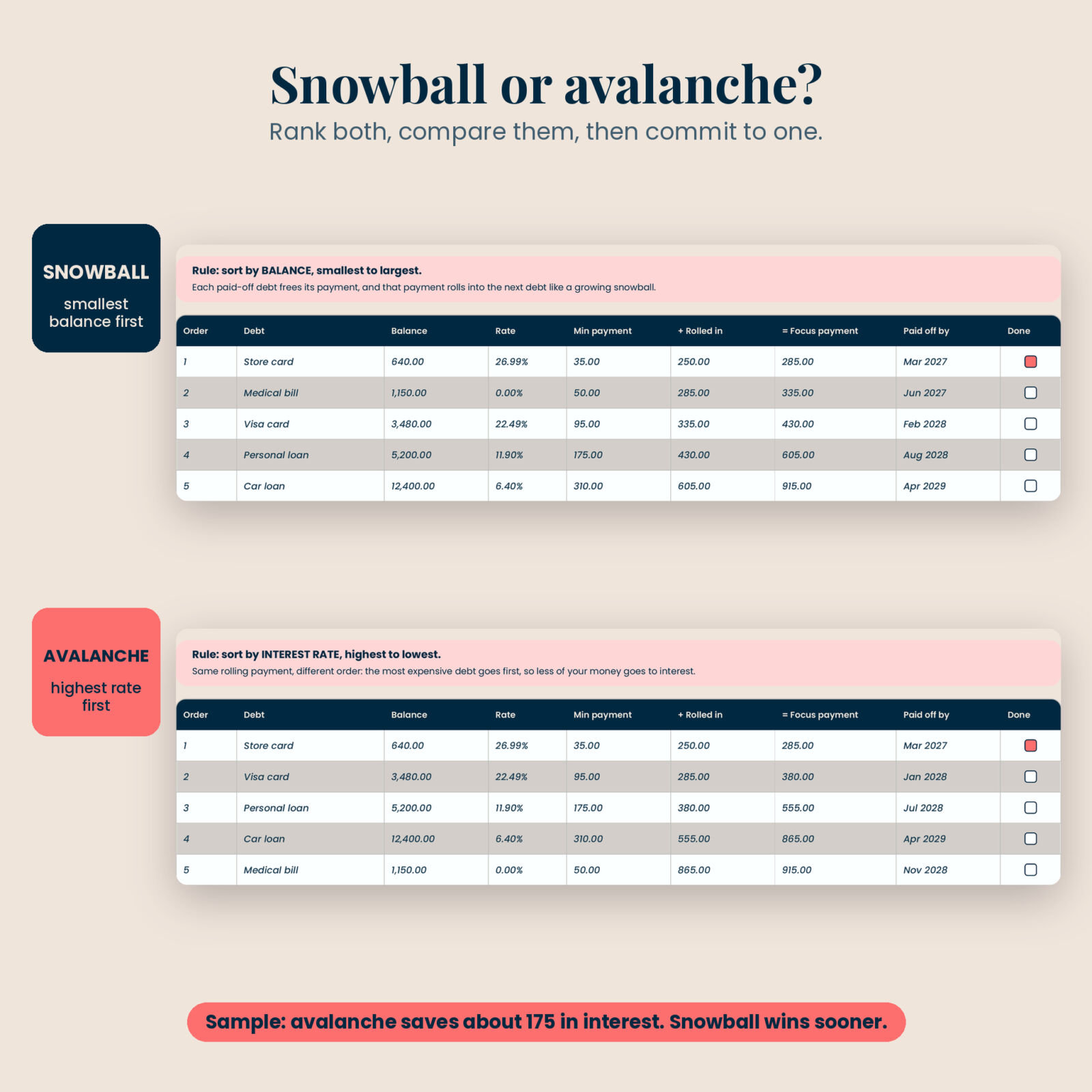
The Snowball Order page ranks debts from the smallest balance to the largest. The Avalanche Order page ranks them from the highest interest rate to the lowest. Both pages have “Rolled in” and “Focus payment” columns, so you can see your payment grow each time a debt is paid off, and a “Paid off by” column for target dates.
Choose your method and set your monthly attack amount
My Method lays snowball, avalanche and a hybrid side by side with room for months to debt-free, total interest and your target date. Then you add your total minimums and your extra to get one number: your monthly attack amount.
Track each debt with tap-through tabs
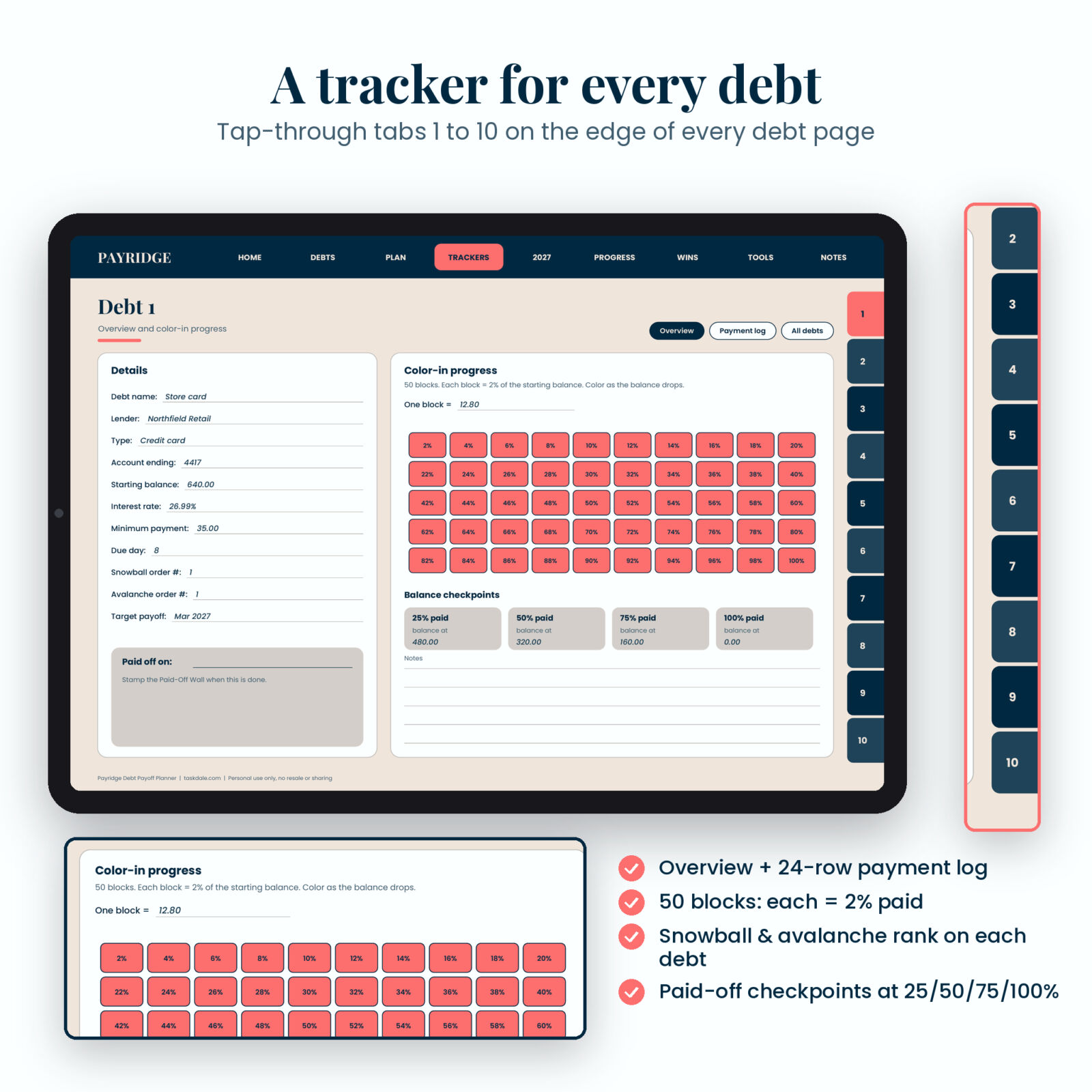
Every debt gets two pages. The Overview page has its details, its snowball and avalanche rank, a 50-block color-in grid where each block is 2% of the starting balance, and checkpoints at 25%, 50%, 75% and 100% paid. The Payment Log has 24 rows for month, date, payment, extra, interest and new balance. Numbered tabs 1 to 10 on the right edge flip between debts in one tap.
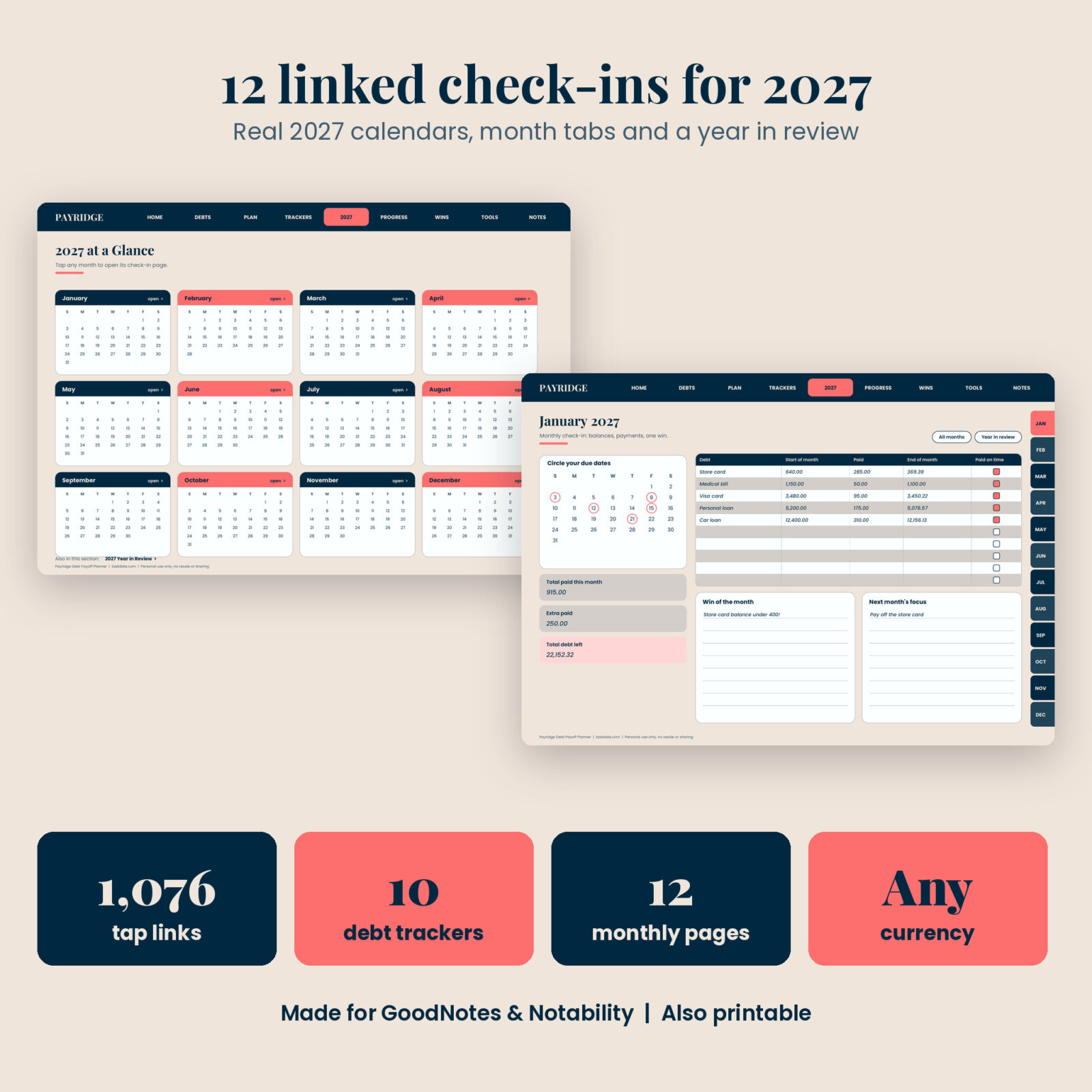
Check in every month of 2027
Twelve dated check-in pages, January to December 2027, each with a real calendar for circling due dates, a balance table for all your debts, totals for the month, a win and next month’s focus. Month tabs on the right edge take you to any month, and a Year in Review page collects the totals.
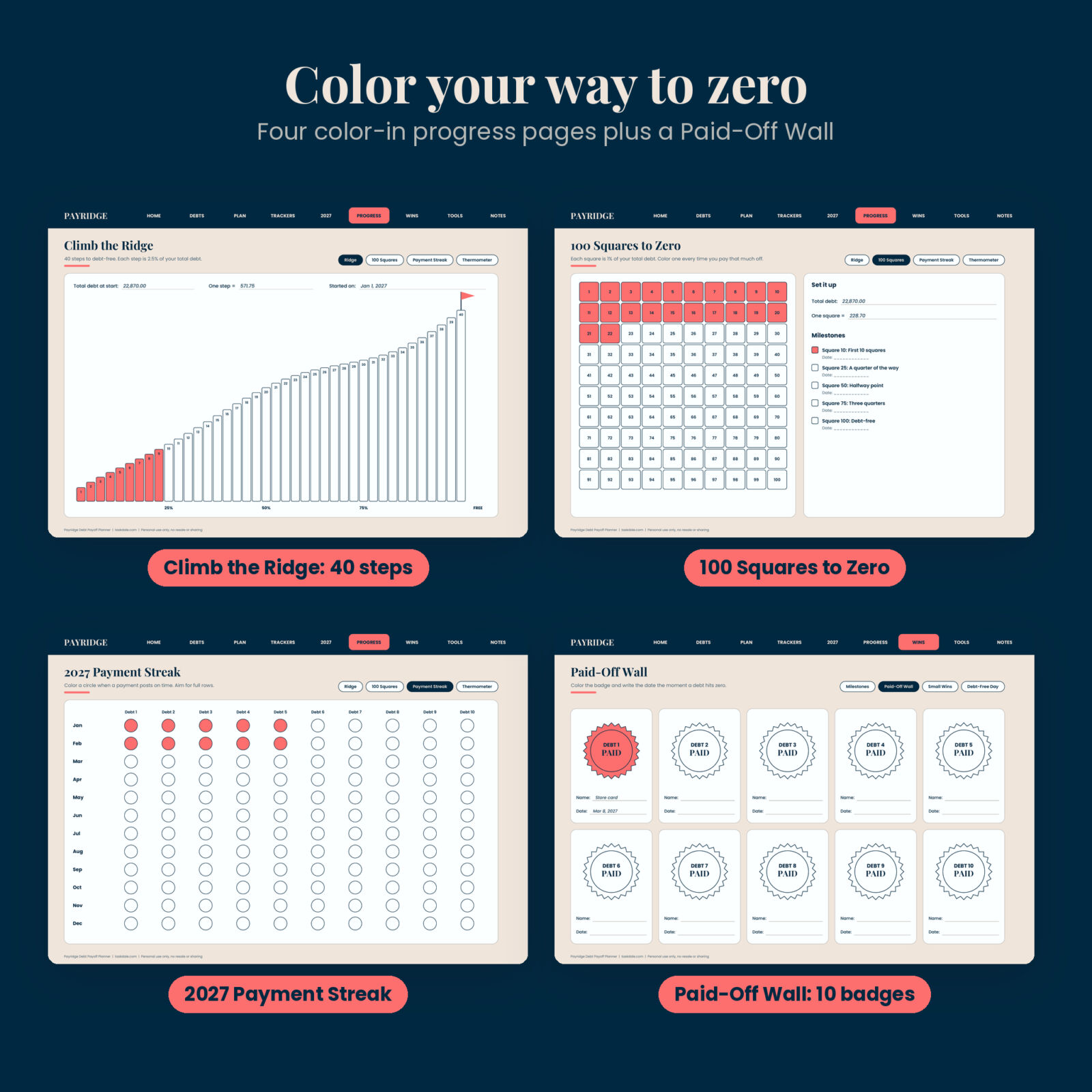
Color in your progress
- Climb the Ridge: 40 steps to debt-free, each worth 2.5% of your total debt
- 100 Squares to Zero: one square for every 1% paid off
- 2027 Payment Streak: one circle per debt per month, colored when the payment posts
- Debt Thermometers: one for total debt and one for your focus debt
Celebrate the wins
Eight milestone cards run from your first extra payment to debt-free. The Paid-Off Wall has 10 badges to color, one per debt. There is a Small Wins log and a Debt-Free Day page to fill in at the finish.
Money tools
Log extra payments and windfalls, find extra money with a trim-or-cut list and an earn-more list, read the Payoff Math table (months to pay off each 1,000 of debt at 0% to 30% APR) and keep a creditor call log.
What’s included
- Payridge Debt Payoff Digital Planner: 57-page hyperlinked landscape PDF with 1,076 tap links
- Payridge User Guide (DOCX): setup steps for GoodNotes and Notability, how every page works, tips, troubleshooting and FAQ
How it works
- Download the PDF and import it into GoodNotes or Notability as one document.
- Fill in My Starting Line and the Debt List.
- Rank your debts on the Snowball and Avalanche pages and commit to a method.
- Open each debt’s tracker and write its details.
- Once a month, open the month, log balances and payments, then color your progress pages.
File format and requirements
- Format: PDF, landscape tablet layout (1194 x 834 points), fonts embedded, about 0.6 MB
- Apps: made for GoodNotes and Notability; every one of the 1,076 internal links was checked before release
- Printing: you can also print pages in landscape with “fit to page”; links only work on screen
- Guide: DOCX, opens in Word, Google Docs or Pages
Customizing
Money fields are blank, so you can use dollars or any other currency. Use any highlighter color on the color-in pages, leave unused trackers blank, or duplicate pages in your note app if you need more room. The monthly check-ins are dated for 2027; every other page is undated.
Digital download
This is a digital product. Nothing is shipped. Your files are ready to download right after checkout from your account and your order email.
Real ways people use it
- Paying off three credit cards and a car loan while keeping every due date in view
- Clearing medical bills and a personal loan with snowball, then switching to avalanche
- Logging a tax refund as a lump sum and watching 10 squares get colored in one day
- Keeping notes of every call with a lender about a lower interest rate
FAQ
Does this debt payoff planner work in GoodNotes?
Yes. Import the PDF as a document and use read-only mode to tap the tabs and links. Switch back to the pen to write.
Does it work in Notability?
Yes. Import it as one note so all the links stay connected.
Is it only for credit cards or student loans?
No. It is for any personal debt, up to 10 at a time.
Does it do the math for me?
It is a handwritten planner, so you write the numbers. The Payoff Math page gives ready-made figures for quick estimates.
Is it dated?
The 12 monthly check-ins and calendars cover January to December 2027. The other pages are undated.
Can I print it?
Yes. Print in landscape with “fit to page” turned on.
Can I share it with a friend?
The license is for personal use by the buyer only. Please send friends to the Taskdale page instead.
Payridge is a planning and tracking tool, not financial advice. License: personal use only, no resale or sharing.
Reviews
There are no reviews yet.