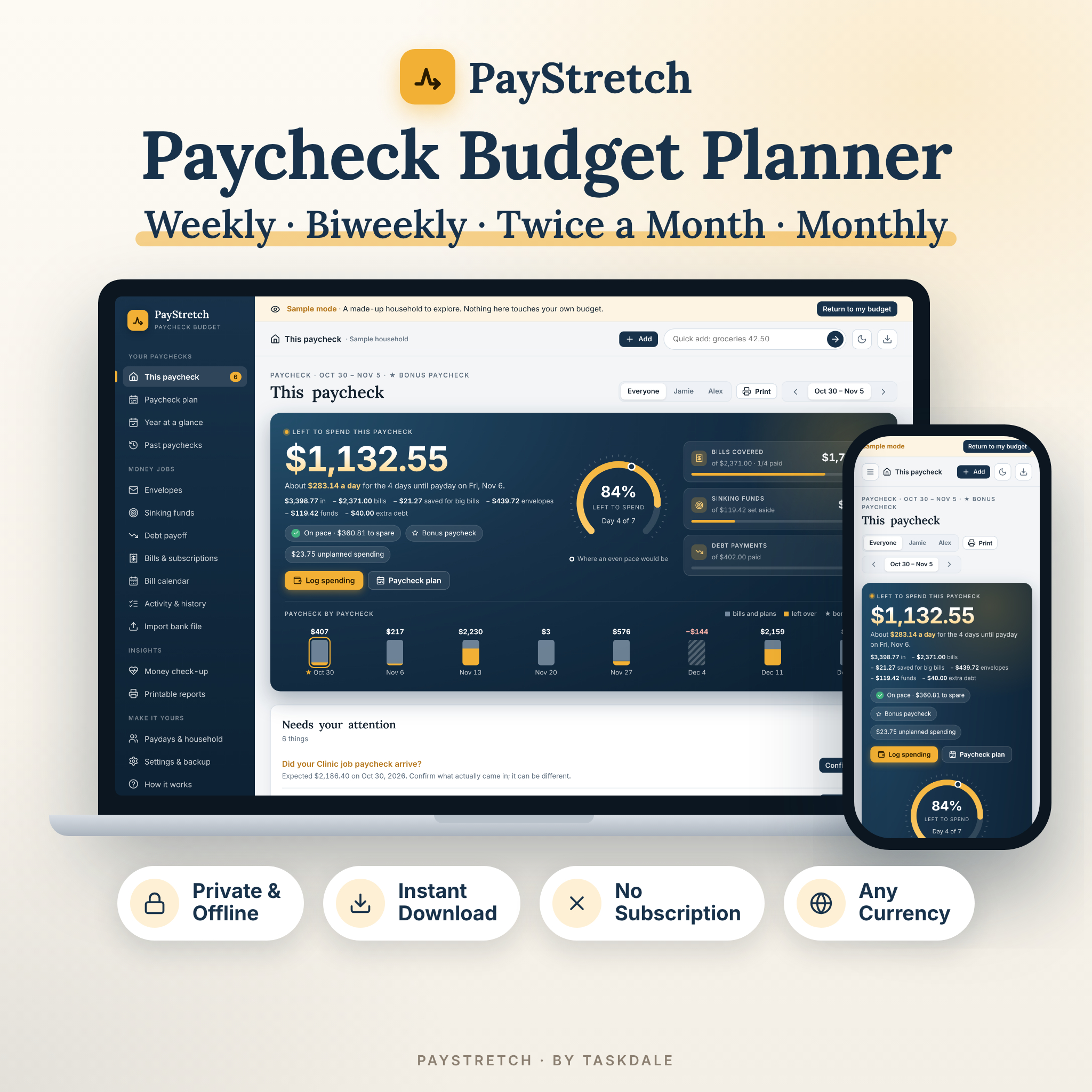
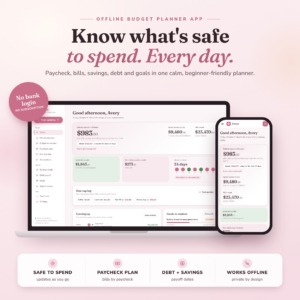
PayStretch is a paycheck budget planner built around payday, not the calendar month. If you are paid weekly, every two weeks or twice a month, a monthly budget never quite matches real life: rent is due on the 1st, but which paycheck pays it? PayStretch answers that for every bill, fills your envelopes on payday, works out how much each paycheck should set aside, and shows one clear number — what is left to spend until your next payday.
It is a single HTML file that opens in your web browser. No account, no subscription, no bank login. Your numbers stay private on your own computer.
Why this paycheck budget planner is different
- Every bill in the right paycheck. Each bill lands in the paycheck that arrives before it is due. Move any bill to another paycheck with one click.
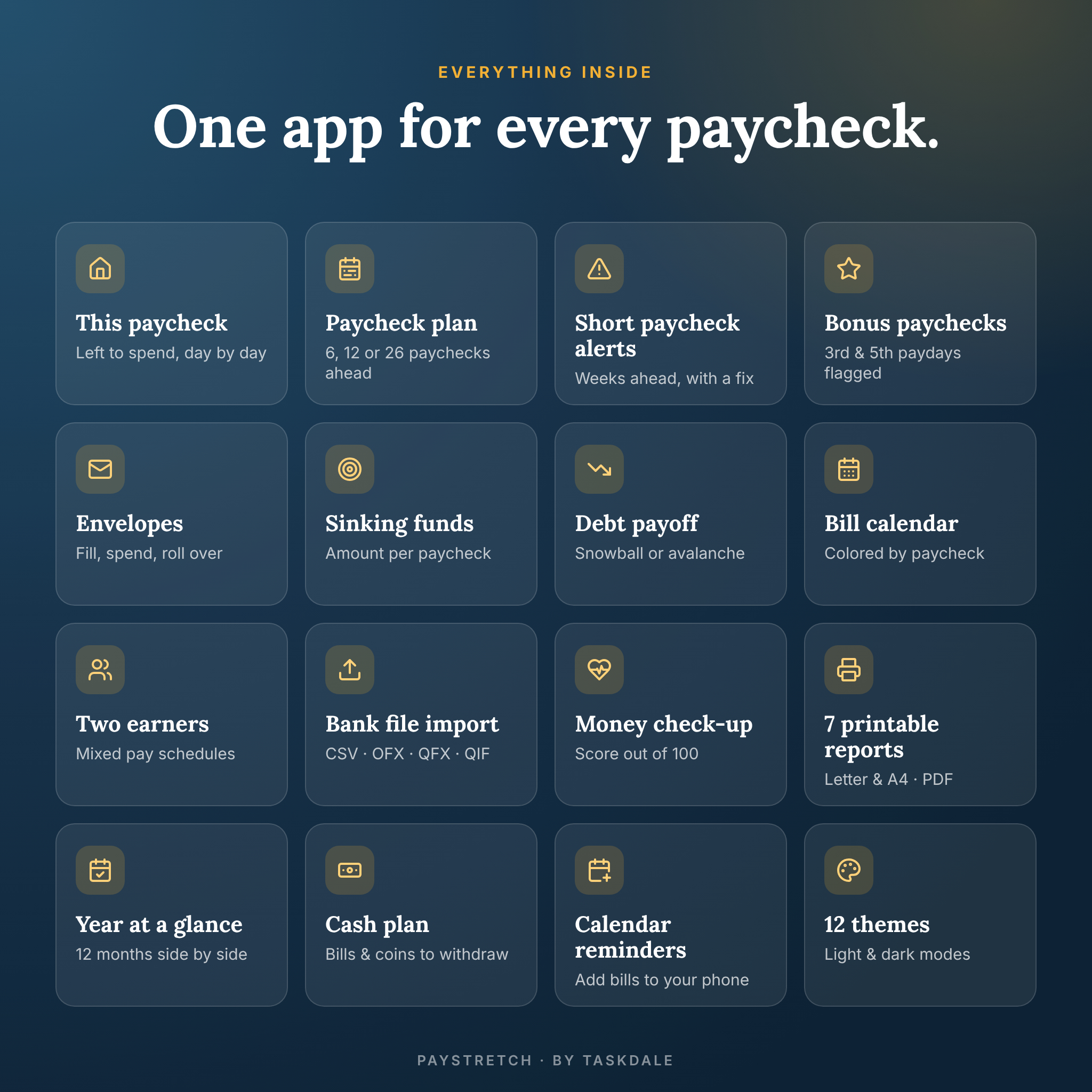
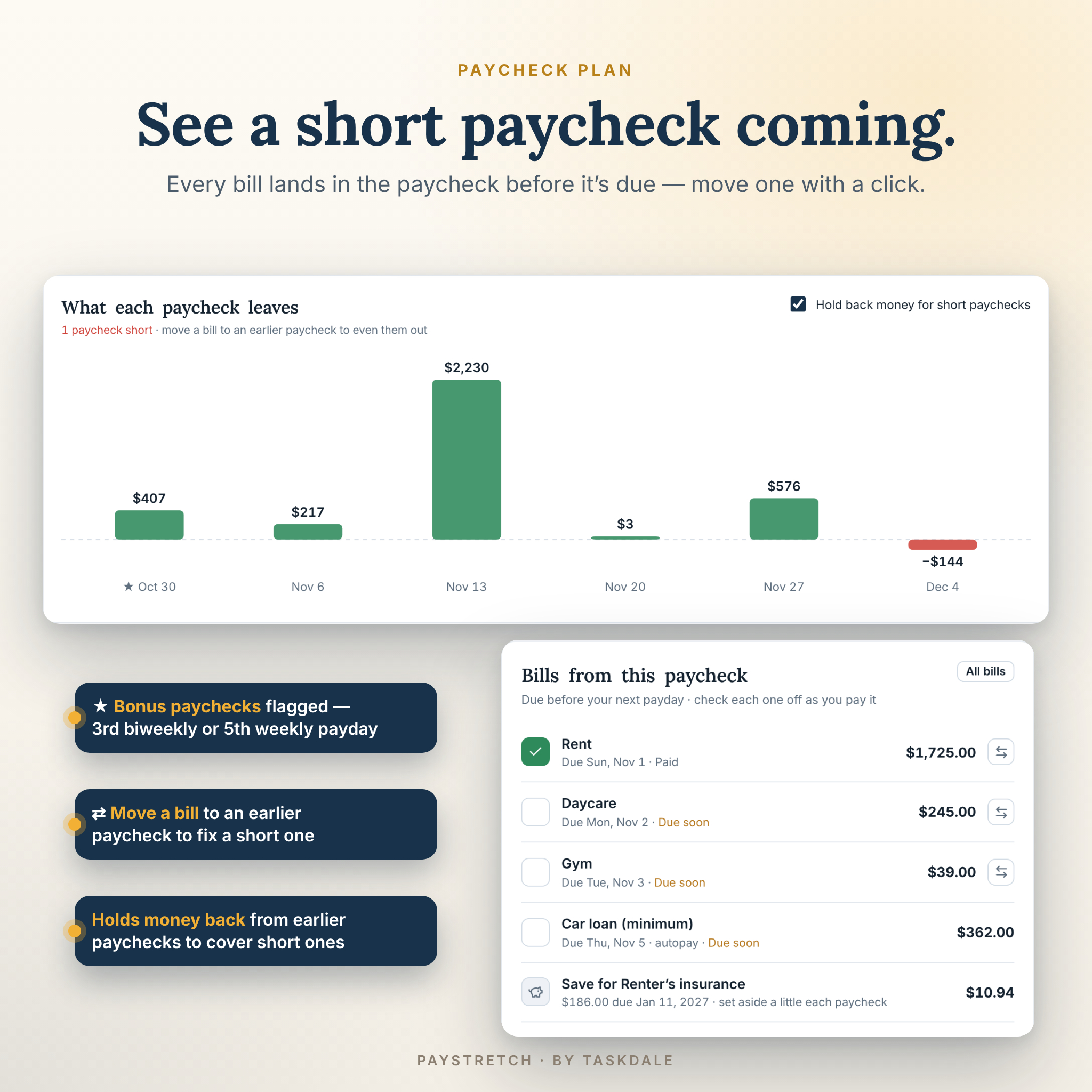
- Short paychecks flagged weeks ahead. When bills bunch up, PayStretch warns you early, suggests a fix and can hold back money from an earlier paycheck to cover it.
- Bonus paychecks marked. The third biweekly (or fifth weekly) payday in a month is flagged ★ so you can put it to work.
- Built for two earners. Mix weekly, biweekly, twice-a-month and monthly pay in one household plan, then switch to each person’s view.
Features
This paycheck dashboard
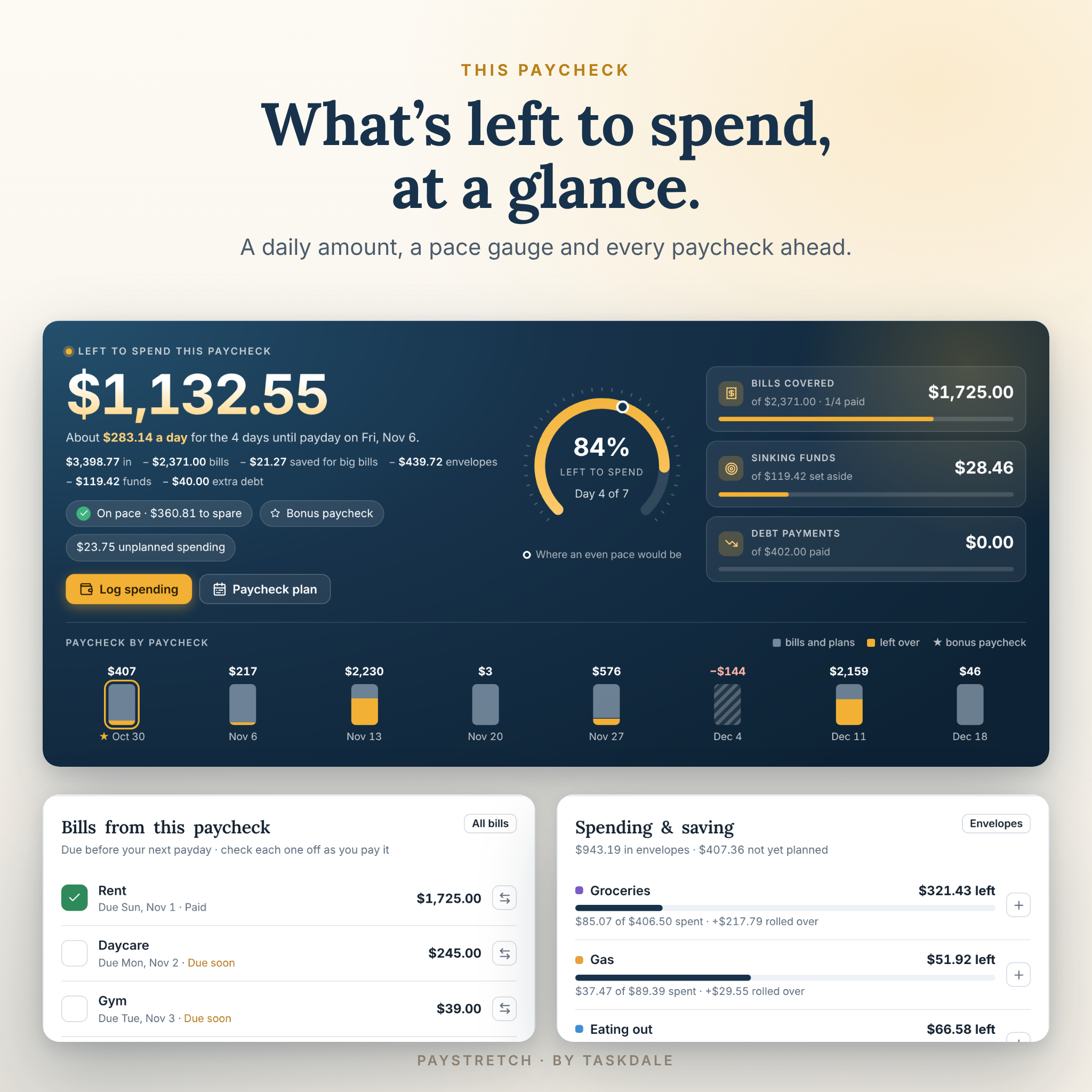
Left to spend, a daily amount until payday, a pace gauge that shows where an even pace would be, bills to tick off, sinking fund set-asides, debt payments, envelopes, paychecks to confirm and a “Needs your attention” list with one-click fixes.
Paycheck plan and year at a glance
See the next 6, 12 or 26 paychecks side by side: money in, bills, envelopes, funds, extra debt payments, what is left over and what is held back. A twelve-month view shows every month and highlights bonus-paycheck months.
Cash envelope budget
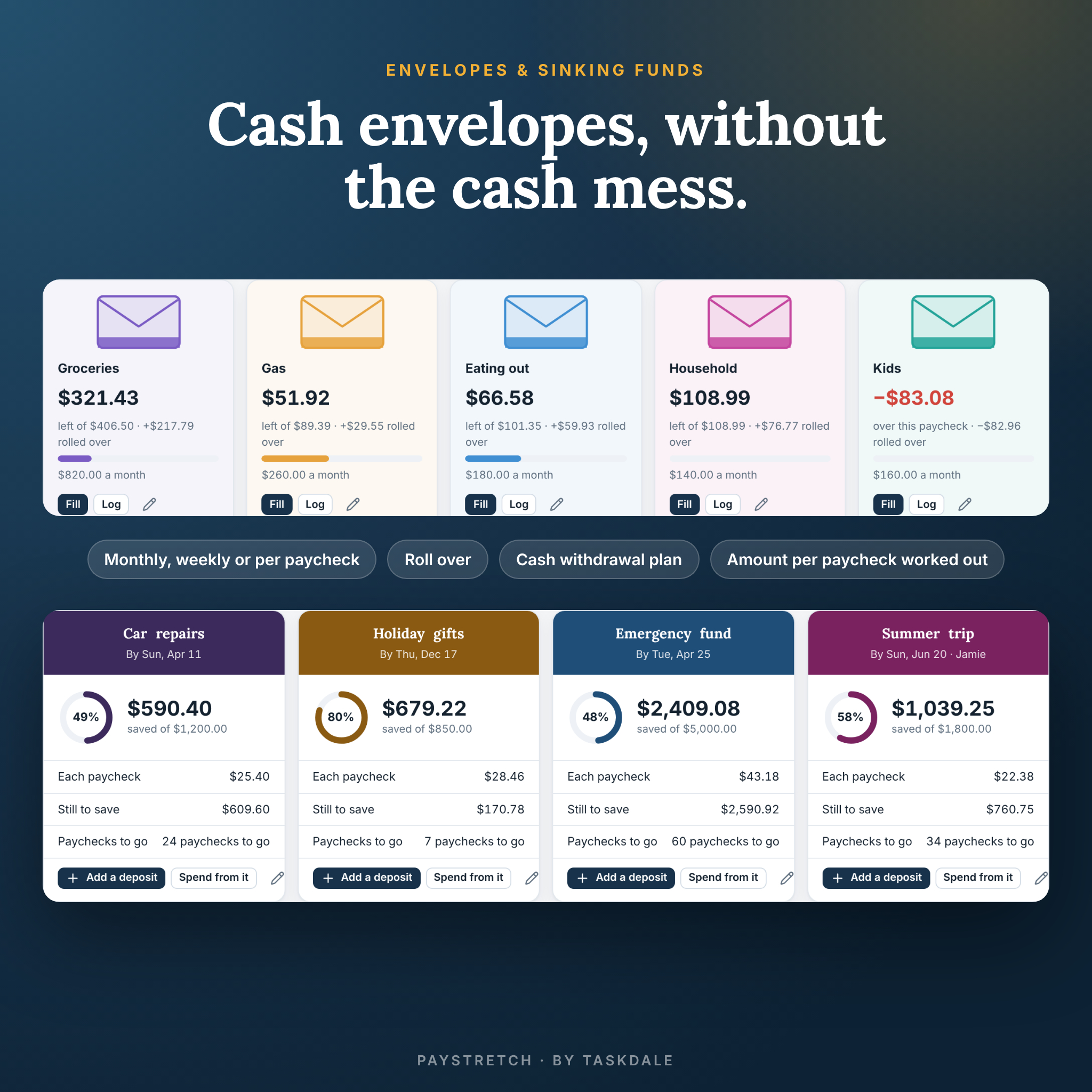
Envelopes for groceries, gas, eating out and more. Set each one per month (split by the days each paycheck covers), per paycheck or per week. Roll over what is left, log spending with a quick-add box, cover an overspent envelope from another, and get a cash withdrawal plan with the exact bills and coins to ask for.
Sinking funds
Give a fund a target and a date and the amount per paycheck is worked out for you, or save a fixed amount each paycheck. Progress rings, paychecks-to-go and deposits or withdrawals are all built in.
Debt snowball and avalanche tracker
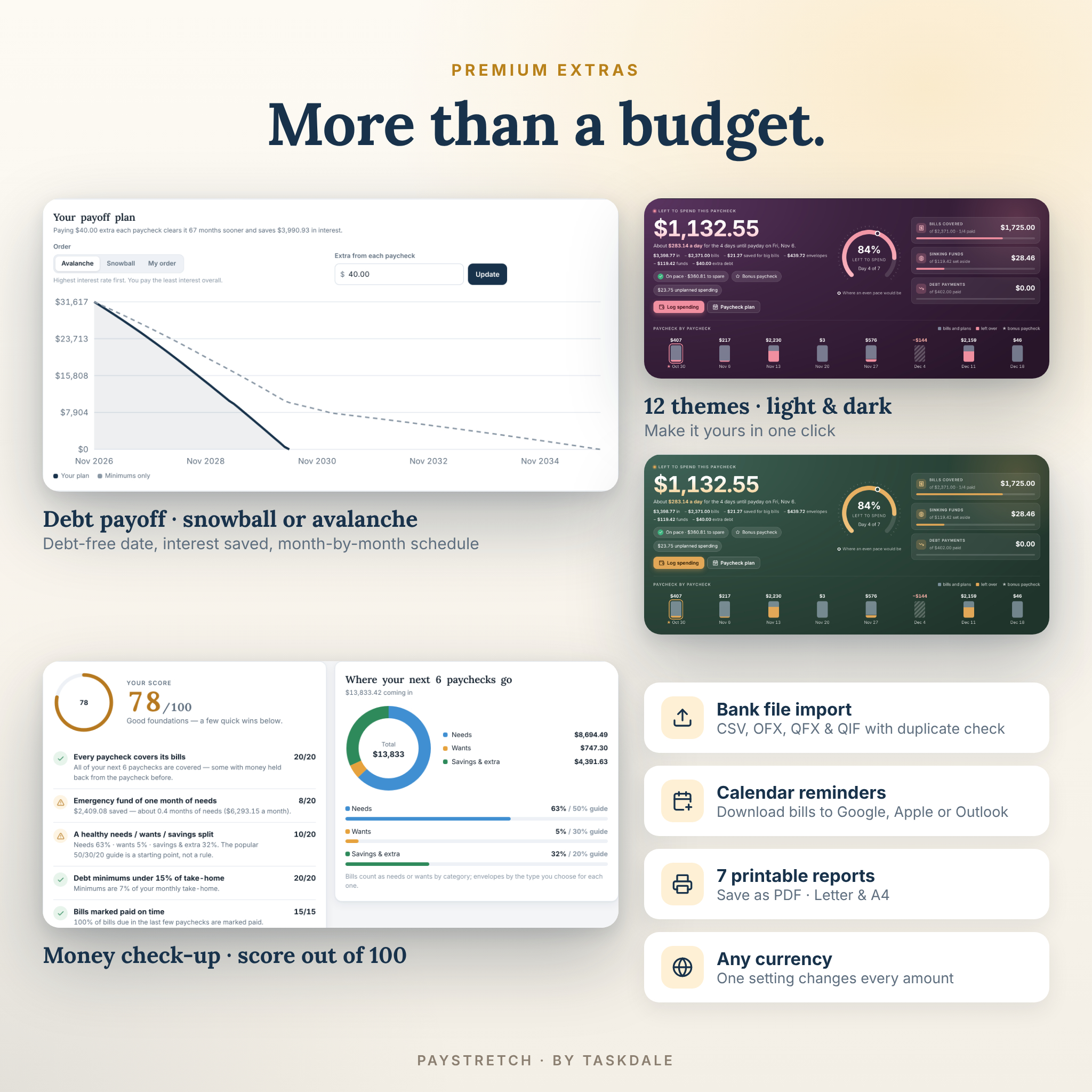
Add balances, rates and minimums. Choose avalanche, snowball or your own order, add an extra payment from each paycheck and see your debt-free date, total interest, interest saved and a month-by-month schedule. Minimum payments drop into the right paycheck automatically.
Bills, subscriptions and bill calendar
Weekly, biweekly, monthly, every 2, 3 or 6 months, yearly or one-time bills, with autopay, end dates, weekend rules and free-trial reminders. “Save ahead” spreads big yearly bills across paychecks. A subscription check shows yearly costs, the bill calendar colors each bill by the paycheck that pays it, and a calendar file adds every bill to Google, Apple or Outlook calendars with reminders.
Bank file import, history and reports
Bring in CSV, OFX, QFX or QIF files from your bank with column matching, duplicate detection and remembered rules. Activity & history is searchable and exports to CSV. Seven printable reports save as PDF on US Letter or A4.
Money check-up
A friendly score out of 100 that checks whether every paycheck covers its bills, your emergency fund, your needs / wants / savings split, debt minimums, bills paid on time and subscriptions — with a quick win for each.
What is included
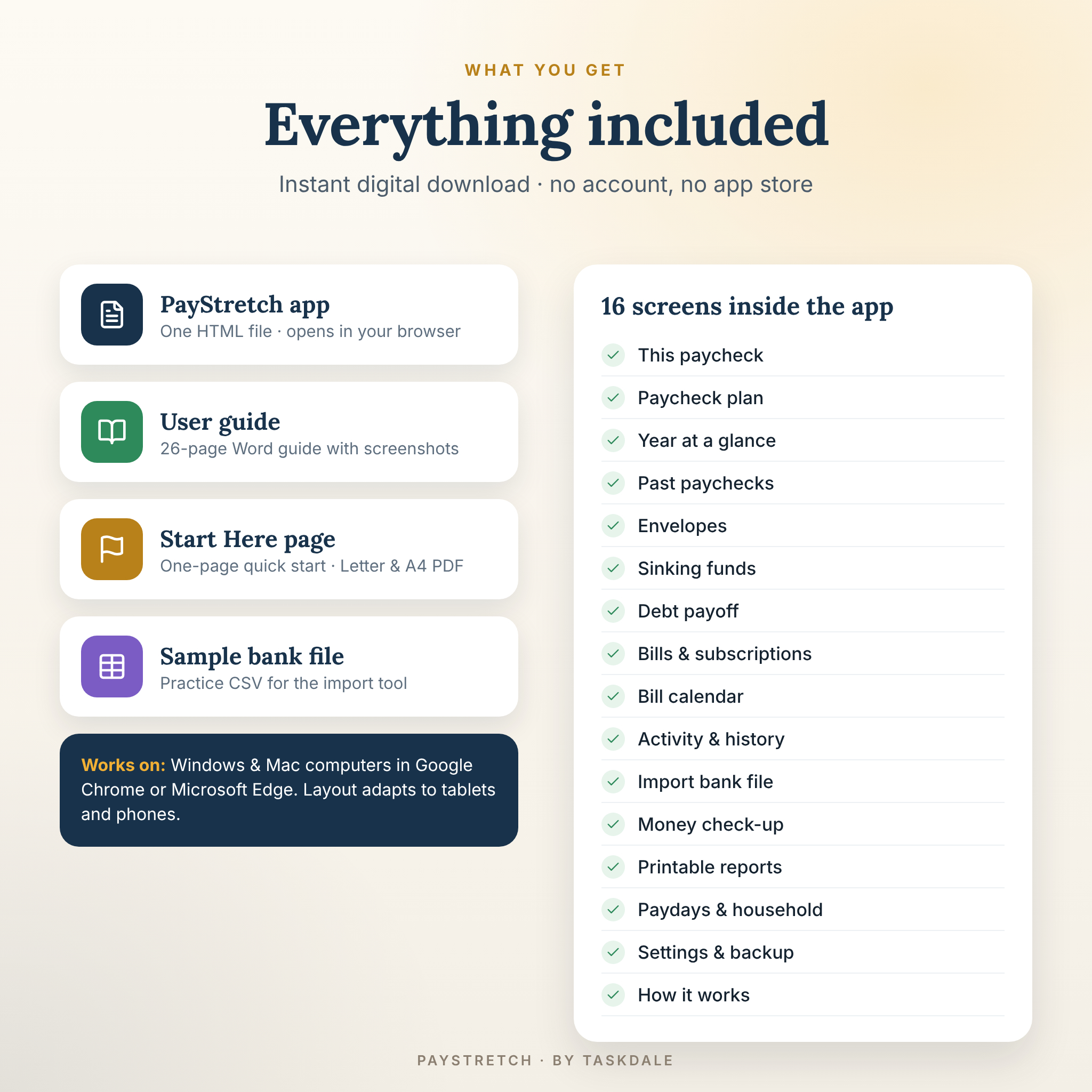
- PayStretch Paycheck Budget Planner (one HTML file)
- Illustrated user guide (Word .docx)
- Start Here quick-start page (PDF, US Letter and A4)
- Sample bank file (CSV) to practice importing
How it works
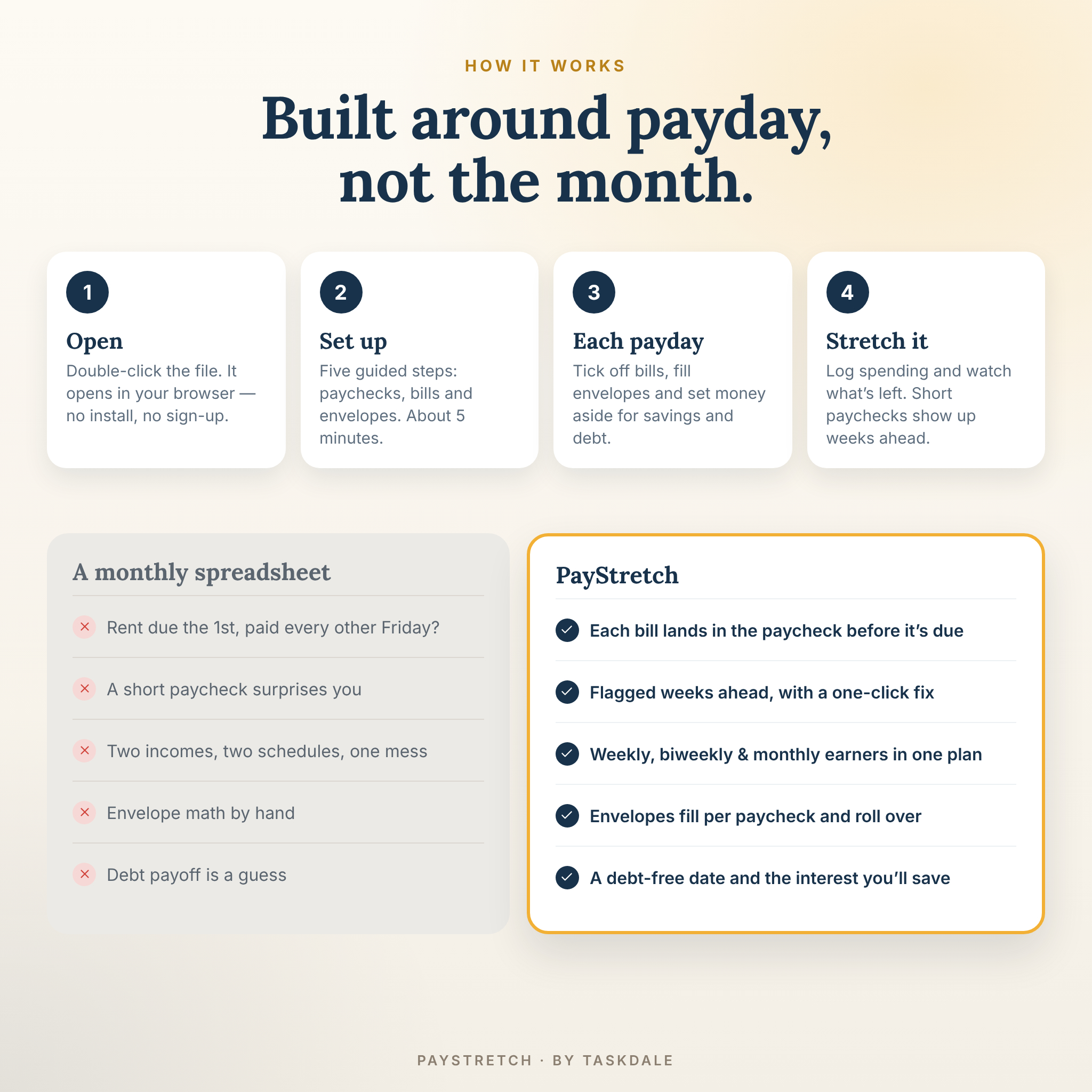
- Download and unzip your files, then double-click the PayStretch file. It opens in your browser.
- Explore the built-in sample household, or click “Set up my budget” for five guided steps: currency, paychecks, bills and envelopes.
- Each payday, open This paycheck: confirm your pay, tick off bills, set money aside and fill your envelopes.
- Log spending as you go and watch what is left. Short paychecks show up weeks before they happen.
File format and requirements
- Format: HTML file (offline web app), plus DOCX guide, PDF quick start and CSV sample.
- Works on Windows and Mac computers in Google Chrome or Microsoft Edge (both free). No internet connection needed after download.
- The layout adapts to tablets and phones. Data is saved in the browser on each device, so a computer is recommended; move data between devices with backup and restore.
- No Excel, Google Sheets or other software required.
Customization
Any currency: one setting controls every amount — symbol, position, number style (1,234.56 or 1.234,56) and decimals, with $ as the default. Choose from 12 color themes in light and dark mode, US or international date style, Sunday or Monday week start, a lead time for bills, cash denominations and more.
Who it is for
- Anyone living paycheck to paycheck who keeps running short before payday
- Hourly, weekly and biweekly workers whose pay changes — confirm each paycheck’s real amount
- Couples and families with two paydays on different schedules
- Cash envelope savers, sinking fund fans and zero-based or 50/30/20 budgeters
- Anyone paying off credit cards, car loans or student loans with the snowball or avalanche method
- Anyone who wants a private budget with no bank login and no monthly fee
Digital download
This is an instant digital download. Nothing is shipped. After purchase, download your files from your account or the order email. You enter your own numbers; PayStretch never connects to your bank or moves money. This is a planning tool, not financial advice.
Frequently asked questions
Is this a spreadsheet?
No. It is an offline web app in one HTML file, so there are no formulas to break. It opens in your browser like a website.
Does it work for biweekly pay and monthly bills?
Yes. That is exactly what it is built for. Each monthly bill is placed in the biweekly (or weekly) paycheck that arrives before it is due.
Can two people with different pay schedules use it?
Yes. Add both earners and every paycheck, then view the household together or each person separately.
Does it connect to my bank?
No. You type amounts in or import a file you download from your bank. Your data stays on your computer.
Can I use my own currency?
Yes. Choose from the list or set your own symbol and number style. Every amount updates at once.
Which browsers does it work in?
Google Chrome and Microsoft Edge on Windows or Mac, which are free to download.
Can I use it on my phone?
The layout works on phones and tablets, but data is saved per browser and device. Most buyers budget on a computer and use backups to move data.
Is there a monthly fee?
No. Pay once and use it for as long as you like.
License
Personal use for your own household. Please do not resell, share or redistribute the files. © Taskdale.
Reviews
There are no reviews yet.