Pennycart: the grocery budget app with a real price book
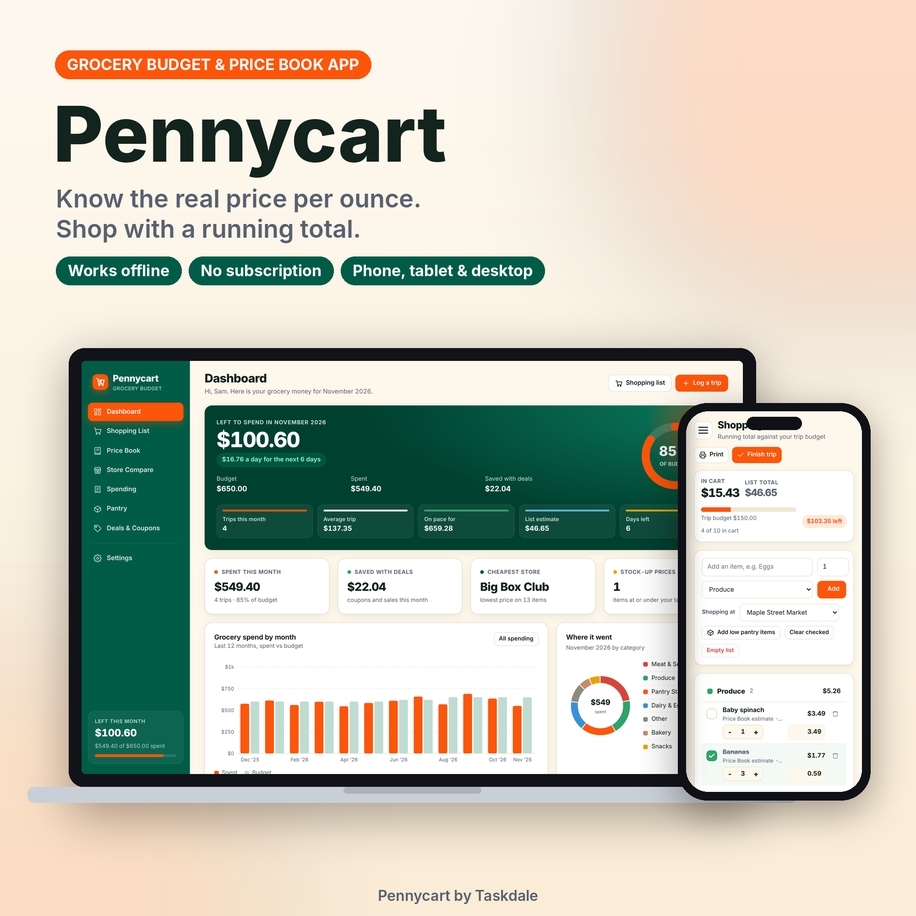
Pennycart is a grocery budget and price book app that runs in your web browser from one downloaded file. Set a monthly grocery budget, record prices from your receipts, and shop with a list that keeps a running total against your trip budget. Pennycart turns every price into a unit price, so you can finally see which store is cheapest for the things your household actually buys.
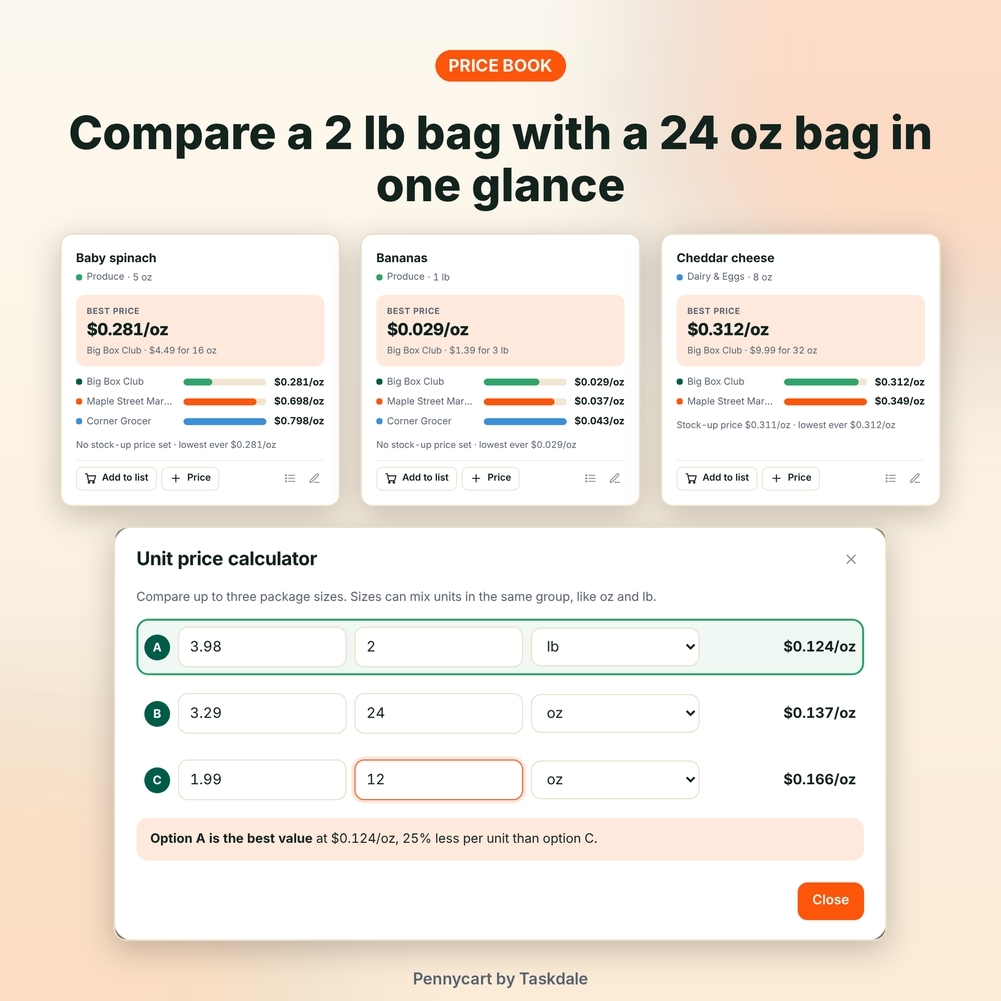
A 2 lb bag of rice for 3.98 or a 24 oz bag for 3.29? Pennycart shows 0.124 vs 0.137 per ounce before you reach the register. No account, no subscription, no ads, and it works offline.
Who this grocery price book app is for
- Families whose grocery bill keeps creeping up and who want a number to stay under.
- Shoppers who split trips between a warehouse club, a supermarket and a discount grocer.
- Anyone on a fixed food budget, from students and retirees to SNAP households.
- Coupon and sale shoppers who want to know a true stock-up price when they see one.
What the grocery budget tracker does
Price Book with unit prices
Add the price, package size and store for each item. Pennycart converts pounds, grams, kilograms, quarts, gallons, liters and dozens, then shows the price per ounce, per fluid ounce or per item. Each item card shows the best price, which store has it, and a bar for every store. Switch to per 100 g and 100 ml if you shop in metric.
Store comparison
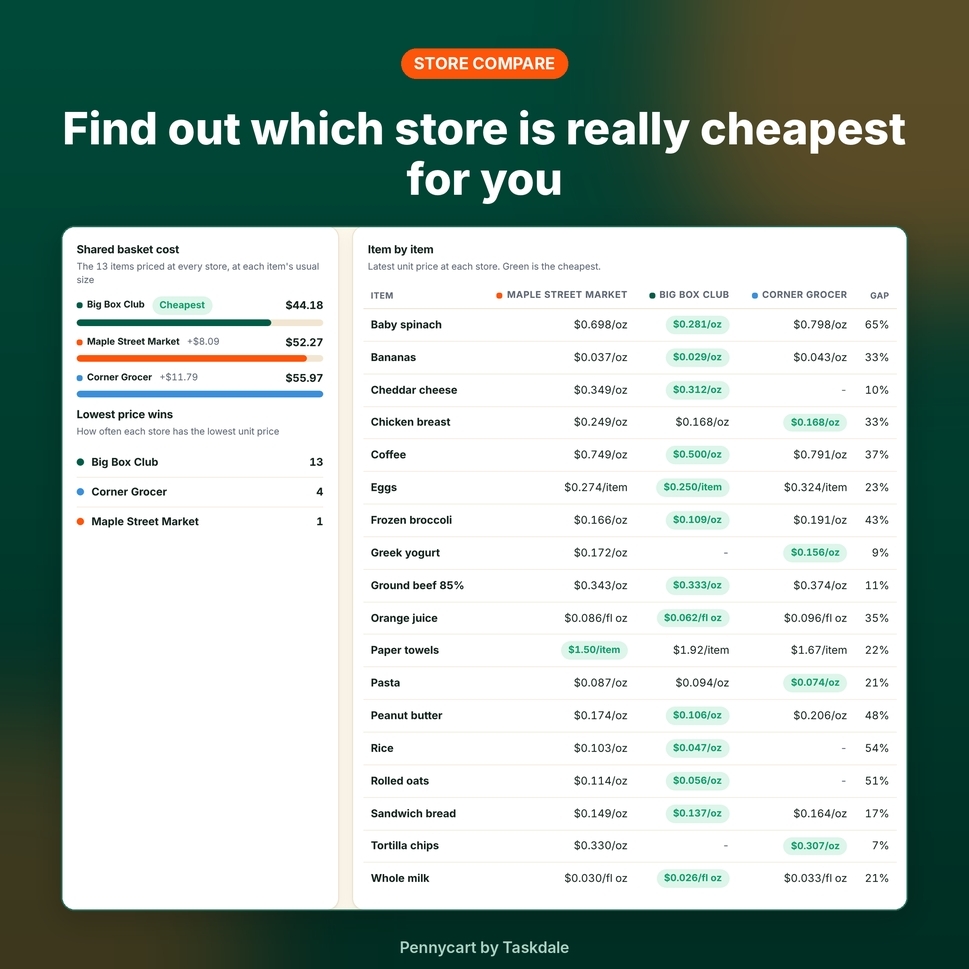
Store Compare ranks your stores by the cost of a shared basket, counts how often each store has the lowest price, and lays out every item side by side with the cheapest in green. With the sample data, the gap between the cheapest and priciest store on 13 items is 11.79 per trip.
Shopping list with a running total
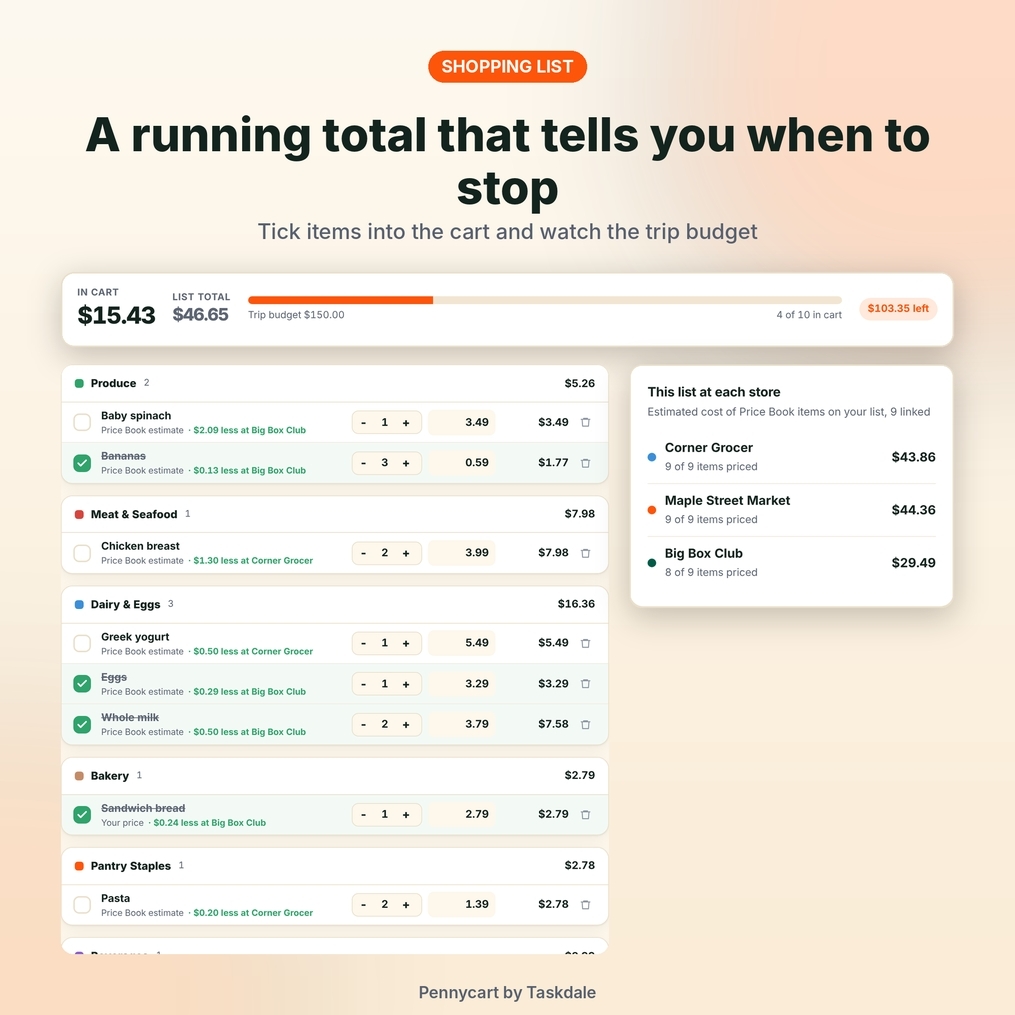
Build your list and Pennycart fills in each price for the store you are shopping at. Tick items as they go in the cart and the running total updates, with optional sales tax, against your trip budget. A green note tells you when an item is cheaper at another store. When you check out, Finish trip saves the receipt to your spending and sends the prices you typed back into the price book.
Monthly grocery budget and spending charts
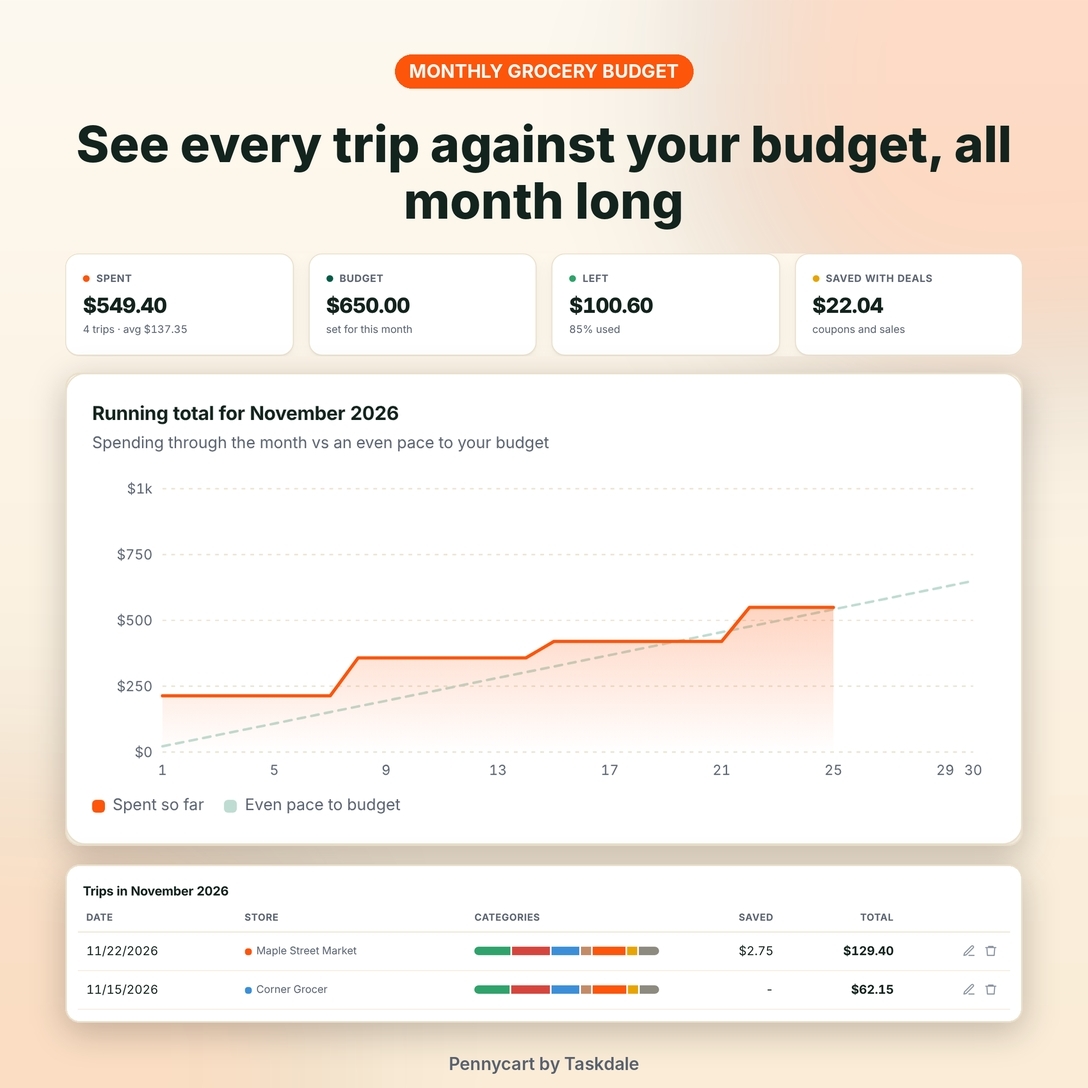
The dashboard shows what is left to spend this month, a daily allowance for the days left, the month-end total you are on pace for, a 12-month spending chart against budget and a category donut. The Spending screen has a running-total line for the month, spending by store, per-month budgets and CSV export.
Stock-up alerts, pantry and coupons
- Stock-up price: set the price you would happily pay for each item. When any store hits it, the item is flagged.
- Unit price calculator: compare up to three package sizes in the aisle, even across oz and lb.
- Pantry: on-hand counts, restock levels, use-by dates, and one tap to add low items to your list.
- Deals and coupons: track coupons and rebates with end dates and watch your savings add up for the month and year.
What is included
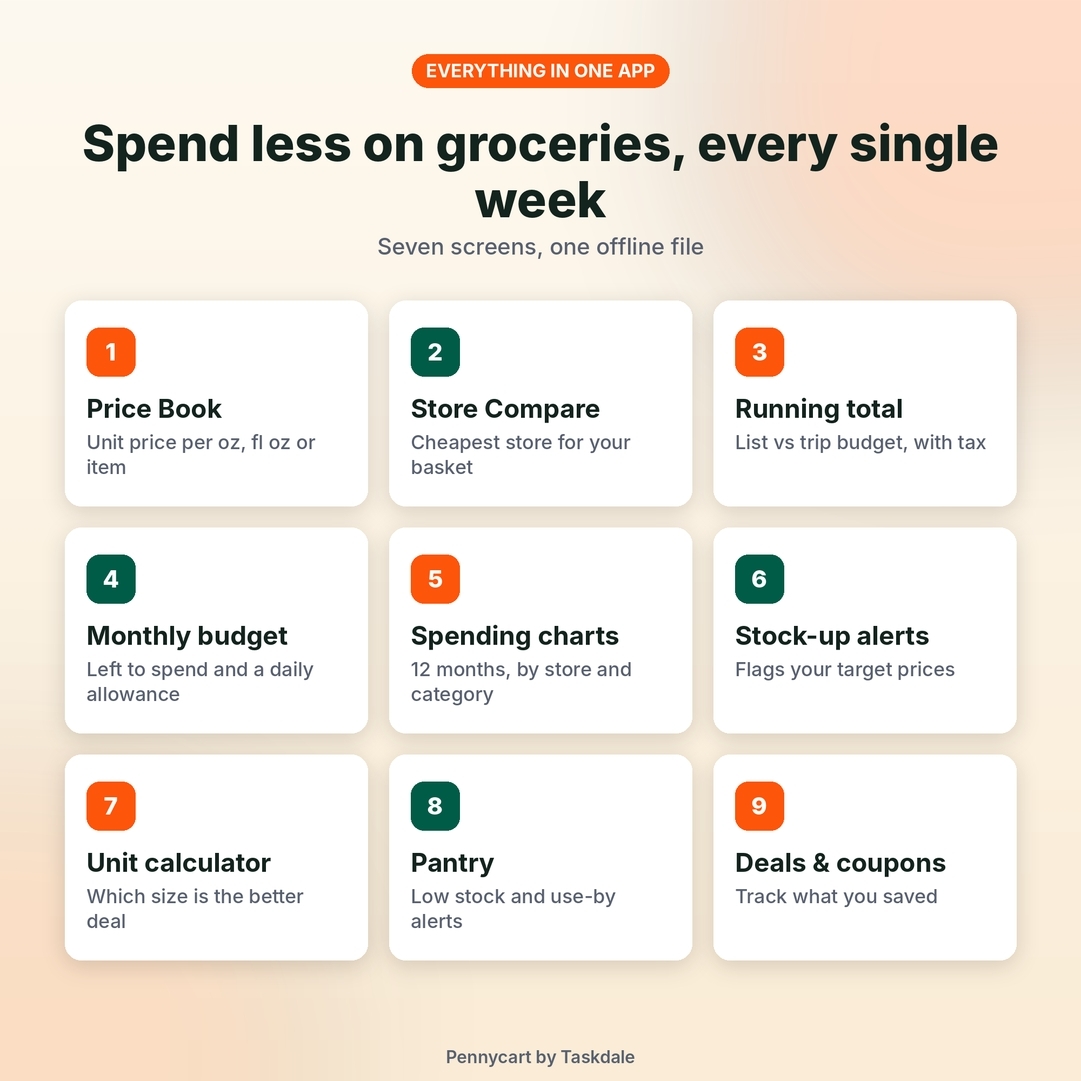
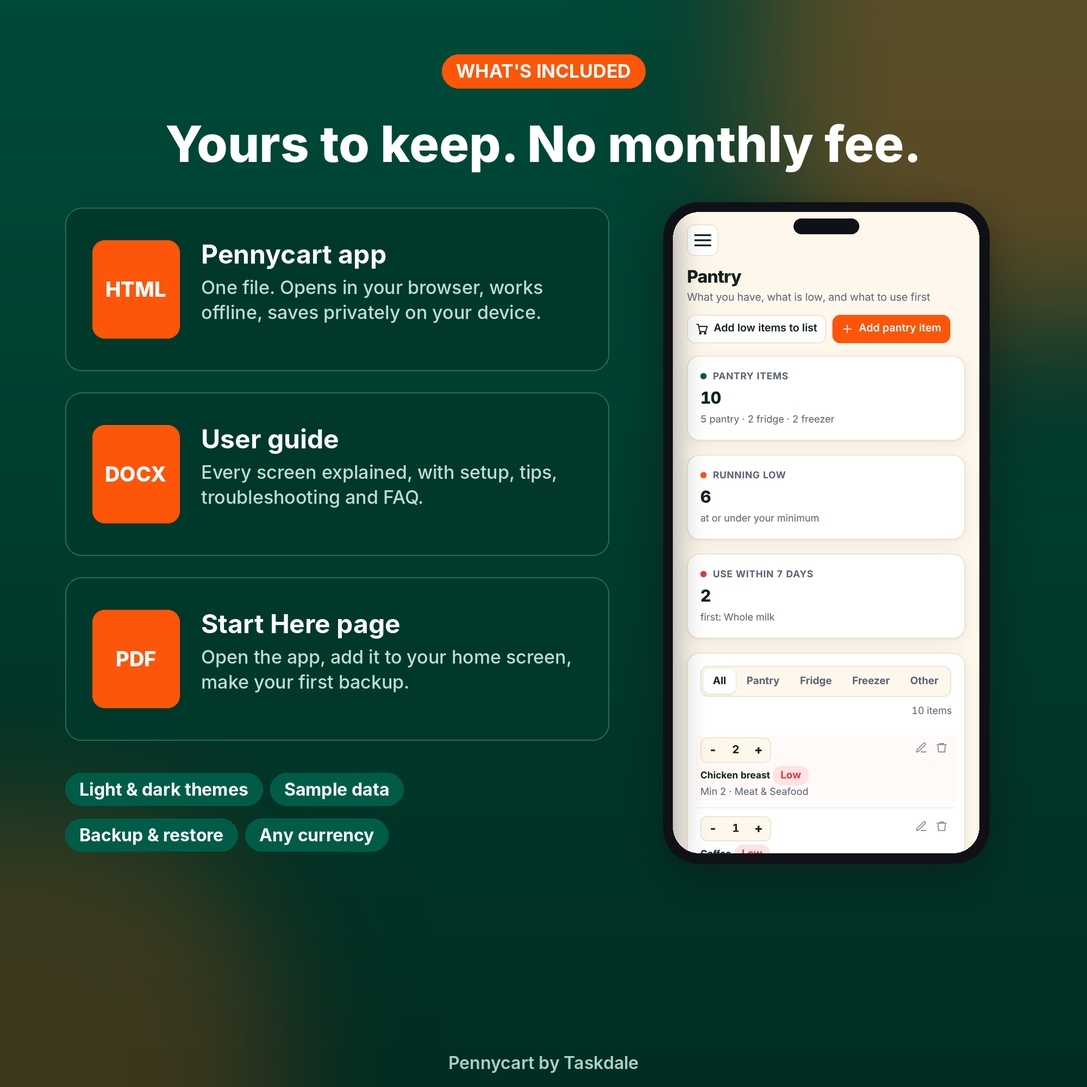
- Pennycart app (HTML): one file with seven screens: Dashboard, Shopping List, Price Book, Store Compare, Spending, Pantry, and Deals & Coupons, plus Settings.
- User guide (DOCX): 15 illustrated pages covering setup, every screen, tips, troubleshooting and FAQ.
- Start Here (PDF): a one-page quick start.
You get a ZIP with all three files, and the app and guide are also available as separate downloads.
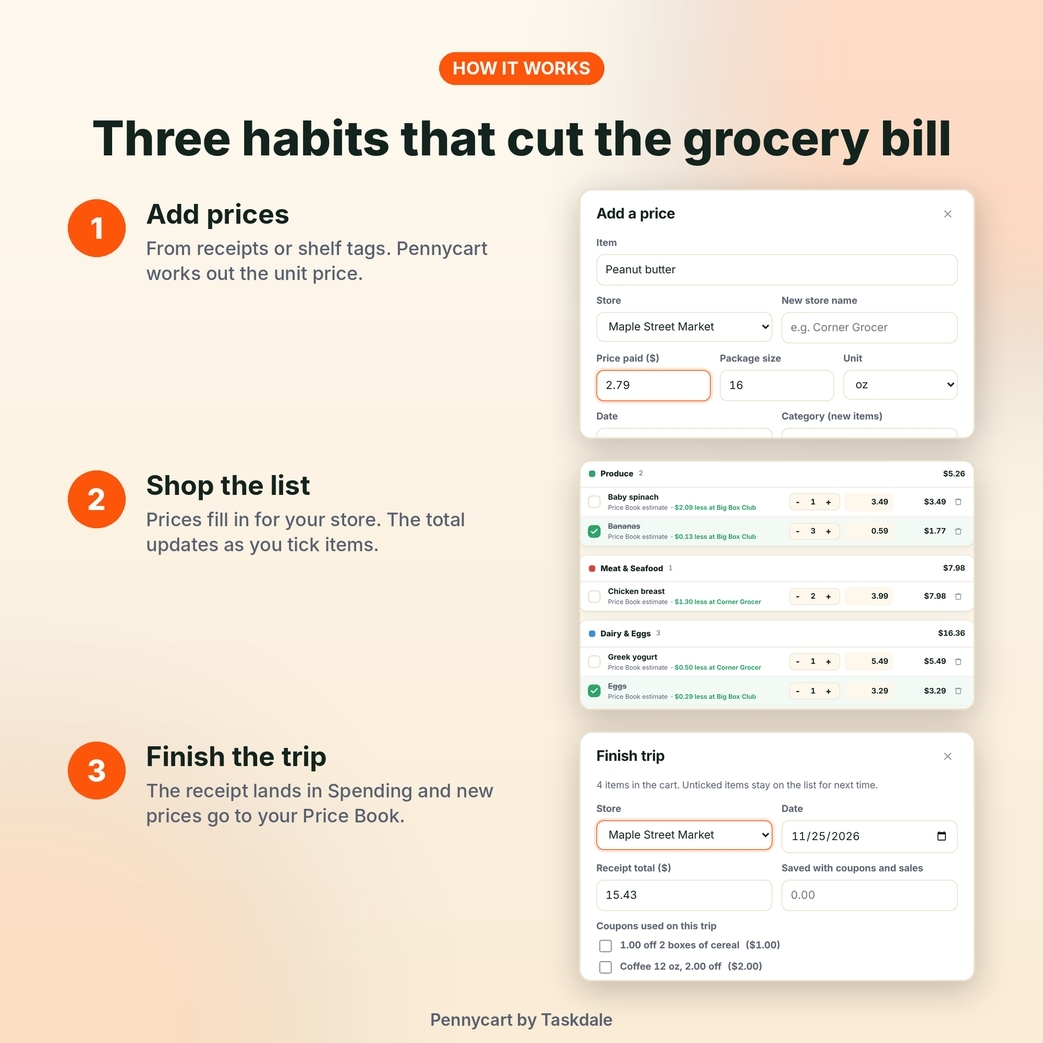
How it works
- Open the HTML file in your browser and set your currency and monthly grocery budget. Or click Explore with sample data for a tour.
- Add prices from last week’s receipt. Ten items is plenty to start.
- Build your shopping list, pick your store and shop with the running total.
- Click Finish trip. Your spending, savings and price book update together.
File format and software
Pennycart is a single offline HTML app. It opens in Google Chrome and Microsoft Edge on Windows, Mac, Chromebook and Android, where we tested it on desktop, tablet and phone screen sizes. It uses standard web features only, so other modern browsers should work too. On iPhone and iPad, open the file in a browser or an HTML viewer app, because the Files preview cannot run web apps. The guide is a Word document that also opens in Google Docs and Pages.
Your data saves privately in your browser on your device. Export backup and Import backup move it between devices.
Make it yours
Pick any currency or type your own symbol, before or after the amount. Choose light or dark mode. Rename stores and give each one a color. Set the usual size and stock-up price for each item, a default budget plus custom budgets for busy months, and your local sales tax rate.
Real ways to use it
- Check whether the warehouse club membership really pays off for your family’s basket.
- Stop guessing on bulk buys: the calculator shows when the big pack is not cheaper.
- Keep a 150 trip budget and know at the shelf when to put something back.
- Plan a holiday month with a higher budget without losing track of the rest of the year.
Digital download
This is a digital product. Nothing is shipped. Your files are available to download right after purchase, with unlimited downloads. Personal use license: use it for your own household on your own devices. Please do not resell or share the files.
Grocery budget app FAQ
Does Pennycart need the internet or an account?
No. It works offline with no sign-up, and nothing is uploaded.
Does it scan barcodes or pull store prices online?
No. You type prices from receipts and shelf tags, which keeps it private and works with any store, even a farmers market.
How is the unit price worked out?
Price divided by package size after converting to ounces, fluid ounces or single items. Prices by weight compare with weight, and by volume with volume.
Can I use it outside the US?
Yes. Choose your currency and show unit prices per 100 g and 100 ml.
Will it work on my phone in the store?
Yes, on Android in Chrome. On iPhone, open it in a browser or HTML viewer app. Export a backup on your computer and import it on your phone before you shop.
Is this a spreadsheet?
No. It is an app in one HTML file, so there are no formulas to break.
Is there a subscription?
No. Buy it once and keep it.
Reviews
There are no reviews yet.