A Weekly Meal Planner Spreadsheet That Writes Your Grocery List for You
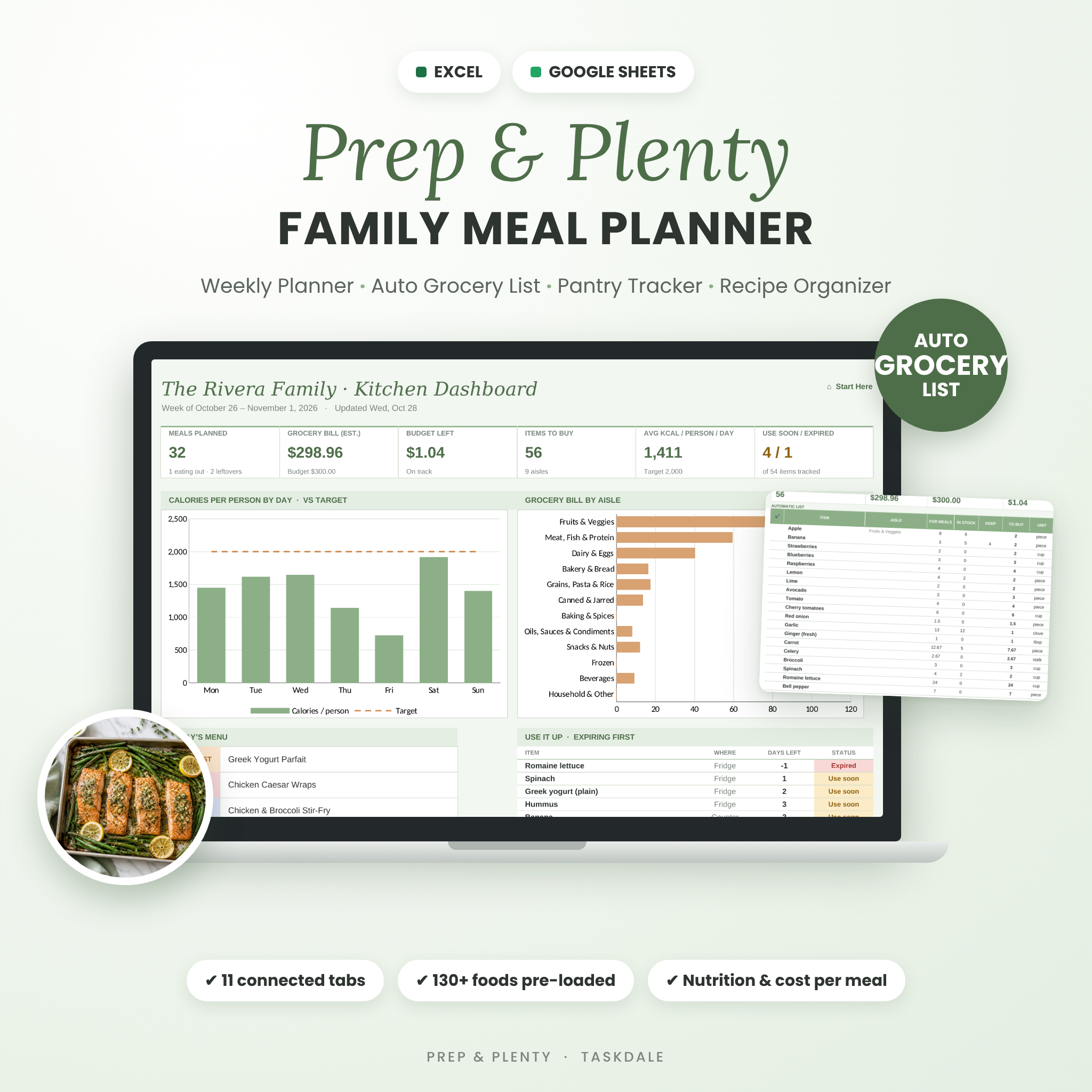
Prep & Plenty is a family meal planner spreadsheet for Microsoft Excel and Google Sheets that connects every part of your kitchen. Pick your meals for the week and the planner builds your grocery list automatically, subtracts what is already in your fridge, freezer and pantry, sorts everything by store aisle, and shows the calories, macros and estimated cost of every day.
No more writing the same list every Sunday, buying a third jar of cumin, or finding wilted spinach at the back of the fridge. Plan once, shop once, waste less.
Why Families Choose This Meal Planner
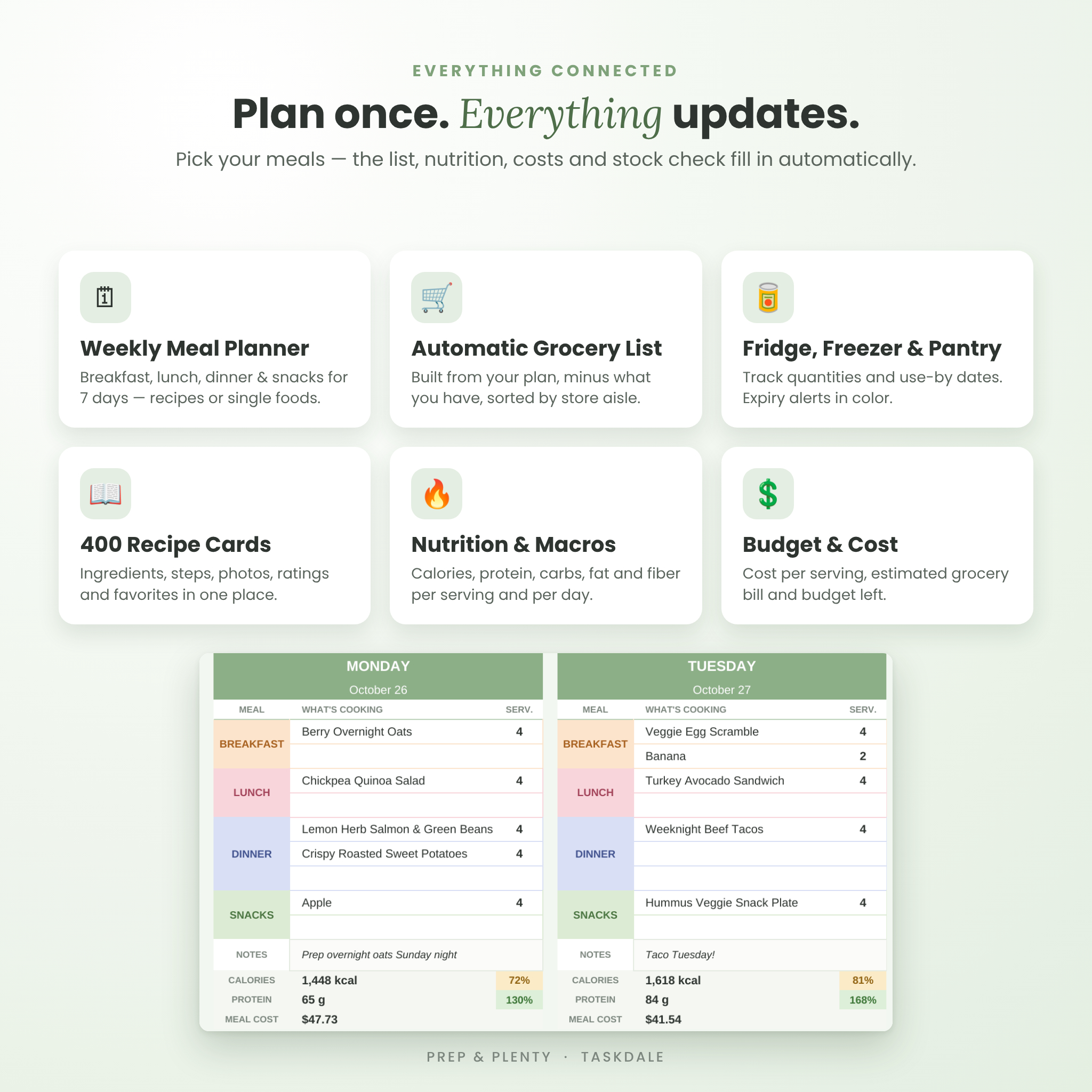
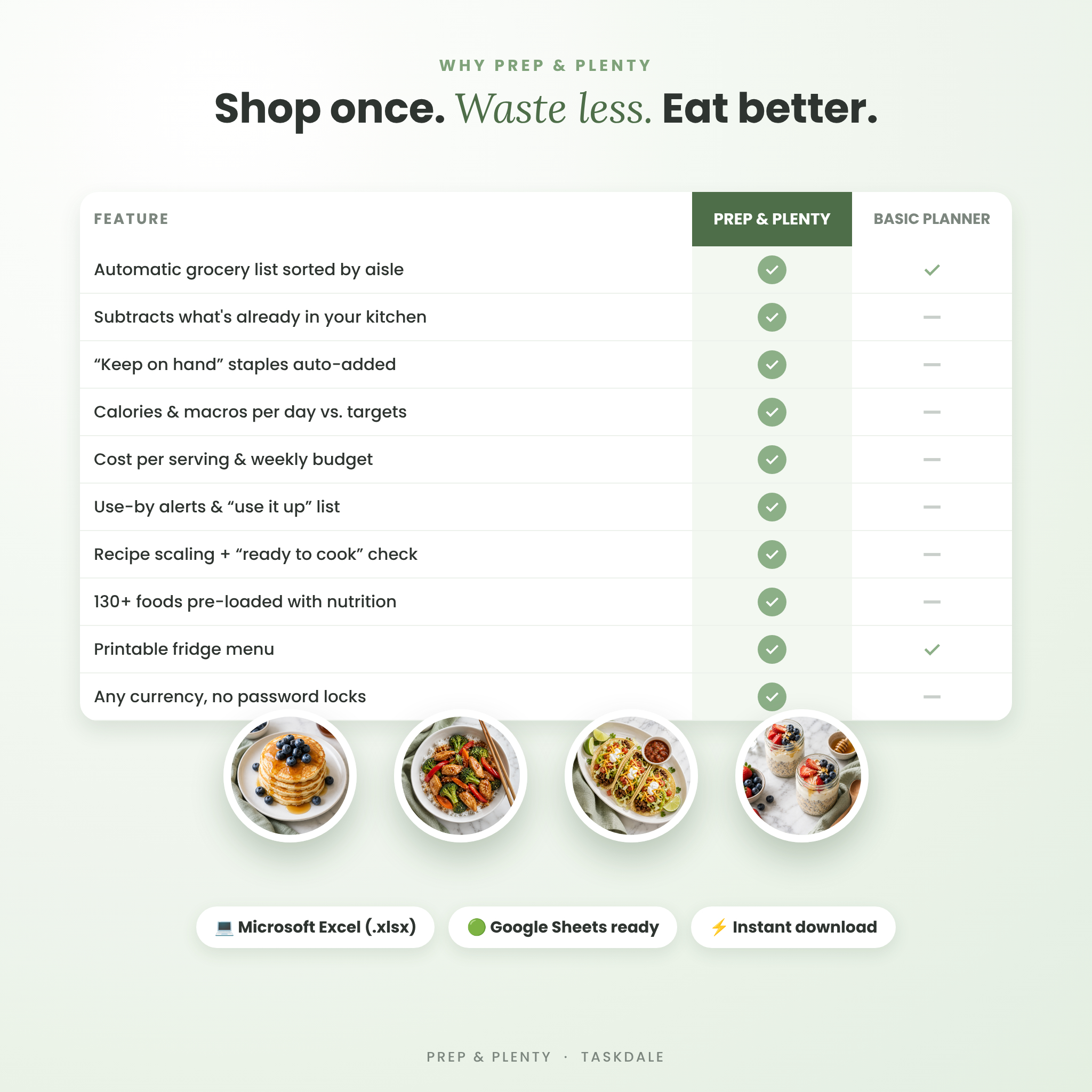
- Automatic grocery list built from your weekly plan, grouped by aisle and rounded up to the packs you actually buy.
- Pantry and fridge inventory with use-by dates, color alerts and a “use it up” list, so food gets eaten instead of thrown away.
- Grocery budget tracking with an estimated bill, cost per serving and budget left before you leave home.
- Nutrition at a glance: calories, protein, carbs, fat and fiber per serving and per person per day, compared with your targets.
- 130+ common foods pre-loaded with units, pack sizes and typical nutrition values, so you can start planning in minutes.
- Beginner friendly: white cells are for typing, tinted cells calculate. Formulas are protected without a password.
What’s Included
- Prep & Plenty Family Meal Planner spreadsheet (.xlsx) for Microsoft Excel and Google Sheets
- Step-by-step User Guide in Word (DOCX) and PDF, with screenshots, tips, troubleshooting and FAQ
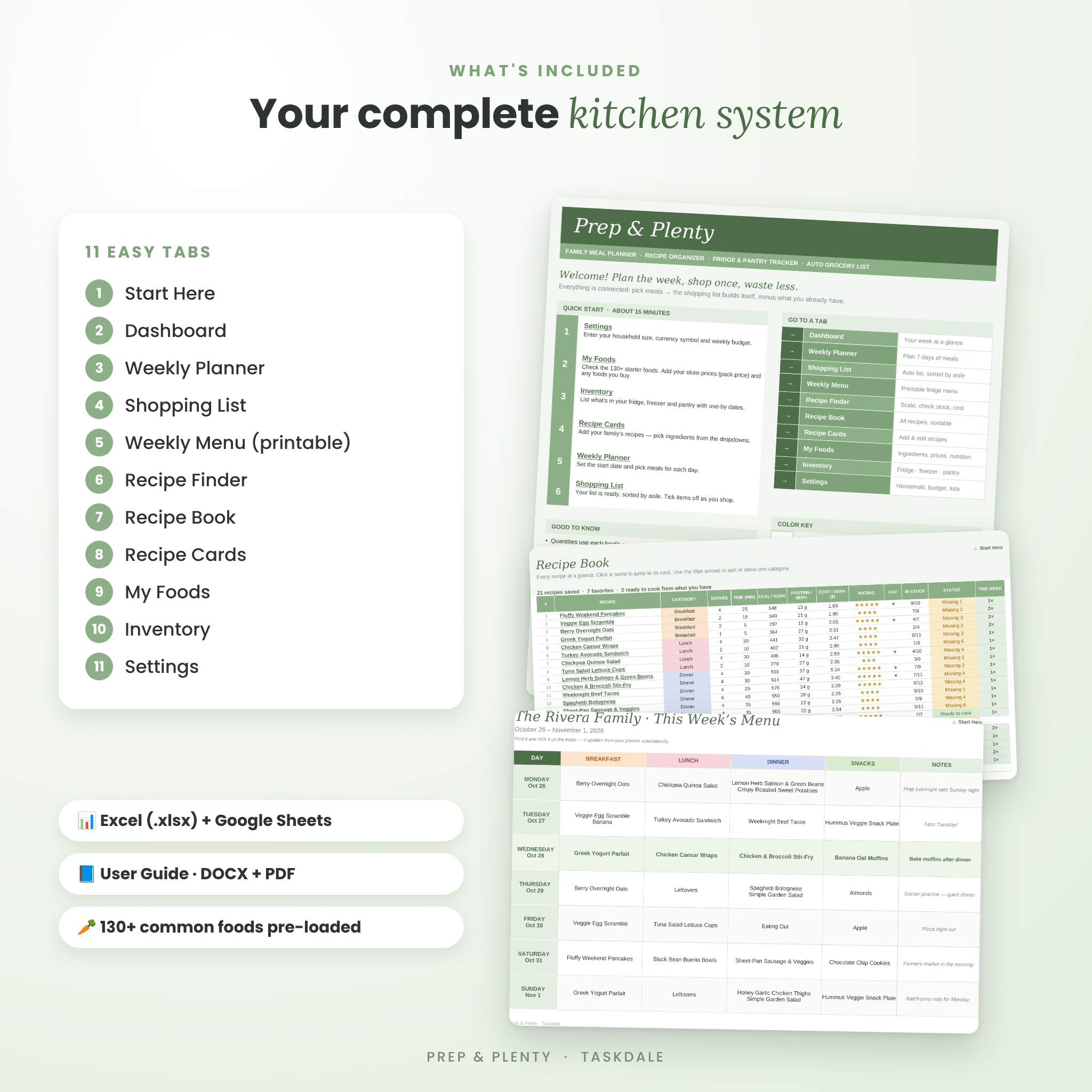
11 connected tabs
- Start Here – quick start steps and one-click links to every tab
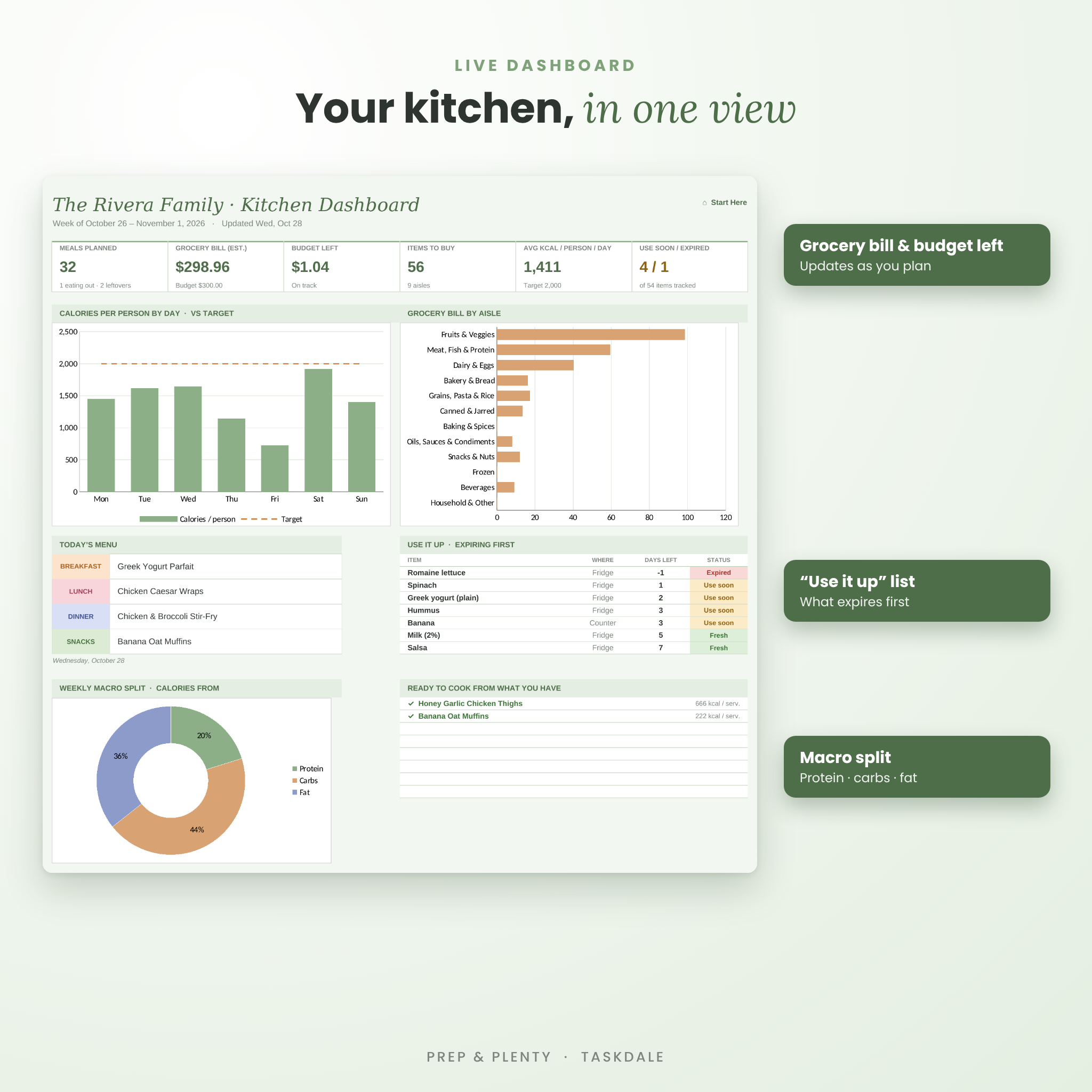
- Dashboard – meals planned, grocery bill, budget left, items to buy, average calories, use-soon items, today’s menu and three charts
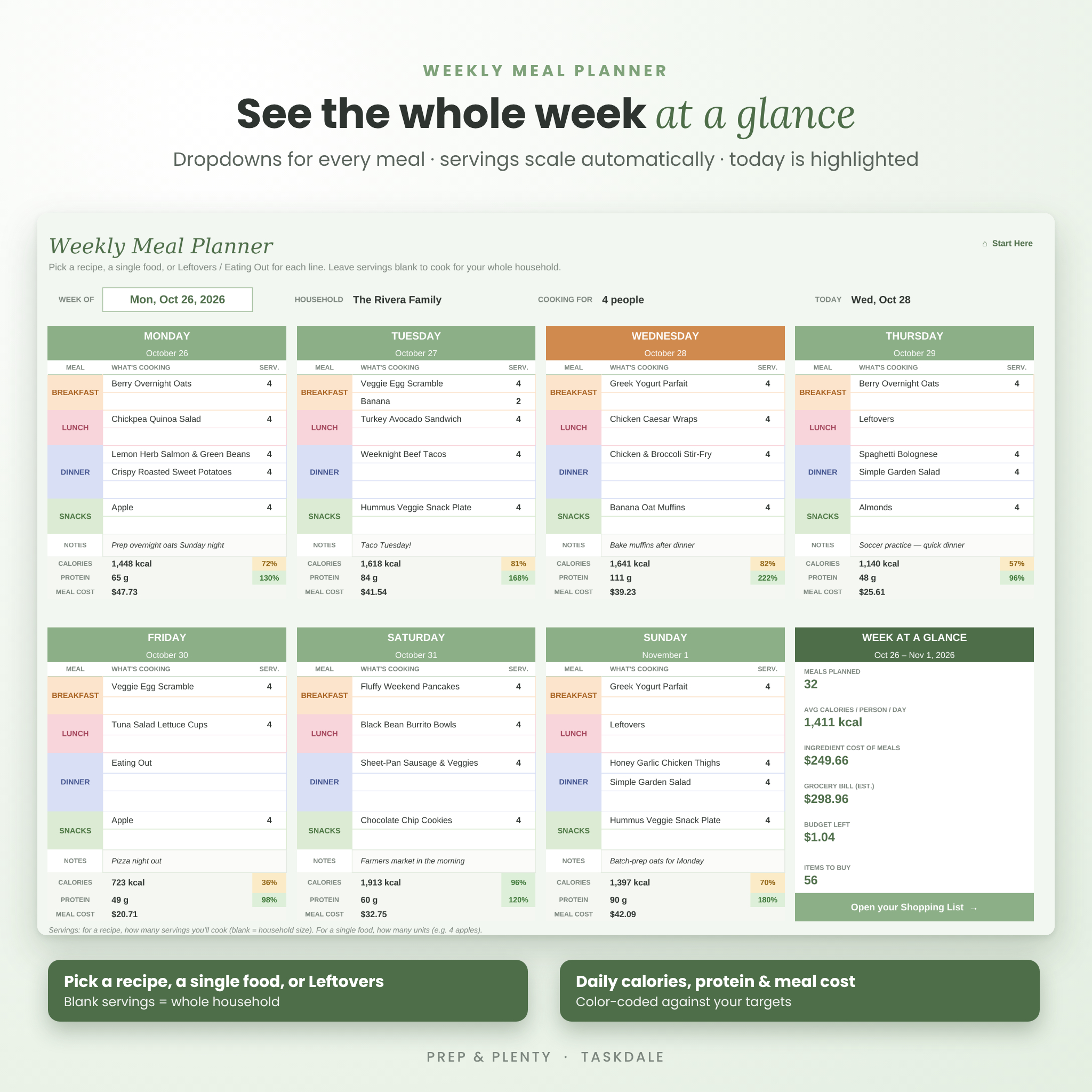
- Weekly Planner – 7 days of breakfast, lunch, dinner and snacks with dropdowns, servings and daily nutrition and cost
- Shopping List – automatic list sorted by aisle with a check-off column, plus your own household extras
- Weekly Menu – a printable, color-coded menu for the fridge
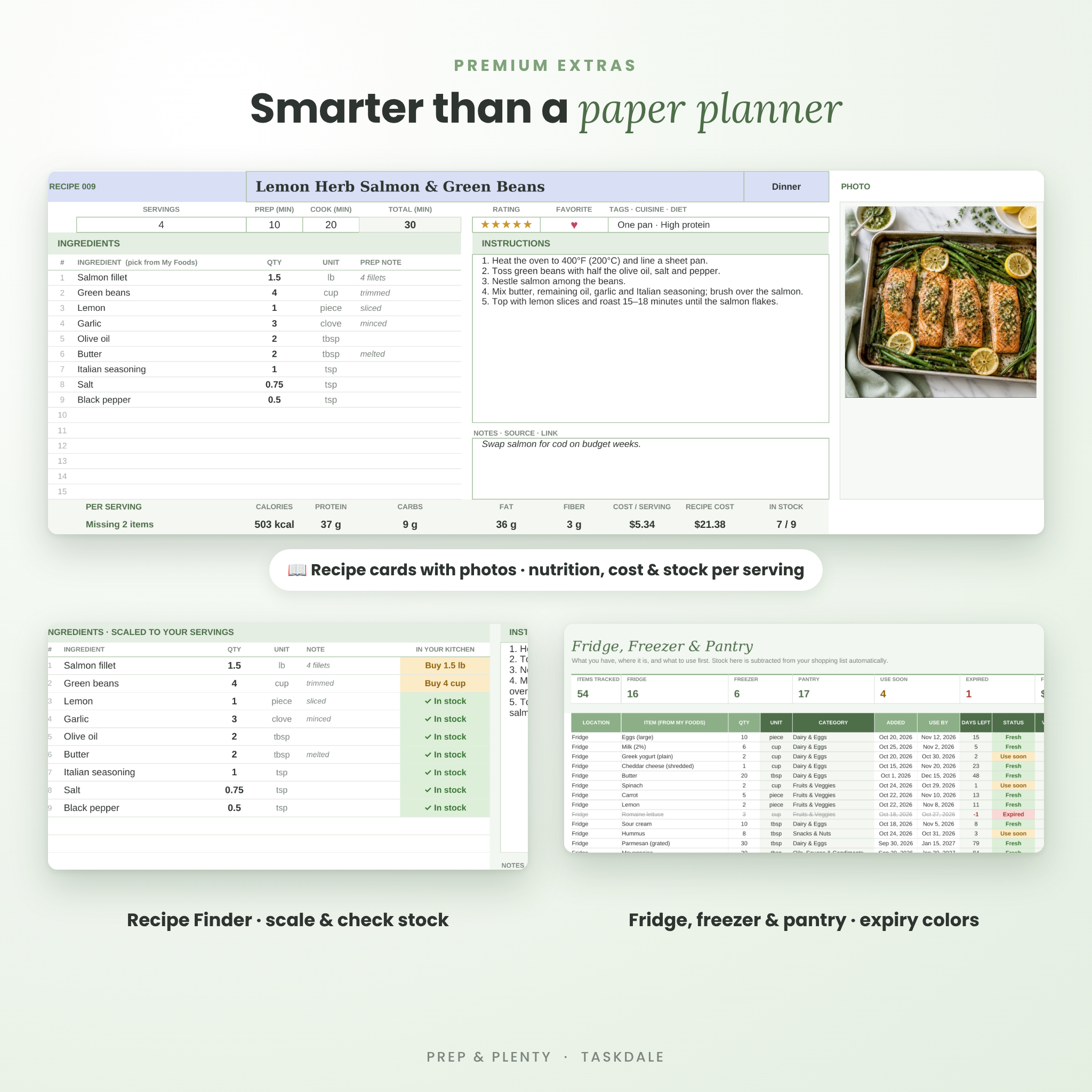
- Recipe Finder – open any recipe, scale it to any number of servings and see exactly what you still need to buy
- Recipe Book – every recipe in one sortable index with nutrition, cost, rating and “ready to cook” status
- Recipe Cards – room for 400 recipes with up to 15 ingredients, instructions, notes, rating, favorite and a photo
- My Foods – your ingredient library (up to 1,000 foods) with prices, pack sizes and nutrition
- Inventory – fridge, freezer, pantry, counter and spice rack tracking (up to 400 items) with use-by dates
- Settings – household size, currency, weekly budget, nutrition targets and every dropdown list
How the Family Meal Planner Works
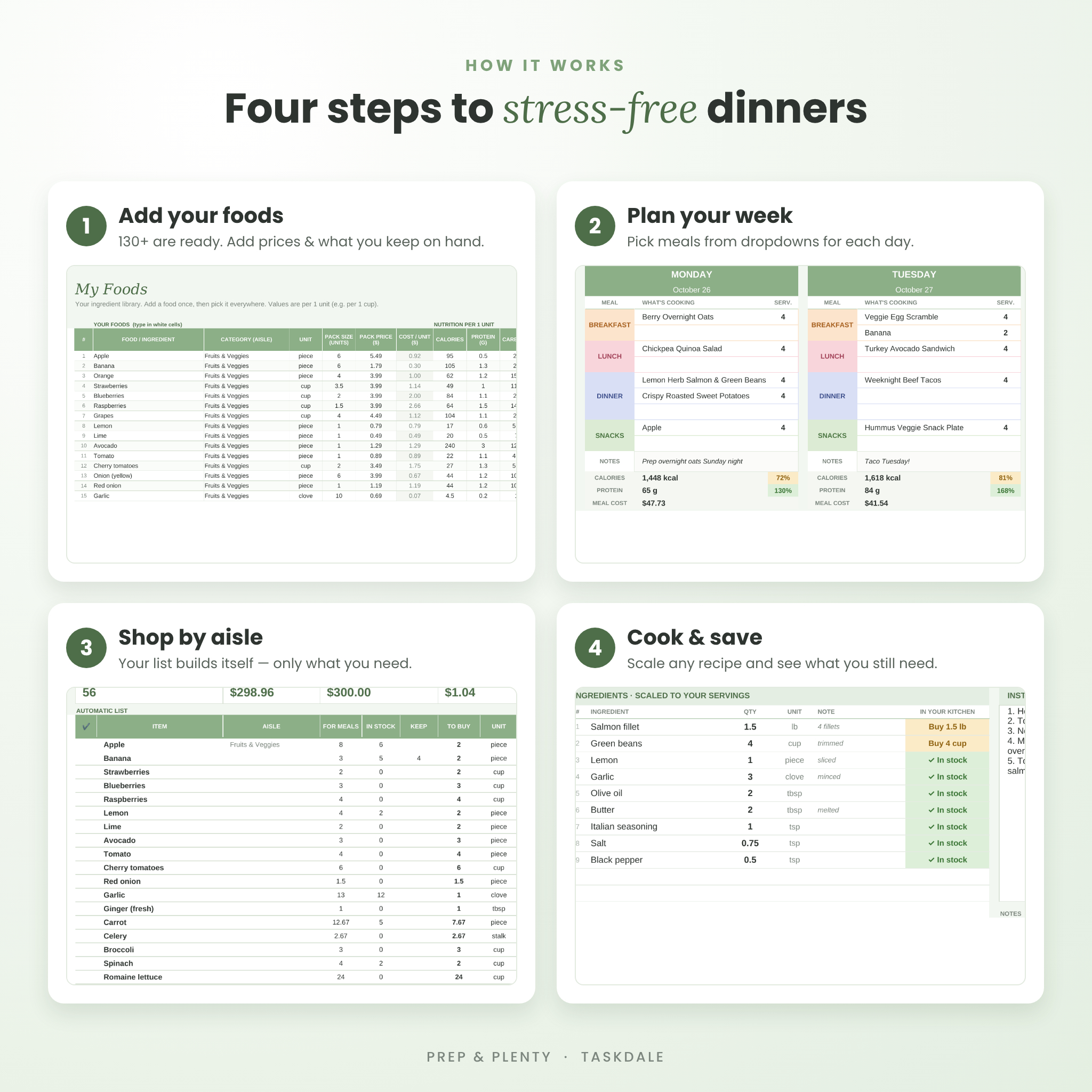
- Set up once. Enter your household size, currency symbol and weekly grocery budget. Add your store prices to the foods you buy most.
- Add your recipes. Pick ingredients from a dropdown and type the quantity. Nutrition, cost per serving and stock status calculate automatically.
- Plan the week. Choose a recipe, a single food, Leftovers or Eating Out for each meal. Leave servings blank to cook for the whole household, or type any number and the ingredients scale.
- Shop by aisle. Your grocery list is ready. It only includes what you don’t already have, plus any staples you like to keep on hand.
- Cook and track. Use the Recipe Finder in the kitchen, update your inventory after shopping and watch the dashboard keep score.
Smart Features You Won’t Find in a Basic Meal Plan Template
Pantry-aware grocery list
Each food’s needed quantity is added up across every planned meal, scaled to your servings, then compared with what you have in stock. Expired items don’t count, so they are bought again when needed. A “keep on hand” level makes sure milk, eggs and coffee never run out.
Recipe cost and nutrition calculator
Every recipe card shows calories, protein, carbs, fat and fiber per serving, the cost per serving and the total recipe cost. The Weekly Planner then shows calories and protein per person for each day, color-coded against your daily targets.
Food waste reducer
Use-by dates turn amber when an item should be used soon and red when it has expired. The dashboard lists what expires first and which recipes you can cook right now from what you have.
Any currency, any units
Type your own currency symbol once in Settings and every money value updates. Units include cups, tablespoons, pounds and ounces as well as grams, kilograms, milliliters and liters.
Who This Meal Planner Is For
- Busy parents planning family dinners and school lunches
- Couples meal prepping on a grocery budget
- Healthy eaters and macro trackers who want nutrition without a separate app
- Anyone who keeps a stocked pantry and wants to stop overbuying
Real-life use cases
- Sunday planning: fill in the week in 10 minutes and print the menu and list.
- Budget weeks: compare the estimated bill with your budget before shopping and swap a pricey dinner for a pantry meal.
- Fridge clean-out: check “Use it up” and “Ready to cook” to build meals around what you already have.
- Hosting or holidays: open a recipe in the Recipe Finder, set 12 servings and get the exact shopping quantities.
File Format and Requirements
- Format: one .xlsx spreadsheet plus the User Guide (DOCX and PDF).
- Software: Microsoft Excel or a free Google account for Google Sheets. In Google Sheets, open the file picker, choose Upload and select the file; it converts automatically.
- Device: designed for planning on a computer (laptop or desktop). Mobile apps can open the file, but the layout is best on a larger screen.
- Customizable: rename categories, aisles, units and storage places; change colors and fonts; set your own nutrition targets.
- Digital download: no physical item will be shipped. Your files are available to download right after purchase.
Frequently Asked Questions
Does this meal planner work in Google Sheets?
Yes. Upload the .xlsx file in Google Sheets and everything works, including dropdowns, formulas, charts, colors and the links between tabs.
Do I need Microsoft 365?
No. The planner uses standard spreadsheet formulas, so you don’t need special add-ons or macros.
Do I have to enter nutrition for every food?
No. More than 130 common foods are already filled in with typical values. Nutrition and prices are optional; the grocery list works without them.
How many recipes can I save?
Up to 400 recipes, 1,000 foods and 400 inventory items.
Can I use it outside the US?
Yes. Choose any currency symbol and metric units such as grams and milliliters.
Can I plan more than one week?
The planner holds one week at a time. Save a copy of the file or duplicate the planner tab to keep past weeks.
Is the spreadsheet locked?
Formula cells are protected without a password to prevent accidents. You can unprotect any tab in two clicks.
Personal use only. Please do not share, resell or redistribute the files. Food photos are for illustration. Nutrition values are typical estimates and are not medical advice.
Reviews
There are no reviews yet.