
Fence Estimating Software for Contractors: Measure, Count, Price and Close
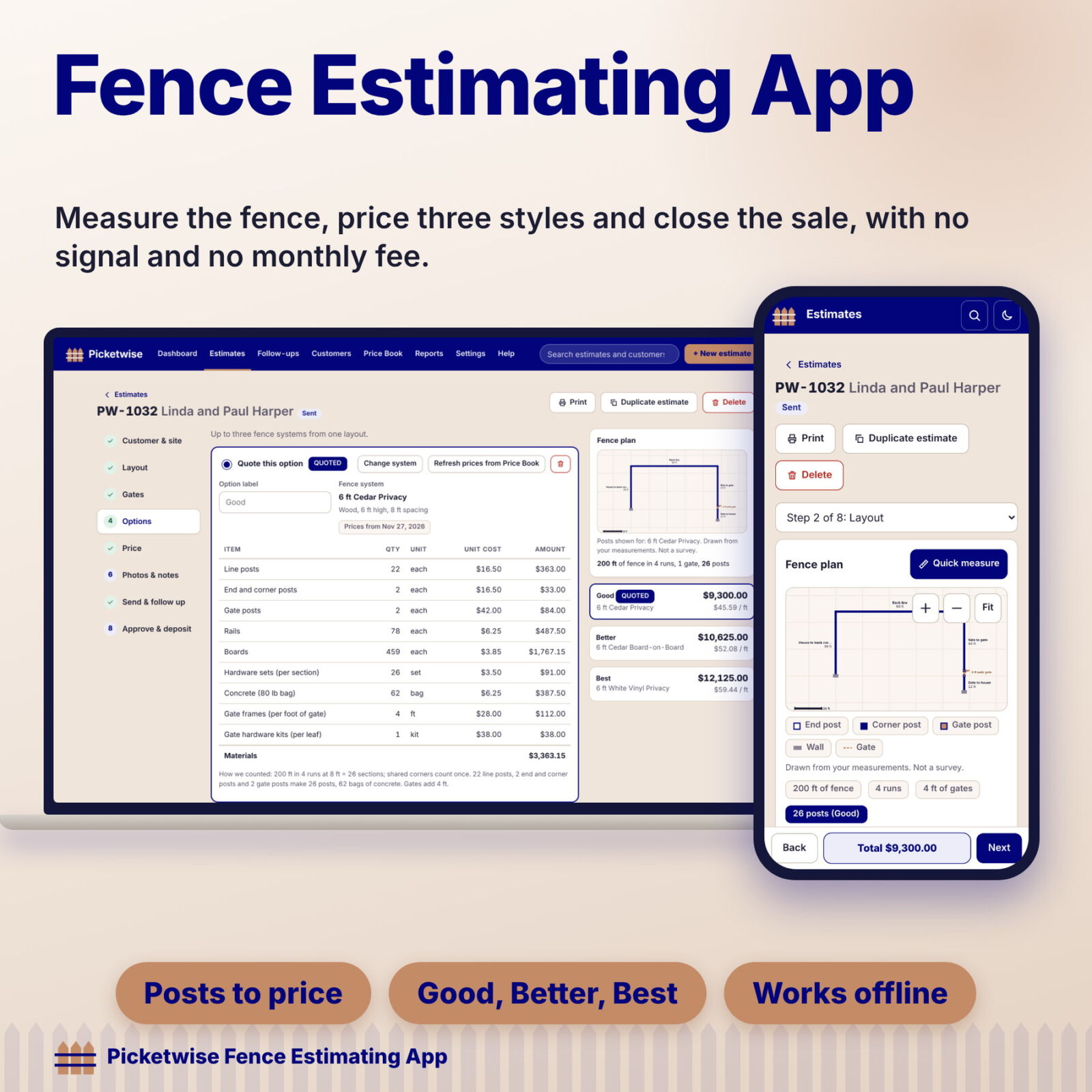
Picketwise is fence estimating software that runs in your browser from one file, with no account and no monthly fee. Walk the fence line, enter each run with its turn and posts, and the app draws the plan, counts every post, rail, board, panel and bag of concrete, and prices three styles side by side. Then it takes the customer’s signature and the deposit, and reminds you to follow up.
What this fence estimating app does
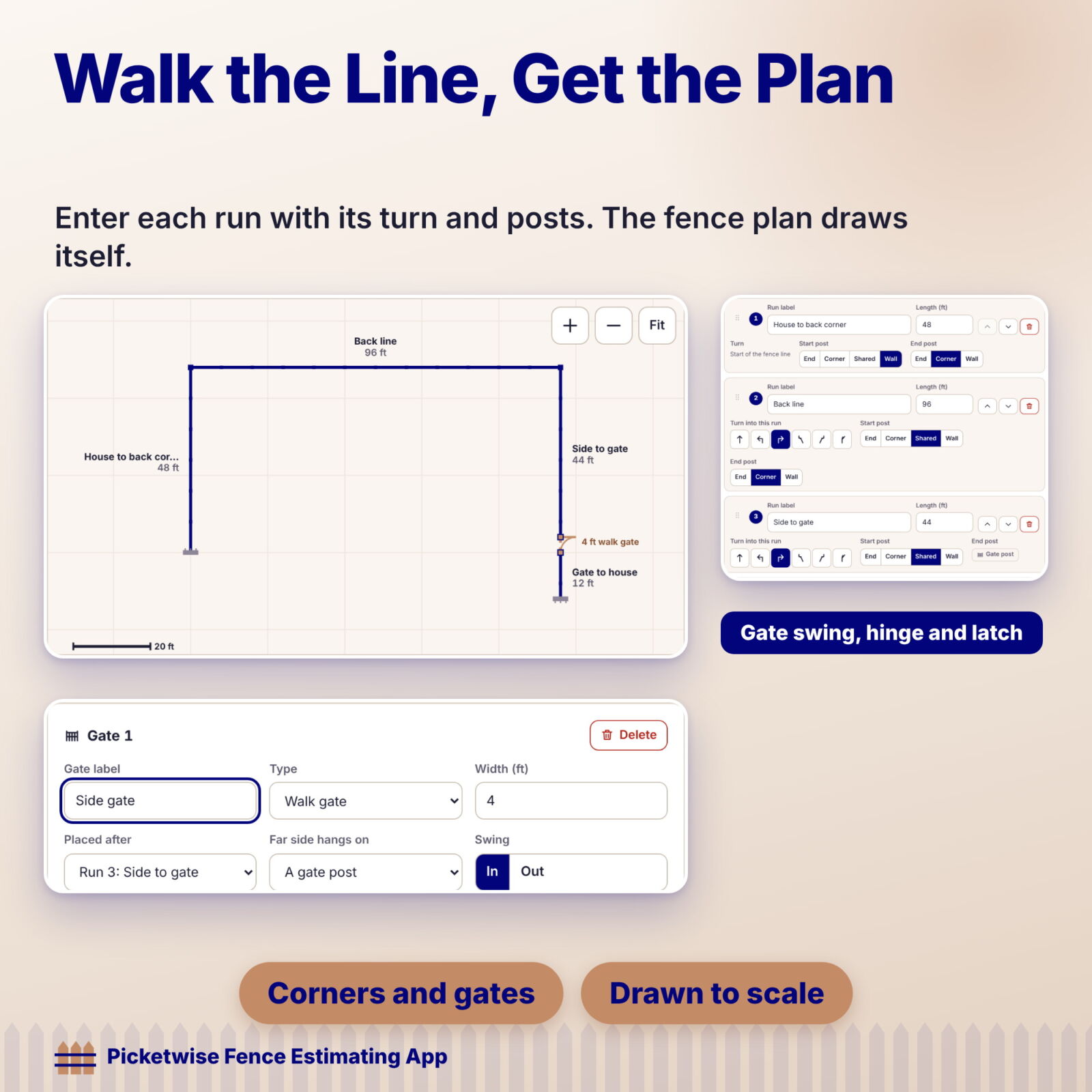
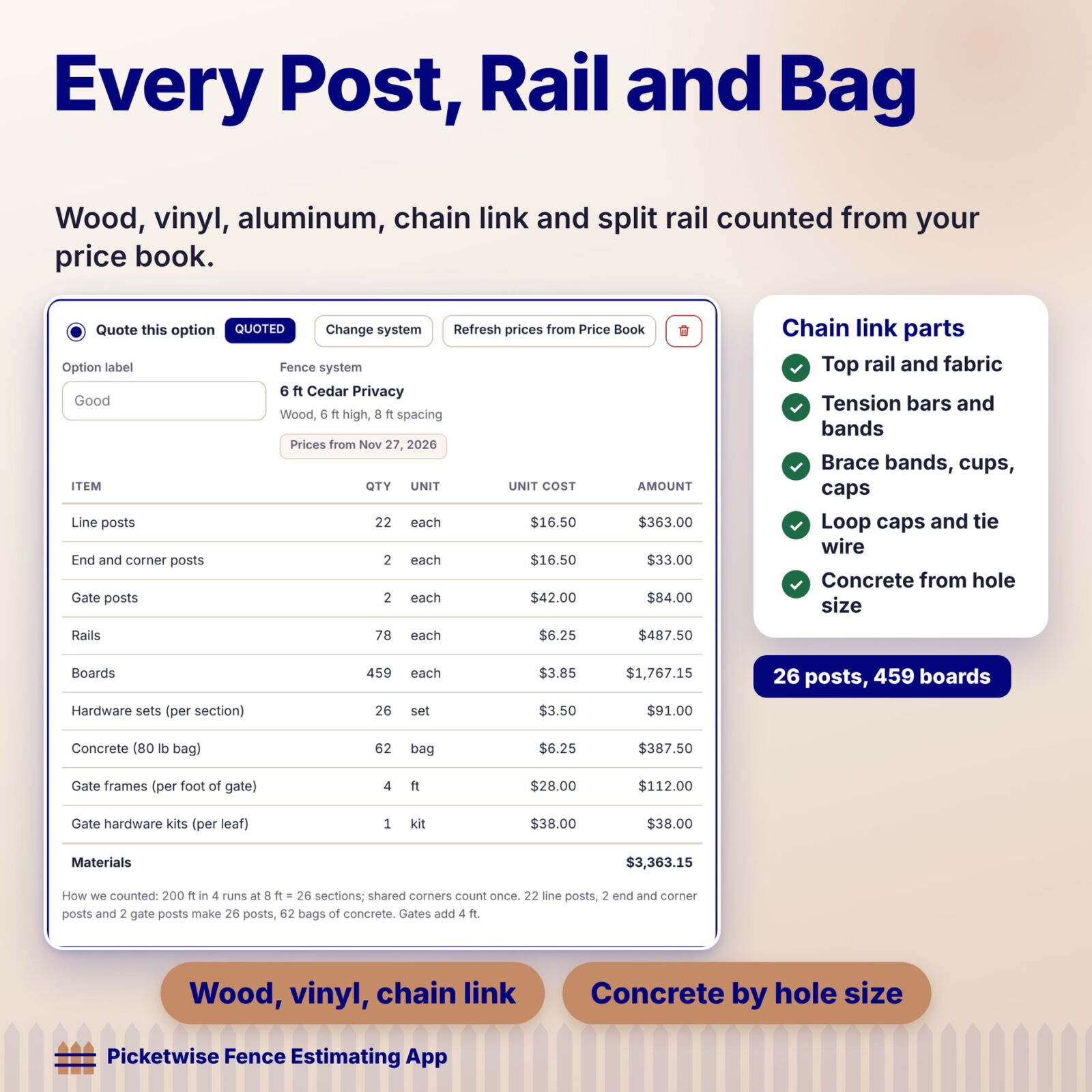
You enter a fence as runs. Each run has a length, the turn you make into it, a start post and an end post: end, corner, shared corner, gate or house wall. Gates go on the line with their width, swing, hinge and latch. Picketwise turns that layout into an exact takeoff from your own price book, so a 200 ft backyard with a side gate comes out as 26 sections, 22 line posts, 459 boards and 62 bags of concrete, not a guess from one straight line.
It then prices the job the way a contractor does: site factors for ground, slope and access, removal and haul-away, extras and pass-through fees, margin, a minimum job charge, rounding, sales tax and a deposit. Show Good, Better and Best from the same layout and let the customer choose.
Who it is for
The owner or salesperson of a residential fence company with one to four crews, quoting wood, vinyl, aluminum, chain link and split rail. It suits anyone who measures in the backyard, often has no signal, loses jobs to slow quotes and forgotten follow-ups, and does not want another subscription.
Main benefits
- Consistent quotes. Every estimate uses the same counting rules and your costs.
- Nothing forgotten. Corners, gates, concrete, removal and permits are in the takeoff and the price.
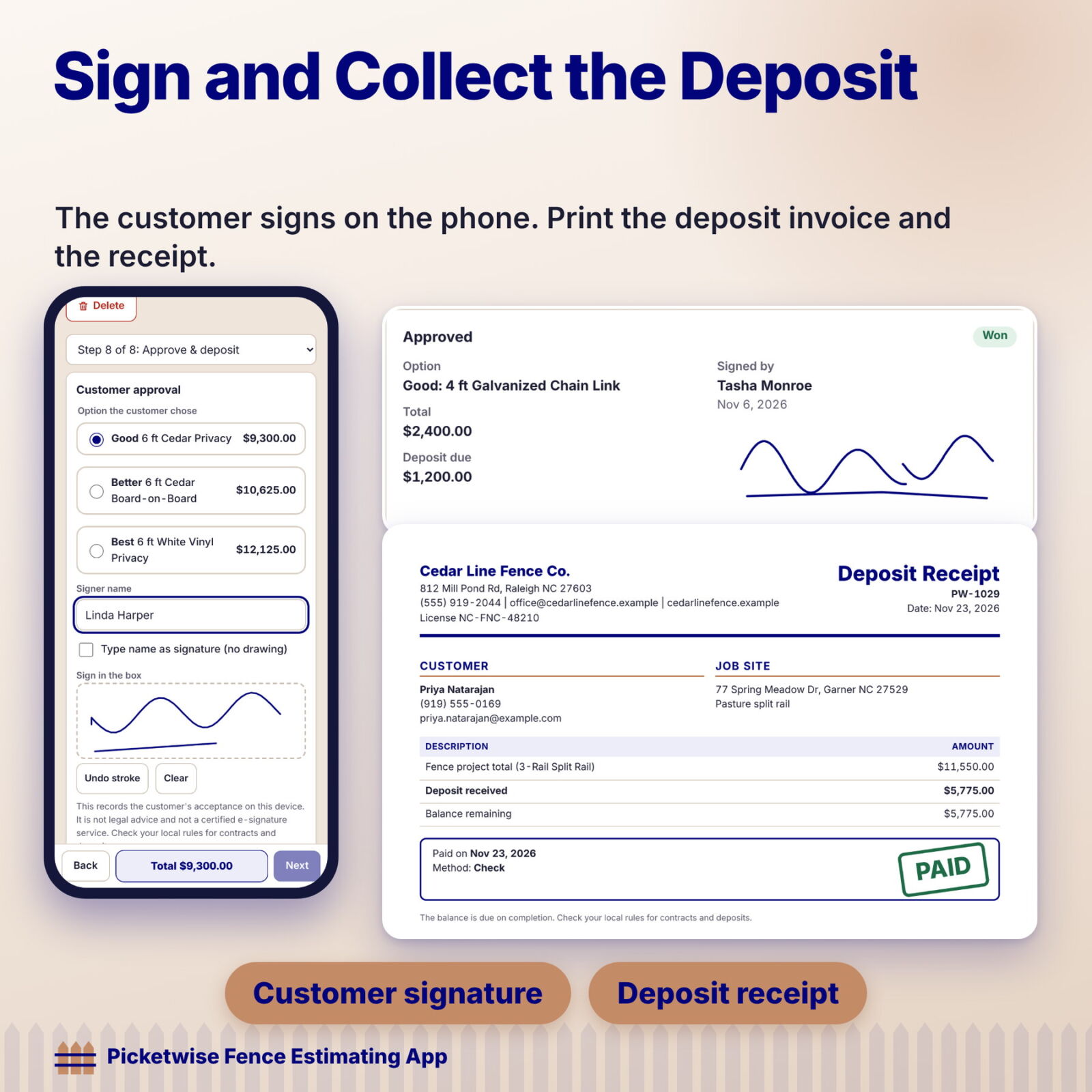
- Close on the spot. The customer signs on your phone, and you print the deposit invoice and receipt.
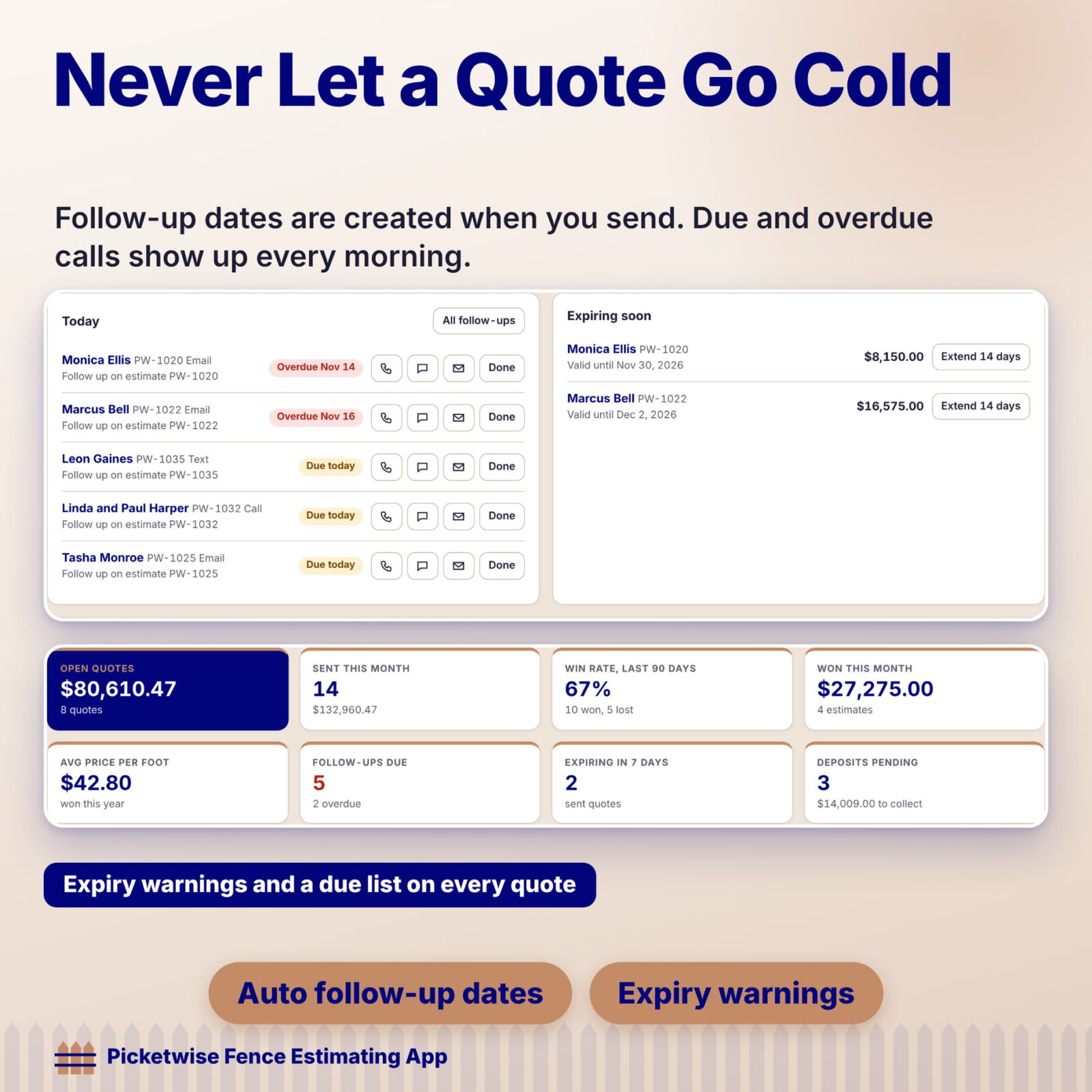
- Quotes stop going cold. Follow-up dates, a due list and expiry warnings keep every estimate moving.
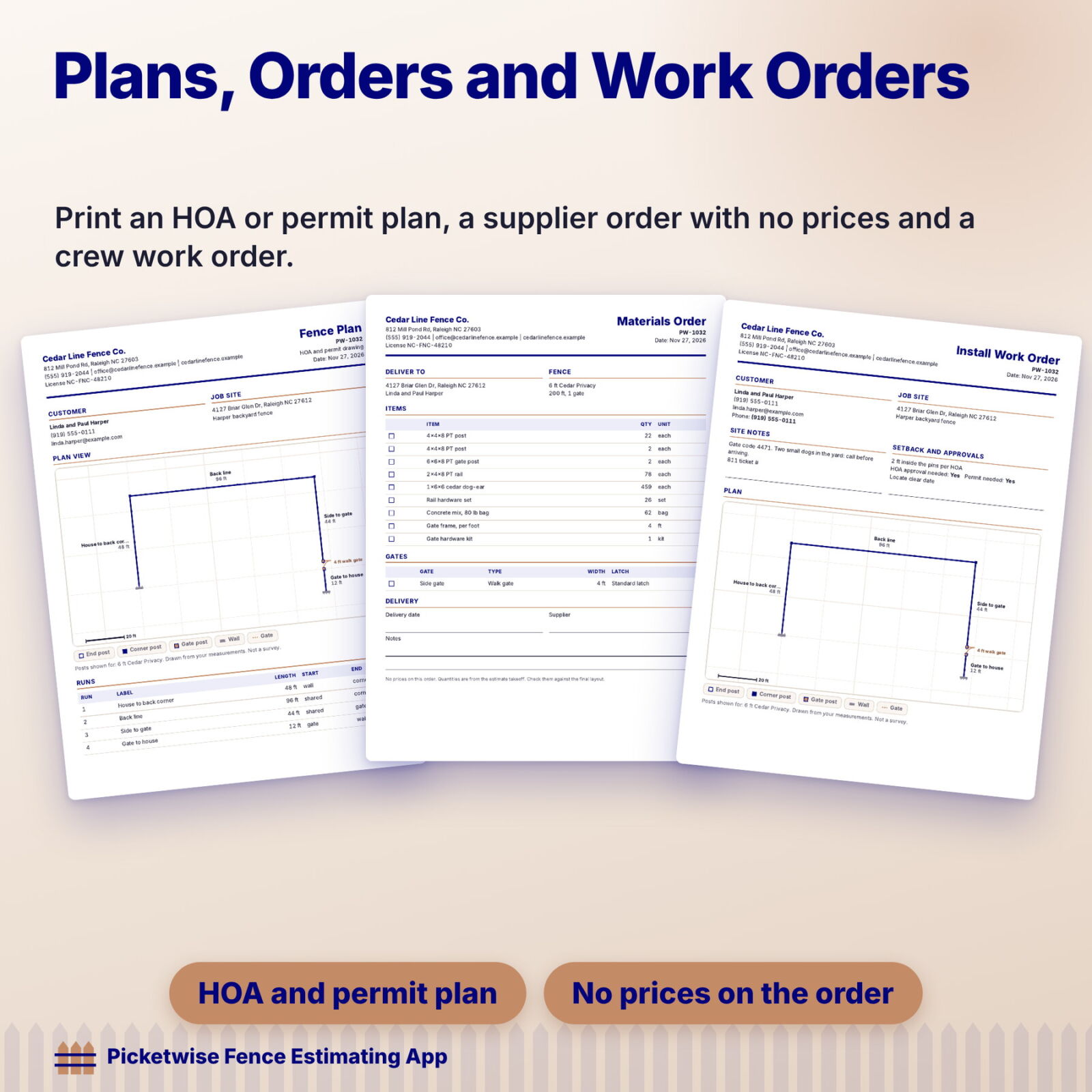
- Clean paperwork. An HOA or permit plan, a supplier order with no prices and a crew work order come from the same estimate.
Features of this fence quote app
- Run-by-run layout with straight, left, right, 45 degree and custom turns, plus end, corner, shared, gate and wall posts
- Quick measure mode: a big-button full-screen keypad for walking the yard with one hand
- Fence plan sketch drawn to scale with posts, gates, swing arcs, a scale bar and a legend
- Walk, single drive and double drive gates with swing, hinge and latch
- Price Book with 8 ready systems across five fence types, and room for your own (up to 60)
- Takeoff for wood (privacy, board-on-board, picket), vinyl, aluminum, chain link with every fitting, and split rail
- Concrete bags counted from hole size, post size and waste
- Good, Better, Best options with a snapshot of your prices and a Refresh button
- Site factors, removal and haul-away, extras, pass-through fees, margin, minimum charge, rounding, tax and deposit
- Customer estimate with the sketch, customer signature on the chosen option, deposit invoice and receipt
- Follow-up cadence, due list, expiry warnings, won and lost with reasons
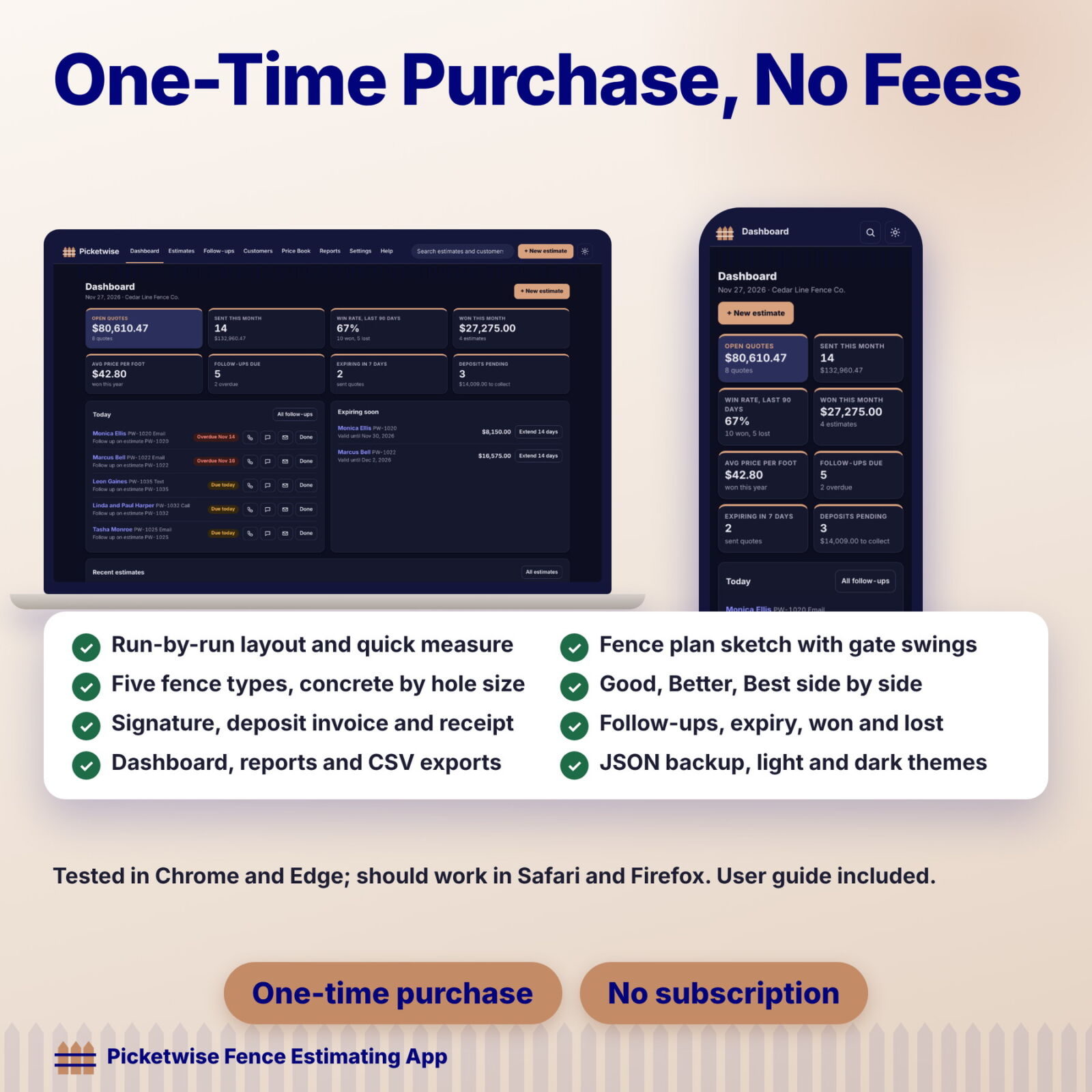
- Customers, photos on each estimate, a dashboard with 8 tiles and 4 charts, and reports
- HOA and permit plan, materials order, install work order and a blank measure sheet
- CSV exports, JSON backup and import, light and dark themes, and a user guide
How it works
- Open the HTML file in your browser and add your business details.
- Replace the sample costs in the Price Book with your supplier prices.
- Start an estimate, enter the customer, and add the runs and gates as you walk the line.
- Pick up to three fence systems and check the takeoff and price build-up.
- Mark the estimate sent. Follow-up dates are created for you.
- When the customer says yes, capture the signature, record the deposit and print the work order.
What is included
- Picketwise-Fence-Estimating-App.html, the app (one file, empty and ready for your data, with a Load sample data option)
- Picketwise-Fence-Estimating-App-User-Guide.docx, an illustrated guide with worked examples
- Start-Here.pdf, a one-page quick start
- All three together in one ZIP
File formats and requirements
The app is a single HTML file with the styles and code inside it. It loads no fonts, libraries or maps from the internet and makes no network requests on its own. The one link out, Open in Maps on a customer page, opens OpenStreetMap when tapped. Tested in Chrome and Edge; should work in Safari and Firefox. Open the file in a browser, not in your phone’s file preview. The user guide is a Word document, and the Start Here page is a PDF.
Digital download and your data
This is an instant digital download. Your estimates are saved in your own browser on your own device and are never uploaded. Browsers allow about 5 MB for saved data. In our test the app held about 800 estimates with 10 runs, 2 gates and 3 options each before the storage warning, and photos are kept separately. Export a JSON backup from Settings to move data to another device. The currency symbol can be changed to your own.
Use cases
- A 200 ft backyard privacy fence quoted in cedar, board-on-board and vinyl, with a side gate
- A chain link front yard with a double drive gate on rocky ground
- A homeowner who needs a plan for the HOA before ordering materials
- Following up five open quotes on Friday morning from the Today list
- Taking a signed deposit at the kitchen table
Frequently asked questions
Does this fence estimating software work offline?
Yes. After you open the file, everything runs in the browser. It needs no signal, which helps in a backyard. Only the Open in Maps link on a customer page needs a connection.
Is there a subscription?
No. It is a one-time purchase.
Does it work on iPhone and Android?
It has been tested in Chrome and Edge and should work in Safari and Firefox, including on phones. Open the file in a browser, then add it to your home screen if you like.
Where is my data saved?
In your browser on your device. Export a backup from Settings to keep a copy or move to a new phone.
Does it use satellite maps?
No. It draws the plan from your measurements, so it works anywhere and is clearly not a survey.
How does it count posts and concrete?
Sections are the run length divided by the post spacing, rounded up, and line posts are the sections minus one on each run. Concrete comes from each hole’s size minus the post, plus waste, divided by the bag yield.
Can two people share the data?
Not live. Export a backup and import it on the other device.
Can I use my own prices?
Yes. The default costs are samples. Replace them in the Price Book with your supplier prices.
License
Licensed for your own use or within a single business. Do not resell, share or give away the files. Picketwise is an estimating aid only. It does not replace a survey, local code, HOA rules or a permit.




Reviews
There are no reviews yet.