Restaurant Food Cost Calculator and Menu Engineering Spreadsheet
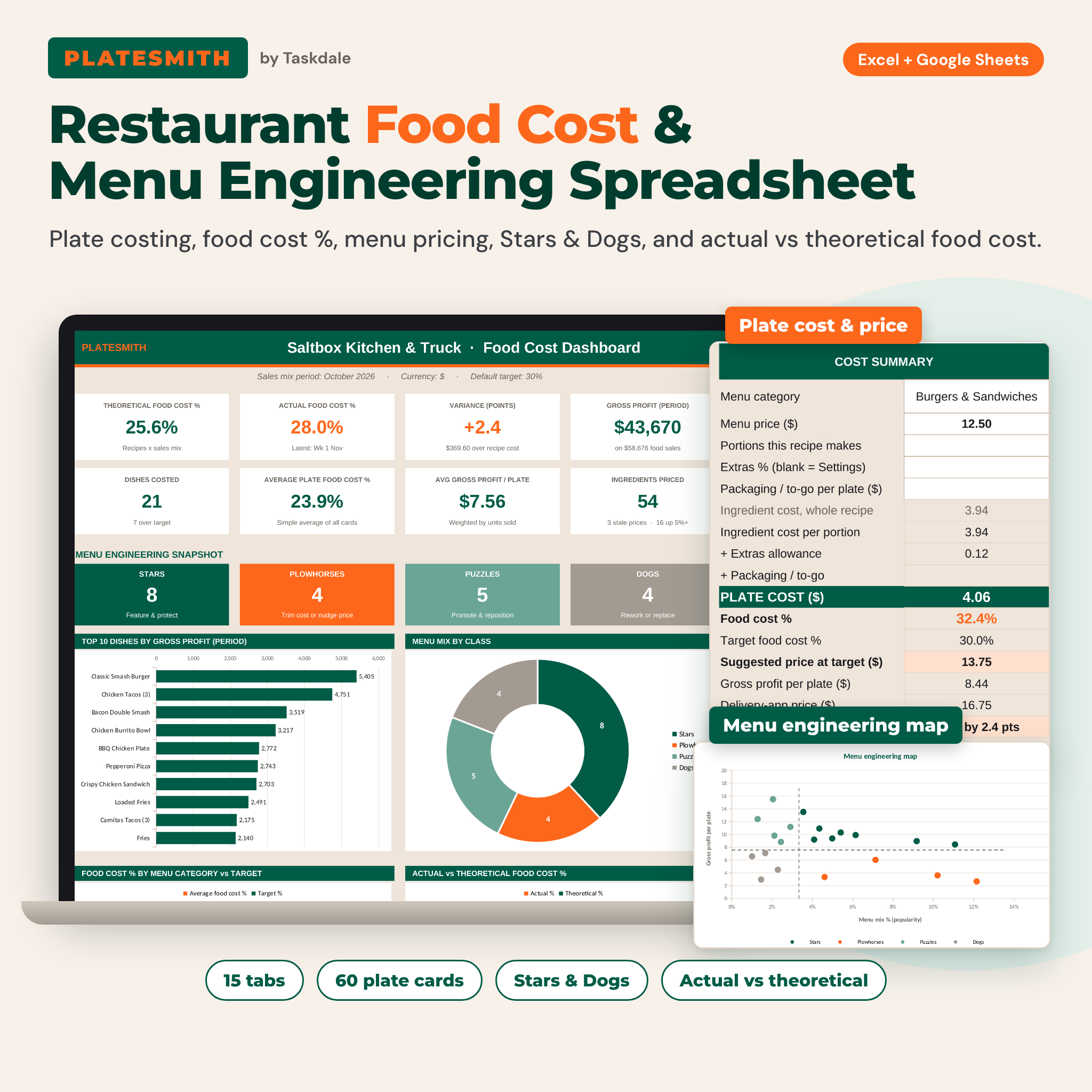
Platesmith is a restaurant food cost calculator built for food businesses that sell a menu. Enter what you pay for ingredients and what goes on each plate. The spreadsheet then shows the true plate cost of every dish, its food cost %, the menu price that hits your target, the gross profit each plate earns, and how far your real food cost has drifted from what your recipes say it should be. It works in Microsoft Excel and Google Sheets.
Most recipe cost calculators stop at one recipe. Platesmith links plate costing, menu pricing, menu engineering, inventory and actual vs theoretical food cost.
Who it is for
- Independent restaurants, cafes, bars and pizzerias
- Food trucks and market stalls pricing a tight menu
- Caterers quoting trays and per-guest prices
- Ghost kitchens and delivery-only brands that need app prices
- Chefs, kitchen managers and culinary students learning plate costing
Main benefits
- Price with confidence. Every card gives a suggested price at your target food cost %, rounded the way you like (up to the nearest 0.25, or ending in .99, .95 or .50).
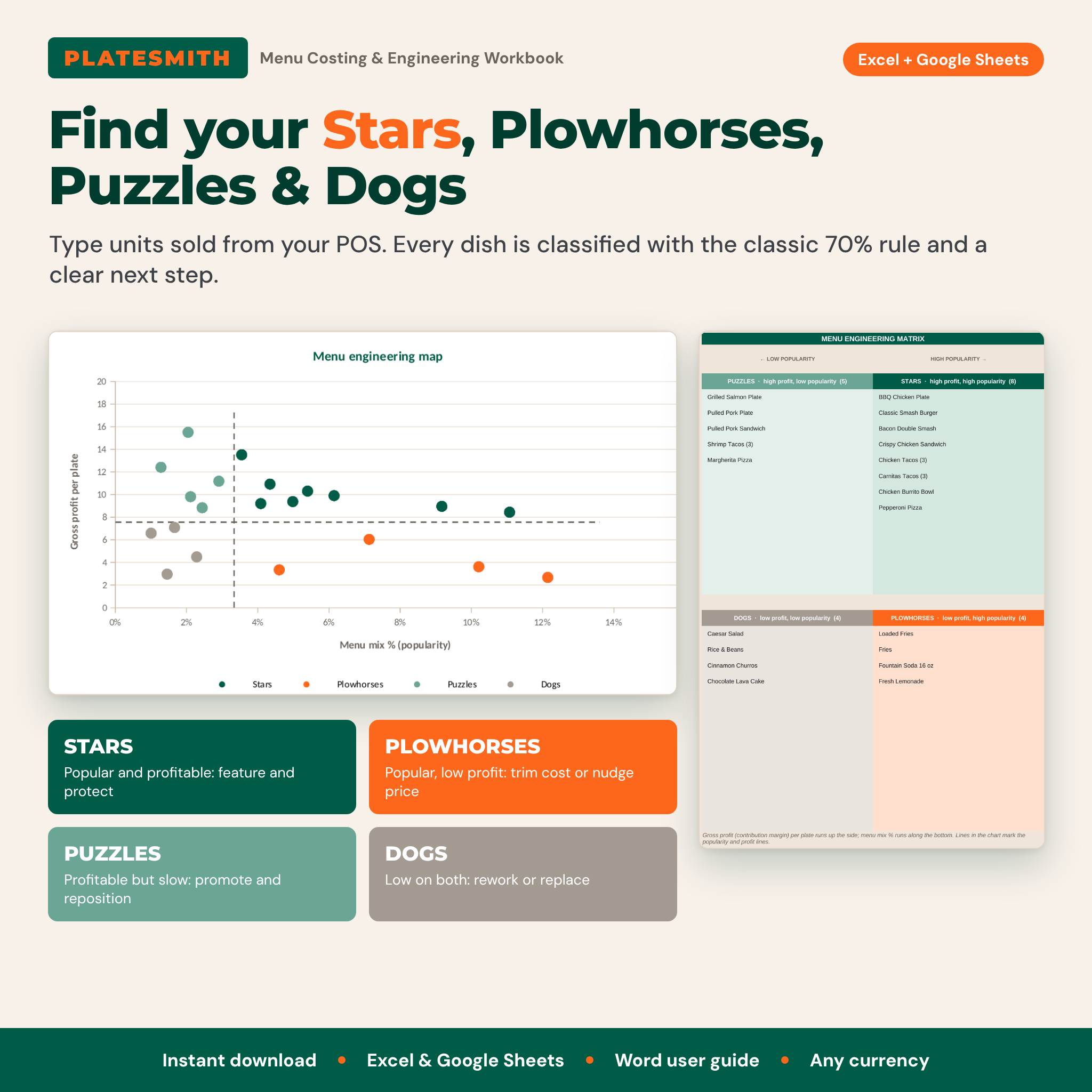
- See which dishes make money. Menu engineering ranks every dish by popularity and gross profit so you know what to feature, reprice, rework or drop.
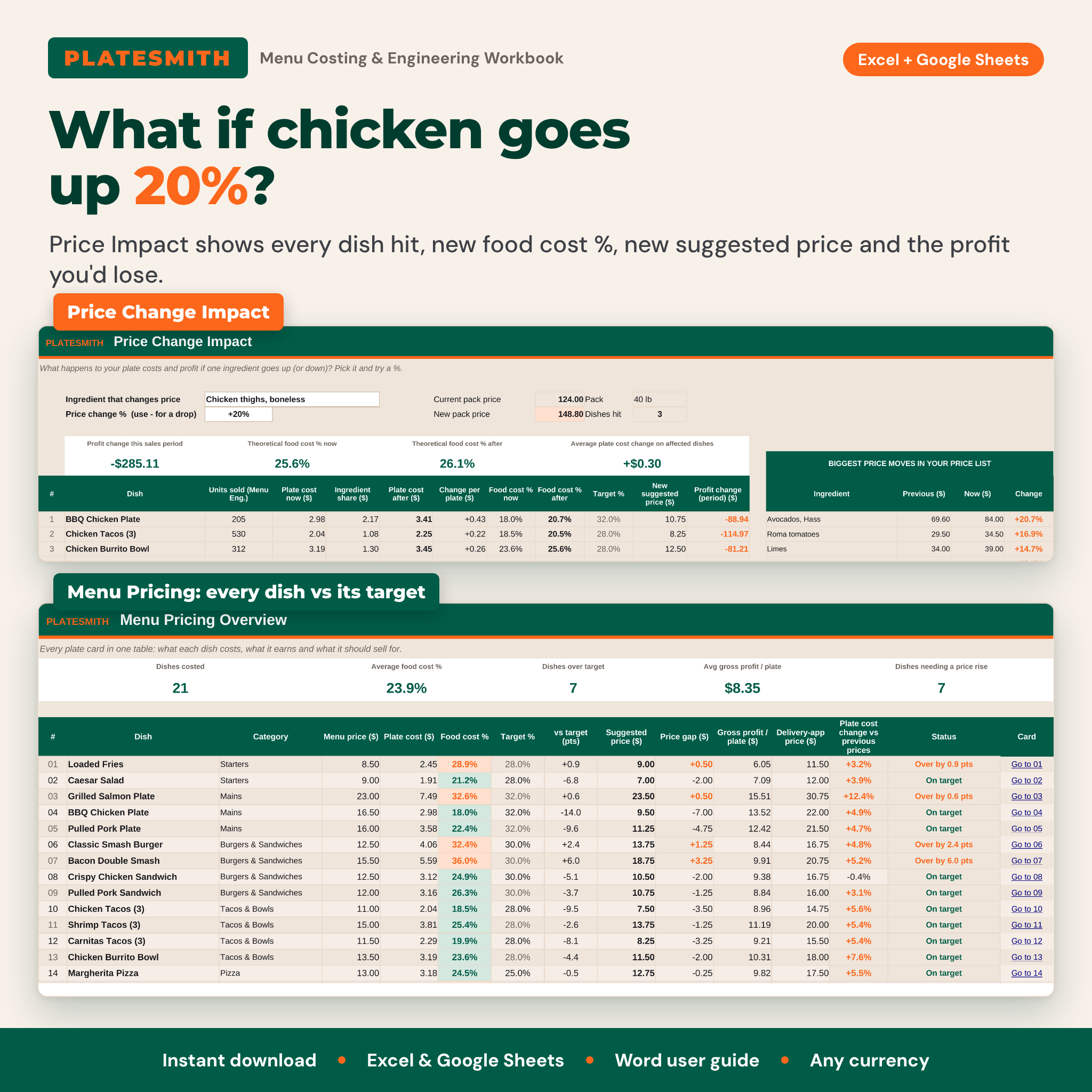
- Catch price increases early. Ingredient price changes ripple through every prep and plate, and Price Impact shows what a 20% rise does to your profit.
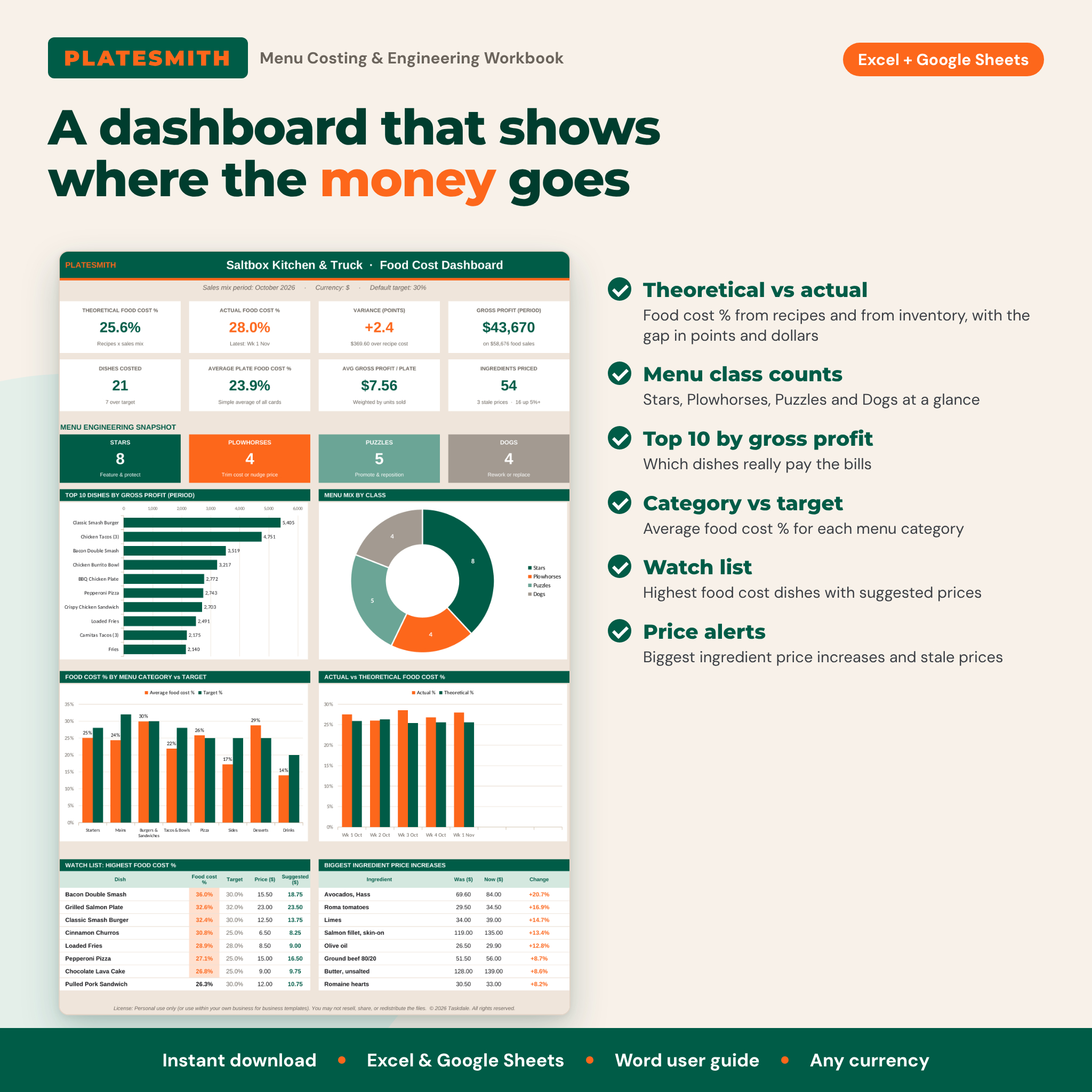
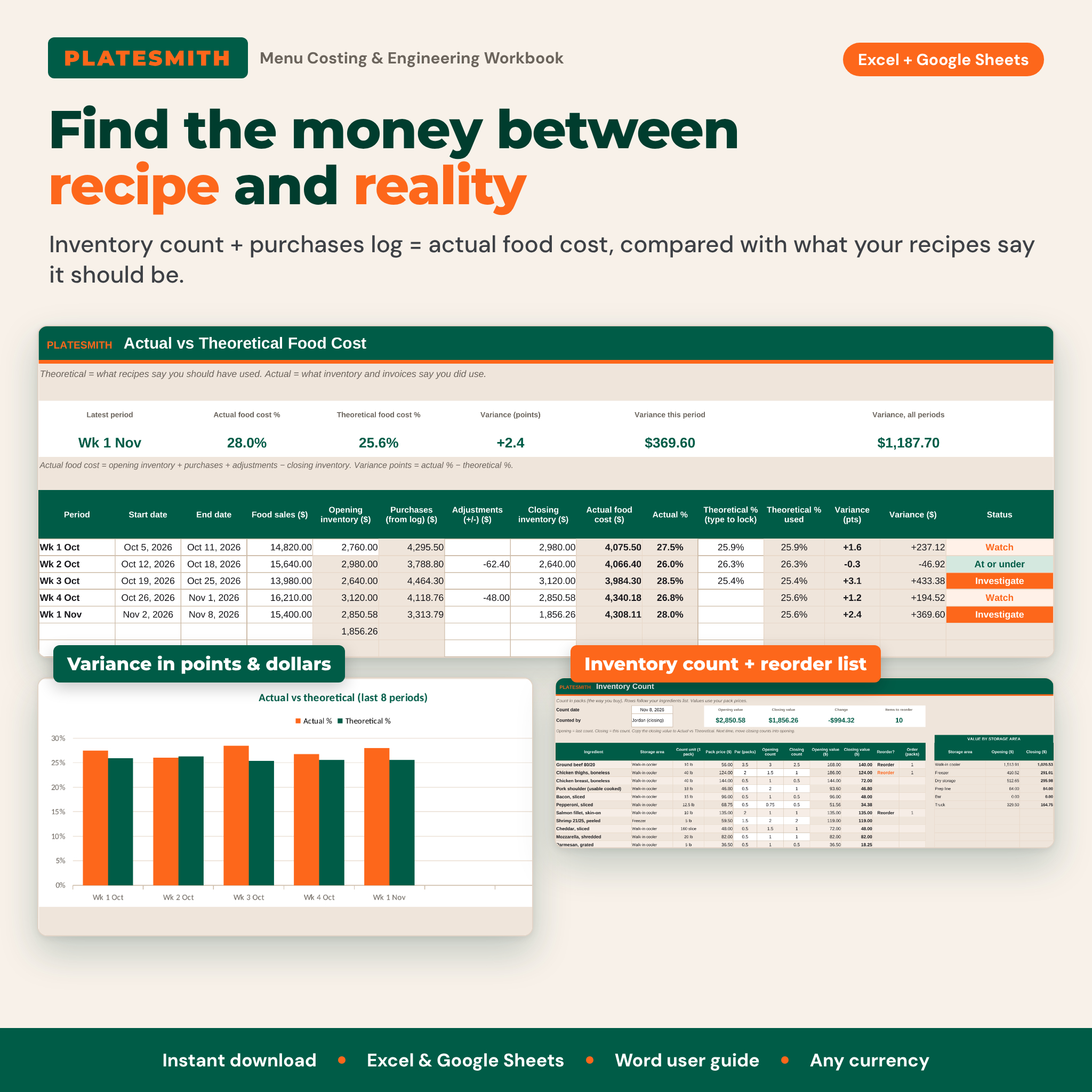
- Find hidden losses. Actual vs theoretical food cost turns waste, over-portioning and missed invoices into a number in points and dollars.
Features of the food cost spreadsheet
Plate cost cards
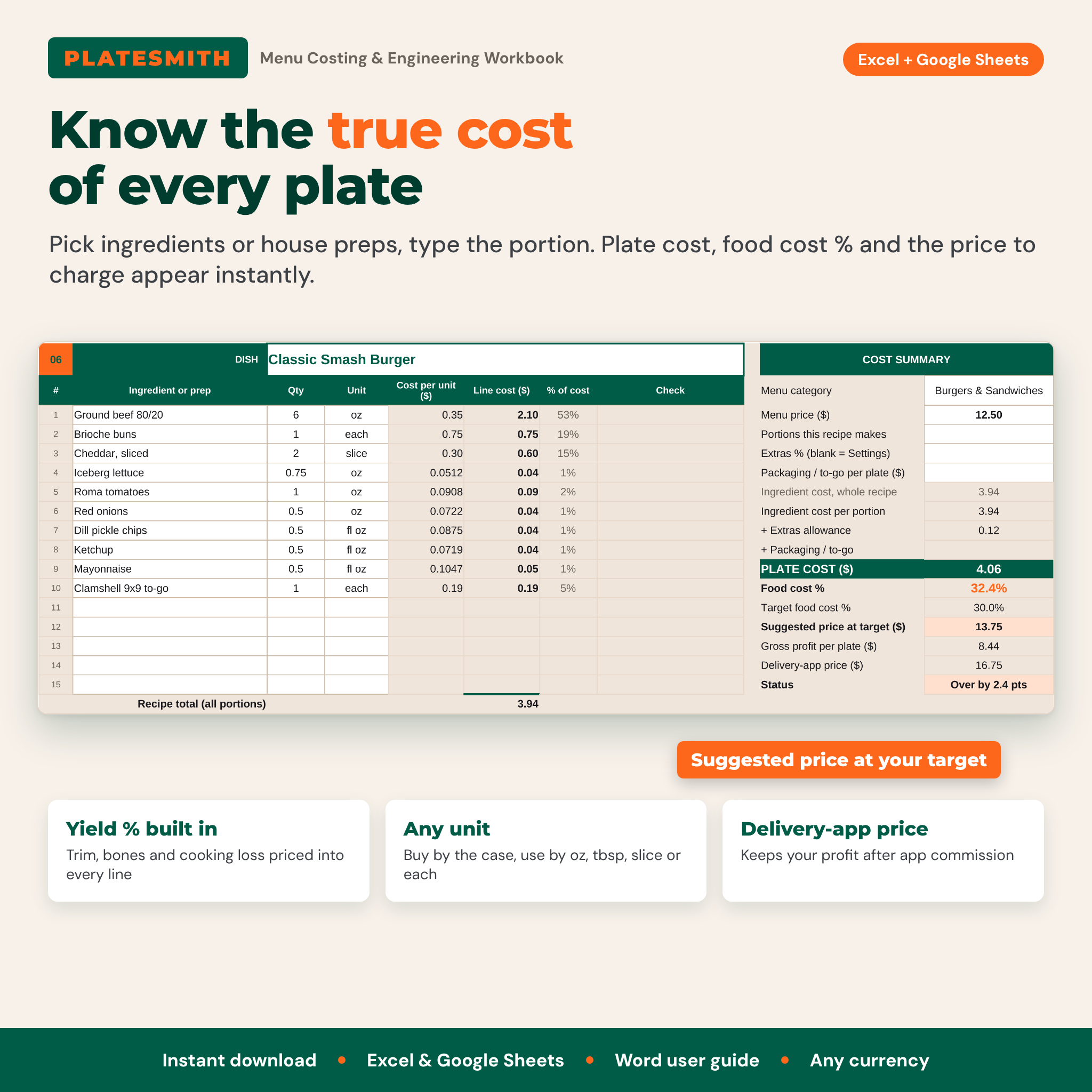
60 plate cards with 15 lines each. Pick an ingredient or house prep from a dropdown, type the portion and unit, and the card calculates line cost, % of plate, plate cost, food cost %, target %, suggested price, gross profit per plate and a delivery-app price that keeps your margin after commission. An extras allowance (Q-factor) covers oil, salt and garnish, and an optional packaging field handles to-go containers.
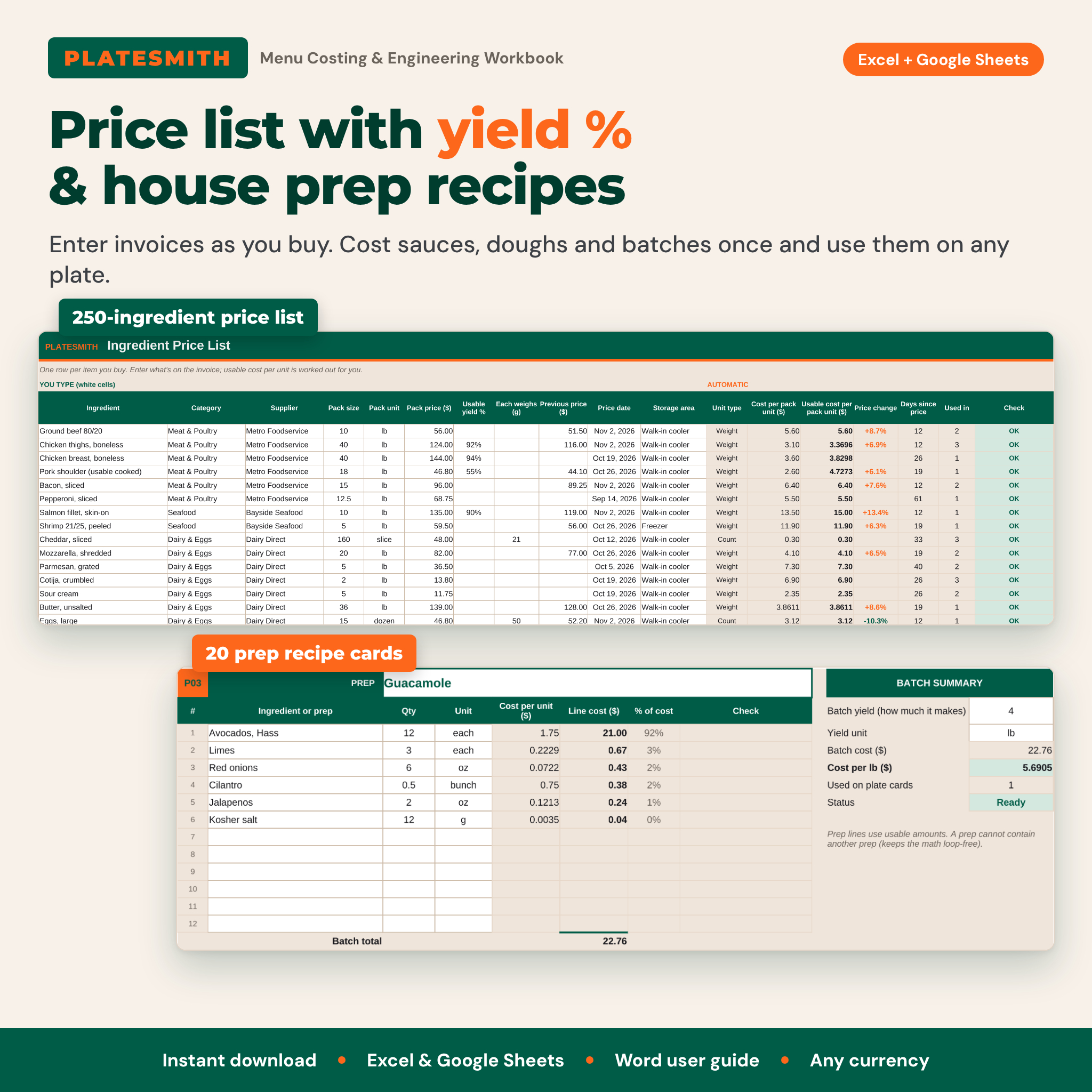
Ingredient price list with yield % and unit conversion
250 ingredients entered as invoiced: pack size, pack unit and pack price. Usable yield % prices in trim, bones and cooking loss. Buy by the case or pound and use by the ounce, tablespoon, slice or each. Weight, volume and count units convert automatically, with an “each weighs” field for items bought by count and used by weight. Previous price, price change % and stale-price flags keep the list honest.
Prep recipes (sub-recipes)
20 prep cards cost sauces, doughs, salsas and batches once. Each prep appears in the plate card dropdown like an ingredient, so a price change in avocados updates the guacamole and every dish that uses it.
Menu pricing overview
Every dish in one table with menu price, plate cost, food cost % vs target, suggested price, price gap, gross profit, delivery-app price and plate cost change since the last prices. Targets can be set per menu category, such as 20% for drinks and 32% for mains.
Menu engineering matrix
Type units sold from your POS and each dish becomes a Star, Plowhorse, Puzzle or Dog using the classic 70% popularity rule and weighted average contribution margin. A four-quadrant matrix, a scatter chart with popularity and profit lines, and a plain-English action for every dish show what to do next.
Price change impact
Pick any ingredient and a % change. See every dish it touches (even inside preps), new plate costs, new food cost %, new suggested prices and the profit change for the period.
Inventory, purchases and actual vs theoretical food cost
Count stock in packs with values by storage area, par levels and a reorder list. Log up to 500 invoices; the categories you choose count toward food cost. Track 26 periods of actual food cost against theoretical food cost with variance in points and dollars.
Dashboard and quick price checks
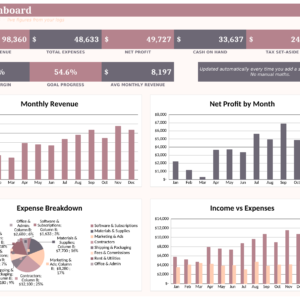
KPI tiles, menu class counts, top 10 dishes by gross profit, menu mix by class, food cost % by category vs target, actual vs theoretical chart, a watch list and the biggest ingredient price increases. Four quick calculators handle specials and catering quotes.
What is included
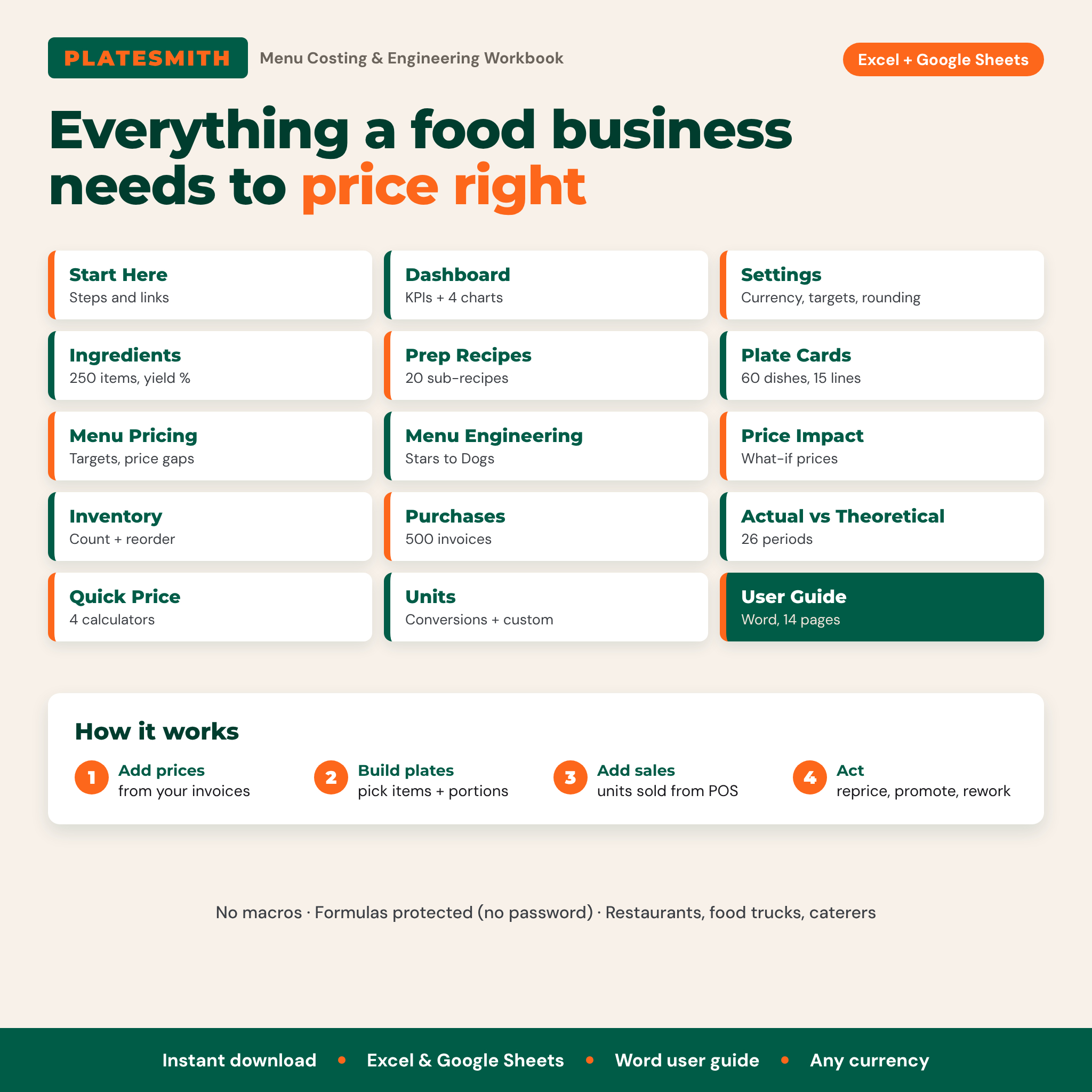
- Platesmith Restaurant Food Cost Calculator workbook (.xlsx) with 15 tabs
- Platesmith User Guide (.docx, 14 pages with screenshots, troubleshooting and FAQ)
How it works
- Set your currency, target food cost % and rounding in Settings.
- Add ingredients from your invoices.
- Build plate cost cards for your dishes.
- Enter units sold for a period to run menu engineering.
- Add inventory counts and purchases to compare actual and theoretical food cost.
File format and software requirements
One .xlsx workbook for Microsoft Excel 2016 or later, Microsoft 365, Excel for Mac and Excel for the web, and Google Sheets (upload to Google Drive and open with Google Sheets). It uses standard formulas only: no macros, no scripts and no external links. Apple Numbers is not supported. The guide is a Word document that also opens in Google Docs.
Customization
One currency setting controls every money label, so it works in dollars, euros, pounds, rand or any currency. Rename menu categories, ingredient categories and storage areas, set a target per category, add your own units, and choose how prices are rounded. Formula cells are protected without a password, so you can unlock them to change the layout.
Digital download
Instant download after checkout; nothing is shipped. The workbook opens empty and ready for your menu (listing images show a sample business).
Use cases
- A food truck owner reprices the menu after a beef price jump and adds delivery-app prices.
- A restaurant manager finds that a best-selling burger runs 32% food cost against a 30% target.
- A caterer quotes a per-guest price for a 24-portion tray in a minute.
FAQ
How do I calculate food cost percentage?
Food cost % = plate cost divided by menu price. Platesmith calculates it for every dish automatically.
Does this food cost calculator work in Google Sheets?
Yes. Upload the .xlsx file to Google Drive and open it with Google Sheets. It uses only standard functions, dropdowns and charts.
Can I use my own currency?
Yes. Change one currency symbol in Settings and every label follows.
How many menu items can I cost?
60 plate cards with 15 ingredient lines each, plus 20 prep recipes and 250 ingredients.
What is menu engineering?
A method that sorts dishes by popularity and profit into Stars, Plowhorses, Puzzles and Dogs, so you know which to promote, reprice, rework or remove.
What is the difference between actual and theoretical food cost?
Theoretical is what recipes say you should have spent for what you sold. Actual comes from inventory and purchases. The gap shows waste, over-portioning or missing invoices.
Is it a recipe cost calculator for home bakers?
No. Platesmith is built for food businesses selling a menu, with plate costing, menu engineering, delivery-app pricing and inventory.
Can I resell or share it?
No. It is licensed for personal use or use within your own business. You may not resell, share or redistribute the files.
Reviews
There are no reviews yet.