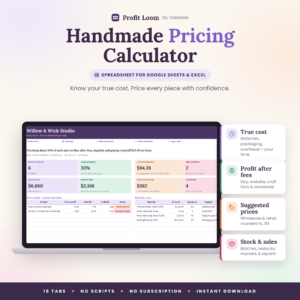
Hue & Margin Pricing Studio is a pricing calculator spreadsheet for Excel and Google Sheets that shows you exactly what to charge, and exactly what you keep, for every product you sell. Enter your materials, your time, packaging, overhead and the fees each sales channel takes. The workbook works out your selling price, profit and margin, then keeps your whole price list up to date.
It’s built for makers, handmade sellers and small product businesses who are tired of guessing. Do your prices cover your costs? What’s left after marketplace and card fees? Can you afford a 20% sale? This workbook answers all three in seconds.
What this pricing calculator spreadsheet does
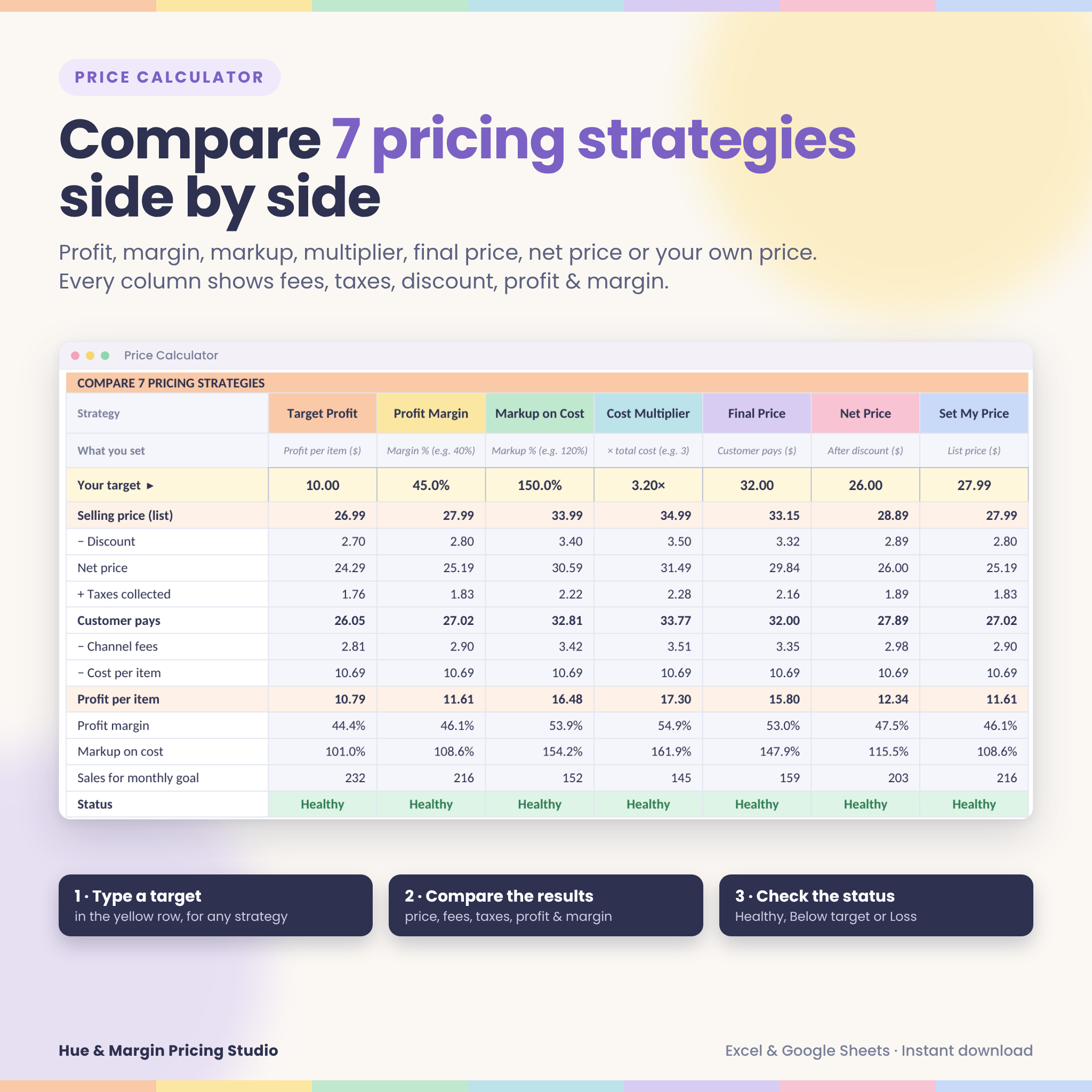
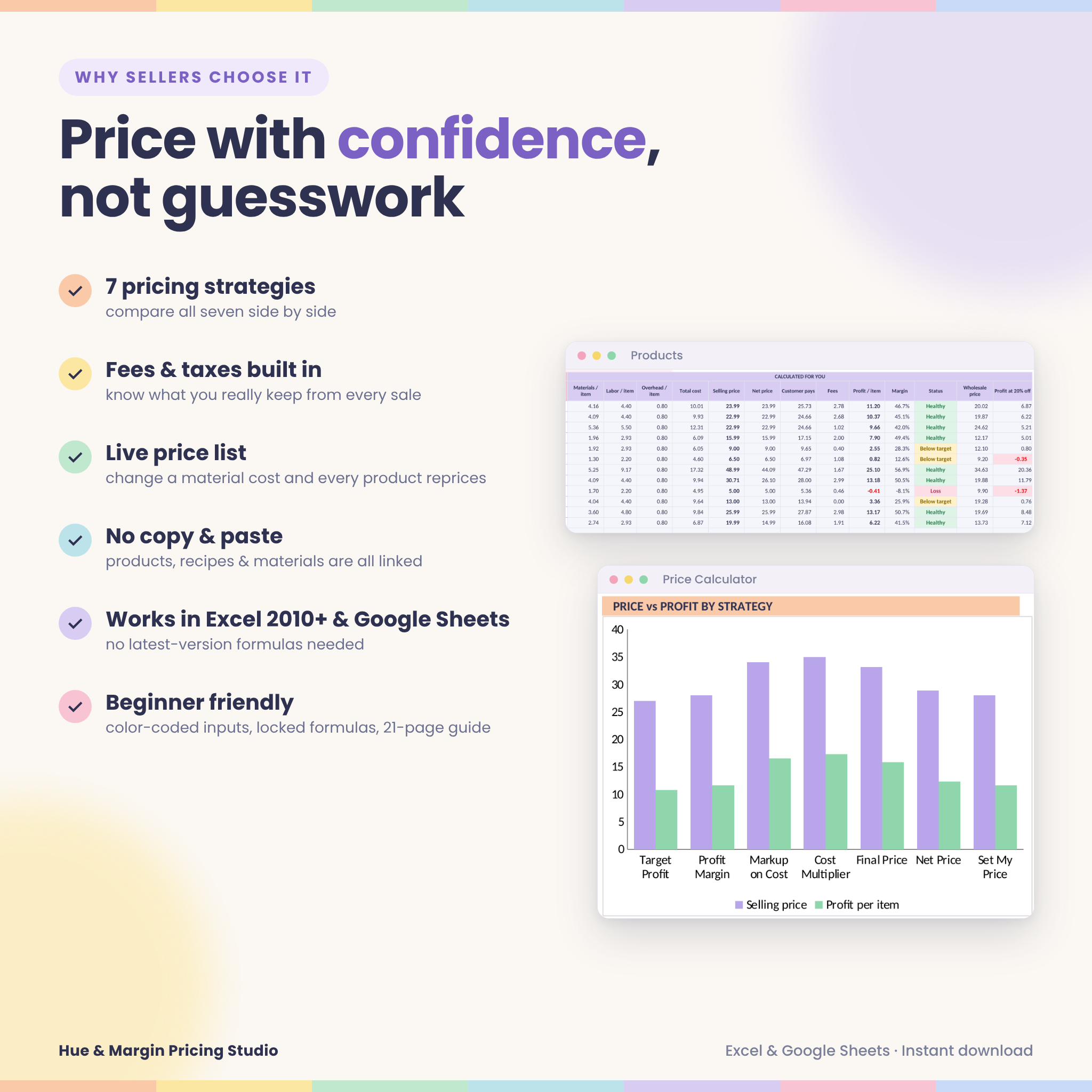
Most pricing templates give you one formula. Hue & Margin puts seven pricing strategies side by side so you can compare them and choose with confidence:
- Target Profit: the profit you want per item
- Profit Margin: the percentage of the price you want to keep
- Markup on Cost: a percentage added on top of your cost
- Cost Multiplier: classic 2×, 3× or 4× maker formulas
- Final Price: the price the customer pays, including tax
- Net Price: your price after a discount
- Set My Price: check a price you already charge
Every strategy shows the selling price, discount, net price, taxes, what the customer pays, channel fees, cost, profit per item, margin, markup, sales needed for your monthly goal, and a clear status: Healthy, Below target or Loss.
Features
Price Calculator
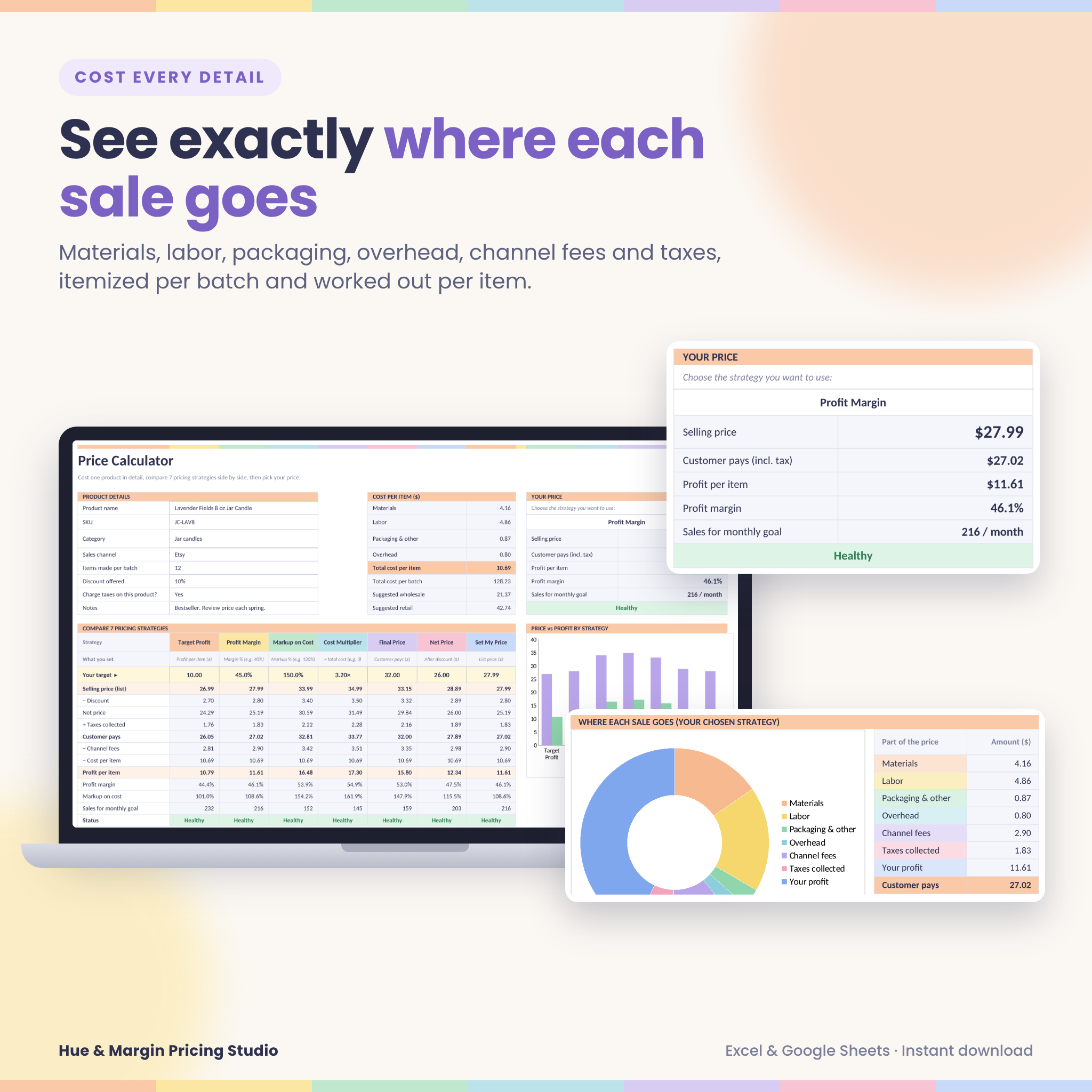
- Itemized costs per batch: up to 15 materials, 8 labor tasks and 8 packaging or other costs
- Automatic cost per item, batch cost and suggested wholesale and retail prices
- Price vs profit chart for all 7 strategies, plus a donut chart showing where each sale goes
Live product price list
- Room for 100 products, each with its own strategy, target, discount and sales channel
- Price, net price, customer price, fees, profit, margin, status and wholesale price, all calculated automatically
- Product recipes link each product to your material library. Change a material cost and every product that uses it reprices instantly, with no copying and pasting
Materials & inventory
- Library for 150 materials: pack size + pack cost = cost per unit, worked out for you
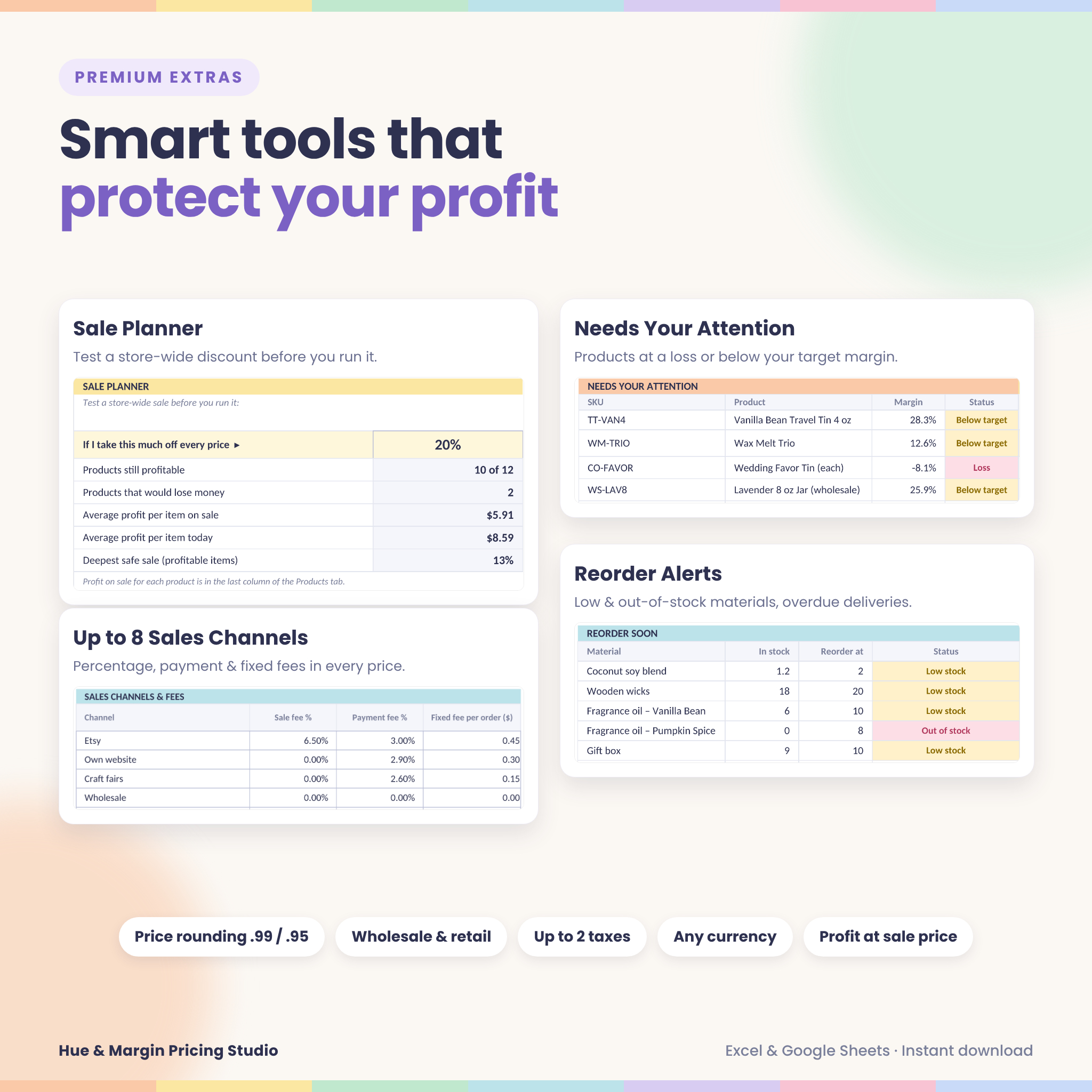
- Stock levels, reorder points, Low stock and Out of stock alerts, overdue delivery highlights and stock value
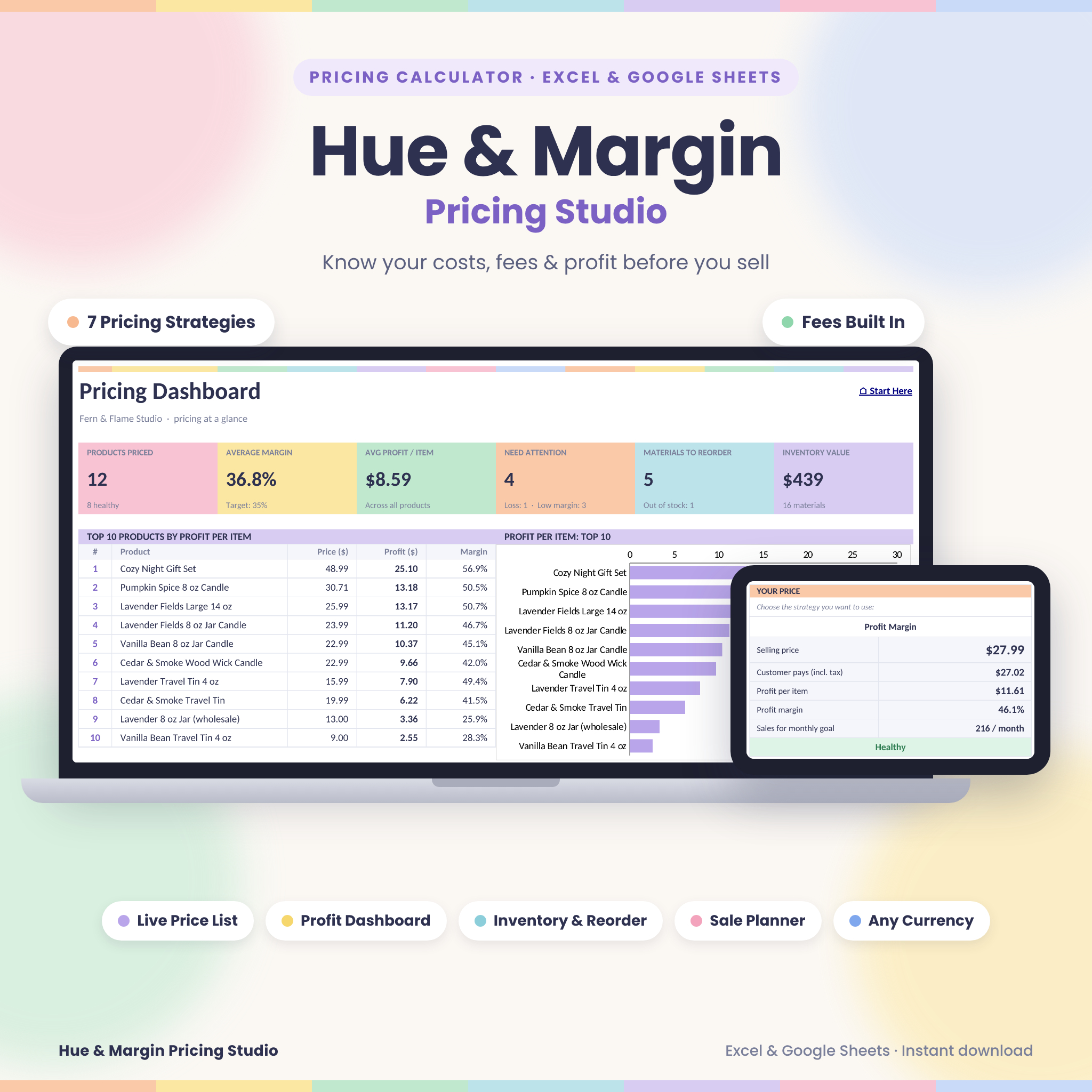
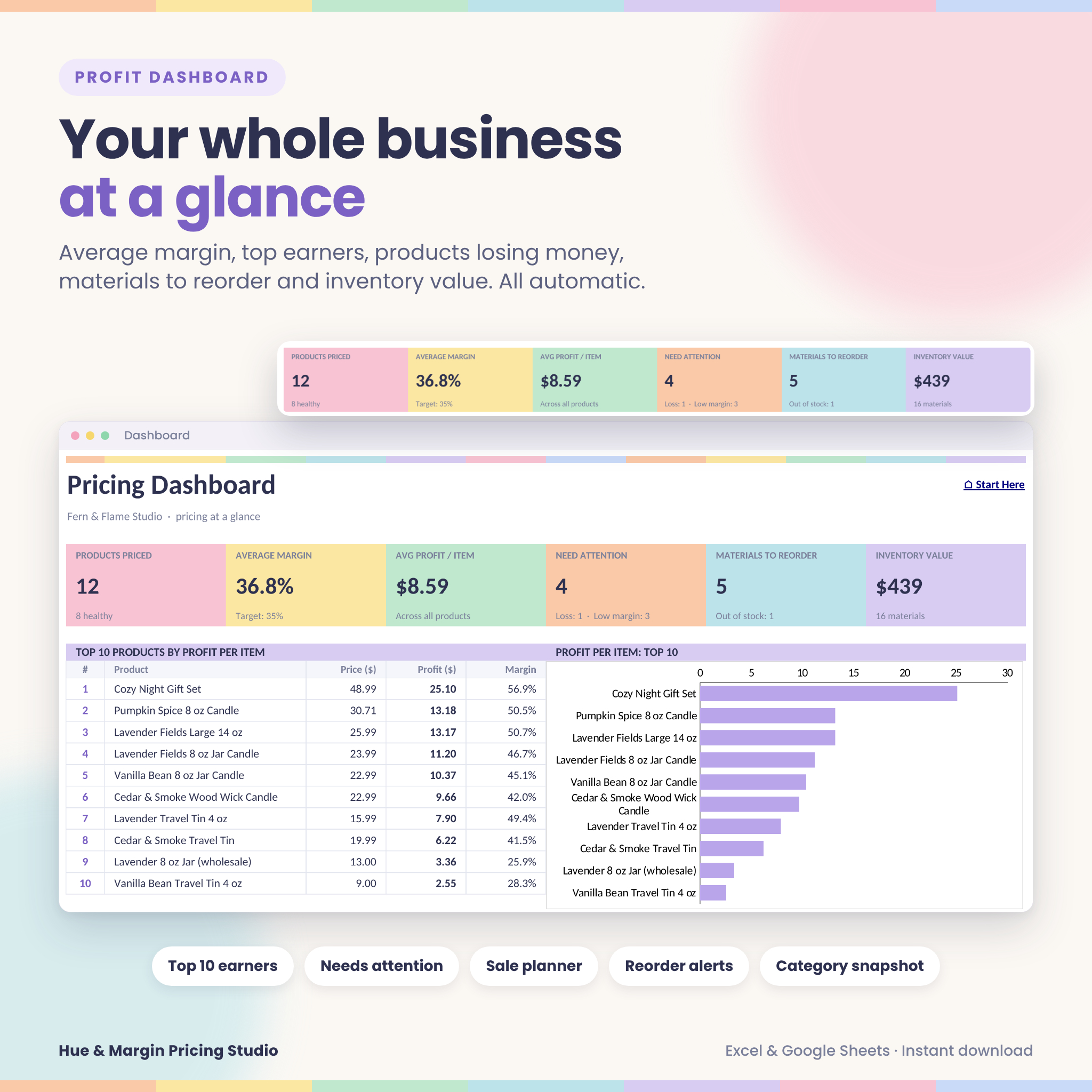
Profit dashboard
- Products priced, average margin, average profit, inventory value and products needing attention
- Top 10 products by profit, with chart
- Sale planner: test a store-wide discount before you run it
- Reorder list, category snapshot with chart, and an average cost breakdown
Settings that do the heavy lifting
- One currency setting used across the whole workbook, so any currency works
- Up to 2 taxes and up to 8 sales channels with percentage, payment and fixed fees
- Monthly overhead spread across every item, a minimum healthy margin, a monthly profit goal
- Price rounding (.99, .95, .50 or whole numbers) and protect-profit-when-discounting
Who it’s for
Hue & Margin is made for candle, soap, jewelry, craft, art, bakery, sewing and print sellers. It suits anyone who sells on a marketplace, on their own website, at craft fairs, or wholesale to shops. It’s beginner friendly: inputs are color-coded, formulas are locked so they can’t break, and a 21-page illustrated guide walks you through every tab.
Real ways sellers use it
- Launching a new product: cost it in the calculator and compare 7 prices before you list it.
- A supplier raises prices: update one material and see which products drop below your target margin.
- Planning a Black Friday sale: type 25% into the sale planner and see which items would lose money.
- A shop asks for wholesale: check the suggested wholesale price and your profit at that price.
- Selling in more than one place: compare what you keep from the same product online and in person.
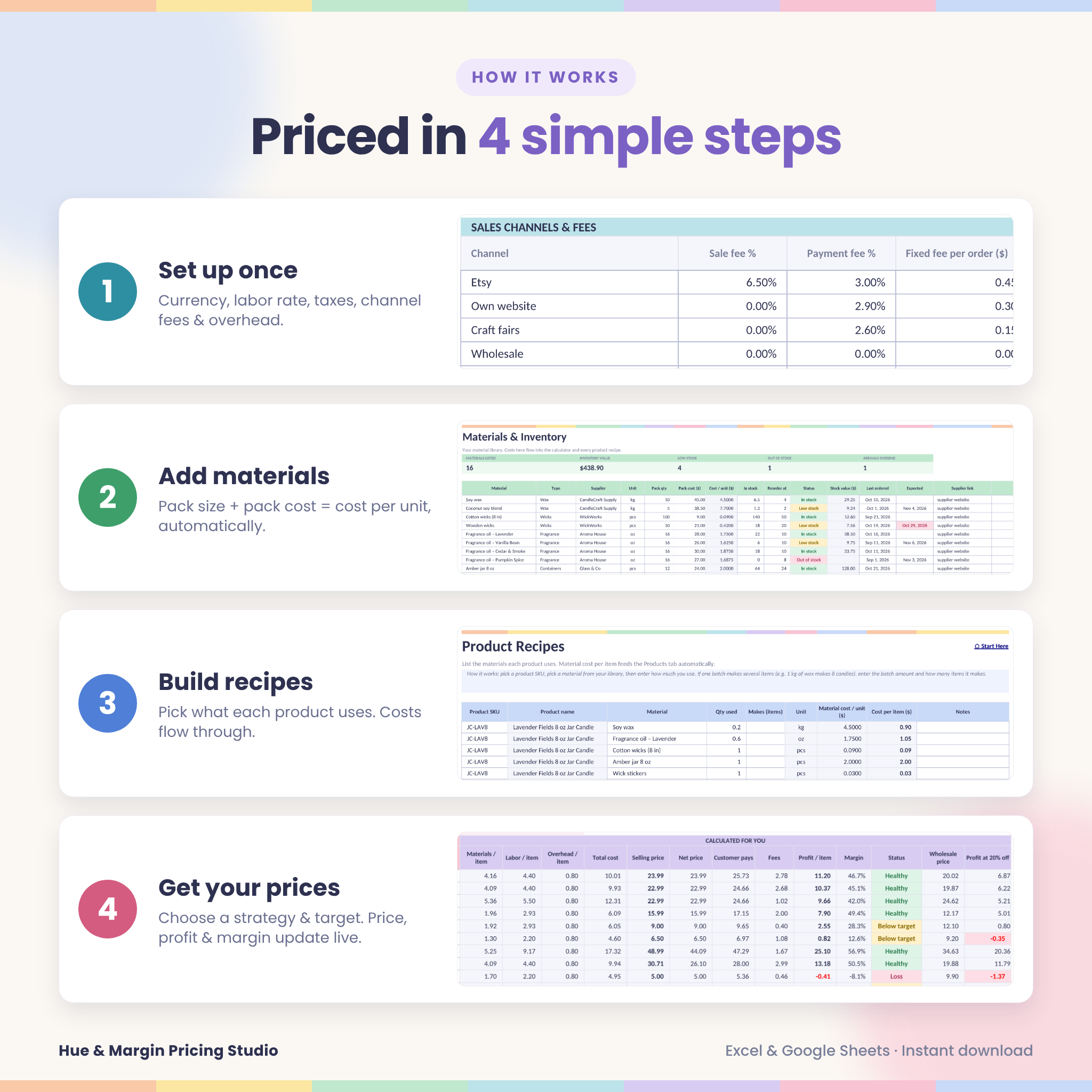
How it works
- Set your currency, labor rate, taxes, channel fees and overhead once in Settings.
- Add your materials with their pack size and pack cost.
- Link materials to each product in Recipes.
- Choose a pricing strategy and target for each product. Prices, profit and margin update live.
What’s included
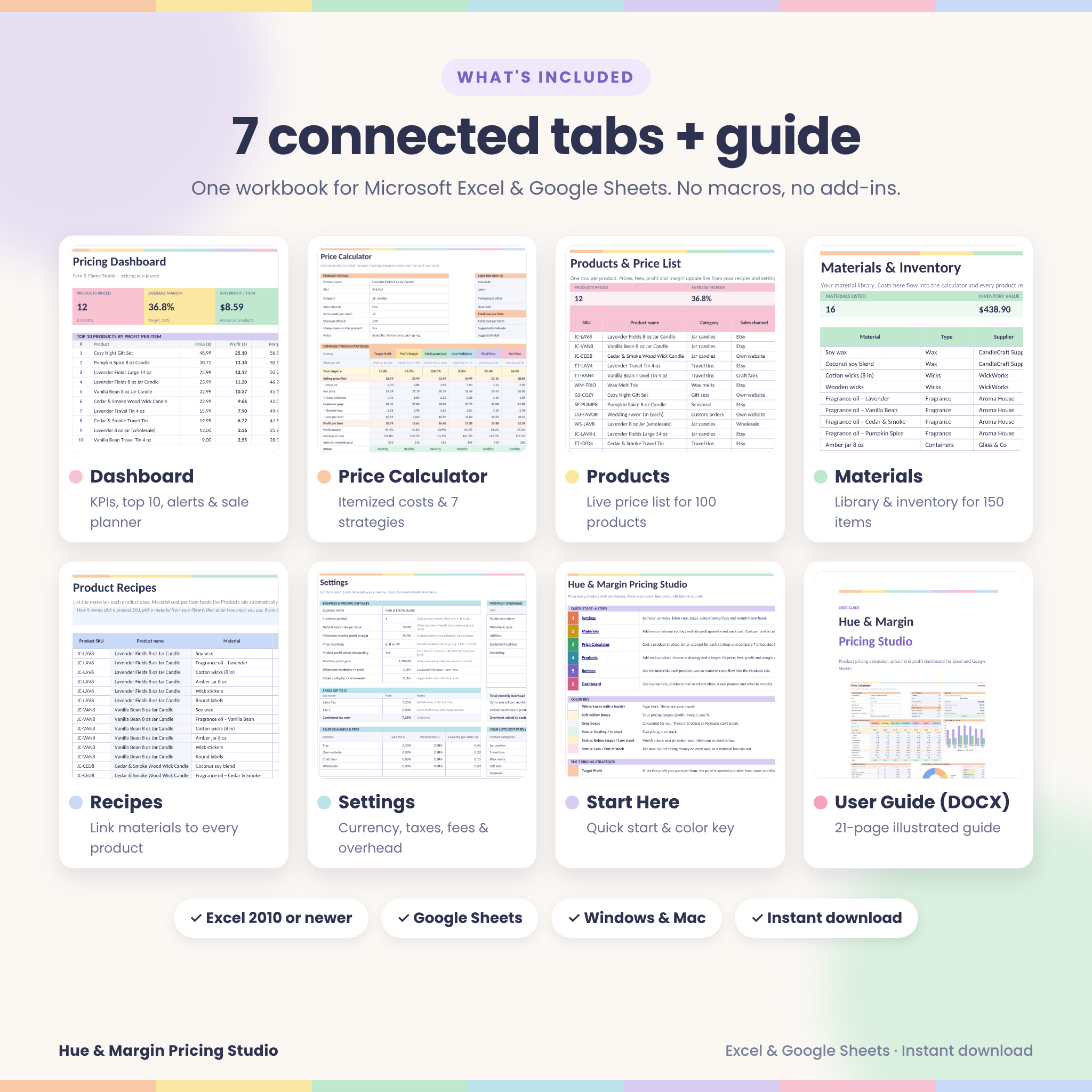
- Hue & Margin Pricing Studio workbook (.xlsx) with 7 tabs: Start Here, Dashboard, Settings, Price Calculator, Materials, Products and Recipes
- User guide (.docx, 21 pages, with screenshots, troubleshooting and FAQs)
File formats & software requirements
- Microsoft Excel 2010 or newer (Windows or Mac), Excel for Microsoft 365 and Excel for the web
- Google Sheets (free Google account): upload the file and save it as a Google Sheet
- No macros, add-ins or newest-version-only formulas
Customization
Rename categories, units and sales channels, change the currency, and adjust colors, fonts and column widths. Formula cells are protected without a password, so you can unlock a sheet if you want to make deeper changes.
Digital download
This is a digital product. No physical item will be shipped. Your files are available to download as soon as payment is confirmed. The example data in our images is for illustration only, and your workbook arrives blank and ready for your own products.
Frequently asked questions
Does this pricing calculator work in Google Sheets?
Yes. Upload the .xlsx to Google Drive and choose File → Save as Google Sheets. Dropdowns, charts and every calculation work.
Do I need the latest version of Excel?
No. It works in Excel 2010 and newer, on Windows and Mac, and in Excel for the web.
Does it include Etsy and other marketplace fees?
Yes. Add up to 8 sales channels with their percentage, payment-processing and fixed fees. Each product uses the channel you choose. Fees change from time to time, so enter your platform’s current rates.
Can I use my own currency?
Yes. Type any currency symbol in Settings and it appears on every money label.
What’s the difference between margin and markup?
Margin is profit as a percentage of the price. Markup is profit as a percentage of cost. The workbook shows both for every price.
Can it calculate wholesale prices?
Yes. Every product shows a suggested wholesale price, and you can set up a wholesale channel to price wholesale orders directly.
How many products can I add?
Up to 100 products, 150 materials and 500 recipe lines.
Can I share or resell this template?
Your purchase is for personal use and use within your own business. It may not be shared, resold or redistributed.
Reviews
There are no reviews yet.