Holiday Dinner Timeline Spreadsheet: Every Dish Ready at the Same Time
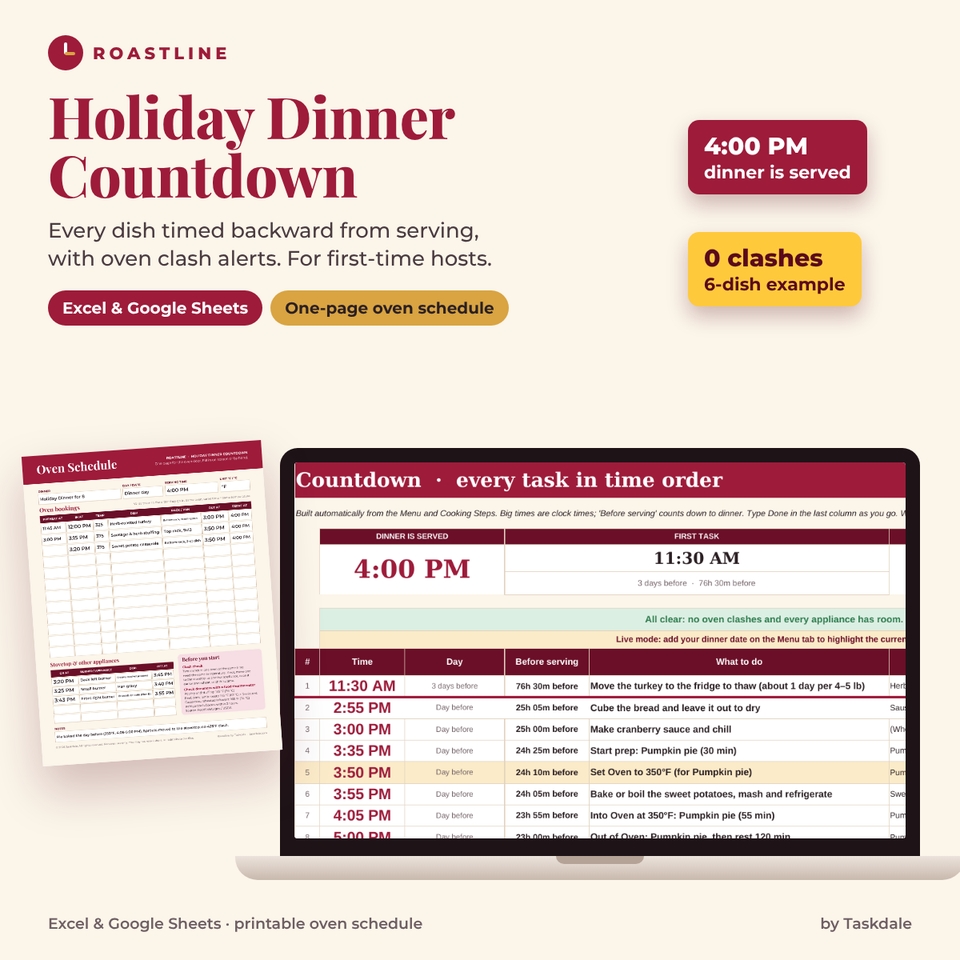
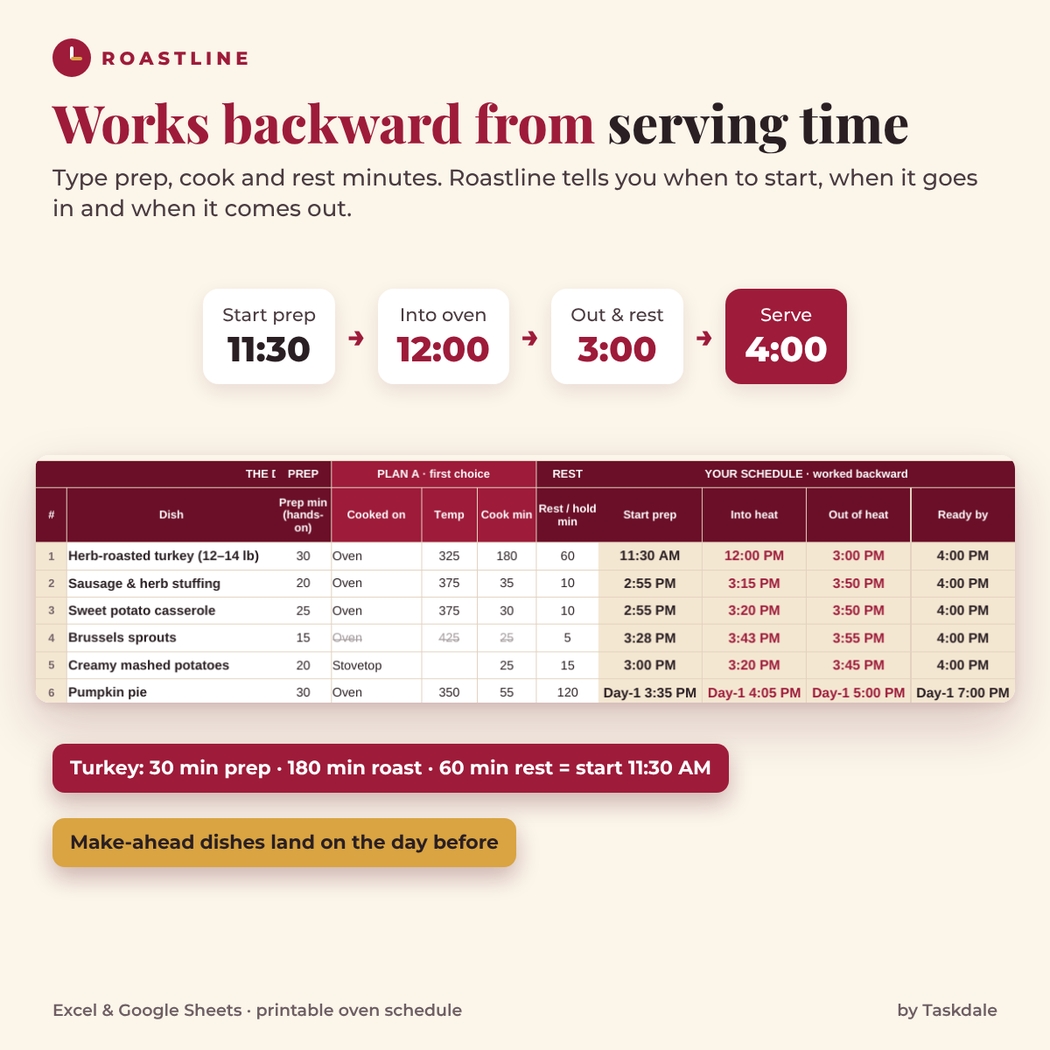
Roastline is a holiday dinner timeline and oven schedule for anyone cooking a big dinner for the first time. You type how long each dish needs to prep, cook and rest. Roastline works backward from the moment food goes on the table and tells you exactly when to start prep, when each dish goes into the oven or onto the stovetop, when it comes out and when it is ready. The hardest part of a holiday dinner is one oven and five dishes that all want it at once; Roastline spots those conflicts days before you start cooking.
It works in Microsoft Excel and Google Sheets, and it comes with a one-page printable oven schedule for the oven door.
Who it is for
- First-time hosts cooking a holiday turkey, ham, roast or vegetarian feast
- Anyone with one oven (or a double oven, a toaster oven or an air fryer) and more dishes than racks
- Cooks who share the kitchen with a helper and want one clear list of who does what and when
- Planners who like to know on Wednesday what they will be doing at 3:15 PM on Thursday
How the cooking timeline works
- Set your serving time at the top of the Menu tab, for example 4:00 PM.
- Add each dish with where it cooks, the temperature, and its prep, cook and rest minutes.
- Read your schedule: Ready by = serving time, Out = Ready − rest, Into heat = Out − cook, Start prep = Into heat − prep. Times on earlier days show as Day-1 or Day-2.
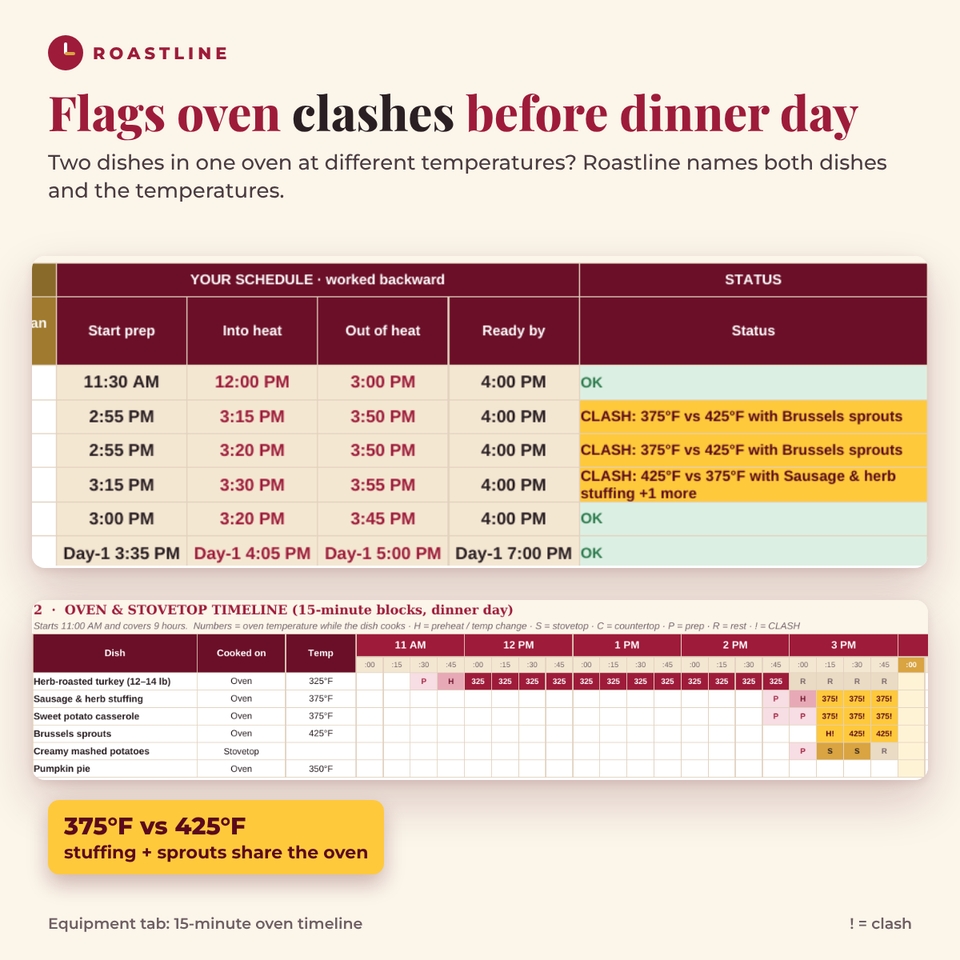
- Fix any clash: if two oven dishes overlap at different temperatures, both show CLASH with the other dish’s name and temperature.
- Follow the Countdown on the day, or copy the oven bookings onto the printable oven schedule.
Features
Menu tab: backward scheduling for up to 20 dishes
- Start prep, into heat, out of heat and ready-by times for every dish, with large, easy-to-read time labels
- Serve offsets for starters and desserts (dessert 60 minutes later, starters 45 minutes earlier)
- Make-ahead dishes (day before or two days before) finish by a time you choose
- A status for each dish: OK, CLASH, FULL (more dishes than racks or burners) or a plain-English input check
Oven clash detection with Plan B
- Flags overlapping oven bookings that need different temperatures, including the minutes the oven needs to preheat or change temperature
- Names the clashing dish and both temperatures, for example “CLASH: 375°F vs 425°F with Sausage & herb stuffing”
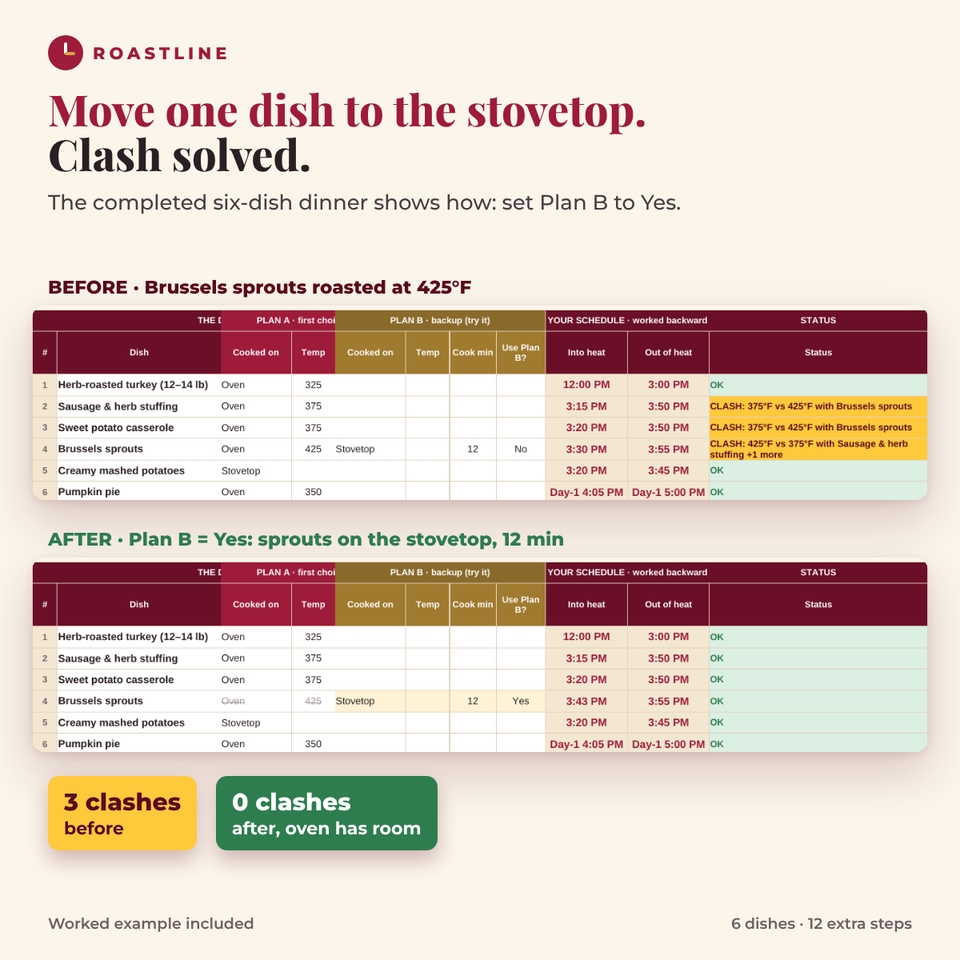
- Plan B columns let you test moving a dish to the stovetop, a slow cooker or a second oven: set Use Plan B? to Yes and every time updates
- Optional temperature tolerance if your recipes can share a slightly different heat
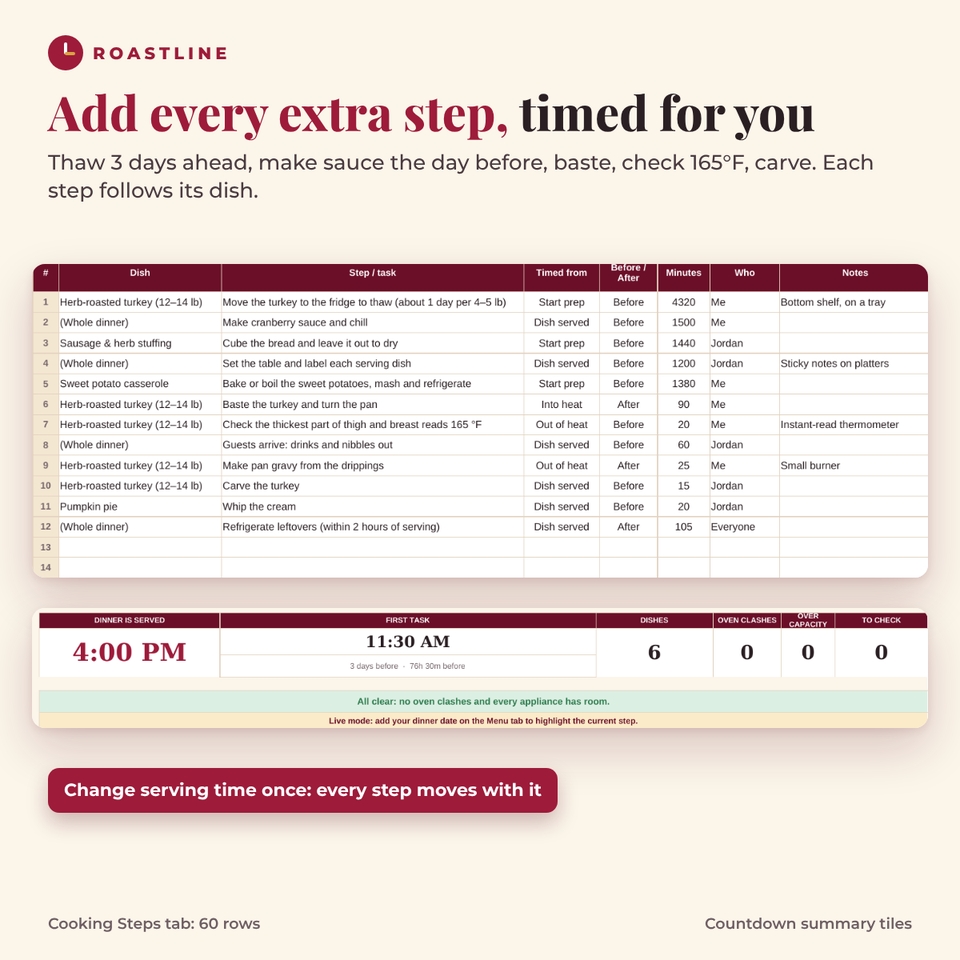
Cooking Steps tab: 60 extra tasks
Add thawing, brining, make-ahead jobs, basting, a thermometer check, gravy, carving or setting the table. Each step is timed before or after a moment in its dish’s schedule (start prep, into heat, out of heat or served), so it moves automatically when you change the serving time.
Equipment tab: appliances, oven timeline and tools
- Your appliances with type and capacity (oven racks, burners)
- A 15-minute oven and stovetop timeline that shows temperatures, preheats, prep and rest, with ! on every clash block
- Per-appliance load count so you can see when the oven is full
- Tools and serveware checklist (roasting pan, thermometer, platters) linked to dishes
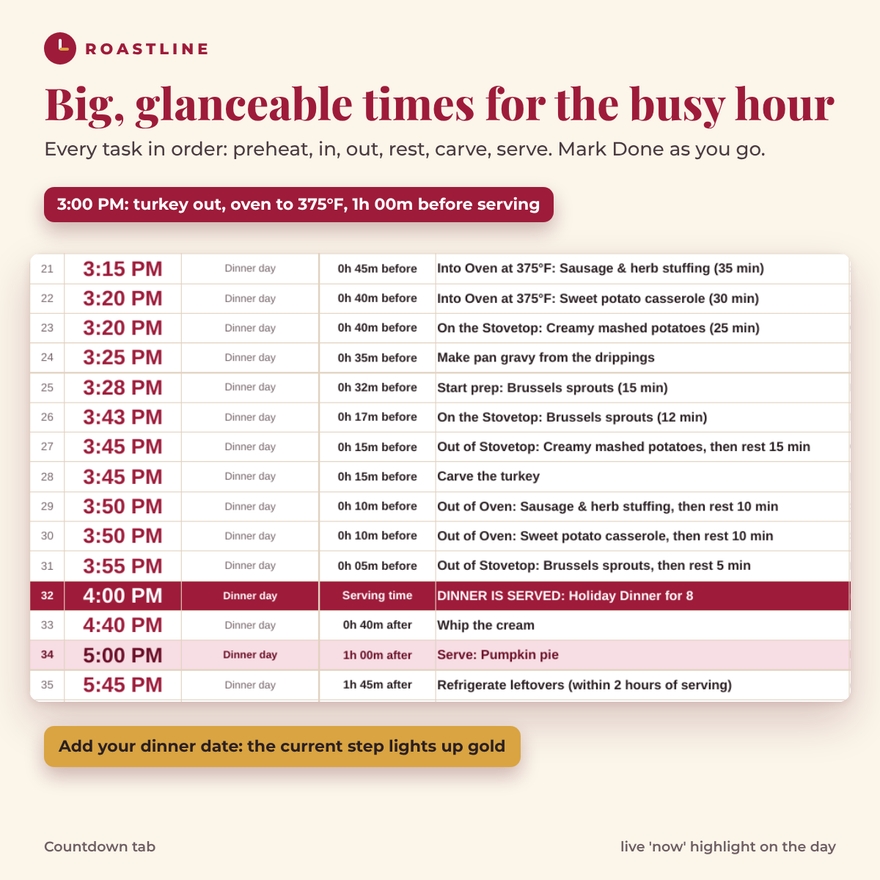
Countdown tab: every task in time order
- One list across all days with big clock times and a “before serving” countdown
- Summary tiles: serving time, first task, dishes, oven clashes, over-capacity and inputs to check
- Preheat and temperature-change reminders, serve lines for later courses and a Done column
- Live mode: add the dinner date and the current step lights up gold, with a “Next up” line
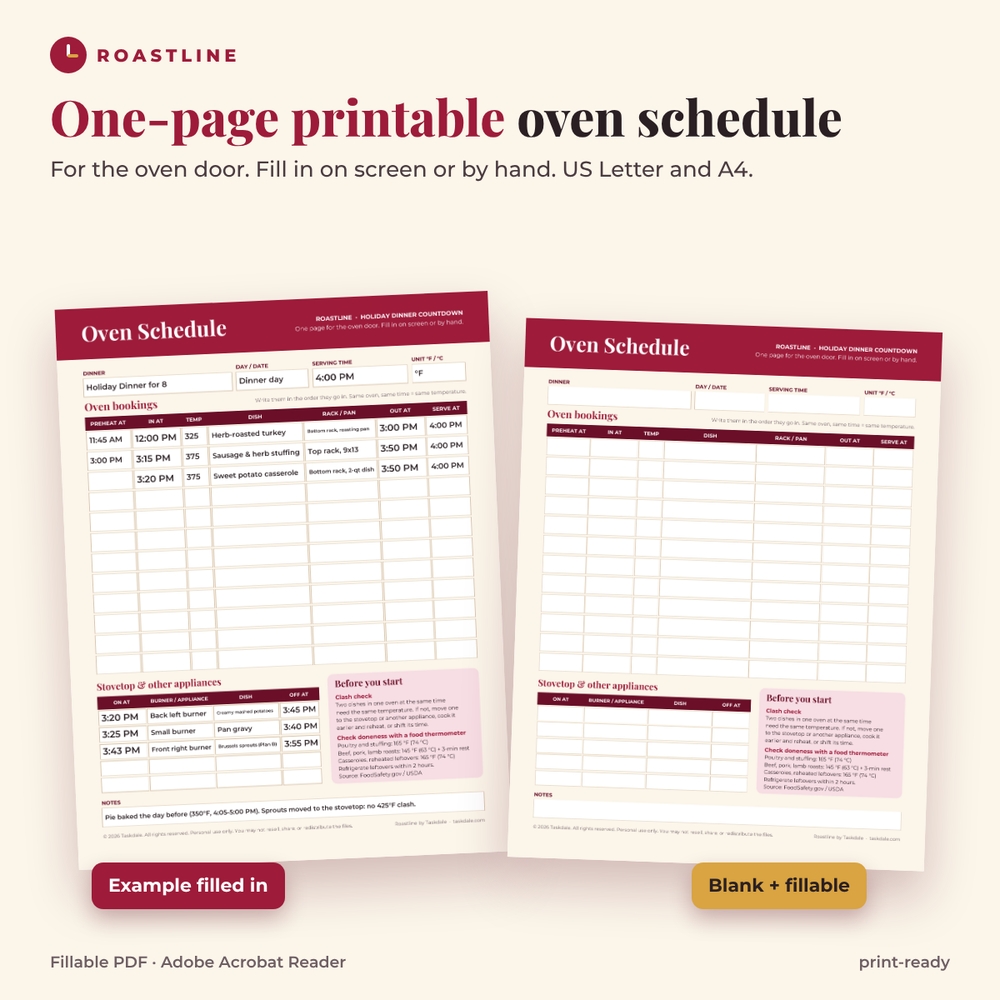
One-page printable oven schedule
A fillable PDF in US Letter and A4 with preheat, in, temperature, dish, rack and pan, out and serve columns, a stovetop section, notes, and a reminder box with FoodSafety.gov safe internal temperatures.
Completed six-dish dinner example
The worked example is a full holiday dinner for 8: herb-roasted turkey, sausage stuffing, sweet potato casserole, Brussels sprouts, mashed potatoes and a pumpkin pie made the day before, with 12 extra steps. Switch the Brussels sprouts back to roasting at 425°F and three dishes flag a clash with the 375°F stuffing and casserole, and the oven shows 3 dishes on 2 racks. Switch Plan B back on and the sprouts move to the stovetop for 12 minutes: zero clashes. It is the quickest way to learn the workbook.
What is included
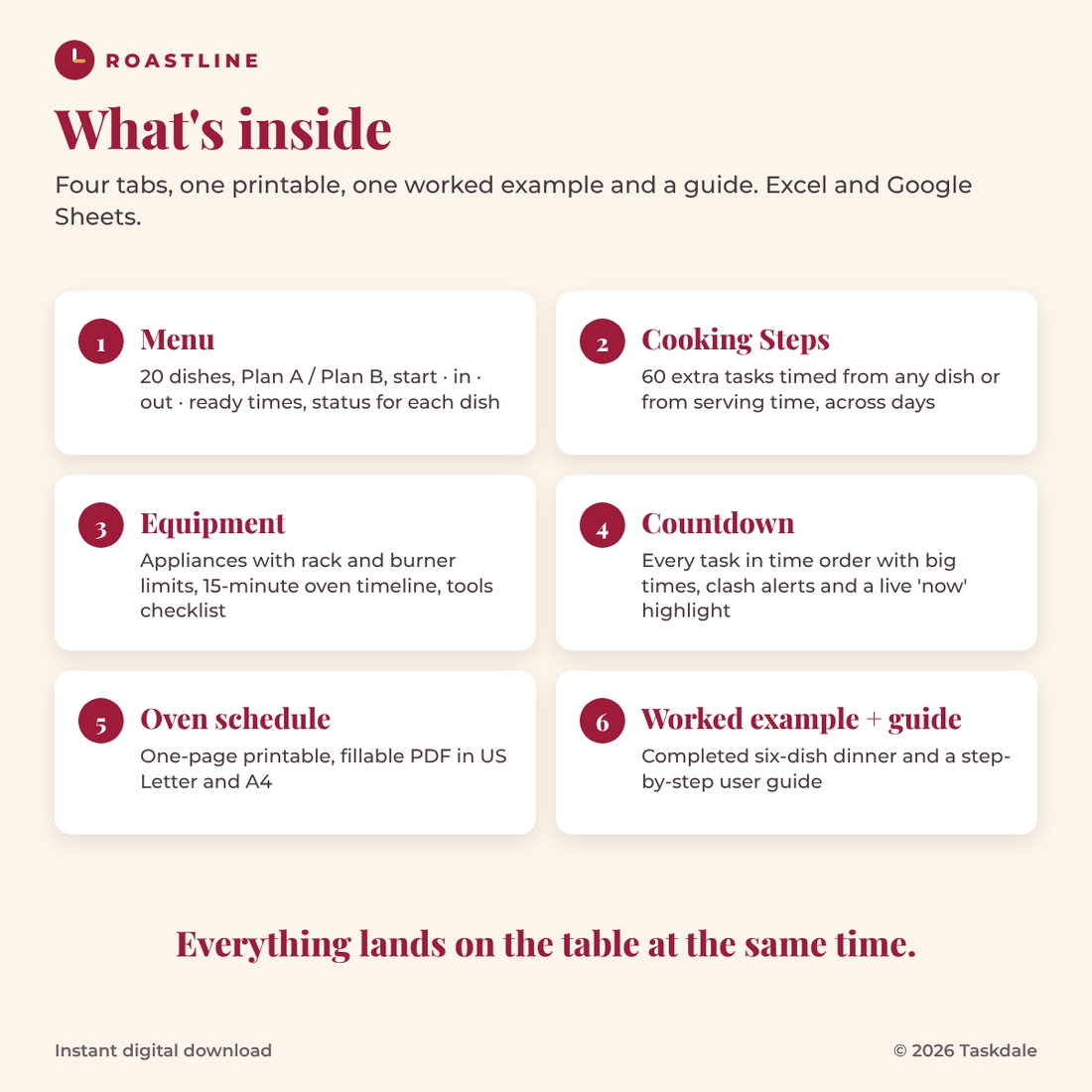
- Roastline Holiday Dinner Countdown workbook (.xlsx): Menu, Cooking Steps, Equipment and Countdown tabs
- Worked example workbook with the completed six-dish dinner
- One-page printable oven schedule, fillable PDF, US Letter and A4
- User guide (.docx) with screenshots, troubleshooting and FAQ
File formats and software
Excel 2016 or later, Microsoft 365 (Windows and Mac) and Google Sheets (upload the .xlsx and open with Google Sheets). No macros, no add-ins. Formulas are protected without a password, so you cannot overwrite them by accident and can still unprotect the sheets to restyle. The PDF opens in any PDF reader; use Adobe Acrobat Reader to type into the fields.
Customizing
Rename the dinner and every dish, add up to eight appliances, switch between °F and °C, change the preheat minutes, and set make-ahead finishing times. Nothing is tied to one holiday, so it works for Christmas, Easter, Hanukkah, Friendsgiving, a birthday roast or a Sunday dinner.
Instant digital download
This is a digital product. You download the files right after checkout; nothing is shipped. Personal use only.
Frequently asked questions
Does it tell me how long to cook a turkey?
No. You enter the times from your recipe or the package. Roastline does the scheduling, the clash checks and the countdown.
What counts as an oven clash?
Two dishes in the same oven at the same time (including preheat time) that need different temperatures. Dishes at the same temperature can share if there are enough racks.
Can I use it with a double oven?
Yes. Add the second oven on the Equipment tab. Dishes in different ovens never clash with each other.
Does it work in Google Sheets?
Yes. Upload the .xlsx to Google Drive and open it with Google Sheets. Every formula uses functions that work the same in Excel and Google Sheets.
How many dishes can I plan?
20 dishes, 60 extra cooking steps and up to 161 countdown lines.
Can I print the schedule?
Yes: print the Countdown tab, or fill in the one-page oven schedule PDF and stick it on the oven door.
Is it only for Thanksgiving?
No. It is a general holiday dinner planner. Rename anything you like.
Roastline schedules the times you enter. Always follow your recipe and check doneness with a food thermometer.
Reviews
There are no reviews yet.