


Sandstone Ledger is a bookkeeping spreadsheet for freelancers, online sellers and small business owners who want to know where the money goes without learning accounting software. You log what comes in and what goes out. The workbook handles the math, the charts and the reports.
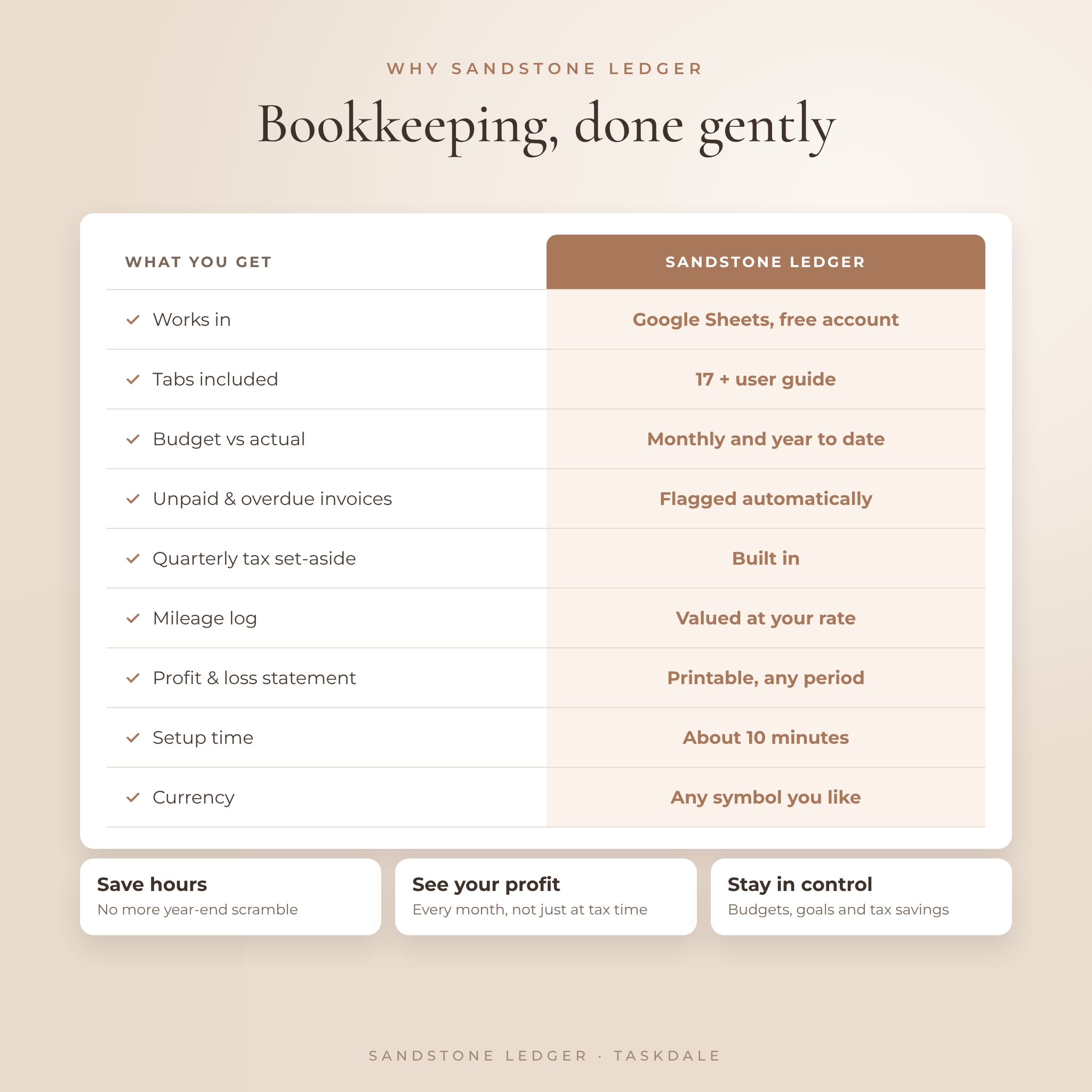
It runs in Google Sheets with a free Google account, works with any currency, and comes with 17 tabs and a step-by-step user guide. It’s soft, warm and easy on the eyes, so sitting down to do your books feels a lot less like a chore.
What this bookkeeping spreadsheet does
Most budget templates stop at a list of income and expenses. This one keeps going. Every entry you type flows into monthly, annual and five-year dashboards, a budget planner, a printable profit and loss statement, a sales tax center and a quarterly tax set-aside planner. Nothing needs to be copied between tabs.
- See your profit, margin and change against last month the moment you log an entry
- Spot unpaid invoices right away. Overdue ones turn pink.
- Set a monthly budget per category and watch what’s left
- Know how much to save each quarter for income tax
- Track sales tax collected, paid and still owed
- Value every business trip with the built-in mileage log
Who it’s for
Sandstone Ledger suits freelancers and consultants who invoice clients, Etsy and Shopify sellers, craft fair vendors, coaches, photographers, designers and anyone running a small service business. It also works well for side hustlers who want proof that the side hustle pays.
Features
Income and expense tracker
Log each payment with a date, client, category, payment method, amount, sales tax and platform fees. Net income fills itself. Mark invoices as Paid or Pending and add a due date, and the workbook flags anything overdue. The expense log tracks sales tax, tax-deductible costs and whether you’ve saved the receipt. There’s room for 2,000 income rows and 2,000 expense rows.
Monthly dashboard
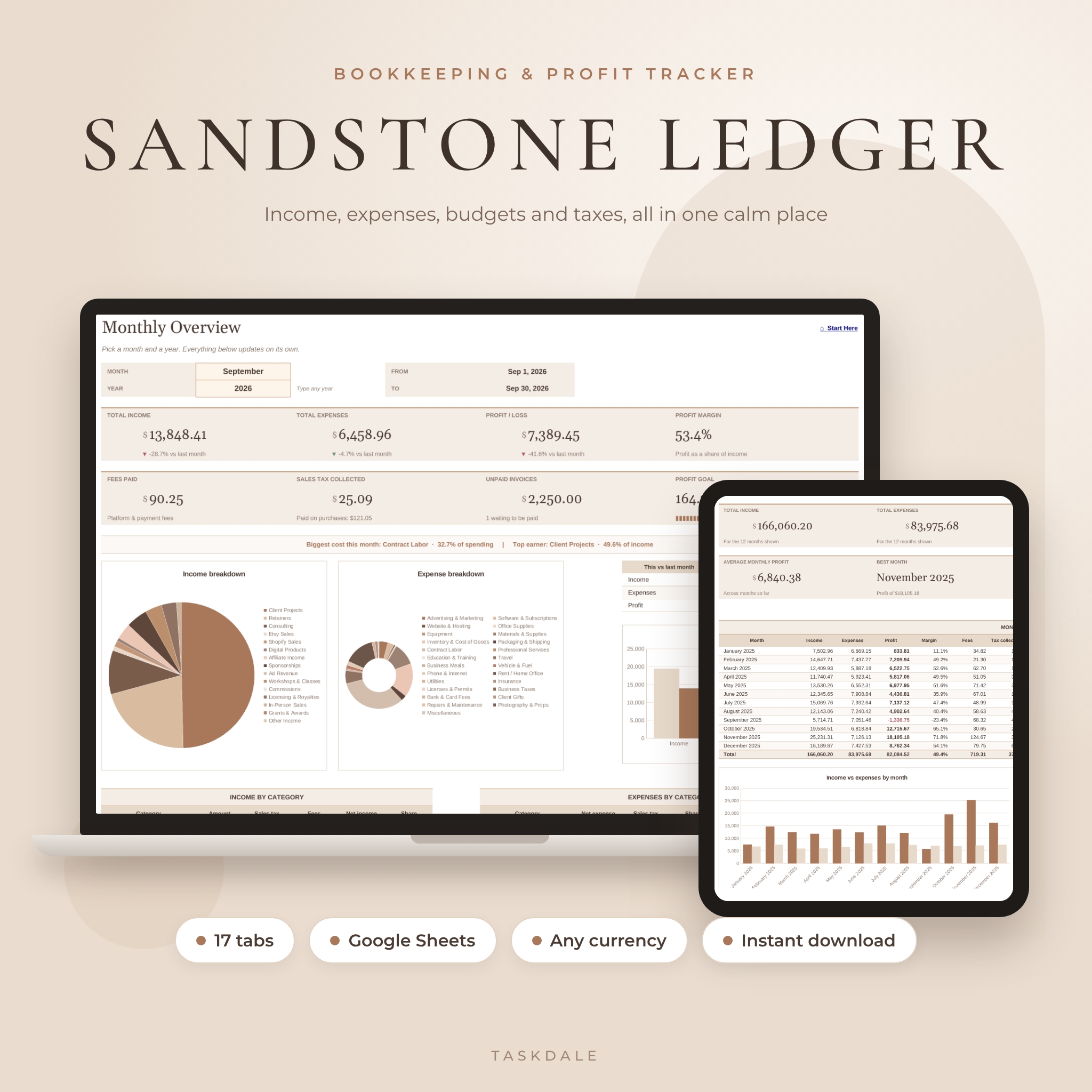
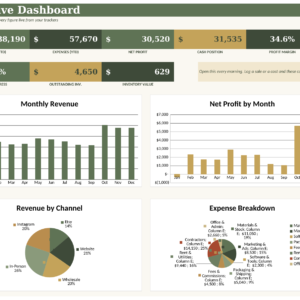
Pick a month and see total income, expenses, profit, profit margin, fees, sales tax, unpaid invoices and progress toward your monthly profit goal. Arrows show what moved against last month. Charts break down income and spending by category, and a line at the top names your biggest cost and top earner.
Annual and 5-year dashboards
The annual view lays out all 12 months with profit, margin, fees, sales tax, mileage and whether you hit your goal. It also shows your best month and a projected year-end profit while the year is still running. The five-year view puts five years side by side with income and profit growth.
Custom range and compare tabs
Type any two dates for instant totals and charts. Or name three periods (three quarters, three seasons, before and after a launch) and compare them category by category.
Budget planner
Set a monthly budget for any expense category. The budget tab shows spent, left, a progress bar and an On track, Close or Over status for the month and the year to date.
Profit and loss statement
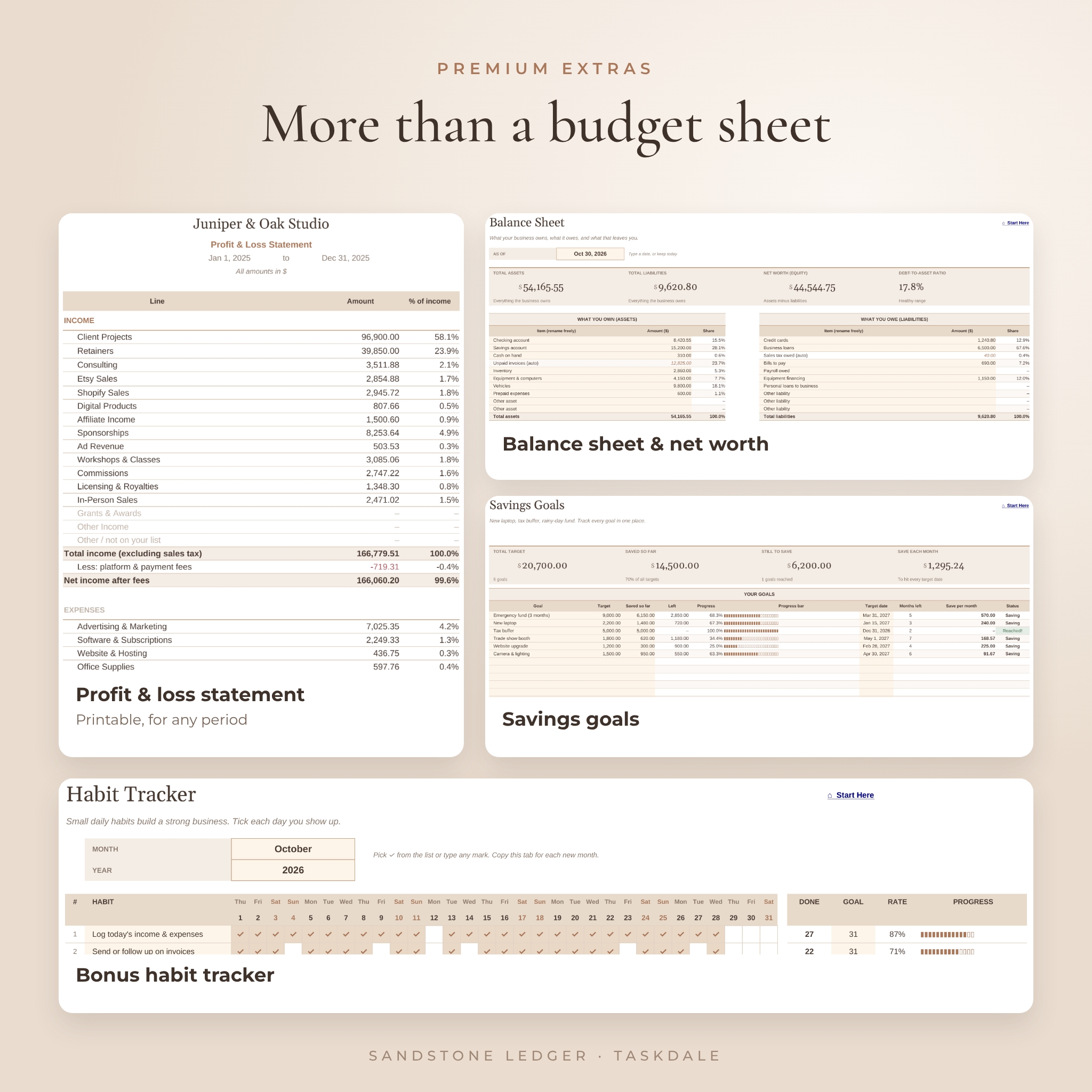
A clean, printable P&L for any period, with every line shown as a share of income. Handy for your accountant, a loan application or your own year-end review.
Sales tax center and tax set-aside planner
See sales tax collected on sales and paid on purchases by month and quarter, log payments to your tax office and check the balance owed. The tax planner takes each quarter’s profit, subtracts your mileage value and suggests how much to put aside based on the percentage you choose.
Balance sheet, savings goals and a bonus habit tracker
Track what the business owns and owes and see your net worth. Set up to 12 savings goals with target dates and the monthly amount needed. The habit tracker helps you build the small routines, like logging receipts every Friday, that keep the books tidy.
What’s included
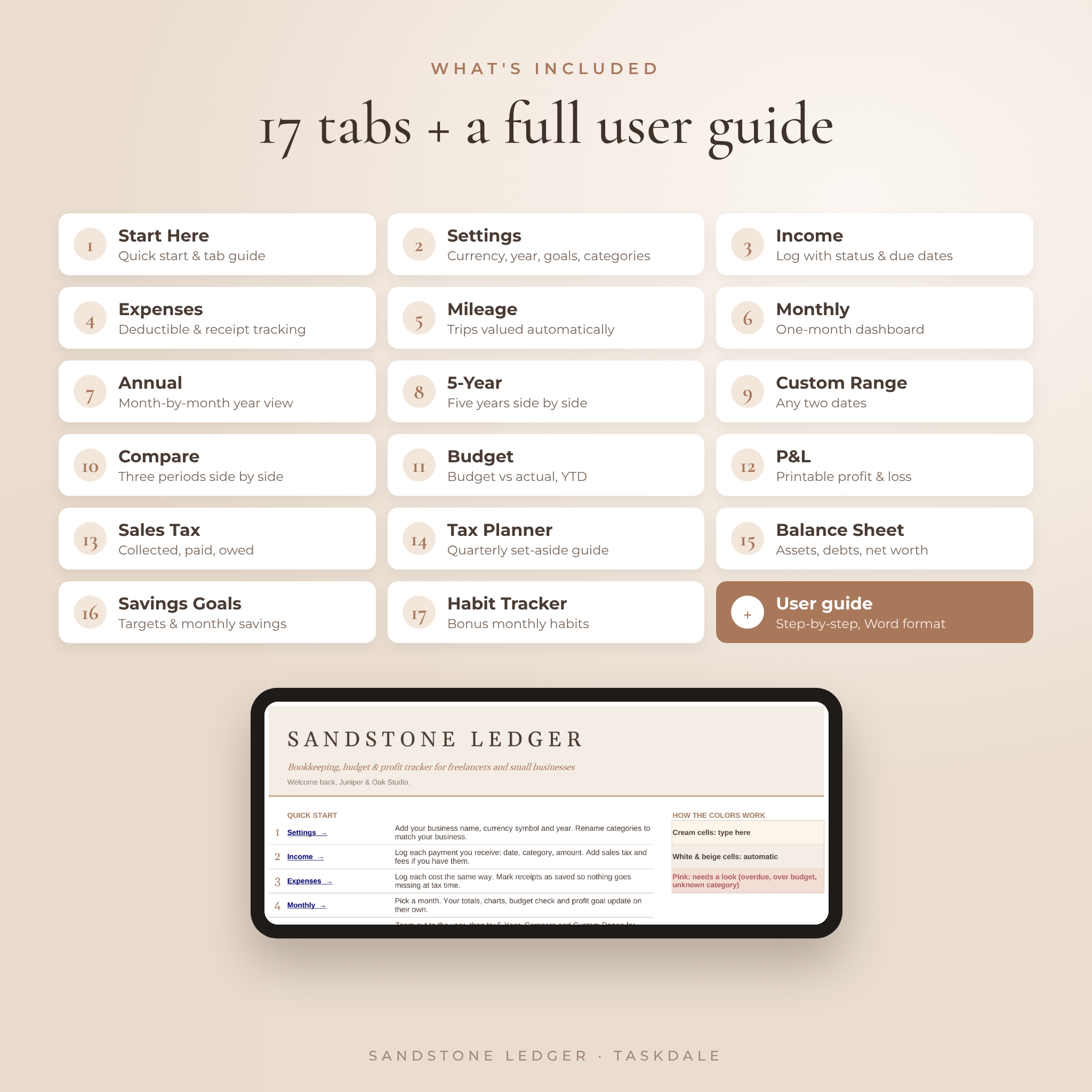
- Sandstone Ledger workbook (.xlsx) with 17 tabs: Start Here, Settings, Income, Expenses, Mileage, Monthly, Annual, 5-Year, Custom Range, Compare, Budget, P&L, Sales Tax, Tax Planner, Balance Sheet, Savings Goals and Habit Tracker
- User guide (.docx) with setup steps, a walkthrough of every tab, tips, troubleshooting and FAQs
How it works
- Download the files right after checkout.
- Go to sheets.google.com, click the folder icon, choose Upload and pick the file. It opens as your own Google Sheet.
- Add your currency symbol, year and goals on the Settings tab, and rename categories to fit your business.
- Log income and expenses as they happen. Every dashboard updates on its own.
File format and software
You’ll get one spreadsheet file (.xlsx) that you upload to Google Sheets, where it turns into a normal Google Sheet in your own Drive. All you need is a free Google account and a web browser. The user guide is a Word (.docx) file that also opens in Google Docs.
Customize it to your business
Use any currency by typing its symbol once. Rename 15 income categories and 25 expense categories, add your own payment methods and pick the month your financial year starts. Cream cells show you where to type, and the formulas stay tucked away in the white and beige cells.
Digital download
This is an instant digital download. No physical item will be shipped. Licensed for your own personal or business use only. Please don’t resell or share the files.
Real ways people use it
- An Etsy seller logs orders and platform fees to find her true profit per month
- A freelance designer tracks unpaid client invoices and chases overdue ones on time
- A photographer logs mileage between shoots and sees what it’s worth at tax time
- A craft fair vendor compares this holiday season with last year’s
- A consultant prints a profit and loss statement for a mortgage application
FAQ
How do I open this bookkeeping spreadsheet in Google Sheets?
Go to sheets.google.com, click the folder icon, choose Upload and pick the file. It opens as a Google Sheet in your Drive.
Is it free to use Google Sheets?
Yes. A free Google account is all you need.
Can I use my own currency?
Yes. Type any symbol on the Settings tab and every money label updates.
Do I need accounting experience?
No. If you can type a date and an amount, you can use it. Cream cells show you where to type.
Can I use it for more than one year?
Yes. Change the year on Settings and keep logging. The dashboards can look back at any year, and the five-year view shows them side by side.
Does it connect to my bank?
No. You type or paste entries in, so your banking details stay off the file.
Is it tax advice?
No. It organizes your numbers so you or your accountant can work with them more easily.
Reviews
There are no reviews yet.