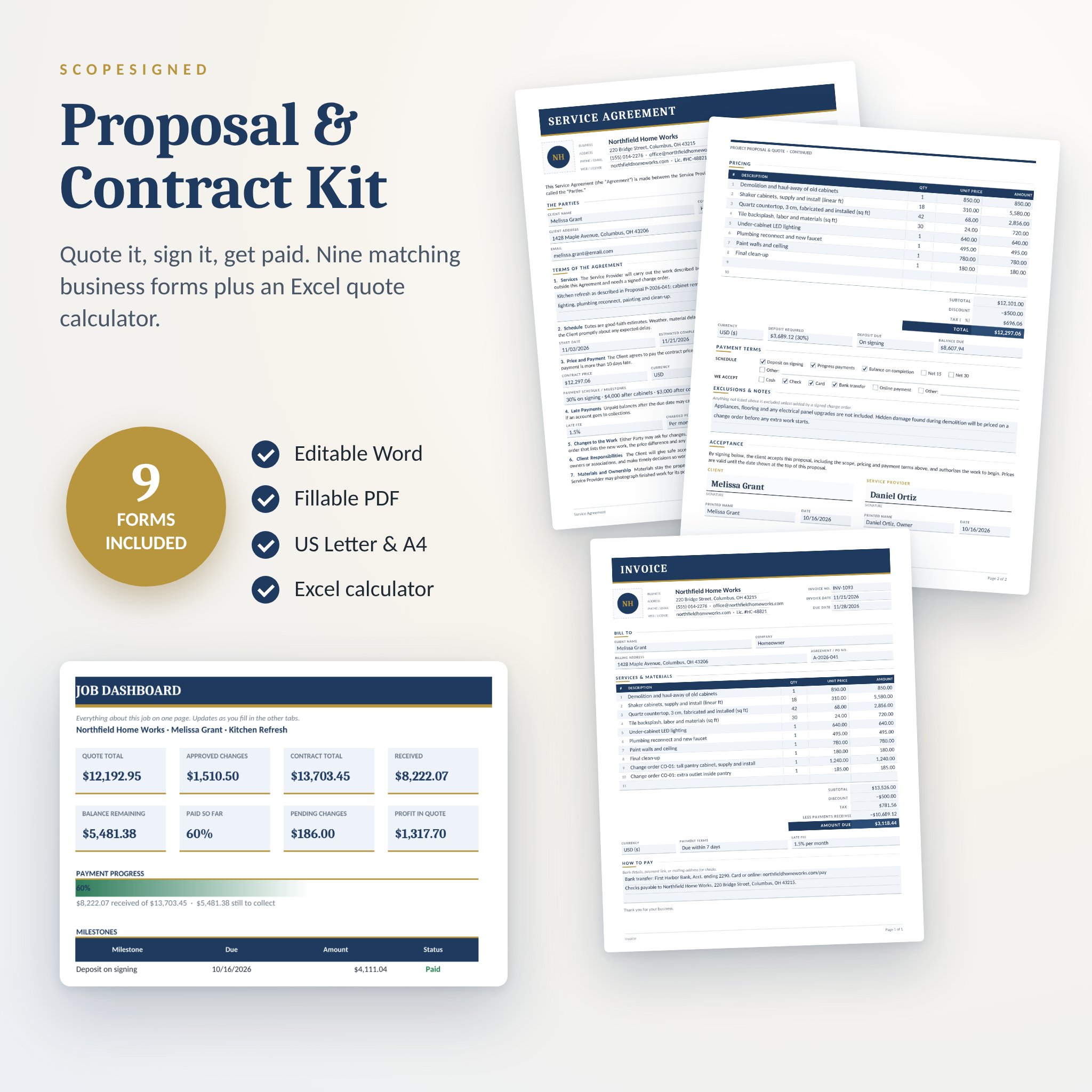
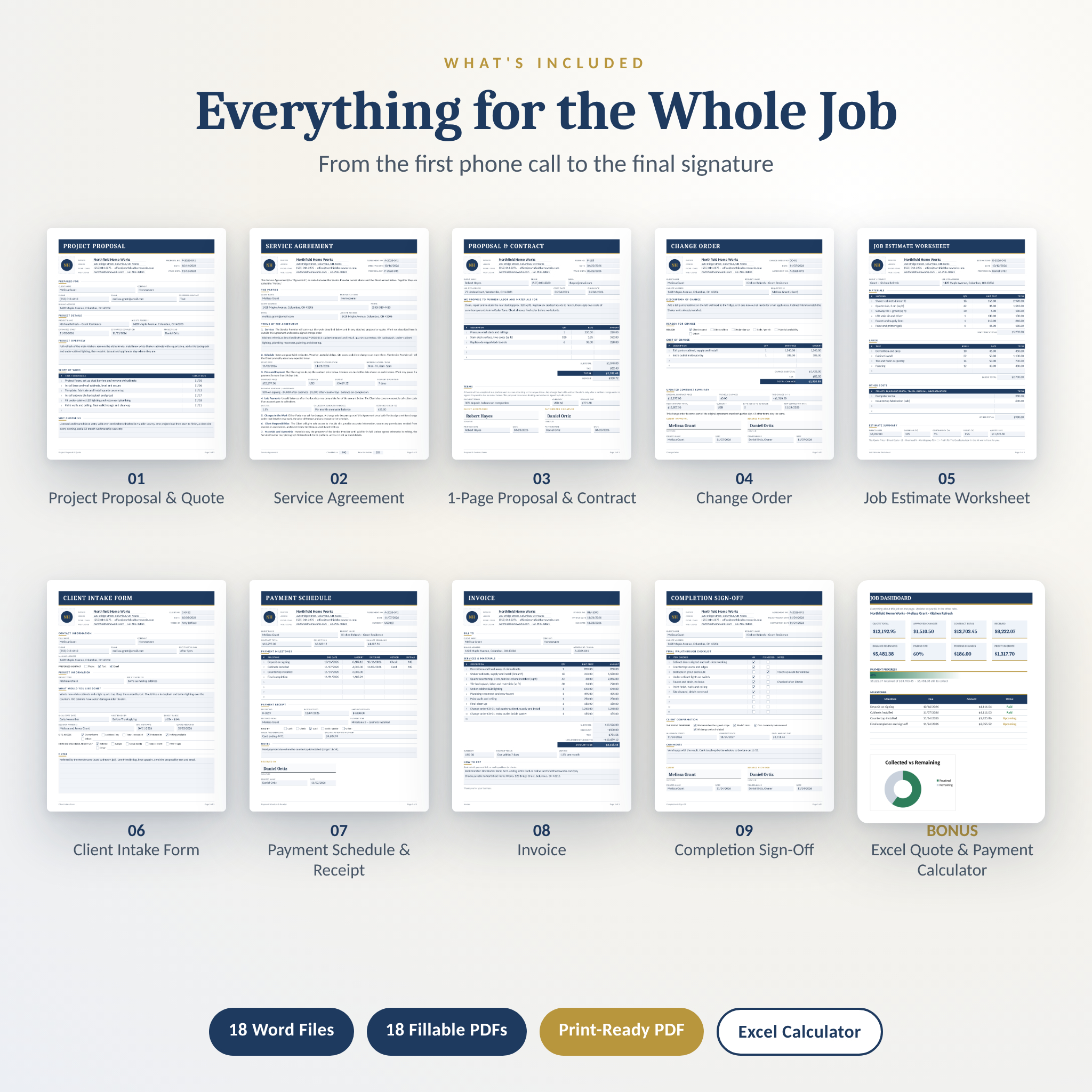

This contract and proposal template kit gives you nine matching business forms for every stage of a job, from the first phone call to the final signature. Quote the work, get the agreement signed, track payments and close the job out, all on paperwork that looks like it came from a much bigger company. Each form comes as an editable Word template and a fillable PDF, in US Letter and A4. A bonus Excel calculator works out your totals, tax, deposit and payment plan for you.
What This Contract and Proposal Template Kit Does
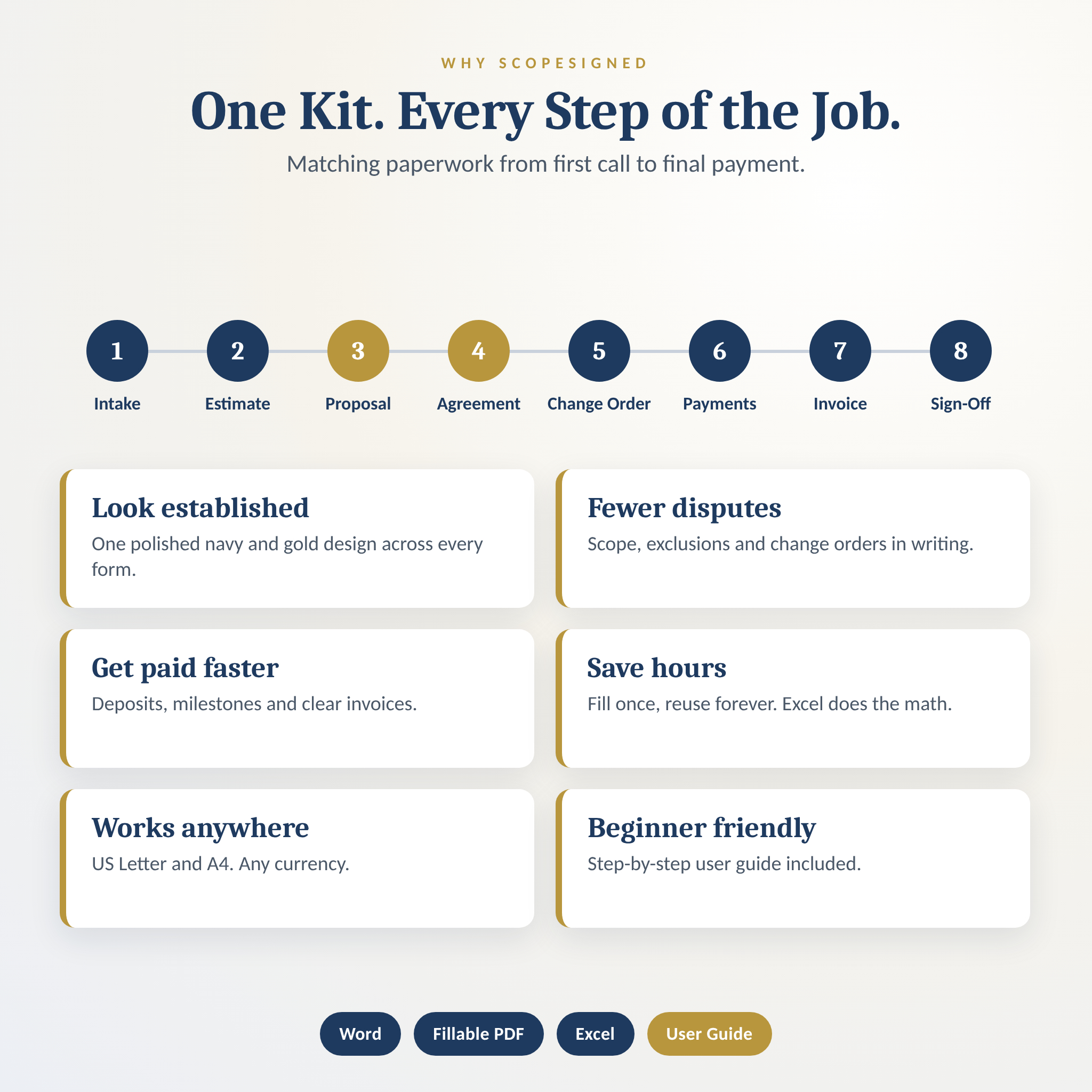
Most contract templates give you one page and leave you to figure out the rest. ScopeSigned covers the whole job. You size it up with an intake form and estimate worksheet. You win it with a clean proposal. You protect it with a plain-English service agreement and change orders. Then you get paid with a payment schedule, receipts and an invoice, and finish with a signed completion form.
Every document shares the same navy and gold design and the same field layout. Your client sees one professional brand from start to finish, and you fill the forms in fast because everything sits where you expect it.
Who It’s For
- Contractors, remodelers, handymen, painters, roofers and deck builders
- Cleaning, landscaping, pool and pest control businesses
- Freelancers, designers, photographers and consultants who take deposits
- Event, catering and repair services that quote before they work
No design or spreadsheet skills needed. If you can type in a box, you can use it.
What’s Included
9 Business Forms (Word + Fillable PDF, US Letter + A4)
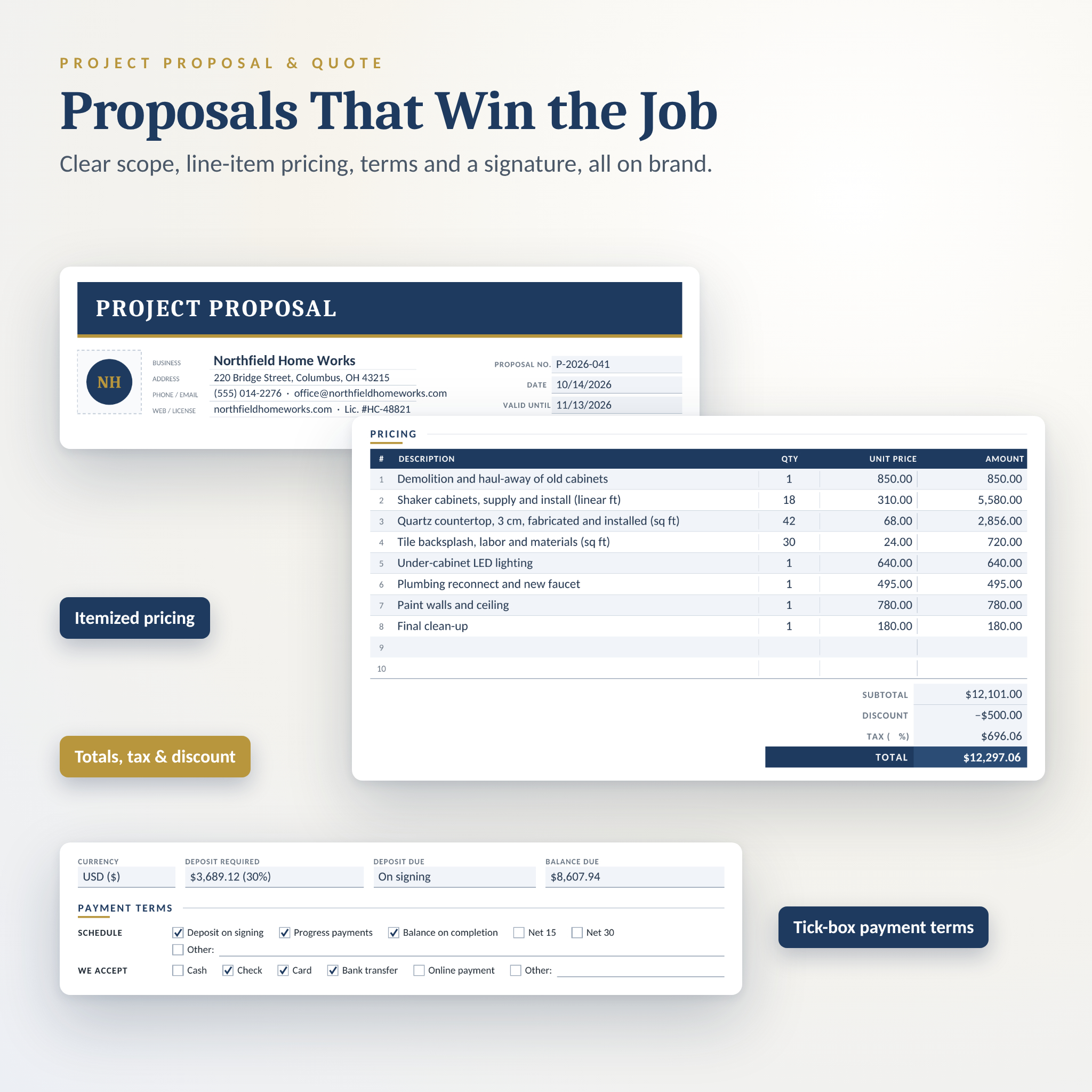
- Project Proposal & Quote (2 pages): client and project details, overview, scope with target dates, a Why Choose Us box, 10-line pricing table, totals, deposit, tick-box payment terms, exclusions and acceptance signatures.
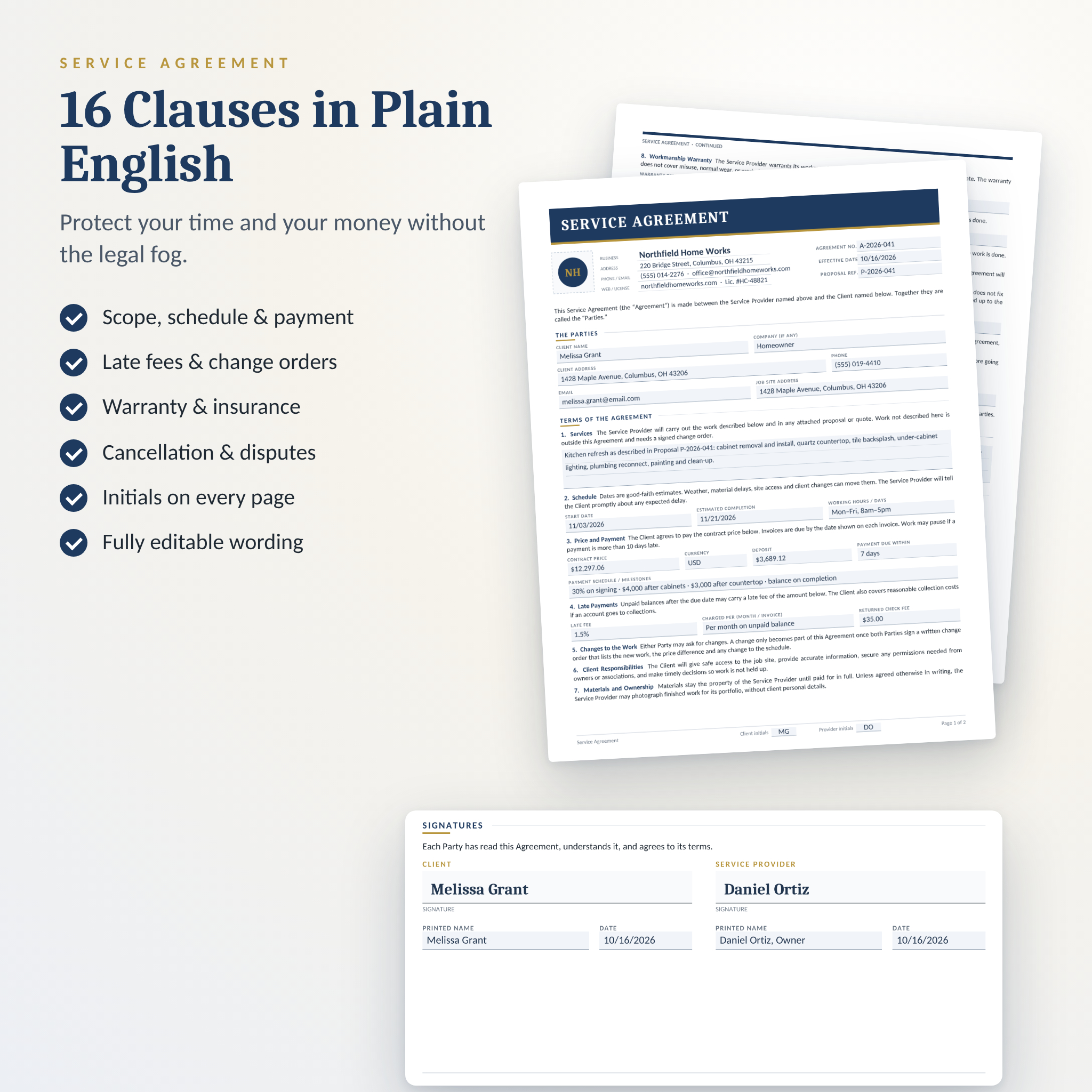
- Service Agreement (2 pages): 16 plain-English clauses covering services, schedule, payment, late fees, changes, warranty, insurance, liability, cancellation, disputes and governing law. Initials boxes on every page.
- One-Page Proposal & Contract: quote and sign smaller jobs on a single sheet.
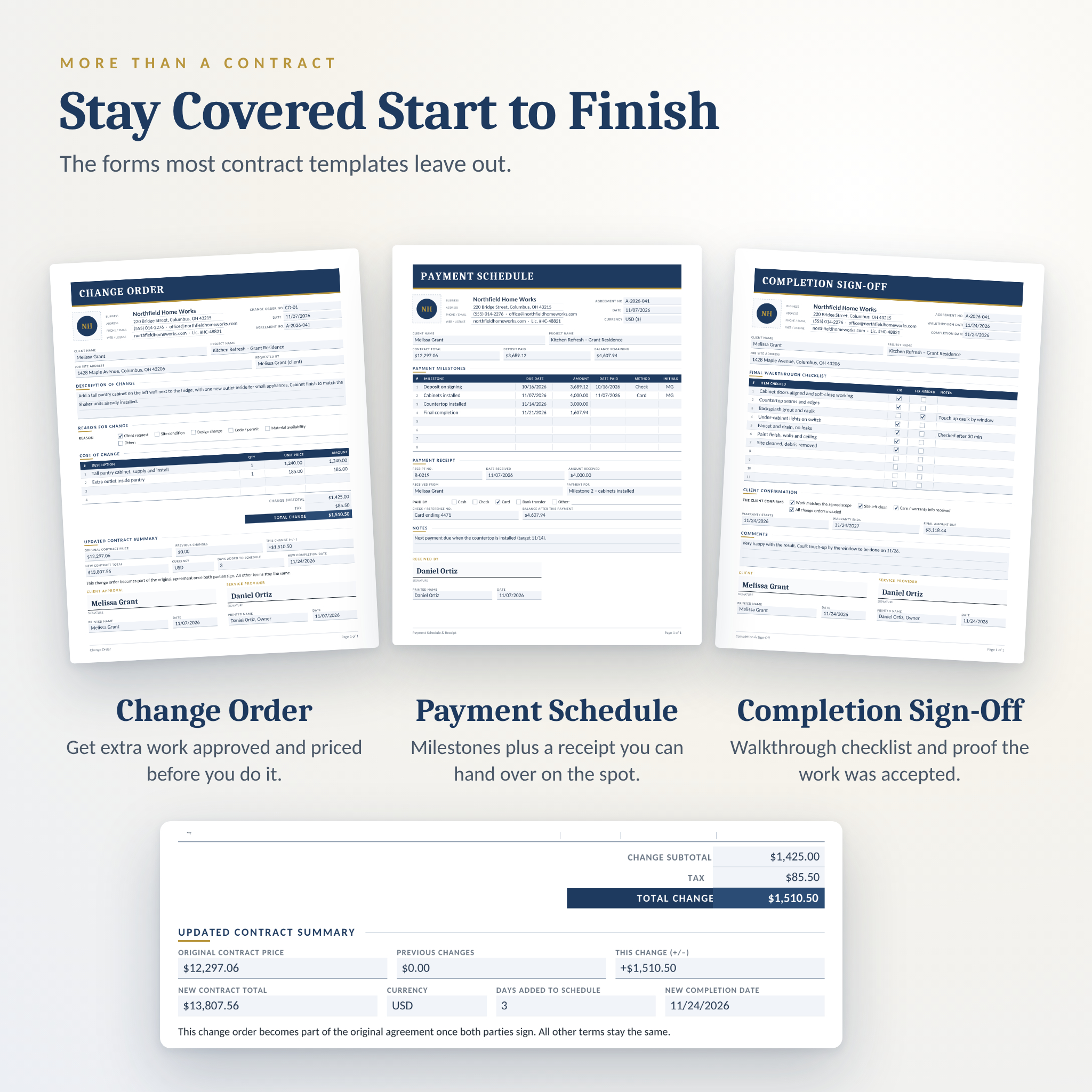
- Change Order: describe the change, the reason, the cost and the new contract total and completion date.
- Job Estimate Worksheet: materials, labor, other costs, overhead, contingency and profit.
- Client Intake Form: contact details, project wishes, dates, budget, decision makers and site access.
- Payment Schedule & Receipt: milestone plan plus an on-the-spot payment receipt.
- Invoice: line items, discount, tax, payments received and amount due.
- Completion & Sign-Off: walkthrough checklist, warranty dates and client signature.
Bonus: Excel Quote & Payment Calculator
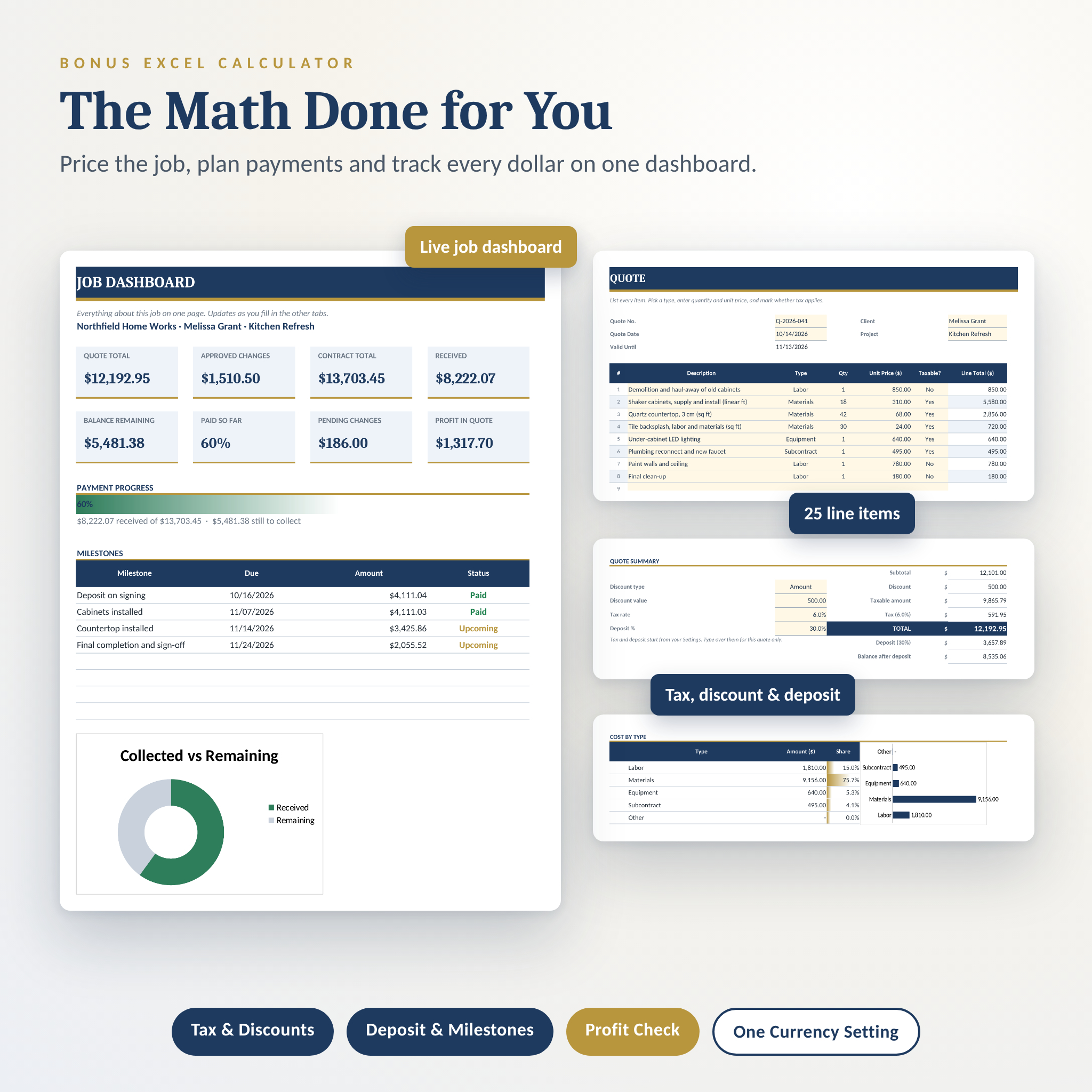
- 25-line quote builder with taxable and non-taxable items, discount by amount or percent, tax, deposit and balance
- Job costing tab that suggests a price from your costs, overhead and profit, and checks your quote against it
- Payment plan with up to 12 milestones that always add up to the exact contract total
- Change order log where approved changes update the contract total
- One-page job dashboard with money received, balance, percent paid and milestone status
- One currency setting that every money figure reads from
Also Included
- Print-ready PDF with every blank form in one file, in US Letter and A4
- Illustrated Word user guide with setup steps, tips, troubleshooting and FAQ
How It Works
- Download and unzip the file, then pick US Letter or A4.
- Open the Word templates and add your logo and business details once. Save them as your branded masters.
- Price the job in the Excel calculator, or on the estimate worksheet if you prefer paper.
- Fill in the proposal and agreement for each client, then email the PDF or print and sign in person.
- Use the change order, payment schedule, invoice and sign-off as the job moves along.
File Formats and Software
- Word (.docx): 18 editable templates. Best in Microsoft Word 2010 or later on Windows or Mac.
- Fillable PDF: 18 forms you can type into using free Adobe Acrobat Reader or another PDF app that supports forms.
- Print-ready PDF: 2 files, one per paper size.
- Excel (.xlsx): 1 workbook for Microsoft Excel 2010 or later.
- User guide (.docx): 1 file.
You can also upload the Word files to Google Docs, but they’re designed for Microsoft Word, so some formatting such as the clickable checkboxes may not carry over exactly.
Make It Yours
Every word in the Word templates is editable, including the contract clauses. Add your logo in the marked box, type over the bracketed business details, and change colors or fonts through Word’s built-in styles in a few clicks. Money fields never print a fixed currency, so you can use dollars, pounds, euros, rand or anything else. In Excel, change the currency symbol once on the Start Here tab.
Real Ways to Use It
- A deck builder sends a two-page proposal the same evening as the site visit, then gets the agreement signed with a 30% deposit.
- A cleaning company uses the one-page form for small move-out cleans and the full agreement for monthly contracts.
- A kitchen remodeler logs a pantry add-on as a change order, so the final invoice matches what the client approved.
- A freelance designer splits a project into three milestones and hands over a receipt after each payment.
Instant Digital Download
This is a digital product. You’ll get a ZIP file and the user guide right after checkout. Nothing is shipped. Colors may look slightly different on screen than in print.
License: for use in your own business with your own clients. Please don’t resell, share or redistribute the files. These templates are general business forms, not legal advice. Check your local rules or ask a lawyer before relying on any contract.
Frequently Asked Questions
Can I edit the contract wording?
Yes. Every clause in the Word version can be changed, removed or added to.
Do I need Microsoft Word?
For the editable templates, yes, or another app that opens .docx files. The fillable PDFs only need free Adobe Acrobat Reader.
Does the PDF calculate totals?
No. The PDFs are for typing and printing. The included Excel calculator does all the math, and you copy the totals across.
Can I use it outside the USA?
Yes. Every form comes in A4 as well as US Letter, and you can use any currency.
Is the service agreement legally binding?
A signed agreement is usually binding, but rules vary by state and country. Have a local lawyer review it for large or unusual jobs.
Can I add my logo?
Yes. Each Word template has a logo box at the top. The user guide shows you how.
How many times can I use it?
As often as you like for your own business.
Reviews
There are no reviews yet.