Semestra: the student planner app for classes, assignments, exams and GPA
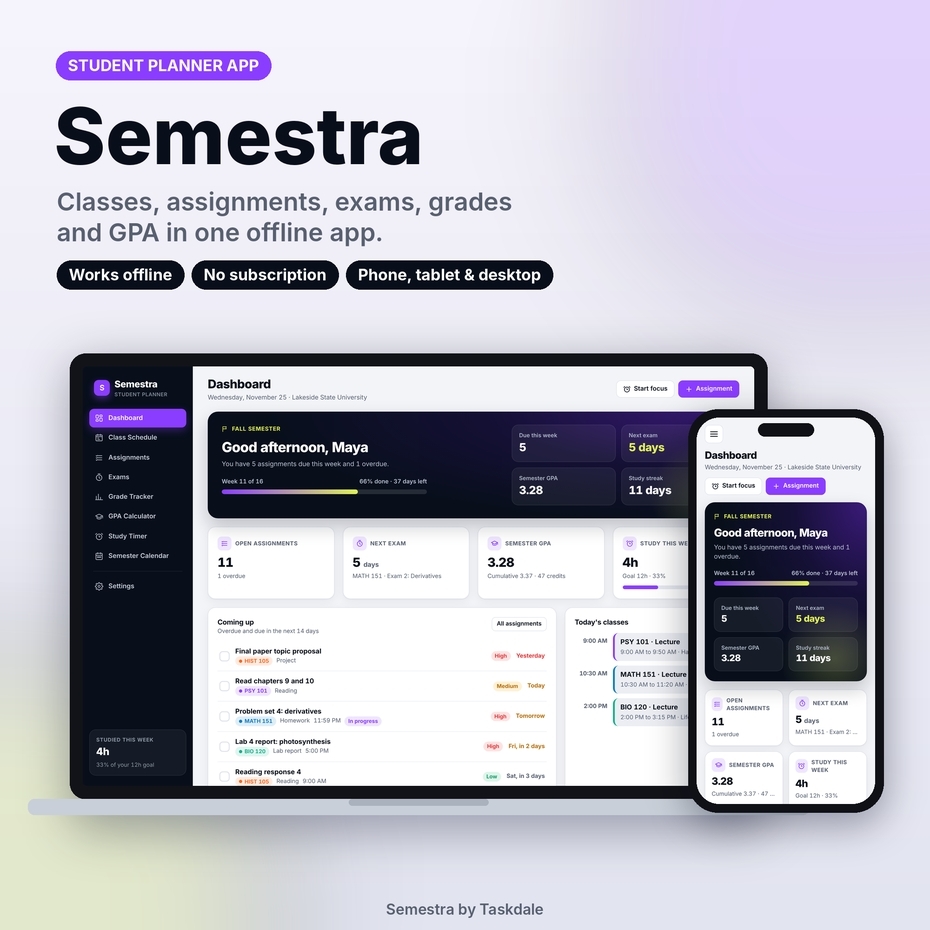
Semestra is a student planner app that runs in your web browser from one downloaded file. Open it on a Monday and you see Week 11 of 16, five assignments due and an exam in five days. Add your courses once, and it keeps your class schedule, assignment due dates, exam countdowns, weighted grades, GPA and study hours on one dashboard. It works offline, needs no account and has no monthly fee.
Who this student planner is for
- College and university students taking four to six courses who want one place for every deadline.
- High school students in AP, honors or dual-enrollment classes who track their GPA closely.
- Nursing, pre-med, law and grad students with dense exam calendars.
- Anyone who has tried a paper planner, a spreadsheet and three apps, and wants one tool that does the math.
Features of the Semestra student planner app
A dashboard that shows what matters today
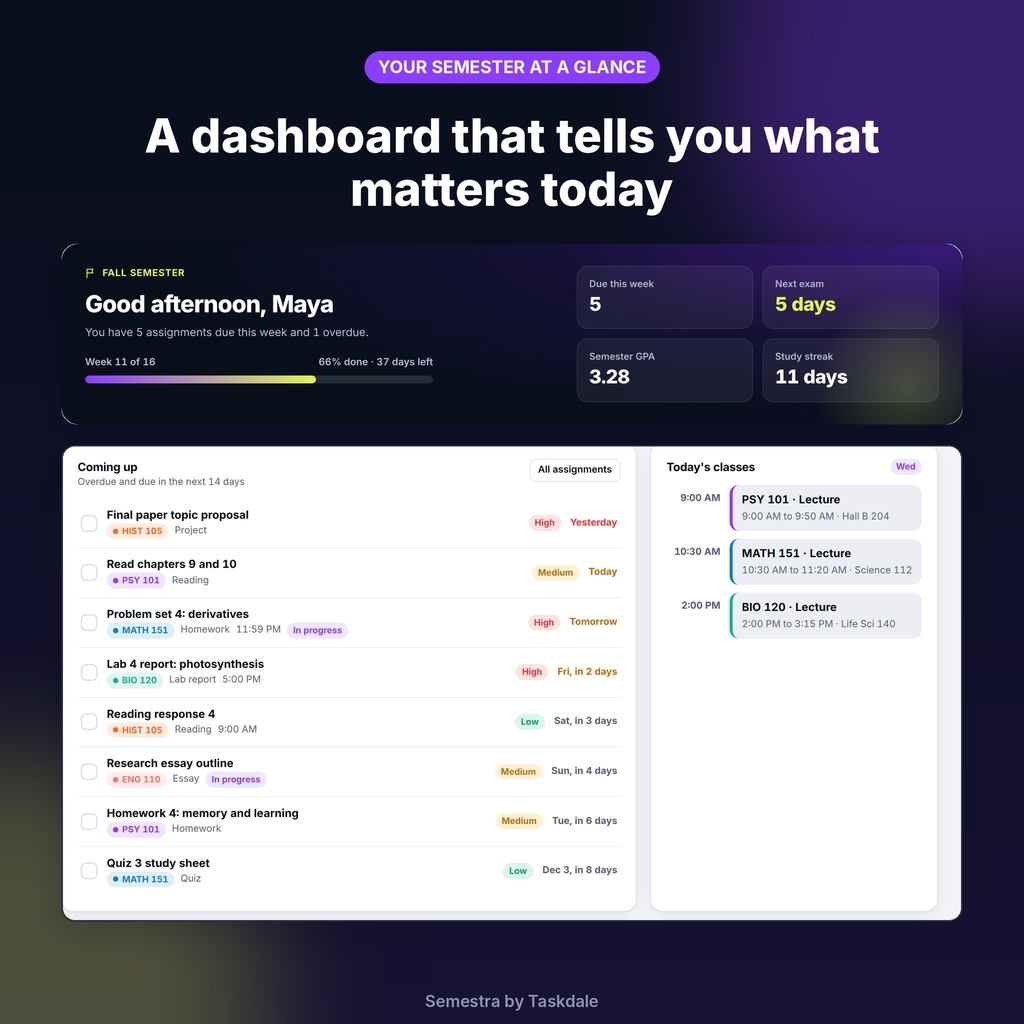
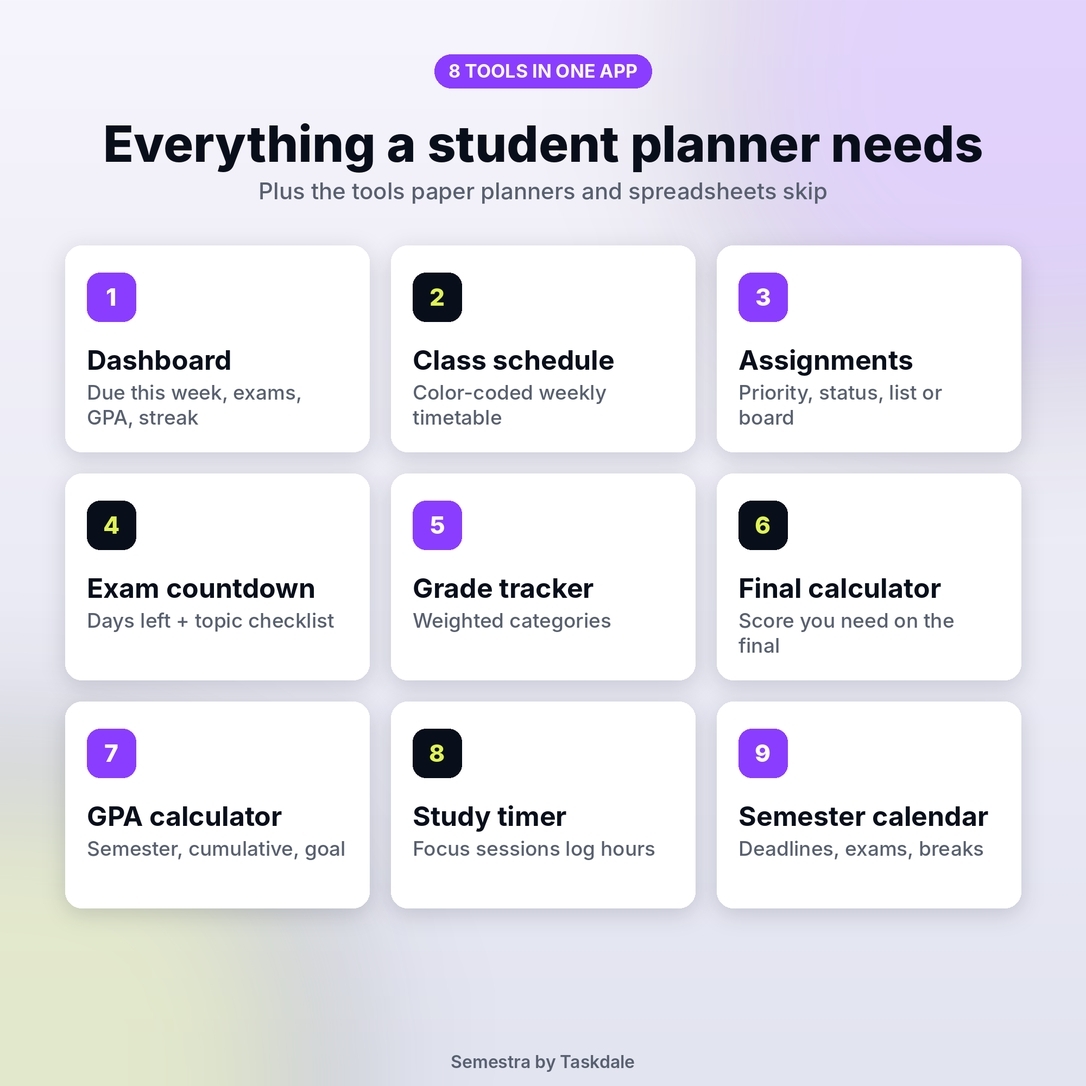
A dark banner greets you by name with the current week of the term and a semester progress bar. Tiles show work due this week, days until your next exam, your semester GPA and your study streak. Below sit your next 14 days of deadlines, today’s classes, exam countdowns, a 7-day study chart, a grade bar for every course and a four-week workload chart.
Class schedule with a weekly timetable
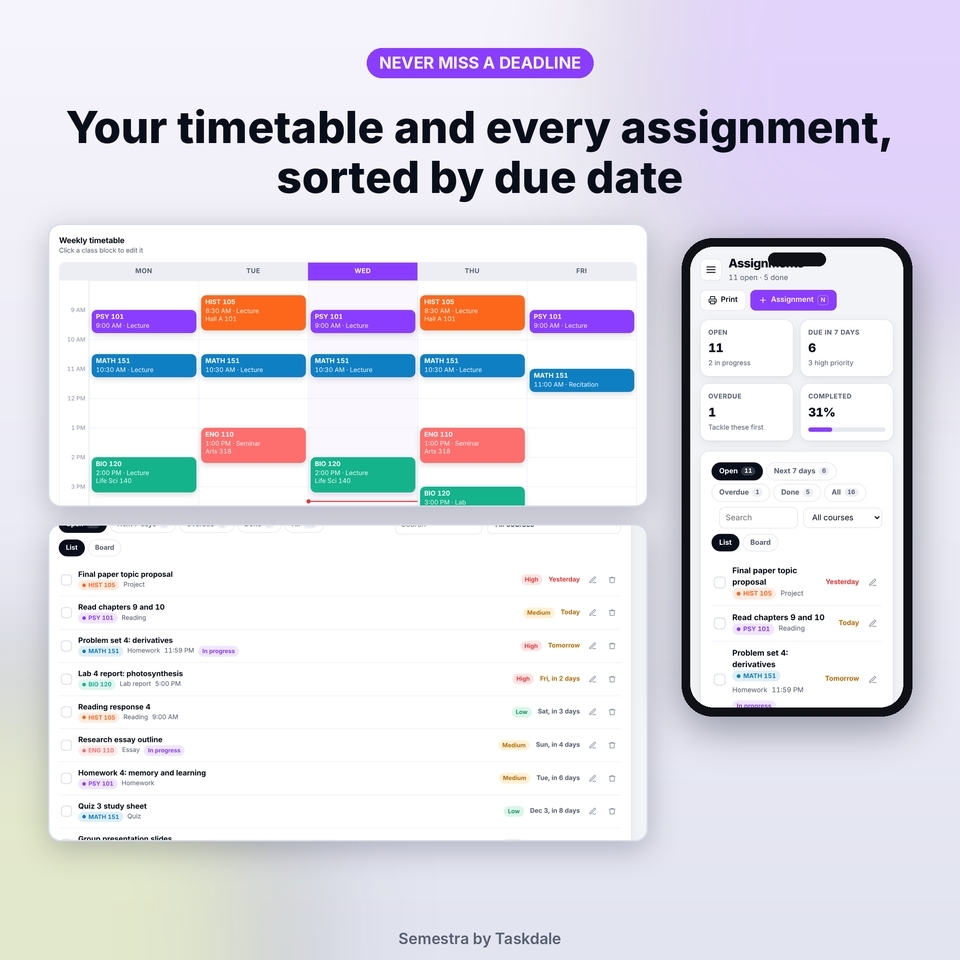
Add each course with its code, credits, instructor, room and color. Add class times once, for example Monday, Wednesday and Friday at 9:00 AM, and the timetable draws color-coded blocks with a red line at the current time. Labs, seminars and recitations each get their own type. Print the timetable for your wall.
Assignment tracker with priorities and a board view
Press N to add homework, essays, projects, lab reports, readings, quizzes or presentations. Each assignment has a course, due date and time, priority and status. Filter by Open, Next 7 days, Overdue or Done, search by keyword, or switch to a three-column board and move cards from To do to In progress to Done. Due dates read in plain English, such as “Tomorrow” or “2 days late” in red.
Exam countdown with topic checklists
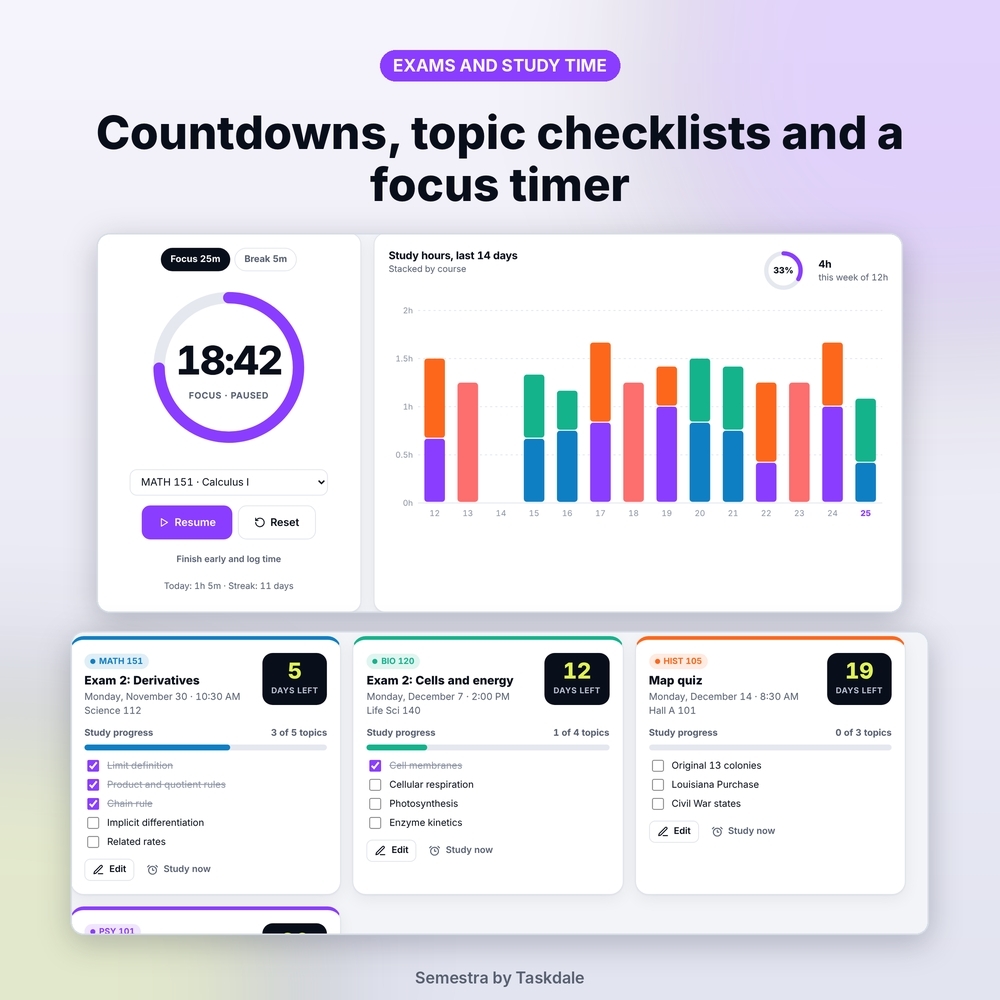
Every exam card shows the days left, the time and room, and a checklist of topics to study. Tick topics as you review them and the progress bar fills, so you know exactly how ready you are for the Calculus midterm.
Weighted grade tracker
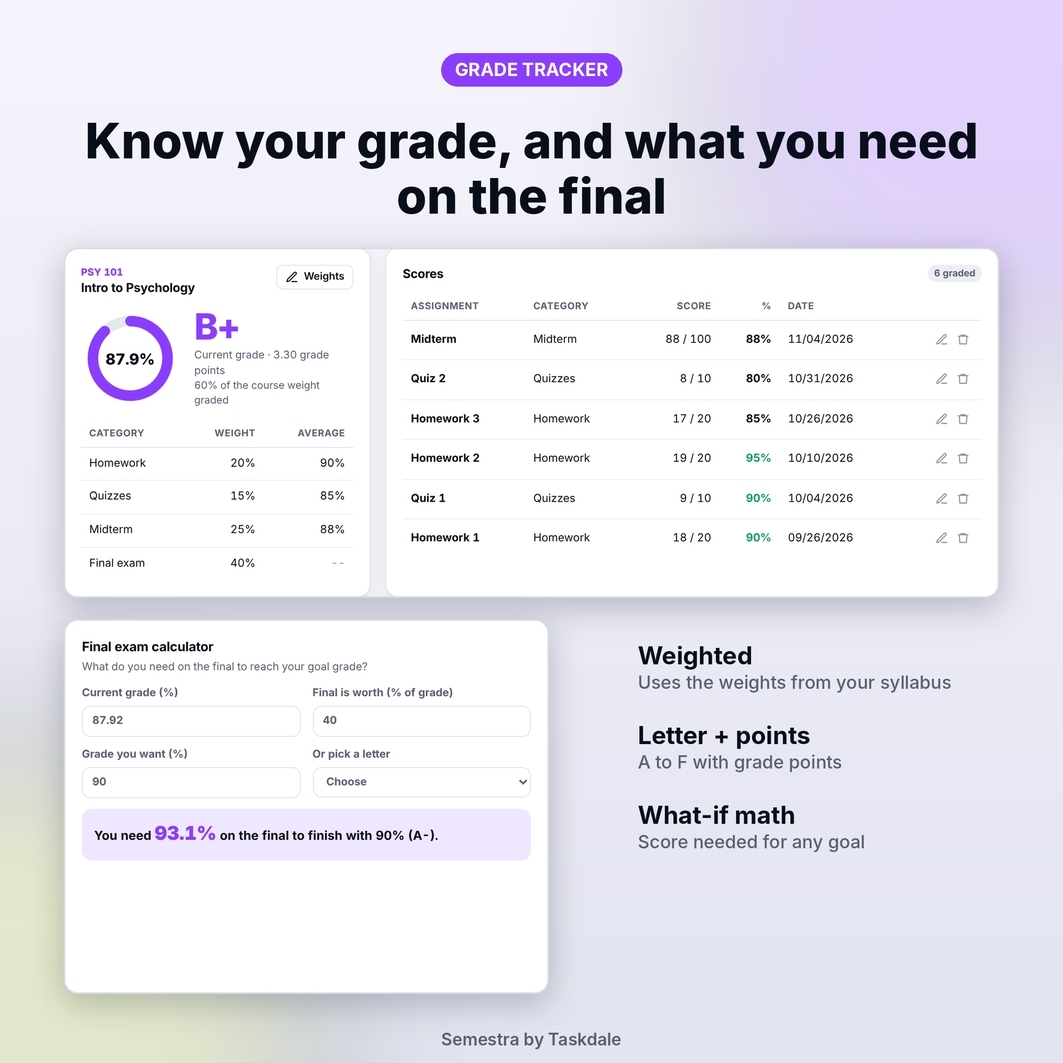
Copy the grade weights from your syllabus, such as Homework 20%, Quizzes 15%, Midterm 25% and Final 40%. Log each score as points earned out of points possible, and the grade tracker works out your current percentage and letter grade. Categories with no scores yet are left out, so your grade is fair from week one.
Final exam grade calculator
Enter your current grade, how much the final is worth and the grade you want. Semestra tells you the score you need, and says so plainly if a goal is out of reach. Example: at 82% with a final worth 30%, you need 92% to finish with an 85.
GPA calculator: semester, cumulative and goal
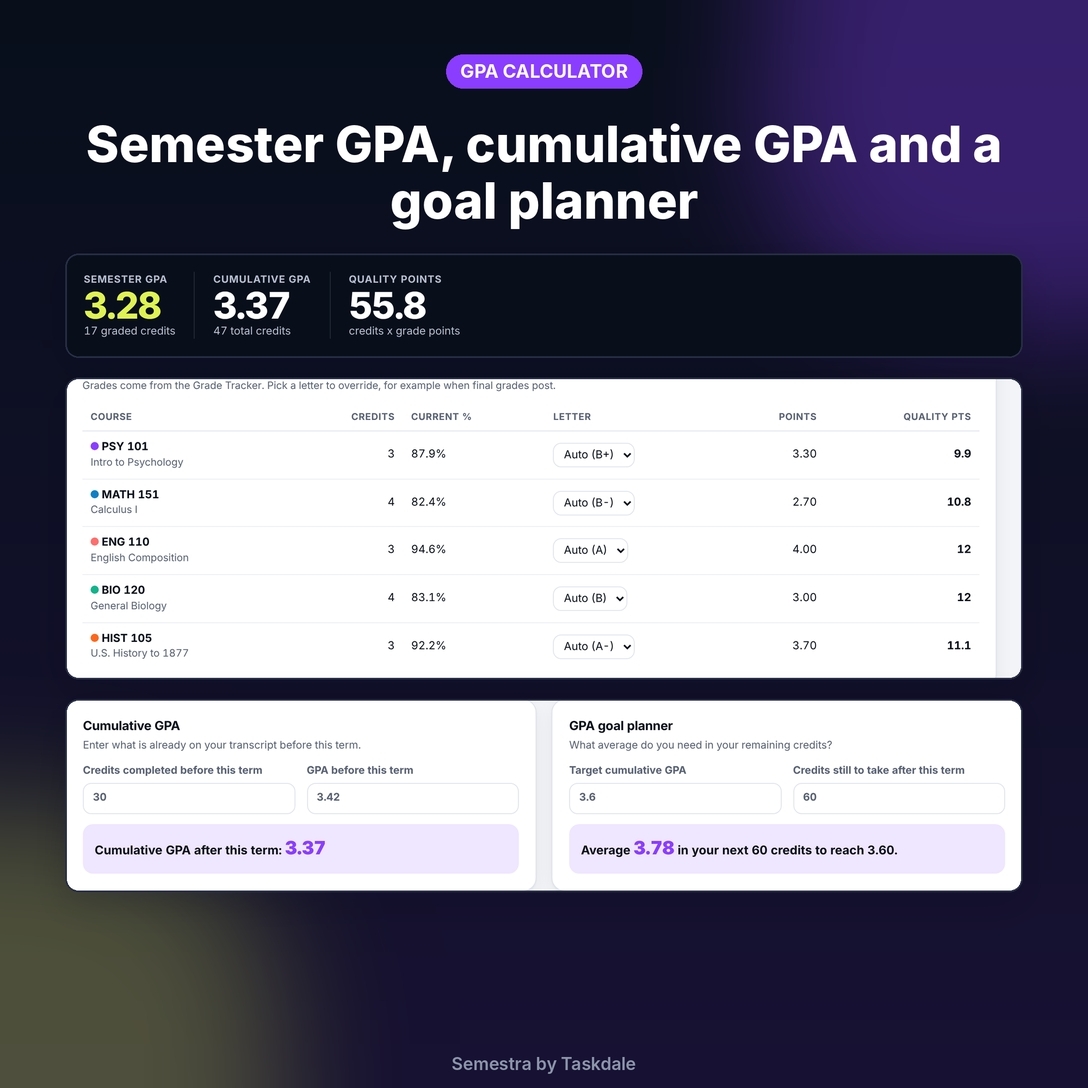
Your semester GPA updates as grades come in, using credits and standard US letter grades on a 4.0 or 4.3 scale. Add your earlier credits and GPA to see your cumulative GPA, then use the goal planner to find the average you need in your remaining credits to reach a 3.5 or a 3.8. Override any letter when official grades post, and mark pass/fail classes so they stay out of the math.
Study timer that logs your hours
Pick a course and start a 25-minute focus session. When it ends, Semestra logs the time to that course and starts your break. A stacked chart shows study hours for the last 14 days, a ring tracks your weekly study goal, and a streak counter rewards studying every day.
Semester calendar
A month view brings exams, assignments and events together. Add breaks, holidays, career fairs and registration deadlines, including multi-day events. Click any day to see everything due and add work for that date.
What is included
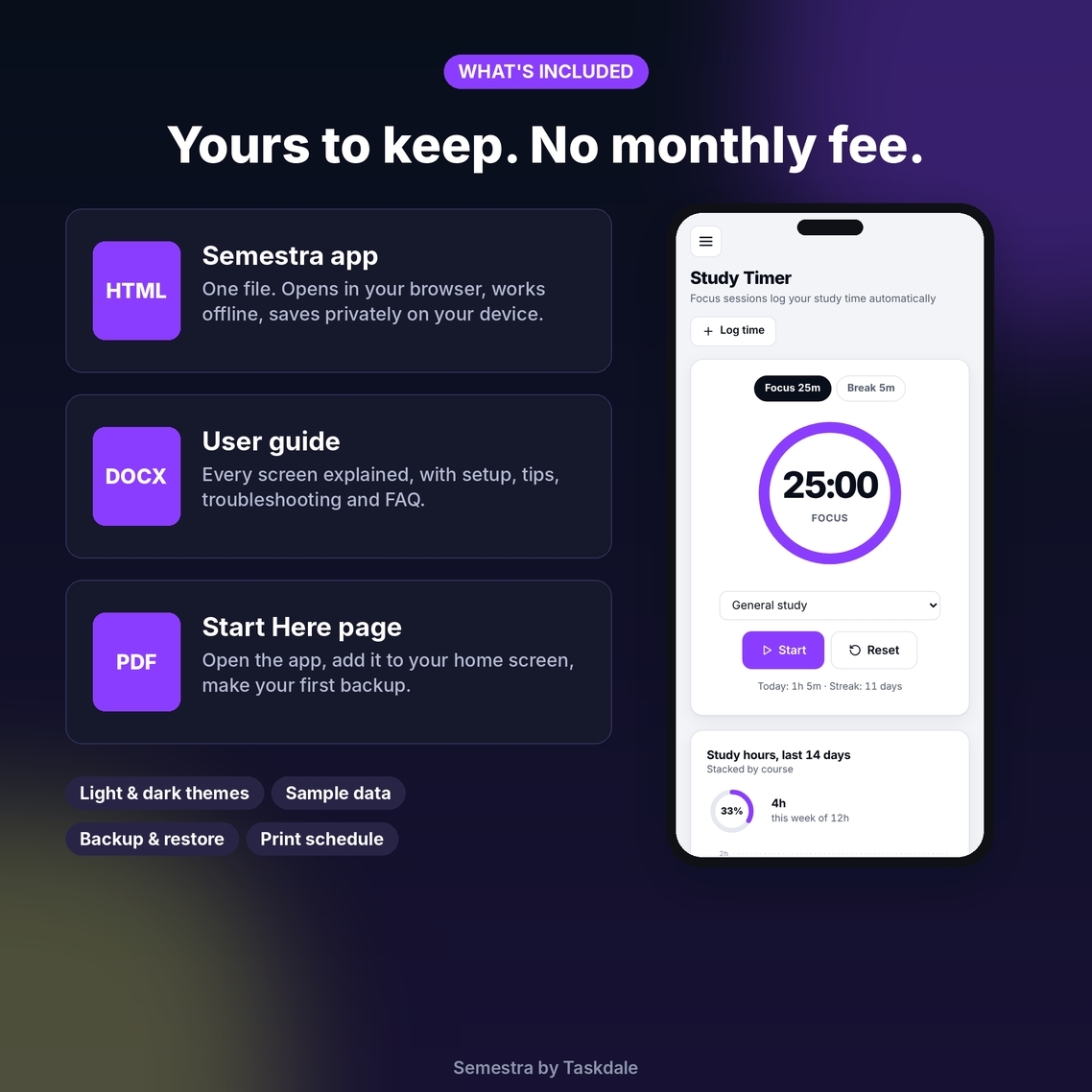
- Semestra student planner app (one HTML file, about 130 KB)
- User guide (DOCX, with screenshots, worked examples, tips, troubleshooting and FAQ)
- Start Here quick-start page (PDF)
- All three files together in one ZIP, plus the app and guide as separate downloads
How it works
- Download and unzip the files after checkout.
- Double-click the HTML file. It opens in your browser.
- Type your name, term name and term dates, or click Explore with sample data to see a full example semester.
- Add your courses and class times, then your assignments and exam dates. Log scores as you get them back.
File format and software requirements
Format: a single offline HTML app plus DOCX and PDF documents. You need a current web browser. We tested Semestra in Google Chrome and Microsoft Edge at desktop, tablet and phone screen sizes. It uses only standard web features, so other modern browsers should run it too. No internet connection, account or extra software is needed after download.
On Android, open the file in Chrome and add it to your home screen. On iPhone and iPad, Apple’s Files preview cannot run web apps, so open the file in a browser or an HTML viewer app; the guide explains how. Data is saved in the browser on each device, and Export and Import backup move it between devices.
Customization
Pick a color for each course, set your own grade categories and weights, choose a 4.0 or 4.3 GPA scale, a 12-hour or 24-hour clock, light or dark mode, your weekly study goal and your focus and break lengths.
Digital download
This is a digital product. Nothing is shipped. Your files are ready to download right after checkout, with unlimited downloads from your account. Personal use license: use it for your own studies on your own devices. No resale, sharing or redistribution.
Real ways students use this planner app
- Entering five syllabi on the first weekend of term, so every due date through December is in one list.
- Checking the night before a final whether a 75% still keeps a B in Biology.
- Working out that a 3.7 average over the next 60 credits lifts a 3.4 GPA to 3.55 before grad school applications.
FAQ
Is this a student planner app or a printable?
It is an app that runs in your browser from a downloaded file. You can still print your timetable and assignment list.
Does it calculate my GPA automatically?
Yes. Log scores in the grade tracker and your semester GPA updates. Add earlier credits for your cumulative GPA.
Does it work on my phone?
Yes, the layout adapts to phones and tablets. On Android use Chrome. On iPhone or iPad, open the file in a browser or HTML viewer app, because the Files preview cannot run it.
Can I use it for high school?
Yes. Set credits for each class and use the 4.0 scale.
Can I reuse it next semester?
Yes. Export a backup of the finished term, clear the planner and set up the new term. Your one-time purchase covers every semester.
Is there a subscription?
No. You pay once and keep the app.

Reviews
There are no reviews yet.