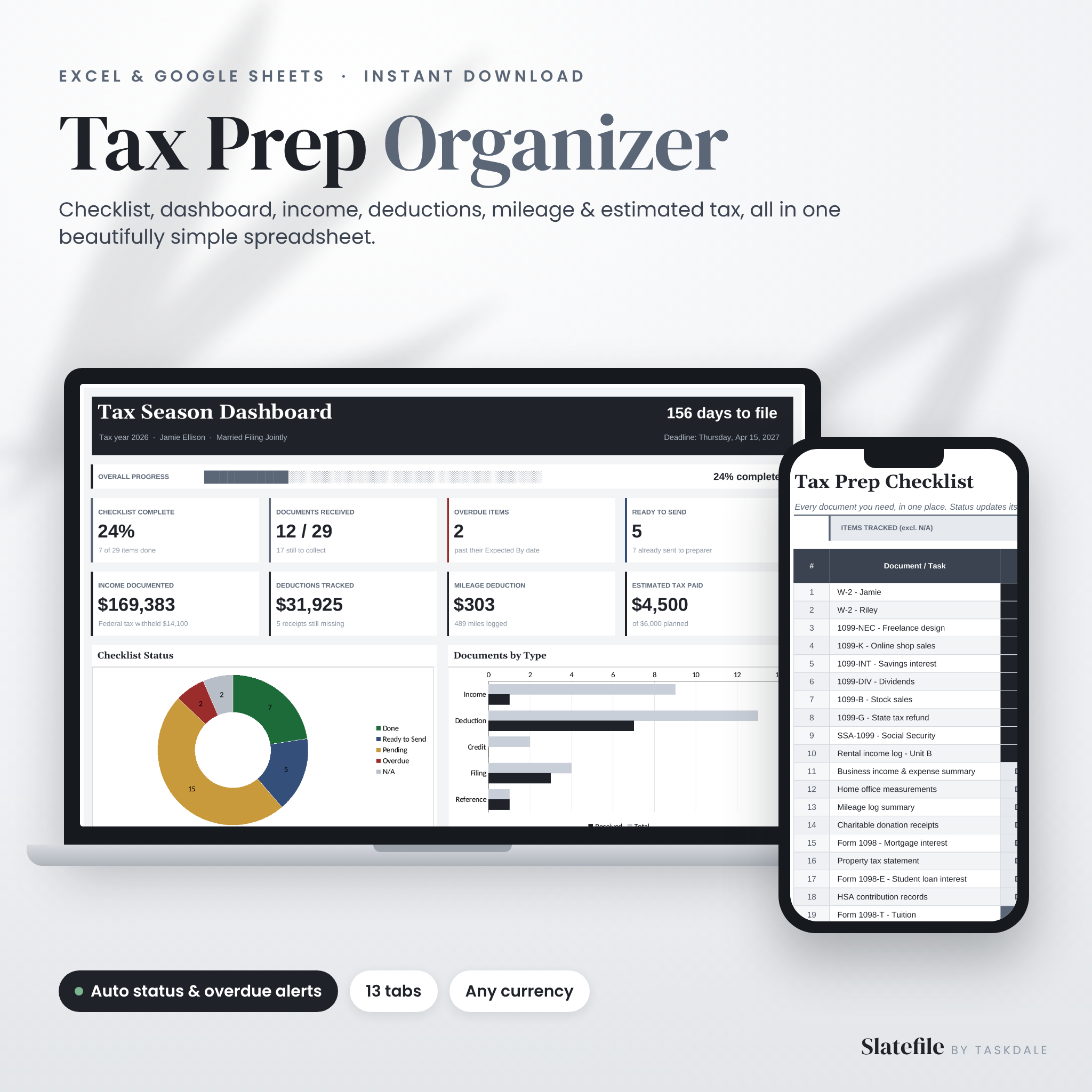
The Slatefile Tax Prep Checklist Spreadsheet turns tax season into a list you can actually finish. It is a tax organizer for Excel and Google Sheets that tracks every W-2, 1099 and receipt you need, flags anything that is late, totals your income and deductions, logs your mileage, plans your estimated payments and builds a printable summary for your tax preparer. You fill in the white cells. The formulas do the rest.
A tax prep checklist that updates itself
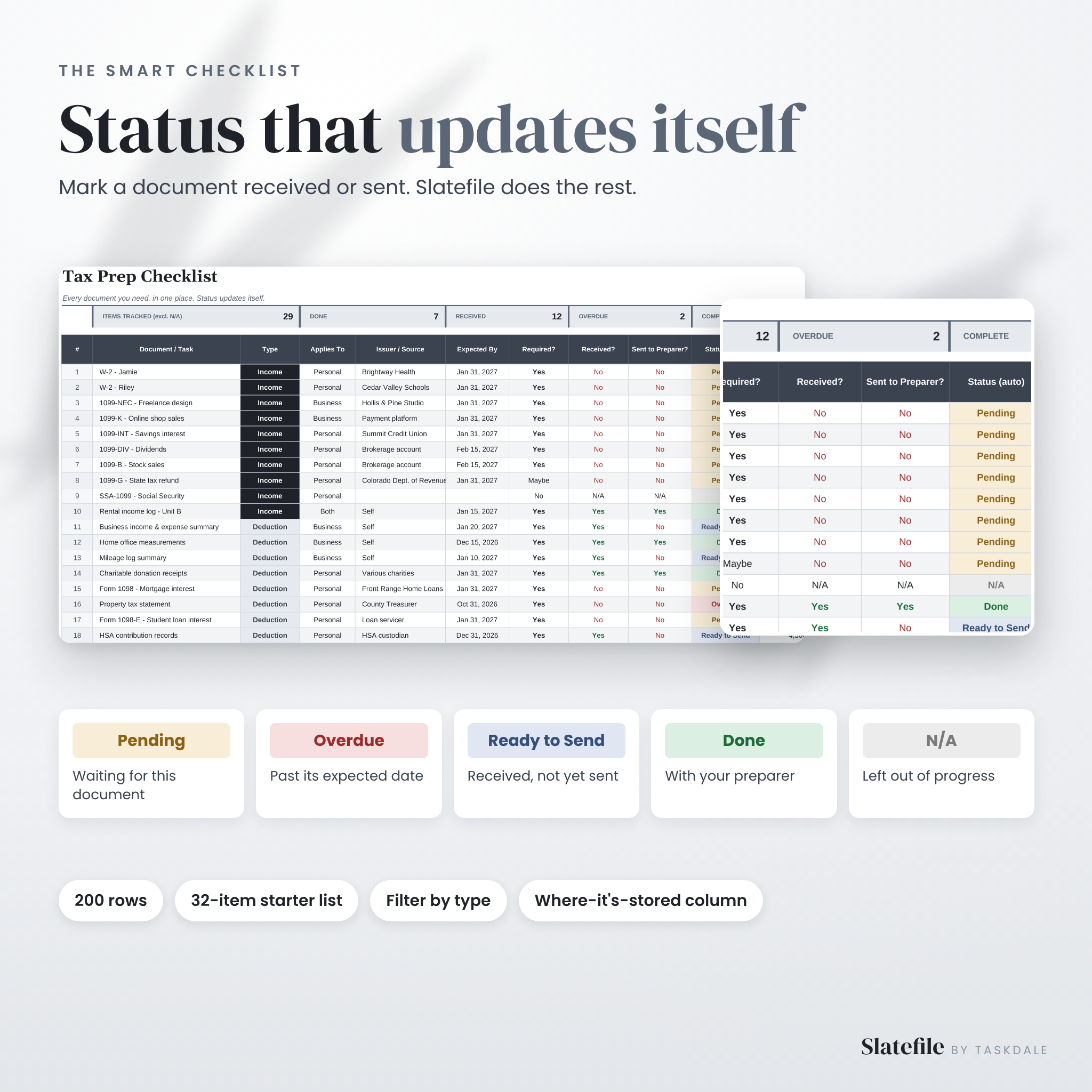
Most tax checklists are a static list of forms. Slatefile is a working system. Mark a document as received or sent and its status changes on its own: Pending, Overdue, Ready to Send, Done or N/A. Add an “expected by” date and Slatefile tells you the moment a document is late, so you can chase that missing 1099 in February instead of discovering it the night before you file.
The checklist has 200 rows and starts with 32 of the most common tax documents already listed, from W-2s and 1099s to mortgage interest, childcare statements and last year’s return. Keep what applies, clear what doesn’t and add your own.
What’s included
- Slatefile-Tax-Prep-Organizer.xlsx: your clean copy for Microsoft Excel
- Google Sheets access PDF: one-click “Make a copy” links for Google Sheets
- Sample file: the same organizer filled with realistic example data
- User guide: an 11-page step-by-step guide in Word (.docx) and PDF
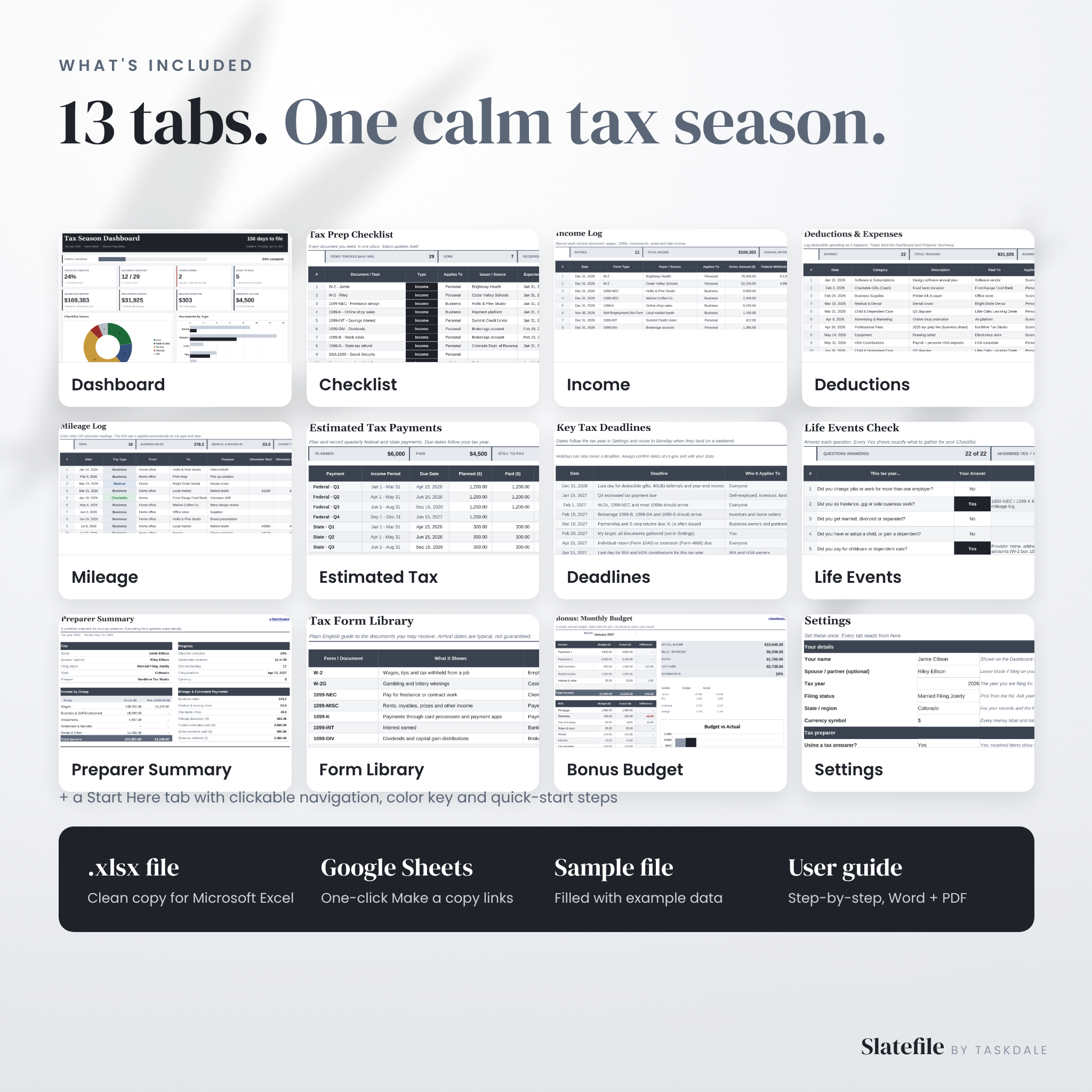
13 tabs inside
- Start Here: quick-start steps, clickable navigation and a color key
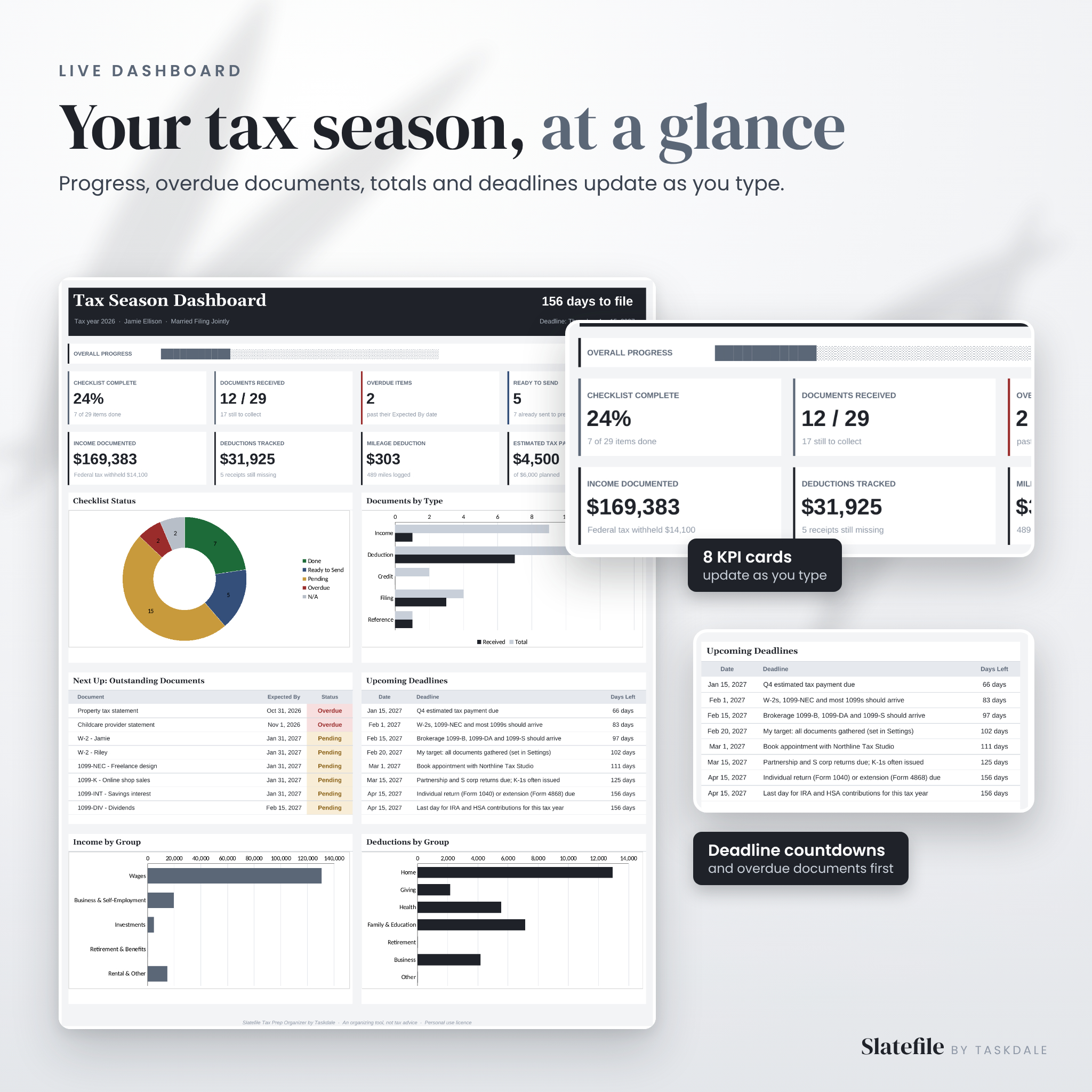
- Dashboard: progress bar, 8 KPI cards, 4 charts, outstanding documents and deadline countdowns
- Checklist: 200-row document tracker with automatic status and overdue alerts
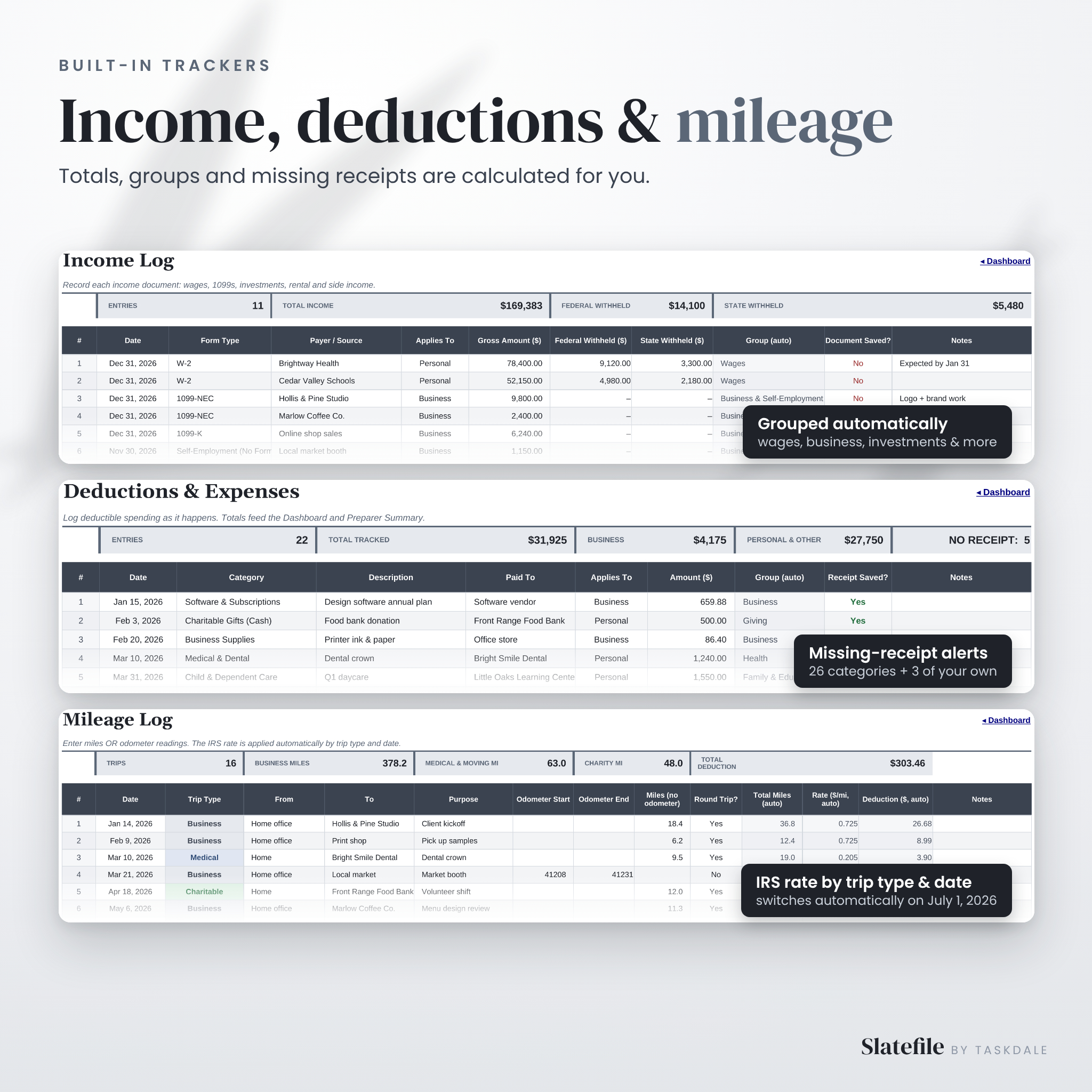
- Income: log W-2s, 1099s, investment, rental and side income with federal and state tax withheld
- Deductions: 300-row expense log with 26 categories, 3 custom categories and missing-receipt alerts
- Mileage: 400-trip mileage log that applies the IRS rate by trip type and date
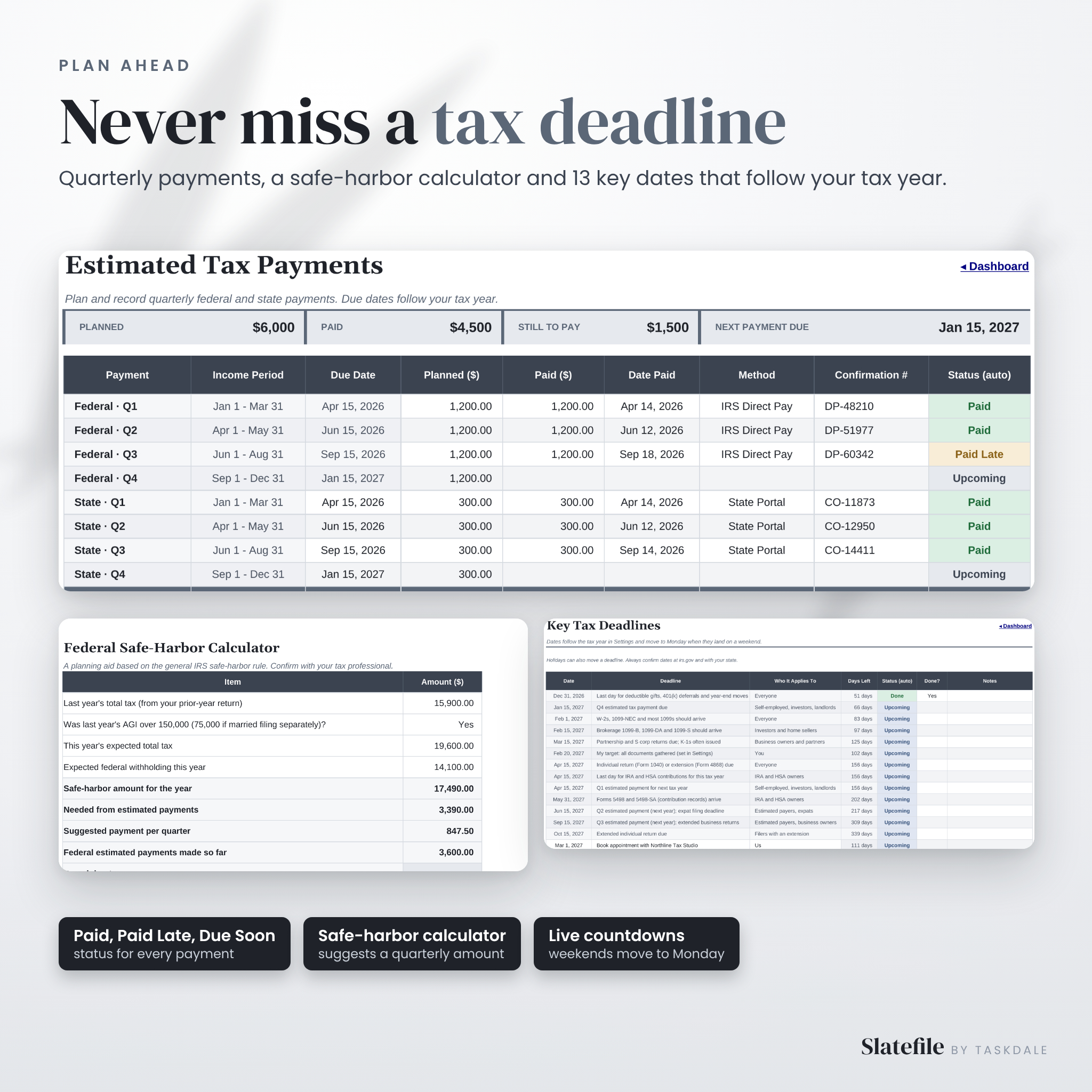
- Estimated Tax: federal and state quarterly payments with due dates, status and a safe-harbor calculator
- Deadlines: 13 key tax dates that follow your tax year, plus rows for your own reminders
- Life Events: 22 yes/no questions that tell you exactly which documents to gather
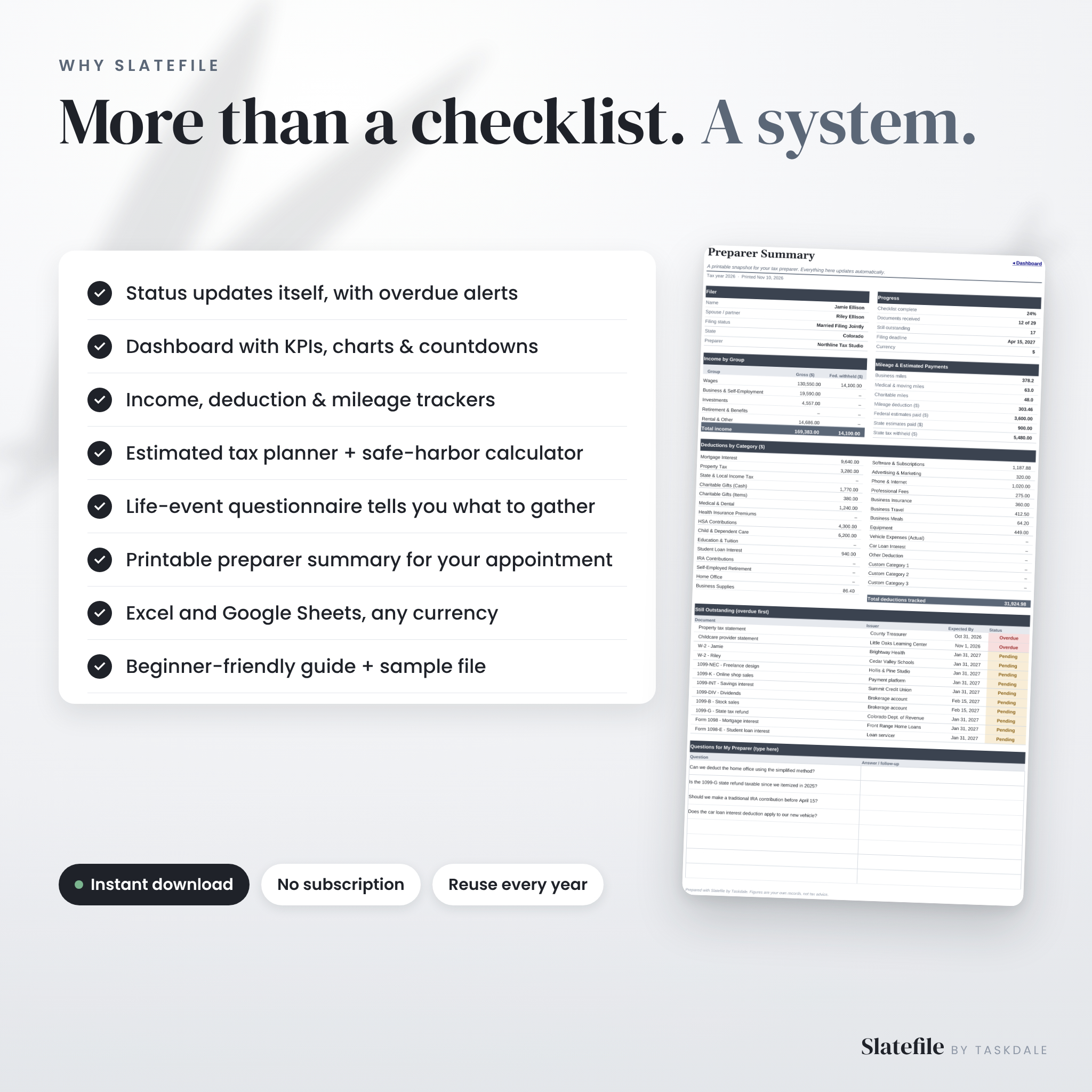
- Preparer Summary: a printable snapshot of everything your tax preparer needs
- Form Library: plain-English guide to 36 tax forms and when they usually arrive
- Bonus Budget: a simple one-tab monthly budget with a budget vs actual chart
- Settings: your details, tax year, currency symbol, mileage rates and custom categories
Features that save you time
Live tax season dashboard
See your whole tax season at a glance: how much of your checklist is done, how many documents you have received, what is overdue, what is ready to hand over, total income documented, deductions tracked, mileage deduction and estimated tax paid. Charts show status, documents by type, income by group and deductions by group. A “Next Up” list puts overdue documents first, and the deadline list counts down the days.
Automatic mileage rates, including mid-year changes
Enter miles or odometer readings and choose Business, Medical, Moving (Military) or Charitable. Slatefile looks up the right rate for the trip type and the trip date. The 2026 IRS rates are pre-filled, including the increase from July 1, 2026, and you can edit them for any other year.
Estimated tax planner with safe-harbor calculator
Plan and record quarterly federal and state payments. Due dates follow your tax year and move to Monday when they land on a weekend. Each payment shows Paid, Paid Late, Partial, Due Soon, Upcoming or Overdue. The safe-harbor calculator suggests a quarterly amount based on the general IRS rule, as a planning aid.
Life events questionnaire
Changed jobs, started a side hustle, had a baby, bought a home or sold stock? Answer 22 quick questions and Slatefile lists the documents each change usually needs, including newer items worth asking your preparer about, such as tips, overtime and car loan interest.
Printable preparer summary
When you are ready for your appointment, print the Preparer Summary or save it as a PDF. It pulls together your filer details, progress, income by group, every deduction category, mileage, estimated payments, documents still outstanding and your list of questions.
How it works
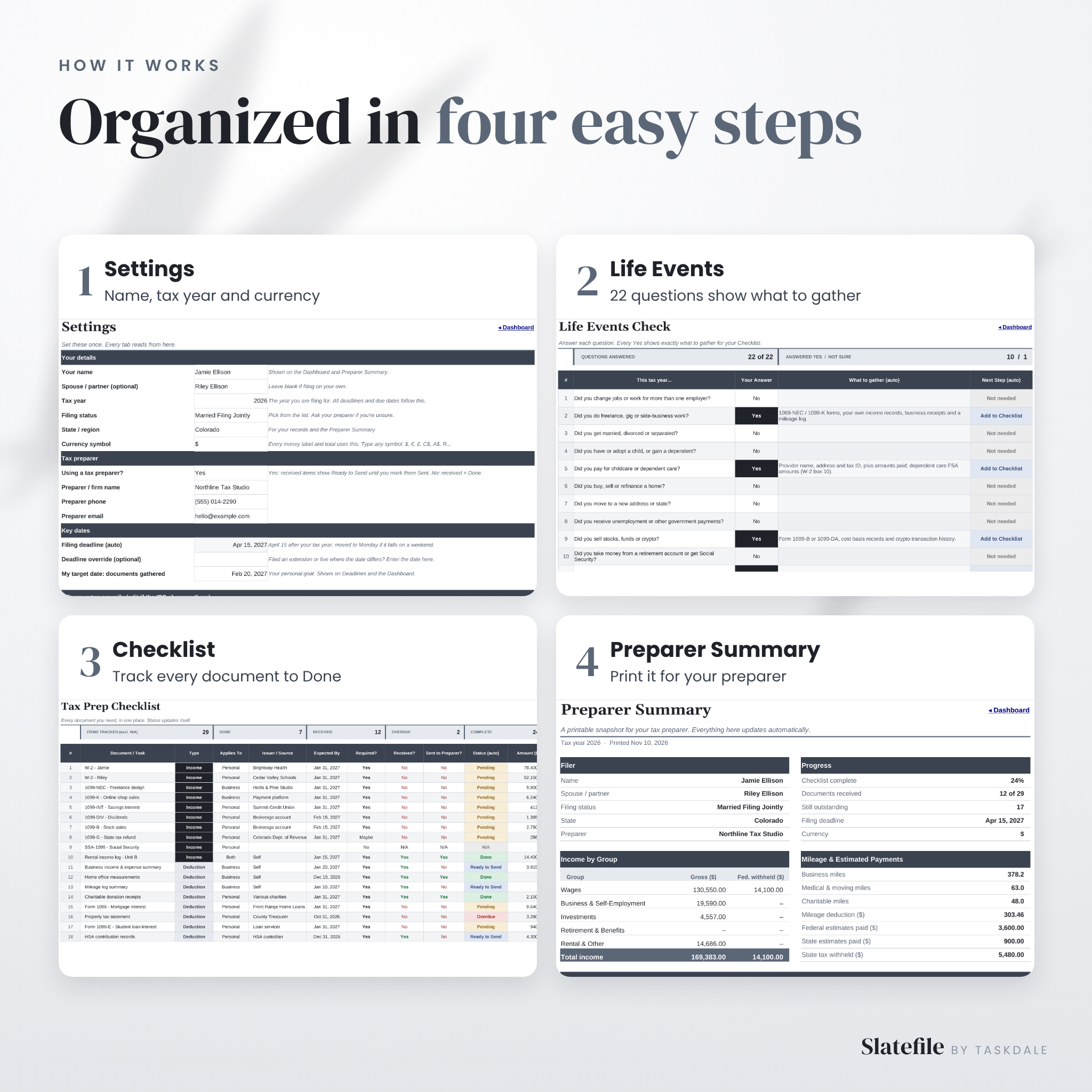
- Settings: enter your name, tax year, filing status and currency symbol.
- Life Events: answer the questions to see what to gather.
- Checklist: track each document from Pending to Done.
- Preparer Summary: print it and walk into your appointment ready.
Who this tax organizer is for
- Families and households who want every tax document in one place
- Freelancers, gig workers and side hustlers tracking 1099s, expenses and mileage
- Small business owners and landlords who make quarterly estimated payments
- Anyone who works with a CPA or tax preparer and wants to show up organized
- DIY filers who like to see the full picture before opening tax software
File formats and software
You get an .xlsx file that works in Microsoft Excel, including Excel for the web, and one-click copy links for Google Sheets, which is free with a Google account. Formula cells are protected without a password so they can’t be erased by accident, while every input cell stays open. Choose your own currency symbol in Settings and every money heading and total follows it, with $ as the default.
Customization
Rename or replace any checklist item, add three custom deduction categories, update mileage rates, change colors and fonts, and reuse the file every year by changing the tax year in Settings. The Bonus Budget tab can be duplicated for each month.
Instant digital download
This is a digital product. No physical item is shipped. Your files are ready to download right after checkout. Licensed for personal use by the original buyer; please do not share or resell the template. Slatefile is an organizing tool, not tax, legal or financial advice. Confirm tax details with the IRS or a qualified tax professional.
Frequently asked questions
Do I need Microsoft Excel?
No. Use the Excel file or the free Google Sheets version through the copy links included in your download.
Does it calculate my tax refund or file my taxes?
No. It organizes your documents and numbers so filing, on your own or with a preparer, is quicker and less stressful.
Can I use it for next year too?
Yes. Save a copy, change the tax year in Settings and update the mileage rates. All deadlines and due dates move with it.
Will it work for self-employed taxes?
Yes. It tracks 1099 income, business expenses, home office, mileage and quarterly estimated payments.
Can I use my own currency?
Yes. Type any currency symbol in Settings and every money label and total uses it.
Does it work on my phone?
You can open your Google Sheets copy in the Google Sheets app to check items off on the go. A computer is best for setup and long lists.
Is there a subscription?
No. You pay once and keep the files.
Reviews
There are no reviews yet.