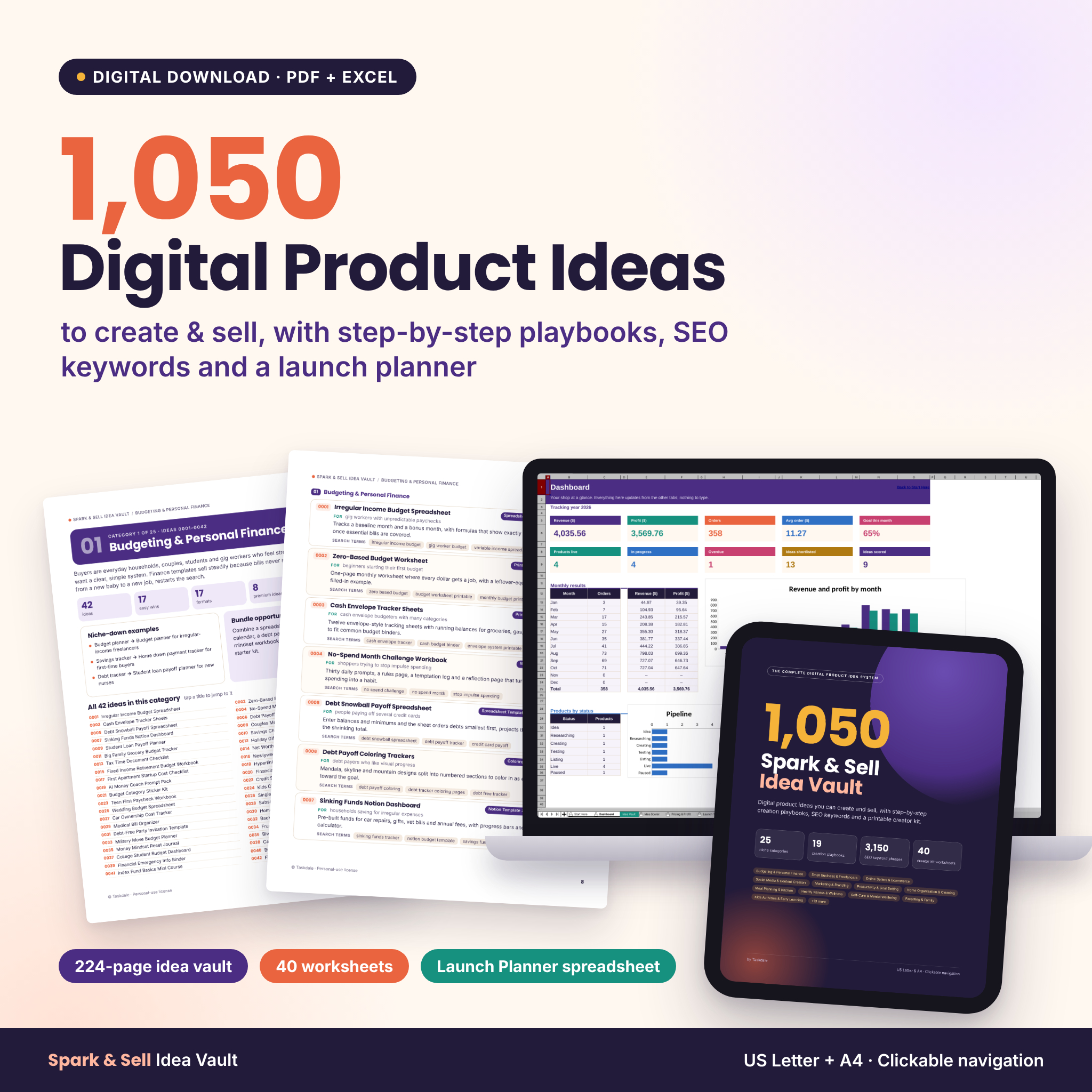
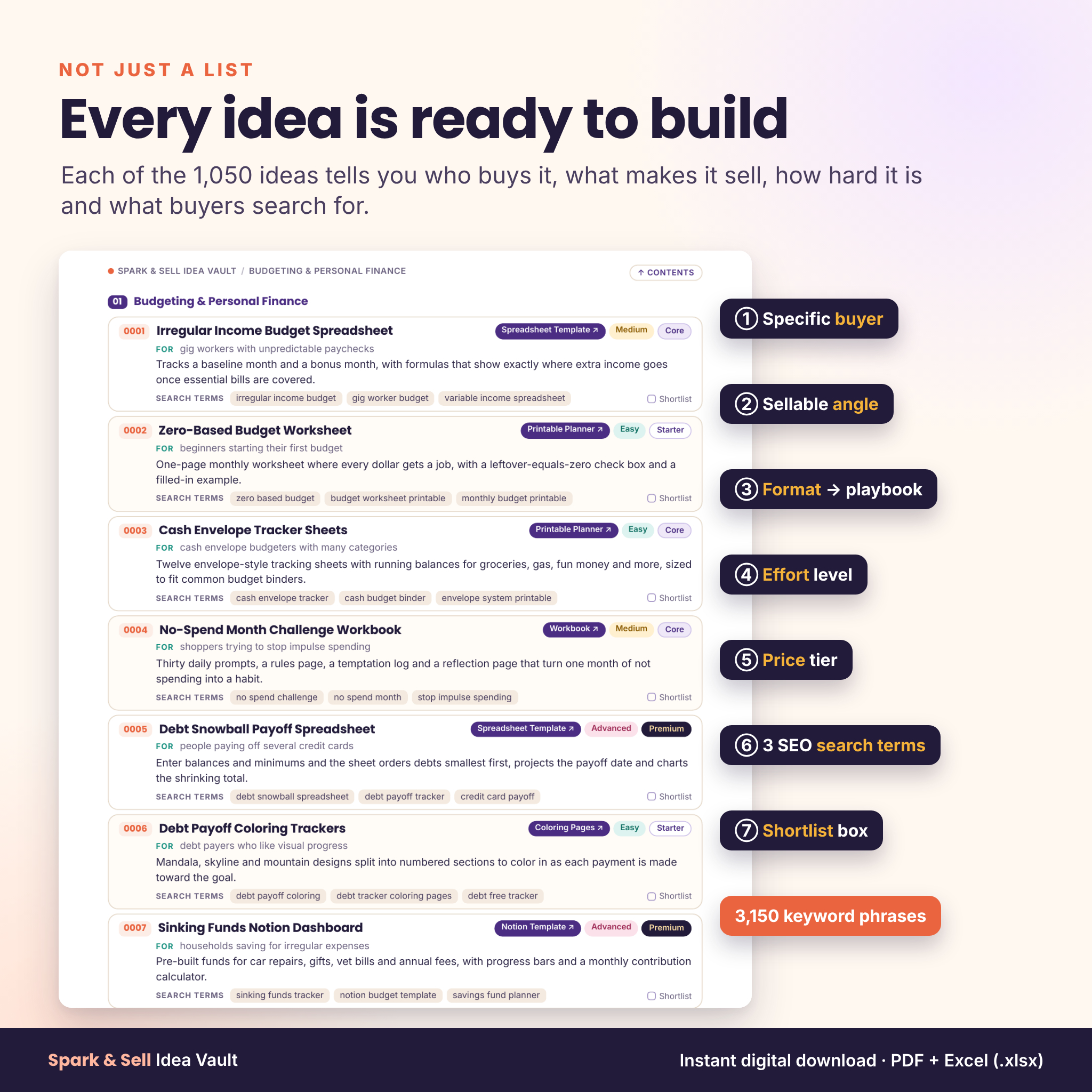

Spark & Sell Idea Vault gives you 1,050 digital product ideas to create and sell, plus everything you need to turn one of them into a live listing. Every idea comes with a specific buyer, a sellable angle, an effort level, a price tier and three SEO search terms, so you can stop scrolling through vague lists and start building something people already search for.
It’s more than an idea list. You also get 19 creation playbooks, a 40-page printable Creator Kit and the Launch Planner spreadsheet, which lets you score ideas, price them after marketplace fees, track your launches and watch your sales on a dashboard.
What this digital product ideas vault does for you
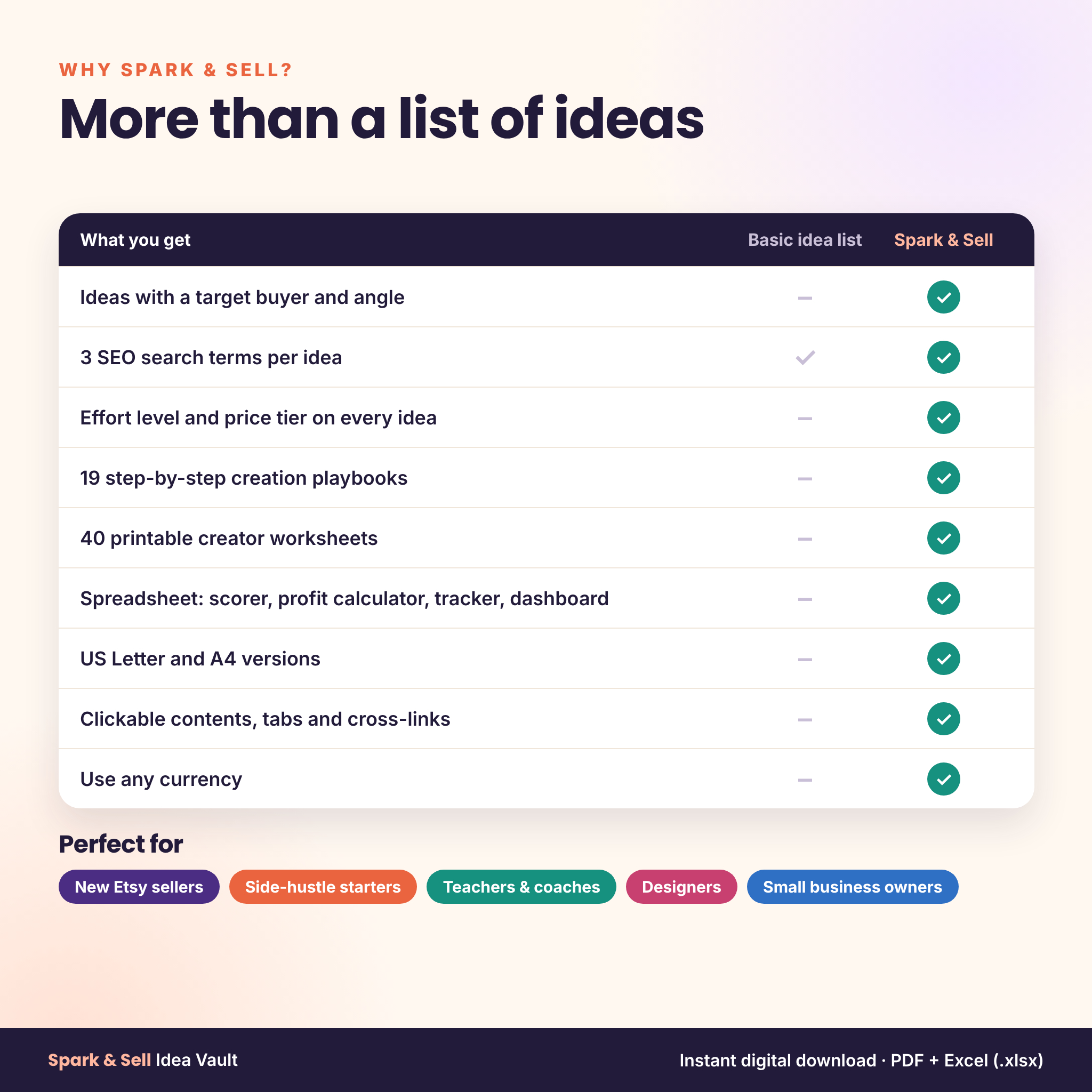
Most “1000 ideas” lists tell you to “sell planners.” That doesn’t help you decide what to make or how to get found. Spark & Sell answers the three questions every new seller has:
- What should I make? 1,050 specific ideas in 25 niches, each written for a clear buyer.
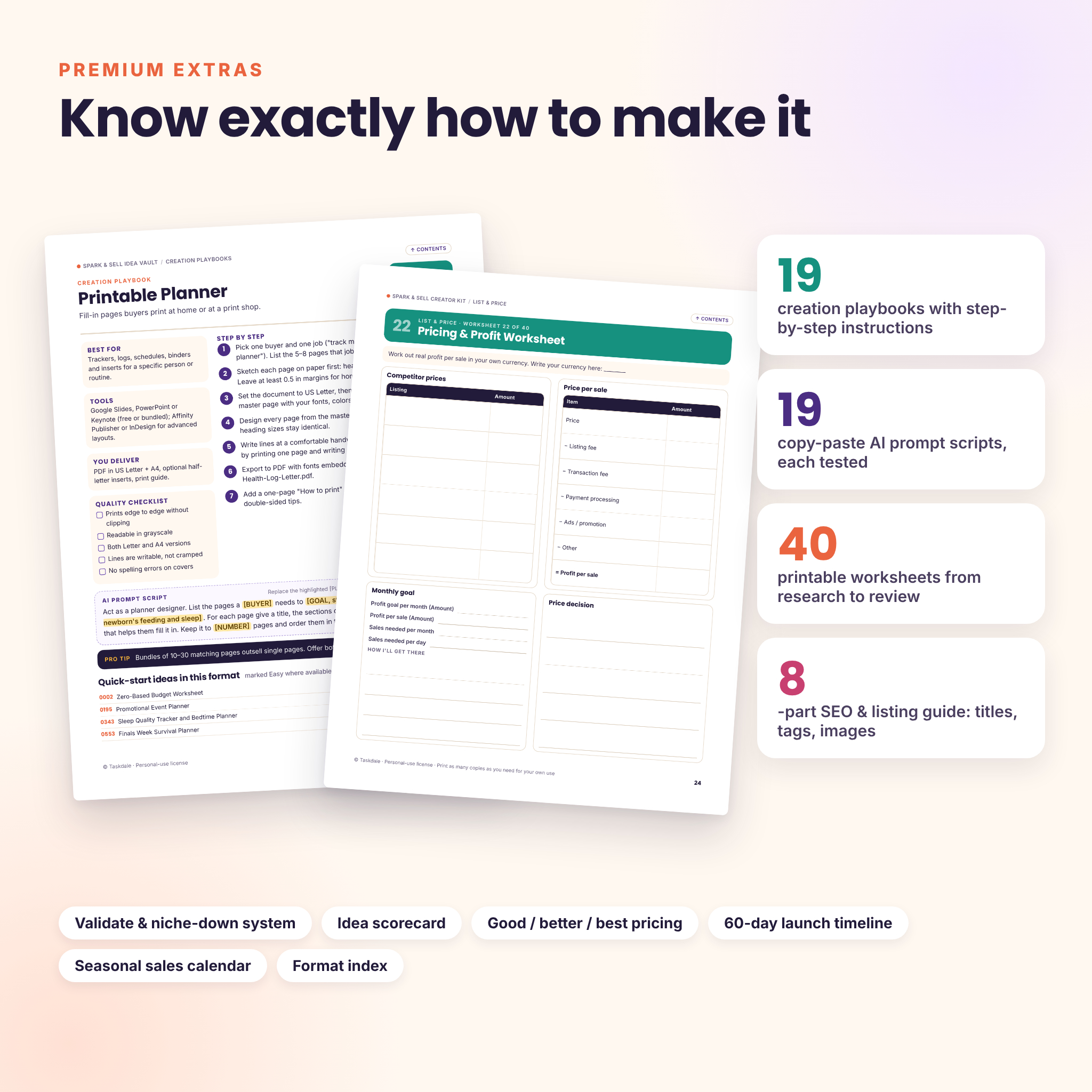
- How do I make it? A one-page playbook for each of the 19 product formats, with tools, steps, a quality checklist and an AI prompt script.
- How do I sell it? An SEO and listing guide, pricing rules, a launch timeline and a spreadsheet to track it all.
Who it’s for
- Beginners who want to start selling digital downloads but don’t know what to make first
- Etsy and online sellers looking for fresh, niched product ideas for their next releases
- Teachers, coaches, designers and creators turning what they know into templates, printables, guides or courses
- Side-hustlers and small business owners who want a simple system for pricing, launching and tracking sales
What’s included
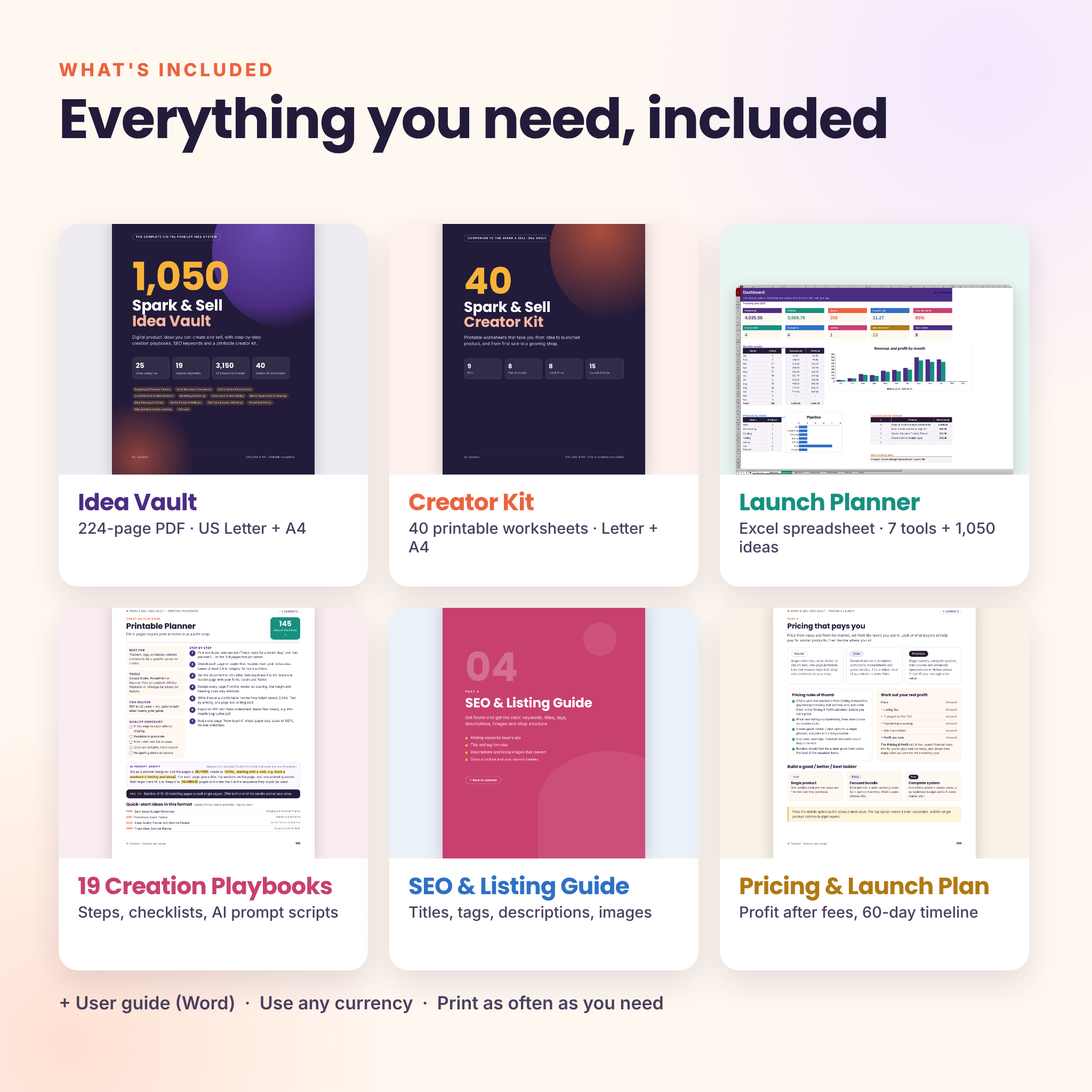
1. The Idea Vault (224-page PDF, US Letter and A4)
- 1,050 digital product ideas across 25 niche categories, 42 ideas in each
- Every idea shows: target buyer, example angle, format, effort (Easy, Medium, Advanced), price tier (Starter, Core, Premium), seasonality and 3 SEO search terms
- Category pages with buyer insight, niche-down examples, a bundle idea and a clickable index of all 42 ideas
- A 7-day first-product sprint and a “how to read an idea card” guide
- Validate and niche-down system: four demand checks, the niche-down formula and an idea scorecard
- 19 creation playbooks: printable planners, spreadsheets, digital planners, Notion templates, editable templates, ebooks, workbooks, checklists, wall art, coloring pages, SVG cut files, clip art, prompt packs, social media templates, mini courses, games, invitations and signage, patterns and digital stickers
- SEO and listing guide for keywords, titles, tags, descriptions, images and shop structure
- Pricing and launch plan with a good/better/best price ladder and a 60-day launch timeline
- Format index listing every idea by the format you’ll make
- Clickable contents, a Contents button on every page and links from every idea to its playbook
2. The Creator Kit (40 printable worksheets, US Letter and A4)
Worksheets for every stage: skills inventory, niche finder, idea brain dump, shortlist, idea scorecard, competitor research, review gap finder, buyer persona, product outline, page planner, testing checklist, keyword research, title and tag builder, listing image shot list, pricing and profit, bundle builder, 30-day launch plan, social and email planners, sales and performance trackers, seasonal sales calendar, quarterly review and more.
3. The Launch Planner spreadsheet (.xlsx)
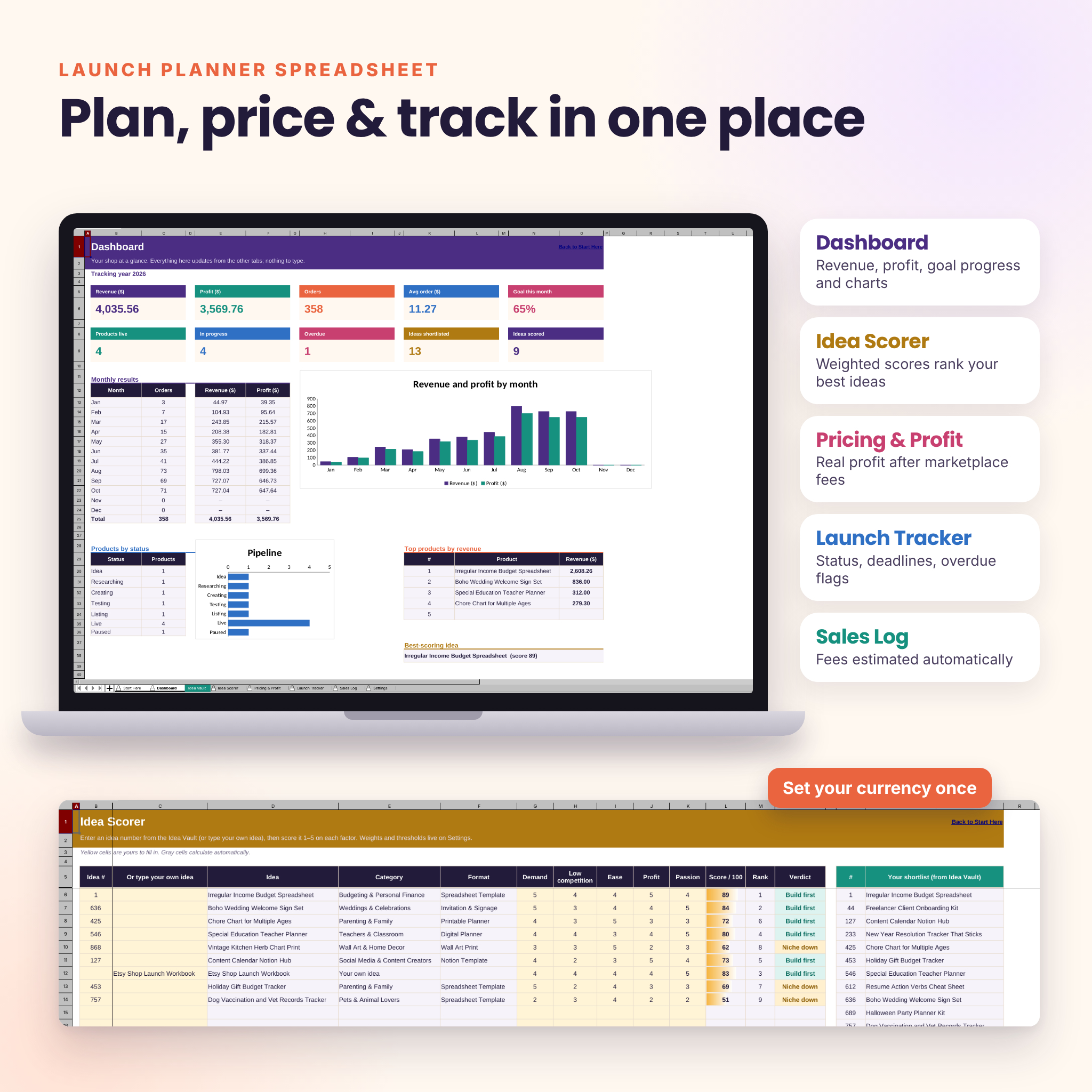
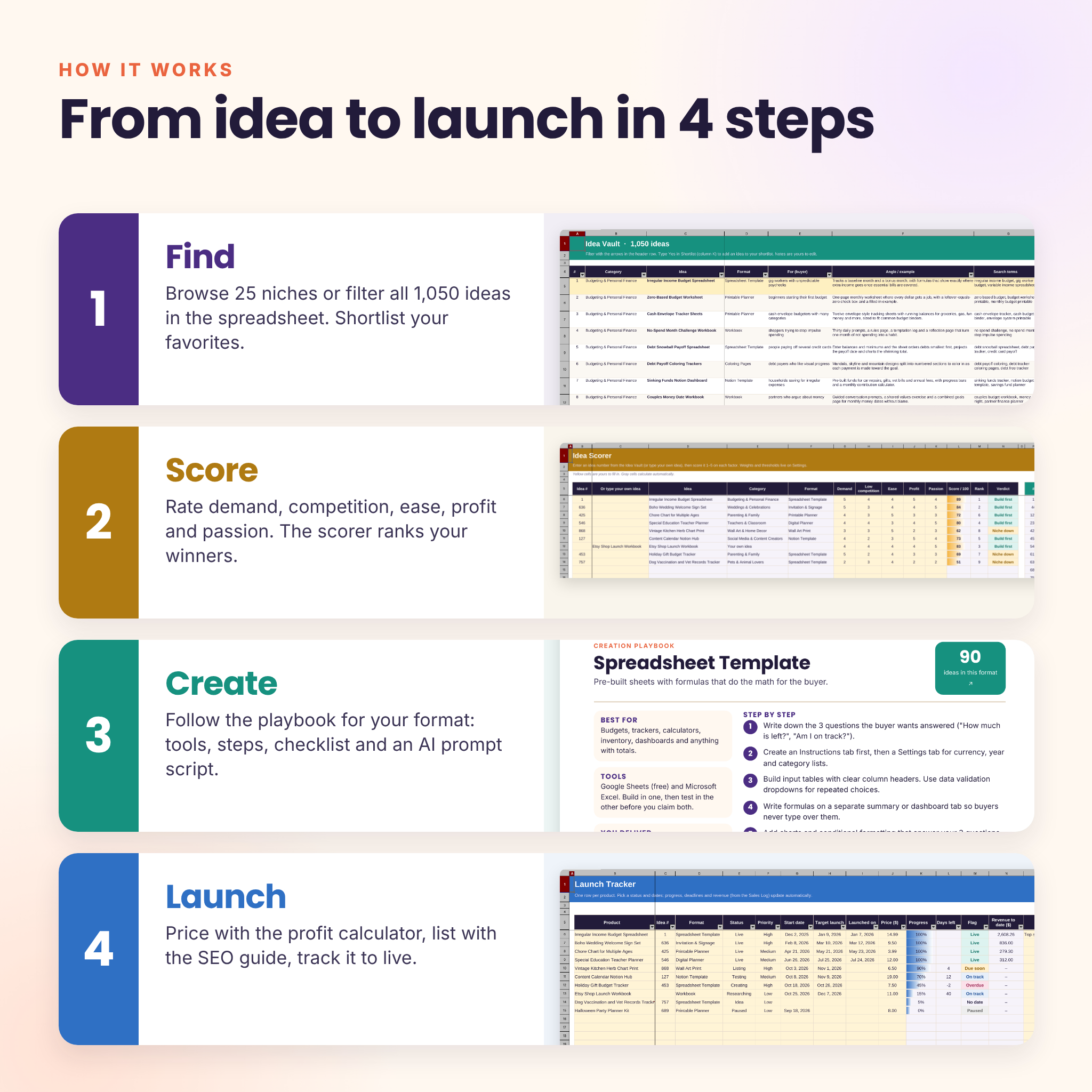
- Idea Vault tab: all 1,050 ideas, filterable by category, format, effort, tier and season, with a shortlist column and notes
- Idea Scorer: rate up to 20 ideas on demand, competition, ease, profit and passion; weighted scores, ranks and a Build first / Niche down / Park verdict update instantly
- Pricing & Profit: see fees, profit per sale, margin and the sales needed to reach your monthly goal, plus a quick price finder
- Launch Tracker: track up to 100 products from idea to live, with progress bars, deadlines and Overdue / Due soon flags
- Sales Log: up to 600 entries, with fees estimated automatically when you leave them blank
- Dashboard: revenue, profit, orders, average order, goal progress, a monthly chart, a pipeline chart and your top five products
- Settings: one currency setting for the whole workbook, your monthly goal, fee defaults and score weights
4. User guide (Word .docx)
A step-by-step guide covering setup, every feature, customization, tips, troubleshooting and FAQ.
How it works
- Find: browse a niche you know or filter the ideas in the spreadsheet, then shortlist your favorites.
- Score: rate your shortlist in the Idea Scorer and pick the top idea.
- Create: follow the playbook for your format and use the worksheets to plan, build and test.
- Launch: price it with the profit calculator, write your listing with the SEO guide and track it to live.
Real ways buyers use it
- A new Etsy seller picks five Easy, Starter-tier printables to open a shop in a weekend.
- A teacher filters the Teachers & Classroom niche and plans a bundle of classroom printables for back to school.
- A designer uses the format index to find every wall art, clip art and SVG idea, then plans a seasonal release calendar.
- A side-hustler checks real profit after fees before choosing between a printable and a spreadsheet template.
File formats and software
- PDF files (Idea Vault and Creator Kit) in US Letter and A4. Open in any PDF reader. Clickable links work in full PDF readers such as Adobe Acrobat Reader, Preview, Edge or Chrome.
- Excel workbook (.xlsx) using standard Excel functions, tested in LibreOffice Calc (free). Can be uploaded to Google Sheets, though Sheets was not tested and some formatting may differ.
- User guide in Word (.docx).
- Worksheets can be printed or used in tablet note-taking apps that import PDFs.
Customization
Set your own currency once and every money heading updates. Change fee defaults, score weights, verdict thresholds, platforms and formats on the Settings tab. Formula cells are protected without a password, so nothing breaks by accident and you can still unlock sheets to customize them.
Digital download
This is an instant digital download. No physical item will be shipped. Your files are available to download right after purchase.
FAQ
Can I sell the products I make from these ideas?
Yes. The ideas are starting points for your own original products. You can’t resell or share the vault, worksheets, spreadsheet or guide.
Do I need design or spreadsheet experience?
No. Many ideas are marked Easy, every playbook lists free tool options, and the spreadsheet only asks you to fill in the yellow cells.
Is this only for Etsy?
No. The ideas and SEO tips work for Etsy, your own website, Shopify, Payhip and similar platforms.
Do I need Microsoft Excel?
No. The spreadsheet also works in the free LibreOffice Calc.
Can I use any currency?
Yes. Set your currency symbol or code once on the Settings tab. Printables use neutral “Amount” fields.
Are the ideas suitable for AI-assisted products?
Each playbook includes an AI prompt script to speed up outlines and copy. Check your marketplace’s current rules on AI-assisted items before listing.
License: personal use and use in your own business by one person. Not for resale, sharing or redistribution. © Taskdale.


Reviews
There are no reviews yet.