



A webinar SOP template written for coaches and online business owners running live webinars to sell their offers
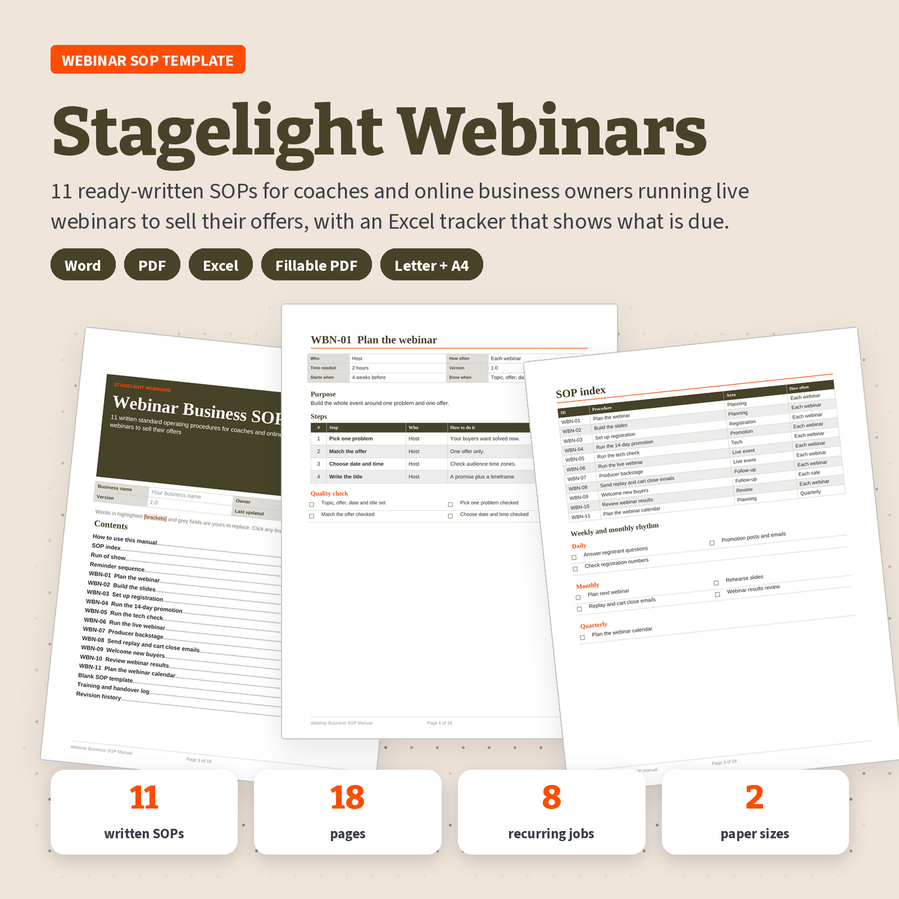
A webinar that sells is mostly work done before you go live: the topic, the sign-up page, the reminders and a run of show that does not drift. This webinar SOP template gives you 11 procedures written out step by step, so you edit instead of starting from a blank page.
Most webinars lose buyers in three places. Half the registrants never show up, the pitch comes too late, and the replay emails go out after the cart has closed. These SOPs set a 14-day promotion plan, a reminder sequence that lifts show-up rates, a tech check, a minute-by-minute run of show and a replay and cart close sequence. A producer can run the backstage work so the host only has to teach and sell.
Who it is for
- Coaches and course creators selling with live webinars
- Service businesses using webinars to book sales calls
- Producers who run webinars for clients
What’s included
- Editable Word manual in US Letter and A4
- Print-ready PDF
- Blank SOP template (Word)
- Fillable PDF SOP template
- Excel SOP tracker with dashboard
- User guide (Word)
Inside the manual
11 written SOPs, grouped by area:
- Planning: Plan the webinar, build the slides, plan the webinar calendar
- Registration: Set up registration
- Promotion: Run the 14-day promotion
- Tech: Run the tech check
- Live event: Run the live webinar, producer backstage
- Follow-up: Send replay and cart close emails, welcome new buyers
- Review: Review webinar results
Each one lists who does it, how often, the time it takes, what starts it and what done looks like, followed by numbered steps with tick boxes, common mistakes and a final check.
Also inside
A business snapshot, the SOP index, a daily, weekly and monthly rhythm, run of show, reminder sequence, a blank SOP template, a training log and a revision history.
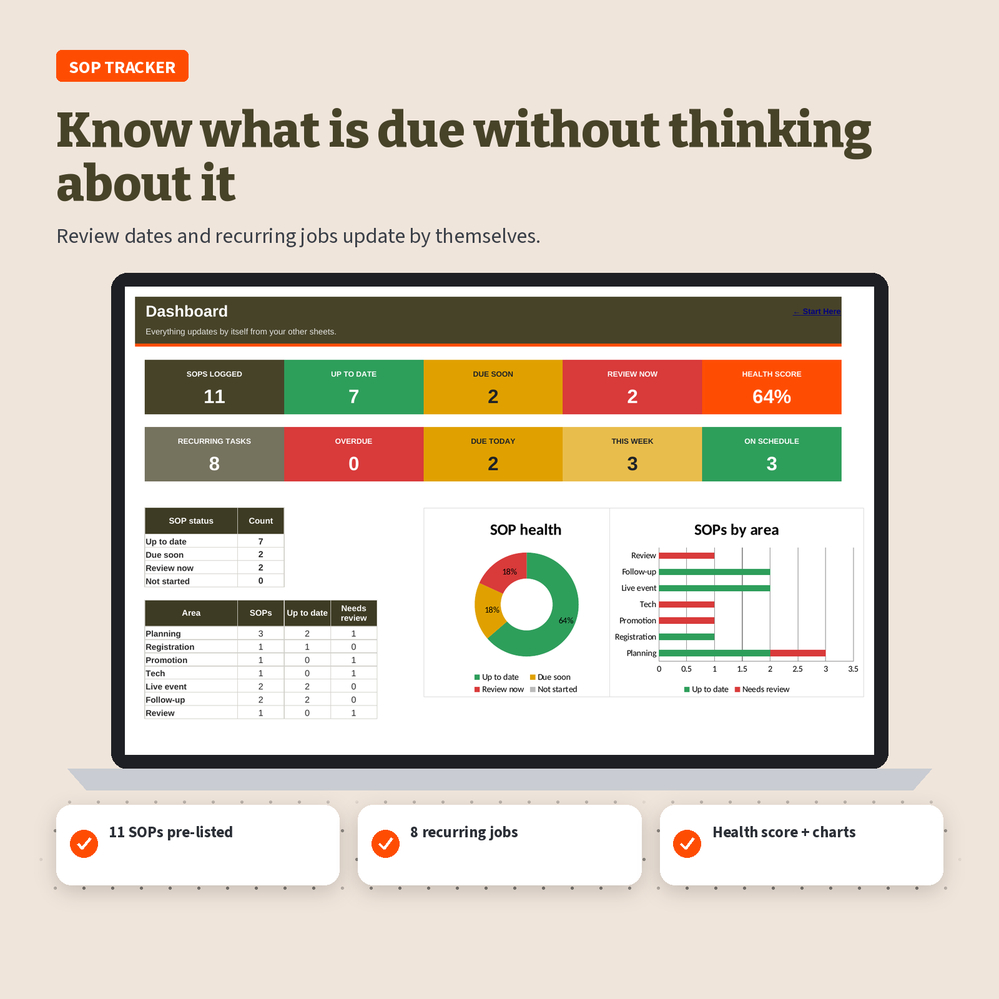
The Excel SOP tracker
- All 11 SOPs listed with automatic review dates and status
- 8 recurring jobs with next due dates and overdue flags
- A dashboard with a health score, status counts and charts
- Settings for your areas, people, review cycle and currency
How it works
- Download and unzip the files.
- Fill in the business snapshot page.
- Edit each SOP to match your tools and habits.
- Log review dates in the tracker.
File formats
- Word .docx for Microsoft Word 2016 or newer, Microsoft 365 or LibreOffice
- PDF for printing or reading on a tablet
- Excel .xlsx for Excel 2016 or newer or LibreOffice Calc
- Fillable PDF for Adobe Acrobat Reader
- Fonts: Times New Roman and Arial, already on Windows and Mac
Ways buyers use it
- A coach moves from 22 percent to 38 percent show-up rate with the reminder sequence.
- A producer runs the tech check 60 minutes before every event and the host never starts late again.
- A course creator adds a 72-hour replay window and gets 30 percent of sales from replay viewers.
Digital download
Instant download with unlimited re-downloads from your Taskdale account. Nothing is shipped. For use in your own business. Please do not resell or share the files.
Questions
Which webinar platforms does it fit?
Any live platform with registration and replays.
Does it cover automated webinars?
It is written for live events. The follow-up and review SOPs work for automated replays too.
Can I edit it?
Yes, every page is editable in Microsoft Word, and the tracker in Excel.
Does it work in Google Docs?
You can upload the files to Google Drive and open them there. Word gives the best results because the tick boxes and click-to-type fields are Word features.
Which paper sizes?
US Letter and A4 are both included.


Reviews
There are no reviews yet.