

An obituary template kit that writes alongside you
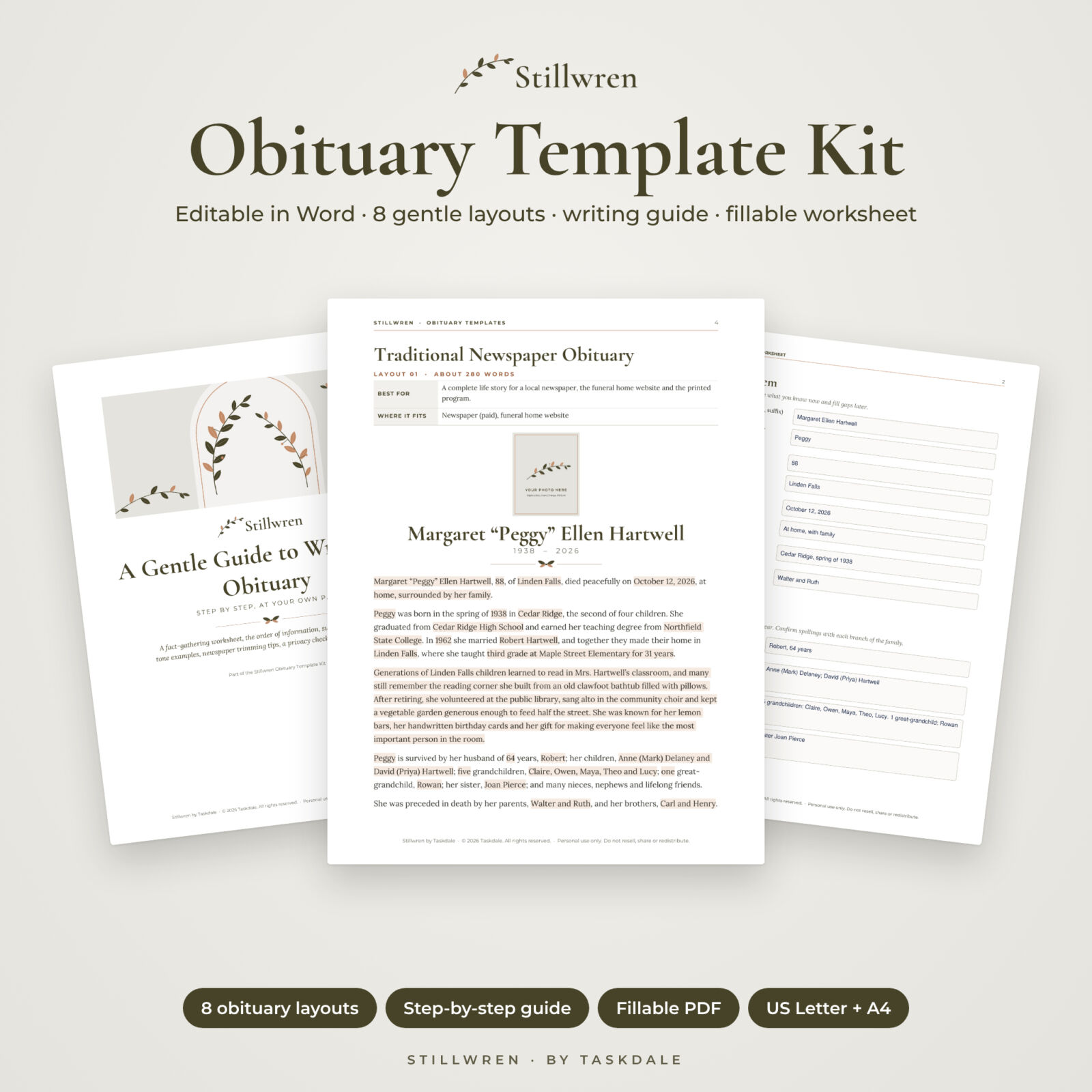
When someone you love dies, the obituary is often due within days. This obituary template kit from Stillwren gives you eight complete, editable Microsoft Word layouts, each written in full for an invented person, so you can see exactly how a good obituary flows and simply replace the details with your loved one’s. A calm, step-by-step writing guide and a fillable worksheet walk you through the facts, the wording and the final checks.
Every example is written with privacy in mind: no exact birth dates, home addresses or maiden names, because those details help identity thieves. You get warm, natural wording that you can copy with confidence.
Who this obituary template is for
- Families writing an obituary or death notice for a parent, spouse, grandparent or friend
- Anyone asked to “help with the obituary” who has never written one
- People who want to draft their own obituary in advance
- Clergy, celebrants and volunteers who help families with wording (for use within your own work)
What is included
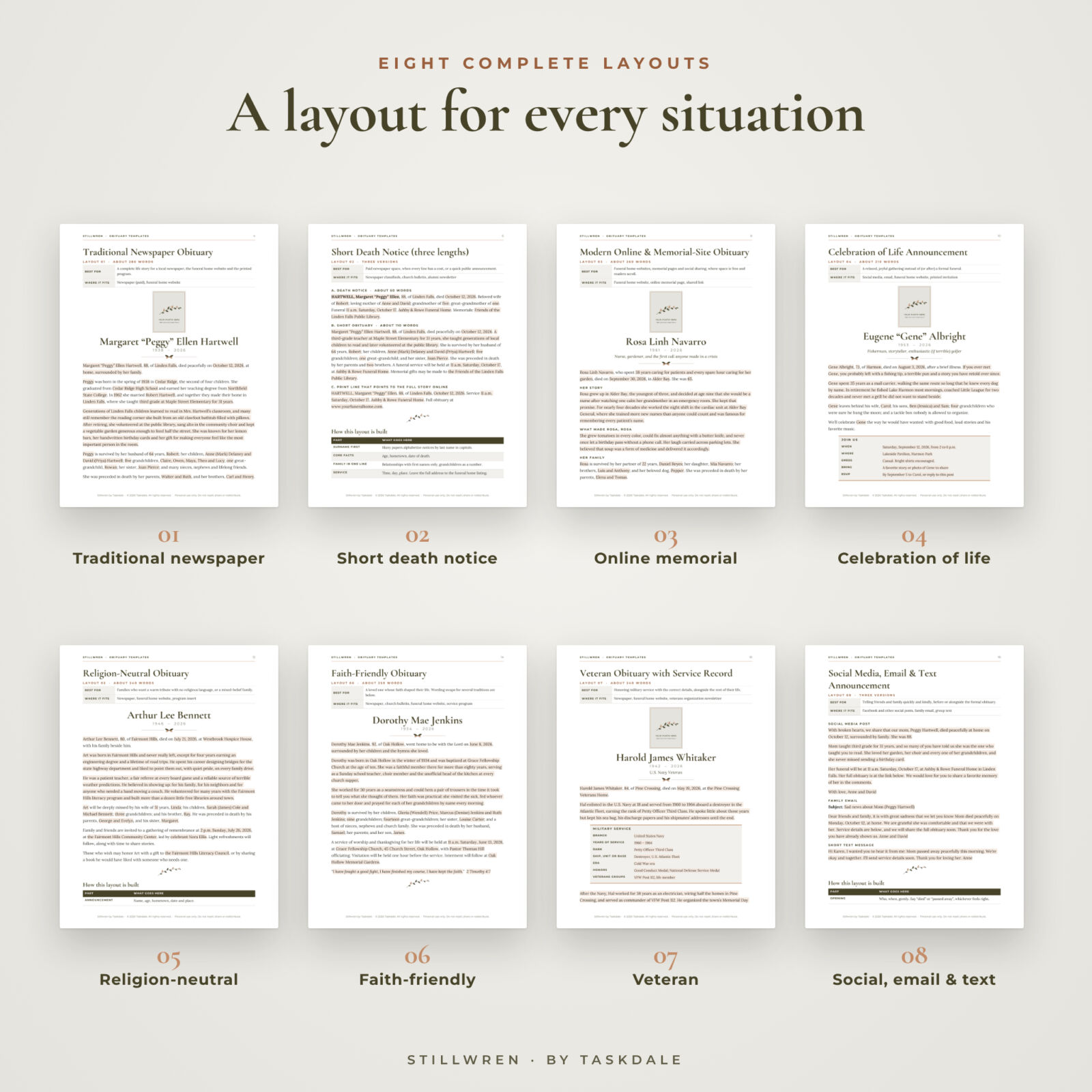
1. Obituary Templates (Word, 20 pages)
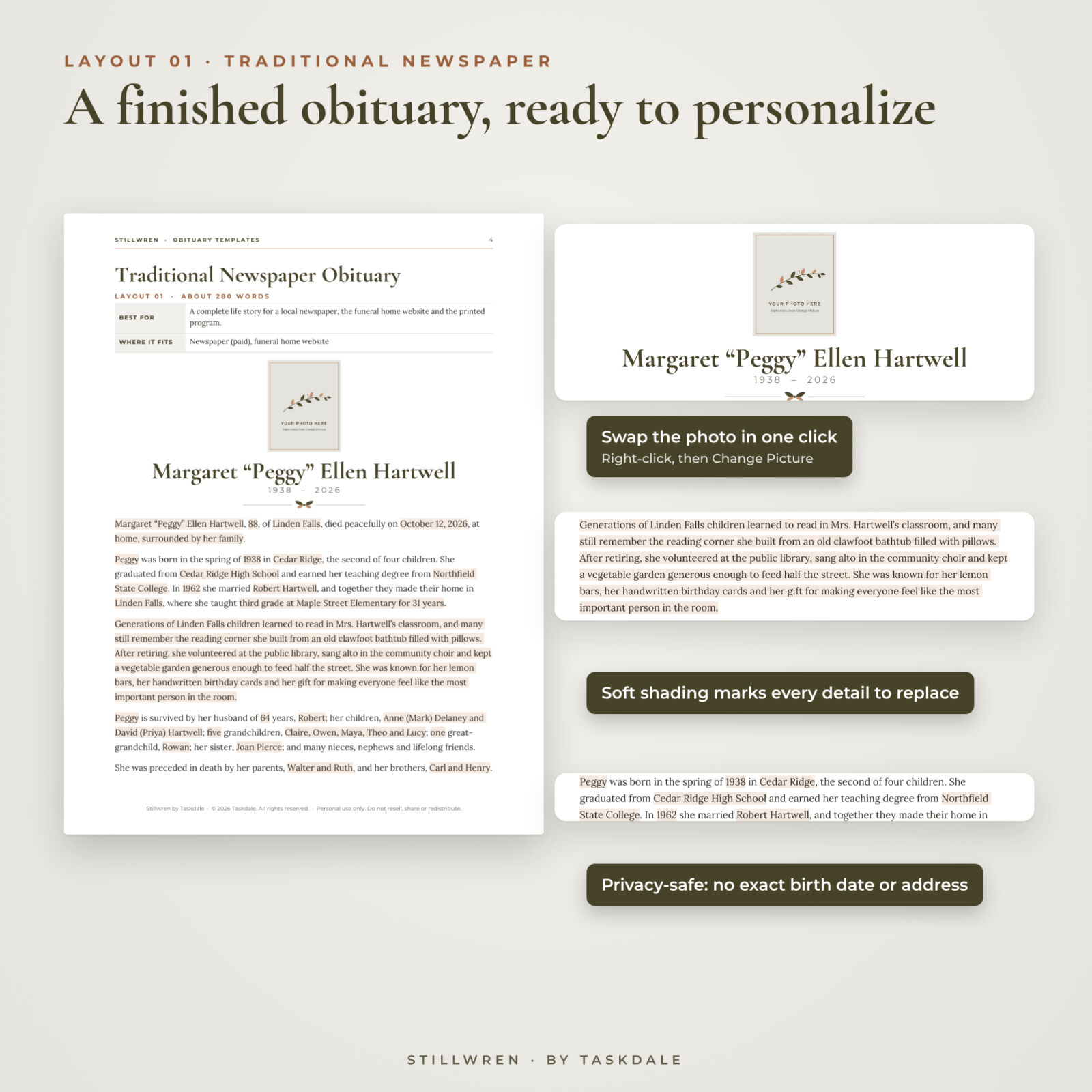
- 01 Traditional newspaper obituary with a photo frame, about 280 words
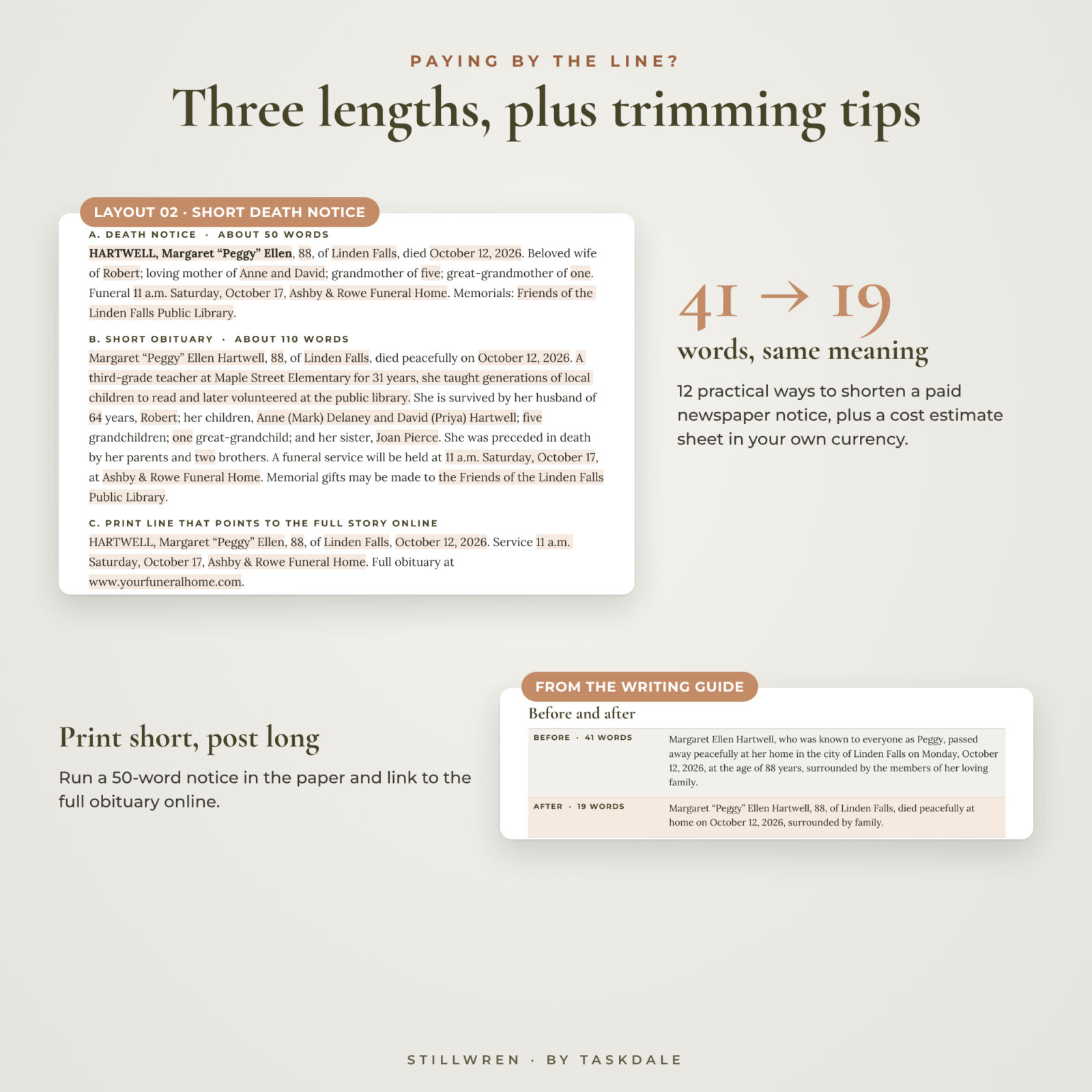
- 02 Short death notice in three lengths: a 50-word notice, a 110-word short obituary and a print line that points readers to the full story online
- 03 Modern online and memorial-site obituary with easy-to-scan subheadings
- 04 Celebration of life announcement with a “Join us” details box
- 05 Religion-neutral obituary with gentle secular phrasing
- 06 Faith-friendly obituary plus a table of wording swaps for Christian, Catholic, Jewish, Muslim and spiritual families
- 07 Veteran obituary with a military service record box (branch, years, rank, unit, era, honors)
- 08 Social media, family email and text message announcements
Each layout ends with a “How this layout is built” table and writer’s notes, so you understand why each paragraph is there.
2. A Gentle Guide to Writing an Obituary (Word, 18 pages, 11 chapters)
- Seven gentle steps, and what to do if you only have ten minutes
- Fact-gathering worksheet you can type into or print
- The order of information, with an example line for every part
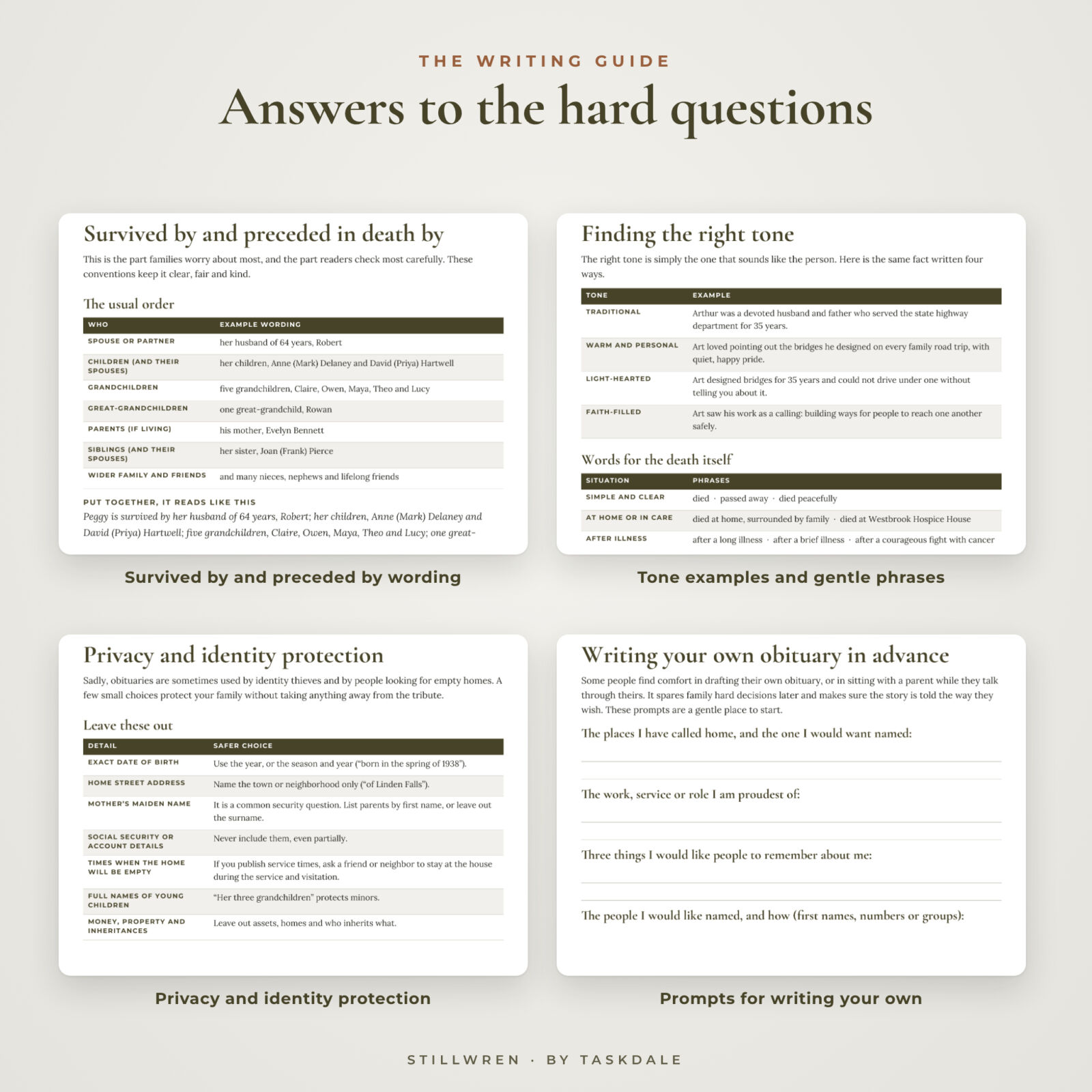
- Survived-by and preceded-in-death-by conventions: parentheses for spouses, blended families, partners, difficult relationships
- Tone examples and phrases for the death itself, including private causes
- 12 ways to trim a paid newspaper notice, a before-and-after example and a cost estimate sheet
- Where to publish, privacy and identity-protection steps, a clickable checklist, and prompts for writing your own obituary
3. Fillable PDF obituary worksheet (6 pages)
42 typing fields and 21 tick boxes for the facts, family, life story, service details, publishing plan, final checklist and privacy check. Fill it in on screen or print it and write by hand. Share it with family so everyone can add details.
4. Illustrated user guide (Word)
Screenshots and plain instructions for replacing details, changing the photo, removing all shading in one step, changing fonts and printing.
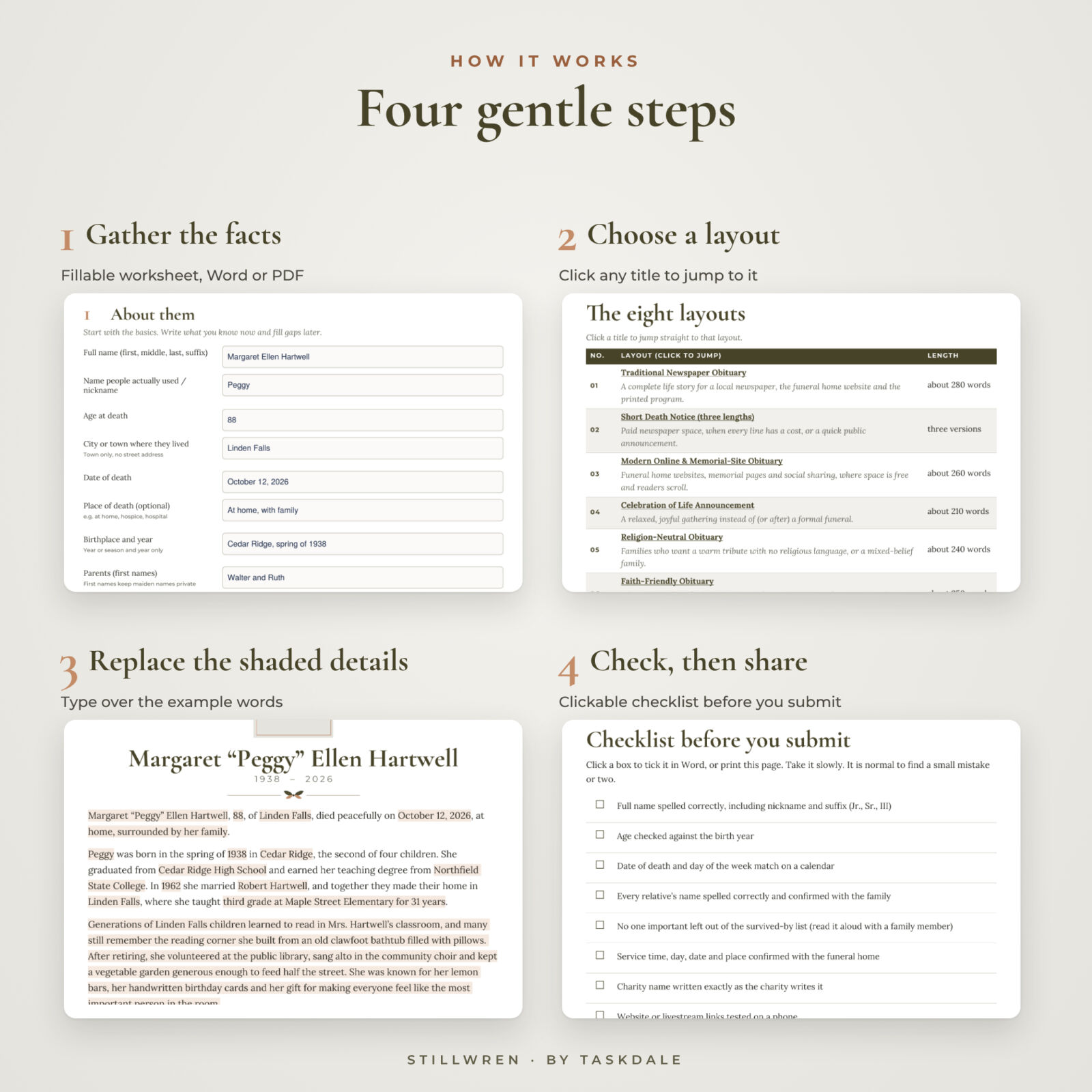
How it works
- Gather the facts with the Word or fillable PDF worksheet.
- Choose a layout from the clickable list of eight.
- Replace the softly shaded details with your loved one’s names, dates, places and stories.
- Check and share: use the checklist, then paste the text into the newspaper or funeral home form, email it, or print it.
Main benefits
- Start from finished wording instead of a blank page
- Save money on paid newspaper notices with the three-length notice and trimming tips
- Get the family wording right the first time with clear survived-by conventions
- Protect your family from identity theft with privacy-safe examples
- Calm, compassionate tone throughout, with no clichés you have to fight
Real situations where families use it
- A 50-word paid newspaper notice today, with the full story on the funeral home website later
- A celebration of life for a parent who would have hated a formal funeral
- A veteran’s obituary with the correct branch, rank and service dates from the DD Form 214
- A mixed-faith family that wants a warm tribute with no religious language
- A gentle Facebook post and family email before the obituary is ready
- Writing your own obituary so your family does not have to
File formats and software
- Word .docx files (templates, writing guide, user guide) for Microsoft Word 2016 or later on Windows and Mac, and Microsoft 365. Also checked page by page in LibreOffice Writer.
- Fillable PDF worksheet for Adobe Acrobat Reader (free on desktop and mobile), also printable.
- US Letter and A4 versions of the templates, guide and worksheet.
- Fonts (Cormorant Garamond, Lora, Montserrat; free Google Fonts) are embedded in the Word files.
Customization
The templates use real Word styles, so you can change the font or color of every name, heading or paragraph in one step. Swap the photo with right-click, Change Picture. Mix paragraphs from different layouts. Remove all the replace-me shading at once by editing a single style.
Digital download
This is an instant digital download; nothing is shipped. You can download the files right after purchase and use them as many times as you need for your own family. Personal use only; please do not resell or share the files.
Obituary template FAQ
Do I need Microsoft Word?
Word 2016 or later (or Microsoft 365) gives the best result. The files also open in LibreOffice Writer. Google Docs and Pages can open them, but fonts and spacing may shift.
Can I paste the obituary into a newspaper’s online form?
Yes. Copy the text and paste it into the form. The guide explains how to strip formatting if a form needs plain text.
How long should an obituary be?
Paid newspaper notices are often 50 to 200 words; online obituaries are usually 250 to 600. The kit includes both, plus tips to trim.
What should I leave out of an obituary?
Leave out the exact birth date, home address, mother’s maiden name and any account details. The privacy chapter explains safer wording.
Is there a template for a veteran or a faith-based obituary?
Yes. Layout 07 includes a military service record box, and Layout 06 includes wording swaps for several faith traditions. Layout 05 is fully religion-neutral.
Can I fill in the worksheet on my phone?
Yes, in the free Adobe Acrobat Reader app on iPhone, iPad or Android. You can also print it.
Is this a funeral program?
No. This kit is for writing the obituary and death notice itself. The wording works well inside any funeral or memorial program.
All names in the examples are invented. The kit offers general writing guidance, not legal advice; newspapers set their own rules and prices.

Reviews
There are no reviews yet.