Streakwell Habit Tracker App: build habits that stick, one check-off at a time
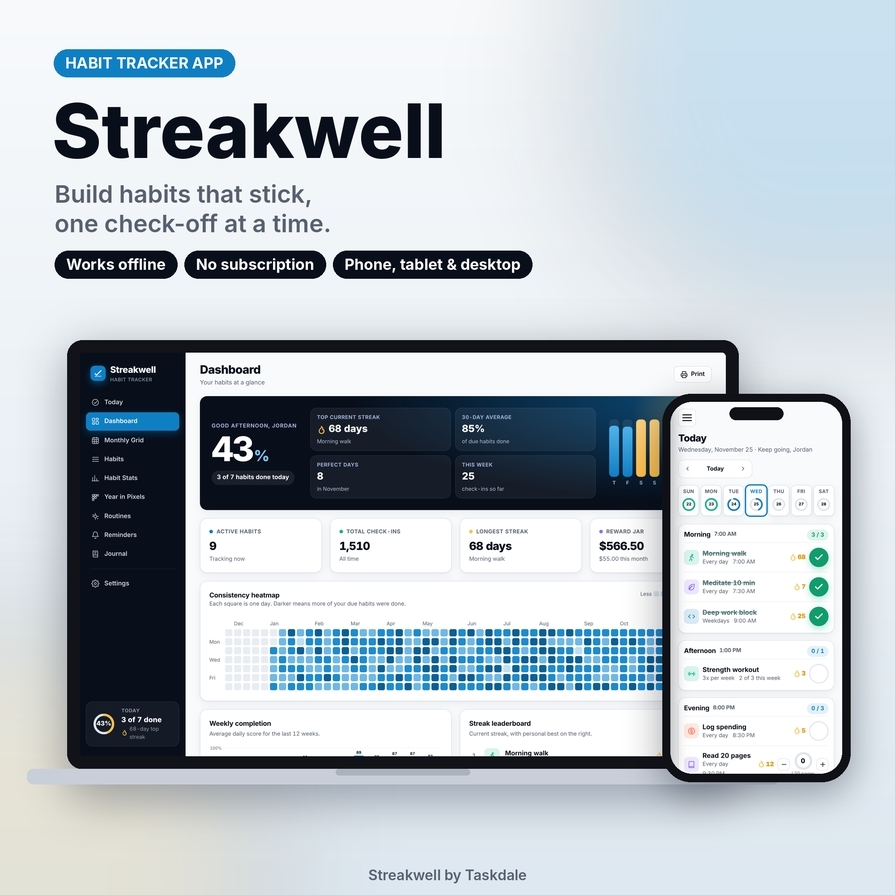
Streakwell is a habit tracker app that runs in your web browser from one downloaded file. Add the habits you want to build, tap to check them off, and watch your streaks, heatmaps and charts grow. It works offline, there is no account to create and no monthly fee, and every check-in stays private on your own device.
Most habit apps punish you for one missed day. Streakwell gives you rest days, flexible “3 times a week” goals and a daily score, so a busy Tuesday doesn’t wipe out a 40-day streak. Open the sample data and you can see a full year of history in under a minute.
What this habit tracker does
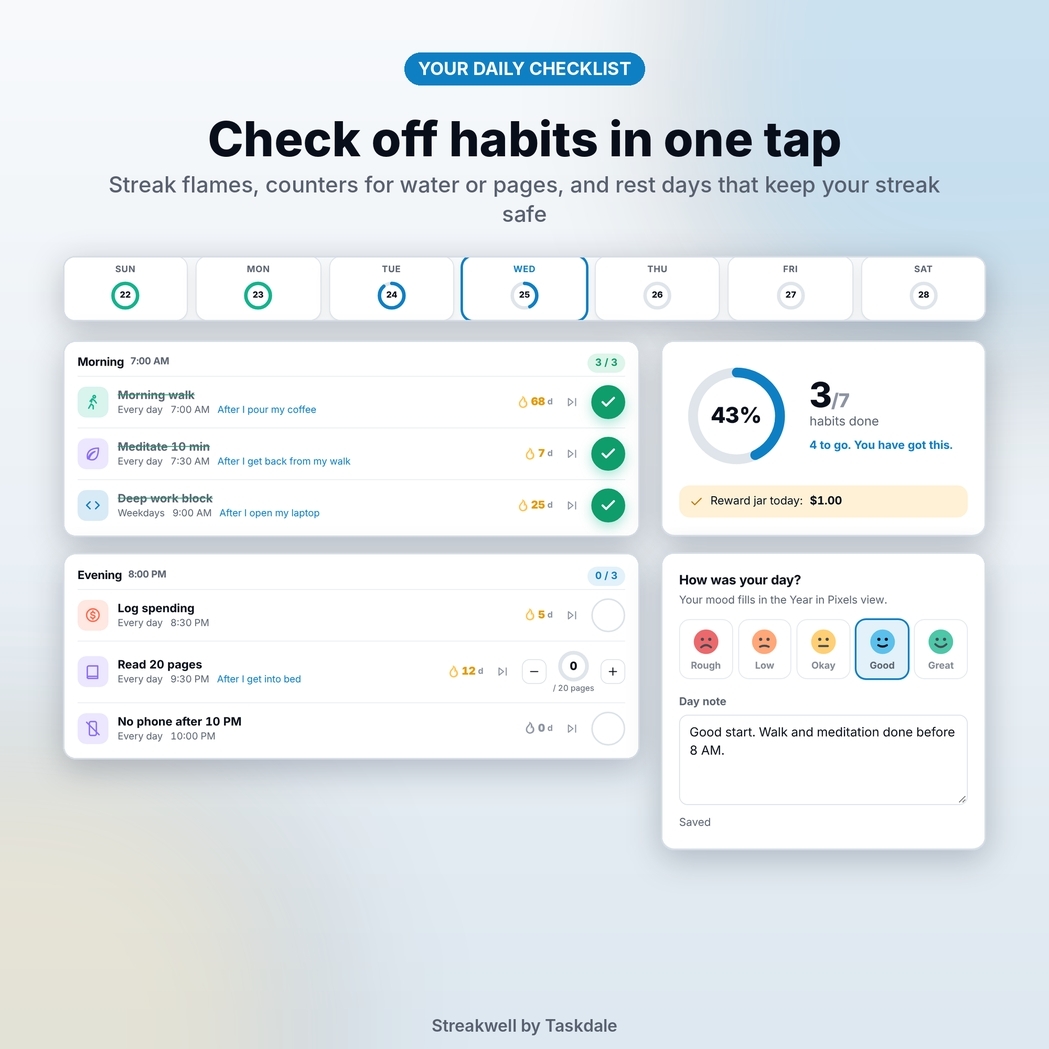
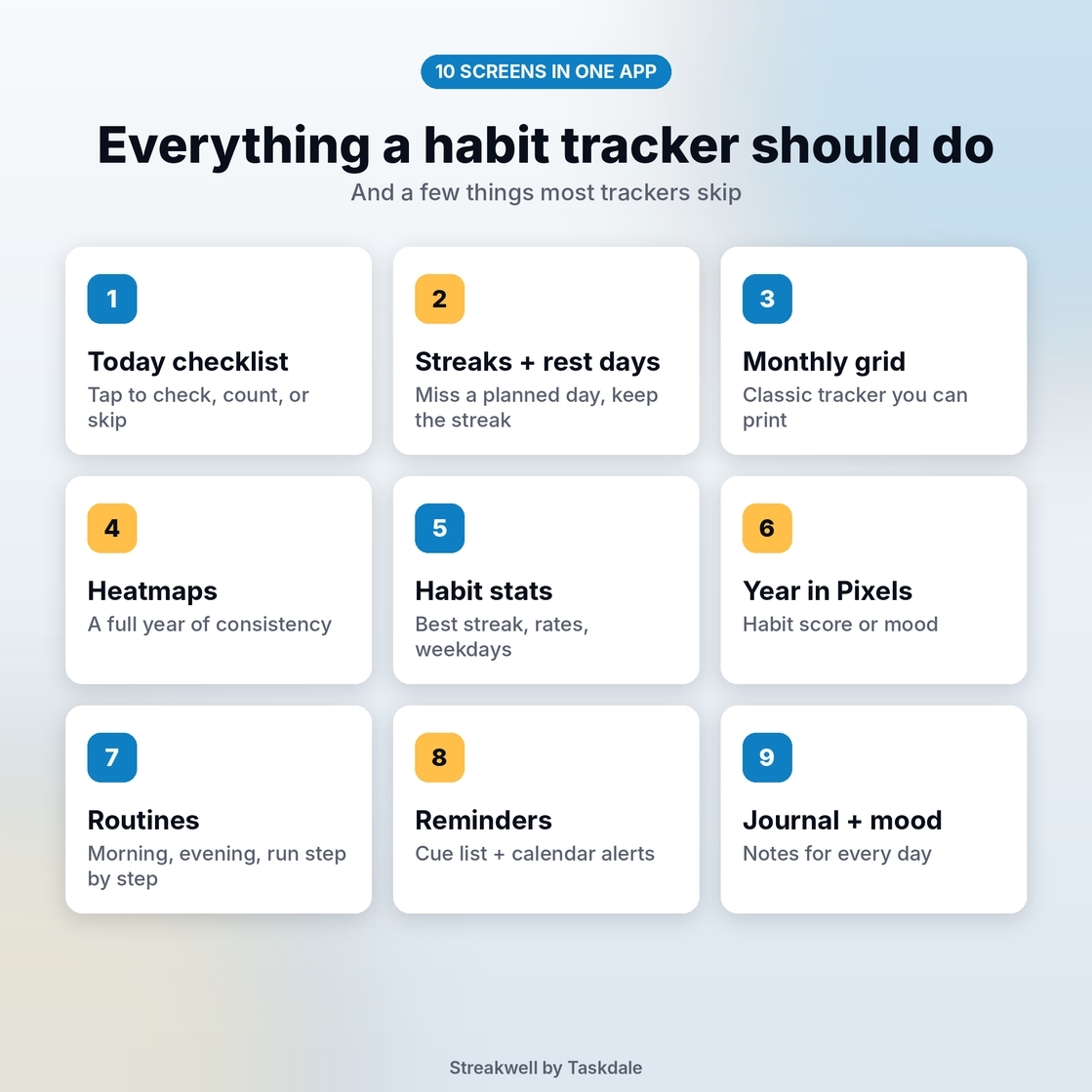
- Today checklist: habits grouped into Morning, Afternoon, Evening and Anytime routines. One tap to check off, plus and minus buttons for count habits like 8 glasses of water or 20 pages.
- Streaks that forgive real life: a flame shows your current streak. Mark a rest day with Skip and the streak is kept. Flexible habits count streaks in weeks.
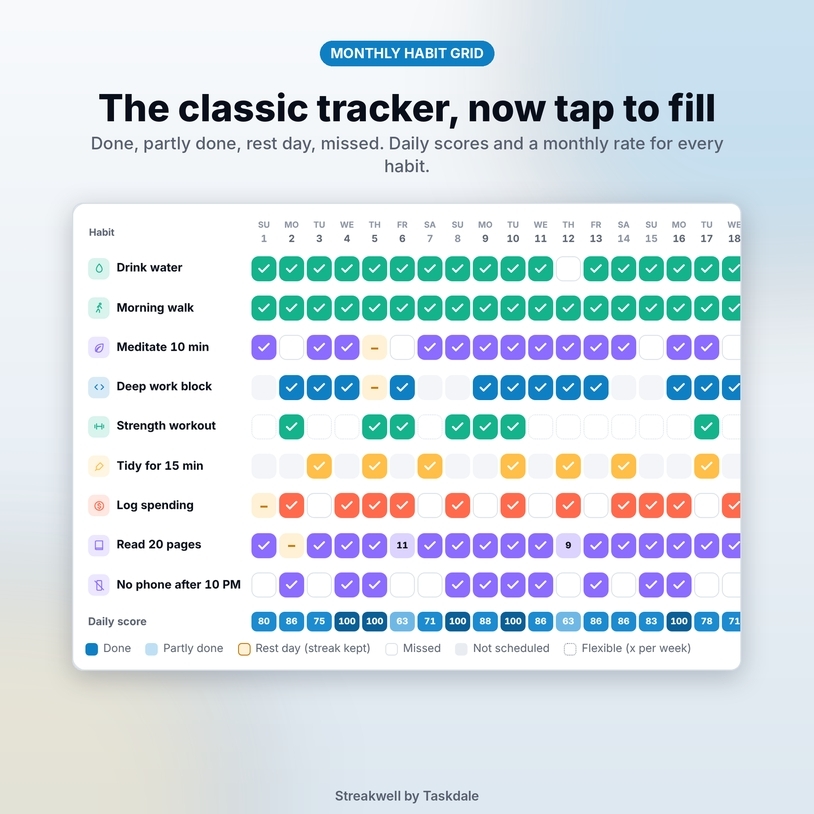
- Monthly habit grid: the classic bullet journal tracker, filled by tapping. Done, partly done, rest day and missed squares, with a monthly rate for each habit and a score for each day. Printable.
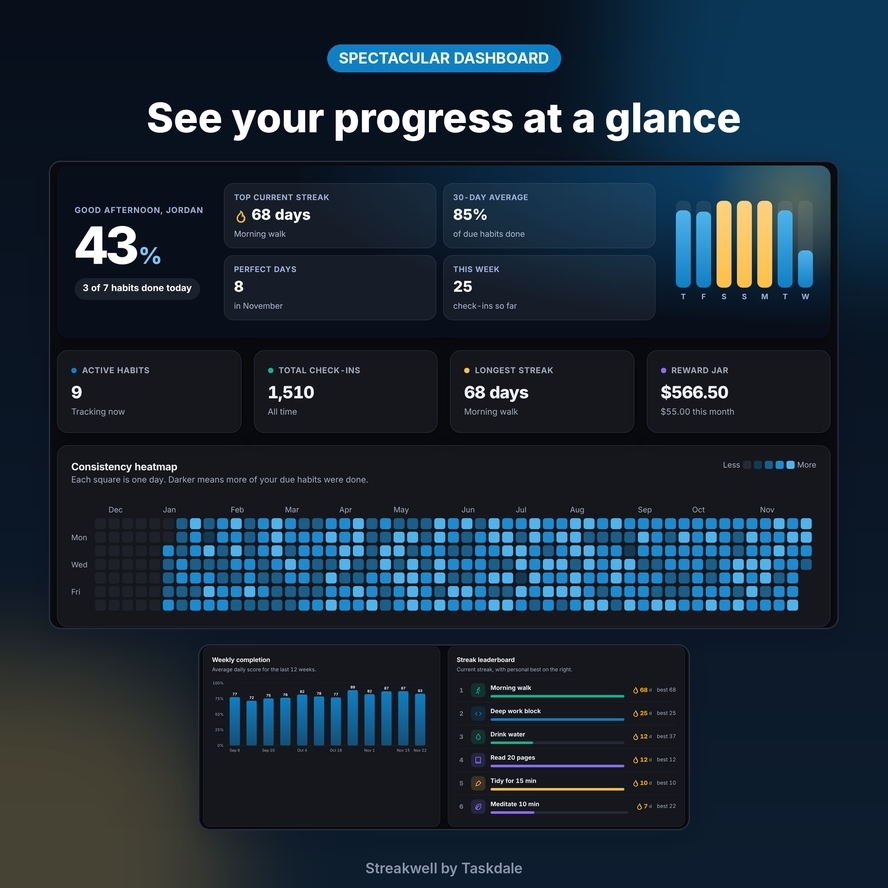
- Dashboard: today’s score, top current streak, 30-day average, perfect days, a one-year consistency heatmap, weekly completion chart, streak leaderboard, check-ins by life area, best days of the week and habit strength bars.
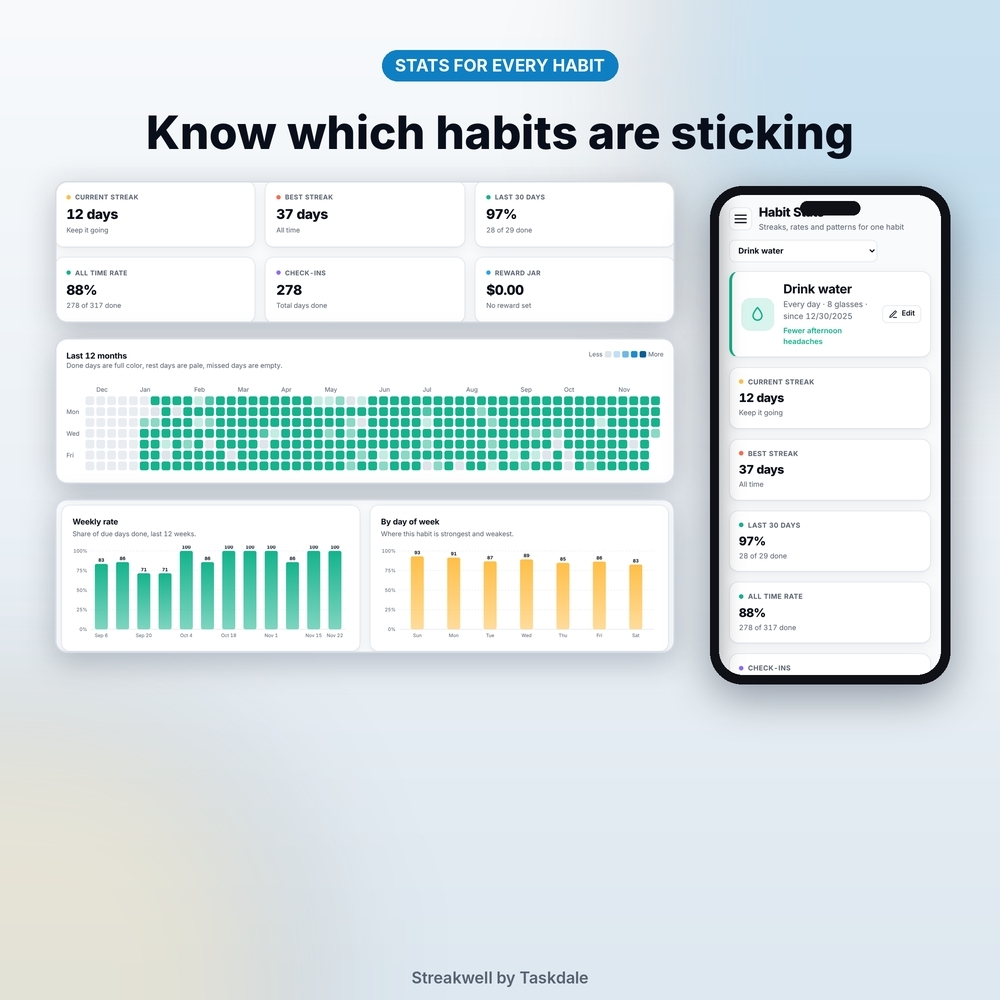
- Habit stats: current and best streak, 30-day and all-time completion rate, total check-ins, a 12-month heatmap, weekly rate, day-of-week chart and a monthly trend line for every habit.
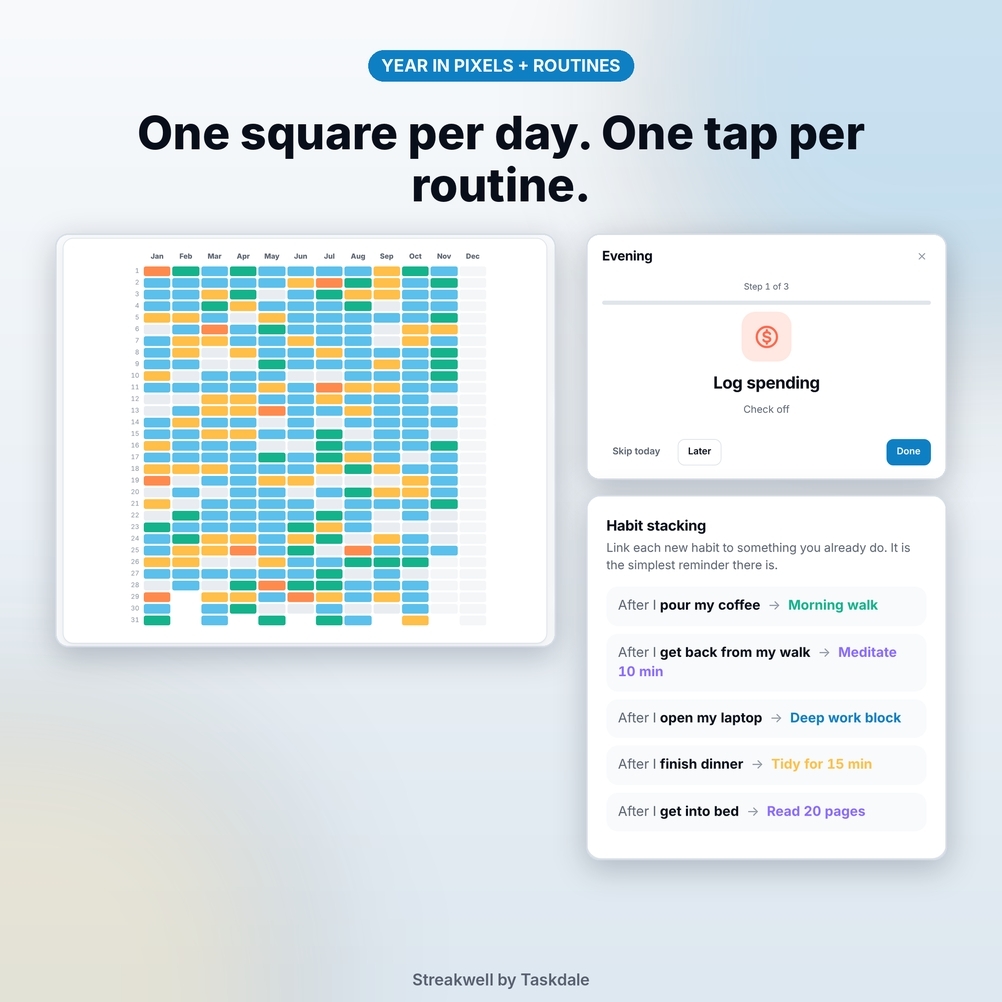
- Year in Pixels: one square per day of the year, colored by habit score or by mood.
- Routines: press Start and Streakwell walks you through a routine one habit at a time: Done, Skip today or Later.
- Reminders: a time-sorted cue list for today, habit stacking cues (“After I pour my coffee, then Morning walk”) and a calendar file (.ics) that adds repeating alerts to Google Calendar, Apple Calendar or Outlook.
- Journal and mood: a five-point mood picker and a day note on the Today screen, collected in a searchable journal.
- Reward jar: set an amount per check-in (for example 1.00 per workout) and the habit tracker adds up what you have earned. Pick any currency symbol in Settings, with $ as the default.
Who it is for
Streakwell suits anyone who wants a simple daily habit tracker with real feedback. It works well for people starting two or three new routines, parents juggling school runs and workouts, students building study habits, and bullet journal fans who love a monthly habit grid but are tired of coloring squares by hand. If you have deleted a habit app because it nagged you or charged every month, this is the calm, one-time alternative.
Why buyers pick it over other habit tracker apps
- Three schedule types: every day, set days (Mon, Wed, Fri) or X times a week.
- Yes or no habits and count habits with a target and unit, such as 10,000 steps or 3 liters.
- Rest days that protect your streak, and future days locked so you can’t check off tomorrow by mistake.
- Fill in past days from the week strip, the monthly grid or any heatmap square.
- Archive a habit to pause it without losing its history. Reorder, edit or delete with Undo.
- Light and dark themes, Sunday or Monday week start, and custom life areas with your own colors.
What is included
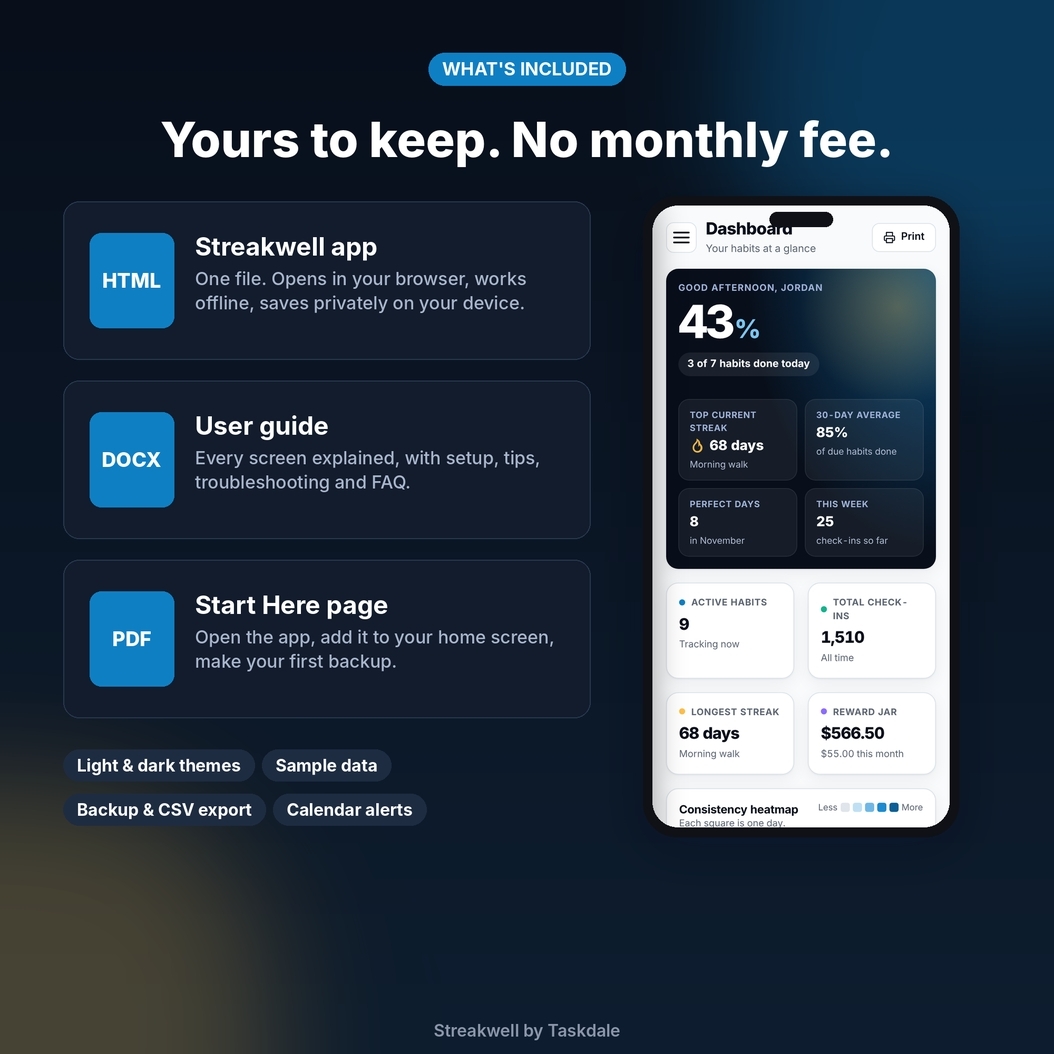
- Streakwell-Habit-Tracker.html: the app. One file, about 140 KB.
- Streakwell User Guide (DOCX): 12 pages covering setup, every screen, how streaks and scores are worked out, tips, troubleshooting and FAQ.
- Start Here (PDF): a one-page quick start with home screen steps.
How it works
- Download and unzip the file, then double-click Streakwell-Habit-Tracker.html. It opens in your browser.
- Type your name and click Start fresh, or explore with sample data first.
- Add a habit: name, icon, schedule, goal, routine and an optional reminder time and cue.
- Check habits off on the Today screen. The dashboard, grid, stats and pixels fill in by themselves.
- Export a backup each week in Settings. Import it to restore or to move to another device.
File format and software requirements
The habit tracker app is a single offline HTML file with everything built in: no internet connection, downloads or plugins needed after purchase. It was tested in Google Chrome and Microsoft Edge on desktop, and at tablet and phone screen sizes. It uses standard web features, so other modern browsers such as Safari and Firefox should also work. On Android, open it in Chrome and use Add to Home screen. On iPhone and iPad, the Files app preview cannot run apps, so open the file in a browser or an HTML viewer app that opens local files; the guide shows how.
Your data is saved in the browser on your device. Each browser keeps its own copy, so use Export backup (JSON) to move between devices. You can also export every check-in to CSV for a spreadsheet.
Customization
Pick from 18 habit icons and 8 colors, rename life areas and routines, set routine start times, choose a week start day, switch between light and dark, and set the currency symbol and its position for the reward jar. Add as many habits as you like; most people do best with 3 to 10.
Real ways people use it
- A morning routine of a walk, 10 minutes of meditation and a deep work block, run step by step with the Start button.
- Drinking 8 glasses of water a day with a counter, then checking the 30-day rate climb from 60% to 90%.
- Strength training 3 times a week, with weekly streaks instead of daily pressure.
- A “no phone after 10 PM” habit linked to a mood log, to see whether better evenings mean better days.
Digital download
This is a digital download. No physical item ships. After checkout you get the ZIP file and the user guide straight away from your account, with unlimited downloads. Personal use license: use Streakwell for your own habits on your own devices. Please do not resell, share or redistribute the files.
Habit tracker app FAQ
Do I need the internet to use this habit tracker?
No. After download it works fully offline.
Is there a subscription?
No. You pay once and keep it.
Does it work on my phone?
Yes. The layout adapts to phones and tablets. On Android, open it in Chrome. On iPhone and iPad, use a browser or HTML viewer app rather than the Files preview.
Will it send reminders?
A local file cannot push notifications, so Streakwell exports a calendar file with repeating alerts for every habit that has a time. You can also print the daily cue list.
What happens if I miss a day?
Mark it as a rest day and your streak is kept. If you simply forgot to log it, go back to that day and check it off.
Can I move my habits to a new device?
Yes. Export a backup in Settings and import it on the other device.



Reviews
There are no reviews yet.