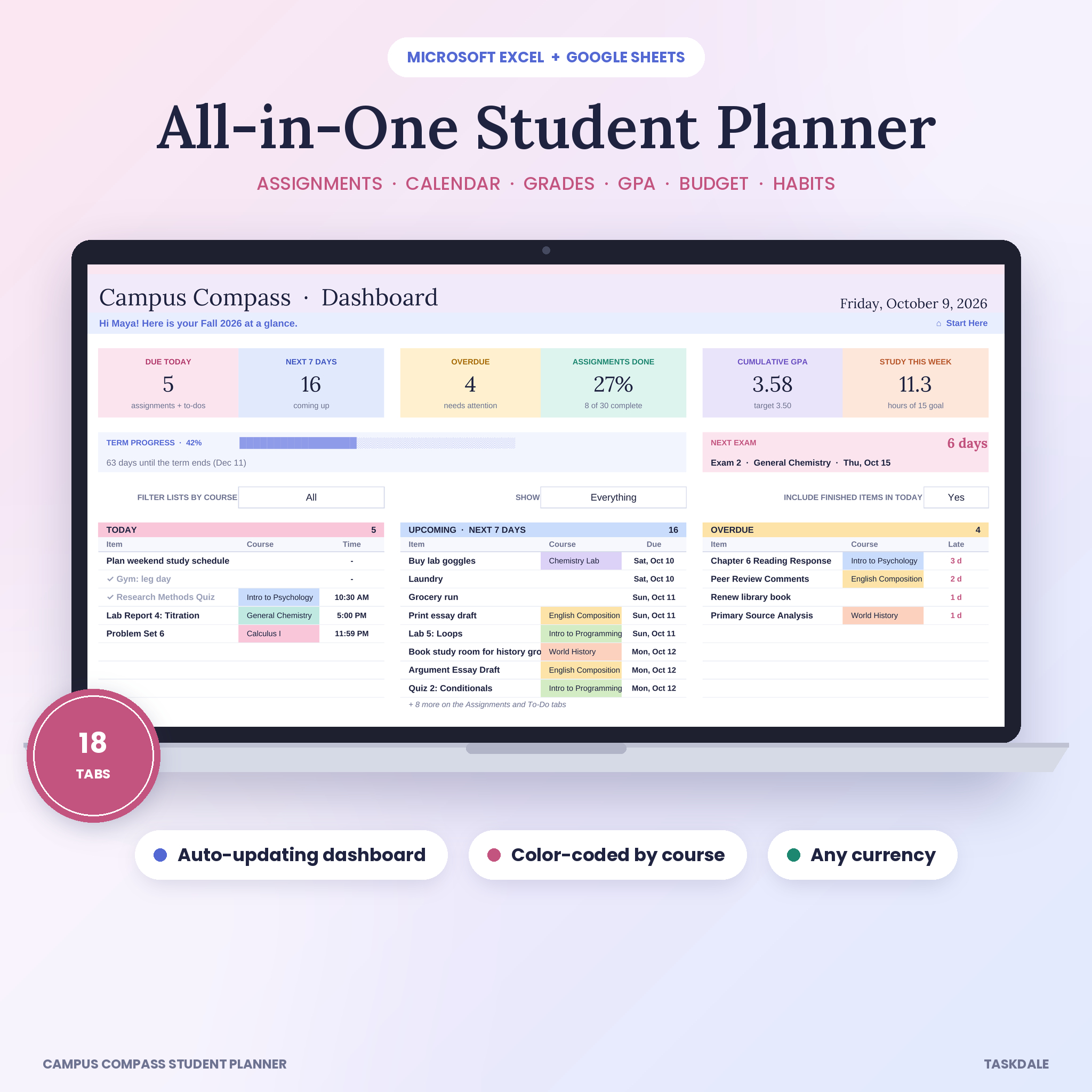
Campus Compass is a student planner spreadsheet for Excel and Google Sheets that holds your entire semester in one place. Classes, due dates, grades, GPA, study time, money and habits all live in a single workbook, and they talk to each other. Type a quiz in once and it shows up on your calendar, your dashboard and your course page. No copying. No formulas to write.
It’s built for students who are tired of sticky notes, five different apps and that sinking feeling of remembering a paper the night it’s due.
What This Student Planner Spreadsheet Does
You add your courses and copy the due dates from each syllabus. That’s most of the setup. From there the workbook sorts, counts and colors everything for you.
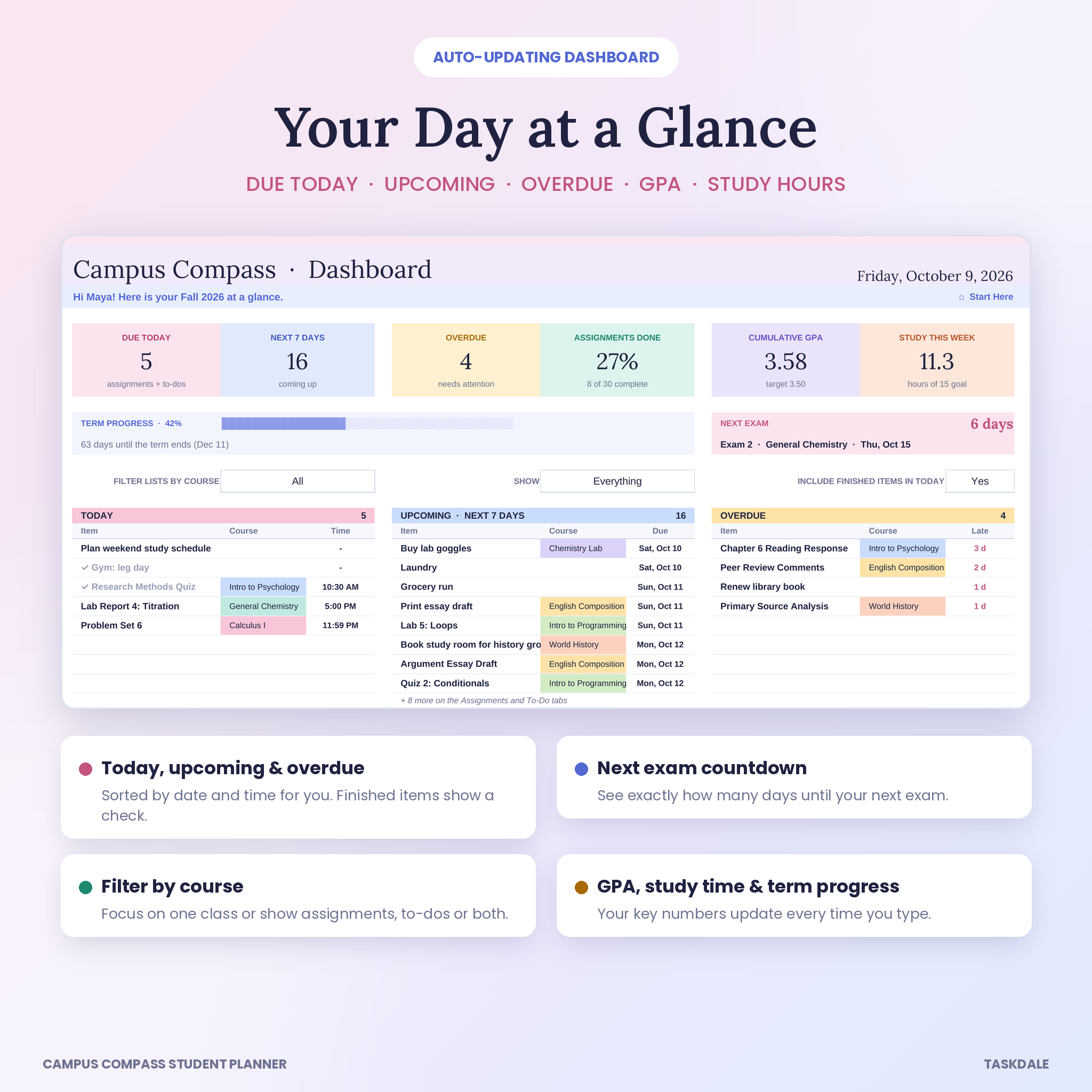
- Morning dashboard. See what’s due today, what’s coming up in the next 7 days (or any window you pick) and what’s overdue. Your GPA, study hours, term progress and a countdown to your next exam sit right at the top.
- Color-coded by course. Each class gets its own color, and that color follows it to the tracker, calendar, schedule and grade tables.
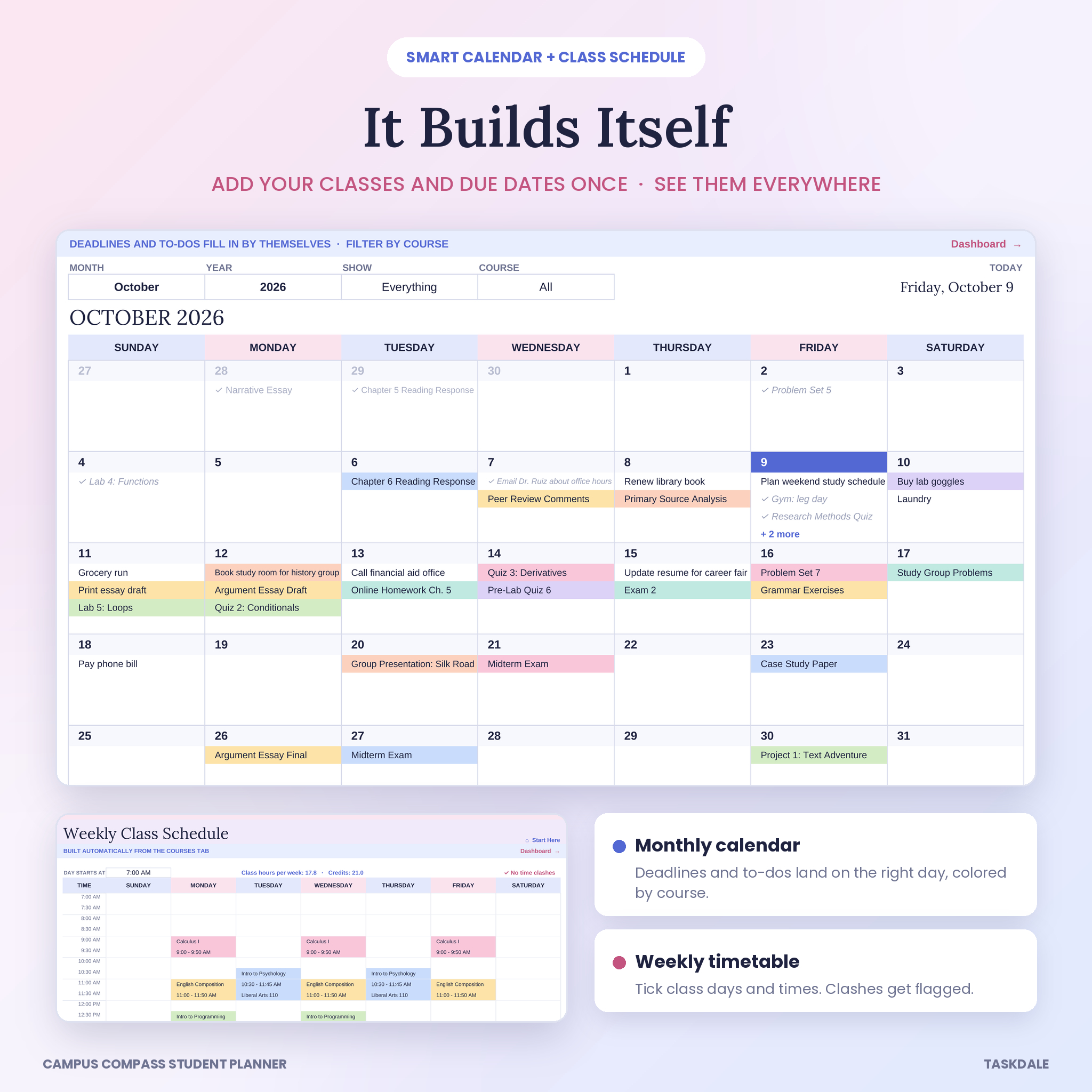
- Smart calendar. Every assignment and to-do lands on its due date by itself. Filter it by course on busy weeks.
- Weekly class schedule. Tick the days a class meets and type the times. The timetable draws itself and warns you if two classes overlap.
Who It’s For
College and university students taking anywhere from three to twelve classes. High school juniors and seniors in AP or dual-credit courses. Grad students who want reading, research deadlines and a tight budget in one file. Parents and tutors who help a student stay organized will like it too.
You don’t need spreadsheet skills. White boxes are for typing or picking from a dropdown. Everything else calculates on its own and is locked so you can’t break a formula by accident.
Features
Assignment tracker and to-do list
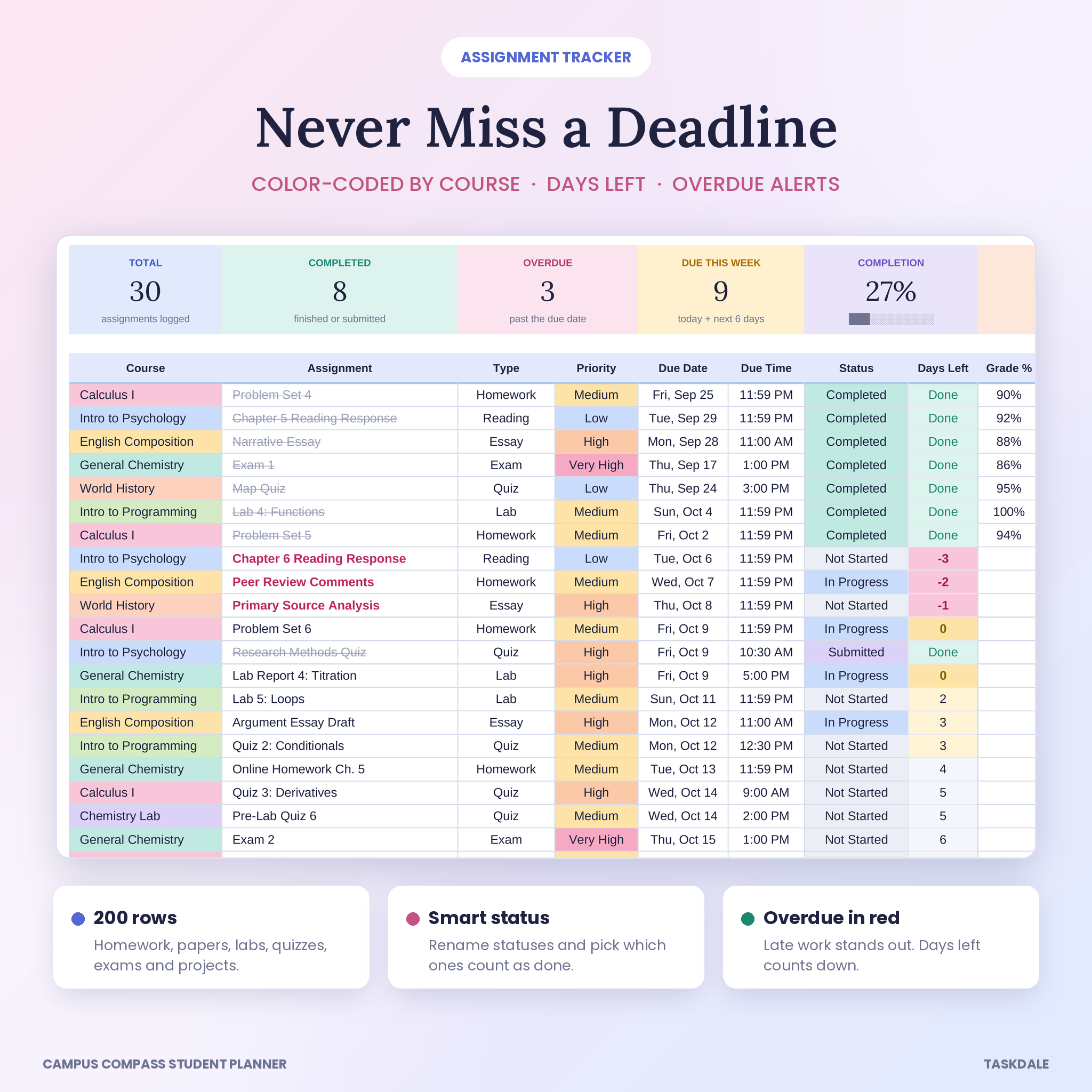
- 200 assignment rows with course, type, priority, due date, due time, status and grade
- Days Left counts down by itself. Late work turns red, work due today turns yellow
- Finished work is crossed out and drops off your due lists
- 150-row to-do list for errands, emails and life admin, also shown on the calendar
- Filter arrows on every column
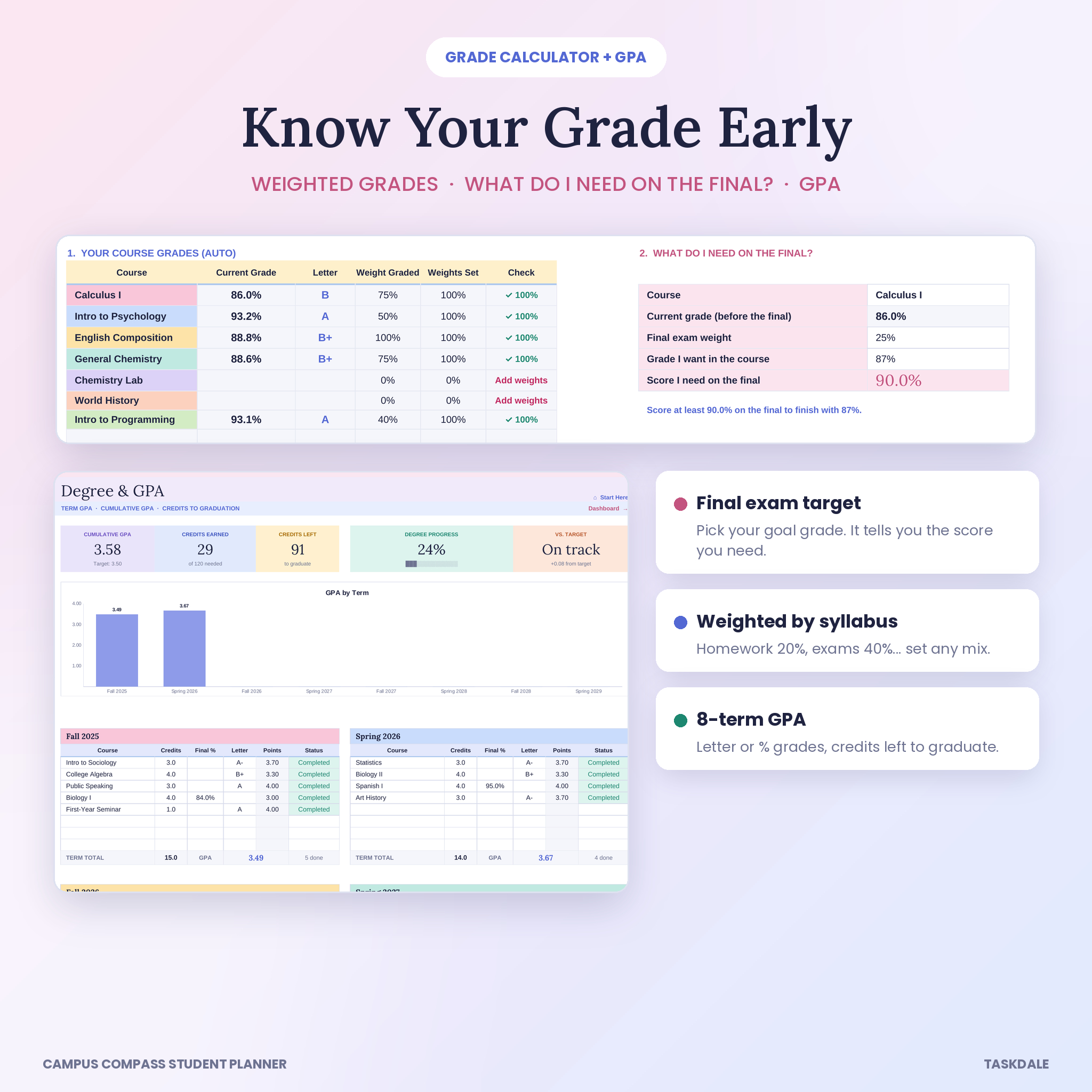
Grade calculator and GPA tracker
- Weighted grades for every course, based on the percentages in your syllabus
- A “what do I need on the final?” tool: pick a course and a goal grade, and it gives you the score to aim for
- Degree and GPA tab with eight terms, letter or percent grades, term GPA, cumulative GPA and credits left to graduate
- Editable grade scale, so plus/minus cutoffs match your school
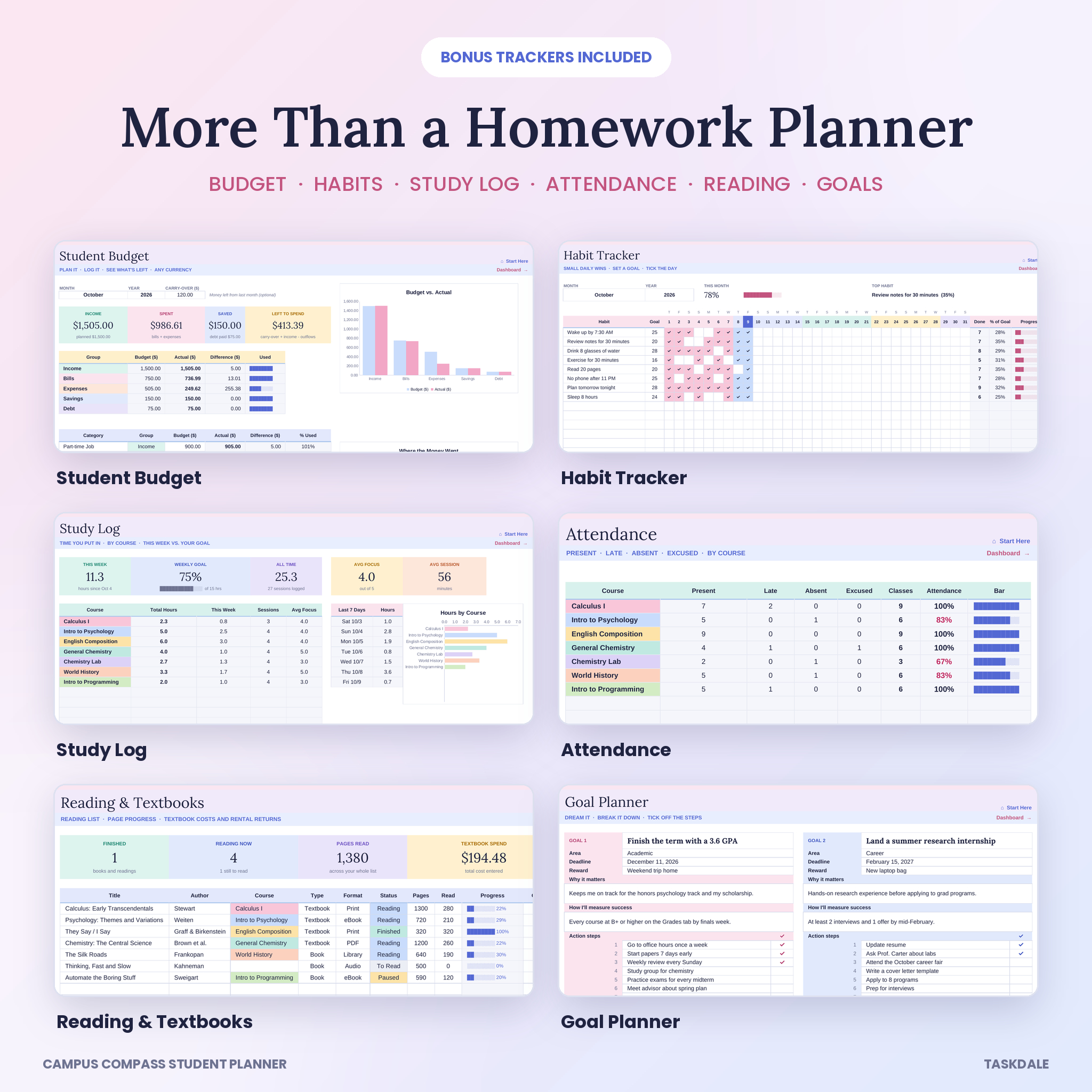
Bonus trackers
- Student budget: plan each category, log transactions and see budget vs. actual with two charts
- Study log: minutes per session, hours by course and a weekly goal bar
- Attendance: present, late, absent and excused per class, with a warning under 85%
- Reading and textbooks: page progress, textbook costs and rental return reminders
- Habit tracker: 15 habits, a monthly goal for each and a daily completion chart
- Goal planner: four goal cards with steps, progress bars and deadlines
- Contacts: professors, TAs, advisors, tutors and classmates
What’s Included
- Campus Compass Student Planner (.xlsx): the clean copy, ready for your own classes
- Campus Compass Student Planner Sample (.xlsx): the same file filled with a full sample semester, so you can see how everything looks in use
- User Guide (.docx): 22 pages with screenshots, setup steps, troubleshooting and FAQs
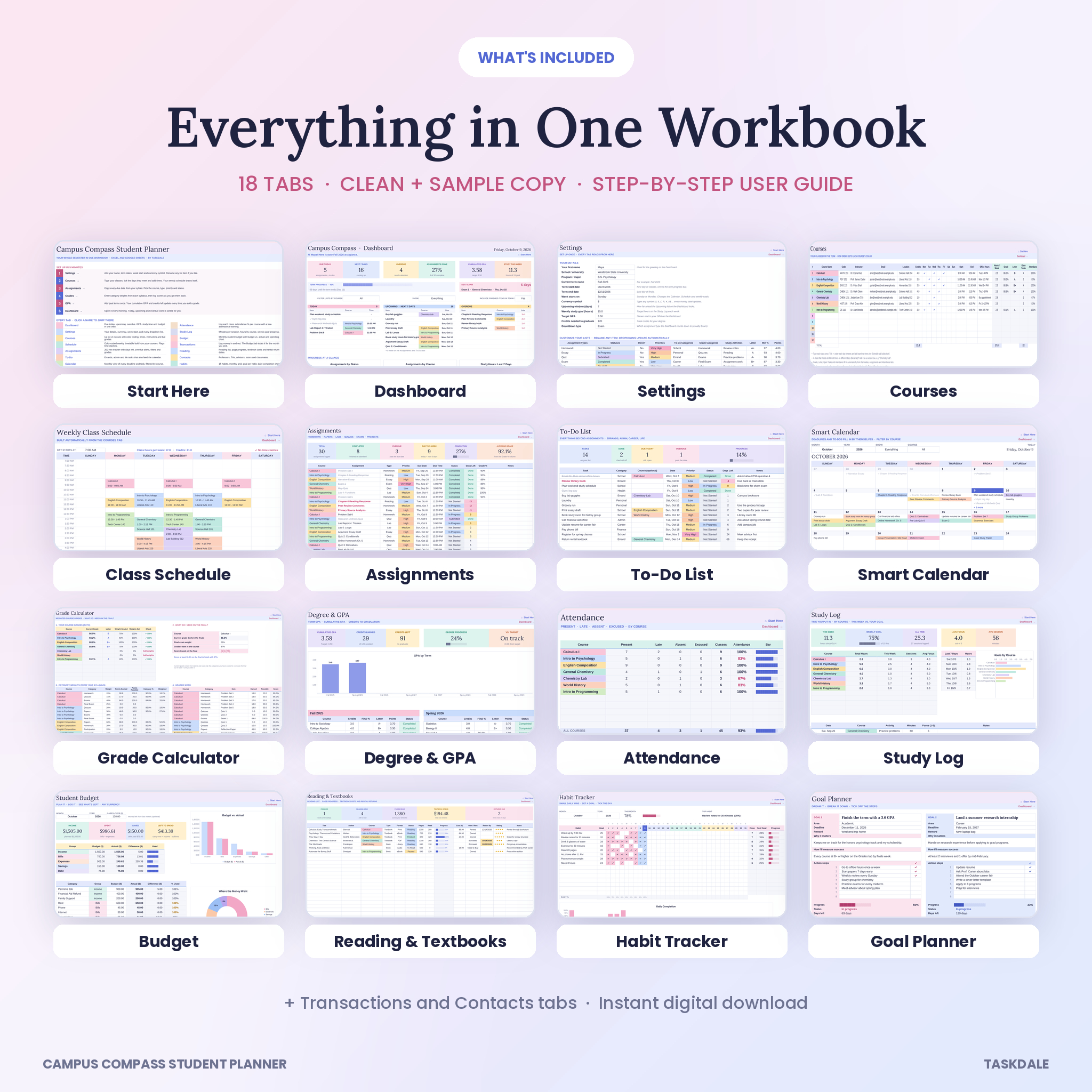
The workbook has 18 tabs: Start Here, Dashboard, Settings, Courses, Schedule, Assignments, To-Do, Calendar, Grades, GPA, Attendance, Study Log, Budget, Transactions, Reading, Contacts, Habits and Goals.
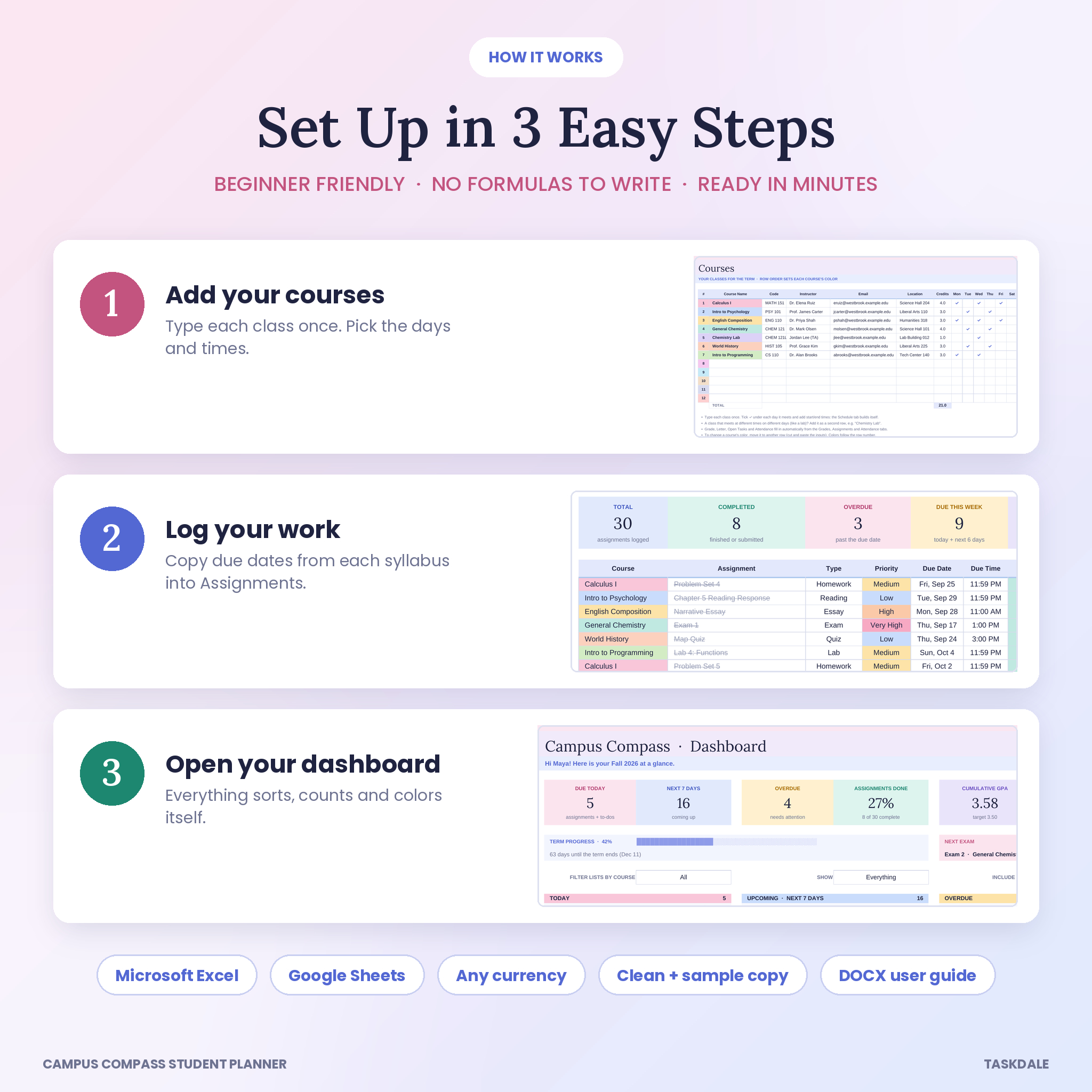
How It Works
- Settings. Add your name, term dates, week start (Sunday or Monday) and your currency symbol.
- Courses. Type each class, tick its meeting days and add the times.
- Assignments. Copy in the due dates from each syllabus. It takes about 20 minutes for a full term.
- Dashboard. Open it each morning. Today’s work is already sorted by time.
File Formats and Software
- File type: .xlsx spreadsheet, plus a .docx guide
- Microsoft Excel 2010 or newer on Windows or Mac, including Microsoft 365. No macros, no add-ins
- Google Sheets: upload the file to Google Drive and open it with Sheets. A free Google account is all you need
- Works in the Excel and Google Sheets phone apps for quick check-ins. A computer is easier for the first setup
Make It Your Own
Rename assignment types, statuses, priorities, to-do categories, grade categories and study activities on the Settings tab, and every dropdown updates. Pick any currency symbol, like $, €, £ or R, and every money label follows that one cell. Change the grade scale, the upcoming window, the weekly study goal and your target GPA. The sheets are protected with no password, so you can unlock them any time you want to change the layout.
Real Ways Students Use It
- A first-year student copies every syllabus date in week one and never gets surprised by a quiz again
- A nursing major checks the final exam tool to see she needs an 82% to keep her B+
- A transfer student enters past terms on the GPA tab to see exactly how many credits are left
- A student with a campus job tracks paychecks, rent and textbook costs on the budget tabs
- A parent and a high school senior share the Google Sheets copy to keep college applications and AP deadlines in view
Instant Digital Download
This is a digital product. Nothing ships. Your files are ready to download right after checkout, and you’ll get a download link by email too. Colors may look a little different from screen to screen.
Frequently Asked Questions
Does this student planner work in Google Sheets?
Yes. Upload the .xlsx to Google Drive and open it with Google Sheets. Formulas, dropdowns, colors and charts all carry over.
Do I need Microsoft 365?
No. Any Excel from 2010 onward works. The planner avoids newer functions on purpose so it runs on older versions too.
Can I use it for quarters or trimesters?
Yes. You set your own term dates, and you can rename the GPA term headers to anything you like.
How many classes can I track?
Up to 12 courses per file, with 200 assignments and 150 to-dos.
Can I change the currency?
Yes. Type your symbol once on the Settings tab and every money value updates.
Is it beginner friendly?
Yes. You only type in white boxes or pick from dropdowns. The included guide walks you through every tab with screenshots.
Can I use it again next semester?
Yes. Save a copy, clear the white cells on the term tabs and update your courses. Your GPA history carries over.
License
Personal use for one person. Please don’t resell, share or redistribute the files, including edited versions. © Taskdale.
Reviews
There are no reviews yet.