




Junk Removal Software That Runs the Whole Day From One File
Tarpline is junk removal software for owners and dispatchers with one to four trucks. Catch every call, text and web form in a requests inbox, quote a fair load-size range, book an arrival window, watch each truck fill up on a Day Board, and close the job with the customer’s approval and a receipt. It runs offline in your browser, so there is no account, no monthly fee and no signal needed in a basement or at a rural pickup.
Why a Junk Removal App Built Around the Truck
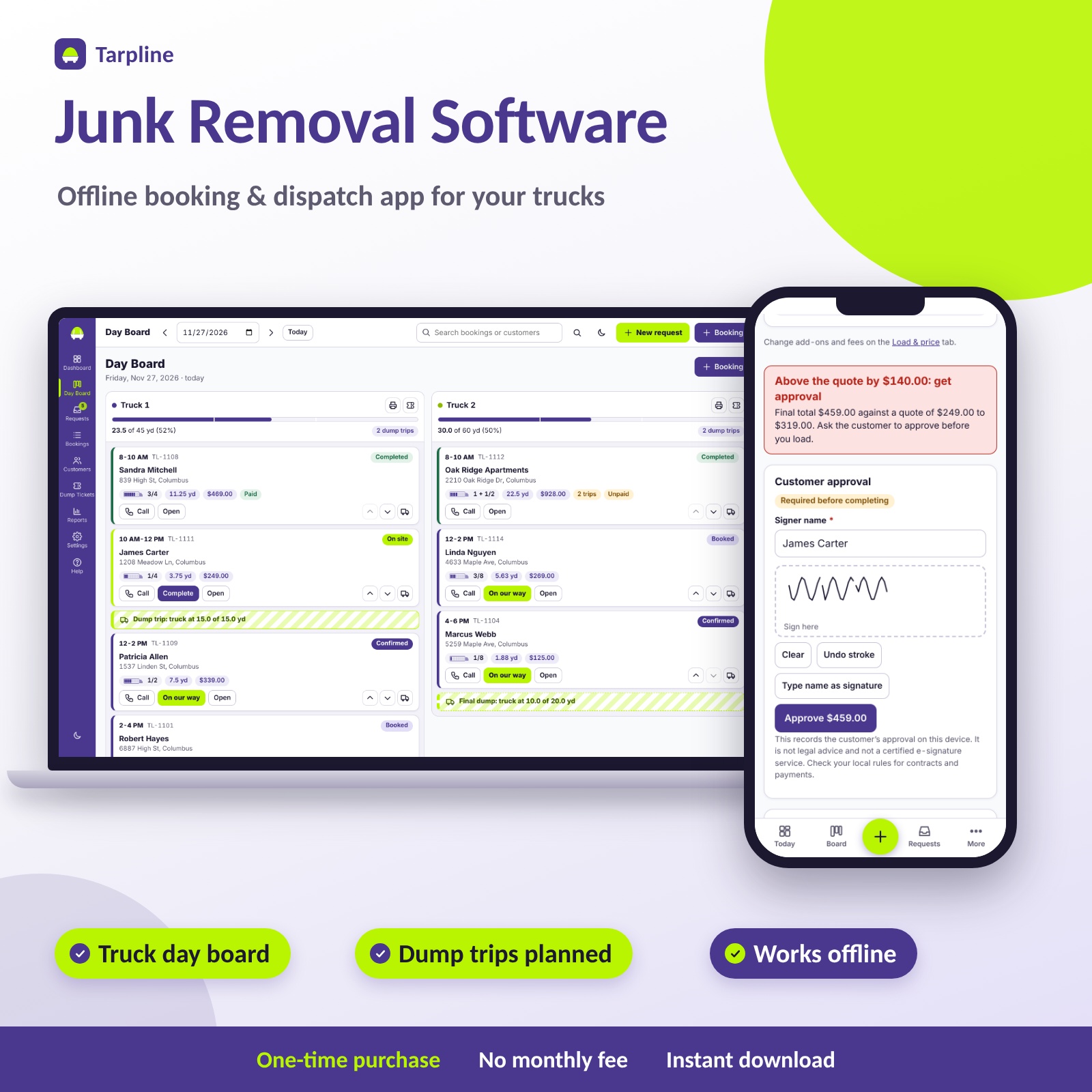
Booking tools fill time slots. They do not know that your 15-yard truck is already full by the third stop. Tarpline is a junk removal dispatch app that counts cubic yards. Each truck has its own lane, a capacity bar and a dump trip band that appears right where the next job will not fit. You stop finding out at 2 PM that a truck needs an extra run.
It also answers the complaint customers make most: the price that changed on site. Every quote is a range, such as 3/8 to 1/2 of a truck. When the final load is above the top of that range, the app blocks Complete job until the customer approves the new total on screen.
Who This Junk Removal Booking App Is For
- Owner-operators and small crews doing 3 to 10 jobs a day from calls, texts and web forms
- Dispatchers who keep the day on a paper calendar and forget to send arrival windows
- Companies that haul for homeowners, realtors and property managers on invoice terms
- Anyone tired of paying a monthly fee per truck or per job
Main Benefits
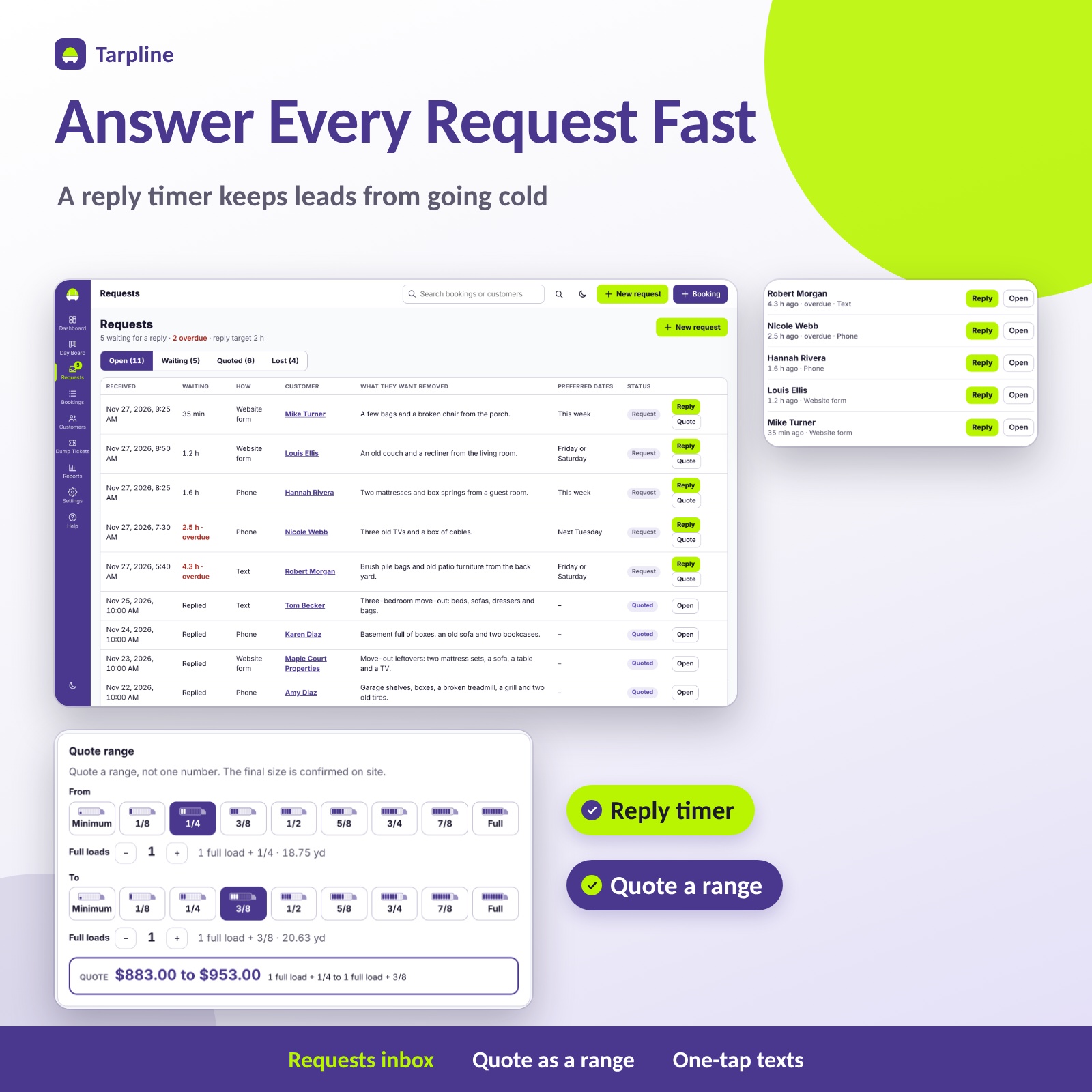
- Fewer cold leads. A reply timer turns red when a request waits past your target, 2 hours by default.
- No price arguments. Quote a range, confirm the final size on site and get approval when it is higher.
- No surprise dump runs. The planner shows how many trips each truck needs before the day starts.
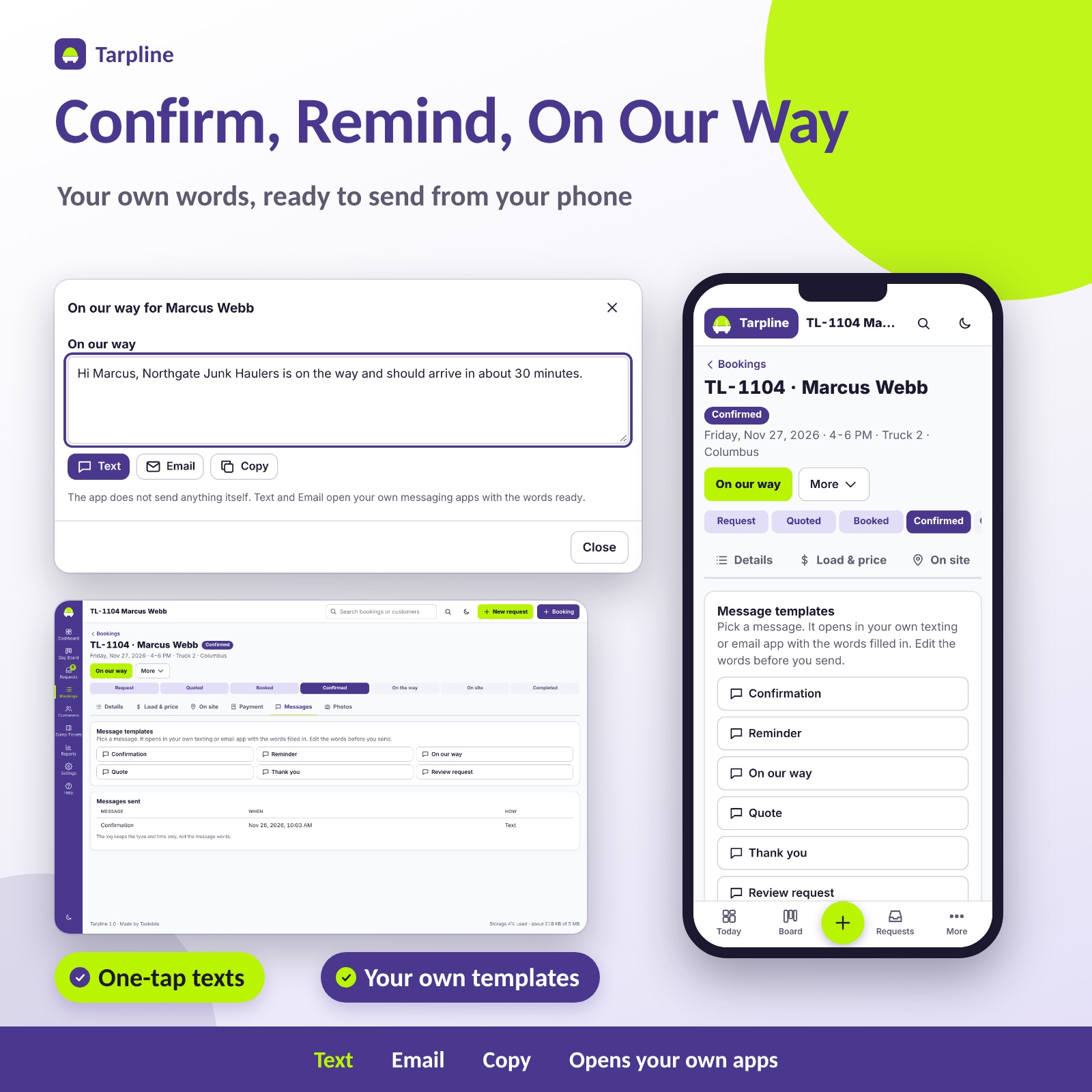
- Customers stay informed. One-tap texts for confirmation, reminder, on our way and review request.
- A clear end of day. Dump tickets, scrap income and revenue per truck in one summary.
Features
- Requests inbox with channel, preferred dates and a reply timer
- Quick item list that adds up cubic yards and suggests a load size
- Junk removal quote app with nine load sizes from Minimum to Full and a full-loads stepper
- Add-ons for stairs, long carries, take-apart items and same-day service, plus item fees, heavy-load weight charges, zone fees, discounts, minimum charge, rounding and tax
- Bookings with arrival windows, trucks, crew and route order
- Day Board with one lane per truck, capacity bars, automatic dump trips and Window full warnings
- On-site final load size, above-quote check and a signature pad, saved as light stroke data
- Payments, part payments, receipts and invoice terms (Net 15 and Net 30)
- Donation lists, before and after photos, customers, dump tickets and a daily truck summary
- Dashboard with 8 tiles and 4 charts, reports for any range and CSV exports
- Printable quote, confirmation, day sheet, receipt and donation list on US Letter or A4
- JSON backup and import, light and dark themes, phone to desktop layouts
What Is Included
- The app as one HTML file, delivered empty with a Load sample data button
- A DOCX user guide with screenshots and worked examples
- A one-page Start Here PDF
- All three files in one ZIP
How It Works
Add a request when the phone rings. Tap the items the customer described and the app suggests a load size. Pick a low and a high size, and both ends are priced from your own price table. Book a date, window and truck, then send the confirmation text. On the day, tap On our way, pick the final size on site and have the customer approve it if it is above the quote. Record the payment, log the dump ticket and read the daily truck summary.
Example: a 3/4 job is 11.25 cubic yards on a 15-yard truck. A 1/4 job after it brings the truck to exactly 15.00 yards. The Day Board then places a dump trip.
File Formats and Software Requirements
Tarpline is a single HTML file. It runs in a web browser on Windows, Mac, iPhone, iPad or Android. It was tested in Chrome and Edge; it should work in Safari and Firefox. Open the file in the browser itself, not in a phone’s file preview. The guide is a DOCX file and the quick start is a PDF.
Customization
Everything you see first is a sample. Replace the prices, fees, zones, arrival windows, truck sizes, quick items, lists and message words in Settings. Add your logo and business details and they print on every quote and receipt. Use any currency symbol you like.
Use Cases
- A Friday with seven jobs on two trucks and a dump trip between the second and third stop
- A garage cleanout that turned out bigger than the photos, with the customer’s approval before loading
- A property manager with three move-outs on invoice terms and a due date to track
- Texting “on our way” from the truck with the arrival time filled in
- A donation drop where the customer wants a list of what was taken
Digital Download Information
After purchase you download one ZIP file with the app, the guide and the quick start. Your data stays in your browser on your device. Export a backup from Settings to move it to another device. The measured storage capacity is about 2,800 bookings with their customers, items, payments and dump tickets, with a warning at 80%.
License
One license covers one business, for personal or single-business use. No resale, sharing or redistribution of the file or the guide. Tarpline is a scheduling and pricing aid. Default prices and fees are sample figures to be replaced. The signature records approval on a device and is not legal advice. Donation lists are not tax receipts.
Junk Removal Software FAQ
Does this junk removal software work offline?
Yes. It runs in your browser from one file, so you can keep working with no signal.
Is there a subscription?
No. It is a one-time purchase with no monthly or per-job fee.
Does the junk removal app work on iPhone and Android?
It is built for phone screens. It was tested in Chrome and Edge; it should work in Safari and Firefox. Open the file in the browser, not the file preview.
Where is my data saved?
In your browser on your device. Nothing is uploaded. Export a backup file to keep a copy.
Can customers book online?
No. You add their requests when a call, text or web form arrives.
Does it send texts automatically?
No. It opens your messages app with the text ready and you press send.
How does it plan dump trips?
It walks down each truck’s lane in route order with a running load and places a dump trip before the first job that will not fit.
Can I move my data to a new phone?
Yes. Export a backup, then import it on the new device.


Reviews
There are no reviews yet.