Concrete Scheduling Software for Pour Day, Built to Run Offline
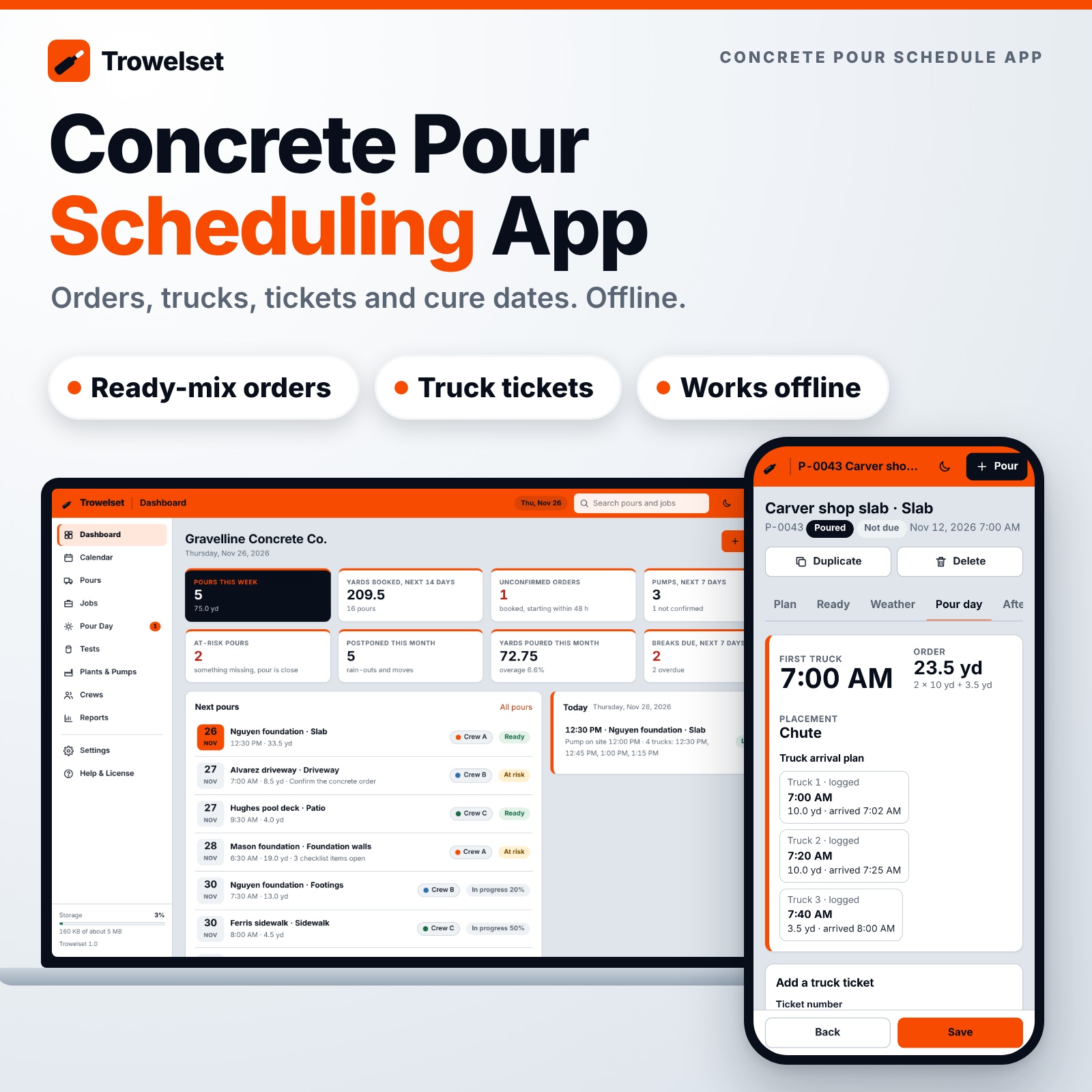
Trowelset is concrete scheduling software that runs from one HTML file, with no account and no monthly fee. Book a pour, order the yards, space the trucks, confirm the pump, check the weather and log every ticket from your phone at the jobsite, even with no signal. It follows a pour from the first call to the plant to the 28-day cylinder break, so the foreman, the office and the homeowner all work from the same dates.
Who This Concrete Pour Schedule App Is For
It is made for owners, foremen and office managers at concrete companies with one to six crews pouring footings, foundation walls, slabs, driveways, patios, sidewalks, steps and decorative flatwork. If you book pours by phone with one or two ready-mix plants and a pump company, juggle rain-outs on a Thursday night and keep truck tickets in the door pocket, this is your tool. It does not do estimates or invoices.
What You Get
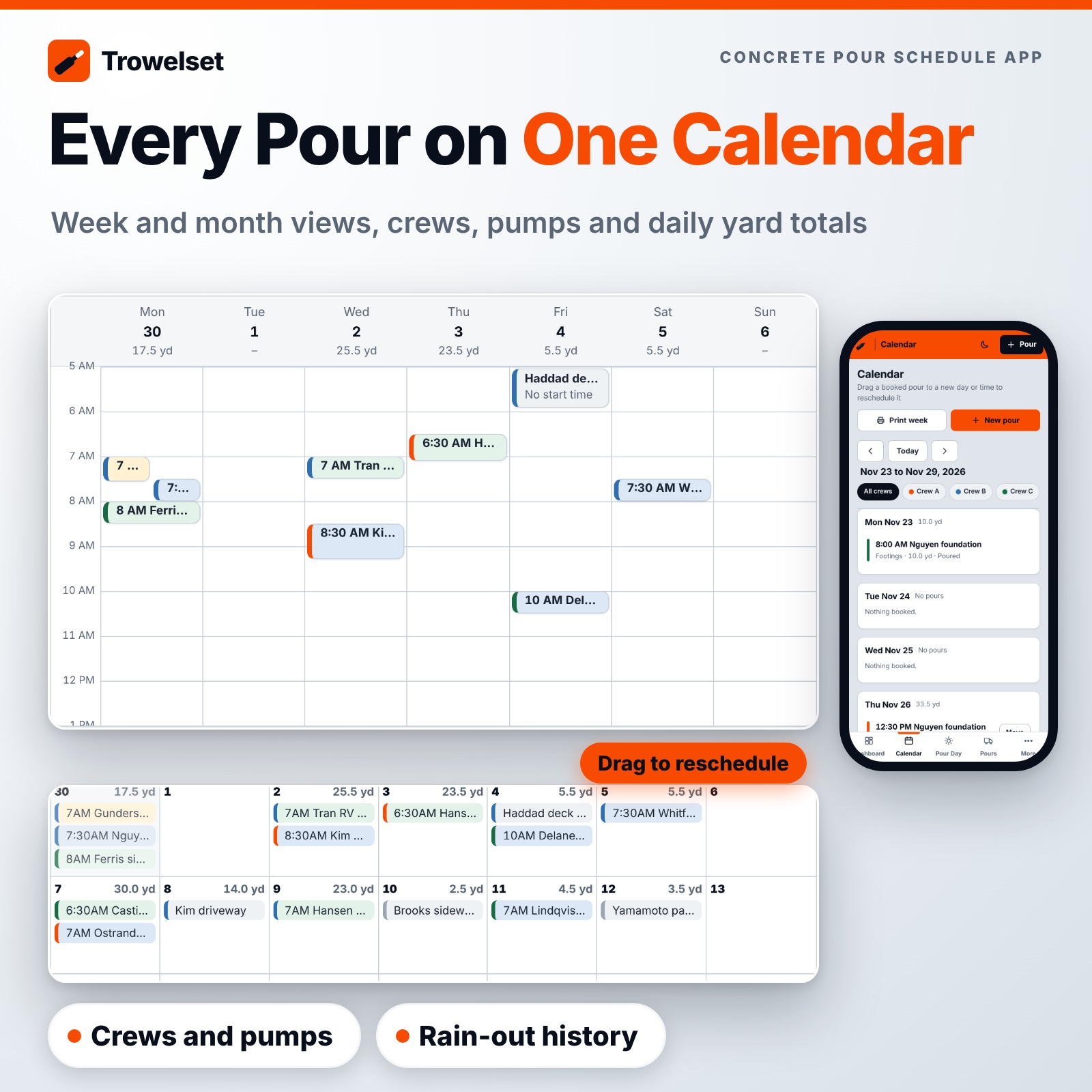
- Pour calendar. Week and month views with crew colors, daily yard totals and drag-to-reschedule. A warning shows when a crew has two overlapping pours or goes over its daily capacity.
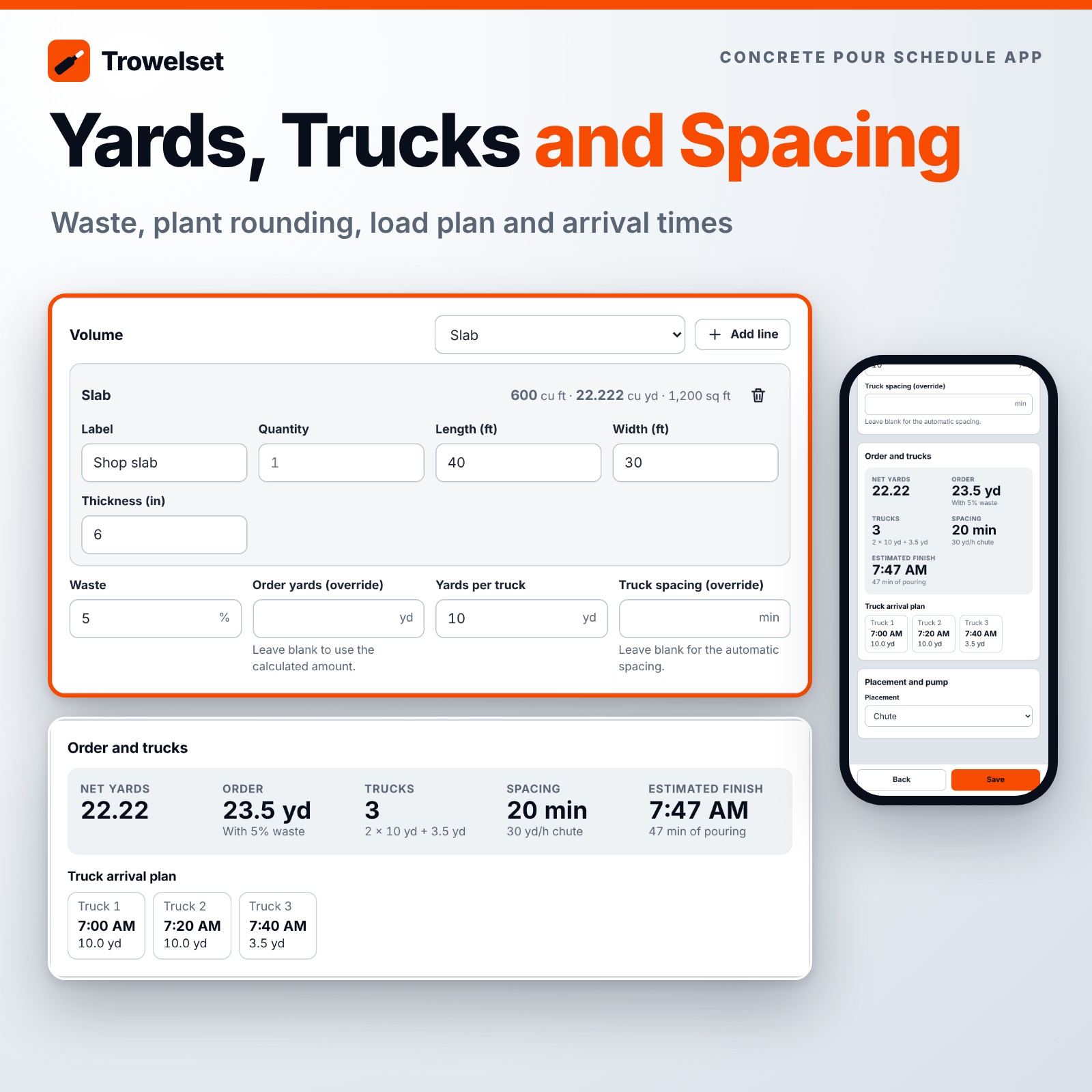
- Ready-mix order and truck spacing. A volume helper for slabs, footings, walls, pads, round piers, steps and custom volumes. Add waste, round to your plant’s step and get the order, the load plan (for example 2 x 10 yd + 3.5 yd) and truck arrival times.
- Pump booking. Mark the pump booked and confirmed and see the on-site time ahead of the first truck.
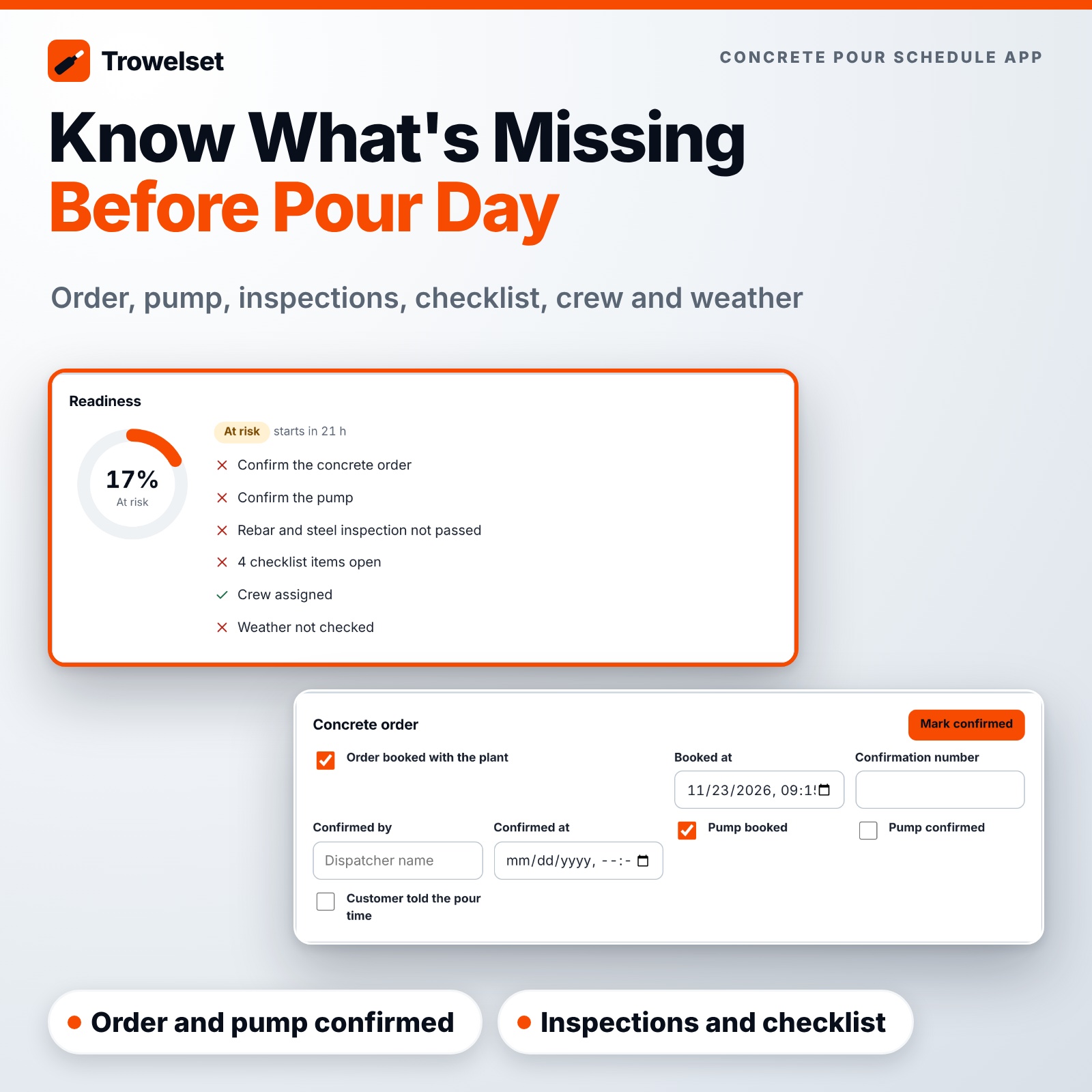
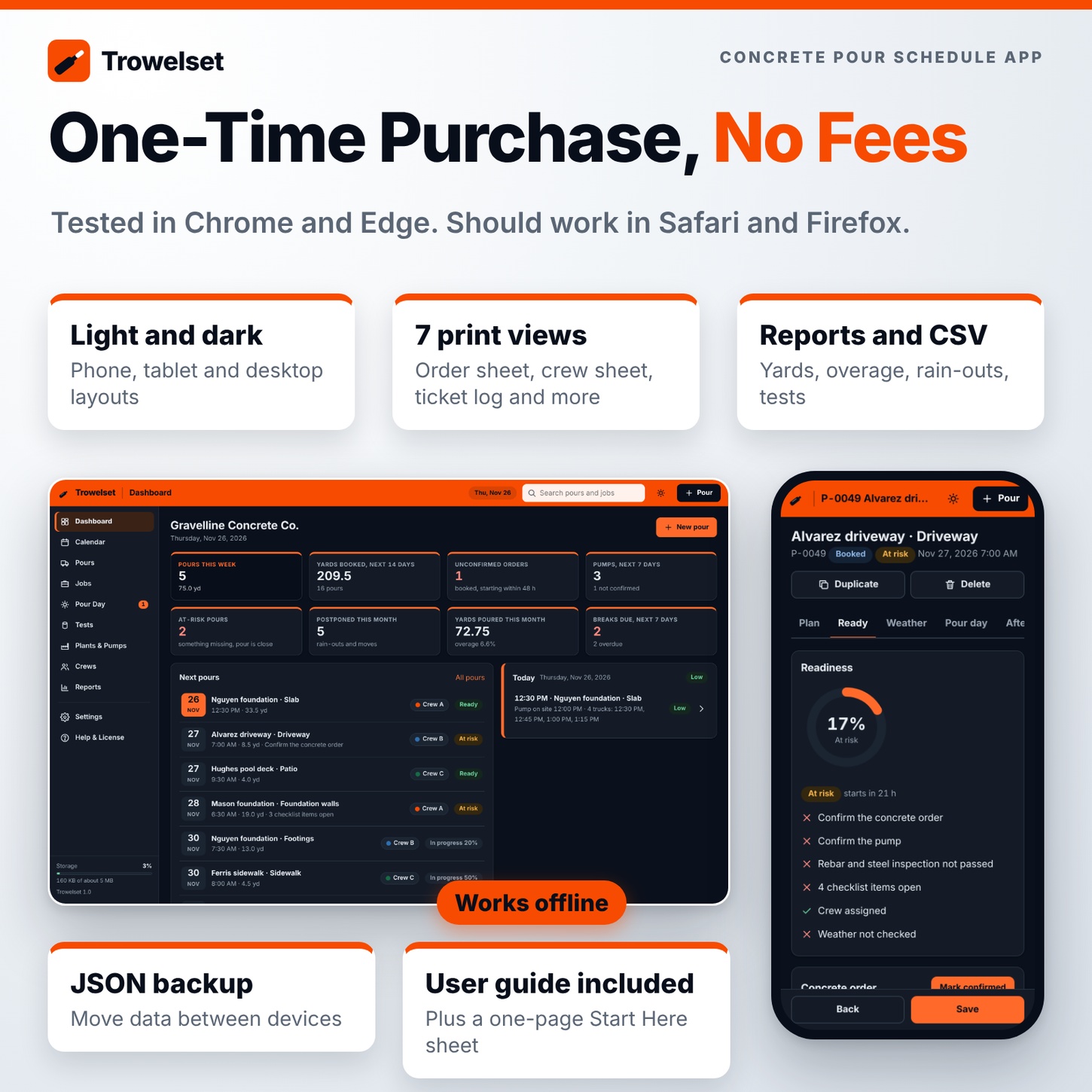
- Readiness meter. Order, pump, inspections, checklist, crew and weather, with an at-risk list 48 hours out.
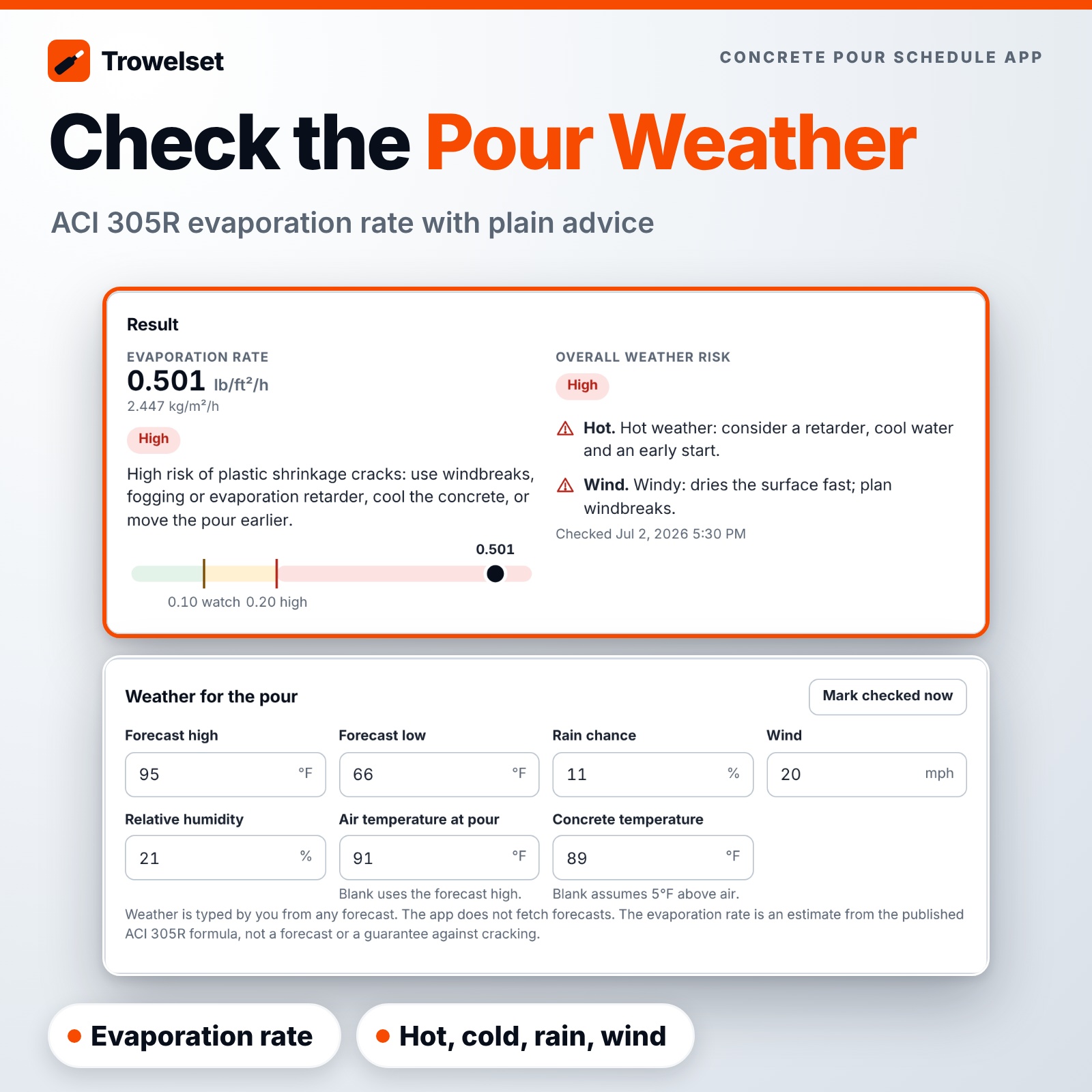
- Weather and evaporation check. Type the forecast and get the ACI 305R evaporation rate plus hot, cold, rain and wind flags.
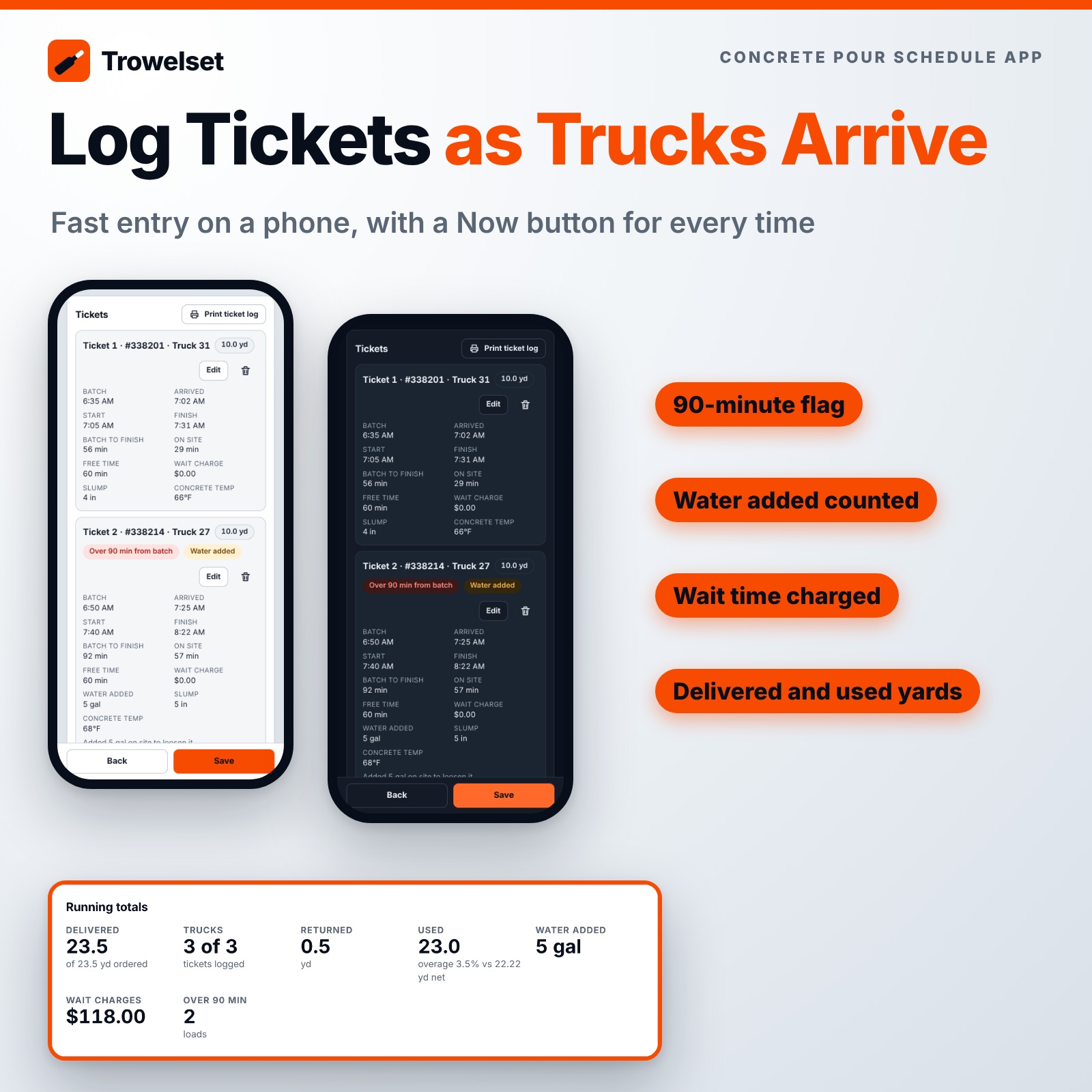
- Truck ticket log. Batch, arrival, discharge, yards, water added, slump, air and temperature, with a 90-minute flag and wait-time charges.
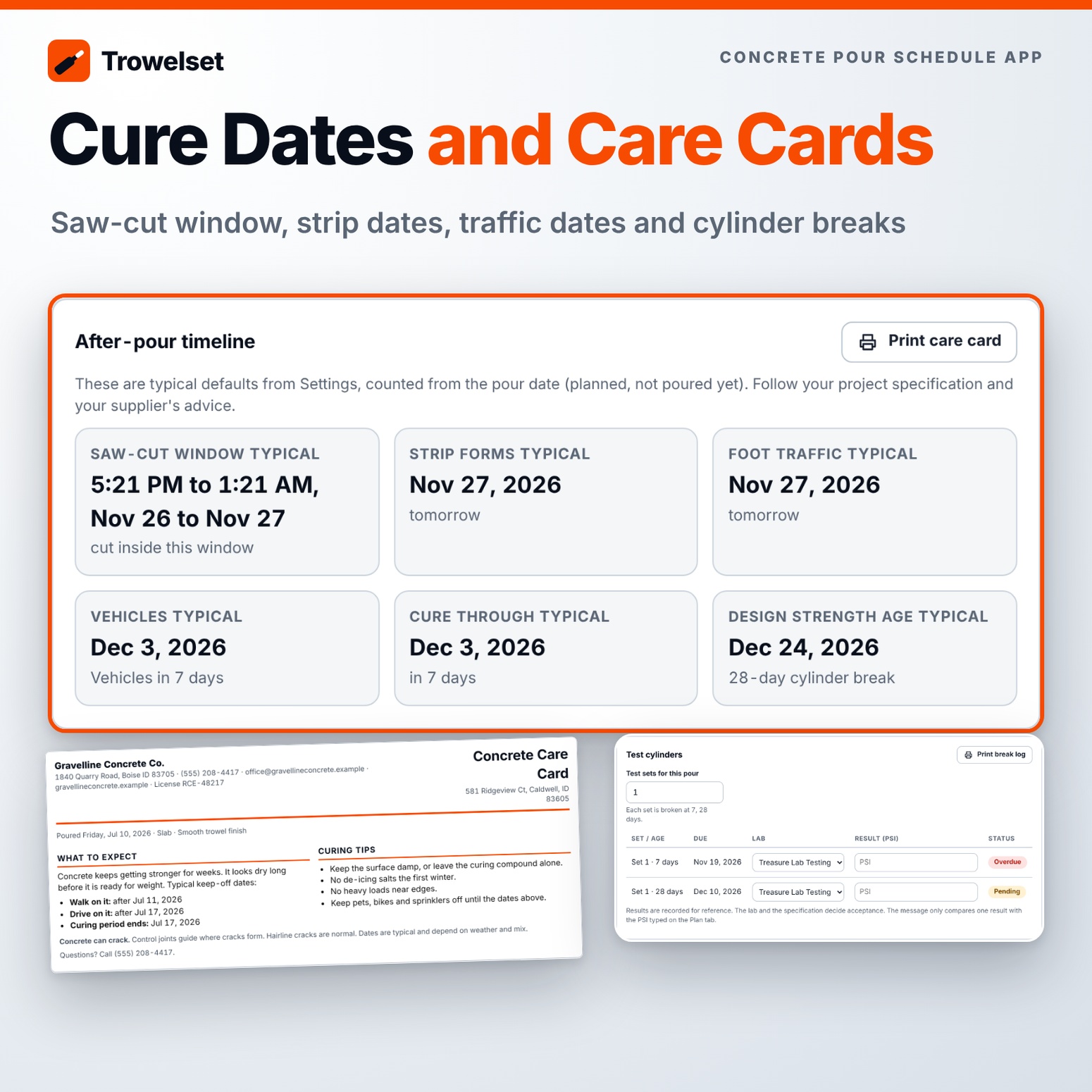
- Cure timeline and care cards. Saw-cut window, strip dates, foot and vehicle traffic dates, first seal for decorative work and a printable customer care card.
- Test cylinder reminders. Break dates, results and an overdue list.
How It Works
Start on the Plan tab: pick the job, element, date and crew, choose a mix preset, then add volume lines. A 40 by 30 foot slab at 6 inches is 22.22 yards. With 5% waste the order is 23.5 yards, three trucks, 20 minutes apart on a chute, arriving at 7:00, 7:20 and 7:40 AM with an estimated finish of 7:47 AM. The Ready tab turns the phone calls into a checklist: confirm the order, confirm the pump, pass the inspection and tick off the pre-pour list. On pour day the Pour day tab takes each ticket with one-tap Now buttons for the times and works out the minutes, the water and the wait charge. When you mark the pour poured, the app builds the cure timeline and the test breaks.
Concrete Evaporation Rate Calculator and Weather Flags
Hot, windy, dry afternoons crack fresh slabs. The weather tab uses the published ACI 305R formula with the air temperature, concrete temperature, humidity and wind you type. An 85°F mix on a 90°F day at 30% humidity and 12 mph wind comes out at 0.242 lb/ft²/h, which the app calls High and answers with windbreaks, fogging or an earlier start. Weather is typed by you, and the app does not fetch forecasts. The result is an estimate, not a guarantee against cracking.
A Concrete Truck Ticket Log That Totals Itself
Trowelset flags any load more than 90 minutes from batch (the limit is editable), counts the water added and charges wait time beyond the free unloading minutes at your hourly rate. After the pour it shows delivered, returned and used yards, the overage against the net volume and a printable ticket log with a sign-off line.
What Is Included
- Trowelset Concrete Pour Schedule App (one HTML file)
- User guide (DOCX, about 22 pages) with worked examples
- Start Here quick-start sheet (PDF)
- All of it bundled in one ZIP
Printouts, Reports and Backups
Seven print views come ready: the ready-mix order sheet with a call script for the dispatcher, the crew pour day sheet with a blank ticket table, the ticket log, the weekly schedule, the care card, the cylinder break log and a blank pour planner. Reports show yards, overage, loads over 90 minutes, rain-outs by month and test results, and every table exports to CSV. A JSON backup moves your data between phone and computer.
File Format and Requirements
The app is a single HTML file. Open it in a browser on a computer, tablet or phone, not in the phone’s file preview. Tested in Chrome and Edge; should work in Safari and Firefox. Your data stays in that browser and nothing is uploaded. The app makes no network requests on its own: the Open in Maps button on a job opens a map only when you tap it. Browsers allow about 5 MB of storage. Our test held about 1,820 pours with four tickets each, and the app warns at 80% full, around 1,400 pours.
Customize It
Set your business details and logo, crews, plants and pumps, mix presets, placement rates, wait-time rate, weather lines, timeline days and your own lists for elements, finishes and postponement reasons. Light and dark themes and US Letter or A4 paper are built in, and one currency setting drives the wait-time charges.
Real Ways Crews Use It
- Booking three pours for next week with two plants and one pump.
- Moving a driveway pour for rain and keeping the reason on record.
- Spotting a 95°F windy afternoon that shows High evaporation before the crew arrives.
Digital Download
This is a digital download. After checkout you get the files instantly. The license covers your own use or use within a single business. Do not resell or share the files. Trowelset is a planning aid only. Mix design, testing and weather procedures come from your project specification, engineer, supplier and testing lab.
Frequently Asked Questions
Does it work offline?
Yes. It runs in your browser and makes no network requests on its own, so planning, tickets and prints work with no signal. Only the Open in Maps button needs a connection.
Is there a subscription?
No. It is a one-time purchase with no account.
Does it work on iPhone and Android?
Tested in Chrome and Edge; should work in Safari and Firefox on phones and tablets too. Open the file in a browser, and add it to the home screen for one-tap access.
Where is my data saved?
In the browser on your device. Export a JSON backup from Settings to keep a copy or move it to another device.
Does it pull the weather forecast?
No. You type the numbers from any forecast, and the app works out the evaporation rate and flags.
How is the evaporation rate calculated?
With the published ACI 305R formula, using air and concrete temperature, humidity and wind.
Can I move my data to a new phone?
Yes. Export a backup, open the app on the new phone and press Import backup. Sharing is by backup file, not live sync.



Reviews
There are no reviews yet.