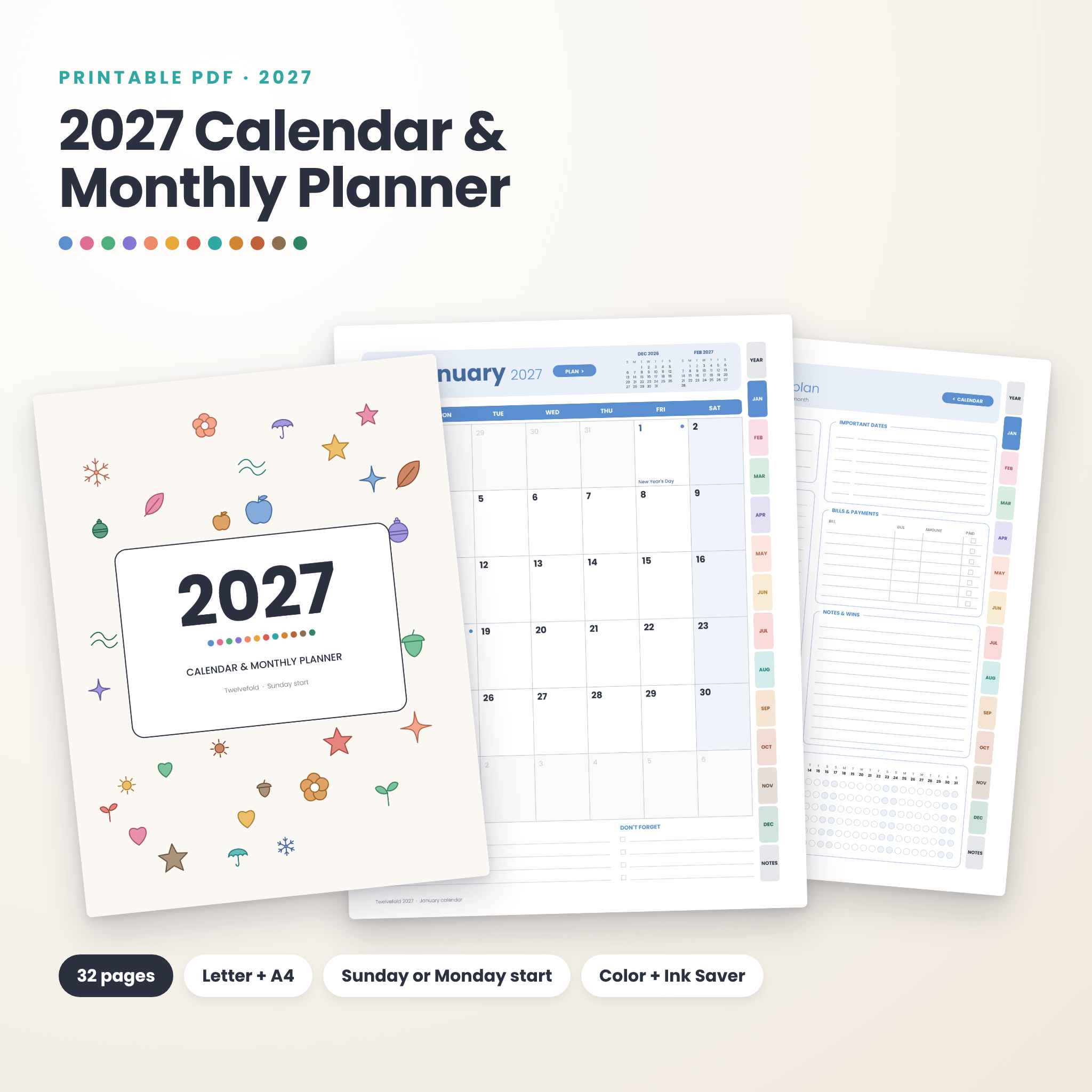
The 2027 printable calendar you will actually write on. Twelvefold gives every month two pages: a roomy calendar grid for appointments and plans, and a plan page for your top goals, to-dos, bills and habits. Print it at home on Letter or A4 paper, or keep it on your tablet and tap the side tabs to move around.
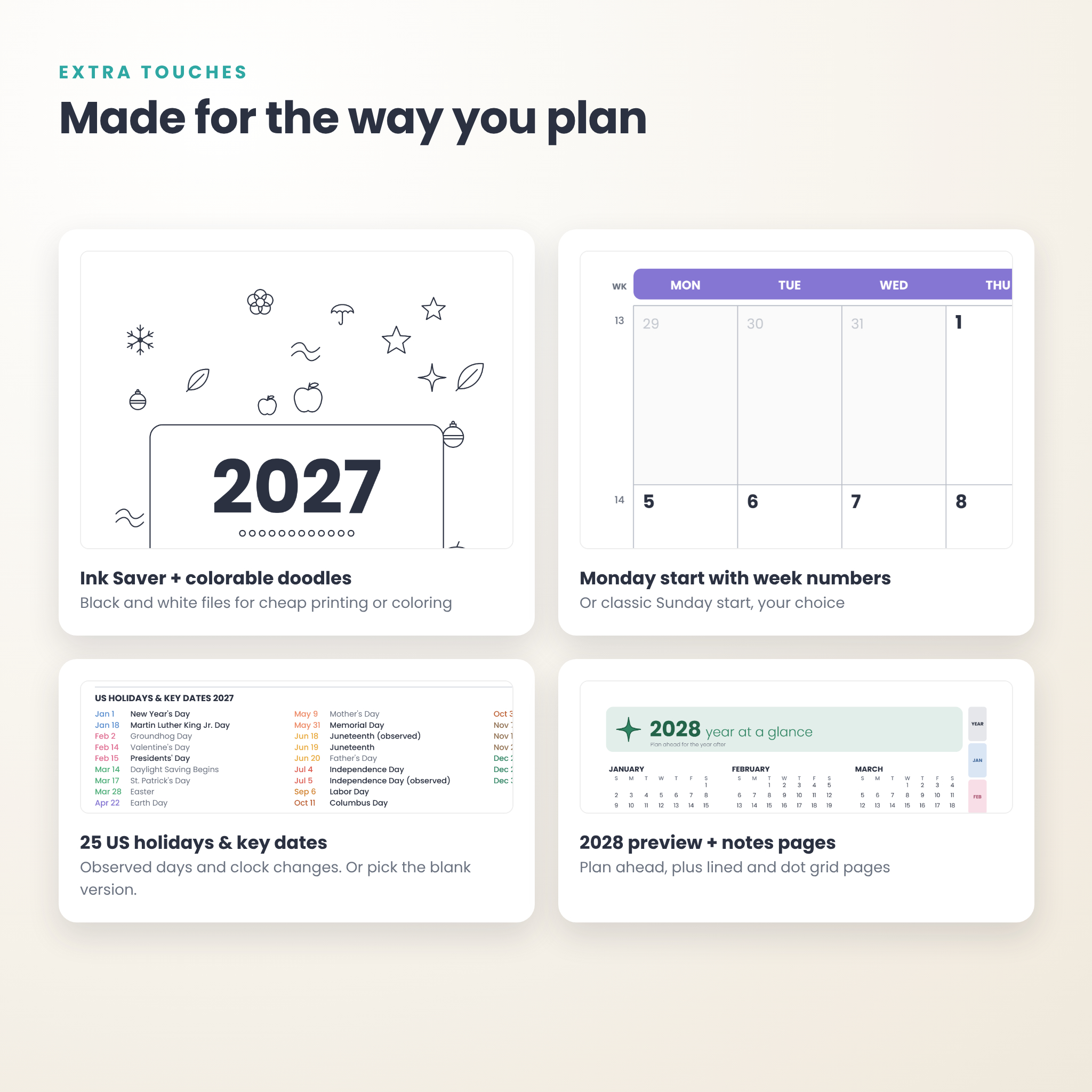
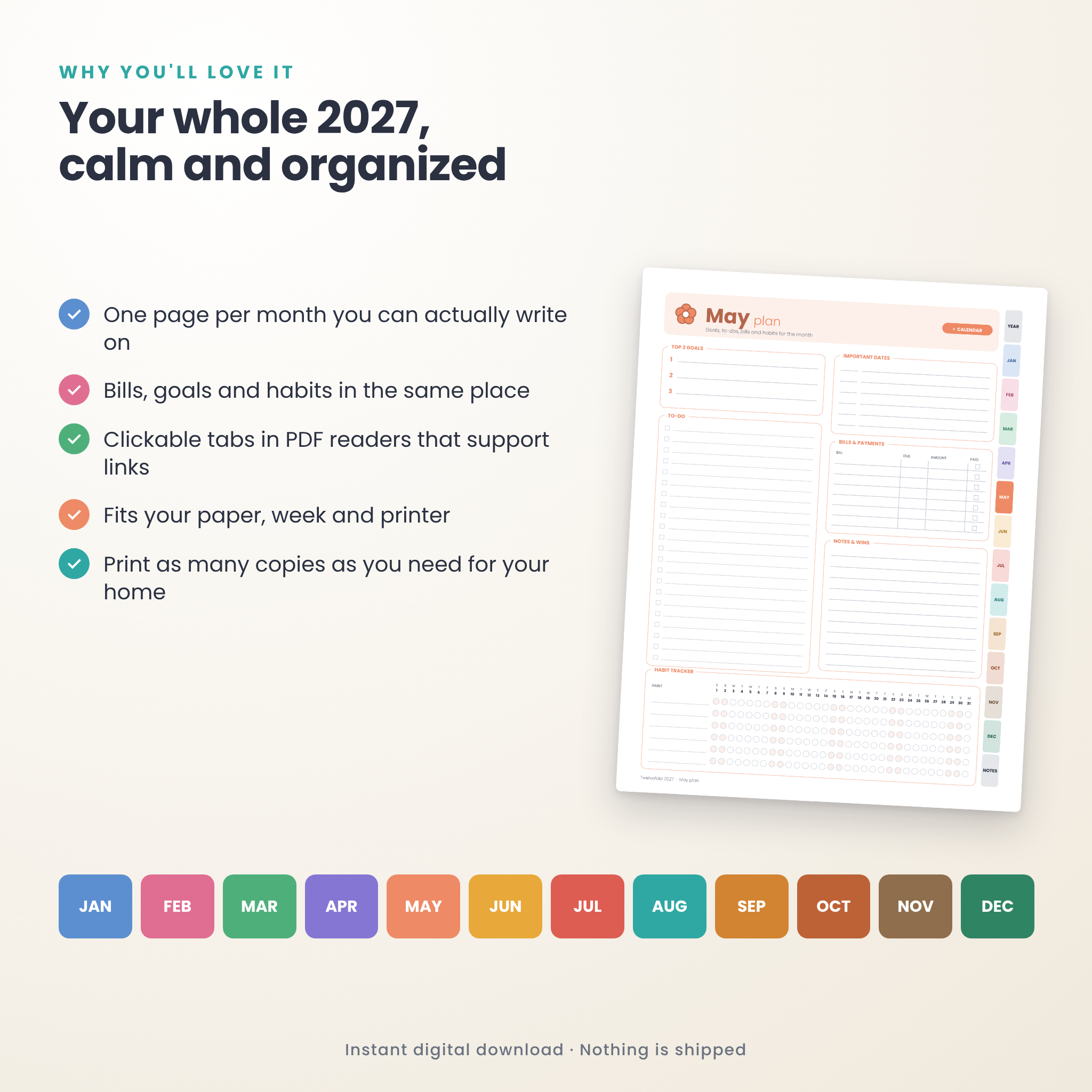
Each month has its own soft color and a small doodle, so the year feels cheerful without getting busy. Prefer black and white? The Ink Saver files print cheaply and turn the doodles into tiny coloring spots.
What’s inside the 2027 calendar and monthly planner
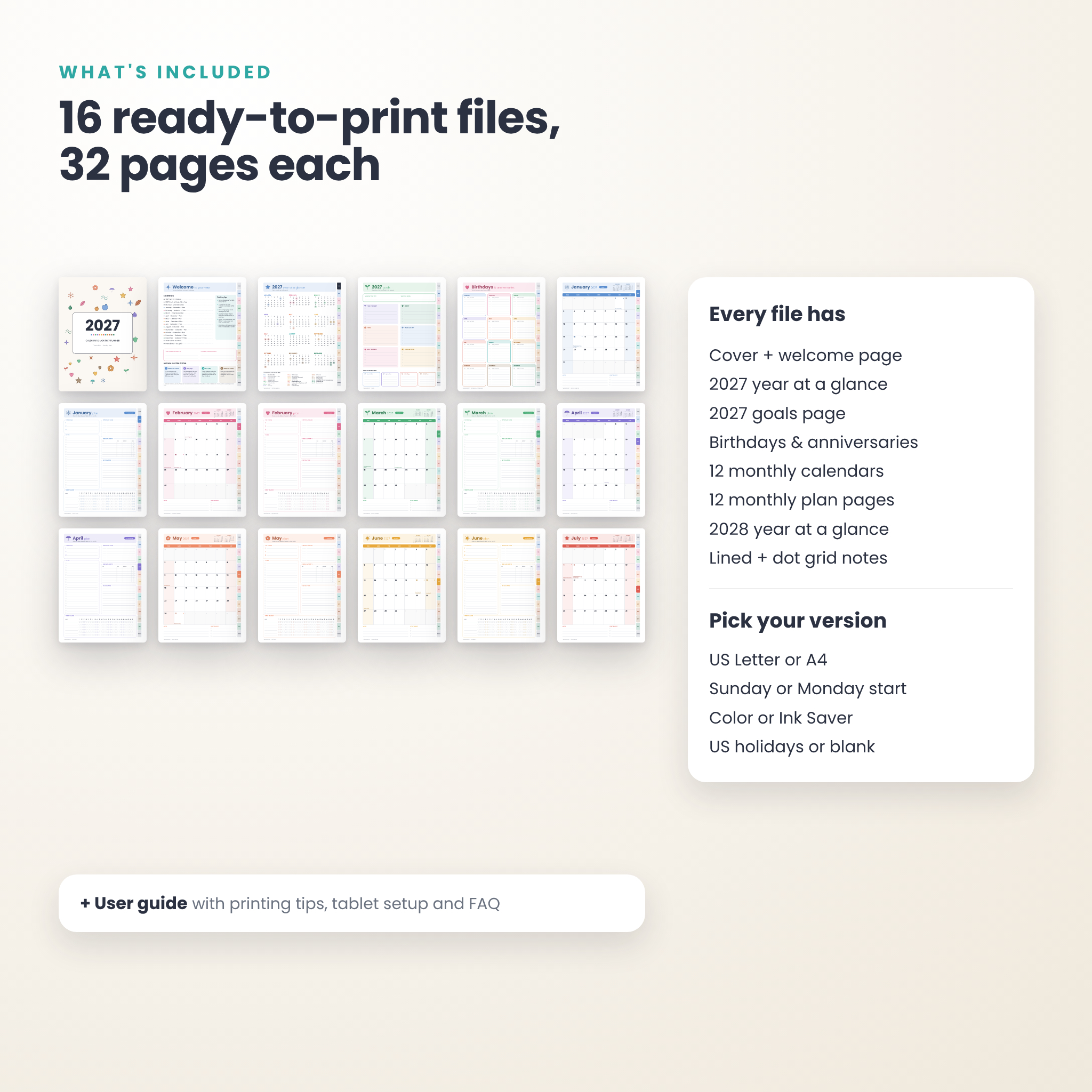
Every file has the same 32 pages:
- Cover with original doodles (color them in on the Ink Saver version)
- Welcome page with clickable contents, a “this planner belongs to” box, printing tips and a simple monthly routine
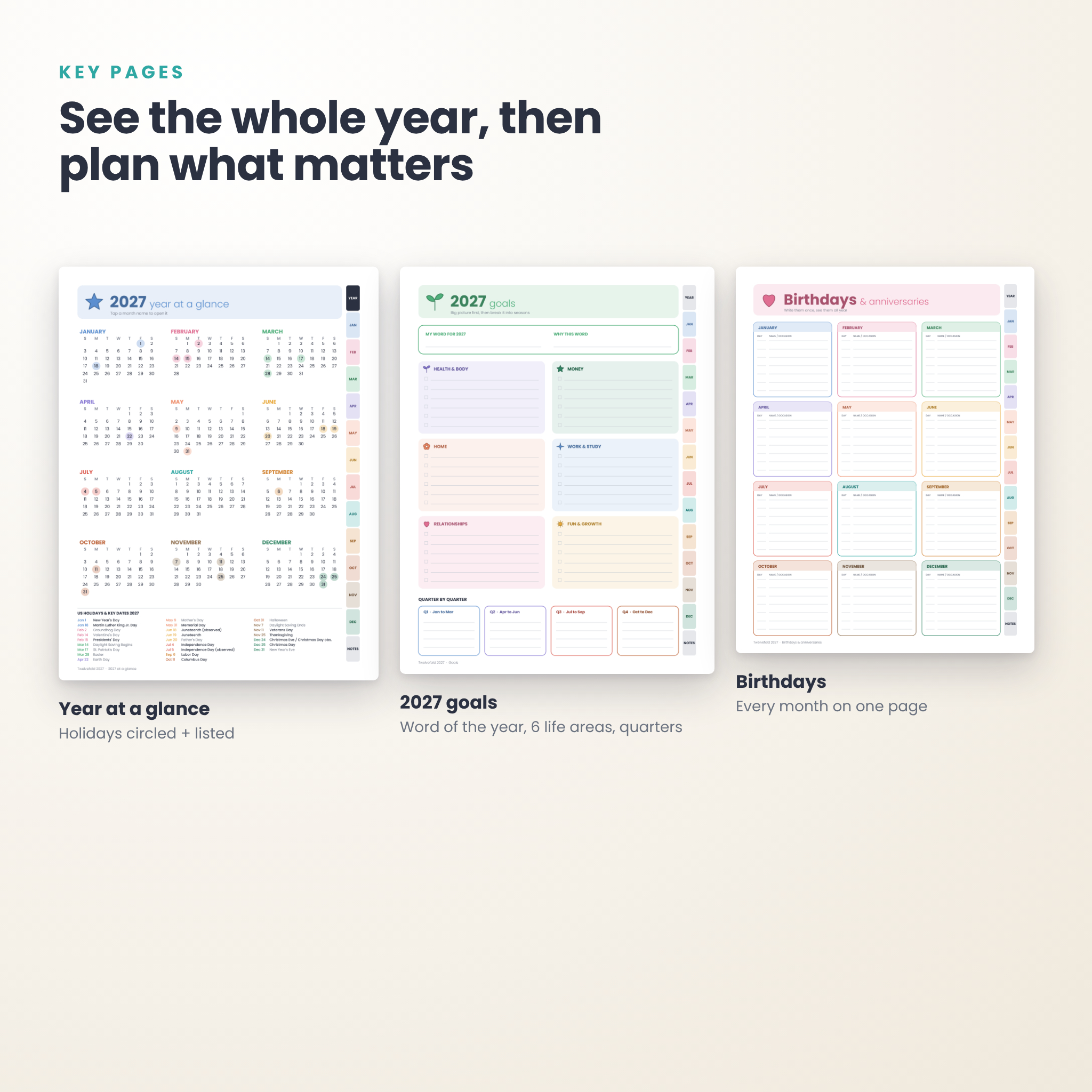
- 2027 year at a glance with all 12 months, holidays circled and a full list of 25 US holidays and key dates
- 2027 goals: word of the year, six life areas (health, money, home, work, relationships, fun) and a quarter by quarter plan
- Birthdays and anniversaries for all 12 months on one page
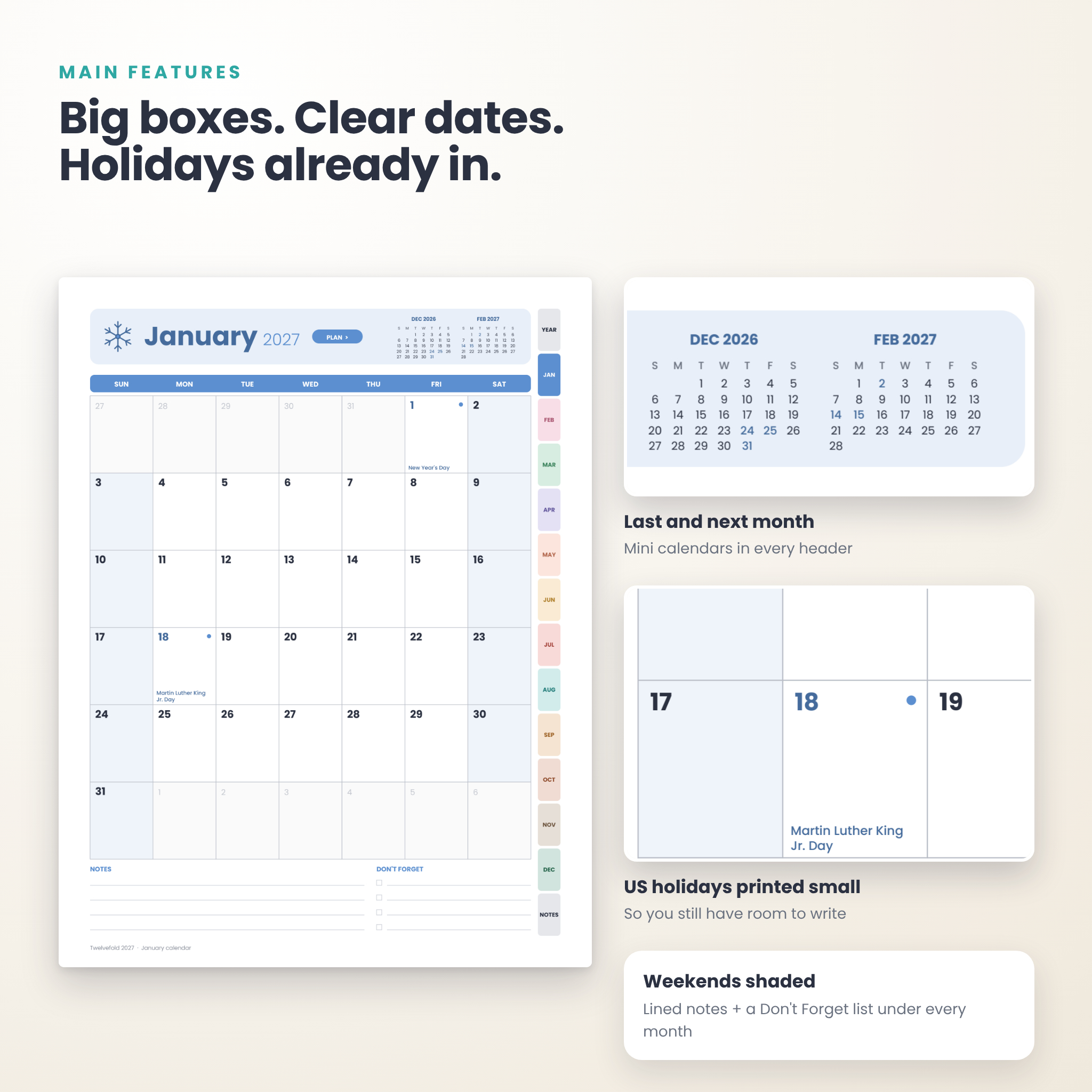
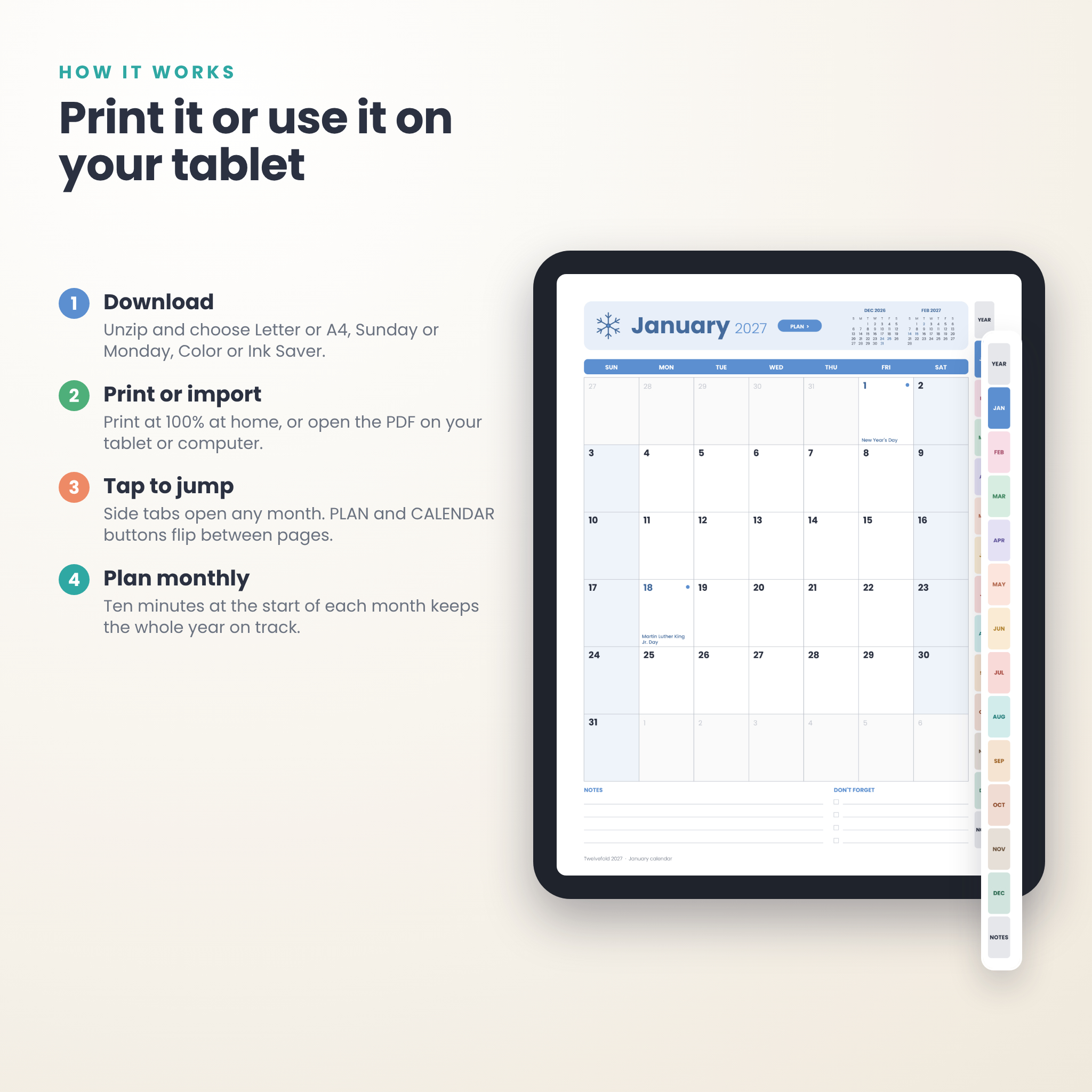
- 12 monthly calendars, January to December 2027, with big date boxes, shaded weekends, mini calendars for the months before and after, notes lines and a Don’t Forget checklist
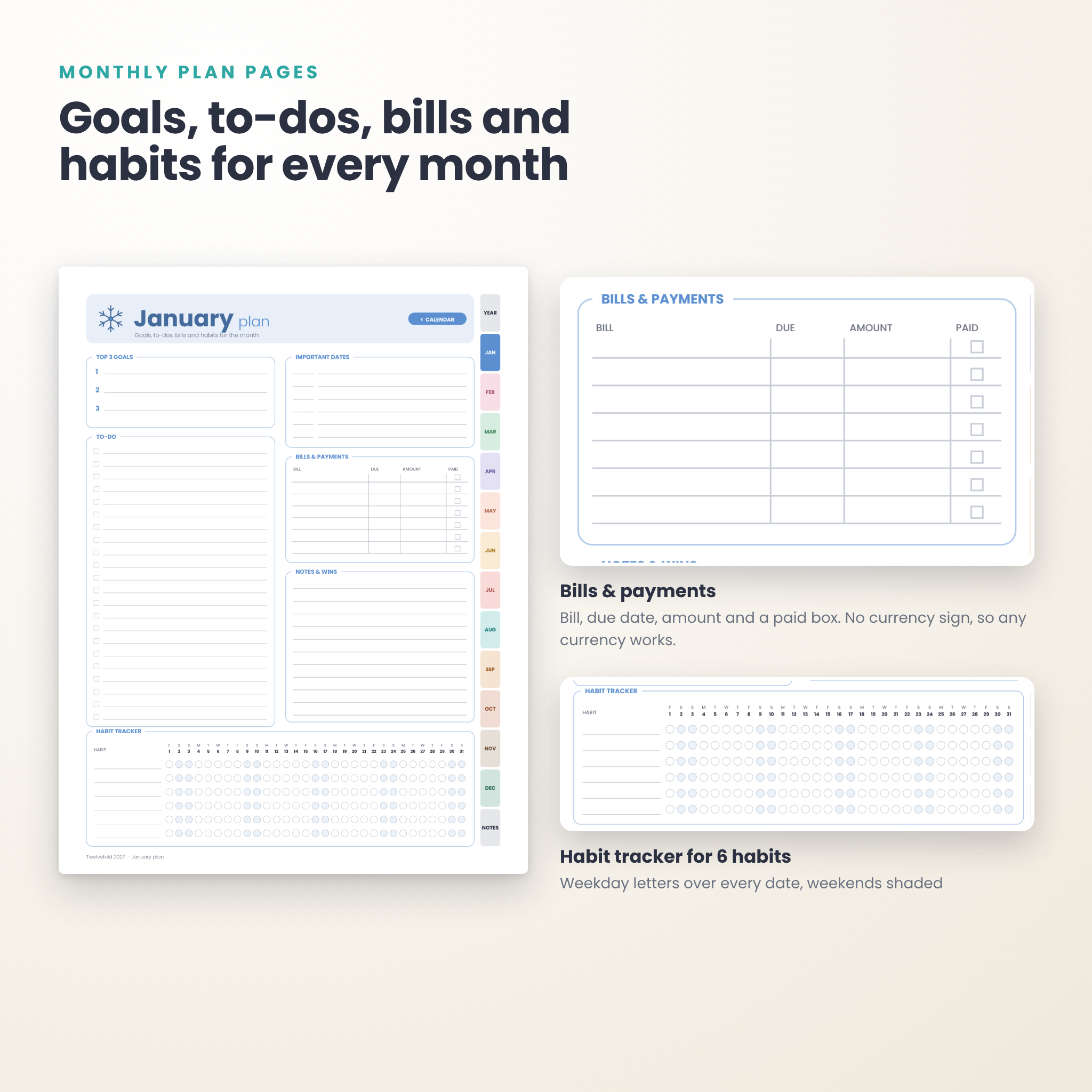
- 12 monthly plan pages with top 3 goals, about 20 to-dos, important dates, a bills and payments table, notes and wins, and a 6-habit tracker
- 2028 year at a glance for plans that run into next year
- Notes pages: one lined, one 5 mm dot grid
Pick the version that fits you
You get 16 PDF files, so you never have to settle:
- Paper size: US Letter (8.5 x 11 in) or A4 (210 x 297 mm)
- Week start: Sunday start, or Monday start with week numbers on every row
- Style: Color, or Ink Saver in black and white
- Dates: US holidays printed in, or a blank version for any country
The file names spell out each choice, for example Letter, Sunday start, Color, US holidays.
Features that make planning easier
US holidays already filled in
Federal holidays, observed days, Mother’s Day, Father’s Day, Easter, Halloween and both 2027 clock changes are printed small at the bottom of each date box. You still have room to write above them. A dot marks federal holidays so long weekends stand out.
Bill and habit tracking on the same page
The plan page has a bills table with bill, due date, amount and a paid box. The amount column has no currency sign, so it works for dollars, pounds, euros, rand or anything else. Below it, the habit tracker has one circle per day for six habits, with weekday letters over each date.
Clickable navigation
Side tabs on every page jump to the year, any month, or the notes. A PLAN button on each calendar opens that month’s plan page, and a CALENDAR button takes you back. On the year page, tap a month name to open it. All 500+ links in each file were checked.
How it works
- Download the ZIP right after checkout and unzip it.
- Open the Letter or A4 folder and choose your version.
- Print at “Actual size” (100%) on a home printer, or open the PDF on your tablet or computer.
- Spend ten minutes at the start of each month filling in the calendar and plan page.
Every printed element sits at least half an inch from the edge, so home printers do not clip anything.
File formats and what you need
- 16 PDF files (32 pages each) with embedded fonts
- DOCX user guide with printing tips, tablet notes, troubleshooting and FAQ
- Any PDF reader to view and print. Side tabs work in readers that support PDF links, such as Adobe Acrobat Reader.
- To write on screen, import the PDF into a note-taking or markup app you already use.
This is not a fillable form. You write on it by hand, on paper or with a stylus.
Real ways people use it
- A family wall calendar on the fridge, with school breaks, sports days and bill due dates.
- A desk planner in a binder for work deadlines and a few personal goals.
- A student calendar with Monday start and week numbers to match the school timetable.
- A budget companion: list each month’s bills, then mark them paid as they clear.
- A habit reset for the new year: pick three habits and color one circle a day.
Customizing your planner
Print only the months you need by typing a page range in your print dialog. Print two pages per sheet for a small desk version. Use the blank version if you live outside the US and write in your own holidays. Color the Ink Saver doodles to give each month its own mood.
Instant digital download
This is a digital product. Nothing is shipped. Your ZIP file is ready to download as soon as payment goes through. For personal use only. Please do not resell or share the files.
2027 printable calendar FAQ
Is the calendar dated?
Yes. Every page is dated for January to December 2027, with a 2028 year at a glance at the end.
Which file should I print in the US?
Use the Letter folder. Most other countries use A4.
Can I get a Monday start calendar?
Yes. Every version comes in Sunday start and Monday start. Monday start pages also show week numbers.
Does it include US holidays?
Yes, in the US Holidays files: 25 holidays and key dates, including observed days. There is also a version with no holidays.
Can I use it on my iPad or tablet?
Yes. It is a standard PDF, so it opens in any PDF reader, and the side tabs work in readers that support PDF links.
Can I type on it?
It is not a fillable form. You can write on it by hand, or add handwriting and text boxes in a PDF markup app.
Can I print it more than once?
Yes. Print as many copies as you like for yourself and your household.
Reviews
There are no reviews yet.