Best Small Business Invoice Templates Compared
If you want the best small business invoice, pick a template that calculates totals and tax for you, numbers each invoice automatically and shows who still owes you money. Match it to your work: a trade or catering template if you quote jobs, a general Excel or Word kit if you bill for services or goods.
At a glance
- A small business invoice is a request for payment that lists what you supplied, the amount due and the date payment is expected.
- Paidmark and the two Ledgerline kits suit any small business, while Pipeworth is built for plumbers and Feastwise for caterers.
- Pipeworth and Feastwise are listed for both Excel and Google Sheets, and the other three are built around Excel, with Word and PDF forms in the Ledgerline kits.
- All five list support for any currency, so you aren't tied to the $ default shown in the Ledgerline kits.
- The biggest time saver is automatic payment tracking, because chasing late payers by memory is where most small businesses lose money.
Choosing an invoice template can feel more complicated than it should, because the listings mix up invoices, quotes, estimates, receipts and job costing. We'll separate those, show where each template is strongest, and give you a simple rule for choosing.
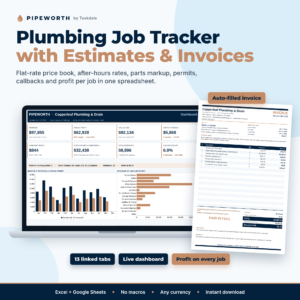 Plumbing Job Tracker Spreadsheet with Estimate & Invoice Template | Pipeworth Flat-Rate Price Book, Permits & Job Profit (Excel & Google Sheets)
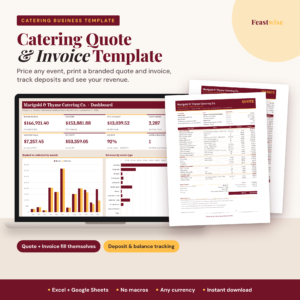 Catering Quote & Invoice Template | Feastwise Excel & Google Sheets Catering Pricing Calculator with Deposit Tracker & Revenue Dashboard
 Invoice Template Excel Spreadsheet with Estimates, Receipts & Payment Tracker | Paidmark
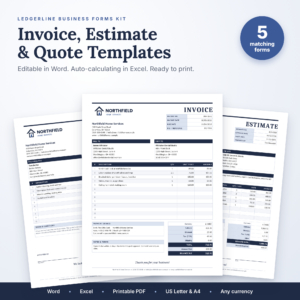
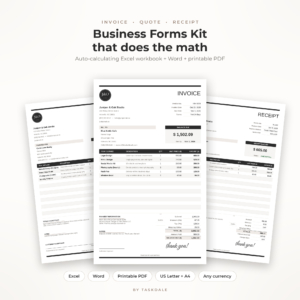
Table of Contents Toggle
- What should you look for in the best small business invoice template?
- How do the small business invoice templates on this page compare?
- Which small business invoice template suits which business?
- How do you use a small business invoice template properly?
- What mistakes should you avoid with small business invoices?
- What affects the price of an invoice template?
- How do you make the final choice?
- Common questions
What should you look for in the best small business invoice template?
The best small business invoice template does the arithmetic, keeps a record of every invoice and tells you what is overdue. Anything that only gives you a pretty layout leaves the tracking, which is the hard part, to you. There are six factors worth checking.
Automatic calculations
An auto-calculating template works out the subtotal, discount, tax and balance due from the lines you enter. The Ledgerline Invoice, Quote & Receipt Template Kit does this once you pick a client and items in its Excel workbook, and Paidmark handles tax per line, which matters if you sell items taxed at different rates. Manual totals are where most invoice errors begin.
Payment tracking and overdue status
Payment tracking means the template records what has been paid and shows what is outstanding. Paidmark marks invoices as paid, partial or overdue and produces an ageing report, which groups unpaid invoices by how late they are. The Ledgerline Invoice, Quote & Receipt Template Kit has a built-in log and client statements with ageing, so you can send a customer a summary of what they owe.
Numbering and document types
Automatic numbering gives each invoice a unique, sequential reference, which makes records easier to match against bank payments. Paidmark auto-numbers invoices, estimates, receipts and credit notes. The Ledgerline Business Forms Kit takes a different approach: five matching forms covering invoice, job estimate, quote, sales receipt and purchase order, so your paperwork looks consistent from first enquiry to final payment.
File format and where you work
File format decides whether you'll actually use the template. Word forms suit people who prefer typing straight onto a page, while Excel suits anyone sending more than a handful of invoices a month. Pipeworth and Feastwise are listed for Excel and Google Sheets, which helps if you work from a phone or share files with a partner. Both Ledgerline kits add Word files in US Letter and A4 plus printable PDFs.
Fit for your trade
A trade-specific template saves you from building a price list from scratch. Pipeworth includes a flat-rate price book of 63 editable tasks, parts with sliding markup, and multipliers for after-hours and emergency work. Feastwise prices by guest count, per person, per item, per hour or flat fee, with child pricing. If your work looks like either, the specialist tool will save you more time than a general one.
Currency, tax and no-macro files
All five support any currency. Pipeworth and Feastwise are described as having no macros, meaning they don't rely on small embedded programmes that some security settings block. Check whether the tax handling matches how you charge, such as service charge or gratuity in catering, or tax per line in Paidmark.
How do the small business invoice templates on this page compare?
The five templates differ mainly in format, trade focus and how much tracking they include. This table sets out what is stated in each listing, so you can see the differences without opening every product page.
Which small business invoice template suits which business?
Each template suits a different working pattern, so the right one depends on how you sell. A general kit fits businesses that sell similar things repeatedly, while a specialist sheet fits one that prices every job differently.
- Plumbers and similar trades: Pipeworth, because it turns a service call into an estimate and invoice, then shows the real profit once parts and time are counted. The permit tracking and warranty callback log are extras a general invoice never includes.
- Caterers: Feastwise, because it builds a quote from your menu, guest count and staff hours, then calculates the deposit and balance due dates. It also produces a kitchen event sheet.
- Freelancers, consultants and shops that chase payments: Paidmark, because the overdue status and ageing report show you who to contact first.
- Businesses that prefer to type into Word: the Ledgerline Business Forms Kit, which also covers purchase orders, useful if you buy in materials as well as sell.
- Sole traders who want statements as well as invoices: the Ledgerline Invoice, Quote & Receipt Template Kit, with client statements and a choice of black or taupe printable forms.
How do you use a small business invoice template properly?
To use a small business invoice template properly, set it up once, then follow the same routine for every job. Here is a sequence that works for the Excel-based options.
- Enter your business name, address and payment details into the template's settings or header, once only.
- Add each client's details to the client list, so you can pick them rather than retype them.
- Add your regular items, services or tasks to the price list.
- Create the invoice: choose the client, add the lines, check the tax and let the template number it.
- Save a copy as PDF before sending, so the version you sent can't be altered by accident.
- Record each payment as it arrives so the status and ageing report stay accurate.
Back up the file regularly. A spreadsheet that holds your whole payment history is worth saving to a second location.
What mistakes should you avoid with small business invoices?
The commonest invoicing mistakes are missing details, vague descriptions and sending late. All three are easy to avoid with a template, but only if you fill it in carefully.
- Leaving out payment terms. State the due date and how to pay on every invoice, or customers will pay when it suits them.
- Overwriting old invoices. Save each one under its own number. Reusing a file and changing the figures leaves you with no record of what you billed.
- Mixing up quotes and invoices. A quote is an offer of a price, while an invoice is a demand for payment. Keep them separate.
- Forgetting deposits. If a customer has paid a deposit, show it, so the balance due is correct. Feastwise calculates deposits and balances for catering work.
- Not recording part-payments. Partial payments are easy to lose track of. Paidmark has a partial status for this reason.
- Skipping tax details if you're registered. If you charge tax, check your local rules on what an invoice must show, because requirements vary by country.
What affects the price of an invoice template?
The price of an invoice template depends mainly on how much it does beyond the invoice itself. A single form costs less than a tool that tracks payments, builds reports and prices jobs for a specific trade.
Specialist spreadsheets such as Pipeworth and Feastwise tend to cost more than a plain form because they include price books, job profit calculations and dashboards. A multi-form kit such as the Ledgerline Business Forms Kit sits between the two, since you are paying for several documents rather than deep tracking. Prices appear on the product cards, and it is worth comparing what each includes rather than choosing on cost alone. A cheaper file that leaves you tracking payments by hand can cost more in time than the extra you'd have paid.
How do you make the final choice?
Choose by what you do most often. If you quote trade jobs or events, take the specialist template for your trade. If you simply invoice and need to know who owes you, take Paidmark or the Ledgerline Invoice, Quote & Receipt Template Kit. If you want paperwork that matches from quote to purchase order, take the Ledgerline Business Forms Kit.
Browse all 5 options on this page and check the file format first. If you work in Google Sheets, only the Pipeworth and Feastwise listings state that support.
Common questions
Can I use an Excel invoice template in Google Sheets?
Often you can upload an Excel file to Google Sheets, but formulas and formatting may not all carry over. Pipeworth and Feastwise are listed for both Excel and Google Sheets, so they are the safer choice if you need Sheets. Test a sample invoice before relying on any file.
How soon should I send an invoice after finishing work?
Send it as soon as the work is done, or on the date you agreed. Prompt invoicing means the payment clock starts sooner, and the job is fresh in your customer's mind. Delays tend to push payment back by the same amount.
What is the difference between a quote and an estimate?
A quote is usually a fixed price you commit to, while an estimate is your best guess that may change. Several templates here include both, such as the Ledgerline Business Forms Kit. Label each document clearly so customers know whether the figure can move.
Do I need accounting software as well as a template?
Not always. For a small number of invoices a template with a payment log can be enough. If you need bank feeds, payroll or tax returns, accounting software does more. Many people start with a template and move on as the business grows.
Can I use a currency other than dollars or pounds?
Yes. All five templates here list support for any currency. The Ledgerline kits default to $, so change the currency setting before your first invoice, and check that your totals and tax lines display as you expect.