If you want the best travel budget spreadsheet, choose the one that matches how you travel. For a drive where fuel is the big cost, Milewild is the closest fit. For flights, hotels and tours in several currencies, Postcard Travel Planner and Lilac Compass Travel Planner both work in Excel and Google Sheets. Postcard warns you about overlapping plans, while Lilac adds a dashboard.
A trip budget can feel more complicated than it is. The costs arrive from different places at different times, and the money often belongs to more than one person. A good spreadsheet pulls those costs into one file so you can see what you planned, what you have spent and who owes whom. We'll go through what to look for, how the three templates here differ and where people tend to go wrong.
Key facts at a glance
- All three templates work in both Excel and Google Sheets, so you don't need to buy specific software.
- Milewild is the only one with a fuel cost calculator, covering up to 4 vehicles in miles or km and in MPG or L/100 km.
- Postcard Travel Planner has 23 tabs, a packing list for up to 8 travellers and a 19-page step-by-step guide.
- Lilac Compass Travel Planner has a 60-day itinerary, a trip dashboard with a countdown and a filled sample to copy from.
- All three handle group costs with a settle-up feature, and all three accept any currency.
 Road Trip Planner Spreadsheet with Fuel Cost Calculator | Milewild Budget, Itinerary & Packing List for Excel and Google Sheets
Table of Contents Toggle
- What should you look for in a travel budget spreadsheet?
- How do the three travel budget spreadsheets compare?
- Which travel budget spreadsheet suits which traveller?
- How do you use a travel budget spreadsheet?
- What mistakes should you avoid?
- What affects the price of a travel budget spreadsheet?
- Which travel budget spreadsheet should you choose?
- Common questions
What should you look for in a travel budget spreadsheet?
A travel budget spreadsheet is a pre-built file with formulas that track what you plan to spend on a trip against what you actually spend. The best ones also tie the budget to your itinerary, so the numbers move when your plans do. Six factors separate a useful template from a pretty one.
Budget versus actual tracking
Budget versus actual means two columns for every cost: what you expected and what really left your account. This is the core of any travel budget spreadsheet. Without it, you have a list of costs, not a budget. All three templates here include this comparison, and each shows it a little differently. Milewild splits it across lodging, activities and fuel, Postcard compares budget with spending, and Lilac shows it as a budget chart on the dashboard.
Currency handling
If you're paying in more than one currency, the spreadsheet needs to cope without you converting by hand. Postcard Travel Planner and Lilac Compass Travel Planner both accept any currency, as does Milewild. Cheque this before you commit if your trip crosses borders, because a file built around one currency can leave you doing sums on your phone.
Group splitting and settle-up
A settle-up feature works out who owes whom at the end, so one person isn't left chasing the others for money. It matters most when a group shares a car, a villa or a taxi. Milewild offers a per-person split with settle-up, Postcard has a who-pays-whom splitter, and Lilac gives exact settle-up steps. If you're travelling alone, you can ignore this factor.
Itinerary connection
An itinerary that feeds the budget saves you entering the same booking twice. In Postcard Travel Planner you add each flight, hotel and tour once, and it lands on the right day, sorted by time. If two plans overlap, it warns you. Lilac Compass Travel Planner builds a 60-day itinerary and updates the dashboard as you add bookings. Milewild builds a 30-day itinerary from the legs of your drive.
Packing and checklists
Packing lists are not budget tools, but they stop last-minute purchases that quietly inflate costs. Milewild includes a 3 item packing and car-prep checklist. Postcard's list covers up to 8 travellers. Lilac adds a to-do list and a passport cheque, which is handy if your trip needs documents ready weeks ahead.
Guidance and sample data
A filled sample shows you how the formulas behave before you enter anything of your own. Lilac Compass Travel Planner ships with a clean copy and a filled sample, plus a 19-page user guide. Postcard also has a 19-page step-by-step guide. If you haven't used a structured spreadsheet before, this is worth more than an extra tab.
How do the three travel budget spreadsheets compare?
The three templates differ mainly in trip type, itinerary length and group features. The table below compares them on what each listing actually states.
| Product | Best for | Itinerary | Budget tools | Group features | Extras |
|---|---|---|---|---|---|
| Road Trip Planner Spreadsheet with Fuel Cost Calculator | Milewild Budget, Itinerary & Packing List for Excel and Google Sheets | Driving trips | 30-day, builds itself | Fuel calculator for up to 4 vehicles, lodging, activities, budget vs actual, any currency | Per-person split and settle-up | 3 item packing and car-prep checklist, live dashboard |
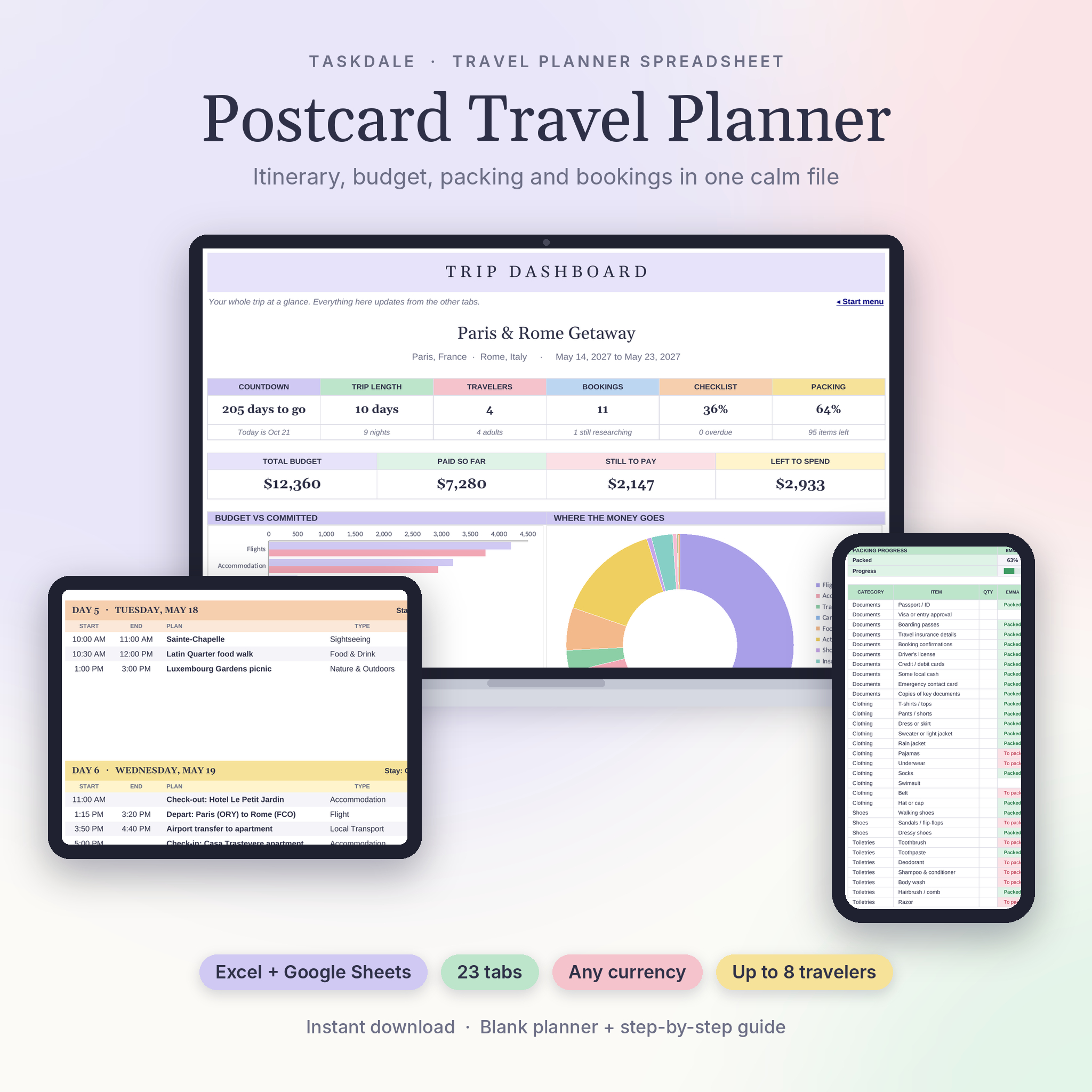 Postcard Travel Planner | Travel Planner Spreadsheet for Excel & Google Sheets with Itinerary, Travel Budget, Packing List & Expense Splitter | Multi-stop trips with many bookings | Sorted by day and time, overlap warning | Budget vs spending in any currency | Packing list for up to 8 travellers, who-pays-whom splitter | 23 tabs, 19-page guide |
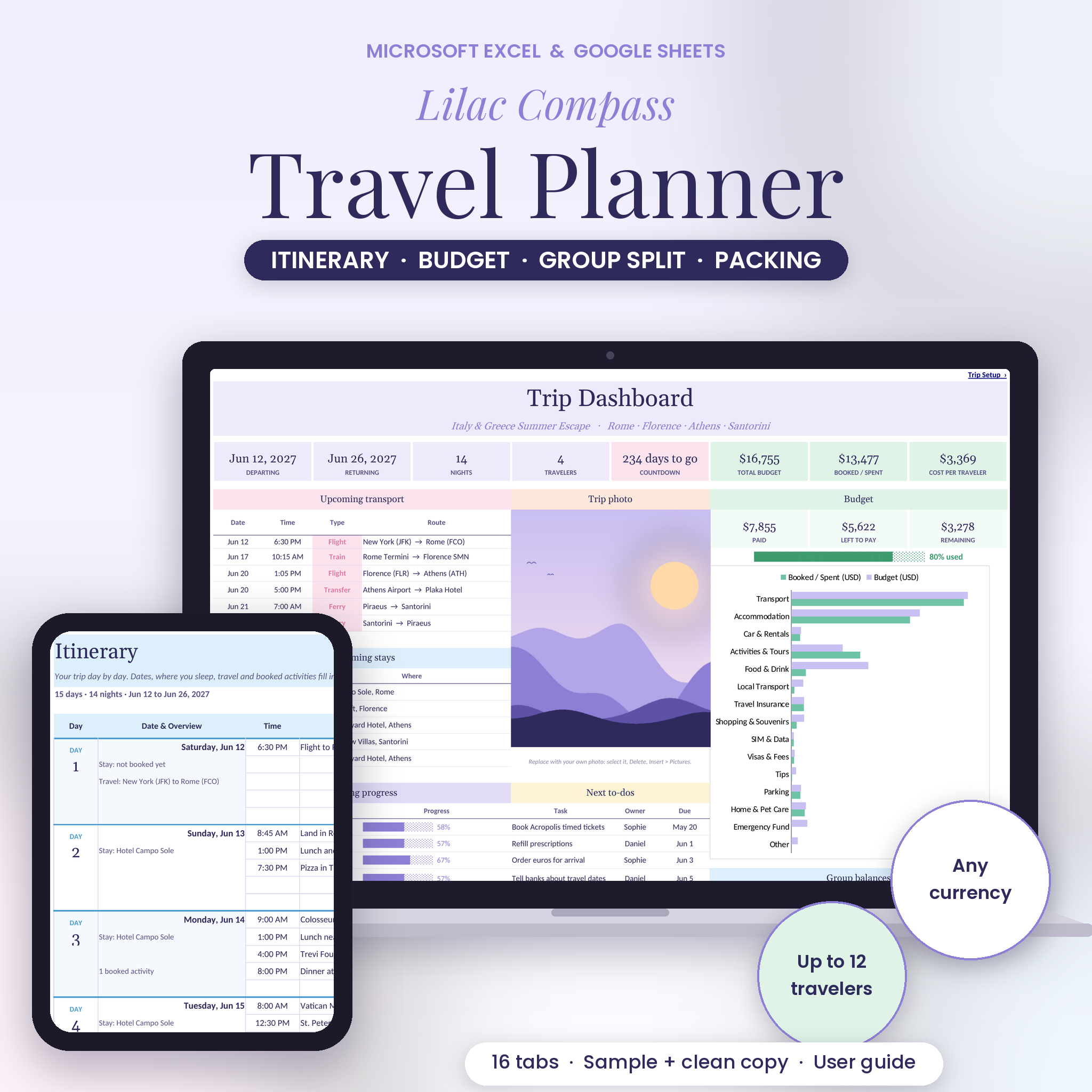 Lilac Compass Travel Planner | Travel Planner Spreadsheet for Excel & Google Sheets with Itinerary, Travel Budget, Packing List & Group Expense Split | Long or complex trips | 60-day | Budget chart, spending log, any currency | Exact settle-up steps | Dashboard with countdown, passport cheque, to-do list, filled sample, 19-page guide |
Which travel budget spreadsheet suits which traveller?
Each template suits a different kind of trip, so the right choice depends on what you're planning rather than which looks most impressive.
Milewild suits anyone driving. The fuel calculator takes the leg distances, your vehicle's consumption and works out the fuel cost and drive time for you. It handles up to 4 vehicles, which helps if two cars are travelling together. It is the only one of the three that treats fuel as a core cost.
Postcard Travel Planner suits trips with many separate bookings, such as a city break with flights, a hotel and several tours. The overlap warning catches a tour booked over a cheque-out time. It also suits groups of up to 8, with a packing list that covers everyone.
Lilac Compass Travel Planner suits longer trips and people who like to see everything on one screen. The 60-day itinerary gives room for extended travel, and the dashboard shows a countdown, your next bookings and a budget chart. The passport cheque is useful for trips that need documents sorted.
How do you use a travel budget spreadsheet?
Using a travel budget spreadsheet well means entering costs in a fixed order and updating them as you go. Here is a sequence that works with any of the three.
- Make a copy of the file before you start, so the original stays clean.
- Set your currency and enter your total budget.
- Add the big fixed costs first: transport, accommodation and booked tours.
- Estimate the variable costs, such as food, local transport and activities.
- Share the file with your travel companions if you're splitting costs, using Google Sheets sharing or by passing on the Excel file.
- Log each expense as it happens, ideally the same day.
- Cheque budget against actual halfway through the trip and adjust the remaining days.
- Run the settle-up at the end, once every shared cost is entered.
What mistakes should you avoid with a travel budget spreadsheet?
The most common mistake is entering costs only after the trip. By then you've forgotten the small ones, and the budget versus actual comparison is no use.
- Skipping the contingency. Leave a margin for costs you can't predict. A budget with no slack will show overspending on day two.
- Mixing currencies without checking. Make sure each cost is entered in the currency you actually paid in.
- Overwriting formulas. If you type over a calculated cell, the totals stop updating. Use the filled sample or the guide to see which cells are for input.
- Not agreeing the split first. Decide with your group whether costs are shared equally before you start logging, or the settle-up will cause arguments.
- Forgetting fuel and parking. On a driving trip these add up. Milewild's fuel calculator exists for this reason.
What affects the price of a travel budget spreadsheet?
The price of a travel budget spreadsheet depends mainly on how much it does, not on file size. The live product cards show the current prices, so here we compare in words only.
A template that covers one job, such as a budget tracker, generally costs less than one that also builds an itinerary, a packing list and a settle-up. The more tabs and automated features, the more the template costs to build, and that usually shows in the price. Extras like a 19-page guide and a filled sample add value for newcomers. Specialist tools, like Milewild's fuel calculator, can justify a higher price if they replace a separate calculator or app.
Which travel budget spreadsheet should you choose?
Choose Milewild if you're driving, Postcard Travel Planner if you have many bookings to keep in order, and Lilac Compass Travel Planner if you want a dashboard for a long trip. If you're still unsure, ask yourself one question: is fuel your biggest variable cost? If yes, pick Milewild. If not, choose between Postcard and Lilac based on whether you'd rather have overlap warnings or a countdown dashboard. All 3 options below work in both Excel and Google Sheets.
Common questions
Do I need Excel to use these spreadsheets? No. Each of the three templates works in both Excel and Google Sheets. Google Sheets is free with a Google account, so you can use any of them without buying Microsoft software.
Can a group edit the same travel budget spreadsheet? In Google Sheets, you can share the file so several people add expenses. In Excel, one person usually keeps the master copy. Either way, the group expense split in each template calculates who owes whom.
How early should I start a travel budget spreadsheet? Start as soon as you book your first cost, such as flights or accommodation. Adding bookings as you make them keeps the budget accurate and shows early whether your total is realistic.
Can I use the same spreadsheet for more than one trip? Yes, if you make a fresh copy for each trip. Lilac Compass Travel Planner includes a clean copy alongside the filled sample, which makes reuse straightforward. With the others, duplicate the file before entering new trip data.
Is a spreadsheet better than a travel budgeting app? A spreadsheet gives you full control and no subscription, and you can see every formula. An app may be quicker for logging on the move. Many travellers keep a spreadsheet for planning and note expenses on their phone.