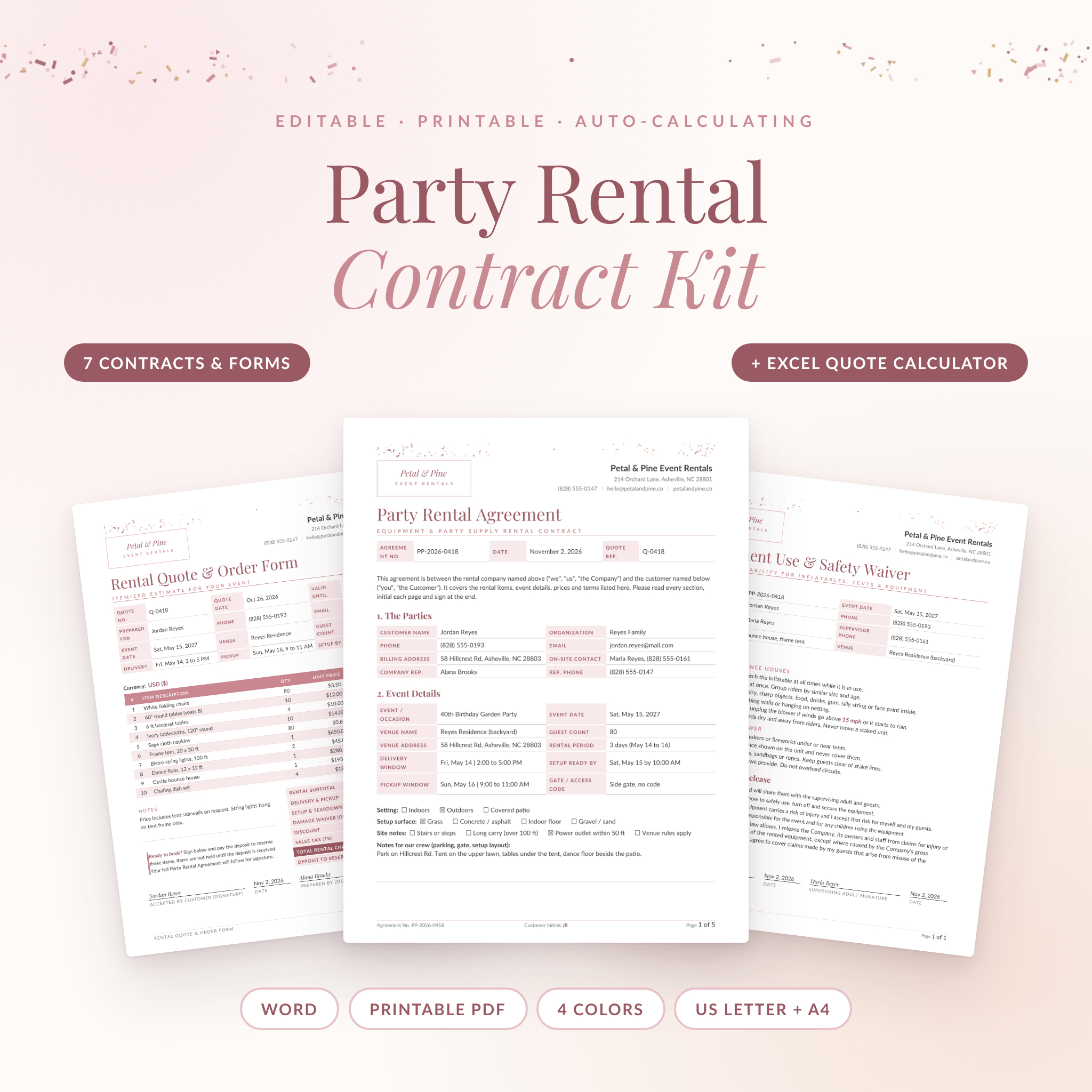
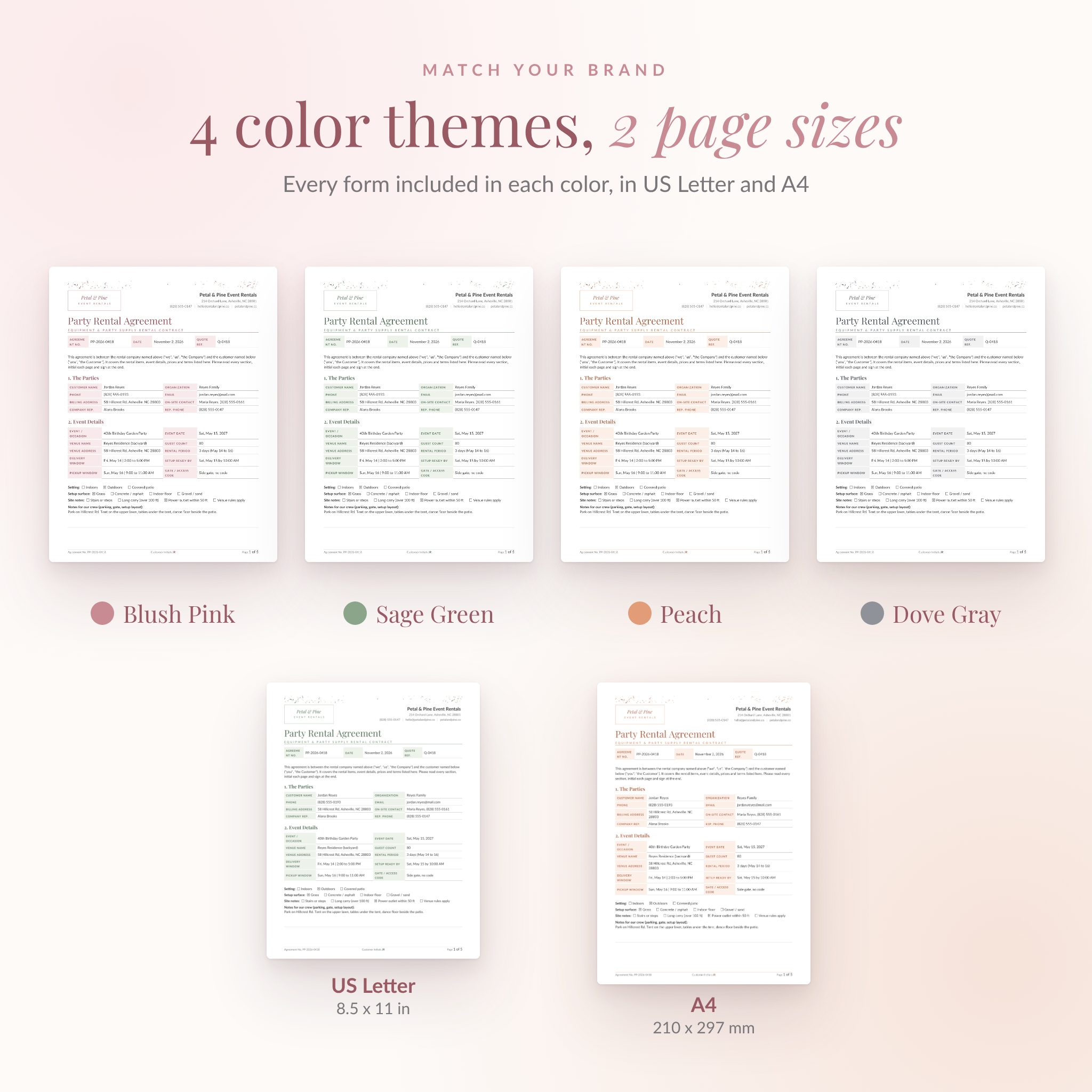
This party rental contract kit gives your rental business the paperwork it needs to book, deliver and get paid without awkward arguments later. You get a 5-page Party Rental Agreement, six matching forms and an Excel quote calculator with a booking tracker. Every form comes in four colors and in both US Letter and A4.
Most rental contracts online are one page with a signature line. That leaves gaps. Who pays for the tablecloth that comes back covered in candle wax? What happens when the wind picks up an hour before the party? Rent & Revel puts those answers in writing before the event, in plain English your customers will actually read.
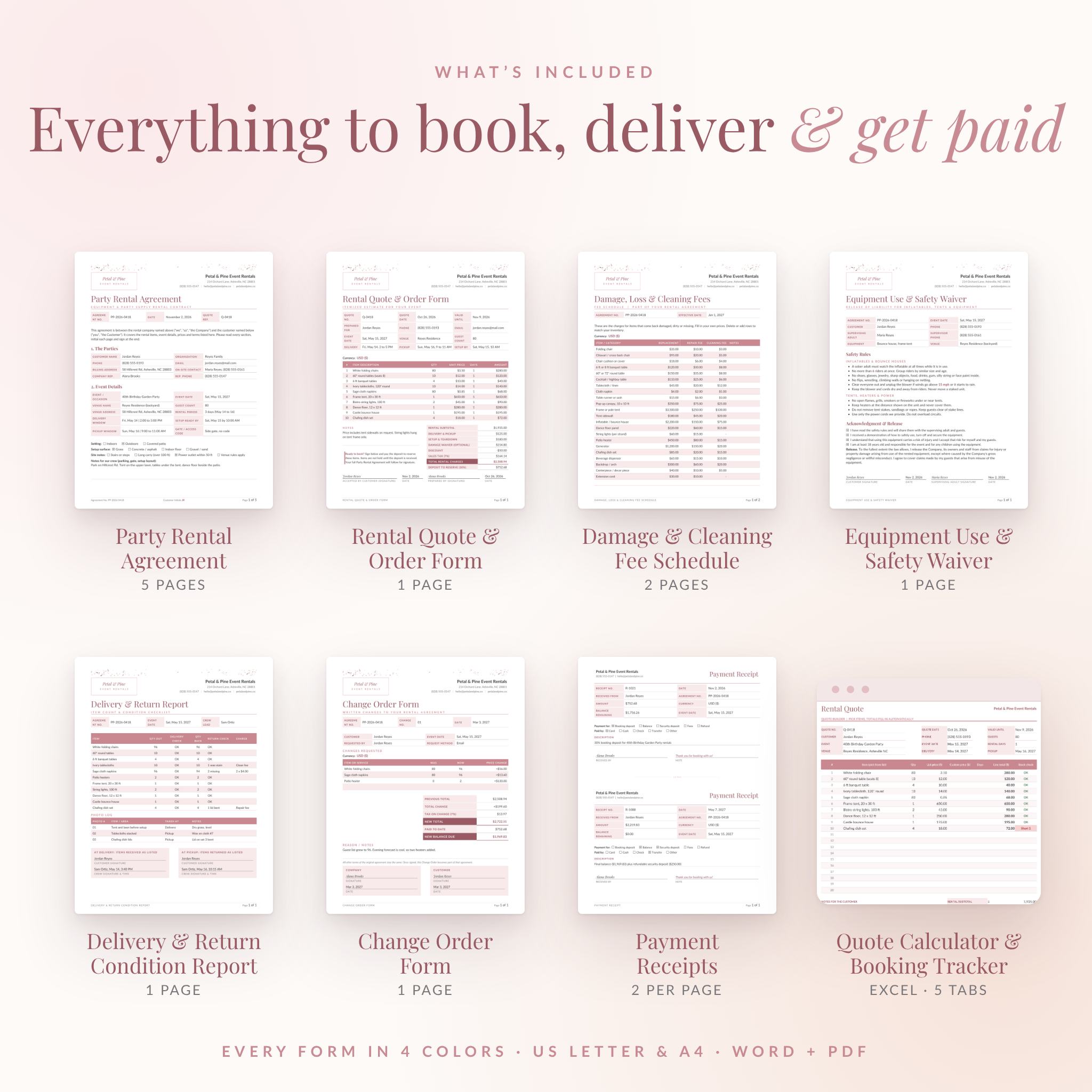
What’s Included in the Party Rental Contract Kit
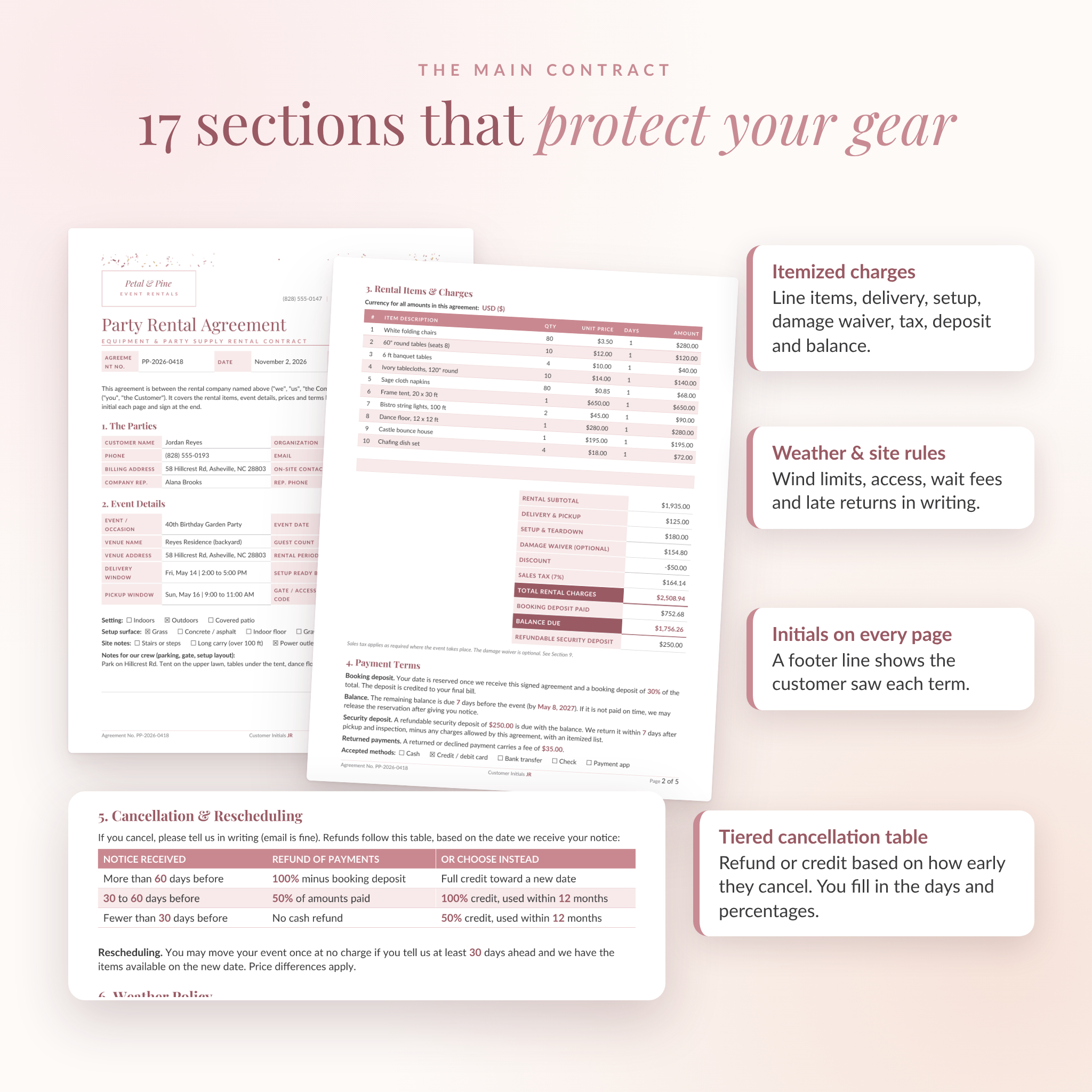
- Party Rental Agreement (5 pages): 17 sections covering the parties, event details, itemized rental charges, payment terms, a tiered cancellation table, weather policy, delivery and site rules, care of items, damage and cleaning fees, late returns, liability, payment authorization and signatures.
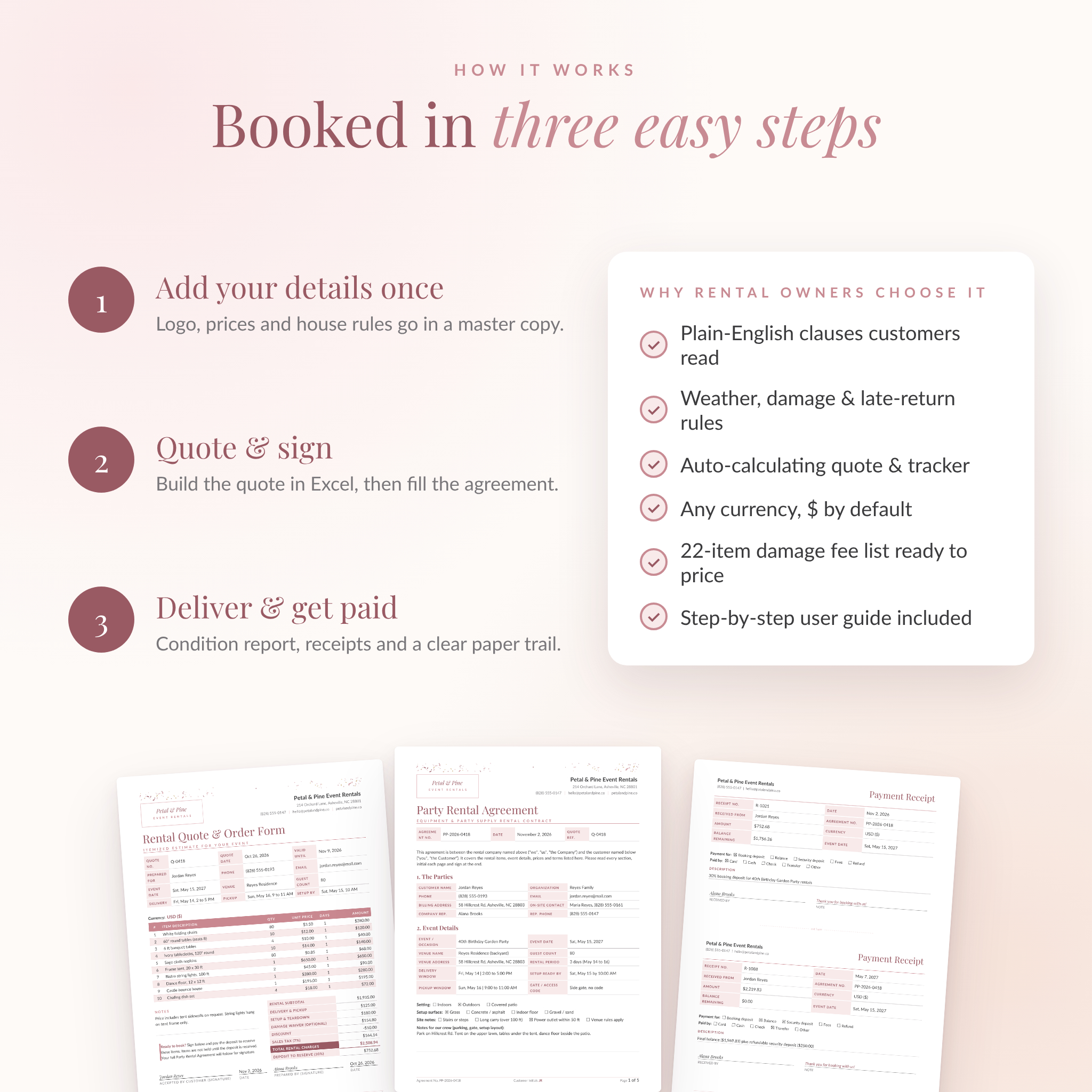
- Rental Quote & Order Form: a one-page itemized estimate with a signature line, so a signed quote doubles as an order.
- Damage, Loss & Cleaning Fee Schedule: 22 common party rental items already listed. You just add your replacement, repair and cleaning prices.
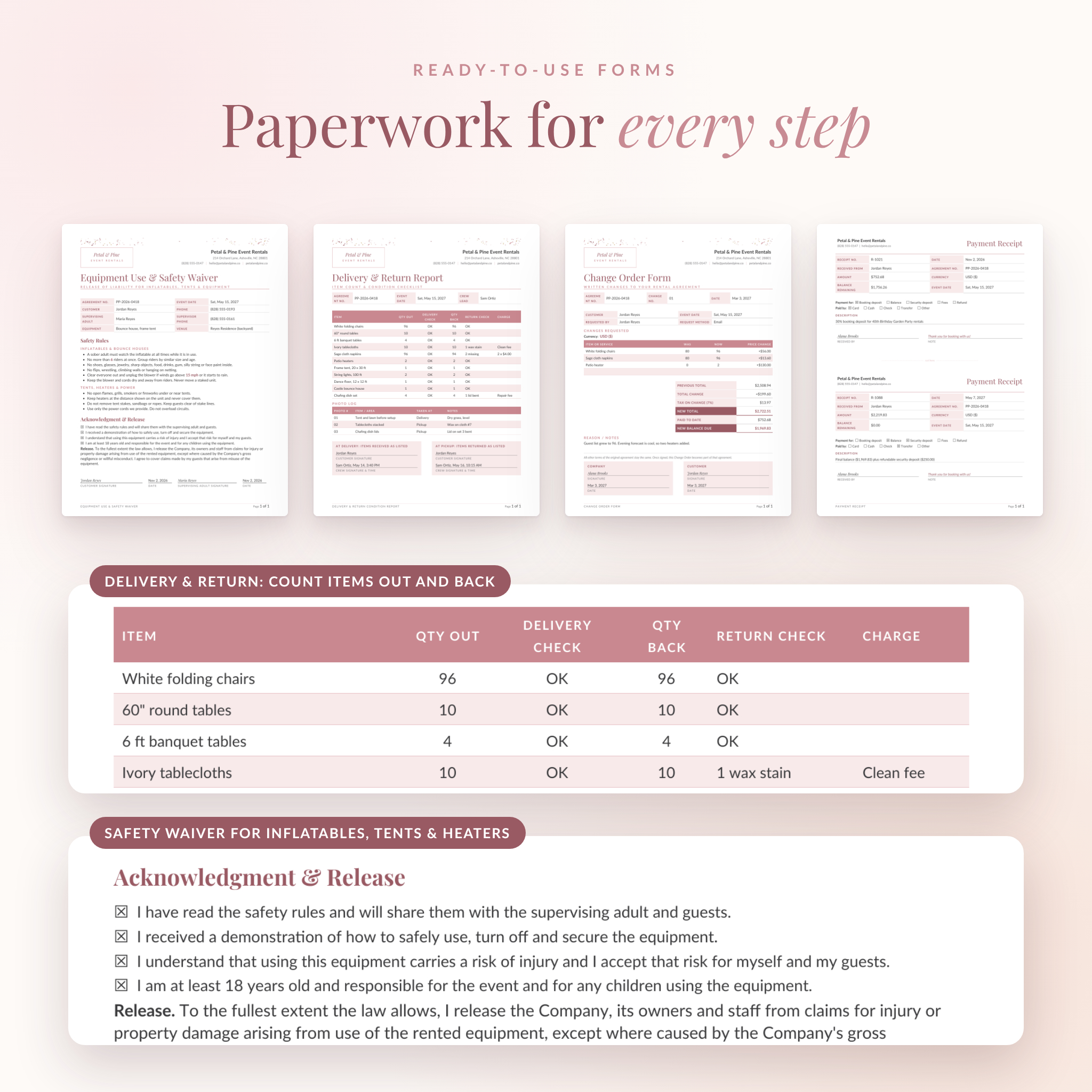
- Equipment Use & Safety Waiver: safety rules and a liability release for bounce houses, tents, heaters and power, signed by the customer and a supervising adult.
- Delivery & Return Condition Report: count items out and back, note damage and keep a photo log, with sign-offs at delivery and pickup.
- Change Order Form: records changes after signing, like extra chairs or a new date, with the updated total.
- Payment Receipts: two per page for deposits, balances, security deposits and refunds.
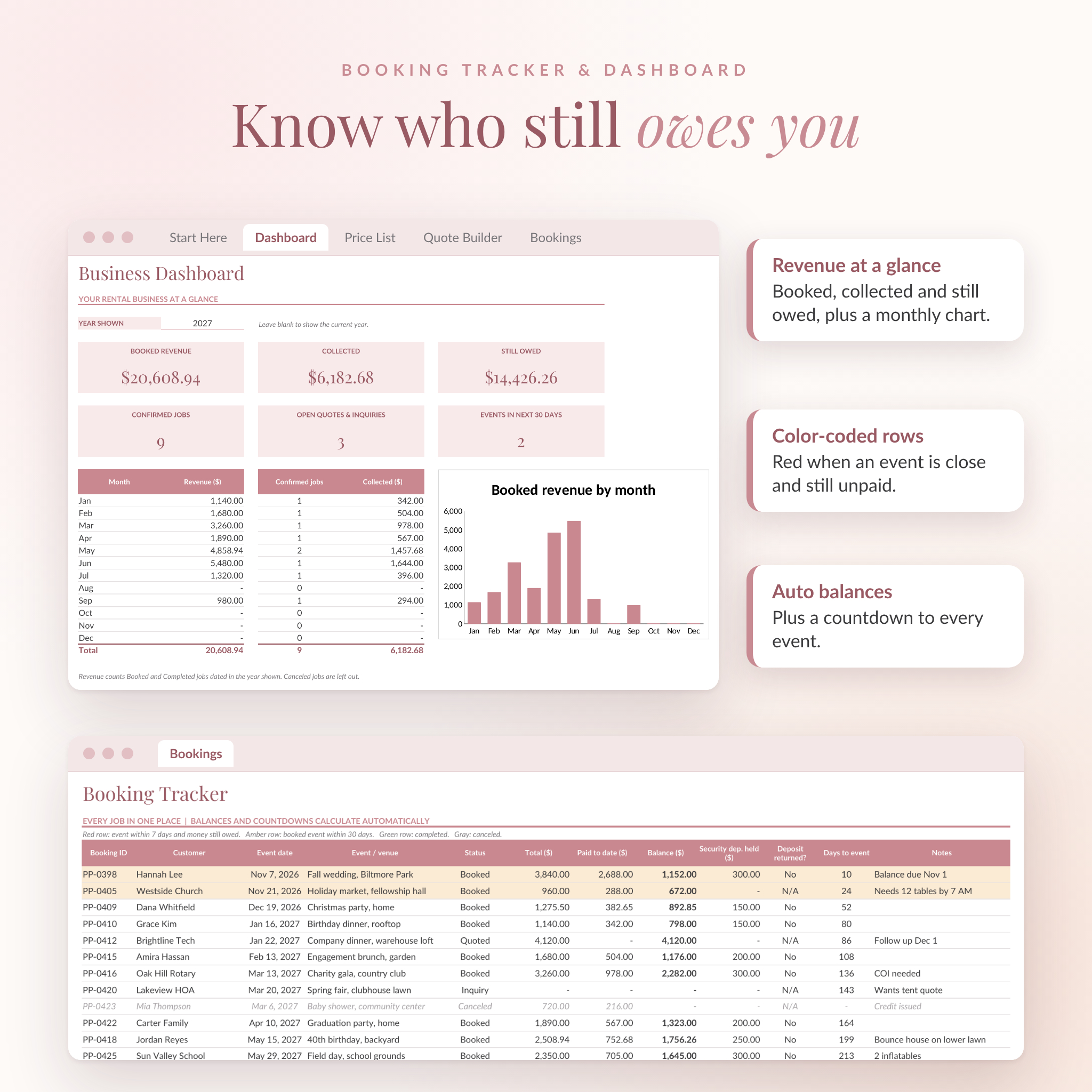
- Quote Calculator & Booking Tracker (Excel): five tabs that build quotes, track bookings and show your revenue.
- Printable PDFs of all seven forms in every color and size, with bookmarks.
- A 12-page user guide with setup steps, tips, troubleshooting and FAQs.
Features That Make Booking Easier
Editable rental agreement template
Every word is editable in Microsoft Word. Placeholders like [Your Business Name] are highlighted, so you can spot them fast. Blank lines inside the clauses hold your own numbers: deposit percentage, cancellation days, wind speed limit, wait fees and late fees. Set them once in a master copy and reuse it for every customer.
Protection where disputes usually start
- A cancellation table with three tiers, so refunds and credits are clear before anyone asks
- A weather clause with a wind limit and a decision deadline
- Site rules for access, buried lines, permits and failed deliveries
- An optional damage waiver the customer accepts or declines in writing
- Customer initials in the footer of every page
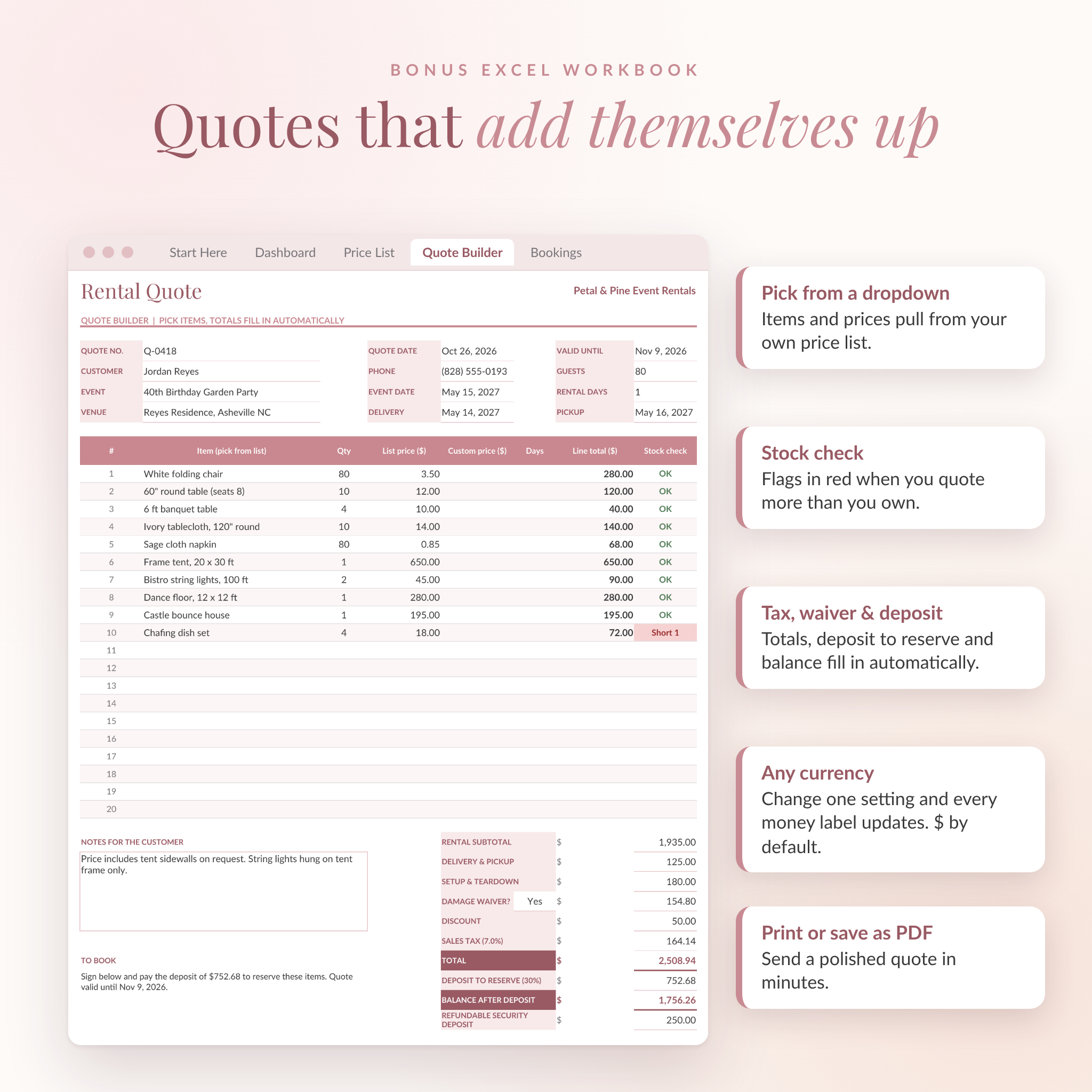
An Excel quote calculator that does the math
Pick items from a dropdown and the prices fill in from your own price list. Enter quantities and the workbook adds up line totals, delivery, setup, the damage waiver, discounts, sales tax, the deposit to reserve and the balance. A stock check flags any line where you quote more items than you own. The Bookings tab tracks payments and counts down to each event, and the Dashboard shows booked revenue, money collected, money still owed and a monthly chart.
Any currency, $ by default
In the workbook, one currency setting updates every money label. In the Word and PDF forms, amount columns stay neutral and each money section has a currency line, so the kit works wherever you trade.
Who This Kit Is For
- Party and event rental companies, from one-person startups to busy teams
- Bounce house and inflatable rental businesses
- Tent, table, chair and linen rental services
- Event decorators and planners who rent out their own decor
- Venues that rent furniture or equipment to clients
How It Works
- Install the two free fonts included in the download.
- Pick your color theme and page size.
- Add your logo, business details and house rules to a master copy.
- Fill in your prices on the Fee Schedule and the Excel Price List.
- For each booking, build a quote, then fill in and sign the agreement.
- Bring the Condition Report on delivery, and issue receipts as payments come in.
Real Ways Rental Owners Use It
A bounce house business sends the quote and safety waiver together, so the supervising adult signs the rules before setup day. A tent and table company uses the Condition Report and photo log to settle a missing-napkin charge in two minutes instead of two weeks. A decor rental side business keeps every job in the Booking Tracker and sees in one glance who still owes a balance next week.
File Formats & Software
- Editable templates: 56 Word files (.docx), seven forms in four colors and two page sizes
- Printable PDFs: eight PDF files, one per color and size
- Workbook: one Excel file (.xlsx)
- User guide: Word file (.docx)
- Fonts: Playfair Display and Lato, free under the SIL Open Font License
Built for Microsoft Word and Excel on Windows or Mac. The files also open and calculate in LibreOffice, which is free. Any PDF reader can print the PDFs.
Customization
Change the wording, add or delete rows, swap in your logo and rename sections. Headings use built-in Word heading styles, so you can restyle all of them in one step. Formula cells in the workbook are locked without a password, so typing in the wrong place can’t break a calculation.
Digital Download
This is an instant digital download. Nothing is shipped. After checkout you’ll get a ZIP file with every template, PDF, the workbook and the fonts, plus the user guide as a separate download. Personal and single-business use only. Please don’t resell or share the blank templates.
Note: this kit is a template and not legal advice. Laws differ by state and country, so please have a local attorney review your final agreement.
FAQ
Is this party rental agreement legally binding?
A signed agreement is generally enforceable, but rules vary by location. Use the kit as your base and have a local attorney review it once.
Does it work for bounce house rentals?
Yes. The agreement, weather policy and Safety Waiver all cover inflatables, including supervision and wind limits.
Can I edit the wording?
Yes. Every clause is normal text in Word.
Can I use it outside the US?
Yes. A4 versions are included and you choose the currency. Check the governing law section for your area.
Do I need Excel for the quote calculator?
Excel gives the best results. Free LibreOffice Calc also runs it.
Can I send the contract by email?
Yes. Fill it in, save it as a PDF and email it. The agreement covers electronic signatures.
Are the forms printable?
Yes. Print the PDFs at actual size and fill them in by hand, or print the Word files after typing.
Reviews
There are no reviews yet.